
Affiliate disclosure: Some links in this guide may be paid referral links. If you purchase or sign up through one, One Stop Side Hustles may earn a commission. How our affiliate links work.
BLOGGING STARTER GUIDE
Discover how to launch a blog from scratch, choose the right niche, drive traffic through SEO, and monetize in multiple ways. Income varies, and most blogs take months of consistent publishing before earnings become meaningful.
3. Choose Your Niche & Content Style
4. Earnings, Pricing & Offer Selection
5. Essential Tools & Your Starting Setup
6. Find Readers & Reach Your Audience
7. How to Start: Your Beginner Roadmap
8. Build Trust & Improve Results
9. Learning Resources & Templates
10. Your First 6 Months in Blogging
11. Get the Blogging Starter Kit
12. Frequently Asked Questions
Quick Snapshot
Earn: $0–$500/mo starting, $1,000–$10,000+/mo established
Work: Write anytime, anywhere, on your own schedule
Start: Low cost — just a domain and hosting
Best for: Writers building a long-term digital asset
Grow: Content compounds → ads, affiliates, products
1. What Is Blogging?
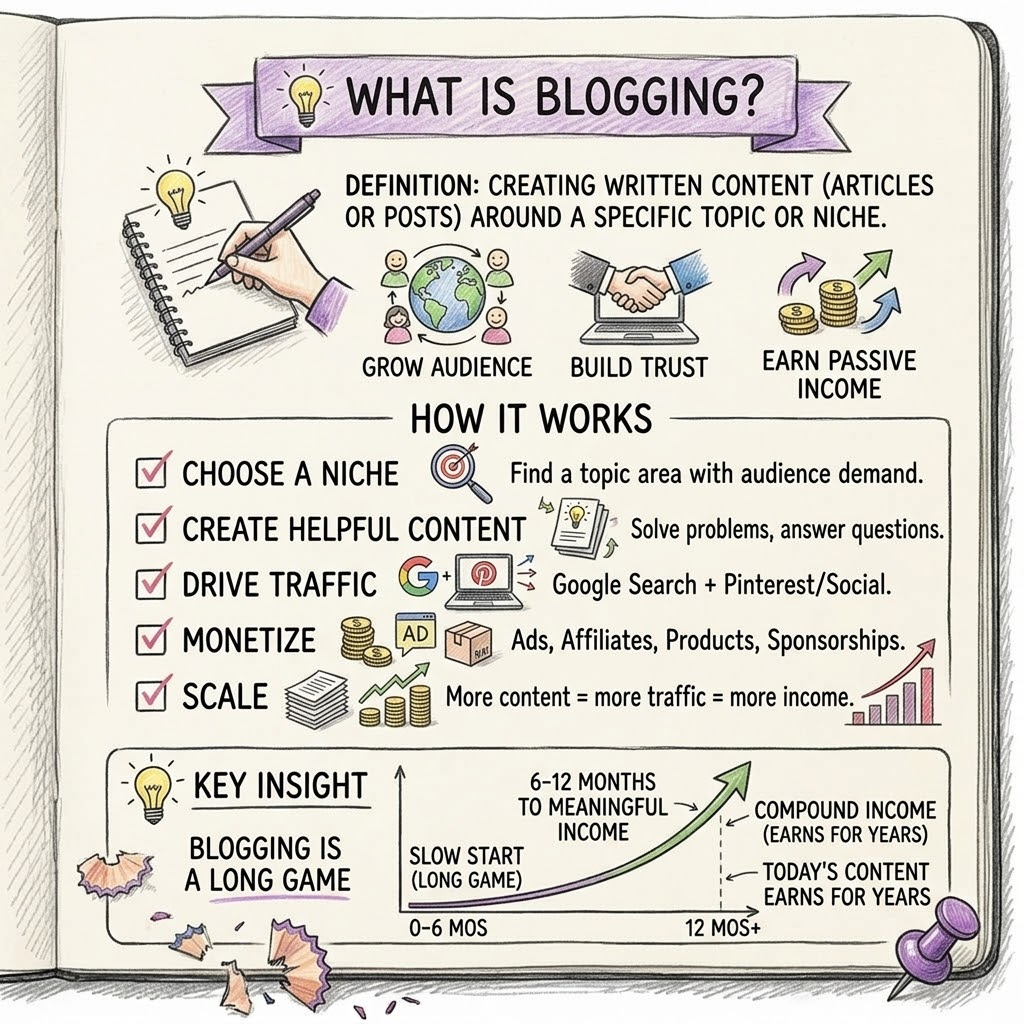
Blogging is creating written content (articles or posts) around a specific topic or niche. Your blog can grow an audience, build trust, and earn recurring income through multiple streams.
⚙️ How It Works
- Choose a niche (topic area with audience demand)
- Create helpful content (solve problems, answer questions)
- Drive traffic (mostly from Google search + Pinterest/social)
- Monetize (ads, affiliates, products, sponsorships)
- Scale (more content = more traffic = more income)
🎯 KEY TAKEAWAY
Blogging is a long game (6-12 months to meaningful income), but it compounds over time. Content you write today can earn money for years.
2. Why Choose Blogging?
Blogging is powerful because it lets you build a long-term digital asset that can attract readers, generate trust, and create income long after each post is published.
💰 Multiple income streams
A blog can make money in several ways:
- Display ads
- Affiliate marketing
- Sponsorships
- Digital products
- Services or consulting
That gives blogging more upside than side hustles that rely on only one offer.
🧠 You build an asset you own
Each article becomes part of a content library that can keep working for you:
- Posts can rank in search
- Rankings bring traffic
- Traffic builds trust
- Trust turns into subscribers and buyers
Unlike social posts, your best articles can stay valuable for years.
💻 Low startup cost
You can start a real blog with relatively little money:
- A domain name
- Hosting
- A simple site design
- Free writing and SEO tools
There is no inventory, shipping, or product manufacturing required.
🕒 Flexible around your schedule
Blogging is easy to build gradually because you can write:
- Early mornings
- Nights
- Weekends
- In batches when you have time
That makes it a strong fit for people building around work, school, or family responsibilities.

🌍 Evergreen search demand
People are constantly searching for:
- Answers
- Reviews
- Tutorials
- Recommendations
- Step-by-step help
If your content solves real problems, it can continue attracting readers long after you publish it.
📈 Content compounds over time
One post can help, but a full content library is where blogging becomes powerful:
- More posts target more keywords
- More keywords create more traffic opportunities
- Older posts can keep earning while new ones are added
This compounding effect is one of blogging’s biggest long-term advantages.
🔗 Monetization can improve as traffic grows
You do not need to rely on a single income source forever.
As traffic grows, you can layer in:
- Better affiliate offers
- Higher-paying ad networks
- Email funnels
- Product launches
That makes each visitor more valuable over time.
🚀 A blog can open bigger business opportunities
A successful blog can grow into much more than articles:
- A personal brand
- Freelance writing or consulting
- Courses and memberships
- Speaking or partnership opportunities
- A sellable media asset
It can start as a side hustle and expand into a full digital business.
3. Choose Your Niche & Content Style
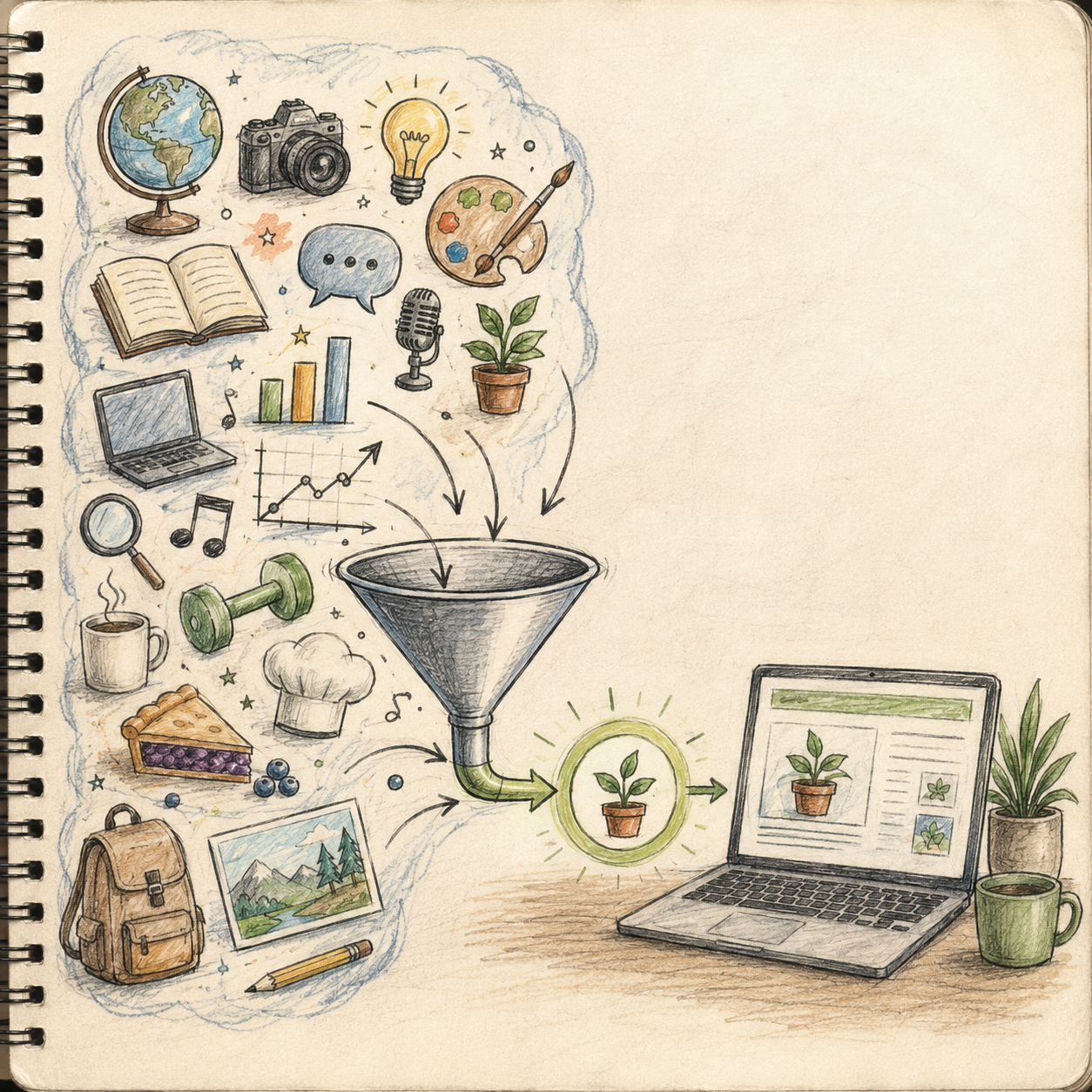
Blogging can range from broad interest categories to focused micro-niches with stronger search intent and clearer monetization. The smartest beginner move is to start with a narrower niche you can write about consistently, then expand later once your content library and audience trust are stronger.
You do not need to blog about everything. Focus first on niches that have clear reader problems, enough content depth, and an obvious path to products, services, ads, or affiliate income.
💰 High-Value Knowledge & Career Niches
💵 Personal Finance & Money Topics
- 💵 What it includes: Budgeting, debt payoff, savings, investing basics, retirement planning, side hustles, and financial tools
- 💰 Monetization: Affiliate programs, financial products, templates, calculators, courses, and sponsorships
- ✅ Best for: Bloggers who can explain money topics clearly and responsibly
- 🔥 Why it works: Finance readers often have strong intent and financial brands usually pay well for leads, tools, and education
💡 PRO TIP
Trust and accuracy matter more here than broad motivation or hype.
💼 Career, Work & Productivity
- 💼 What it includes: Resume advice, remote work, job search tips, workplace systems, career growth, time management, and organization
- 💰 Monetization: Templates, digital products, coaching, software affiliates, courses, and career services
- ✅ Best for: Bloggers with workplace experience, process knowledge, or practical professional advice
- 🔥 Why it works: Career readers are often actively trying to solve immediate work, income, or advancement problems
💡 PRO TIP
Niche angles like “resume help for nurses” often outperform broad “career advice” blogs.

🥗 Lifestyle, Health & Family-Focused Niches
🧘 Health, Wellness & Routines
- 🧘 What it includes: Fitness habits, stress support, sleep, meal prep, wellness routines, and self-care systems
- 💰 Monetization: Affiliate products, wellness tools, coaching, meal plans, courses, and digital trackers
- ✅ Best for: Bloggers with credible experience, practical systems, or strong research habits
- 🔥 Why it works: These topics stay relevant because people constantly want to improve daily life, energy, and consistency
💡 PRO TIP
Specific audiences usually perform better than general wellness content.
🏡 Parenting, Home & Lifestyle
- 🏡 What it includes: Family routines, child activities, home organization, small-space living, cleaning systems, and home improvement ideas
- 💰 Monetization: Ads, affiliate links, printables, planners, courses, and sponsored content
- ✅ Best for: Parents, educators, organizers, or bloggers who enjoy practical home and family content
- 🔥 Why it works: Parents and home-focused readers search constantly for useful solutions, product recommendations, and step-by-step help
💡 PRO TIP
Stage-specific or problem-specific content usually converts better than general lifestyle writing.

🍽️ Visual & Search-Friendly Niches
🍳 Food & Recipe Blogs
- 🍲 What it includes: Meal plans, quick dinners, baking, special diets, budget meals, freezer meals, and family recipes
- 💰 Monetization: Display ads, cookbooks, affiliate tools, meal plans, sponsored content, and digital recipe packs
- ✅ Best for: Bloggers who enjoy cooking, testing, photography, and publishing consistently
- 🔥 Why it works: Food content generates repeated searches and can build strong traffic when paired with helpful formatting and visuals
💡 PRO TIP
Food blogs often do best when the angle is narrow, searchable, and easy to repeat.
🧵 DIY, Crafts, Travel & Visual Content Niches
- 🎨 What it includes: Home projects, craft tutorials, travel guides, itineraries, décor ideas, and printable-focused content
- 💰 Monetization: Ads, affiliate links, digital downloads, templates, travel products, and sponsored partnerships
- ✅ Best for: Bloggers who can pair useful writing with strong visuals, tutorials, or destination guidance
- 🔥 Why it works: Visual niches often perform well on Pinterest and can keep driving traffic long after publishing
💡 PRO TIP
Broad visual categories usually work better when narrowed to one audience or one repeated problem.

💻 Product, Review & Buyer-Intent Niches
💻 Tech, Software & Tool Reviews
- 💻 What it includes: App comparisons, software tutorials, buyer guides, gear reviews, AI tools, and remote work technology
- 💰 Monetization: Affiliate programs, sponsored reviews, software referrals, digital guides, and ads
- ✅ Best for: Bloggers who like testing products, explaining tools, and writing comparison-driven content
- 🔥 Why it works: Review and comparison content often attracts high-intent readers who are close to making a purchase
💡 PRO TIP
Specific use-case angles usually outperform broad gadget coverage.
🐾 Pet Care & Hobby Niches
- 🐾 What it includes: Pet training, supplies, care routines, breed guides, hobby tools, and passion-based how-to content
- 💰 Monetization: Affiliate links, ads, product guides, courses, sponsorships, and digital resources
- ✅ Best for: Bloggers with hands-on experience and repeat-use advice for a loyal audience
- 🔥 Why it works: Pet owners and hobby audiences spend steadily when the content solves real day-to-day problems
💡 PRO TIP
“Best for [specific need]” content often converts much better than general advice posts.

🎯 Micro-Niche Strategy
⚖️ Broad vs. Focused Blog Angles
- 📌 Broad examples: Travel, fitness, food, parenting, or finance
- 📌 Better focused angles: Budget travel in one region, beginner workouts for one audience, family dinners for one lifestyle, or debt payoff for one profession
- ✅ Best for: Beginners who want easier topic planning, clearer SEO targets, and stronger reader connection
- 🔥 Why it works: Focused blogs are easier to rank, easier to explain, and easier to monetize with the right products
💡 PRO TIP
Specificity usually helps you stand out faster than trying to appeal to everyone.
🧭 Niche Selection Framework
- 📌 Look for overlap between: your interest or expertise, audience demand, and monetization options
- 📌 Strong signals: lots of searchable questions, clear reader pain points, product opportunities, and room for many posts
- ✅ Best for: Bloggers who want a practical way to choose a niche that is sustainable long term
- 🔥 Why it works: The right niche helps you publish more consistently and create content that can actually earn
💡 PRO TIP
Income potential matters, but you still need enough interest to keep writing useful content over time.
🎯 Choose Your Beginner Blog Niche
🎯 KEY TAKEAWAY
Start with a micro-niche inside a profitable broad category. This gives you clearer SEO targets, stronger reader trust, and a much easier path to matching content with monetization.
🚀 ACTION STEP
Write a focused first plan:
- Reader: Describe a specific audience and a recurring problem.
- Content runway: List ten useful article ideas you can research accurately.
- Monetization fit: Identify relevant products, services, or offers without forcing them into every article.
- First test: Publish one focused article and use reader feedback to refine your direction.
4. Earnings, Pricing & Offer Selection
Use this chapter to connect reader intent, revenue streams, and your monetization plan before choosing your next income-building step.
🧠 Reality Check (What Actually Separates Earners)
- Most beginners start with very little income at first
- Not because blogging cannot pay
- 👉 Many blogs get traffic without a clear monetization plan
- 👉 Or they publish content with weak buyer intent
- The bloggers who earn more typically:
- Target better topics and better search intent
- Build trust through useful content
- Add multiple revenue streams
- Improve old posts instead of only writing new ones
🎯 KEY TAKEAWAY
Blogging income grows fastest when you move from random content → targeted traffic → layered monetization.
🔑 Smart Monetization Strategy
🌱 Early Monetization
- Move quickly toward:
- Affiliate links
- Email list building
- Digital product ideas
📈 Higher-Value Layers
- Add higher-value layers as traffic grows:
- Better ad networks
- Product launches
- Sponsorships
- Memberships or services
🧪 Real Example
📋 REAL-WORLD EXAMPLE
🌱 Scenario A: Traffic-heavy but weak monetization
- Gets readers from broad posts
- Uses mostly display ads
- Limited email or product strategy
- Income: $250–$750/month
🎯 Scenario B: Better monetized blog
- Adds affiliate content and stronger buyer intent
- Uses reviews, tutorials, and useful recommendations
- Builds some list growth
- Income: $1,500–$3,000/month
🚀 Scenario C: Layered blogging business
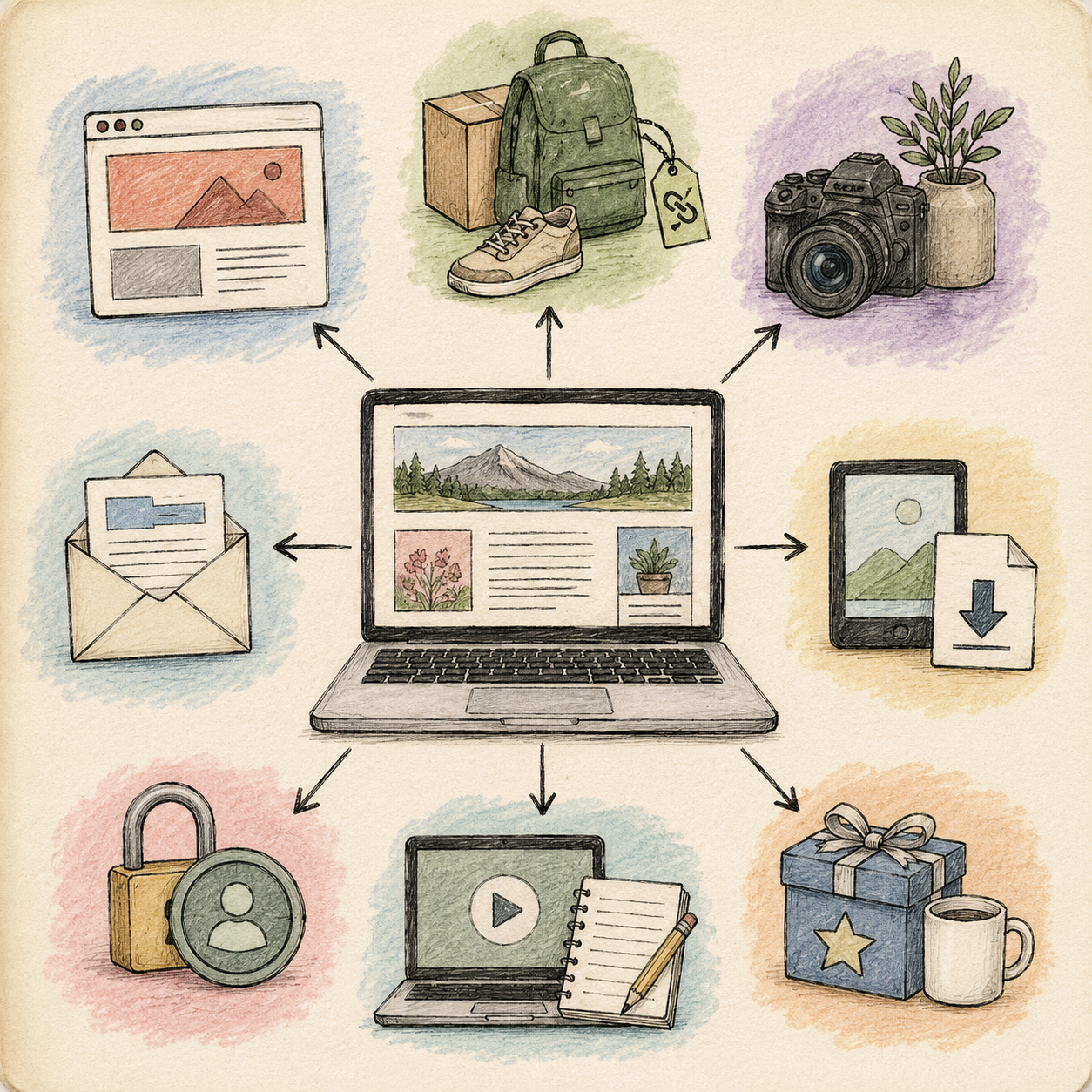
- Combines ads, affiliates, email, and digital products
- Targets stronger search intent
- Improves and monetizes top content
- Income: $3,000–$8,000+/month
🎯 KEY TAKEAWAY
Same general traffic ballpark. Big difference in intent, monetization, and strategy.

🎯 Pricing Strategy (This Is What Matters)
Most beginners think:
👉 “I need more traffic.”
But the real formula is:
🧮 Traffic × Intent × Monetization = Income
- Better monetization = more revenue per visitor
- High-intent traffic = better earning potential
- Low-intent traffic = lower value

📈 What Affects Your Earnings
📊 Key Income Drivers
- Traffic volume
- More qualified visitors usually means more revenue opportunities
- Search intent
- Review and comparison traffic often earns more than broad inspiration traffic
- Niche value
- Some niches have stronger affiliate payouts and advertiser demand
- Monetization mix
- Ads alone usually earn less than ads plus affiliates, email, or products
- Trust and usefulness
- Helpful blogs convert more readers into subscribers and buyers
🎯 KEY TAKEAWAY
In blogging, the goal is not just more pageviews. It is more of the right readers arriving on content that actually matches an income path.

📬 Revenue Stream Strategy
🧱 Best Beginner Stack
📌 Start with: helpful SEO posts, affiliate links where relevant, and a basic email opt-in
📌 Add next: stronger review content, simple lead magnets, and improved internal linking
✅ Best for: Bloggers who want the simplest path to early monetization without overcomplicating the site
🔥 Why it works: A small, well-aligned monetization setup usually outperforms a scattered one
💡 PRO TIP
Do not force monetization into posts that do not naturally support it.
🏔️ Long-Term Income Stack
📌 Build toward: ads, affiliates, email, digital products, and sponsorships working together
📌 Use each layer for: baseline income, higher-intent conversions, owned audience growth, and scalable offers
✅ Best for: Bloggers who want to turn a content site into a durable digital business
🔥 Why it works: Layered monetization increases the value of both old and new content over time
💡 PRO TIP
The strongest blogs do not just get traffic — they turn traffic into subscribers, buyers, and repeat readers.
🚀 Build Your First Blog Monetization Plan
🧭 Create Your Plan in 5 Steps
- Choose one reader problem. Pick a specific need your blog helps solve, such as planning affordable meals or choosing beginner-friendly software.
- Match it to one income path. Use affiliate links for genuine product recommendations, a template or guide for a repeatable task, or a service for hands-on help. Add display ads later when traffic supports them.
- Choose three supporting posts. Plan a helpful tutorial, a comparison or review where relevant, and a practical resource post. Each should answer a distinct question—not exist only to push an offer.
- Add one clear next step. Invite readers to explore a relevant recommendation, download a useful resource, or join your email list. Explain the benefit and disclose affiliate relationships clearly.
- Review monthly. Track link clicks, email signups, sales, and revenue by post. Improve weak recommendations or unclear calls to action before adding more offers. With little traffic, use reader feedback too; a few visits are not enough to judge an offer.
📋 Example: Budget Meal-Planning Blog
- Reader problem: Affordable dinners without planning from scratch every week.
- Content: A meal-planning tutorial, budget grocery guide, and meal-prep tool comparison.
- First offer: A printable meal planner, with affiliate recommendations only for genuinely useful tools.
- Email opt-in: A free one-week meal plan that introduces the paid planner.
- Measure: Planner sales, email signups, and recommendation clicks.
🚀 ACTION STEP
Complete your first plan today:
“My blog helps [specific reader] solve [specific problem]. My first income path is [offer or method], supported by [three post ideas]. I will track [clicks, signups, or sales] and review results monthly.”
Start with one plan. Add another revenue stream only when it serves your readers and you can manage it consistently.
🎯 KEY TAKEAWAY
Build around one reader problem, one relevant offer, and one clear next step. You do not need to launch every revenue stream at once. Start with a useful content-to-offer connection, then improve it using real reader behavior.
📋 Pricing & Revenue Planning Reference
📖 How to Use These Tables
Review the blogging stages and revenue streams below alongside your reader intent, niche, traffic sources, and monetization mix.
💵 What Bloggers Actually Earn
📊 Income Progression by Stage
🚀 Stage | 🌐 Blog Level | 💰 Typical Monthly Income | ⏳ Timeline | 📌 What’s Happening |
Beginner | New blog with early posts | $0–$100 | 0–6 months | Learning SEO, publishing, and setting up systems |
Developing | Growing traffic and first monetization | $100–$500 | 6–12 months | Search visibility improves and early affiliates or ads begin working |
Established | Consistent traffic and better monetization | $500–$2,000 | 12–18 months | Older content compounds and monetization starts stacking |
Advanced | Authority blog with multiple revenue streams | $2,000–$5,000+ | 18–36 months | Ads, email, affiliates, and products all contribute |
Professional | Large traffic base or high-value niche business | $5,000–$25,000+/month | 3+ years | Stronger systems, trust, and scalable offers |
🎯 KEY TAKEAWAY
Blogging usually compounds slowly at first, then grows faster when traffic, trust, and monetization start working together.
💸 Blogging Revenue Breakdown
🧾 Common Revenue Streams
💡 Revenue Stream | 💰 Typical Earnings | 📈 Best Use Case |
📢 Display ads | $5–$50 per 1,000 pageviews | Traffic-heavy blogs with strong pageview volume |
🔗 Affiliate marketing | $10–$200+ per 1,000 pageviews | Reviews, tutorials, buyer guides, and comparison posts |
📦 Digital products | $5–$500+ per sale | Templates, guides, checklists, courses, and toolkits |
📧 Email marketing | Highly variable | Long-term trust, repeat promotions, and product launches |
🤝 Sponsored content | $100–$5,000+ per post | Established blogs with niche relevance and authority |
🎯 KEY TAKEAWAY
Build multiple revenue streams so income does not depend on one traffic source or one offer alone.
5. Essential Tools & Your Starting Setup
Start with the essentials, then add paid tools only when they improve quality, save time, or support consistent revenue.
Start a blog with a publishing system you can maintain: a clear reader focus, a usable site, a writing workspace, and basic measurement. Choose a platform that fits your technical comfort and budget, then prioritize useful content over extra subscriptions.
🧰 Your Minimum Viable Setup
🧰 Start With What You Already Have
- Device: An existing computer with reliable internet access.
- Publishing home: One suitable hosted platform or a self-hosted site.
- Writing workspace: Keep article ideas, sources, drafts, and review dates together.
- Design: Use a simple mobile-friendly theme and lightweight images.
- Measurement: Set up search and traffic reporting where supported.
- Maintenance: Plan updates, backups, and account security.
💡 PRO TIP
Publish a test article and read it on your phone before customizing the whole site. Clear text, easy navigation, and working links come first.
🧭 Choose One Working Path
Self-hosted: Use WordPress.org when you want control over hosting, themes, and plugins and can manage maintenance. Budget for domain and hosting renewals—not only introductory offers.
Hosted: Choose a managed blogging platform when simpler administration matters. Check the specific plan’s custom-domain, export, analytics, and monetization options.
Newsletter-led: Pair written posts with an email platform if direct subscriptions fit your audience. Confirm export, subscriber-consent, and promotional rules.
🎯 KEY TAKEAWAY
A readable site, a repeatable writing process, and useful articles are more important than a premium theme or a large SEO toolkit.
⚙️ Set Up Your Workflow in 5 Steps
🎯 1. Choose Your Reader and Platform
Name one reader problem and outline three useful articles. Compare platform requirements, renewal costs, content export, and permitted monetization before choosing a plan.
🏗️ 2. Set Up the Site Foundation
Configure your domain where needed, secure connections, account security, and basic navigation. Create About and Contact pages and relevant privacy and disclosure information. Set up backups and confirm how to restore them.
🔄 3. Build the Content Workflow
Track each article’s reader question, outline, sources, draft status, publishing date, and next review. Use descriptive headings and internal links. Add accurate explanations and original examples rather than writing to a fixed word-count target.
📊 4. Configure Measurement and Audience Tools
Verify your site in Search Console where supported and add appropriate analytics. Test any email signup and welcome message, including unsubscribe options. Address applicable privacy and consent requirements before collecting user data.
🚀 5. Test and Publish
Preview the article on mobile and desktop. Check navigation, links, image rights and alt text, formatting, disclosure placement, and the intended next step. Schedule time to review feedback and maintain the site.
Before you begin:
💸 Keep Your Tool Budget Lean
⚠ COMMON MISTAKE
Buying several SEO suites, premium themes, and overlapping plugins before your first useful posts are live.
Start with a small, compatible toolset. Compare full billing commitments and renewal prices, and add paid research or email features only when a defined need makes the cost worthwhile.
🚀 ACTION STEP
Select one platform, create a simple article tracker, publish a test post, and test your mobile layout and links. Set a realistic publishing and maintenance schedule.
📝 Additional Starter Guidance
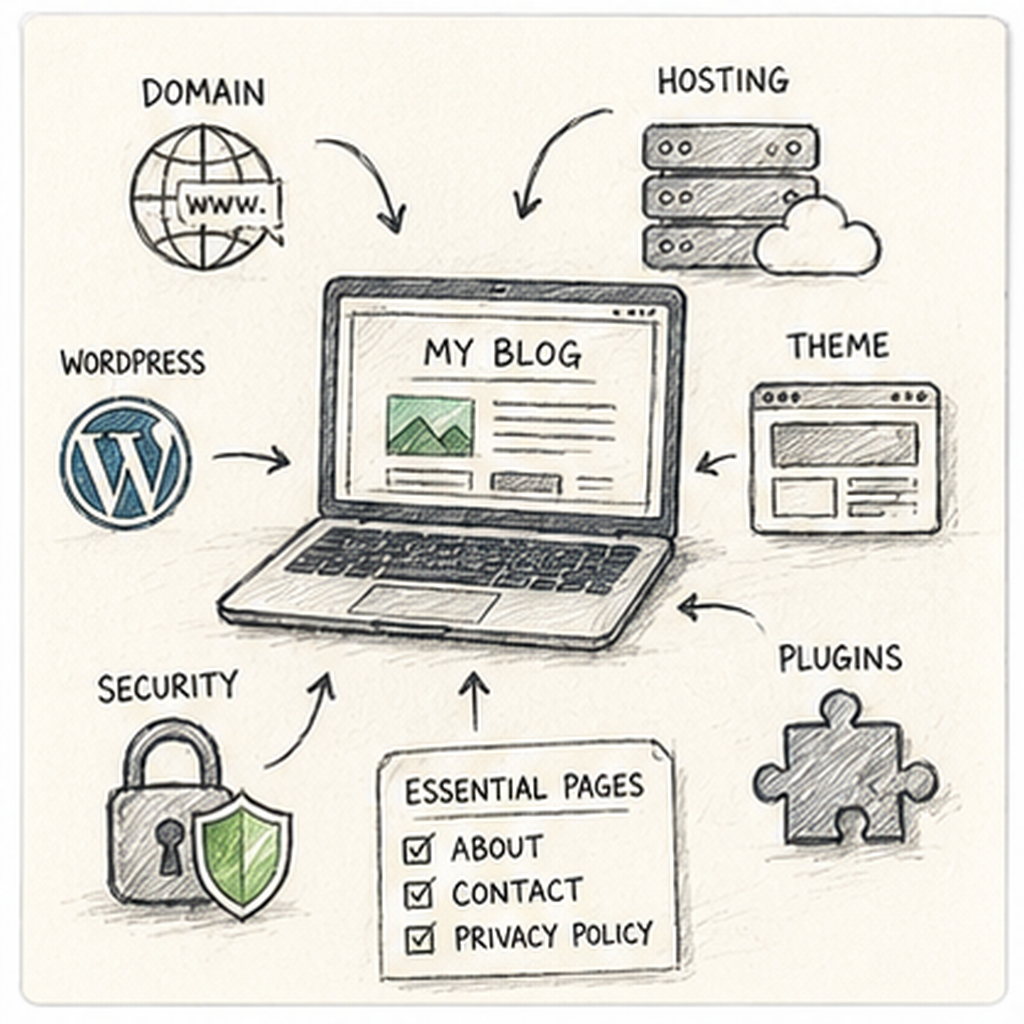
🧰 Your Minimal Viable Setup ($50)
If budget is tight, start with:
- Hosting + domain bundle ($35-50/year from Bluehost or Hostinger)
- Free WordPress theme (GeneratePress)
- Free plugins (Yoast SEO)
- Free tools (Google Analytics, Search Console, Canva (free))
Total first year: about $50
Add later: Email marketing ($0-30/mo), premium tools as income grows
📝 Starter Notes
- Start with the basics before buying premium tools
- A simple theme, solid hosting, and free analytics are enough to launch
- Upgrade design, email, and SEO tools only after content is live and traffic starts building
- Focus on publishing consistently before expanding your tool stack
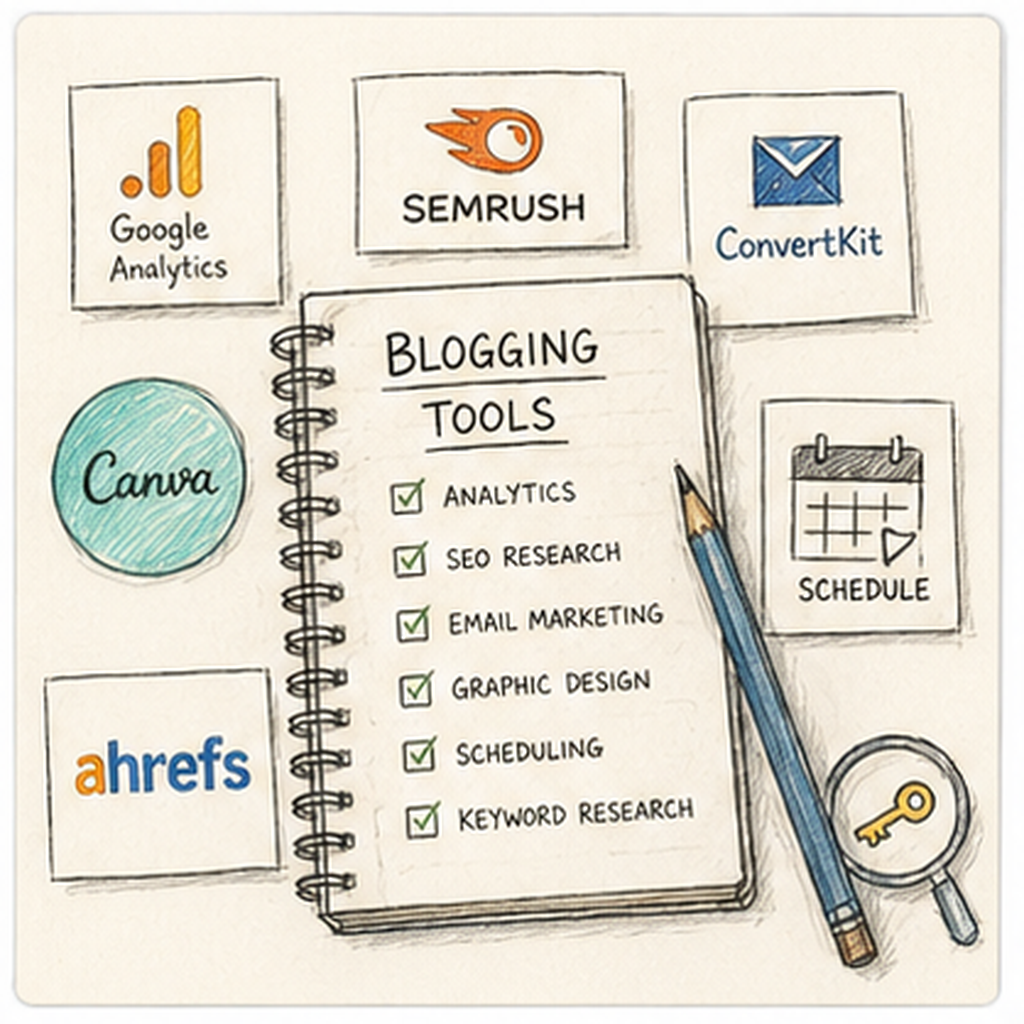
📋 Tool, Equipment & Setup Reference
🛠 TOOLS & RESOURCES
Use these existing comparisons as a reference library, not a requirement to buy or use every option.
📝 QUICK NOTE
Original comparison entries are retained. Listed prices, fees, eligibility, availability, timelines, and performance claims have not been reverified here. Check current provider terms and applicable requirements before relying on them; a free software tier does not eliminate equipment, training, transaction, or other business costs.
🧰 Essential Setup ($50-150 first year)
Item | Purpose | Cost | Recommended Option |
Domain Name | Your blog’s address (myblog.com) | $10–15/year | |
Web Hosting | Stores your website files | $30–100/year | |
Blog platform (self-hosted) | Free | Industry standard | |
Theme | Controls your blog’s look | Free–$60 | |
Essential Plugins | Security, SEO, speed | Free |
Recommended starter package: Bluehost ($2.95/month) + free domain + free SSL = $35 first year
💡 PRO TIP
WordPress.com vs WordPress.org: Use WordPress.org (self-hosted). More control, can monetize freely, own your content. WordPress.com is limited.
✨ Nice-to-Have Tools
Tool | Purpose | Cost | When to Get It |
Track visitors and traffic | Free | Day 1 | |
Monitor SEO performance | Free | Day 1 | |
Build email list | Free–$30/mo | Month 1 | |
Create graphics, pins | $13/mo | Month 2–3 | |
Keyword Research (Ubersuggest, SEMrush) | Find content ideas | Free–$120/mo | Month 3–6 |
Improve writing quality | Free–$12/mo | Optional |
6. Find Readers & Reach Your Audience
Finding readers is as much a distribution challenge as a writing challenge. Build around search, an owned audience, and repeatable promotion channels—then use performance data to decide where to focus.
🌐 Build Compounding Traffic With Google Search
Search traffic can become a durable source of readers when your content answers specific questions better than competing pages.
🔎 SEO Traffic Strategy
Focus on high-value, low-competition keywords to turn your blog into a compounding traffic asset.
📋 Action Plan
- Research keywords with high intent and manageable competition.
- Write comprehensive, authoritative content (1,500–2,500 words).
- Optimize titles, H1–H3 headings, and meta descriptions.
- Earn backlinks from reputable sites in your niche.
🔍 Reality Check
- Pros: Free, compounding, and can keep working over time.
- Cons: Requires patience; initial growth is slow.
- Time to results: 3–12 months.
🎯 GOALCan account for 60–80% of total traffic for mature blogs.
💡 PRO TIP
Update promising older posts before publishing more content on the same topic.
📧 Build an Owned Audience With Email
An email list gives you a direct relationship with readers and a reliable way to bring them back to new content, offers, and resources.
📧 Email List Growth Strategy
📋 Action Plan
- Create a lead magnet that solves one immediate reader problem.
- Nurture subscribers with a consistent weekly newsletter.
- Send readers back to useful posts and relevant products or services.
🔍 Reality Check
- Pros: You own the audience relationship and can reach readers directly.
- Cons: Growth requires a steady stream of relevant signups.
- Value: Varies widely by niche, offer, and list quality.
💡 PRO TIP
Match each lead magnet to the exact problem addressed by the post where it appears.
📌 Drive Visual Search Traffic With Pinterest
Pinterest can accelerate discovery for visual, evergreen topics by pairing searchable ideas with strong creative assets.
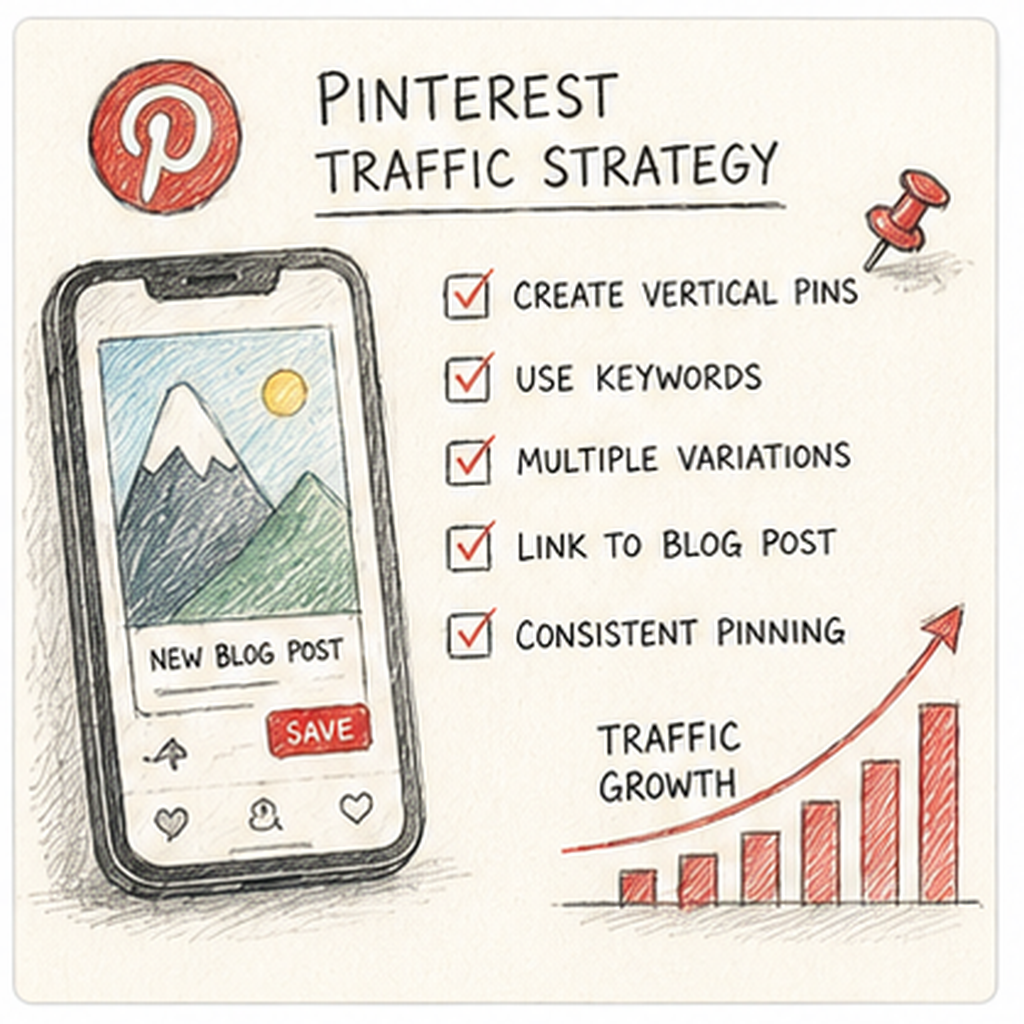
📌 Pinterest Traffic Strategy
Best for: Food, DIY, parenting, home décor, fashion, and travel.
📋 Action Plan
- Design high-quality vertical pins (1,000 × 1,500 pixels).
- Maintain consistency by pinning 5–10 times per day.
- Join relevant group boards when they provide genuine reach.
- Streamline scheduling with Tailwind.
🔍 Reality Check
- Pros: Can produce results faster than Google for visual niches.
- Cons: Requires design skills and is vulnerable to algorithm changes.
- Time to results: 1–3 months.
🎯 GOALCan provide 20–40% of traffic for visual niches.
💡 PRO TIP
Create several pin designs for each strong article and compare which message earns the most clicks.
📱 Build Community Through Social Media
Social platforms help you earn attention, test ideas, and build trust before inviting people to visit your blog or join your email list.
👥 Social Media Traffic Strategy
Platforms: Instagram for lifestyle content, TikTok for short-form tips, Facebook Groups for networking, and X for tech and news.
📋 Action Plan
- Choose one platform that matches your audience and content style.
- Repurpose each article into several native posts.
- Use clear calls to action that lead readers to a relevant post or email offer.
🔍 Reality Check
- Pros: Creates a direct, personal connection with your audience.
- Cons: Has a high time cost, and algorithms often discourage outbound clicks.
- Time to results: 3–9 months.
🎯 GOALTypically accounts for 5–15% of traffic.
💡 PRO TIP
Use social media to build trust and discovery, then move interested readers to channels you own.
✍️ Build Authority Through Guest Posting
Guest posts can introduce your expertise to an established audience while strengthening relationships and earning relevant referral traffic.
✍️ Guest Posting Strategy
Borrow the audience of established creators to build your own.
📋 Action Plan
- Pitch high-quality articles to established blogs in your niche.
- Request a relevant link to your site in the article or author bio.
- Use each placement to build authority, referral traffic, and professional relationships.
🔍 Reality Check
- Pros: Builds credibility and can earn valuable backlinks.
- Cons: Outreach and writing are time-intensive.
- When to start: Ideally months 6–12.
💡 PRO TIP
Prioritize audience fit and editorial quality over chasing the largest possible website.
📈 Plan for Compounding Traffic Growth
Blog traffic usually builds in stages. Use these ranges as directional milestones rather than guarantees, and adjust your plan using your own analytics.
📈 Traffic Growth Timeline
Phase | Monthly Visitors | Primary Drivers |
Months 1–3 | 0–500 | Social media, family, and direct networking. |
Months 3–6 | 500–2,000 | Early Pinterest traction and initial Google indexing. |
Months 6–12 | 2,000–10,000 | SEO begins to take hold; consistent ranking. |
Months 12–18 | 10,000–30,000 | Compounding effect of older content. |
Months 18–24+ | 30,000–100,000+ | Established Authority Status. |
7. How to Start: Your Beginner Roadmap
A working blog is a sequence, not a launch-day event. Use these seven phase tabs to move from a focused niche to a live site, useful posts, search visibility, and a realistic income path. Confirm each checkpoint before adding the next layer.
You do not need a perfect brand, a premium theme, or every monetization method at once. Start with one reader problem, one publishing setup, and a workload you can keep. 🎯 YOUR FIRST GOAL Publish a small set of useful posts on a readable site, then learn what readers search, click, and return for. Traffic and income are not guaranteed.
🎯 PHASE 1 — Choose the Reader and Research the Questions
📋 Steps 1–4: Define a focused niche and validate demand, then plan distinct posts around real reader questions. Research before writing rather than adding SEO after the article is finished.
✅ Ready to move on: One reader, one recurring problem, 10 related article ideas, and a clear question for your first post.
🎯 Step 1: Define Your Reader, Problem, and Niche
Pick a specific reader and a recurring problem. Broad topics make it harder to explain what the blog offers, target useful searches, and match content with income.
Write one sentence: “This blog helps [specific reader] solve [recurring problem] without [current frustration].”
A strong beginner niche is:
- Specific: “home workouts for busy parents,” not “fitness.”
- Useful: It answers questions people already ask.
- Sustainable: It offers enough distinct questions to keep publishing.
- Honest: You can research it accurately or write from real experience.
Start with a micro-niche—a focused angle within a broader category. Expand later once the first angle is working. Example: “Meal planning for one-income families” gives you clearer reader problems than “food blog.”
🔎 Step 2: Validate Demand and Check Your Content Runway
Check demand by searching Google, Pinterest, Reddit, and competing blogs. Look for repeated questions, weak existing answers, and products or tools readers already use.
Ask:
- Can I publish helpful posts here for a year?
- Can I eventually list 50+ distinct article ideas without repeating myself?
- Are there related products, services, templates, or ads that fit without forcing them?
- Is the audience narrow enough to stand out, but large enough to keep writing?
Start by listing at least 10 article ideas that belong in the same blog; grow the idea bank as you learn. Do not make 50 finished outlines a requirement to begin.
💡 PRO TIP Avoid choosing a topic only because it “pays well” if you will not stay interested enough to publish consistently. Specificity helps you build a coherent library; it does not guarantee rankings or income.
🔑 Step 3: Research the Question and Search Intent Before Drafting
SEO (search engine optimization) helps search engines understand and discover your pages. Search intent is what the person wants to accomplish with a query: learn, compare, choose, or complete a task.
Use Google autocomplete, “People also ask,” competing pages, and free tools such as AnswerThePublic. Once your site has data, Google Search Console helps reveal actual searches.
For each article, capture:
- The main query and search intent.
- What the current top results do well.
- What they leave unclear, outdated, or hard to use.
- Related questions you can answer in subheadings.
Choose topics you can cover more clearly than the average page. A specific query such as “how to start a budget meal plan for two” is a better-focused first target than “healthy eating.” These longer, specific phrases are often called long-tail queries.
📝 Step 4: Plan a Small Set of Distinct Posts
Choose your first topics before expanding the site design. For each post, record reader question → intended result → useful format → next related article.
- Give each post one primary question.
- If a draft starts answering three different problems, split it.
- Cover distinct questions inside the niche instead of rewriting the same idea.
- Identify which posts could link to one another when published.
Aim toward a first library of 5–10 solid posts before worrying about scale. This is a manageable practice target, not a ranking threshold or a promise of traffic.
Ready for Set Up when: You can name one reader, one recurring problem, and at least 10 related article ideas, with a clear question and outcome for the first post.
🚀 Your First Week
Use these five actions to begin. If setup takes longer than a week, keep the sequence and adjust the deadline rather than rushing quality.
- Niche: Write your one-sentence reader and problem; list 10 related questions.
- Setup: Get the blog live and publish a mobile-readable test post.
- Content: Research, outline, and publish your first useful article using the quality checklist.
- Foundation: Add Search Console or appropriate analytics, plus one internal-link or opt-in plan; test what you add.
- Cadence: Schedule the next three posts and the first review date before customizing anything else.
🛠️ PHASE 2 — Build a Simple, Usable Publishing Home
📋 Steps 5–8: Finish one platform setup, secure the essentials, and test mobile usability. Add basic measurement without turning the chapter into a shopping list.
✅ Ready to move on: The site is live with essential pages, a test post reads well on mobile, and measurement works where supported.
🛤️ Step 5: Choose One Publishing Platform and Finish Setup
Pick one platform and finish setup:
- WordPress.org: Self-hosted, with extensive control over themes and monetization, but more maintenance. Budget for a domain and hosting renewals—not only the introductory price. Monetization still depends on applicable laws and provider/program rules.
- Hosted builders such as Wix or Squarespace: Faster setup if you want less technical work. Check custom-domain, export, analytics, and monetization limits first.
Choose a domain you can keep and a simple, mobile-friendly theme. Use Chapter 5 for tool comparisons; Chapter 7 is where you complete the setup.
Do not install overlapping plugins, extra page builders, or premium kits before the first posts are live. Design polish can wait until people can find, open, and use your posts.
🔐 Step 6: Secure the Site and Test a Recoverable Backup
Complete the basics before relying on the blog as your publishing home:
- Enable secure connections (HTTPS) where your platform supports them.
- Protect your publishing, hosting, domain, and email accounts with strong unique passwords and additional sign-in protection where available.
- Keep the site software and necessary plugins maintained.
- Configure backups and confirm how to restore them; use the platform’s supported export or recovery options where appropriate.
- Save account and renewal details securely so you can maintain access.
Use only the tools needed for your chosen setup. A backup you cannot locate or restore is not a reliable recovery plan.
📱 Step 7: Build Essential Pages and Test Mobile Navigation
Get a readable site live. Include:
- A clear homepage that states who the blog helps.
- Easy navigation to posts.
- About and Contact pages.
- Relevant privacy and disclosure information.
- A working search or category path if your platform supports it.
Publish a test post and read it on your phone and desktop. Check that text is readable, links work, and the menu is usable.
⚠ COMMON MISTAKE Spending weeks on logos, fonts, and homepage animations before publishing useful articles. A clean, fast site with five helpful posts is more useful than a designed empty blog.
📊 Step 8: Configure Basic Search and Traffic Measurement
Set up Google Search Console and Google Analytics where supported so later traffic data has somewhere to go.
- Verify the correct site in Search Console and check that important public pages are accessible to search engines.
- Submit the site’s sitemap—a list of its public page URLs—if your platform provides one.
- Confirm analytics uses the intended site and works on a test visit, allowing for reporting delays.
- Address applicable privacy and consent requirements before collecting visitor data; avoid collecting unnecessary personal information.
Search Console reports search visibility and clicks; analytics helps you understand visits and on-site behavior. You do not need an elaborate dashboard to begin.
Ready for Write when: The site is live, essential pages exist, a test post is readable on mobile, and measurement is configured where supported.
✍️ PHASE 3 — Create Useful Posts Readers Can Follow
📋 Steps 9–12: Move from a clear reader outcome to an outlined, researched, edited draft. Build a small content library that answers real questions—not a stack of unfinished articles.
✅ Ready to move on: A checked, scannable draft that answers one distinct reader question.
📘 Step 9: Choose a Useful Post Type and Reader Outcome
Write posts readers can use immediately:
- How-to guides: Walk through one task.
- Problem-solving articles: Remove a specific frustration.
- Beginner explainers: Define a process in plain language.
- List posts: Include genuinely useful items—not padding.
For each post, decide the reader question, the result they should leave with, and the next related article to link. Match the format to the question rather than choosing a list just because it is easy to produce.
Early posts do not need to be perfect. They need to be clear, specific, finished, and accurate enough for readers to use.
🧭 Step 10: Outline the Answer Before Writing
Outline before drafting. Use short sections and descriptive headings that follow the reader’s task.
A practical outline includes:
- A direct opening answer or explanation of what the reader will accomplish.
- The prerequisites or materials they actually need.
- The steps, choices, or explanations required to reach the result.
- Original examples and important limitations.
- A useful next step and a related article to link when available.
Use headings a scanner can follow. Do not copy another blog’s outline or stretch the scope into a 3,000-word “ultimate guide” when a focused answer would serve the reader better.
✍️ Step 11: Draft a Complete Answer With Checked Sources
Write enough to answer the question well. Explain the actions, show a useful example, and distinguish your direct experience from research.
- Check important facts, prices, dates, instructions, and claims against reliable sources.
- Keep source links with the draft so you can recheck them later.
- Add original examples rather than simply paraphrasing competing posts.
- If teaching a process, test the steps where feasible and note important conditions.
- Add screenshots or simple visuals only when they help the reader complete the task.
📝 QUICK NOTE Word count is not a ranking strategy. Thin padding and forced length make posts harder to read and harder to trust. Do not wait for a perfect voice or a custom graphic set; finish a useful draft, then improve it.
🛠️ Step 12: Edit for Clarity, Structure, and a Useful Next Step
Review the draft as a reader trying to solve the problem:
- Does it answer one question completely?
- Are the introduction and headings clear enough to scan?
- Can a beginner follow the instructions without unexplained terms?
- Are paragraphs short and natural lists formatted as bullets or checklists?
- Do examples clarify the answer rather than fill space?
- Is there a practical next step the reader can take?
Remove genuine repetition, not implementation detail. Check grammar, links, and consistency, then save a ready-to-publish draft. Improve early posts later with better examples, structure, and updates.
Ready for Check & Publish when: Your draft answers a distinct reader question, its important claims are checked, and its structure makes the answer easy to use.
✅ PHASE 4 — Review Quality and Verify the Live Page
📋 Steps 13–16: Apply practical search and linking basics, check accuracy and visuals, and publish. Confirm the actual reader experience before promoting the post.
✅ Ready to move on: Useful posts are live, your publishing process is repeatable, and each URL has a review date.
🔎 Step 13: Apply Practical On-Page SEO and Internal Links
Keep on-page SEO practical:
- Put the main promise in the title and first paragraph.
- Use headings that match the way readers scan.
- Write a meta description that states the benefit where supported; this is a suggested search-result summary, not a guarantee of what Google displays.
- Use a clear, descriptive page address where you can control it.
- Link related posts with descriptive anchor text—the clickable words that explain the destination.
Example title: “How to Start a Blog for Beginners: Domain, Hosting, and First Post.”
Do not stuff keywords or copy another blog’s content. Aim for a complete, original answer, not mechanical keyword repetition. Each post should have a target query, a matching title, and at least one useful internal link when a related article exists.
🖼️ Step 14: Prepare Useful Visuals and Check Usage Rights
Include visuals only when they clarify the answer or help someone complete a task.
- Use your own images or assets you have permission to publish; keep any required attribution.
- Check screenshots for private information before uploading them.
- Resize or compress images appropriately so they do not make the page unnecessarily slow.
- Add useful alt text describing meaningful image content for readers who cannot see it; do not use it as a keyword-stuffing field.
- Check that images and captions remain readable on mobile.
A simple, accurate screenshot can be more helpful than a decorative graphic set. Use the same readable visual style across your first posts.
✅ Step 15: Run a Final Publishing Checklist
Before publishing, check:
If an important accuracy, broken-link, privacy, or access issue remains, fix it before promotion. Use the same checklist when you add monetization later.
🚀 Step 16: Publish, Verify the Live Page, and Build Your First Library
Publish the article, then open the actual live URL—not only the draft preview.
- Check the title, formatting, images, links, and intended next step.
- Read it on mobile and desktop.
- Confirm visitors can reach it through the site’s navigation or related content.
- Record the URL, publication date, topic/query, and next review date.
Continue toward 5–10 solid posts, each answering a distinct question. Add related internal links as the library grows. Publishing is a starting point: improve posts with clearer examples and updates rather than waiting until every detail feels perfect.
Ready for Monetize when: You have useful live content and a reliable publishing process. The first batch is a practice target; you can add a relevant opt-in or recommendation earlier if the article is ready.
💰 PHASE 5 — Add One Relevant Income or Audience Path
📋 Steps 17–19: Match monetization to the reader’s next step and test the complete link or signup journey. Start small rather than launching every revenue stream at once.
✅ Ready to move on: One relevant income or audience path, required disclosures, and tested links or opt-in.
💰 Step 17: Choose One Honest Income Path That Fits the Content
Prepare monetization so it can work when traffic arrives. Do not wait for a large audience, and do not cover unfinished posts with offers.
Choose one starting path:
- Affiliate recommendations for tools or products you would genuinely recommend, supported by honest experience or research.
- An email list with a useful lead magnet—a free resource offered to interested subscribers.
- A simple digital product idea once you understand a repeated reader problem.
- Display ads later, when pageviews, network requirements, and user experience support them.
A simple beginner stack is helpful SEO posts + relevant affiliate links where they belong + one email opt-in. An opt-in is the reader’s choice to subscribe; an email list supports an income path rather than guaranteeing income itself.
You do not need ads, a course, and sponsorships in month one. Use Chapter 4 for revenue planning; here, implement one relevant next step and measure clicks, signups, or sales.
🔗 Step 18: Add Relevant Recommendations and Test Their Destinations
Match an offer to the reader’s next step—not to every paragraph.
- Recommend products only where the article naturally supports a purchase or useful comparison.
- Describe the basis of your recommendation honestly; do not imply personal use you have not had.
- Disclose affiliate relationships clearly and follow the program’s promotion rules.
- Test the destination and verify the offer matches what the article says.
- Give readers useful advice even if they do not click or buy.
⚠ COMMON MISTAKE Turning every paragraph into a pitch before the article has helped. Readers are more likely to act when they trust the advice—not because the page is crowded with links.
Use  Affiliate Marketing: Get Paid to Promote What You Love for the full research, disclosure, and link-management workflow when recommendations become a larger part of the blog.
📧 Step 19: Create and Test One Email Opt-In
Build a permission-based way to reach readers again. Tools such as Kit or Mailchimp are enough to start.
- Offer a checklist, template, or short guide that solves one immediate reader problem.
- Place the opt-in where the post has already helped and explain the benefit clearly.
- Send a welcome email that delivers the resource.
- Test signup, resource access, and the welcome message as a new subscriber.
- Confirm unsubscribe, consent, and applicable privacy requirements before collecting addresses.
A direct subscriber relationship reduces reliance on social algorithms. Keep account access and subscriber export options in mind; an email platform still has rules and limits.
Ready for Promote when: You have one relevant income or audience-building path, required disclosures, and a tested opt-in or recommendation link if you are using them.
📣 PHASE 6 — Distribute Every Post With a Repeatable Checklist
📋 Steps 20–22: Choose one channel you can maintain, adapt the article to that channel, and plan follow-up shares. Publishing alone does not create distribution.
✅ Ready to move on: Each new post has a promotion path, a follow-up share, and a review date.
📣 Step 20: Choose One Primary Promotion Channel
Publishing is not distribution. Give each article more than one chance to be found.
Choose one primary promotion channel that matches the niche and your capacity:
- A food, home, or DIY blog may benefit from Pinterest.
- A software or career blog may suit search plus email.
- Use the one social platform you can maintain rather than dividing your time across five networks.
Lead with the useful result, not “I wrote a blog post.” A launch spike can help, but repeatable search discovery and a permission-based email list matter more over time.
💡 PRO TIP One consistent promotion channel plus Google Search is enough while you are building the library. Use Chapter 6 for deeper channel tactics rather than setting up every channel now.
🎨 Step 21: Repurpose the Article for the Channel You Chose
Reuse the same post in formats that fit the channel:
- Pinterest pins for visual, evergreen topics.
- Short videos or carousels that teach one tip, then point to the article.
- Niche Facebook groups or communities, only where sharing is welcome.
- Your email list once you have subscribers.
- A short recap on your main social platform.
Create at least one extra asset: a pin, short video, or email blurb. Make the promised result accurate and link to the relevant post—not an unrelated homepage or offer.
Follow community rules, participate helpfully, and do not spam links. Repurposing means presenting the useful idea in the channel’s native format, not pasting the full article everywhere.
📤 Step 22: Run a Repeatable Promotion Checklist for Every Post
For every new post:
Do not repeat identical promotional posts where they become spam. Change the useful angle and use the results to improve the next share.
Ready for Maintain when: Each new post has a promotion path and a relevant incoming internal link when related content exists. Save a follow-up and review date rather than forgetting the article after launch.
🔄 PHASE 7 — Review, Update, and Keep a Sustainable Cadence
📋 Steps 23–26: Use a few meaningful signals to decide what to improve, repeat, or stop. Maintain existing posts and the site while adding new useful content.
✅ Done when: You have a sustainable four-week schedule, a review date, and your first-week actions underway.
📊 Step 23: Review the Signals That Change Your Next Draft
Guessing wastes publishing time. Review monthly, or sooner if you publish often:
- Which posts get impressions and clicks in Search Console.
- Which titles attract clicks.
- Which pages keep readers or send them to another post.
- Which links, opt-ins, or recommendations get used.
- Which topics are easiest for you to explain well.
Record a simple baseline by post: URL → review period → search/traffic signals → relevant clicks, signups, or sales → next action. Keep visits and revenue separate, and compare similar reporting periods.
Do not treat a handful of visits as proof that a topic is dead. Early data is directional; combine it with reader questions and feedback. Review enough information to make a decision—not every metric your tools offer.
🧪 Step 24: Diagnose Weak Results Before Rewriting Everything
Use performance patterns as investigation prompts, not automatic verdicts:
- Impressions without clicks: Check the actual queries, search position, title, and description. A weak or mismatched title is one possibility—not the only explanation.
- Clicks without meaningful engagement: Check the introduction, answer, formatting, and page usability. Short reading time can also mean the reader found a quick answer; do not assume failure from one metric.
- Content read but no next-step activity: Check whether the next step fits the question, has a clear benefit, and works.
- Little data: Keep improving relevant content and gathering feedback before declaring the topic unsuccessful.
Choose one specific change and note why you made it. Do not rebuild the theme or rewrite the entire library because one post has uneven early performance.
🔧 Step 25: Refresh Useful Posts and Follow Proven Demand
When a post starts getting attention:
- Update outdated advice, screenshots, and links.
- Clarify the first paragraph.
- Add missing headings, examples, or a next step.
- Strengthen internal links to related articles.
- Create a closely related follow-up post.
Double down on topics that show demand instead of producing disconnected new posts. A refreshed useful article can outperform another new post, but measure the result rather than assuming an update guarantees growth.
Recheck changed instructions and recommendations, note the update date when useful, and test the live page again. Build topic clusters when there is enough related material; the optional advanced section explains how.
📅 Step 26: Set a Sustainable Cadence and Maintenance Review
A workable beginner cadence is often 1–2 useful posts per week, not five posts followed by a month of silence. Choose a workload that fits your time and quality standard.
Protect the system:
- Stay inside the niche; do not chase every unrelated trend.
- Batch research, outlining, and editing when possible.
- Improve one older post while you write a new one.
- Leave buffer time for life, edits, and technical issues.
- Raise volume only after the current cadence is reliable.
Each cycle, improve one thing: clearer introductions, better examples, stronger titles, cleaner formatting, or more useful next steps. Maintain the site rather than rebuilding its theme every month.
📝 QUICK NOTE A realistic first-year picture is slow search growth, uneven post performance, and small early earnings if any. Plan for months of publishing, not a 30-day payday. Do not quit in month two solely because traffic is small; review evidence, costs, and capacity honestly.
This phase is working when: You have a sustainable four-week schedule and a review date for what to write, update, or stop. Maintain older posts as the library grows.
🎯 Turn the Roadmap Into a Repeatable System
🎯 KEY TAKEAWAY — The strongest beginner path is one niche, one usable site, and a library of posts that answer real questions. Build search basics into the writing process, then add one honest income path and repeatable promotion.
Niche → Setup → Useful posts → SEO checks → Monetization → Promotion → Review → Consistency. Keep repeating the cycle while improving what already exists.
Use this optional section once you have useful live posts and a workflow you can repeat. Extend the outline, promotion checklist, and review log you already use; do not build an elaborate management system instead of publishing.
🧩 Build Related Content Clusters
A content cluster is one complete pillar guide plus focused supporting posts about related questions. A pillar is the main overview readers can use to understand the topic.
- Choose a topic that already shows demand or repeated reader questions.
- Map a complete main guide and supporting posts with distinct jobs.
- Link supporting posts to the pillar and relevant neighboring posts.
- Keep the pillar current as supporting content grows.
Clusters help readers navigate and make the relationship between pages clearer to search engines. Do not pad articles or duplicate answers merely to create more URLs.
📋 Reuse Templates and Batch Compatible Tasks
Reuse a small set of records:
- Content brief: Reader, question, intent, outcome, sources, outline, and next step.
- Publishing checklist: Accuracy, formatting, visuals, links, disclosures, and live-page checks.
- Promotion record: Main channel, extra asset, follow-up shares, and clicks.
- Review log: URL, period, signals, changed advice or links, next action, and review date.
Batch related research, outlines, or editing when it reduces repeated setup work. Keep enough buffer for maintenance and reader feedback; raise output only after the current cadence is reliable.
🔄 Run a Short Operational Review
Review reader questions → search and traffic signals → signup or income-path results → outdated content → site health → next four weeks.
Choose one priority, record what changed, and review its effect. Recheck important recommendations, broken links, platform updates, backups, and renewal costs as needed. Respond to useful comments or emails and turn recurring questions into future articles.
The goal is a maintained library that keeps helping readers—not paperwork, constant redesigns, or automation you cannot supervise.
8. Build Trust & Improve Results
⭐ ADVANCED STRATEGY
Use this section to build reader trust, present your blog professionally, communicate clearly, publish polished posts, promote with purpose, specialize strategically, and avoid the mistakes that cost new bloggers readers, income, and energy. Chapter 7 gets you started; this chapter helps you look credible, earn search visibility, and keep readers coming back.
1️⃣ Build Trust Before You Ask for Traffic 📁
Non-negotiable
Readers are trusting you with their time, their decisions, and sometimes their money. Before asking anyone to subscribe, click a recommendation, or buy, show that you publish accurate, useful, and honest content.
🛡️ Why Trust Builds Results
Readers want evidence that you can help them, not just a blog that looks active.
Why this matters:
- They need proof your advice is accurate and current
- They are deciding whether to follow a recommendation
- A thin or scattered blog feels risky
- Seeing your experience and sources shows the content is really yours
- Clear, honest content helps them act faster
☑️ Minimum Credibility Checklist
- 5–10 solid, finished posts to start, growing over time
- One clear niche and reader
- A short About page that says who you are and who you help
- A Contact page and a way to reach you
- Privacy and affiliate disclosures where they apply
- Named sources for important facts
- Visible publish or update dates
- A "Start Here" path for new readers
- At least one reader comment or testimonial once you have it
🛡️ How to Create Trust Before You Have Traffic
🏠 Option 1: Use What You Already Know
Start with real experience and knowledge you already have.
What to do:
- List problems you have solved or topics you have studied
- Group them by reader question
- Write from direct experience wherever you honestly can
- Add a short note explaining why you are qualified to write it
- Remove anything you cannot back up
📚 Option 2: Publish Cornerstone Posts
Create a small set of strong posts that show what the blog is about.
What to do:
- Plan 3–5 helpful posts around your main reader problem
- Follow a full process: research, outline, draft, edit, publish
- Link them together and to a "Start Here" page
- Cover the topics you want to be known for
- Use them to fill gaps in your content library
🔍 Option 3: Show Your Sources and Testing
Let readers see how you know what you know.
What to do:
- Cite reliable sources for facts, prices, and claims
- Say when you tested a tool, method, or recipe yourself
- Add screenshots or examples from real use
- Date your posts and note updates
- Correct errors openly and quickly
💡 PRO TIP
Honest limits build more trust than confident claims. Say what you tried, what you did not, and what might change.
💬 Option 4: Ask for Early Reader Feedback
People who already know you can become your first reviewers.
What to do:
- Share early posts with friends, colleagues, or community members in your niche
- Ask what was clear and what was missing
- Invite comments and questions
- Ask permission before quoting anyone
- Use their questions as future post ideas
Avoid:
- Posting fake or paid-for reviews
- Copying other blogs' content or images
- Quoting readers without permission
2️⃣ Showcase Your Best Content 🗂️
🖼️ What to Include on Your Blog
Content Piece | What It Shows |
Start Here page | New readers know where to begin |
Pillar guides | You cover your core topic in depth |
Featured posts | Your best, most useful work is easy to find |
About page | Who you are and why readers can trust you |
Reader comments and testimonials | Other people found the content useful |
Category pages | The blog is organized around clear topics |
Keep it tight:
- Feature only your best 5–10 posts at first
- Group posts by category or reader problem
- Keep one clear niche instead of random topics
- Retire or update older posts when stronger ones replace them
🛡️ Where to Show Your Best Work
Place | Best For |
Homepage | Showing the blog's focus and best posts at a glance |
Start Here page | Guiding new readers through your best content |
Email welcome sequence | Sending new subscribers to your most useful posts |
Pinterest boards | Visual discovery and long-lived search traffic |
Social profile links | Sending followers to one useful destination |
Guest post author bios | Introducing your expertise to a new audience |
Display reader feedback:
- Highlight helpful comments or emails, with permission
- Use a short line like “This guide helped me set up my first budget.”
- Add a quote to a relevant post or your About page
- Place one near your email signup
💡 PRO TIP
Label every featured post with the reader problem it solves. A new visitor should understand where to start within seconds.
3️⃣ Be Recognizable and Honest ✨
Trust is built by what readers can see, repeat, and verify.
🎨 Make Your Blog Instantly Recognizable
- Use a consistent color palette and font style
- Develop a signature voice: tone, structure, and examples
- Use one clear logo or header
- Use the same author name and photo everywhere
- Keep your bio, banner, and profiles visually aligned
Why it works:
- Readers recognize your content across channels
- A clear identity makes recommendations easier to trust
- Consistent examples reduce hesitation
📱 Keep Your Channels Consistent
- Use the same profile photo and bio across social platforms
- Put your strongest post or lead magnet first
- Write clear calls to action: “Read the guide” or “Get the checklist”
- Link to a specific useful page, not just your homepage
- Keep your newsletter name and blog name aligned
Avoid:
- Posting inconsistent or unrelated topics
- Using different names on every platform
- Linking to unfinished pages
📹 Show Your Process
Showing how you work proves the content is yours and helps readers trust it.
What to share:
- How you research and test
- Screenshots, examples, and results
- Behind-the-scenes notes on decisions you made
- What you learned and what changed
🤝 Be Honest About Your Content
Do:
- Disclose affiliate links and sponsored content clearly
- Say what you have and have not tested
- Credit sources and collaborators
- Update or correct posts when things change
Avoid:
- Presenting someone else's work as yours
- Recommending products you would not use
- Hiding limitations or paid relationships
4️⃣ Communicate Like a Professional 💼
Readers judge your reliability from your first reply.
💬 Clear, Prompt Communication
Do:
- Respond to comments and emails within a stated time, such as 2–3 days
- Answer questions directly and kindly
- Ask for feedback and say how you use it
- Create content around what readers need
- Say what readers can expect and when
Avoid:
- Ignoring reader questions
- Over-promising what a post or product can do
- Deleting honest criticism without a good reason
👥 Join Facebook Groups in Your Niche
Do:
- Engage authentically and do not spam
- Answer questions and provide value
- Share posts only when they are relevant and allowed
- Build relationships with other creators and readers
📝 QUICK NOTE
Follow each group's rules. Helpful answers build your reputation; repeated link-dropping damages it.
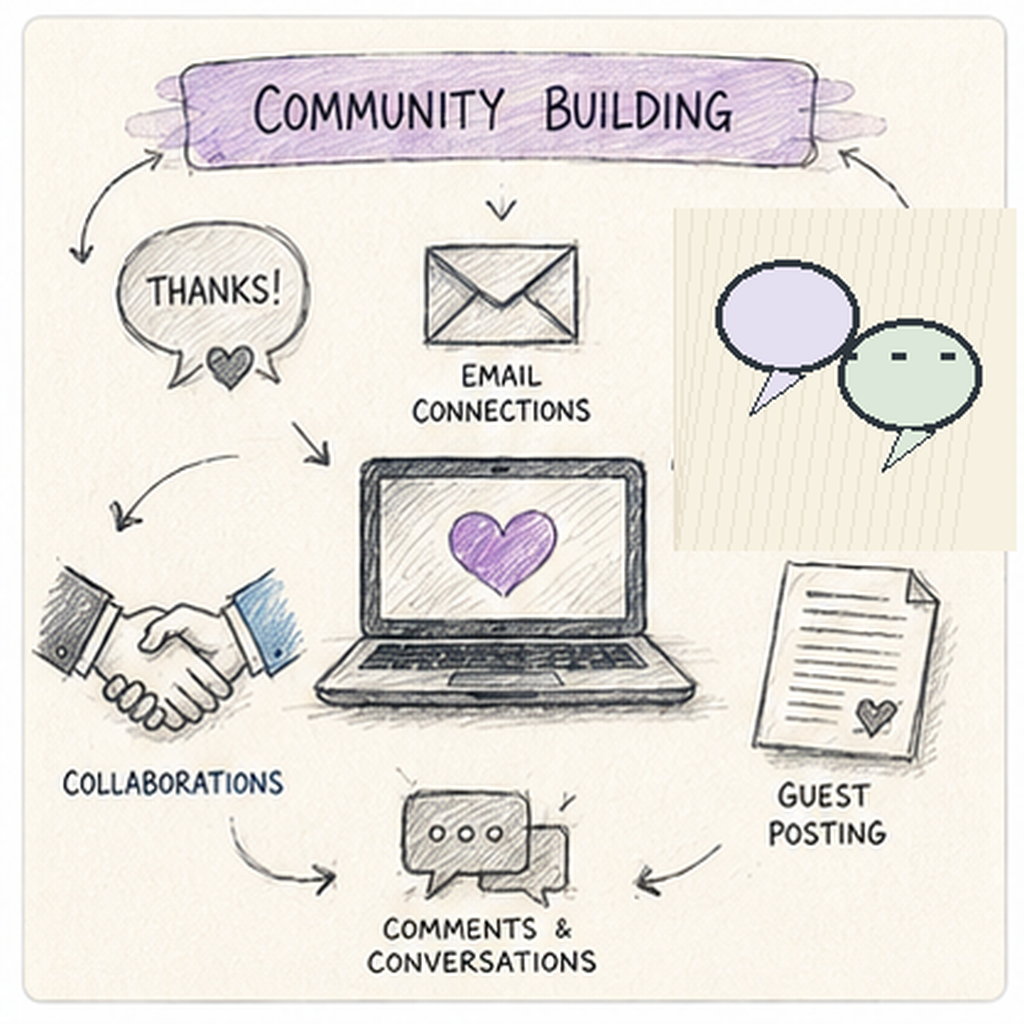
🤝 Guest Post and Collaborate
Do:
- Write for established blogs in your niche
- Do podcast interviews
- Co-create content with other creators
- Cross-promote when the audiences truly fit
Remember:
- Quality and fit matter more than size
- Follow each site's editorial guidelines
- Give credit and link to your collaborators
🟢 Show Your Publishing Status
Status | Example Wording |
Active | “New posts every Tuesday and Friday” |
Updating | “Refreshing our most popular guides this month” |
On break | “On a short break — back on [date]” |
⏱ State Your Schedule Clearly
- Be realistic: “1–2 new posts per week”
- Update readers when the schedule changes
- Mention how often you refresh older posts
- Under-promise, over-deliver
- Build a buffer of drafts for busy weeks
📝 QUICK NOTE
Only promise what you can keep. A reliable schedule builds trust; a schedule you cannot keep damages it.
5️⃣ Content & Outreach Templates 📝
📝 Post Brief Template
Fill this in before you write each post:
Post Brief

Reader: [who is this for?]
Problem: [the one question this post answers]
Search intent: [learn / compare / choose / do]
Main keyword: [primary phrase]
Related questions: [subheading ideas]
Sources to check: [links, tests, experience]
Format: [how-to / list / review / comparison]
Next step for the reader: [related post, opt-in,
or recommendation]
Internal links: [2–3 related posts]
Review date: [when to update]
Do not start drafting until the reader, problem, and next step are clear.
📝 Guest Post Pitch Template
Use this when you contact an editor or blogger:
Hi [Name],

I read your post on [topic] and found [specific thing].
I write about [niche] at [your site] for [reader].

I would like to suggest a guest post:

Title: [working title]
Reader problem: [who it helps and how]
Outline: [3–4 key points]
Why it fits your audience: [short reason]

Here are two relevant posts I have written:
[link] [link]

Happy to follow your editorial guidelines.

Thank you,
[Your Name]
Personalize every pitch and follow the site's submission rules.
📜 Affiliate Disclosure Template
Keep your disclosure short, clear, and consistent:
Disclosure
This post may contain affiliate links. If you
buy through them, I may earn a commission at no
extra cost to you. I only recommend [products/
tools] that I [use / researched carefully].
My opinions are my own. See my full disclosure:
[link to page]
☑️ What Your Editorial Standards Should Cover
- How you research and check facts
- How you test products or tools
- When and how you update or correct posts
- How affiliate and sponsored content is labeled
- What topics you will and will not cover
- How readers can contact you or report errors
- How you handle comments and feedback
💡 PRO TIP
Clear standards on one page, linked from your footer, prevent most trust and disclosure problems.
6️⃣ Marketing Hook Mastery 🎣
Great content still needs a reason for people to stop scrolling and click.
🪝 Hooks That Get Attention
Hook Type | Example |
Problem solved | “How to start a budget meal plan in 30 minutes” |
Before / after | “My first draft vs. the post that now ranks” |
Checklist | “The free launch checklist for new bloggers” |
Seasonal topic | “Holiday gift guide: 15 ideas under a set budget” |
Behind the post | “What I learned testing five email tools” |
Reader result | “How a reader used this template to publish faster” |
🧠 Marketing Tactics That Work
📚 Build content around real demand
- Turn recurring reader questions into posts
- Repurpose one post into pins, emails, and short clips
- Use real examples and results
🎁 Run honest promotions
- Offer a free checklist, guide, or template
- Time promotions to real seasons and launches
- Use real limits and real deadlines
📌 Pinterest Strategy (If Visual Niche)
✅ Optimize pin descriptions
- Include keywords naturally
- Clear call-to-action
- Hashtags (5-10 relevant ones)
✅ Pin consistently
- 5-10 pins per day (use Tailwind to schedule)
- Multiple pins per blog post
- Repin others' content too (80/20 rule)
- Join relevant group boards
✅ Create scroll-stopping pins
- Vertical format (1,000×1,500 px)
- Bold text overlay
- Brand colors consistently
- Clear value proposition
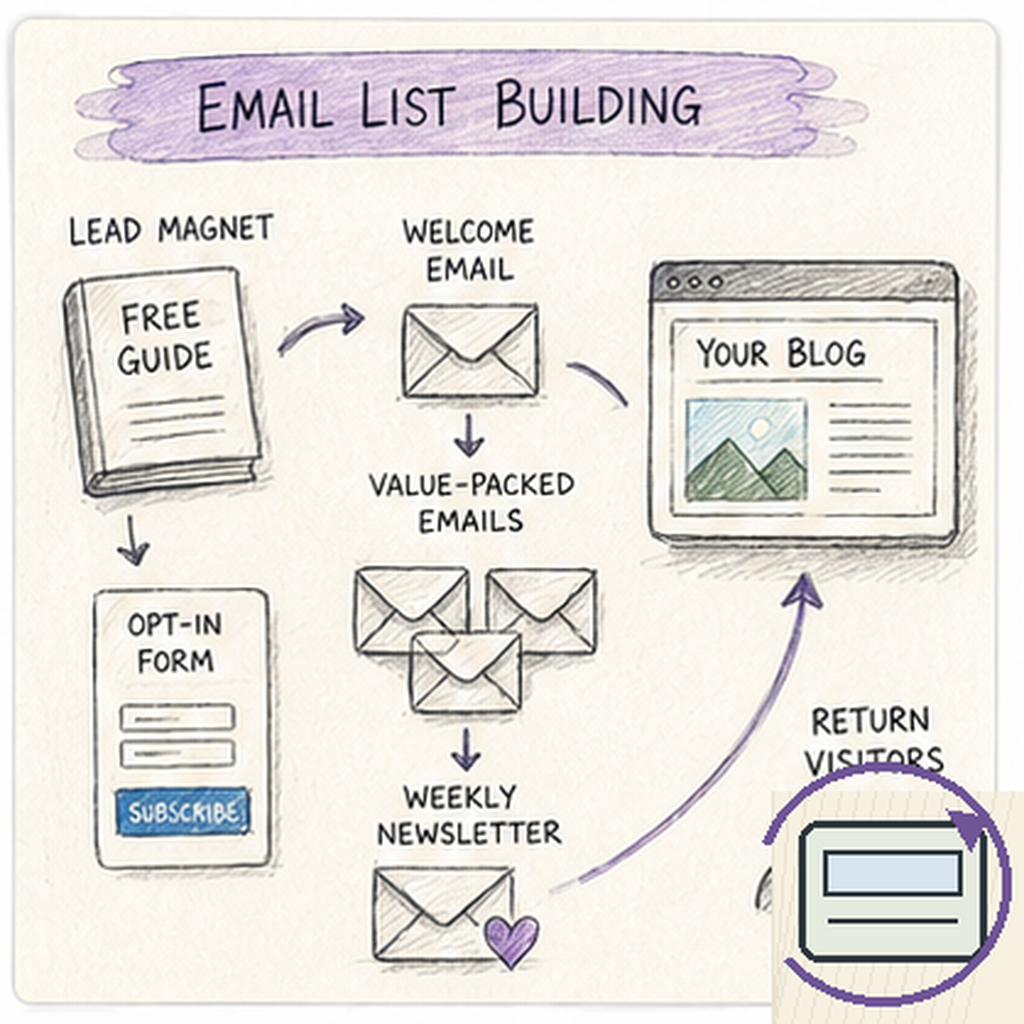
📧 Email List Building
✅ Send valuable emails
- Weekly newsletter with new post
- Tips and resources
- Personal stories
- Promote products (sparingly)
✅ Place opt-ins strategically
- Pop-up after 30 seconds
- In-content upgrade
- End of blog posts
- Sidebar widget
✅ Create compelling lead magnet
- Checklist, cheat sheet, or short guide
- Solves specific problem
- Quick to consume (1-5 pages)
- Related to your niche
⚡ Publish Timely Content for a Traffic Spike
- Plan seasonal posts weeks ahead
- Refresh evergreen posts before busy seasons
- Only chase trends that fit your niche
- Timely posts can bring readers to your evergreen guides
🤝 Collaborate With Other Creators
- Guest posts and podcast interviews
- Shoutout exchanges
- Joint resources and giveaways
🔗 Link Your Content Together
- Send new readers to your best posts
- Add related links inside every post
- Use your email list to bring readers back
🚀 ACTION STEP
Pick one hook from the table, create one post, pin, or email this week, and include a clear next step for the reader.
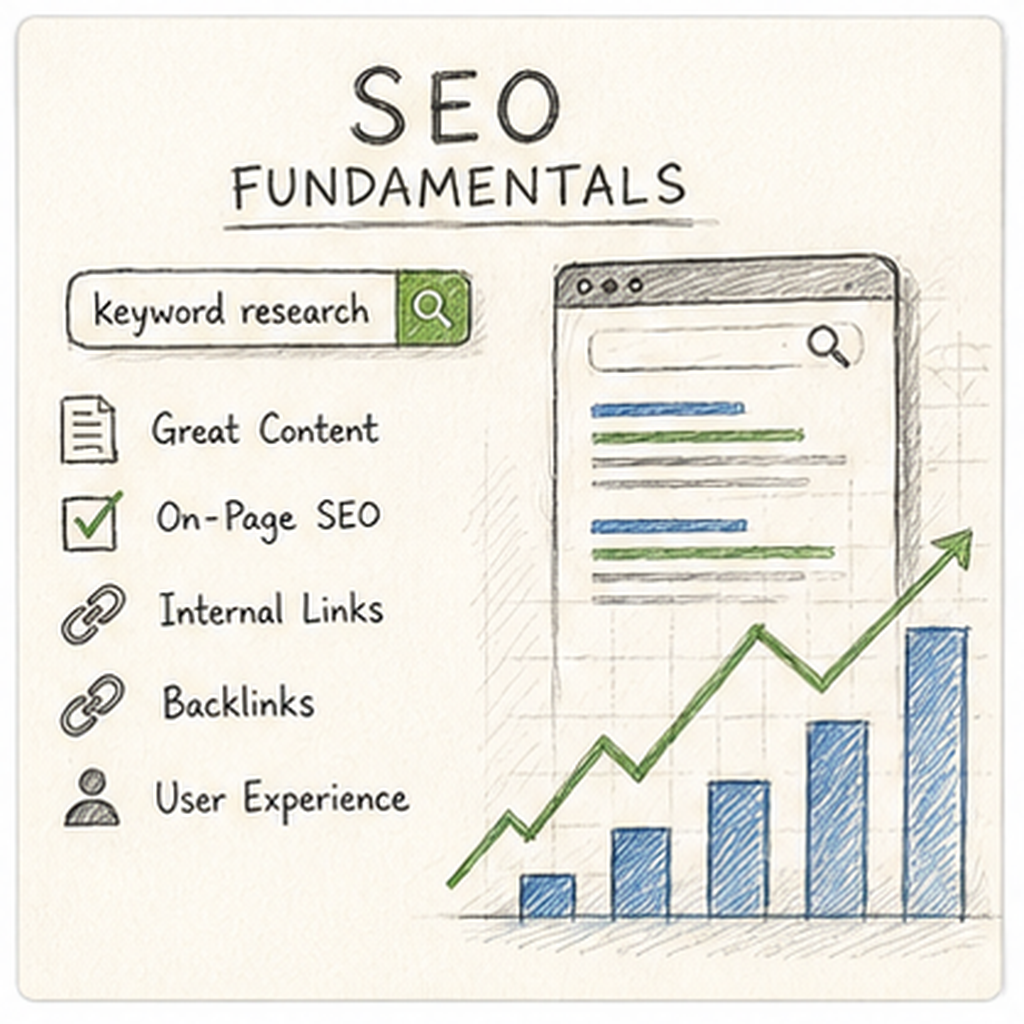
7️⃣ SEO Fundamentals & Post Quality Checklist ✅
Technical polish is part of the product. It helps readers and search engines understand and trust your posts.
🔎 Build Authority and Links
✅ Build backlinks
- Guest post on other blogs
- Get featured in roundup posts
- Create shareable content (infographics, studies)
- Outreach to bloggers in your niche
✅ Internal linking
- Link older posts to newer posts
- Link newer posts to pillar content
- Helps readers navigate, helps Google crawl
- Use descriptive anchor text
🛠️ Optimize and Research
✅ Optimize every post
- Include keyword in: Title, first paragraph, H2s, URL, meta description
- Don't keyword stuff (write naturally)
- Use variations and related terms
- Add alt text to images
✅ Keyword research first
- Use Ubersuggest, AnswerThePublic, or Google autocomplete
- Target keywords with search volume 500-5,000/month
- Look for low competition (KD under 30)
- Long-tail keywords convert better
☑️ Pre-Publish Checklist
Check | What to Verify |
Reader question | The post answers one clear question completely |
Title and intro | The main promise appears in both |
Headings | Clear H2s and H3s that a scanner can follow |
Facts and sources | Important claims, prices, and dates are checked |
Links | Internal and external links work and are relevant |
Images | Licensed or original, compressed, with useful alt text |
Meta description | States the benefit in a short, natural sentence |
Disclosures | Affiliate or sponsored relationships are clear |
Mobile view | Readable on phone and desktop |
🔍 Final Review
Before publishing, check:
- Read the post out loud for clarity
- Compare it against your post brief point by point
- View the live preview on mobile
- Test every link and signup form
- Confirm the next step for the reader is clear
⚠️ Common Reasons Readers Leave
- The intro does not answer the question
- Long paragraphs and no headings
- Broken links or slow pages
- Outdated or unchecked information
- Too many ads, pop-ups, or pitches
🛠 TOOLS & RESOURCES
Keep a reusable checklist in your notes app and run through it before every post goes live.
8️⃣ Specialization & Monetization Strategy 🎯
Readers usually follow the blogger who feels made for their problem, not the blogger who writes about everything.
🎯 Choose a Direction
Niche | Typical Monetization (from this guide) | Why It Works |
Personal finance | Affiliates, tools, courses, sponsorships | Strong reader intent and high-value offers |
Career & productivity | Templates, coaching, software affiliates | Readers want to solve work problems now |
Health & wellness | Affiliates, meal plans, trackers | Evergreen topics with specific audiences |
Parenting & home | Ads, printables, planners, affiliates | Constant searches for practical solutions |
Food & recipes | Display ads, cookbooks, meal plans | Repeat searches and strong visuals |
DIY, crafts & travel | Ads, downloads, templates, sponsorships | Visual niches perform well on Pinterest |
Tech & software reviews | Affiliates, sponsored reviews, referrals | Review readers are close to buying |
Pet care & hobbies | Affiliates, guides, courses | Loyal audiences with ongoing needs |
💰 Build a Simple Monetization Ladder
Ladder example (adjust to your own niche):

Free posts ..................... build trust and search traffic
Email opt-in ................... checklist, template, or guide
Affiliate recommendations ...... only where relevant
Digital product ................ once readers' problems are clear
Sponsorships / services ........ after authority and traffic grow- Makes the next step easier for readers
- Adds income without crowding every post
- Keeps each offer tied to a real reader problem
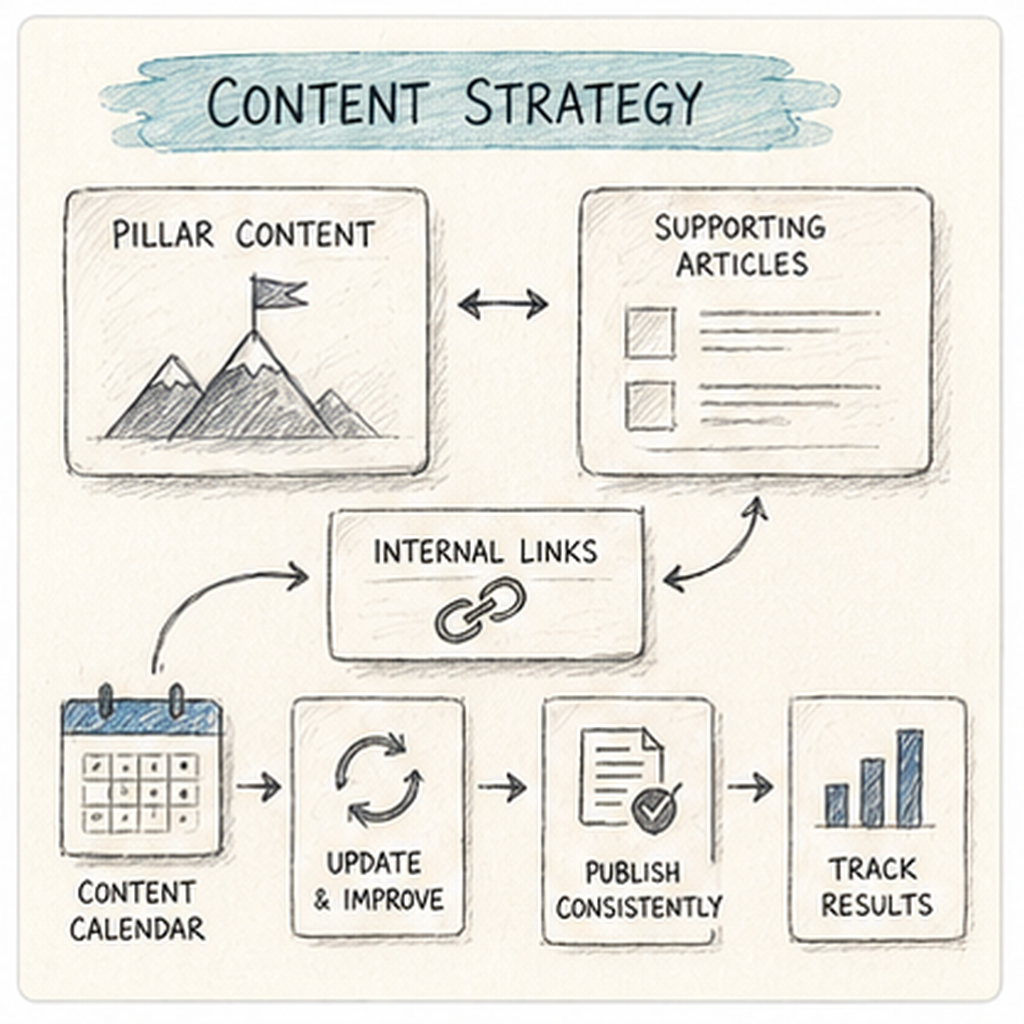
📝 Content Strategy
✅ Create pillar content
- 3-5 comprehensive guides (3,000+ words)
- These become your authority pieces
- Link all related posts to pillars
- Example: "Ultimate Guide to [Topic]"
✅ Update old content
- Refresh top posts annually
- Add new information
- Improve formatting
- Update images and links
- Updated content often performs better
✅ Consistency beats perfection
- Aim for 1-2 posts per week minimum
- Better to publish consistently than sporadically
- Build momentum over 6-12 months
- Quality matters, but done > perfect
🎯 How to Specialize in 5 Steps
1️⃣ Choose a Reader Focus
Pick the audience and problem you can write about well and enjoy returning to, such as busy parents or new freelancers.
2️⃣ Define Your Angle
Decide your voice, depth, and format so readers know what to expect from you.
3️⃣ Build a Content Menu
Offer 2–3 clear content types, such as guides, reviews, and templates, with a related next step for each.
4️⃣ Set Your Boundaries
Write what you will and will not cover, and what you will and will not promote.
5️⃣ Create Signature Posts
Publish 3–5 pillar posts that perfectly represent the topic you want to be known for.
Generic Positioning | Specific Positioning |
“I blog about life” | “Budget meal planning for one-income families” |
“Tech blogger” | “Beginner-friendly software reviews for freelancers” |
“Money tips” | “Debt payoff strategies for nurses” |
⭐ ADVANCED STRATEGY
Add higher-value monetization when your traffic grows, your best posts get steady visits, and readers are already asking for more help than a free post can give.
9️⃣ Common Mistakes: Content, SEO & Positioning ⚠️
The most expensive mistakes are often the ones that feel productive.
❌ Writing About Everything
The trap: “I’ll cover whatever I feel like this week.”
The reality: A scattered blog is harder to rank, harder to explain, and harder to trust.
The fix: Choose one reader and one problem. Specialize, then expand later.
❌ Ignoring Search Intent
The trap: Writing first and hoping people find it.
The reality: Posts that do not match what people search for rarely get found.
The fix: Research the question and intent before drafting.
❌ Publishing and Forgetting
The trap: Moving on once a post is live.
The reality: Outdated posts lose trust, clicks, and traffic.
The fix: Review key posts regularly and refresh the ones that show promise.
❌ Copying Other Blogs
The trap: Rewriting what already ranks.
The reality: It adds nothing new, and readers and search engines notice.
The fix: Add original examples, testing, and a clearer explanation.
⚠ COMMON MISTAKE
A scattered niche, unclear posts, and no internal links all make the reader work harder to stay.
🔟 Common Mistakes: Monetization, Trust & Burnout ⚠️
Protecting your readers' trust and your own energy is part of running a professional blog.
❌ Monetizing Before Building Trust
The trap: Adding affiliate links to every post right away.
The reality: Readers click less and trust less when posts feel like pitches.
The fix: Help first. Add offers only where they fit the reader's next step.
❌ Skipping Disclosures
The trap: Assuming everyone knows you earn a commission.
The reality: Missing disclosures damage trust and can break program and platform rules.
The fix: Disclose clearly and consistently, close to the link.
❌ Inconsistent Publishing and Burnout
The trap: Publishing five posts in a week, then disappearing for a month.
The reality: Irregular output and burnout slow growth and hurt quality.
The fix: Choose a pace you can keep, batch your work, and plan breaks.
❌ Giving Up Before Results Show
The trap: “It has been two months and nothing has happened.”
The reality: Search traffic and trust usually build slowly over months.
The fix: Review your numbers, improve what exists, and keep publishing.
🚀 ACTION STEP
Save your post brief, guest pitch, and disclosure as reusable templates this week, then use them for every post.
9. Learning Resources & Templates
🛠 TOOLS & RESOURCES
Blogging brings together reader research, useful writing, search visibility, and sustainable publishing. You do not need to master everything at once. Choose resources that help you complete the next practical step.
🎓 Learning (Free & Paid)
Start with one source that fits your current level. Practice what it teaches before collecting more courses or tools.
🎬 Blogging Tutorials & YouTube
See how bloggers plan, draft, and publish posts when you need a demonstration of the publishing process.
Watch Adam Enfroy (YouTube Channel) for tutorials, examples, and practical ideas you can apply to blogging.
🟢 Beginner
Watch Anastasia Blogger (YouTube Channel) for tutorials, examples, and practical ideas you can apply to blogging.
🟢 Beginner
Watch Income School (YouTube Channel) for tutorials, examples, and practical ideas you can apply to blogging.
🟢 Beginner
Watch Neil Patel (YouTube Channel) for tutorials, examples, and practical ideas you can apply to blogging.
🟡 Intermediate
Watch Ahrefs for tutorials, examples, and practical ideas you can apply to blogging.
🔴 Advanced
🆓 Free Blogging Learning
Learn reader research, useful article structure, and basic search visibility before investing in a larger blogging course.
Use HubSpot Blog Writing Resources to learn beginner concepts, examples, and workflows before starting blogging.
🟢 Beginner
Use WordPress.com Blog Guide to learn beginner concepts, examples, and workflows before starting blogging.
🟢 Beginner
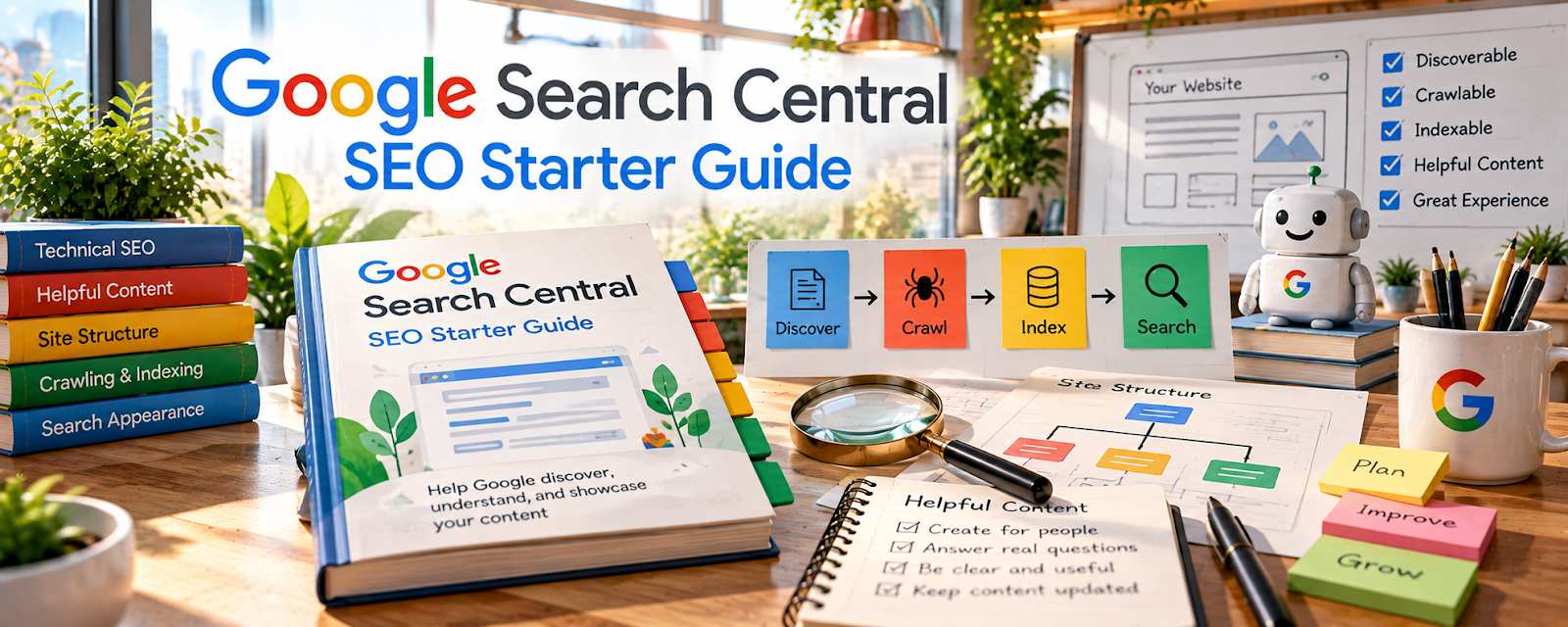
Use Google Search Central SEO Starter Guide to learn beginner concepts, examples, and workflows before starting blogging.
🟡 Intermediate
Use Copyblogger to learn beginner concepts, examples, and workflows before starting blogging.
🟡 Intermediate
Use Moz Beginner’s Guide to SEO to learn beginner concepts, examples, and workflows before starting blogging.
🟡 Intermediate
💬 Blogging Communities & Forums
Ask for focused feedback on a draft, site setup, or publishing problem rather than copying another blog’s strategy wholesale.
Use r/Blogging to ask questions, study real examples, and network with people doing blogging.
🟢 Beginner
Use Indie Hackers to ask questions, study real examples, and network with people doing blogging.
🟡 Intermediate

Use ProBlogger Community to ask questions, study real examples, and network with people doing blogging.
🟡 Intermediate
Use r/juststart to ask questions, study real examples, and network with people doing blogging.
🟡 Intermediate

Use r/SEO to ask questions, study real examples, and network with people doing blogging.
🟡 Intermediate
💰 Paid Blogging Learning
Look for deeper instruction in the skill limiting your progress, such as research, SEO, or editorial planning.

Use Skillshare — Blogging Classes for structured training, courses, or credentials that build confidence in blogging.
🟢 Beginner
Use Udemy — Blogging Courses for structured training, courses, or credentials that build confidence in blogging.
🟢 Beginner

Use Coursera — Content Marketing for structured training, courses, or credentials that build confidence in blogging.
🟡 Intermediate
Use LinkedIn Learning — Blogging for structured training, courses, or credentials that build confidence in blogging.
🟡 Intermediate
Use Authority Hacker to explore AI workflows, content-production systems, and business automation that may support an established blogging business; check the current curriculum before paying.
🔴 Advanced
📝 QUICK NOTE
Use communities for ideas and troubleshooting, but verify legal, tax, licensing, and platform information through authoritative sources. Check current terms and costs before relying on a tool or course.
📝 What Should You Learn First?
Follow this order:
1️⃣ Audience & purpose
Choose a reader and the recurring problem your blog will help solve.
2️⃣ Publishing basics
Learn your website editor, navigation, mobile checks, and essential site settings.
3️⃣ Research & structure
Turn one reader question into an outline supported by reliable sources.
4️⃣ Writing & editing
Publish a useful answer with clear headings, examples, and original perspective.
5️⃣ Discovery & trust
Learn basic SEO, appropriate disclosures, and one realistic promotion channel.
6️⃣ Measurement & updates
Review reader behavior and refresh content rather than chasing traffic alone.
🎯 KEY TAKEAWAY
Learn through a small, realistic practice task. Build confidence in the core workflow before adding more tools, paid courses, or commitments.
📄 Four Practical Starting Templates
Create these in a document, spreadsheet, or Notion page. They are working outlines—not ready-made legal agreements or professional advice. Use fictional data for practice and keep real records secure.
Article Brief
Record: Reader | Question | Search intent | Angle | Sources | Outline
Use before drafting to keep the post focused.
Editorial Planner
Record: Topic | Format | Draft status | Publish date | Promotion | Update date
Plan a cadence you can maintain.
Content QA Checklist
Record: Accuracy | Links | Mobile layout | Images/rights | Disclosures | Metadata
Check each post before publishing.
Content Review Log
Record: URL | Period | Visits | Useful actions | Income | Next change
Separate observed results from assumptions about what worked.
🚀 ACTION STEP
Choose one learning resource and draft your Article Brief. Use a small practice example to identify the next skill you need before taking on live work or spending more money.
🧰 Resources
Use these resources to put your blogging learning into practice. Start with a small, dependable setup and add a tool only when its purpose, cost, and limitations are clear.
🌐 Website & Hosting
Set up a readable, reliable blog and understand hosting responsibilities. Start with a platform you can maintain without unnecessary add-ons.
Use Blogger to build a storefront or website that presents and sells your blogging offer.
🟢 Beginner
Use Wix to build a storefront or website that presents and sells your blogging offer.
🟢 Beginner
Use WordPress.com to build a storefront or website that presents and sells your blogging offer.
🟢 Beginner

Use Squarespace to build a storefront or website that presents and sells your blogging offer.
🟢 Beginner
Use WordPress.org to build a storefront or website that presents and sells your blogging offer.
🟡 Intermediate
🔍 Keyword Research & SEO
Research reader questions and search intent. Use keyword data to support useful topic choices, not to replace editorial judgment.
Use Google Keyword Planner to research keywords, niches, competitors, or content ideas that support blogging.
🟢 Beginner
Use Google Trends to research keywords, niches, competitors, or content ideas that support blogging.
🟢 Beginner
Use AnswerThePublic to research keywords, niches, competitors, or content ideas that support blogging.
🟢 Beginner
Use Ubersuggest to research keywords, niches, competitors, or content ideas that support blogging.
🟢 Beginner
Use Ahrefs (YouTube Channel) to research keywords, niches, competitors, or content ideas that support blogging.
🟡 Intermediate
✍️ Writing & Content Tools
Draft, organize, and refine articles. Choose tools that make revision easier while keeping responsibility for facts and originality with you.
Use Google Docs to draft, edit, and share project documents with authorized collaborators for Blogging.
🟢 Beginner
Use Grammarly to review grammar, spelling, clarity, and tone in written drafts for Blogging.
🟢 Beginner
Use Hemingway Editor to review readability, sentence complexity, and clarity in written drafts for Blogging.
🟢 Beginner

Use Notion to organize project notes, documents, tasks, and reusable workflows in one workspace for Blogging.
🟢 Beginner

Use Scrivener to draft, structure, and organize longer writing projects and supporting research for Blogging.
🟡 Intermediate
📊 Analytics & Performance
Review traffic and reader actions. Use consistent time periods and interpret small samples cautiously.

Use Google Analytics to track results, spot what is working, and improve performance for blogging.
🟡 Intermediate
Use Google Search Console to track results, spot what is working, and improve performance for blogging.
🟡 Intermediate
Use Google Search Console to track results, spot what is working, and improve performance for blogging.
🟡 Intermediate

Use Microsoft Clarity to track results, spot what is working, and improve performance for blogging.
🟡 Intermediate
Use MonsterInsights to track results, spot what is working, and improve performance for blogging.
🟡 Intermediate
Use Hotjar to track results, spot what is working, and improve performance for blogging.
🔴 Advanced
💰 Monetization & Affiliate Programs
Explore monetization options that fit your content and audience. Verify eligibility, terms, and disclosure requirements before promoting an offer.
Use Amazon Associates to turn audience attention into revenue through ads, memberships, sponsorships, or affiliate income.
🟢 Beginner

Use Google AdSense to turn audience attention into revenue through ads, memberships, sponsorships, or affiliate income.
🟢 Beginner
Use Impact to turn audience attention into revenue through ads, memberships, sponsorships, or affiliate income.
🟡 Intermediate
Use ShareASale to turn audience attention into revenue through ads, memberships, sponsorships, or affiliate income.
🟡 Intermediate
Use Ezoic to turn audience attention into revenue through ads, memberships, sponsorships, or affiliate income.
🔴 Advanced
🎨 Design & Visual Content
Prepare helpful graphics and article imagery. Check readability, accessibility, and image rights before publishing.

Use Pexels to create visuals, templates, mockups, portfolios, or branded assets for blogging.
🟢 Beginner

Use PIxabay to create visuals, templates, mockups, portfolios, or branded assets for blogging.
🟢 Beginner

Use Unsplash to create visuals, templates, mockups, portfolios, or branded assets for blogging.
🟢 Beginner

Use Adobe Express to create visuals, templates, mockups, portfolios, or branded assets for blogging.
🟢 Beginner

Use Canva / Canva Mockups to create visuals, templates, mockups, portfolios, or branded assets for blogging.
🟢 Beginner
📧 Email Marketing & Newsletters
Build a permission-based way to reach returning readers. Add email when you can offer a clear reason to subscribe and send consistently.
Use Substack to promote your offer, capture leads, and build an audience around blogging.
🟢 Beginner
Use Flodesk to promote your offer, capture leads, and build an audience around blogging.
🟢 Beginner
Use Beehiiv to promote your offer, capture leads, and build an audience around blogging.
🟡 Intermediate

Use Kit to promote your offer, capture leads, and build an audience around blogging.
🟡 Intermediate
Use Mailchimp to promote your offer, capture leads, and build an audience around blogging.
🟡 Intermediate
⚙️ Blogging Business Tools
Manage your editorial schedule, costs, and recurring tasks. Add workflow tools when loose notes start causing missed work.
Use Google Drive to compare, buy, or organize the tools and supplies needed for blogging.
🟢 Beginner
Use Trello to compare, buy, or organize the tools and supplies needed for blogging.
🟢 Beginner
Use Airtable to compare, buy, or organize the tools and supplies needed for blogging.
🟡 Intermediate
Use Asana to compare, buy, or organize the tools and supplies needed for blogging.
🟡 Intermediate
Use ClickUp to compare, buy, or organize the tools and supplies needed for blogging.
🔴 Advanced
10. Your First 6 Months in Blogging
Your first 6 months in blogging should be focused on building a searchable content system, not just publishing random posts and hoping traffic appears.
The goal is to move from:
Niche → Search Intent → Helpful Content → Traffic → Email List → Monetization
By the end of 6 months, you should know what your blog stands for, which topics can actually bring readers, what content performs best, and how to turn useful writing into a long-term digital asset.
🎯 6-Month Goal
By the end of your first 6 months, aim to have:
✅ One clear blog niche
✅ 30–50 blog post ideas researched
✅ 20–40 useful blog posts published
✅ A simple website or blog setup
✅ Basic SEO structure in place
✅ A content calendar or publishing workflow
✅ An email list or lead magnet started
✅ Monetization paths added where relevant
✅ Analytics installed and reviewed regularly
🎯 KEY TAKEAWAY
Blogging compounds slowly at first, then gains momentum when your content, traffic, and monetization start working together.
📅 Month 1: Choose Your Niche & Set Up Your Foundation
🎯 Main Goal
Pick a clear blog niche, define your reader, and create the basic structure for a blog you can actually grow.
✅ What to Do
- Choose one main blog topic
- Define your target reader
- Research 5–10 competing blogs
- Pick a blog name or brand direction
- Set up your website or blogging platform
- Create your main categories
- Write your About page
- Build your first list of 30–50 article ideas
🏁 Month 1 Success Looks Like
- You picked one clear niche
- Your blog setup is working
- You know who you are writing for
- Your main categories are organized
- You have a strong idea bank ready
⚠ COMMON MISTAKE
Starting a blog with no clear reader or no focused topic. A blog grows faster when it solves clear problems for a specific audience.
🧭 Good Blogging Niches
Niche | Why It Works |
Personal finance | High search demand and strong affiliate potential |
Parenting | Endless real-life questions and repeat needs |
Fitness and wellness | Strong evergreen search demand |
Food and recipes | Repeat traffic and visual sharing potential |
Travel | Guides, reviews, and monetizable planning content |
Tech and software | Tutorials, reviews, and comparison posts convert well |
Home organization | Practical, highly searchable problems |
Side hustles | Strong interest and clear monetization paths |
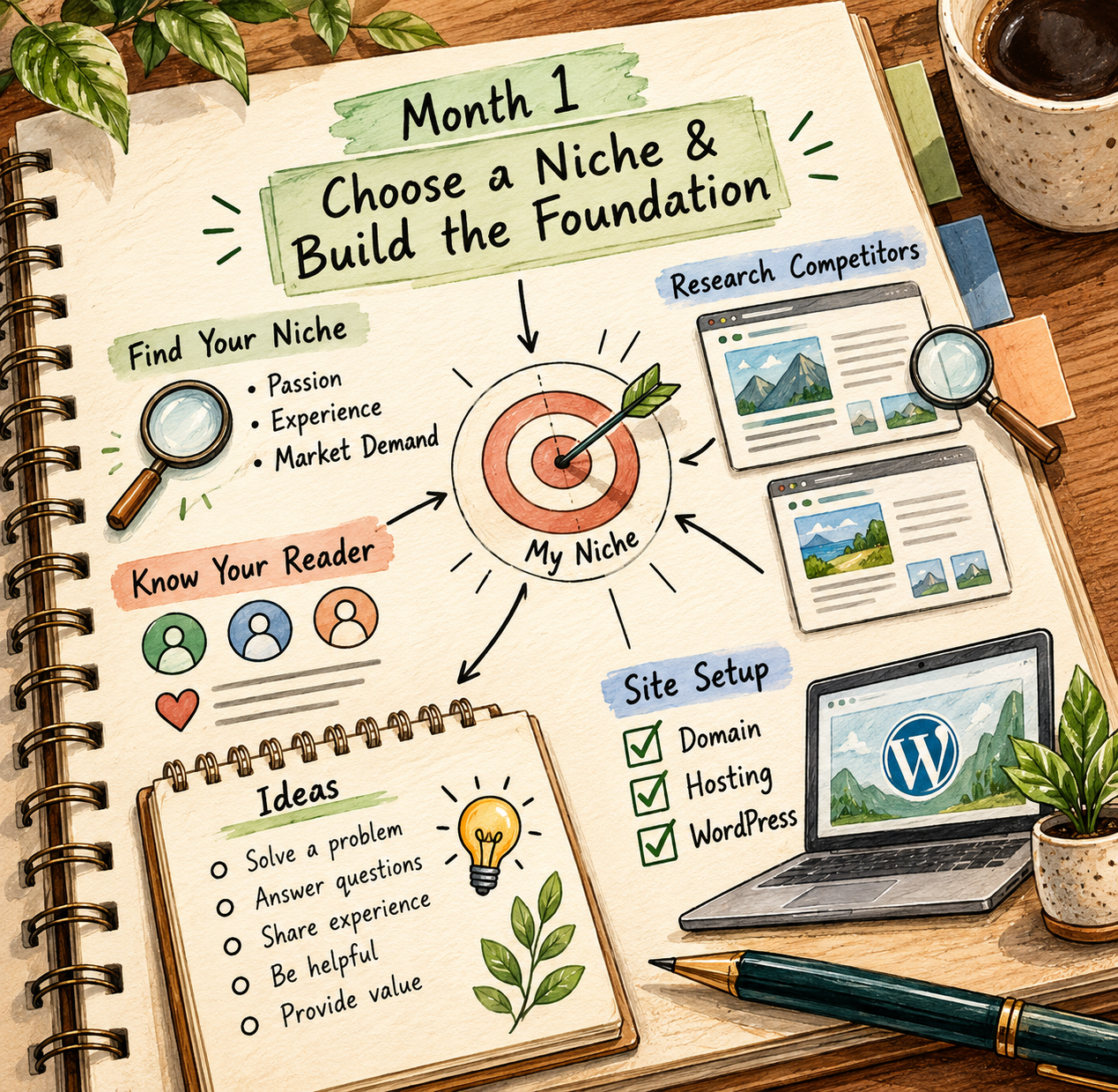
📅 Month 2: Publish Helpful Beginner Content Consistently
🎯 Main Goal
Start building your content library with useful, beginner-friendly posts that clearly help readers.
✅ What to Do
- Publish 1–2 blog posts per week
- Focus on simple, searchable topics
- Write clear introductions
- Use headings, lists, and tables
- Add internal links between related posts
- Create simple screenshots or visuals when useful
- Start learning basic SEO formatting
- Avoid obsessing over design before content exists
🏁 Month 2 Success Looks Like
- You are publishing consistently
- Your posts are easier to read and navigate
- You are learning how long writing and formatting take
- Your blog has its first 5–10 posts live
- You are noticing which topics are easiest to explain
🎯 KEY TAKEAWAY
Early blog posts do not need to be perfect. They need to be clear, useful, and published.
💡 Good First Post Types
Post Type | Why It Works |
How-to guide | Matches strong search intent |
List post | Easy to scan and compare |
Beginner explainer | Builds trust with new readers |
Problem-solving post | Answers practical questions quickly |
Tool roundup | Supports monetization later |
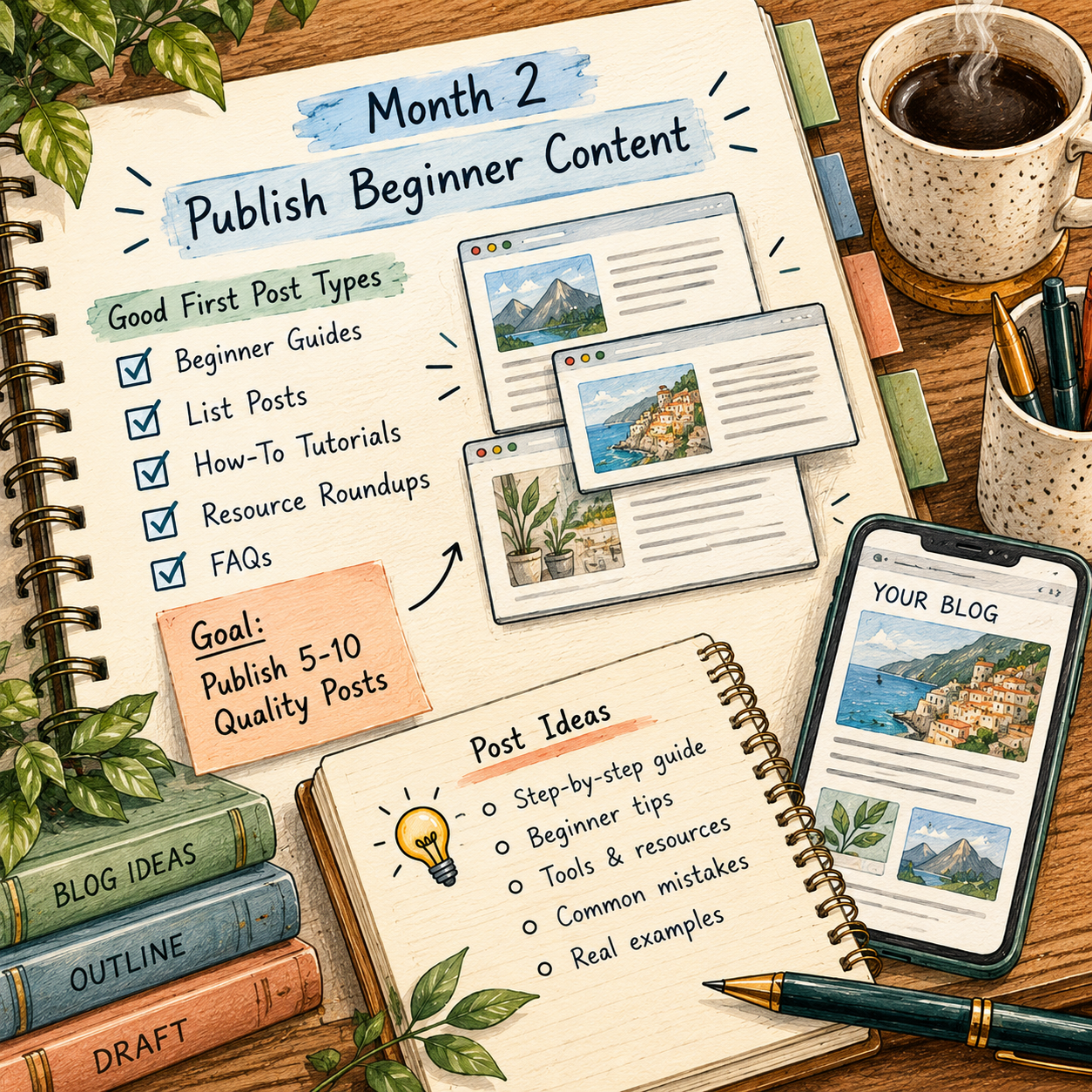
📅 Month 3: Learn SEO & Improve Your Existing Content
🎯 Main Goal
Start writing posts with real search potential and improve the content you already published.
✅ What to Do
- Research keywords before writing
- Focus on long-tail search phrases
- Improve titles and headings
- Add meta descriptions if your platform allows it
- Update older posts with better structure
- Add internal links to related articles
- Create content that answers specific questions
- Start tracking traffic, impressions, and clicks
🛠️ What to Improve First
- Weak titles
- Thin introductions
- Missing headings
- Posts with no internal links
- Unclear answers
- Long paragraphs
- Posts with no next step
🏁 Month 3 Success Looks Like
- You understand basic keyword research
- Your posts are easier to scan
- You are improving older content instead of forgetting it
- Your blog has 10–18 posts published
- You are thinking more like a search-driven resource
💡 PRO TIP
Specific posts that answer clear questions often outperform broad posts with weak direction.
🔎 SEO Metrics to Watch
Metric | What It Tells You |
Page views | Which posts are getting attention |
Search impressions | Which posts are showing in search |
Click-through rate | Whether titles attract clicks |
Average time on page | Whether readers stay engaged |
Top keywords | What people are searching for |
Internal link clicks | Which content leads readers deeper |
Email signups | Which posts build audience trust |
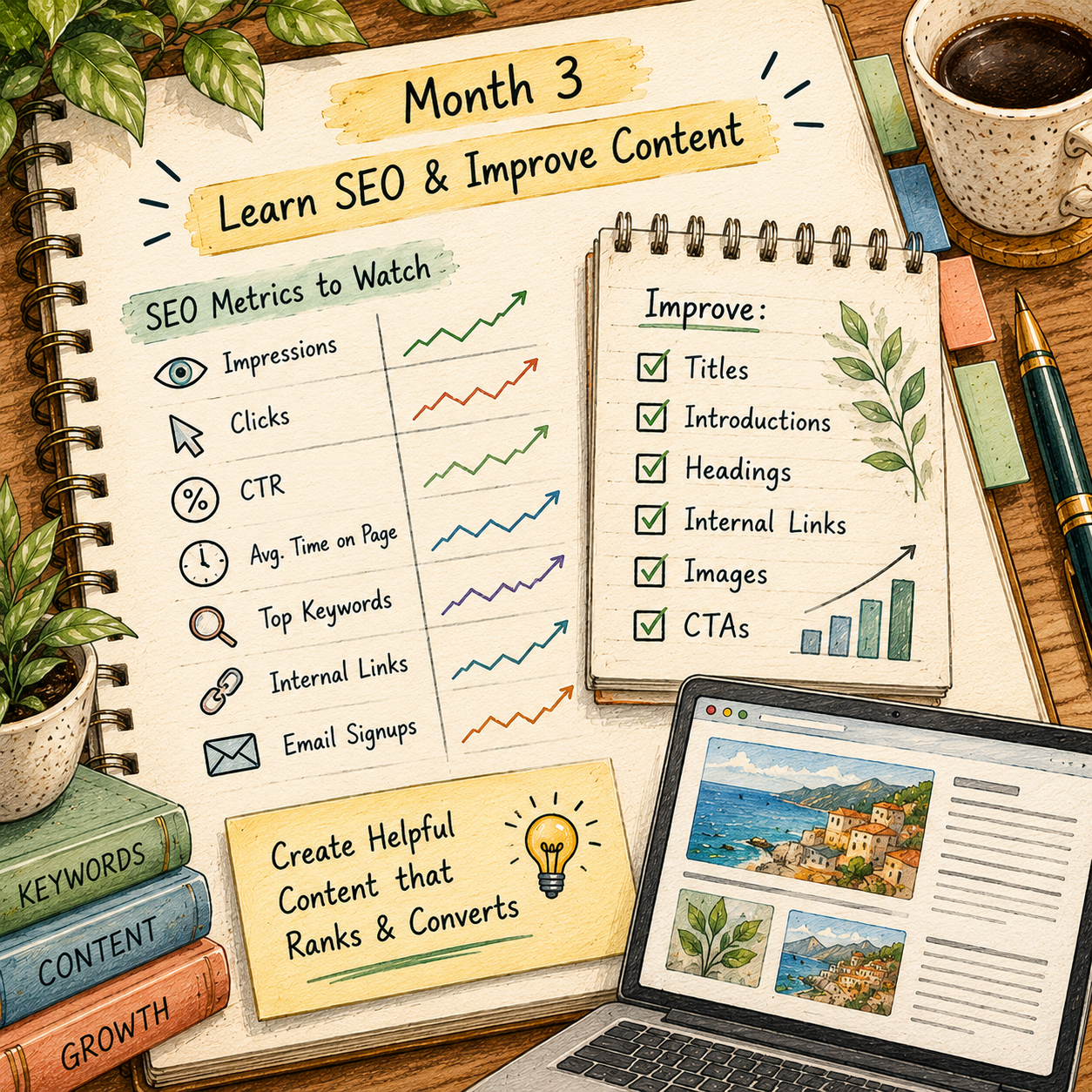
📅 Month 4: Build a Repeatable Content System
🎯 Main Goal
Turn blogging into a weekly system instead of deciding from scratch what to write every time.
✅ What to Do
- Create blog post templates
- Batch keyword research
- Build a simple content calendar
- Create a publishing checklist
- Add examples, screenshots, tables, or visuals
- Organize posts into categories or clusters
- Start repurposing blog content into social or email content
- Create or improve your lead magnet
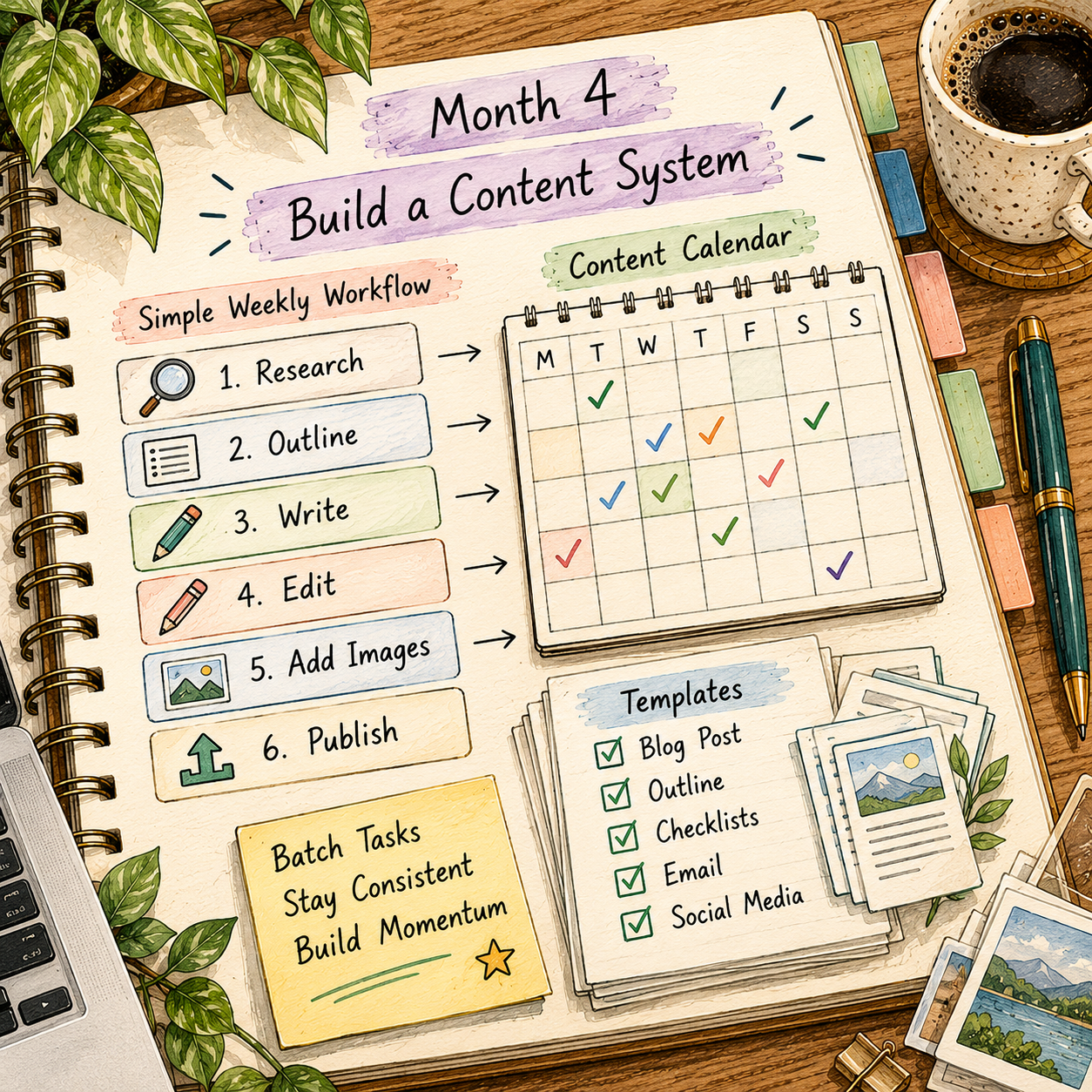
🏁 Month 4 Success Looks Like
- You have a repeatable writing workflow
- Your posts follow a clearer structure
- You are publishing without reinventing the process
- Your blog has 15–25 posts published
- Your content calendar is easier to manage
⚠ COMMON MISTAKE
One well-structured useful article beats multiple rushed posts with weak answers.
🗓️ Simple Weekly Workflow
Day | Task |
Monday | Research keywords and article ideas |
Tuesday | Outline the blog post |
Wednesday | Write the first draft |
Thursday | Edit, format, and add links |
Friday | Publish and promote |
Weekend | Review analytics and plan next posts |
📝 Helpful Blog Templates
Template | Best For |
How-to template | Step-by-step tutorials |
List post template | Tools, ideas, tips, and examples |
Review template | Product or service reviews |
Comparison template | Helping readers choose |
Checklist template | Action-focused posts |
Beginner guide template | Foundational educational content |
📅 Month 5: Start Monetization & Audience Building
🎯 Main Goal
Begin turning your blog into an actual business asset instead of just a publishing habit.
✅ What to Do
- Add affiliate links where they fit naturally
- Create a simple email signup form
- Offer a free checklist, guide, or template
- Improve your highest-traffic posts
- Add clearer calls to action
- Create comparison or review posts
- Build a simple resource page
- Collect reader questions for future articles
🏁 Month 5 Success Looks Like
- Your blog has a basic monetization path
- You started an email list or lead magnet
- Your best posts include clearer next steps
- You are creating more buyer-intent content
- Your blog has 20–35 posts published
🎯 KEY TAKEAWAY
Monetization works best when it fits the reader’s intent. Do not force offers into content that does not support them.
💰 Monetization Options
Method | Best Time to Use |
Affiliate links | Once content naturally supports product recommendations |
Display ads | After traffic becomes more consistent |
Digital products | After you understand reader problems well |
Email newsletter | As soon as your niche is clear |
Sponsored posts | After traffic and authority increase |
Services | If your blog supports a skill-based offer |
Templates or guides | When readers need practical tools |
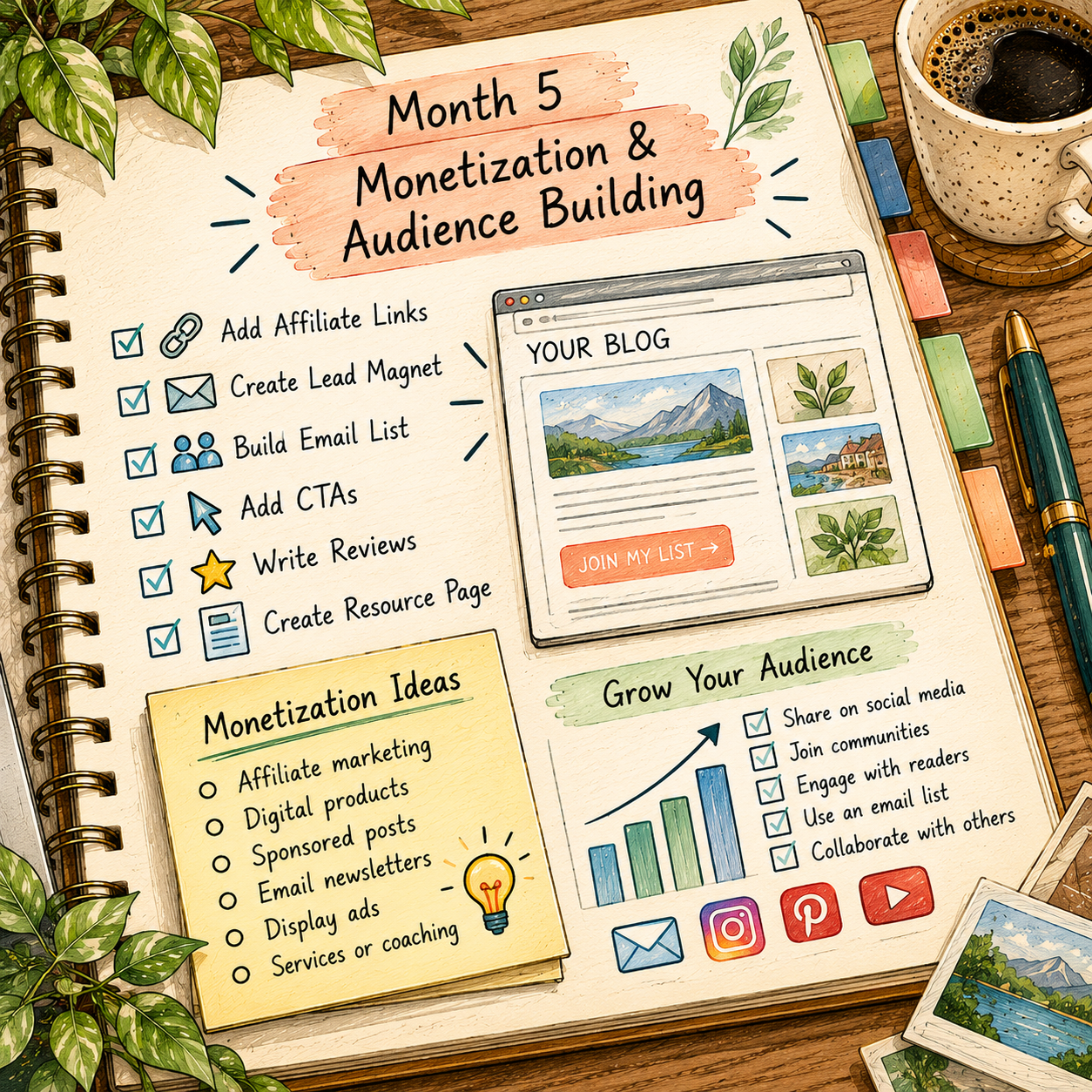
📅 Month 6: Review, Update & Double Down on What Works
🎯 Main Goal
Review your first 6 months and decide which topics, keywords, and monetization paths deserve more attention.
✅ What to Do
- Identify your top-performing posts
- Review traffic sources
- Check which posts drive email signups or affiliate clicks
- Update weak posts with better headings, structure, and examples
- Create more content around your best topics
- Improve or remove posts that do not fit your niche
- Build a 90-day plan for months 7–9
- Decide whether SEO, Pinterest, email, or social should be your next focus
❓ 6-Month Review Questions
- Which posts got the most traffic?
- Which posts kept readers longest?
- Which topics were easiest to write well?
- Which posts brought email signups?
- Which posts could support better affiliate links?
- Which keywords are starting to rank?
- Which categories feel too broad?
- What should you publish more of next?
🏁 Month 6 Success Looks Like
- You know your best blog topics
- You understand which posts are gaining traction
- Your content strategy is clearer
- Your monetization path is more focused
- You have a 90-day plan for future growth
🎯 KEY TAKEAWAY
Blogging compounds when you keep improving what already exists instead of only chasing new posts.
📊 Decision Table
If This Happens | Do This |
One topic gets most traffic | Create a full content cluster around it |
Posts get impressions but few clicks | Improve titles and meta descriptions |
Readers leave quickly | Improve intros, formatting, and usefulness |
Affiliate links get clicks | Create more reviews and tutorials |
Email signups are low | Improve the lead magnet |
The blog feels too broad | Narrow the niche or categories |
Writing takes too long | Use templates and batch outlines |
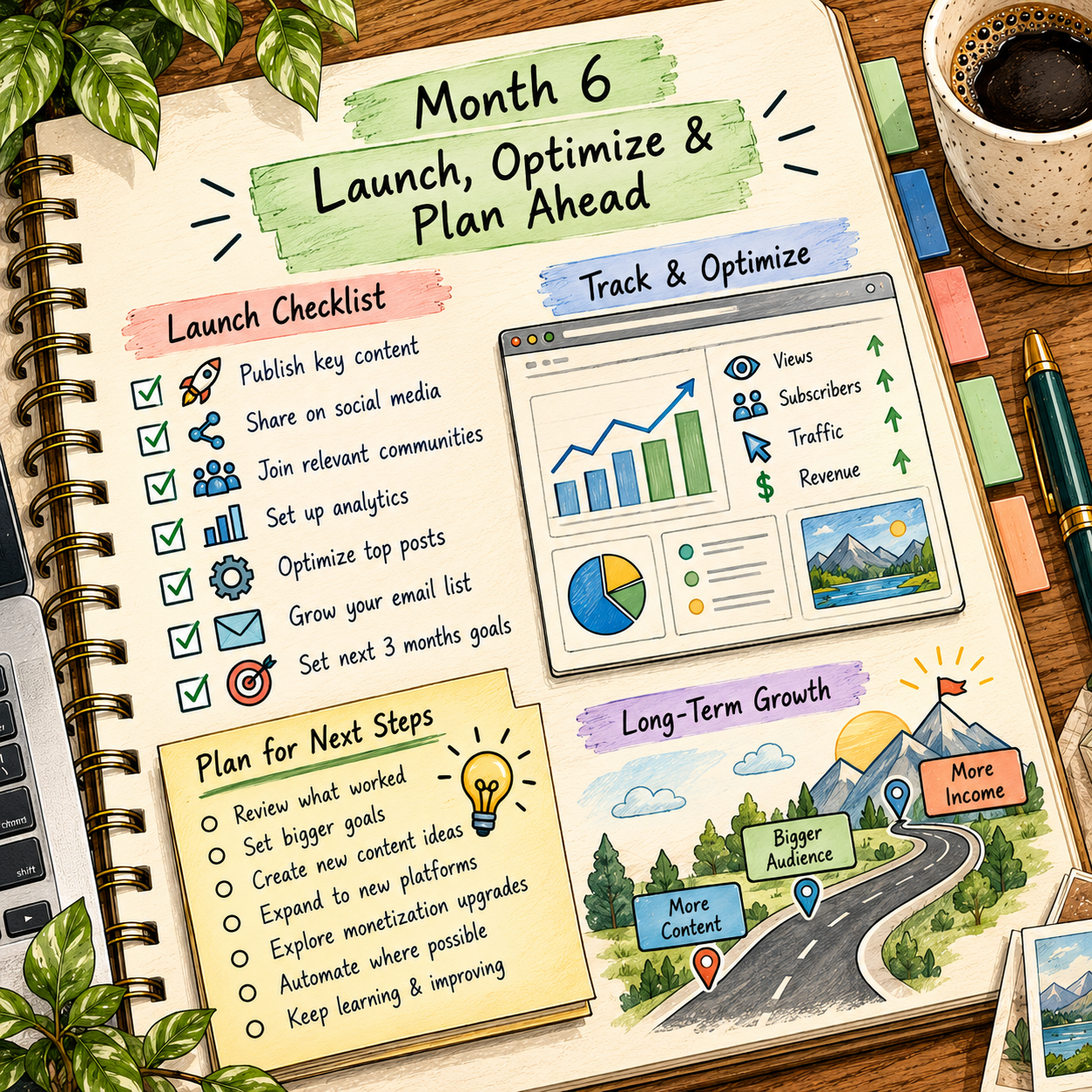
✅ 6-Month Success Checklist
By the end of 6 months, check whether you have:
✅ Picked one clear blog niche
✅ Defined your target reader
✅ Created main blog categories
✅ Published consistently
✅ Written helpful beginner content
✅ Learned basic keyword research
✅ Added internal links
✅ Improved older posts
✅ Started an email list or lead magnet
✅ Added monetization where relevant
✅ Reviewed analytics
✅ Created a plan for the next 90 days
⚠️ What Not to Do During the First 6 Months
Avoid these mistakes:
❌ Writing about too many unrelated topics
❌ Choosing topics with no reader demand
❌ Ignoring SEO completely
❌ Copying other blogs instead of adding value
❌ Publishing long posts with poor structure
❌ Using huge paragraphs that are hard to read
❌ Adding affiliate links before building trust
❌ Spending months designing instead of publishing
❌ Giving up before search traffic has time to grow
❌ Ignoring older posts after publishing them
📝 QUICK NOTE
A blog is a long-term content asset. Each useful article can keep helping readers and bringing traffic over time.
🧭 Simple 6-Month Milestone Tracker
Month | Main Focus | Target Output |
Month 1 | Niche & foundation | Blog set up and 30–50 ideas researched |
Month 2 | First content | 5–10 posts published |
Month 3 | SEO basics | 10–18 total posts improved and growing |
Month 4 | Content system | 15–25 total posts and repeatable workflow |
Month 5 | Monetization setup | 20–35 posts plus email or affiliate setup |
Month 6 | Review & double down | 90-day growth plan created |
🚀 Final 6-Month Strategy
Your first 6 months should follow this simple path:
Month 1: Choose your niche and set up your foundation
Month 2: Publish useful beginner content consistently
Month 3: Learn SEO and improve existing posts
Month 4: Build a repeatable content system
Month 5: Start monetization and audience building
Month 6: Review results and double down on what works
The bloggers who grow fastest are not always the best writers. They are the ones who answer useful questions, publish consistently, improve older content, and build around what readers actually need.
11. Get the Blogging Starter Kit
🎁 Plan, Publish & Grow Your Blog
The Blogging Starter Kit combines 12 interactive workspaces for niche selection, publishing, traffic, monetization and performance tracking—so you can build a consistent blogging workflow.
The 12 components:
✅ 1. SEO Publishing Checklist — Review on-page SEO and publishing tasks for blog articles.
✅ 2. Blog Niche Evaluator — Compare niche ideas, search intent and research evidence to choose a focus for your blog.
✅ 3. Blog Monetization Planner — Compare ads, affiliate referrals and digital products, then map out potential revenue scenarios.
✅ 4. Traffic Growth Lab — Plan measurable traffic experiments, record results and decide what to test next.
✅ 5. Lead Magnet Builder — Draft a free resource for subscribers, write signup messaging and plan its launch.
✅ 6. 90-Day Content Planner — Organize three months of blog topics, planned publishing dates and content stages.
✅ 7. Affiliate Program Evaluator — Research partner terms and compare programs for relevance to your audience and content.
✅ 8. Email Campaign Builder — Customize campaign and subscriber email drafts for your blog’s audience.
✅ 9. Blog Analytics Tracker — Log blog performance metrics and export tracking data to review progress over time.
✅ 10. Weekly Publishing Scheduler — Plan a weekly publishing rhythm that fits your available time.
✅ 11. Blog Post Outline Builder — Shape article ideas into structured outlines for different blog post formats.
✅ 12. 30-Day Blog Launch Roadmap — Follow a beginner-friendly sequence of actions for your first month of blogging.
Also included: A Blogging dashboard and Start Here guide.
These are browser-based planning and creation tools. They do not publish articles, send emails, provide live analytics or guarantee traffic or earnings.
12. Frequently Asked Questions
⏳ How long until I make money blogging?
Realistically, 6–12 months to first meaningful income, around $100–$500/month. Some see earnings at month 4–6, but 12–18 months to $1,000+/month is typical with good strategy.
✍️ Do I need to be a great writer?
No! Clarity matters more than creativity. If you can explain things simply and helpfully, you can blog. Use Grammarly and improve over time.
🎯 Can I blog about multiple topics?
Not recommended for beginners. Narrow focus = easier to rank in Google, easier to build authority, and easier to monetize. Branch out later once established.
📈 How many posts before I see traffic?
Usually 20–30 solid posts before Google starts sending consistent traffic. Some posts rank faster, while others take 6–12 months.
🏆 What if my niche is competitive?
Go more specific with a micro-niche, target long-tail keywords, and focus on an underserved sub-audience. Avoid broad topics like "fitness" or "personal finance" without an angle.
🌐 Should I use WordPress.com or WordPress.org?
WordPress.org, which is self-hosted, is the better choice. It gives you more control, full monetization options, and a more professional setup. WordPress.com is limited and harder to monetize.
📅 How often should I publish?
Minimum 1 post/week, ideal 2–3 posts/week for the first year. Consistency matters more than frequency. Don't burn out.
🕶️ Do I need to show my face or use my real name?
No! Many successful bloggers are faceless. Focus on written content — you can add personality without using photos. You can also blog anonymously, though building trust is harder.
13. Important Considerations
Before you dive in, understand the realities — this is what separates blogs that grow from blogs that stall:
⏳ Results Take Time
- 🧠 SEO takes 3–6 months
- 📈 Traffic builds slowly at first
👉 Most people quit before results show
📉 Most Blogs Fail From Inconsistency
- 🗓️ Posting once a month won't work
- 🔁 You need consistent output
✅ Treat it like a system, not a hobby
🧠 SEO Is Critical, But Learnable
- 🚫 Without SEO = no traffic
- ✅ With SEO = long-term search traffic
👉 Focus on search-based content
💸 Income Isn't Immediate
- ⏰ No "quick money"
- 🌱 First earnings are usually small
📈 But it compounds over time
📊 Not All Content Will Work
- 📉 Some posts won't rank
- 💸 Some won't convert
👉 This is normal — optimize and improve
⚙️ Platforms Change, Your Blog Doesn't
- 📱 Social media = borrowed traffic
- 🌐 Your blog + email list = owned assets
✅ Always build your own platform
🔁 Blogging Can Become More Recurring Later
- 🛠️ Phase 1 = work, writing, and learning
- 📈 Phase 2 = growth
- 💰 Phase 3 = recurring traffic + income
💡 Final Reality Check
Blogging is NOT fast money
Blogging IS a long-term digital asset that can pay you for years
14. Your Next Steps
🚀 ACTION STEP
Ready to turn blogging into real income? Don't get stuck learning forever — follow this clear execution plan and start today 👇
⚡ Step 1: Choose Your Niche Today
🎯 GOAL Pick ONE niche and commit
✅ Choose something that:
- ✍️ You can write 50–100+ posts about
- 🔍 Has proven demand because people are searching for it
- 💰 Has monetization potential through affiliate products, ads, services, or digital products
💡 Don't overthink it — clarity comes from creating, not waiting.
🛠️ Step 2: Set Up Your Blog Days 1–3
🎯 GOAL Get your blog live quickly
✅ Buy domain + hosting, around $50/year
✅ Install WordPress
✅ Choose a simple theme
✅ Set up:
- 📊 Google Analytics
- 🔎 Google Search Console
💡 Done is better than perfect. Your first version won't be your final version.
✍️ Step 3: Create Your First Content Week 1–2
🎯 GOAL Publish your first 3–5 posts
Focus on:
- 📘 Beginner guides
- 🛠️ "How-to" articles
- 📋 List posts, such as Top 10…
✅ Write helpful, SEO-focused content, around 1,500–2,500 words
✅ Solve real problems people are searching for
💡 Your content is your asset — every post can earn for years.
📅 Step 4: Build Momentum Weeks 3–4
🎯 GOAL Reach 5–10 total blog posts
✅ Create a simple content schedule
➡️ 1–2 posts per week
✅ Start Pinterest if your niche fits
✅ Share posts on social media
✅ Begin building your email list 📧
💡 Consistency beats perfection every time.
📈 Step 5: Focus on Traffic Months 2–3
🎯 GOAL Get your first real visitors
✅ Learn basic SEO
- 🔑 Target low-competition keywords
- 🧱 Optimize titles and headings
✅ Continue publishing consistently
✅ Start seeing:
- 🔎 First Google clicks
- 📌 Early Pinterest traffic
💡 Traffic starts slow — but compounds over time.
💰 Step 6: Monetize Smart Months 3–6
🎯 GOAL Make your first $100 online
Start with:
- 🔗 Affiliate marketing, which is usually easiest
- 📢 Google AdSense, which has a low barrier to entry
Then expand to:
- 📦 Digital products
- 📧 Email marketing
- 🤝 Sponsored posts
💡 You don't need massive traffic — you need the right strategy.
🔄 Step 7: Scale What Works Months 6–12
🎯 GOAL Turn your blog into consistent income
✅ Double down on top-performing posts
✅ Update and improve existing content
✅ Build backlinks and authority
✅ Grow your email list weekly
💡 Most bloggers fail here — the ones who succeed keep going.
🎯 Your First Milestones
Goal | What It Means |
📝 First Post Published | You've officially started |
📚 10 Posts Live | Foundation built |
👀 First 1,000 Visitors | Traffic is working |
💵 First $100 | Proof of concept |
💰 $500–$1,000/month | Real side income |
🚀 $2,000+/month | Scalable business |
⚠️ Keep This in Mind
- ⏳ Blogging is a long-term game, usually 6–12 months minimum
- 📉 Most people quit before results happen
- 🔁 Consistency > perfection
👉 The people who win are the ones who keep publishing and improving
🚀 Start Right Now
👉 🎯 Choose your niche
👉 🛠️ Set up your blog
👉 ✍️ Write your first post
That's it.
No waiting. No overthinking.
15. The Bottom Line
🎯 KEY TAKEAWAY
Blogging is one of the most powerful long-term side hustles you can build — but it rewards consistency, not shortcuts.
🙋 If you:
✔ Stay consistent through the slow early months
✔ Keep publishing helpful, search-focused content
✔ Build multiple income streams — ads, affiliate income, and products
✔ Treat your blog as an asset you own
🏗️ You can build:
Earnings vary. Some bloggers report ranges such as:
💰 First income after several months of consistent publishing
📈 $500–$2,000/month once traffic and monetization start working
🌍 $2,000–$10,000+/month for more established blogs
🚀 Blogging isn't fast — but it's one of the most scalable online businesses.
16. Recommended Websites & Tools
🛠 TOOLS & RESOURCES
You do not need every resource listed below. This directory brings together the main websites, tools, platforms, and blogging resources from this guide, so you can find them in one place when you need them.
Start with the essentials. Add tools only when your blog develops a specific need for them.
🌐 Blog Platforms, Domains & Hosting
- WordPress.org — Self-hosted blogging platform for building a long-term blog you control and can monetize freely.
- WordPress.com — Hosted WordPress option mentioned as a comparison point, but with more limitations than self-hosted WordPress.org.
- Wix — Beginner-friendly website builder for bloggers who want easier setup and less technical management.
- Squarespace — Website builder for simple blog setup, clean templates, and beginner-friendly design.
- Namecheap — Domain registrar for buying and managing your blog's domain name.
- Bluehost — Beginner-friendly hosting option mentioned for launching a WordPress blog.
- SiteGround — Web hosting provider for bloggers who want managed WordPress hosting and stronger performance.
- Hostinger — Budget-friendly hosting option mentioned for a low-cost starter blog setup.
🎨 Blog Themes, Design & Site Setup
- GeneratePress — Lightweight WordPress theme for fast, clean blog layouts.
- Astra — WordPress theme for beginner-friendly blog designs, templates, and flexible customization.
- Kadence — WordPress theme and design system for building polished blog pages and content layouts.
- Canva — Design tool for blog graphics, Pinterest pins, lead magnets, logos, templates, and social media visuals.
- Canva Pro — Paid Canva plan mentioned for creating more polished graphics, pins, and blog visuals.
💡 PRO TIP
Choose self-hosted WordPress.org over WordPress.com when you can. You get more control, full monetization options, and ownership of your content.
🔍 SEO & Keyword Research
- Yoast SEO — WordPress SEO plugin for optimizing posts, titles, meta descriptions, and technical SEO basics.
- Rank Math — WordPress SEO plugin for keyword optimization, schema, sitemaps, and on-page SEO guidance.
- Ubersuggest — Keyword research tool for finding content ideas, search volume, and SEO opportunities.
- SEMrush — SEO research platform for keyword research, competitor analysis, backlinks, and content planning.
- AnswerThePublic — Keyword and question research tool for finding blog post ideas based on what people search.
📊 Analytics & Site Performance
- Google Search — Core traffic source for SEO-focused blog posts, tutorials, reviews, and evergreen search content.
- Google Search Console — Free Google tool for monitoring search performance, indexing, keywords, and SEO issues.
- Google Analytics — Analytics platform for tracking blog visitors, traffic sources, engagement, and content performance.
- WP Rocket — Caching plugin some bloggers use for site speed; check current pricing on the official site.
📝 QUICK NOTE
Set up Google Analytics and Search Console on day one. The data becomes more valuable as your blog grows.
💰 Monetization, Ads & Affiliate Programs
- Google AdSense — Display ad network for beginner bloggers who want to start earning from pageviews.
- Mediavine — Premium display ad network for established blogs with stronger traffic.
- Raptive — Display ad network mentioned for established blogs that want higher ad revenue potential.
- Amazon Associates — Affiliate program for recommending products and earning commissions from qualifying purchases.
- ShareASale — Affiliate network for bloggers promoting products, brands, digital tools, and services.
- CJ Affiliate — Affiliate network for connecting bloggers with larger brands and advertiser programs.
- Impact — Partnership platform for affiliate programs, brand partnerships, and creator monetization.
- PartnerStack — Affiliate and partner platform focused heavily on software, SaaS, and recurring commissions.
💌 Email, Newsletter & Membership Platforms
- Kit — Email marketing platform for building a subscriber list, sending newsletters, and promoting affiliate or digital product offers.
- Mailchimp — Email marketing platform for newsletters, automations, signup forms, and audience management.
- MailerLite — Email marketing tool for beginner-friendly newsletters, landing pages, and automations.
- beehiiv — Newsletter platform for growing, publishing, and monetizing an email audience.
- Flodesk — Email marketing platform focused on visual newsletters, forms, and simple automations.
- Patreon — Membership platform for offering paid subscriber content, resources, and community access.
- Ghost — Publishing and newsletter platform for blogs, memberships, and subscription-based content.
- Substack — Newsletter and publishing platform for building an audience and offering paid subscriptions.
🎯 KEY TAKEAWAY
Do not wait for traffic to build an email list. Set up your monetization path early, then improve it as you learn what readers want.
📌 Traffic, Social Media & Promotion Platforms
- Pinterest — Visual search platform for driving traffic to food, DIY, parenting, home, fashion, travel, and lifestyle blogs.
- Tailwind — Pinterest scheduling and workflow tool for planning, automating, and managing pin promotion.
- Instagram — Social platform for lifestyle content, blog promotion, Reels, carousels, and audience building.
- TikTok — Short-form video platform for turning blog ideas into quick tips, tutorials, and traffic-building content.
- Facebook Groups — Community discovery page for joining niche groups, networking, and sharing helpful blog content where allowed.
- X/Twitter — Social platform mentioned for tech, news, creator networking, and short-form blog promotion.
- Reddit — Community platform mentioned through subreddits for niche research, audience discovery, and blogger communities.
✍️ Writing & Content Quality Tools
- Grammarly — Writing assistant for checking grammar, clarity, spelling, tone, and readability before publishing blog posts.
- Adobe Photoshop — Image editing tool mentioned as a comparison example for design-related blog content.
💡 PRO TIP
Clear, helpful writing beats fancy tooling. Use writing tools to polish your posts, not to replace your own voice.
🧭 How to Use This Directory
🧰 Start With a Simple Setup
Do not start by buying every tool listed above. For most beginners, a simple setup is enough:
- One blogging platform with a domain and hosting
- One simple, fast theme
- One analytics setup (Analytics + Search Console)
- One email platform
- Basic free SEO tools
That is enough to launch. Add tools only when you can name the specific problem they will solve.
🎯 KEY TAKEAWAY
Tools support the blog. They are not the blog.
Your biggest advantages will come from:
Answering real questions → Publishing consistently → Building an email list → Improving what already works
17. Explore Similar Side Hustles
- Affiliate Marketing: Get Paid to Promote What You Love — Monetize your blog posts by recommending products your readers already need.
 Freelance Writing: Get Paid to Write Online — Earn from client work right away using the same writing skills your blog builds.
 Newsletter Monetization: Get Paid to Write About What You Love — Turn your blog readers into an email audience you own and can reach directly.
 Selling Digital Products — Package your best content into templates, guides, and downloads your readers can buy.
 Self-Publishing on Amazon KDP — Expand your niche content into books and reach buyers on Amazon.
 Faceless Video Content Creation: Go Viral Without Showing Your Face — Repurpose blog posts into videos that reach a whole new audience.