Official Website
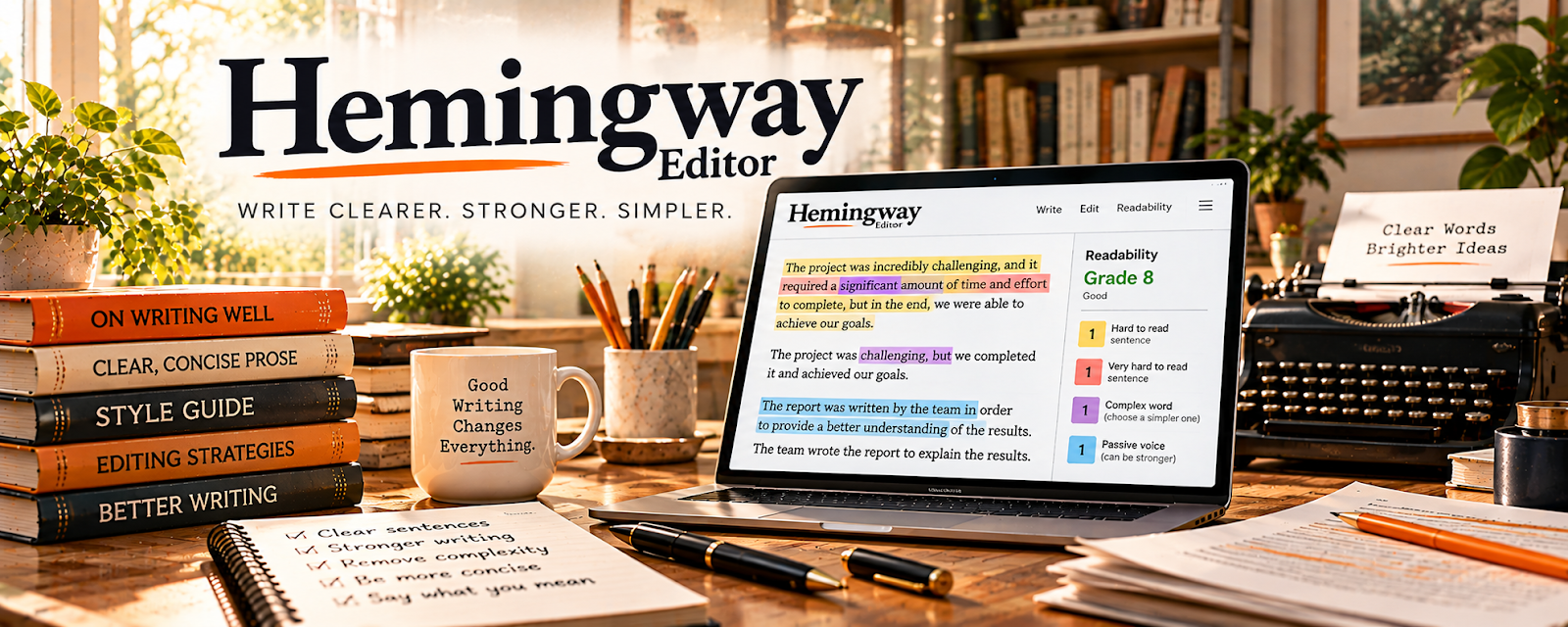
Hemingway Editor is a writing clarity tool that highlights hard-to-read sentences, passive voice, and wordiness.
🔗 Visit Official Website — Hemingway Editor
Domain: hemingwayapp.com
What This Website Is
Hemingway Editor is a writing clarity tool that highlights hard-to-read sentences, passive voice, and wordiness. For the ✍️ Blogging side hustle, it helps you make posts easier to read so visitors stay longer and take action.
How to Apply It to ✍️ Blogging
Use Hemingway as a practical “final edit” step: draft → paste → simplify → publish.
Step-by-Step Implementation:
- Phase 1: Draft your blog post normally (don’t self-edit too early).
- Phase 2: Paste into Hemingway and fix the biggest readability issues first (long sentences, too many adverbs, passive voice).
- Phase 3: Re-check headings and short paragraphs so the post is scannable on mobile.
Common Use Cases for this Side Hustle:
- Scenario A: You have good info but the post feels “dense” and people bounce.
- Scenario B: You want to improve conversion on affiliate/product pages by making copy clearer.
- Scenario C: You’re writing faster and need a repeatable QA check before publishing.
When to Use This
- Your posts feel too long or hard to scan.
- You want clearer writing without rewriting everything.
- You publish often and need a fast QA step.
- You want to reduce “fluff” in intros and paragraphs.
Best Tasks to Use It For
- Tightening intros and conclusions
- Simplifying long sentences
- Reducing passive voice
- Improving scannability (short paragraphs)
- Polishing affiliate/product comparisons
Getting Started Steps
- Draft the post in your writing tool.
- Paste into Hemingway Editor.
- Fix the highest-level readability items first.
- Break long paragraphs into 1–3 sentence chunks.
- Replace complex words with simpler alternatives.
- Re-read out loud to confirm flow.
- Publish and iterate based on time-on-page.
Good Beginner Search Terms
- Hemingway Editor blogging workflow
- readability score blog post
- how to write scannable blog posts
- passive voice examples fix
- simplify writing for web
- blog editing checklist
Monetization Angle
Clearer writing increases time-on-page and conversions, which can increase affiliate clicks, email signups, and product sales.
Pros
- Fast readability feedback
- Helps tighten writing quickly
- Easy for beginners
Cons
- Can oversimplify if used too aggressively
- Doesn’t replace subject-matter editing
- Not a full grammar checker
Who Should Use This
Bloggers who want a quick, repeatable way to improve readability and keep posts easy to scan.
Who Should Skip This
Skip this if your writing is already very concise or you primarily need grammar/spellcheck rather than readability.
Practical Applications
- Review a blog draft for unnecessarily complex sentences.
- Compare suggested revisions with the original meaning and audience needs.
- Use recurring issues to create a personal clarity checklist.
Important Considerations
- Readability scores are heuristics, not proof of quality, search performance, or factual accuracy.
- Do not flatten necessary technical language or voice; review current features and privacy terms before submitting confidential drafts.
Related Resources
Notion — Organizes content calendars, drafts, outlines, and publishing checklists.
Grammarly — Adds grammar and spelling checks before a readability pass.
Google Docs — Drafts and collaborates on blog posts before polishing in Hemingway.
Related Side Hustles
 Affiliate Marketing: Get Paid to Promote What You Love — Clearer writing can improve product comparisons and affiliate conversions.
 Selling Digital Products — Readable blog content can promote templates, downloads, and product launches.