
Affiliate disclosure: Some links in this guide may be paid referral links. If you purchase or sign up through one, One Stop Side Hustles may earn a commission. How our affiliate links work.
DIGITAL PRODUCTS STARTER GUIDE
Learn how to build a digital products shop from scratch. Discover what actually sells, how to create products people want to buy, where to list them, and how to grow from a first product into a small catalog. This model can keep selling after launch, but it still needs traffic, updates, and support.
2. Why Selling Digital Products Is a Great Side Hustle
3. Best-Selling Digital Product Categories
4. How Much Can You Earn & Pricing Strategies
5. Tools to Create Digital Products
6. How to Drive Traffic & Sales
7. From Product Idea to Customer-Ready Download
8. Build Trust & Improve Results
9. Learning, Templates & Resources
10. Your First 6 Months Selling Digital Products Plan
11. View the Digital Product Launch Kit
12. Frequently Asked Questions
Quick Snapshot
Earn: Varies widely — some files earn little at first; higher figures usually take a catalog, traffic, and consistent listing work
Work: Create the file up front, then sales if people find and buy it
Start: Low cost — free tools like Canva or Google Docs
Best for: Creators who package knowledge into digital tools
Grow: One product → product line → catalog that can keep selling
1. What Are Digital Products?
Digital products are items created and delivered electronically—downloadable files customers can use immediately after purchase. Unlike physical products, you create them once and sell them infinitely without manufacturing, inventory, or shipping costs.
🔄 How the Business Model Works (Simple 4-Step Process)
- Create valuable digital product (template, guide, course, printable, tool)
- Upload to selling platform (automated delivery system)
- Market to target audience (Pinterest, SEO, social media, ads)
- Deliver automatically when someone buys (the platform sends the file)
The upside: After creation, each extra sale does not require remaking the product. Marketing, updates, and support still take work, and no template is guaranteed to earn a set amount.
🎯 KEY TAKEAWAY
The most successful digital products solve specific problems for specific people. "Budget planner for new parents" beats "generic budget template" every time. Niche down ruthlessly and solve real problems.

🗂️ Types of Digital Products You Can Sell
Information Products:
- Ebooks and guides
- Online courses and tutorials
- Templates and workbooks
- Checklists and cheat sheets
- Research reports and case studies
Design Products:
- Printable planners and organizers
- Social media templates
- Presentation templates
- Resume and CV templates
- Invitation and card designs

2. Why Selling Digital Products Is a Great Side Hustle
Selling digital products is a strong side hustle because it combines low overhead, repeatable assets, and a clear path from one useful file into a full product ecosystem.
💸 The startup cost is usually very low
Many people can begin with tools they already have or can access cheaply.
That usually means:
- No inventory
- No manufacturing
- No shipping
- No storage
- Very little overhead
That low-cost structure makes it easier to test ideas without risking much money up front.
⚡ You can create once and sell repeatedly
One of the biggest advantages is that a finished product can keep earning without being recreated from scratch for every sale.
That repeatability often comes from:
- Automatic delivery
- Unlimited copies
- Reusable files
- Evergreen listings
- Simple fulfillment
This gives digital products more leverage than work that only pays once.
🧠 You can package knowledge, systems, or creative work
Digital products are flexible because they can be built from skills you already use in business, school, or creative work.
Common starting points include:
- Templates
- Checklists
- Planners
- Guides
- Trackers
That makes it easier to turn practical knowledge into something people can buy and use quickly.
🌍 The business is location-independent
Because the product is digital, sales can happen anywhere without you needing to be physically present.
Common benefits include:
- Sales while you sleep
- Remote delivery
- Easy travel flexibility
- No local market limit
- Around-the-clock availability
That gives this side hustle a level of freedom many physical businesses cannot match.

📦 There are almost no physical logistics to manage
Digital delivery removes many of the headaches that slow down physical-product businesses.
That usually means:
- No packing
- No shipping delays
- No inventory counts
- No warehouse needs
- No damaged parcels
That simplicity helps you stay lean and spend more time improving the product instead of managing fulfillment.
📈 It scales through better products, better traffic, and better packaging
Growth usually does not require more labor per sale. Instead, the business improves as the product catalog and marketing system improve.
Common growth drivers include:
- Better listings
- More products
- Stronger bundles
- More traffic sources
- Better conversion
That makes it one of the clearest side hustles for compounding results over time.
🔁 Each new product strengthens the catalog
A larger catalog creates more ways for buyers to find you and more opportunities to increase order value.
Common benefits include:
- More entry products
- More bundles
- More upsells
- More repeat purchases
- Stronger brand depth
That compounding catalog effect is one of the biggest reasons digital product businesses can become more powerful over time.
🚀 It can expand into a larger online business
A simple product often becomes the starting point for higher-value offers later.
Common next steps include:
- Premium bundles
- Mini-courses
- Memberships
- Coaching
- Product ecosystems
That gives you a clear path from a small first offer into a broader online business with stronger revenue options.
3. Best-Selling Digital Product Categories
Digital products usually sell best when they solve a clear problem, save time, improve organization, or make a task easier. The most profitable products are not always the most complicated—they are the most useful, specific, and easy to understand.
Most beginners do better by choosing one category and one buyer, building a small first product, and expanding into related products only after buyers respond.
📝 QUICK NOTE
The prices below are illustrative ranges, not verified market prices or expected earnings. Marketplace fees, payment fees, refunds, support time, and taxes reduce what you keep. Clearly state license terms, and only use fonts, images, and other assets you are licensed to include in products you sell.
📅 Planning & Organization Products
📆 Digital Planners, Organizers & Finance Trackers
A strong starting point because these tools solve problems people already want help with.
- 📌 What you might sell: Student planners, budget trackers, wedding planners, debt-payoff tools, and small-business organizers
- 👥 Common buyers: Students, families, planners, and small-business owners who want a ready-made system
- 💰 Illustrative price: Roughly $5–$30, depending on depth and format
- ✅ Best for: Creators who enjoy productivity, organization, and layout-based products
💡 PRO TIP
Niche the planner for one audience and one problem, such as student planning or small-business budgeting. State which apps and devices it works with.
🧘 Wellness, Habit & Guided Action Products
Simple tools that help buyers track routines and take action.
- 📌 What you might sell: Habit trackers, meal planners, workout logs, routine builders, and goal-setting pages
- 👥 Common buyers: People building routines and wellness-minded self-improvers
- 💰 Illustrative price: Roughly $5–$25, depending on pages and extras
- ✅ Best for: Wellness, productivity, and lifestyle creators who can keep the product simple
💡 PRO TIP
Help the buyer take action quickly instead of giving them more information. Avoid medical claims or promises of specific health results.

🎓 Educational & Knowledge-Based Products
📖 Ebooks, Guides & Study Resources
Knowledge products that help buyers learn faster, solve a problem, or avoid confusion.
- 📌 What you might sell: Short guides, how-to ebooks, study resources, checklists, and playbooks
- 👥 Common buyers: Learners, freelancers, small-business owners, and hobbyists
- 💰 Illustrative price: Roughly $5–$30, depending on depth and results
- ✅ Best for: Experts, teachers, freelancers, tutors, and consultants with proven experience
💡 PRO TIP
Make the promise clear and specific. Use only content you created or have rights to use, and cite sources where needed.
📝 Workbooks, Handouts & Guided Learning Products
Structured materials that guide buyers through a process.
- 📌 What you might sell: Worksheets, prompts, printable handouts, guided exercises, and process workbooks
- 👥 Common buyers: Coaches’ clients, students, teams, and anyone completing a specific process
- 💰 Illustrative price: Roughly $5–$30, depending on length and use
- ✅ Best for: Coaches, educators, and consultants who can teach a process step by step
💡 PRO TIP
A product feels more valuable when it leads the buyer through action instead of passive reading. Test it with a few users first.

🧠 Productivity Systems & Business Templates
🧱 Notion Templates, Dashboards & Spreadsheet Systems
Ready-made systems that save buyers setup time.
- 📌 What you might sell: Notion templates, dashboards, finance sheets, CRMs, and spreadsheet systems
- 👥 Common buyers: Creators, students, freelancers, and small teams
- 💰 Illustrative price: Roughly $10–$100, depending on complexity and support
- ✅ Best for: Creators who understand workflows, formulas, dashboards, and information design
💡 PRO TIP
Build for one role or problem rather than “everything.” Include setup instructions, and confirm what the buyer receives and which tools they need.
📋 Project Management & Business Templates
Templates that solve expensive business headaches and help buyers look professional.
- 📌 What you might sell: Proposals, content calendars, onboarding checklists, launch plans, and operations templates
- 👥 Common buyers: Freelancers, agencies, consultants, small businesses, and virtual assistants
- 💰 Illustrative price: Roughly $15–$75 for a single template, with bundles priced higher
- ✅ Best for: Workflow-focused creators who know the process the template supports
💡 PRO TIP
Show the saved time or improved process in your listing. Avoid presenting legal or contract templates as professional legal advice.

📱 Creator, Career & Design Asset Products
📣 Social Media, Career & Personal Brand Templates
Polished assets for creators, job seekers, and small brands.
- 📌 What you might sell: Social media templates, resume templates, personal-brand kits, and media kits
- 👥 Common buyers: Creators, job seekers, small brands, and solo professionals
- 💰 Illustrative price: Roughly $10–$50, depending on the number of templates
- ✅ Best for: Designers, branding creators, resume writers, and career coaches
💡 PRO TIP
Tailor templates to one audience or platform. Check the template tool’s license terms before selling files made with its assets.
🎨 Design Assets, Presets, Clipart & Creative Toolkits
Reusable assets that speed up other creators’ work.
- 📌 What you might sell: Presets, mockups, graphics, stickers, brushes, fonts, and illustration packs
- 👥 Common buyers: Designers, photographers, creators, and small-business owners
- 💰 Illustrative price: Roughly $5–$50, with larger collections priced higher
- ✅ Best for: Visually driven creators who can make cohesive collections
💡 PRO TIP
Sell cohesive collections instead of random individual files, and specify whether personal or commercial use is allowed. Only include assets you own or are licensed to redistribute.

🎯 Niche Ecosystems & Premium Offers
🧰 Niche-Specific Product Bundles
A high-opportunity lane because niche buyers often want a complete toolkit.
- 📌 What you might sell: Real estate templates, teacher resources, wedding-planning assets, practice forms, or fitness business tools
- 👥 Common buyers: Professionals and hobbyists in one role, industry, or situation
- 💰 Illustrative price: Roughly $30–$150 for a bundle, depending on contents
- ✅ Best for: Creators who know one niche well and can address several of its recurring problems
💡 PRO TIP
Make the bundle feel like a complete solution, not a pile of unrelated downloads. For regulated professions, avoid presenting forms as a substitute for professional advice.
🎓 Mini-Courses, Flagship Courses & Product Ecosystems
A premium lane for creators who want to move from low-ticket files into deeper transformations.
- 📌 What you might sell: Mini-courses, training programs, memberships, and product ecosystems built around one outcome
- 👥 Common buyers: Buyers who already trust you and want guided results
- 💰 Illustrative price: Roughly $29–$199+ for mini-courses, with larger programs priced higher
- ✅ Best for: Experts teaching a clear outcome, not just sharing information
💡 PRO TIP
Let smaller products lead naturally into bundles or training. Do not guarantee results, and keep support commitments realistic.

🎯 Build Your First Digital Product Offer
🎯 KEY TAKEAWAY
Start with planners, trackers, templates, or niche-specific business tools. These are easier to create than full courses, easier to list on marketplaces, and faster to test. Sales are never guaranteed, so validate a small version before you build a large product line.
🚀 ACTION STEP
Write a focused first plan:
- User & outcome: Identify one audience and one task your product makes easier.
- Small version: Build a focused template, guide, or tool rather than a large bundle.
- Test: Ask likely users to try it and fix confusing instructions or usability issues.
- Listing: Define formats, compatibility, usage rights, support, and pricing.
4. How Much Can You Earn & Pricing Strategies
Use this chapter to connect buyer demand, traffic, conversion, and product bundles to your digital product pricing plan.
🧠 Reality Check (What Actually Separates Higher Earners)
- Most beginners make little or inconsistent income at first
- Not because digital products do not work
- 👉 Many create products before validating demand
- 👉 Or they make one product, list it, and expect instant sales
- The sellers who earn more typically:
- Solve a specific problem
- Pick a niche with clear buyer intent
- Build multiple products instead of relying on one
- Improve traffic, conversion, and email marketing over time
🎯 KEY TAKEAWAY
In digital products, higher income usually comes from better product-market fit, stronger traffic systems, and a growing product catalog.
🔑 Smart Pricing Strategy
📦 Entry Offers, Mid-Tier Products & Bundles
- Start with simple, easy-to-buy products
- Example: $7–$27
- Use mid-tier offers for stronger value
- Example: $27–$97
- Create bundles to increase average order value
- Example: combine 3–5 related products into one premium pack
📣 Lead Magnets & Promotion Channels
- Use a free lead magnet to grow your email list
- Promote products through:
🎯 KEY TAKEAWAY
Price the complete buyer value and support obligations. Bundles should contain genuinely useful related products rather than more files for the sake of a higher price.
🧪 Real Example
📋 REAL-WORLD EXAMPLE
📌 Same Business Model, Different Outcomes
These scenarios illustrate possible gross sales models, not verified typical outcomes or forecasts. They exclude refunds, fees, marketing, creation, support, overhead, and taxes. Catalog size and email-list size do not mechanically determine earnings.
🌱 Scenario A: Casual creator
- Makes one printable or template
- Little traffic strategy
- Income: $25–$150/month
🎯 Scenario B: Focused niche seller
- Creates multiple products for one audience
- Uses Pinterest or content marketing consistently
- Income: $500–$2,000/month
🚀 Scenario C: Product ecosystem builder
- Has bundles, email list, and strong traffic channels
- Reaches repeat customers and upsells
- Income: $5,000–$15,000+/month
🎯 KEY TAKEAWAY
Same business model. Big difference in demand validation, traffic, and product depth.
🎯 KEY TAKEAWAY
Use these scenarios to understand the model, not to predict your own income. Compare actual results and risks with your written plan.
🎯 What Actually Drives Income
🧮 Qualified Visits × Purchase Conversion × Average Order Value = Gross Sales
This is a business framework, not a mathematical earnings forecast.
📊 Key Income Drivers
- Niche demand
- Products tied to a real pain point usually sell better than generic ideas
- Product type
- Templates, planners, workbooks, swipe files, guides, and mini-courses can perform very differently
- Traffic source
- Pinterest, blogging/SEO, social media, and email can all drive sales at different speeds
- Conversion rate
- Better product pages, previews, and messaging increase revenue without needing more traffic
- Email list
- Subscribers are often much more likely to buy than cold visitors
- Catalog depth
- More relevant products create more sales opportunities, upsells, and bundles
🎯 KEY TAKEAWAY
The best sellers do not just “make pretty files.” They build products people actively want, then create repeatable ways to get those products in front of buyers.
📈 Digital Sales & Support Costs (Pricing Reality)
📖 Read the Numbers in Context
Low reproduction cost does not mean no business costs. Platform fees, payment processing, refunds, software, acquisition, updates, support, and creation time affect profit. Conversion arithmetic requires a consistent period and visitor basis; projected traffic is not collected revenue.
🎯 KEY TAKEAWAY
Look beyond headline income: assess the complete economics, risks, and real cash available.
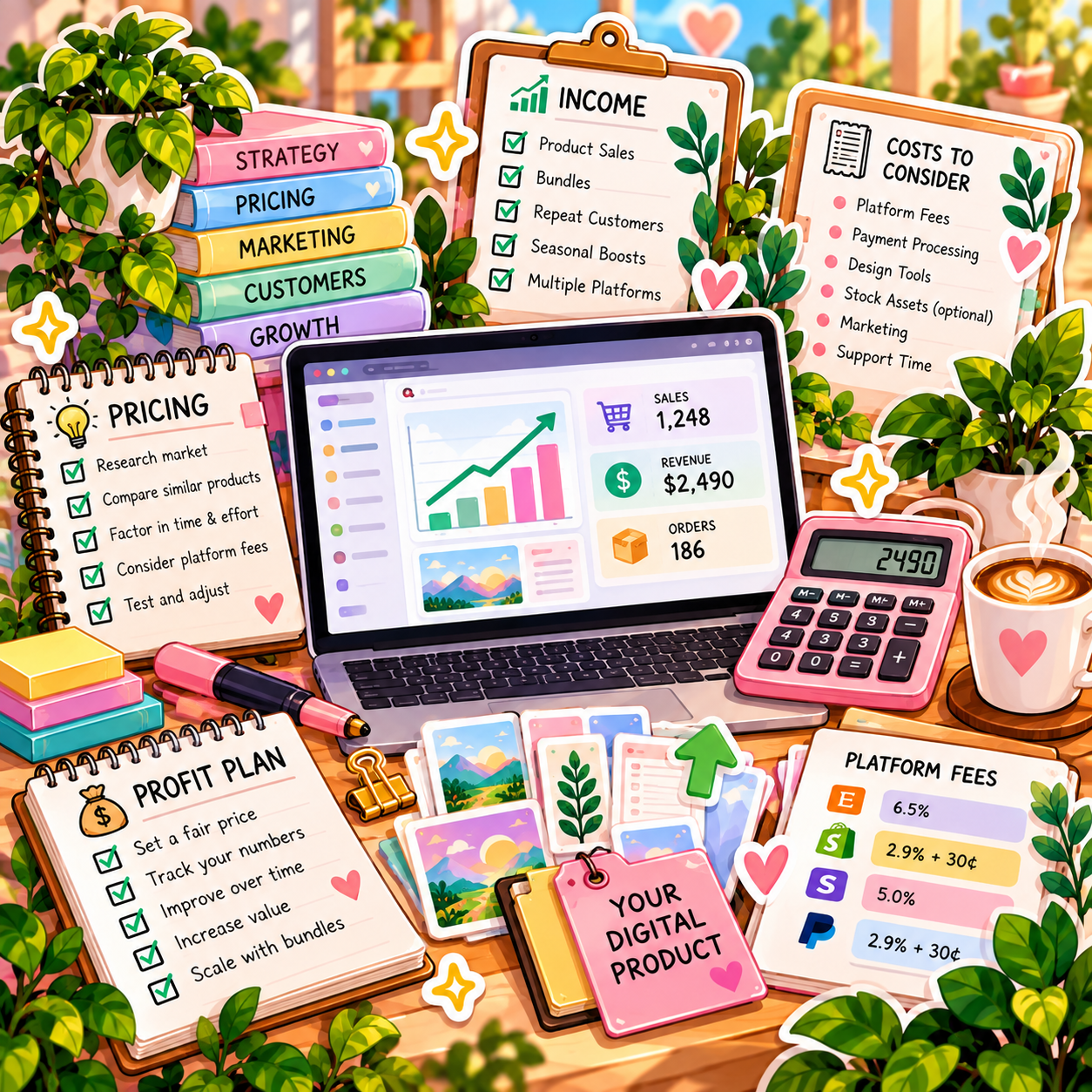
🚀 Build Your First Focused Digital Product Offer
Start with one buyer problem, one usable digital product, a clear license, and one sales channel. Use four weeks to test usefulness and buyer response before building a large catalog or bundle.
🧭 Run a Useful Product & Demand Test
- Define the buyer and specific task. Identify one practical problem and speak with prospective users or review genuine questions. Make the outcome and prerequisites clear. Do not assume a popular-looking template or social-media engagement proves willingness to pay.
- Create the smallest useful version. Build an original product with clear instructions, worked examples, and sensible defaults. Check asset licenses, embedded fonts, redistribution restrictions, and any platform-specific template rules. Avoid repackaging other creators’ work without permission.
- Test functionality and state the terms. Test download, file integrity, links, formulas, print settings, or template duplication as applicable. Specify formats, software requirements, included files, license, access, support, updates, and refund terms subject to applicable law. Clearly identify the product as digital rather than physical.
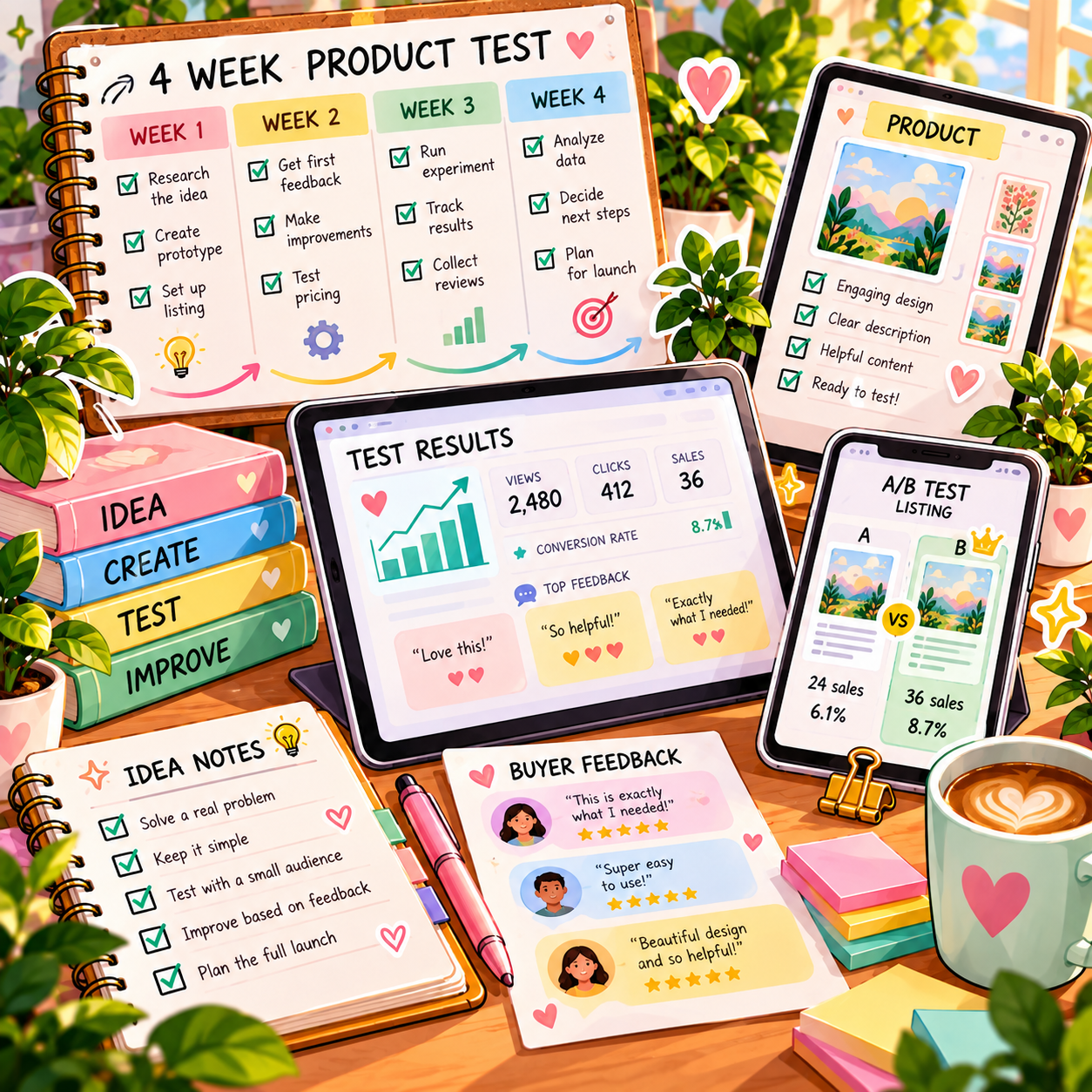
- Run a small four-week offer test. Publish an accurate preview and description through one main channel. Use permission-based marketing and clear commercial disclosures when relevant. Keep an affordable budget cap; test one meaningful change at a time and collect specific user feedback without assuming automatic sales.
- Review demand, usability, and economics. Track visits, orders, collected payments, refunds, fees, support time, and product issues. Separate interest from purchases. Fix recurring confusion and check contribution before adding bundles, paid ads, or more products. A low-traffic test may be inconclusive.
🎯 KEY TAKEAWAY
A product that solves a real problem and works as described is more valuable than a large catalog of untested files. Downloads and sales are not guaranteed.
💡 Example: A Four-Week Digital Product Test
- Buyer: Freelancers who need a simple client-project checklist
- Product: An original editable checklist with instructions and a worked example
- Scope: One clear workflow rather than a large all-purpose toolkit
- Terms: File formats, required software, license, support, and refund information
- Quality: Tested links, edits, exports, and delivery on the intended platform
- Test: Four weeks on one channel within a capped budget
- Signals: User usefulness, visits, paid orders, support load, and contribution
This is a usefulness and demand test, not a promise of hands-off income. Digital products still require maintenance and support. A bundle can raise order value while also increasing costs, confusion, or refund risk.
✍️ Write Your One-Line Earnings Test Plan
Use this structure to make the plan easy to review:
“For [buyer problem], I will test [small original digital product] on [channel] for [period], with [license, compatibility, and support terms]. I will review [usability, paid orders, fees, refunds, and support effort].”
✅ Completed example
“For freelancers organizing client projects, I will test one original editable checklist with instructions on one sales channel for four weeks. I will state formats, compatibility, license, and support terms, test delivery and usability, and review paid orders, refunds, fees, and support time before expanding.”
🚀 ACTION STEP
Before starting:
Keep the first plan focused. Build a workable process before adding more complexity.
📋 Pricing & Revenue Planning Reference
Treat stage ranges and sale examples as illustrations, not verified typical results or guaranteed timelines. The example fee amounts are assumptions, not universal platform charges. Net revenue after those fees still excludes creation, support, marketing, software, overhead, and taxes.
💵 What Digital Product Businesses Can Earn
📊 Income Progression by Stage
🚀 Stage | 🛍️ Product Catalog | 💰 Typical Monthly Income | ⏳ Timeline | 📌 What’s Happening |
Beginner | 1–3 products | $0–$200 | 0–3 months | Learning platforms, niche research, first sales trickling in |
Developing | 3–10 products | $200–$1,000 | 3–6 months | Better listings, small traffic sources, improved product quality |
Established | 10–25 products | $1,000–$5,000 | 6–12 months | Catalog growth, stronger conversion, repeat customers |
Advanced | 25–75 products | $5,000–$15,000+ | 12–24 months | Clear niche authority, email list, better traffic systems |
Professional | 75+ products / bundles / ecosystem | $15,000+/month | 2+ years | Strong brand, multiple traffic channels, optimized funnels |
🎯 KEY TAKEAWAY
The stages describe possible progression, not guaranteed income or a required timeline. Use your own capital or business records to plan realistically.
📊 Key Metrics & Margin Snapshot
📈 Digital Sales & Support Costs (Pricing Reality)
📊 What Your Product Sales Are Actually Worth
Metric | What to Record |
Demand and conversion | Track qualified visits and purchases on a consistent basis |
Collected sales | Separate single products, bundles, refunds, and pending payouts |
Product quality | Record compatibility, delivery, and usability issues |
Support and upkeep | Track replies, updates, fixes, and creation time |
Contribution | Deduct fees and relevant direct costs before comparing offers |
🎯 KEY TAKEAWAY
More traffic or a higher bundle price is not enough. Track actual purchases, usability, and full contribution.
💸 Single Product & Bundle Sale Examples
🧾 Single Product & Bundle Sale Examples
💡 Sale Detail | 💰 Example |
Product price | $27 |
Payment/platform fees | -$3 |
Net revenue | $24 |
💡 Sale Detail | 💰 Example |
Bundle price | $67 |
Payment/platform fees | -$5 |
Net revenue | $62 |
🎯 KEY TAKEAWAY
The examples subtract only their stated fees. Calculate your actual charges and all other costs before treating net revenue as profit.
🧮 Check Your Project & Revenue Economics
Product contribution = collected sales − refunds, platform and payment fees, acquisition costs, and direct support or delivery costs.
Avoid double-counting fees already deducted from payouts. Track creation, software, updates, and broader overhead separately. If using visits × conversion × average order value, keep the definitions and period consistent and label the result as gross-sales arithmetic—not a profit forecast.
🚀 ACTION STEP
🗓️ Build a Monthly Digital Product Revenue Snapshot
Use actual records and a sustainable plan—not projections alone—to decide what to continue.
5. Tools to Create Digital Products
🛠 TOOLS & RESOURCES
🎨 Design & Creation Software
Free Options (Start Here):
Tool | Best For | Cost | Learning Curve |
Templates, planners, ebooks, social graphics | Free (Pro $13/mo) | Easy | |
Ebooks, workbooks, spreadsheet tools | Free | Very Easy | |
Presentation templates, guides | Free | Easy | |
Productivity templates, dashboards | Free ($10/mo Pro) | Medium | |
Photo editing (Photoshop alternative) | Free | Medium-Hard | |
Vector graphics (Illustrator alternative) | Free | Medium-Hard | |
Document creation | Free | Easy |
Paid Options (After First $500-1,000):
Tool | Best For | Cost | Worth It When... |
Professional design assets | $55/mo | You're creating design-focused products | |
One-time purchase alternative to Adobe | $70 each | You want pro tools without subscription | |
Procreate (iPad) | Digital art, brushes, illustrations | $13 one-time | Creating artistic digital products |
Photo editing, presets | $10/mo | Selling photography products/presets | |
Professional documents | $7-10/mo | Creating business templates |
Recommendation: Start with Canva (free) + Google Workspace (free). Don't invest in expensive software until you've made $1,000+ and know what you need.
🤖 AI Tools (Game Changers)
How AI accelerates product creation:
AI Tool | Use For | Cost | Example Use |
Content writing, ebook outlines, descriptions | Free/$20/mo | Write ebook chapters, product descriptions | |
Graphics, illustrations, patterns | $10-60/mo | Create unique clipart or backgrounds | |
Custom graphics and designs | Pay-per-use | Generate specific illustrations | |
Product descriptions, marketing copy | $49/mo | Write compelling listing descriptions | |
Design suggestions, image generation | Included in Pro | Speed up template creation |
How to use AI responsibly:
- ✅ Use as starting point, edit and refine heavily
- ✅ Disclose if AI-generated (where required)
- ✅ Add your expertise and unique value
- ✅ Check for accuracy (AI makes mistakes)
- ❌ Don't just sell raw AI output without adding value
- ❌ Don't claim 100% original if heavily AI-assisted
Pro tip: AI is incredible for overcoming blank page syndrome and speeding up initial creation, but your expertise and refinement is what makes products valuable.
🖼️ Mockup & Presentation Tools
Why mockups matter:
- Show products in realistic context
- Increase perceived value
- Help buyers understand the product before they buy
- Make digital products feel "real"
Mockup resources:
Tool/Resource | Type | Cost |
Canva mockups | Built-in mockup templates | Free/Pro |
Huge mockup library | $15/mo or $89/year | |
Product mockup generator | $19/mo or $149/year | |
Purchase individual mockups | $5-30 each | |
Free mockup templates | Free with attribution | |
High-quality mockups | $29/mo |
DIY mockup tips:
- Take your own photos of devices, planners, desks
- Use free mockup templates and customize colors
- Consistency matters more than perfection
- Show products "in use" not just floating on white background
📁 File Management & Delivery
Creating proper files:
Product Type | Recommended Format | Why |
Printables | PDF | Universal, maintains formatting, print-ready |
Templates (editable) | Canva link, DOCX, XLSX, PPTX | Customer can customize |
Ebooks | PDF, sometimes EPUB | Easy reading, professional look |
Presets | .xmp, .dng files | Standard for Lightroom |
Brushes | .abr, .brushset | Platform-specific formats |
Fonts | .otf, .ttf | Universal font formats |
Notion templates | Duplicate link | How Notion shares templates |
File preparation checklist:
- ✅ High resolution (300 DPI for printables)
- ✅ Correct dimensions (8.5x11" for US printables, A4 for international)
- ✅ All fonts embedded or outlined
- ✅ No spelling or formatting errors
- ✅ Compressed for reasonable file size
- ✅ Tested on different devices/programs
- ✅ Instructions included (separate PDF or within file)
6. How to Drive Traffic & Sales
Digital products need a repeatable path from discovery to purchase. Use this chapter to compare Pinterest, search traffic, social content, email, paid promotion, bundles, and collaborations—then focus on the channels that match your audience and product.
📌 Pinterest — Build Searchable Visual Traffic
Pinterest is one of the best platforms for selling digital products because users are actively searching for ideas, templates, planners, printables, and solutions.
Unlike most social media platforms, Pinterest works more like a visual search engine. A single pin can keep sending traffic for months or even years.
🚀 Why Pinterest Works
- Users search with buying intent
- Pins can generate long-term traffic
- You do not need a large following to get discovered
- Perfect for visual products like templates, planners, workbooks, and printables
- Great for evergreen niches like budgeting, productivity, fitness, weddings, education, and home organization
🎨 Pin Creation Strategy
Create pins that clearly show what the product helps the buyer do.
Best practices:
- Use vertical format, ideally 1000 × 1500 px
- Add bold text overlay with a clear benefit
- Show a clean product preview or mockup
- Use bright, eye-catching visuals
- Keep branding consistent across pins
- Create multiple pin designs for the same product
🔑 Keyword Optimization
Use Pinterest keywords in:
- 📌 Pin title
- 📝 Pin description
- 🗂️ Board names
- 📋 Board descriptions
- 🖼️ Text overlay when relevant
Example keyword phrase:
“minimalist budget planner for beginners”
🏆 Example Winning Pin
Title:
Free Printable Budget Planner to Pay Off $10K Debt
Description:
Download this simple budget planner printable to track your spending, save money, and pay off debt faster. Perfect for beginners. Includes monthly budget worksheet, expense tracker, debt payoff tracker, and savings goal template.
Hashtags:
#budgetplanner #printable #debtfree #personalfinance
📅 Pinning Schedule
- Create 5–10 pins per product
- Pin consistently each week
- Use a scheduler when possible
- Repurpose product images into multiple pin styles
- Refresh old pins with new designs
💡 PRO TIP
Pinterest usually takes 3–6 months to gain traction. Start early, stay consistent, and let traffic compound over time.
🔍 SEO & Blogging — Build Long-Term Organic Traffic
Blogging works well for digital products because people often search Google for templates, examples, worksheets, planners, and solutions before they buy. Google traffic is especially valuable because it captures people who already know what problem they want to solve.
🚀 Why Blogging Works
- Brings high-intent traffic from search engines
- Builds trust before the sale
- Can rank for months or years
- Gives you a place to promote your products naturally
- Helps grow your email list
- Makes your brand feel more established
📚 High-Converting Article Types
Article Type | Example | How It Sells |
How-To Guide | “How to Create a Budget Plan” | Naturally introduces your planner or template |
Comparison Post | “10 Best Budget Planners” | Positions your product as a recommended option |
Problem-Solution Post | “Can’t Stick to a Budget? Here’s Why” | Presents your product as the fix |
Resource Roundup | “25 Free Budget Templates” | Features your freebie or paid product prominently |
Tutorial Post | “How to Use a Notion Habit Tracker” | Shows your product in action |
🔑 SEO Basics
- Research long-tail keywords using Ubersuggest or Google autocomplete
- Include your main keyword in the title
- Use the keyword in the URL
- Mention the keyword naturally in the first paragraph
- Add keywords to subheadings
- Use internal and external links
- Add images with descriptive alt text
- Include a clear call-to-action inside the post
📝 Good Blog Post Ideas for Digital Products
- “How to Plan Your Week With a Printable Planner”
- “Best Budget Templates for Beginners”
- “How to Organize Your Business With Notion”
- “Free Habit Tracker Template”
- “Digital Planner vs. Printable Planner: Which Is Better?”
💡 PRO TIP
One strong blog post can generate sales for years. Start with 10–20 high-quality posts targeting buyer-friendly keywords.
📸 Instagram — Build Trust and Visual Credibility
Instagram works well for digital products because buyers want to see what the product looks like, how it works, and how it fits into their life. This platform is especially useful for planners, templates, design assets, printables, social media templates, and lifestyle-based products.


🧩 Content Mix
Content Type | Percentage | Examples |
Educational | 40% | Tips, tutorials, mistakes, how-to posts |
Behind-the-Scenes | 30% | Product creation, updates, packaging mockups |
Product Showcase | 20% | Features, page previews, use cases |
Promotional | 10% | Sales, bundles, launches, limited-time offers |
🔥 High-Converting Content
- Carousel posts showing product pages or features
- Reels demonstrating how to use the product
- Stories with polls, Q&A, and countdowns
- Testimonials and customer results
- Before-and-after transformations
- “3 ways to use this template” posts
- Product mockups in real-life settings
📈 Growth Tactics
- Post 4–7 times per week
- Use targeted hashtags
- Engage with niche accounts daily
- Collaborate with creators
- Pin your best product posts
- Use story highlights for products, reviews, FAQs, and tutorials
- Add your shop or product link clearly in your bio
🛍️ Best Digital Products for Instagram
- Canva templates
- Social media templates
- Digital planners
- Printable wall art
- Notion templates
- Fitness trackers
- Wedding templates
- Branding kits
💡 PRO TIP
Best Angle: Instagram works best when you show the transformation. Do not just show the product — show what it helps the buyer organize, save, improve, or create.
🎥 TikTok — Test Fast Discovery and Demonstration
TikTok is useful for digital products because short videos can quickly show the problem, solution, and result. You do not need polished production. Simple screen recordings, product demos, and quick tips can perform well.


🔥 What Performs Best
- “How I made $X selling digital products”
- Behind-the-scenes product creation
- “This template saves me X hours”
- Mistakes and lessons learned
- Quick tips and hacks
- Product walkthroughs
- Before-and-after results
- “Things I wish I knew before starting”
🎯 Hooks That Work
Use clear hooks in the first 1–3 seconds:
- “If you need [result], watch this…”
- “I wish I knew this before…”
- “Stop doing this — do this instead…”
- “Here’s how I organize [problem]…”
- “This simple template helped me…”
📢 Call-to-Action Ideas
- “Link in bio”
- “Comment ‘template’ and I’ll send it”
- “Download the free version first”
- “Grab the planner in my shop”
- “Watch the full tutorial on YouTube”
📅 Posting Schedule
- Post 1–3 short videos daily when testing
- Batch create content on weekends
- Reuse the same product in multiple angles
- Turn FAQs into videos
- Turn customer problems into video topics
🛍️ Best Digital Products for TikTok
- Budget planners
- Notion templates
- Study templates
- Fitness trackers
- Small business templates
- Resume templates
- Digital planners
- AI prompt packs
- Canva templates
🎯 KEY TAKEAWAY
TikTok is strongest when your product solves a problem that can be explained visually in under 60 seconds.
📧 Email Marketing — Build an Audience You Own
An email list is one of the strongest long-term assets for selling digital products because you own the relationship with your audience.
Social platforms can change their algorithms, but your email list gives you direct access to potential buyers.
💡 Why Email Matters
- You own your audience
- You can promote new products directly
- Email works well for launches
- Past buyers are easier to sell to again
- You can build trust with helpful content
- It helps turn cold traffic into warm buyers
🎁 Lead Magnet Ideas
Offer a free resource in exchange for an email address.
Good options include:
- Free mini product
- Checklist
- Cheat sheet
- Template
- Worksheet
- Ebook sample
- Free printable
- Mini training
- Resource list
📍 Where to Promote Your Freebie
- Pinterest pins
- Blog posts
- Instagram bio
- TikTok bio
- YouTube descriptions
- Website pop-ups
- Product descriptions
- Thank-you pages
- Inside your paid products
🔄 Simple Email Sequence
Day | Email | Purpose |
Day 0 | Deliver freebie + introduce yourself | Build trust immediately |
Day 2 | Helpful tip or tutorial | Provide value |
Day 4 | Testimonial or story | Build proof |
Day 7 | Product recommendation | Soft pitch |
Day 10 | Offer, bundle, or bonus | Encourage purchase |
📊 Conversion Reality
Audience Type | Typical Conversion Potential |
Cold traffic | 1–3% |
Email subscribers | 10–20% |
Past customers | 30–50% |
💡 PRO TIP
Your email list lets you sell the same customer multiple related products over time. One buyer can become a repeat buyer if your product ecosystem is strong.
💰 Paid Ads — Scale Only After Conversion Works
Paid ads can help you scale faster, but they should come after you already know what sells. Ads amplify a working offer; they do not fix weak products, unclear messaging, or bad product pages.
🚦 When to Start Ads
Start testing paid ads when:
- You are already making organic sales
- You know which product converts best
- Your product page is polished
- You have strong mockups and product images
- You can afford to test without needing immediate profit
- You have at least $500–$1,000 available for testing
📊 Best Ad Platforms
Platform | Best For | Why Use It |
Visual digital products | Strong for planners, printables, templates, and lifestyle products | |
Higher-ticket products and bundles | Good targeting and retargeting options | |
Buyer-intent searches | Best when people are actively searching for your product type |
🎯 What Makes Ads Work
- Product shown in use
- Strong mockups
- Clear benefit headline
- Simple product page
- Social proof
- Limited-time bonus or bundle
- Retargeting warm visitors
- Clear pricing and offer
🧪 Testing Strategy
- Start with $10–$20/day
- Test 3–5 creatives
- Test different headlines and mockups
- Track clicks, conversion rate, cost per sale, and profit
- Scale winners gradually
- Cut losing ads quickly
⚠ COMMON MISTAKE
Do not run ads to a product that has not sold organically. First prove people want it, then use ads to scale.
🤝 Bundles & Collaborations — Expand Reach and Order Value
Collaborations let you get in front of new buyers without building the entire audience yourself. This works especially well when your product complements another creator’s offer.
📦 Why Bundles Work
- Multiple creators promote together
- Buyers get a high-value package
- You gain exposure to new audiences
- Great for growing an email list
- Can create quick bursts of sales
- Builds social proof fast
🧩 Common Bundle Format
A group of creators combines 10–30 digital products and sells the bundle for a limited time, often between $29–$99.
Each creator promotes the bundle to their audience, and everyone benefits from shared exposure.
🔍 Where to Find Opportunities
- Facebook groups
- Instagram communities
- Creator newsletters
- Digital product communities
- Niche forums
- Reddit, including r/EtsySellers
- Direct outreach to creators in your niche
💡 Example Bundle
Ultimate Productivity Bundle
- Digital planner
- Notion templates
- Habit tracker
- Time-blocking guide
- Goal-setting workbook
- Weekly review checklist
🚀 Benefits
- New audience exposure
- Email list growth
- More product visibility
- High-volume sales potential
- Instant social proof
- Relationship-building with other creators
💡 PRO TIP
Best Strategy: Collaborate with creators who serve the same audience but sell different products. That gives buyers more value without creating direct competition.
7. From Product Idea to Customer-Ready Download
A digital product is not finished when the design looks good. It is finished when the right customer can:
Understand it → Buy it → Access it → Open it → Use it → Get the promised value without unnecessary confusion
Use this workflow:
Define → Validate → Build → Test → Protect → Package → Explain → Deliver → Support → Improve
Your goal is not simply “Create something I can sell.” It is “Create something a customer can actually use successfully.”
Use the seven phase tabs in order. Keep the product brief open while you build, test, and list. Chapters 4–6 cover pricing, tools, and traffic.
🎯 PHASE 1 — Define One Buyer, Validate the Problem & Write the Brief
📋 Steps 1–4: Choose one buyer and one job, confirm the problem is real, shrink the first version to what actually helps, and write a one-page brief before you design. Finish with a product you can build—not “I want to make a planner.”
✅ Ready to move on: One buyer, one job, a smallest useful version, and a one-page brief are written down.
🎯 Step 1: Define One Buyer + One Job
Do not start with “I want to make a planner.”
Start with: “What specific job does this product help someone accomplish?”
👤 Name the Buyer, Problem & Task
Buyer: Who is it for?
Problem: What are they struggling with?
Task: What do they need to do?
🎯 Name the Outcome & Format
Outcome: What should become easier after using the product?
Format: What kind of digital product best supports that task?
🧪 Example: Make the Job Specific
Instead of:
“Budget spreadsheet.”
Try:
“A simple monthly cash-flow spreadsheet for freelancers who need to separate irregular income, business expenses, taxes, and personal pay.”
Now you have something specific enough to design and test.
🎯 KEY TAKEAWAY
A narrower useful product usually gives you better information than a giant product trying to solve everything.
🔎 Step 2: Validate the Problem Before Building the Solution
Chapter 4 already gives you the full demand-testing framework. Here, do enough research to confirm the problem is real before spending significant production time.
👀 Look for Proof the Problem Is Real
Look for:
- Repeated questions
- Existing products
- Buyer reviews
- Complaints
- Workarounds people are using
- Missing features
- Confusing existing solutions
- Requests for simpler versions
- Requests for niche-specific versions
❓ Ask What Current Options Miss
Ask:
- Are people trying to solve this problem already?
- What are they currently using?
- What frustrates them about those options?
- What would make the job easier?
Existing competition does not automatically make an idea bad. It can indicate that a real market exists.
Your job is to understand: What can my version do especially well for a defined buyer?
🧩 Step 3: Choose the Smallest Useful Version
Do not automatically build a 75-page workbook, 50-template bundle, massive Notion dashboard, 30-tab spreadsheet, or “Ultimate” everything kit.
Start with the minimum version that solves the core problem properly.
Ask: What must be included for the buyer to get value?
Then separate that from: What would merely make the file bigger?
✅ Keep What the Buyer Needs
A client-project tracker might genuinely need:
- Client list
- Project status
- Deadlines
- Payment status
- Notes
- Instructions
🚫 Cut What Only Makes the File Bigger
It may not need:
- 14 dashboards
- 20 decorative covers
- 75 bonus icons
- 9 unrelated business templates
💡 PRO TIP
More files can increase complexity just as easily as they increase value.
📝 Step 4: Write a Product Brief Before You Build
Create a one-page blueprint so the project does not expand every time you get another idea.
📋 Capture the Offer Basics
- Product Name
- Buyer
- Problem
- Main Outcome
- Product Type
- Required Software / Platform
🧱 Capture Features, Files & Boundaries
Core Features
- _______
- _______
- _______
- _______
Also write:
- Instructions needed
- Files included
- What is not included
- Support included
- Update policy
- Usage license
Ready for Phase 2 when: One buyer, one job, a smallest useful version, and a one-page brief are written down.
🛠️ PHASE 2 — Design the Path & Build the Core Product
📋 Steps 5–6: Map what the customer actually does before choosing fonts and colors. Then build the core product around that job. Finish with a usable file—not a decorated one that is annoying to use.
✅ Ready to move on: The core path works and the file is built around the job, not the decoration.
🧠 Step 5: Design the User Experience Before the Appearance
A digital product can be beautiful and still be annoying to use. Before choosing fonts and colors, map what the customer actually needs to do.
🗺️ Map the First Actions
Ask:
- What do they see first?
- What should they do next?
- Where do they enter information?
- Where do they find instructions?
- What happens if they make a mistake?
- How do they know they completed the process correctly?
🔁 Sketch the Path by Product Type
Spreadsheet: Open → Make a Copy → Enter Data → Understand Formula Results → Update → Review
Notion template: Duplicate → Set Up → Customize → Use Daily → Review
Printable: Download → Choose File → Print → Fill Out → Reuse
Guide: Open → Understand Structure → Learn → Take Action
🎯 KEY TAKEAWAY
Design the path first. Decorate it second.
🛠️ Step 6: Build the Core Product
Now create the product around the job it needs to perform.
✅ Prioritize During Creation
- Clear structure
- Consistent terminology
- Easy navigation
- Readable text
- Sensible defaults
- Appropriate examples
- Logical sections
- Useful instructions
- Accessibility where practical
- Consistent design
🚫 Avoid While Building
- Decorative complexity that interferes with use
- Tiny text
- Unnecessary pages
- Too many colors
- Features the customer is unlikely to understand
- Hidden dependencies
- Links with no explanation
- Formulas users can accidentally destroy without warning
💡 PRO TIP
Professional does not mean complicated.
Ready for Phase 3 when: The core path works and the file is built around the job, not the decoration.
⚖️ PHASE 3 — Clear Rights, Define the License & Remove Private Data
📋 Steps 7–9: Confirm you can distribute every asset, tell buyers what they may do with the file, and strip private data from the customer copy. Finish with a clean, licensable product—not a file that still contains your notes, fonts you cannot resell, or someone else’s data.
✅ Ready to move on: Assets are cleared, the license is written, and the customer copy has no private data.
⚖️ Step 7: Check Rights Before Packaging the Product
Make sure you have the right to distribute everything included. A license that lets you use an asset inside your own design may not allow you to redistribute the original asset itself.
🧾 Review Every Included Asset
Review:
- Fonts
- Photos
- Icons
- Illustrations
- Templates
- Stock assets
- Audio
- Video
- Code
- Spreadsheet elements
- AI-generated assets
- Purchased files
- Quotes or excerpts
- Brand references
❓ Ask Before You Include It
Did I create this?
If not: Does the license permit this type of commercial redistribution?
That distinction matters.
⚠ COMMON MISTAKE
Buying a digital asset does not automatically give you resale or redistribution rights.
📜 Step 8: Define the Customer's Usage Rights
Tell buyers what they are purchasing. Do not hide important license terms after checkout. Make them understandable before purchase.
📄 Cover the License Clearly
Depending on the product, the license might cover:
- Personal use
- Single-business use
- Commercial end use
- Number of users
- Client use
- Whether modifications are allowed
- Whether redistribution is prohibited
🧪 Example: Included vs Not Included
Included: Use this template inside your own business and customize it for your internal workflow.
Not included: Reselling, sublicensing, sharing, redistributing, or uploading the original template for others to download.
🔐 Step 9: Remove Anything That Should Not Reach the Customer
This step is easy to overlook. Create a clean customer copy. Do not sell directly from the file you use for your own business.
🧹 Strip Private Details Before Export
Before exporting or sharing a template, check for:
- Your personal information
- Private email addresses
- Hidden comments
- Client names
- Internal notes
- Test data
- Previous document history where relevant
- API keys
- Passwords
- Private links
- Personal cloud folders
- Embedded metadata you do not intend to share
📁 Sell a Clean Customer Copy
For templates, create a clean customer copy.
⚠ COMMON MISTAKE
A template should contain sample data—not somebody else's real data.
Ready for Phase 4 when: Assets are cleared, the license is written, and the customer copy has no private data.
🧪 PHASE 4 — Test Like a New Customer & Fix Friction First
📋 Steps 10–12: Test access, opening, first steps, and the main task from a fresh-user view. Then watch a few real testers and fix friction before adding bonuses. Finish with a product that works—not a bundle that is still confusing.
✅ Ready to move on: A fresh user can access, open, start, and complete the main task without you.
🧪 Step 10: Test the Product Like a New Customer
Do not test it only from the creator's account. You already know how everything works. The customer does not.
Pretend you just bought it. Can you:
- Access it?
- Open it?
- Understand what to do first?
- Complete the main task?
- Recover from common mistakes?
📄 Test a PDF / Ebook
Check:
- File opens
- Pages display correctly
- Links work
- Navigation works
- Text is readable
- Print settings make sense
📊 Test a Spreadsheet
Check:
- Formulas
- Dropdowns
- Validation
- Charts
- Protected cells
- Date behavior
- Example data
- Blank-state behavior
- Different devices when relevant
🧱 Test a Notion Template
Check:
- Duplicate process
- Database relationships
- Filters
- Views
- Formulas
- Buttons
- Instructions
- Permissions
🎨 Test a Canva Template
Check:
- Template link
- Editable elements
- Fonts
- Image permissions
- Page structure
- Export process
🖨️ Test a Printable
Check:
- US Letter / A4 if offered
- Margins
- Printer scaling
- Ink use
- Writing space
- Black-and-white readability when relevant
📦 Test a ZIP / File Bundle
Check:
- Archive opens
- Folder structure makes sense
- File names are clear
- Nothing is missing
🎯 KEY TAKEAWAY
Never let your first paying customer be your first real tester.
👥 Step 11: Give It to a Few Real Testers
The creator knows too much. Ask a few people who resemble the intended buyer to use the product without you guiding every step. Do not defend the product while they are testing it. Listen.
👀 Watch Where They Struggle
Watch for:
- Where they hesitate
- What they misunderstand
- What they skip
- What they ask
- What breaks
- What they expect but cannot find
💬 Ask What Would Help Them Start Faster
Ask:
- What did you think this product would help you do?
- What was confusing?
- Where did you get stuck?
- What felt unnecessary?
- What would have helped you start faster?
- Did it actually make the task easier?
🛠️ Step 12: Fix Friction Before Adding Bonuses
If testers struggle with the core product, adding five bonus files will not solve the problem.
Use this priority: Works → Understandable → Useful → Polished → Expanded
not: Huge → Pretty → Confusing
🔧 Fix the Core First
Fix:
- Instructions
- Navigation
- Layout
- Defaults
- Broken formulas
- Missing examples
- File compatibility
- Confusing terminology
🎁 Wait on Extras
Fix the core before adding:
- Extra planners
- Wallpapers
- Icons
- Bonus templates
- Large bundles
Ready for Phase 5 when: A fresh user can access, open, start, and complete the main task without you standing beside them.
📁 PHASE 5 — Package the Files, State Compatibility & Write the Listing
📋 Steps 13–17: Make the first step obvious, name files so buyers can use them, state compatibility before purchase, and write previews plus listing copy that help the right person say yes. Finish with a package a stranger can open without guessing.
✅ Ready to move on: Start-here, file names, compatibility, previews, and listing copy match the actual product.
📚 Step 13: Build a Start-Here Experience
Every digital product should make the first step obvious. A useful file name is 00_START_HERE.pdf. Putting it first in the folder makes the customer experience nearly idiot-proof—in the nicest possible way.
👋 Explain What It Is and How to Start
A simple start-here guide can explain:
- Welcome: What the product is
- What's included: List the files or components
- What you need: Software, account, app, printer, or other requirements
- Start here: Exactly what to do first
- How to use it: A basic workflow
🛠️ Explain Customization, Help & License
Also include:
- Customization: What the buyer may safely edit
- Troubleshooting: Common problems
- Support: Where to get help
- License: Basic usage terms
📁 Step 14: Package Files Around Usefulness
Do not include every conceivable format just because you can. Include formats that genuinely help the customer. Tiny naming details make a huge difference.
📦 Build a Small, Clear Package
Example package:
00_START_HERE.pdf01_Client_Project_Tracker.xlsx02_Example_Project.xlsx03_Quick_Start_Guide.pdf04_License.pdf
That may be better than giving the buyer 17 files they cannot distinguish.
🏷️ Use Clear File Names
Avoid:
final.pdffinal2.pdfnewfinalREAL.xlsx
Use:
Freelancer_Project_Tracker.xlsxFreelancer_Project_Tracker_Example.xlsx
💻 Step 15: State Compatibility Clearly
Many digital-product refunds and support questions begin with “I thought this worked with...” Tell the buyer before purchase.
📋 State What the Buyer Needs
State:
- File formats
- Required software
- Required account type
- Mobile limitations
- Desktop requirements
- Printer requirements
- Whether paid software is needed
- Whether the product is editable
- Whether fonts or other assets are included
🧪 Example: Say What It Is Not Designed For
Requires: Microsoft Excel desktop or current compatible Excel environment.
Not designed for: Google Sheets.
That's much better than making the buyer discover it afterward.
🖼️ Step 16: Create Preview Images That Explain the Product
A preview should reduce uncertainty. Show enough to answer: What does it look like? What is included? How does it work? How many major components are there? What can be edited? What does the finished result look like?
Do not use preview images that imply files or features the buyer will not receive.
👀 Show the Product at a Glance
Useful preview types:
- Hero image — the product at a glance
- What's included — shows the package
- Feature preview — highlights important functionality
- Use example — shows the product in action
🧩 Show Requirements & Permissions
Also consider:
- Before / after or problem / solution — when truthful and appropriate
- Compatibility / requirements — makes technical requirements obvious
- License / use summary — when buyers need to understand permissions
✍️ Step 17: Write the Listing to Prevent Confusion
The listing should help the right person confidently say “Yes, this is for me.” and the wrong person say “No, this isn't what I need.” Both outcomes are useful.
📝 Cover What It Is and How It Works
Recommended structure:
- What it is — describe the product plainly
- Who it is for — identify the intended buyer
- What it helps with — explain the practical job or outcome
- What's included — list the actual files and components
- How it works — explain the basic process
- Requirements — state compatibility
🚫 Cover Limits, License & Digital Delivery
Also include:
- What can be edited — clarify customization
- What is not included — prevent false assumptions
- Usage license — explain the important terms
- Support — state what help is included
- Digital-product notice — make it clear the buyer is purchasing a digital product rather than a shipped physical item
Ready for Phase 6 when: Start-here, file names, compatibility, previews, and listing copy all match the actual product.
🛒 PHASE 6 — Promise Accurately, Test Delivery & Set Support Boundaries
📋 Steps 18–23: Promise only what the product can support, check the economics, then test checkout through first use. Finish with a post-purchase message, a support boundary, and an issue process—not unlimited custom work after every download.
✅ Ready to move on: Checkout, delivery, the first-use message, support limits, and the issue process all work.
🎯 Step 18: Promise Only What the Product Can Support
Use Hook → Promise → Proof. Help the intended customer recognize the problem, explain what the product is designed to help them do, and show the actual product.
✅ Use Proof the Product Can Support
Use:
- Screenshots
- Demonstrations
- Examples
- Legitimate testimonials
- Real customer feedback
- Clear specifications
🚫 Avoid Claims the File Cannot Prove
Avoid:
- Guaranteed financial results
- Guaranteed career outcomes
- Unsupported health claims
- Fake scarcity
- Fabricated testimonials
- Made-up sales numbers
🎯 KEY TAKEAWAY
The product itself should be the strongest proof.
💰 Step 19: Run the Final Economics Check
Chapter 4 already handles pricing in detail. Before publishing, make sure the product still makes sense after the real workload becomes clearer.
A file may cost almost nothing to duplicate while still requiring substantial maintenance and customer support.
Consider:
- Platform fees
- Payment fees
- Advertising costs when applicable
- Refunds
- Support time
- Software
- File hosting
- Product updates
- Creation time
💡 PRO TIP
Digital does not mean zero-cost.
🛒 Step 20: Test the Purchase + Delivery Process
This is one of the most important steps. Do not test only the product. Test the entire customer journey.
Walk through: Listing → Checkout → Payment → Confirmation → Delivery → Download → Open → Start
If possible, run a test transaction using the platform's available testing or preview tools.
✅ Check Checkout Through Confirmation
Check:
- Checkout works
- Payment works
- Confirmation is clear
- Correct product is delivered
📥 Check Access Through First Use
Check:
- Links work
- Permissions work
- Downloads work
- Customer knows what to do next
📧 Step 21: Build the Post-Purchase Message
After purchase, the customer should immediately understand: What did I buy? Where is it? How do I start? Who do I contact if something fails?
Do not immediately bury the customer under six upsells. First make sure they can use what they already bought.
📬 Tell Them What They Bought and Where It Is
Simple structure:
- Thank you — confirm the purchase
- Access — explain where to get the files
- Start here — point to the first step
🧭 Remind Them How to Begin and Get Help
Also include:
- Requirements — remind them of important compatibility details
- Support — explain how to get help
- Next step — give one simple action
🛠️ Step 22: Create a Support Boundary
Digital products are repeatable. Unlimited custom support is not. Define what your purchase includes. This protects both you and the buyer.
✅ Decide What Support Includes
You might include:
- Help accessing files
- Broken-link support
- Basic setup questions
- Clarification of instructions
You might exclude:
- Custom redesign
- Personal consulting
- Full software training
- Custom spreadsheet formulas
- Done-for-you implementation
- Unlimited revisions
📝 Write the Support Terms
State:
- Support channel: __________________
- Normal response window: ___________
- Support included: _________________
- Not included: _____________________
↩️ Step 23: Define the Refund / Issue Process
Digital-product refund rights and platform policies can vary by jurisdiction and platform. Do not simply copy another seller's “no refunds because digital” statement and assume that settles everything.
Create a process that follows applicable law, platform requirements, and your stated policy. Every complaint can reveal a product or listing problem.
🔧 Fix Access and File Problems
Common issue types:
- Cannot access file — fix access
- Broken file — replace or repair it
- Wrong file delivered — correct delivery
🎯 Handle Fit and Expectation Problems
- Compatibility misunderstanding — review whether requirements were disclosed clearly
- Product does not match listing — fix the discrepancy appropriately
- Customer wants something never included — explain the scope clearly
Ready for Phase 7 when: Checkout, delivery, the first-use message, support limits, and the issue process all work.
🔄 PHASE 7 — Version the Product, Track Health & Decide What Grows
📋 Steps 24–28: Number versions, decide how updates work, and track product health after launch. Separate product problems from traffic problems, then keep, improve, expand, or retire. Finish with a catalog that earns attention—not a pile of files you keep because you made them.
✅ Done when: Versions are numbered, update rules are set, and each product has a keep / improve / expand / retire decision.
📝 Step 24: Create a Product Version Number
Digital products change. Start tracking versions early.
Example: Freelancer Project Tracker v1.0
🔢 Record What Changed
v1.1
- Fixed formula error
- Clarified setup instructions
v1.2
- Added optional status dropdown
- Improved mobile instructions
📒 Keep a Change Log
Record:
- Version
- Date
- Changes
- Reason
- Customer impact
This becomes very useful once you have multiple buyers and products.
🔄 Step 25: Decide How Updates Work
Not every product needs lifetime free updates. Decide intentionally. Whatever you choose, communicate it clearly. Do not accidentally promise lifetime development because you once wrote “Free updates forever!”
🛠️ Choose a Maintenance Model
Possible models:
- Free maintenance updates — bug fixes and minor improvements
- Version-based updates — major new versions sold separately or offered at an upgrade price
📅 Choose an Ongoing or Static Model
- Subscription / membership — ongoing updates are part of the paid offer
- No ongoing updates — static product with no promise of future development
📊 Step 26: Track Product Health After Launch
Do not judge the product only by sales. Track the signals that show whether people can find it, use it, and keep it.
Signal | What It Tells You |
Qualified Visits | Whether the offer is being seen |
Purchases | Whether buyers act |
Refunds | Potential expectation or fit problems |
Access Issues | Delivery problems |
Support Questions | Confusing areas |
Broken Links / Bugs | Product reliability |
Customer Feedback | Real-world usefulness |
Repeat Purchases | Brand/product fit |
Update Time | Maintenance burden |
Support Time | Hidden operating cost |
🔍 Step 27: Separate Product Problems From Traffic Problems
This is important. Low sales can mean a traffic problem, a listing problem, or a product problem. Diagnose before you rebuild.
📉 Diagnose Low Traffic or No Purchases
Low traffic: You may not have enough information about product demand yet. That is primarily a discovery problem.
Traffic + no purchases: Review positioning, product-market fit, pricing, listing clarity, preview quality, and trust.
🛠️ Diagnose Support, Refunds, or Strong Feedback
Purchases + many support questions: Review instructions, compatibility, setup, and product complexity.
Purchases + refunds: Review expectations, product quality, listing accuracy, usefulness, and technical issues.
Purchases + good feedback: You may have something worth expanding.
🎯 KEY TAKEAWAY
Do not redesign a good product because the real problem is nobody has seen it.
🚦 Step 28: Keep, Improve, Expand, or Retire
Every product should eventually lead to a decision. A larger catalog is not automatically a better catalog. Expand around the same buyer problem rather than creating random products.
✅ KEEP
The product works, customers understand it, and maintenance is reasonable.
🛠️ IMPROVE
Customers want the solution, but recurring friction exists.
Improve:
- Instructions
- File structure
- Usability
- Compatibility
- Listing clarity
- Support documentation
📈 EXPAND
The product has evidence of usefulness and demand.
Consider:
- Companion products
- Advanced version
- Bundle
- Additional format
- Niche variation
❌ RETIRE
A product may not deserve ongoing attention if:
- It is constantly broken
- Compatibility is difficult to maintain
- Support load is excessive
- Demand remains weak
- Rights are uncertain
- Better alternatives make it obsolete
🧪 Your First 5 Customers
🚀 ACTION STEP
Instead of racing to build ten products, use the first five buyers of one product to improve the system.
🛒 Customer 1 — Test Delivery
Ask:
- Did checkout work?
- Did the correct file arrive?
- Could they access it?
- Was the first step obvious?
📘 Customer 2 — Test Instructions
Look for:
- Setup questions
- Confusing terminology
- Missing examples
- Compatibility confusion
🧭 Customer 3 — Test Usability
Ask: Did the product actually help with the task it promised to make easier?
Watch for workarounds.
🛠️ Customer 4 — Test Support
Measure:
- What they asked
- How long support took
- What documentation could prevent the question next time
📊 Customer 5 — Review the Whole Product
Now ask:
- What questions repeated?
- What broke?
- What did users value most?
- What was unnecessary?
- What needs improvement?
- Is the listing accurate?
- Does the support model work?
- Would I confidently sell this to 100 more people?
That final question is the real test.
📋 Your Product Readiness Scorecard
Before expanding, confirm the buyer, product, rights, compatibility, delivery, support, and business pieces all work. If they do, you have more than a file. You have a sellable digital product.
👤 Buyer
📦 Product
⚖️ Rights
💻 Compatibility
📥 Delivery
🛠️ Support
💼 Business
As your catalog grows, create reusable systems. The point is not to create paperwork. It is to make the next product easier to launch without repeating old mistakes.
🧱 Product Development
- Product brief
- User-flow worksheet
- Validation notes
- Product checklist
⚖️ Rights
- Asset licenses
- Font licenses
- Permissions
- Usage-license template
✅ QA
- PDF checklist
- Spreadsheet checklist
- Notion checklist
- Canva checklist
- Printable checklist
📁 Packaging
- Start-here template
- File naming rules
- Folder structure
- Compatibility guide
🛍️ Sales
- Listing template
- Preview-image checklist
- Product-description framework
- Terms template
🛠️ Support
- FAQ
- Troubleshooting guide
- Customer-response templates
- Issue log
🔄 Maintenance
- Version history
- Update log
- Broken-link audit
- Product-health tracker
🔄 Use Your Repeatable Digital Product Workflow
Use the same basic cycle:
Problem → Validate → Build → Test → Package → Explain → Deliver → Support → Measure → Improve
Then, only after the product proves itself:
Expand → Bundle → Scale
That keeps Chapter 8 where it belongs.
🎯 Make the Download Quietly Do Its Job
Your goal is not “Create as many downloadable files as possible.”
It is “Build digital products customers can understand and use without needing me standing beside them.”
- Solve one real problem
- Keep the first version focused
- Test the actual files
- Clear the rights
- Explain compatibility
- Make delivery easy
- Set support boundaries
- Track problems
- Fix recurring friction
- Then expand what earns the right to grow
🎯 KEY TAKEAWAY
The best digital product is not the biggest file bundle. It is the one that quietly does its job after the customer clicks Download.
8. Build Trust & Improve Results
Use this section to build proof before you scale, showcase your shop and products, stay recognizable and honest, communicate like a professional with buyers, use ready-made templates, master the listing, product-ladder, and automation habits that improve conversion, check every product before and after launch, choose a pricing and catalog path (including when to raise prices and when to outsource), and avoid the mistakes that cost new sellers sales, refunds, and legal trouble. Chapter 7 walks through the idea-to-customer-ready-download workflow; this chapter helps you earn buyer trust and improve results over time. Income varies widely and nothing here is a guarantee. Create once, improve consistently, and build systems that compound.
⭐ ADVANCED STRATEGY
1️⃣ Build Proof Before You Scale 📁
Buyers cannot try your file before they buy, so they rely on evidence. So should you.
Before you build a big catalog, hire help, or run ads, prove that one product solves a real problem and that buyers can use it successfully.
🛡️ Why Proof Builds Trust
Buyers and platforms reward products that work as described.
Why this matters:
- Reviews and ratings show real buyers got value
- Tested files and clear instructions reduce refunds and support messages
- Order and refund records show which offers actually earn
- Honest previews set accurate expectations
- Clear license and support terms show you run a professional shop
☑️ Minimum Proof Checklist
- One clearly defined buyer and problem
- A tested, original product with instructions
- Accurate previews and mockups
- A few honest reviews or testimonials (with permission)
- A clear license, support, and refund policy
- A tracker for visits, orders, fees, refunds, and support time
- Notes on what buyers asked or found confusing
🛡️ How to Create Proof From Scratch
🧪 Option 1: Test With Real Users
Prove the product is usable before you sell it.
What to do:
- Ask a few likely users to try the product
- Watch where they get stuck
- Fix confusing instructions and formatting
- Test downloads, links, formulas, or template duplication
📦 Option 2: Run a Small Offer Test
Prove demand on one channel.
What to do:
- Publish one product on one main channel
- Keep a capped budget and a four-week review window
- Change one meaningful thing at a time
- Separate interest from paid orders
⭐ Option 3: Earn Honest Early Reviews
Reviews are social proof, but they must be earned.
What to do:
- Deliver instantly and include clear instructions
- Follow up politely with a thank-you message
- Ask for honest feedback, not five stars
- Never buy, fake, or incentivize reviews against platform rules
💡 PRO TIP
Treat your first product as a paid learning project. Track visits, orders, refunds, fees, support questions, and time spent so the next product is built on evidence.
🤝 Option 4: Learn From Other Sellers
Peers can help you avoid common mistakes.
What to do:
- Join seller communities and accountability circles
- Ask about platform policy changes
- Compare listing and pricing approaches
- Review each platform's seller rules
Avoid:
- Copying another seller's product or listing
- Treating screenshots of others' income as a forecast
- Launching without any feedback
2️⃣ Showcase Your Shop & Products 🗂️
Your listing and shop are your storefront. Make trust visible at a glance.
✨ What Buyers Should See
What to Show | Why It Matters |
Strong mockups (5–10 per product) | Shows the product in realistic context |
Page previews and sample pages | Lets buyers judge quality before buying |
Clear list of what is included | Prevents confusion and refund requests |
Formats, compatibility, and software needed | Sets accurate expectations |
License terms | Clarifies personal vs. commercial use |
Reviews and testimonials | Social proof from real buyers |
Consistent branding across listings | Signals a professional shop |
📍 Where to Showcase Your Products
Place | Best For |
Etsy / marketplace shop | Search-driven discovery for printables and templates |
Gumroad / Payhip / Shopify | Direct sales and automatic delivery |
Pinterest | Visual products: planners, printables, templates |
Instagram / TikTok | Demonstrations and “how I use it” content |
Email list | Launches, bundles, and repeat buyers |
Your own tracker in Notion | Private proof of orders, fees, and lessons |
💡 PRO TIP
Show the product in use, not just floating on a white background. Buyers should instantly understand what they get and what it helps them do.
🖼️ Present Products Like a Pro
🖼️ Mockups That Sell
- Show products in realistic context
- Photograph your own devices, planners, and desks when possible
- Use free mockup templates and customize colors
- Keep consistency ahead of perfection
- Check mockup tool license terms
📝 Listing Copy Framework
Use Hook, Promise, Proof:
- Hook: Grab attention with the buyer's problem
- Promise: Explain the result the product helps them achieve
- Proof: Show what is included and why it works
🔁 Keep Your Shop Consistent
- Use consistent colors, fonts, and cover styles
- Use one structure for every description
- Link related products and bundles
- Refresh weak listings regularly
🚀 ACTION STEP
Create a set of 5–10 mockup images for your best-selling product and compare listing views and conversion before and after.
📚 Use Your Own Channels
- Add a clear shop link in your bio
- Offer a free lead magnet for email signups
- Share product previews and use cases
- Keep promotional content a small share of your mix
3️⃣ Be Recognizable and Honest ✨
Consistency and honesty keep buyers coming back and keep your shop in good standing.
🏷️ Be Recognizable
Make your shop easy to remember.
How to stand out:
- Use a consistent shop name and visual style
- Focus on one niche and one buyer
- Build related products that fit together
- Write descriptions in a clear, consistent structure
- Include a “Read Me First” file in bundles
🔎 Be Accurate and Transparent
Accuracy lowers refunds and bad reviews.
Always:
- Describe exactly what the buyer receives
- Show real previews of the actual product
- State formats, compatibility, and requirements
- Explain support and refund terms
- Stay within your expertise
⚖️ Honesty & Compliance Guide
Area | Honest Practice |
Licensing | Use only fonts, images, and graphics you own or are licensed to include and sell |
Commercial use | State clearly whether buyers can use the product personally or commercially |
AI use | Edit and refine heavily; disclose where required; do not sell raw output without added value |
Claims | Do not promise income, health, legal, or test results |
Originality | Never repackage other creators' work without permission |
Delivery | Say clearly that it is a digital product, not a physical item |
🚫 Do Not Overpromise
- Avoid “guaranteed” results or income claims
- Do not present forms or contract templates as legal advice
- Avoid medical claims for wellness products
- Do not claim “100% original” if heavily AI-assisted
- Let the product's usefulness earn the sale
⚠ COMMON MISTAKE
Using unlicensed fonts, images, or templates and having no usage terms. It can lead to takedowns, refunds, and legal problems.
🔐 Protect Your Shop
📜 Know the Rules
- Read each platform's seller policies
- Check digital-product and AI rules before listing
- Provide clear terms of service and a refund policy
- Re-check requirements when policies change
🗂️ Keep Records
- Save license receipts and terms
- Keep source files and version history
- Record changes to listings and pricing
- Consider professional advice for legal or tax questions
4️⃣ Communicate Like a Professional 💼
Fast, clear, polite communication builds reputation and reduces refunds.
💬 Core Communication Rules
- Reply promptly and politely
- Keep answers short and actionable
- Use templates for repeat questions and personalize the first line
- Confirm delivery instructions in every order message
- Save important messages in case of a dispute
💬 Customer Service Systems
- Build a comprehensive FAQ page
- Create short video tutorials for common questions
- Include troubleshooting instructions with every product
- Write a clear refund and usage policy
- Send a thank-you message after purchase
📞 Handling Common Situations
Situation | Professional Response |
Buyer can't open or find the file | Resend access, confirm the software needed, and point to the instructions |
Buyer asks how to use the product | Answer with a short step list or link to a tutorial |
Refund request | Follow your stated policy and the platform's rules; stay polite |
Negative review | Do not argue; thank them, fix real issues, and update instructions |
Repeat question | Add the answer to your FAQ and Read Me First file |
Customer asks for a custom change | Decide if it fits your scope and price; set expectations in writing |
🔄 Handling Feedback and Refunds
Steps:
- Read the message and check the product and listing
- Decide whether it is a delivery, usability, or expectation issue
- Follow your stated policy and platform rules
- Fix instructions, files, or listing copy if needed
- Log the lesson for the next update
Remember: Refund rights and platform rules vary. Check current rules before replying.
💡 PRO TIP
Better instructions reduce refunds, disputes, and repetitive messages. Fix the cause of each question, not just the question.
5️⃣ Ready-to-Use Digital Product Templates 📝
Copy, adapt, and reuse. Fill in the bracketed details with your own information.
📝 Product Listing Template
Use this structure for every listing:
[Hook: the buyer's problem in one line]

[Product name] helps you [specific result]
without [common frustration].

What's included:
- [File 1 and format]
- [File 2 and format]
- [Bonus / instructions]

Works with: [apps, devices, software]
License: [personal / commercial terms]
Support: [how to reach you]

This is a digital product. No physical item
will be shipped.
📖 Read Me First File
Include this in every download:
READ ME FIRST

Thank you for buying [Product Name]!

1. Open: [how to access the files]
2. Use: [one-line quick start]
3. Need help? [FAQ link / email]

License: [what you may and may not do]
Please do not resell or share the files.
💌 Post-Purchase Thank-You
Send this after each order:
Subject: Your [Product Name] is ready

Hi [Name],

Thanks for your order! Your files are here: [link].
Start with the Read Me First file.

If you have any questions, reply to this email.
If it helps you, an honest review is appreciated.

[Your Name]
🛠️ Support Reply
Use this for common usage questions:
Hi [Name],

Thanks for reaching out. Here's how to fix this:

1. [Step one]
2. [Step two]

If this doesn't solve it, send me [screenshot /
device / software version] and I'll help.

[Your Name]
↩️ Refund Reply
Use this when a buyer asks for a refund:
Hi [Name],

I'm sorry [Product Name] didn't work out. Per my
policy ([policy summary]), I can [refund / help fix].

Could you tell me what wasn't working? It helps me
improve the product.

[Your Name]
📊 Product Test Log
Record this for every product test:
Product Test Log

Product: [name]  Channel: [platform]
Test period: [dates]  Budget cap: [amount]
Price: [amount]  Visits: [number]  Orders: [number]
Fees: [amount]  Refunds: [number / amount]
Support messages: [number, themes]
Time spent: [hours]
Decision: [keep / revise / retire / expand]
Lessons: [notes]
📌 Use Your Templates Every Time
- Save each template in Notion
- Personalize the first line before sending
- Update your test log monthly
- Track which messages reduce support questions
💡 PRO TIP
Save each template in Notion. Personalize before sending and update terms whenever your policies change.
🧾 Compliance Reminder
- Describe each product honestly
- State digital delivery, license, support, and refund terms
- Do not promise results or guarantees
- Keep records for taxes; consider professional advice
6️⃣ Conversion & Product Ladder Mastery 🎣
Better listings, a clear product ladder, and simple systems improve conversion without more labor per sale.
🪜 The Product Ladder
Prices are illustrative, not market quotes.
Ladder Tier | Illustrative Price | Role |
Entry products | $5–$15 | Low-risk way for new buyers to try your shop: single templates, checklists, mini workbooks |
Mid-tier products | $25–$49 | Bigger bundles, in-depth guides, and niche starter kits that raise order value |
Premium products | $79–$299+ | Master bundles, courses, memberships, and implementation systems for serious buyers |
⚙️ Automation & Systems
System | What to Automate |
Delivery | Use platforms with automatic downloads; add clear instructions and a Read Me First file |
Email | Send welcome and follow-up sequences with a tool such as Kit or MailerLite |
Marketing | Schedule pins and social posts; repurpose one product into several posts |
Support | Use FAQs, tutorials, and template replies for repeat questions |
Finance | Track sales by product, fees, refunds, and ad costs; estimate taxes regularly |
💡 PRO TIP
The first sale builds trust and follow-up offers create value. Offer next steps only after the first product has genuinely helped the buyer.
🔁 Example Ladder
🌱 Example Product Ladder
- A customer buys a $7 planner
- An email follow-up offers a $29 bundle with a bundle-savings angle
- Later, a $149 collection is offered to buyers who showed interest
- Possible lifetime value from that buyer: $185
This is an illustration, not a typical result.
📧 Follow-Up Habits
- Offer relevant next steps, not random promotions
- Send follow-ups only to people who opted in
- Track open and purchase rates
- Give past buyers early access or loyalty pricing when it fits
🎯 Conversion Improvements
- Improve mockups and previews first
- Use clear benefit headlines
- Test one change at a time
- Compare conversion on a consistent visitor basis
🚀 ACTION STEP
Map one entry product, one mid-tier bundle, and one premium offer for the same buyer. Then write the single follow-up email that connects the first two.
🔁 Refresh Weak Listings
- Improve the main image and title
- Add missing details and formats
- Update screenshots and examples
- Retire products that do not fit your niche
7️⃣ Product Quality Checklist ✅
Check every product at three stages: list, launch, and after launch.
📝 List Check
✓ | Before You List |
☐ | Buyer, problem, and outcome defined |
☐ | Product tested by likely users |
☐ | Assets licensed or original |
☐ | Instructions and Read Me First included |
☐ | Mockups and previews created |
☐ | License, support, and refund terms written |
🚀 Launch Check
✓ | Before You Launch |
☐ | Download and access tested on the platform |
☐ | Links, formulas, and template copies work |
☐ | Files open on different devices and programs |
☐ | Print settings and dimensions checked |
☐ | Spelling and formatting reviewed |
☐ | File size and formats reasonable |
📈 Live Check
✓ | After You Launch |
☐ | Orders and delivery messages checked |
☐ | Support questions logged |
☐ | Refunds and reasons tracked |
☐ | Instructions or FAQ updated |
☐ | Test log updated |
☐ | Update or retire decision scheduled |
🔍 File Preparation Signals
- High resolution (300 DPI for printables)
- Correct dimensions, such as US Letter or A4
- Fonts embedded or outlined, and licensed
- Compressed to a reasonable file size
- Instructions included inside or beside the files
🚩 Red Flags to Stop and Fix
- Unlicensed fonts, images, or templates
- Broken links or formulas
- Previews that overstate what is included
- Confusing setup instructions
- Claims you cannot support
🚀 ACTION STEP
Copy this checklist into your product tracker and tick it off before your next listing goes live.
⏱️ Keep It Quick
- Use a short checklist instead of memory
- Fix issues before listing, not after refunds
- Re-run the checklist when you update a product
- Save good setups as templates
8️⃣ Pricing, Catalog & Outsourcing Strategy 🎯
Price from value and data, and scale deliberately. Figures in Chapter 3 and Chapter 4 are illustrative, not guaranteed.
⏰ Time Investment by Phase
Phase | Illustrative Time Focus |
Months 1–6 | Roughly 20–30 hrs/week for creation, learning, testing, and listing optimization |
Months 7–12 | Roughly 15–20 hrs/week for marketing, optimization, and product expansion |
Year 2 | Roughly 10–15 hrs/week for maintenance, updates, and new launches |
Year 3+ | Roughly 5–10 hrs/week for maintenance, occasional launches, and support |
📤 What to Outsource First
Task | When It May Make Sense | Possible Benefit |
Virtual assistant | Customer service takes many hours each week | More time to create |
Graphic designer | Design is slow or not your strength | Better-looking products faster |
Pinterest manager | You have steady sales but little time | Consistent marketing |
Writer | Information products are slow to write | More products faster |
Social media manager | Social content takes 15+ hrs/week | Consistent presence |
💡 PRO TIP
Outsource tasks that save time, reduce stress, or free you for higher-value work. Start with a small trial project and clear written instructions.
💵 Pricing & Catalog Strategy
📈 Signs You May Be Ready to Raise Prices
- Strong reviews and a solid rating
- Products selling faster than you can create new ones
- Consistent appearance in relevant search results
- Similar products priced higher
- Months since your last price change
- Buyers saying the product is worth more
- You have added bonuses, updates, or formats
🧠 How to Raise Prices Carefully
- Offer loyalty pricing to your email list or past buyers
- Test one product first, with a modest increase
- Watch sales volume and conversion before changing others
- Justify the increase with better content, tutorials, or formats
- Revert or adjust if sales fall sharply
Avoid pressure tactics or false urgency.
📚 Build a Catalog Sustainably
- Start with a small set of core products and prioritize quality
- Add variety within your niche over time
- Use a rough mix: mostly proven bestsellers, some complementary products, a few experiments
- Refresh designs, screenshots, and instructions
- Notify past buyers about major improvements
🔬 Example Price Progression
A seller might start a template at $12, raise it to $15 after adding a bonus, then to $19 after adding a video tutorial, checking results at each step. This is an illustration only. Do not assume higher prices keep the same sales volume.
👥 When to Hire Help
- You have steady, documented income and clear processes
- Admin or support is crowding out product work
- You can write simple instructions someone else can follow
- Pay fair rates and review the work before ongoing agreements
- Calculate whether the hours saved can pay for the cost
⭐ ADVANCED STRATEGY
Use a product mix of mostly proven bestsellers and variations, some complementary products, and a small share of experiments. Update existing products before adding too many new ones.
📊 Track What Works
- Sales by product
- Traffic sources
- Fees, refunds, and ad costs
- Support time
- Contribution by product and bundle
9️⃣ Common Mistakes: Demand, Packaging & Pricing ⚠️
Most early disappointments come from demand, packaging, and pricing, not from effort.
❌ Creating Products Nobody Asked For
The trap: “I'll sell what I like making.”
The reality: Without demand research, even a good file can go unsold.
The fix: Research first, create second. Study reviews, customer questions, and search trends before you build.
❌ Weak Photos and Mockups
The trap: “A plain screenshot is enough.”
The reality: Low-quality images do not show the product's value.
The fix: Create 5–10 clear mockups so buyers understand what they get.
❌ Weak Product Descriptions
The trap: Listing features only.
The reality: Buyers need to see the problem solved and what is included.
The fix: Use Hook, Promise, Proof.
❌ Pricing Too Low
The trap: “I'll compete on price.”
The reality: Very low pricing can signal low quality and shrinks margin after fees.
The fix: Price on value provided, calculate net revenue, and test changes carefully.
❌ Too Many Products, Too Fast
The trap: “More products means more income.”
The reality: Catalog size alone does not create demand, and untested products create support work.
The fix: Validate a small version before building more.
❌ Running Ads Too Early
The trap: “Ads will make it sell.”
The reality: Ads amplify a working offer; they do not fix a weak listing.
The fix: Prove the product sells organically first, then test a capped budget.
🚀 ACTION STEP
Pick one mistake below you recognize in your shop and add a rule to your checklist this week.
🔟 Common Mistakes: Legal, Support & Consistency ⚠️
Protect your shop, your buyers, and your time.
❌ Ignoring Legal Requirements
The trap: “Nobody will check.”
The reality: Unlicensed assets and unclear usage rights can lead to takedowns and legal issues.
The fix: Use licensed or original assets and write clear usage, refund, and support terms.
❌ No Customer Service or Follow-Up
The trap: “It's automated, so I can ignore messages.”
The reality: Unanswered questions lead to refunds, disputes, and poor reviews.
The fix: Answer quickly, improve instructions, and thank buyers.
❌ Not Tracking What Works
The trap: “Sales feel fine.”
The reality: Without records you may not know your bestsellers, traffic sources, or true profitability.
The fix: Track products, sales, traffic sources, fees, refunds, and time in a simple sheet.
❌ Giving Up Too Soon
The trap: “It hasn't worked in three months.”
The reality: Search and content marketing often take time to compound, though results are never guaranteed.
The fix: Treat this as a long test with clear review points, and decide from your data.
❌ Inconsistent Marketing
The trap: Posting for two weeks, then disappearing.
The reality: Without a repeatable routine, traffic does not build.
The fix: Set a simple weekly marketing schedule and build your email list from the start.
❌ Creating in Isolation
The trap: “I'll figure it all out alone.”
The reality: Launching without feedback repeats avoidable mistakes.
The fix: Join seller communities, ask for feedback, and learn from others, within each community's rules.
🚀 ACTION STEP
Write your own rules for licensing, refunds, weekly marketing time, and a spending cap per product. Review them before every launch.
9. Learning, Templates & Resources
🛠 TOOLS & RESOURCES
Selling Digital Products brings together buyer research, useful product design, licensing, and tested delivery. You do not need to master everything at once. Choose resources that help you complete the next practical step.
🎓 Learning (Free & Paid)
Start with one source that fits your current level. Practice what it teaches before collecting more courses or tools.
🎬 Digital Product Tutorials & YouTube
See how a focused digital product is planned, created, tested, and delivered before choosing your own workflow.
Watch Think Media (YouTube Channel) for tutorials, examples, and practical ideas you can apply to selling digital products.
🟢 Beginner
Watch Wholesale Ted (YouTube Channel) for tutorials, examples, and practical ideas you can apply to selling digital products.
🟢 Beginner
Watch Vanessa Lau (YouTube Channel) for tutorials, examples, and practical ideas you can apply to selling digital products.
🟡 Intermediate
🆓 Free Digital Product Learning
Learn buyer validation, usable formats, asset rights, and tested delivery before building a large bundle.
Creator Science Podcast helps digital-product beginners learn how creators identify audience needs, shape offers, and organize launches. Apply the discussions to validating a focused template, guide, or download and building a sustainable customer-feedback workflow rather than copying another creator’s income claims.
🟢 Beginner
Use Payhip Digital Downloads Guide to learn beginner concepts, examples, and workflows before starting selling digital products.
🟢 Beginner
Use Shopify Digital Products Help to learn beginner concepts, examples, and workflows before starting selling digital products.
🟢 Beginner
Use Etsy Digital Downloads Guide to learn beginner concepts, examples, and workflows before starting selling digital products.
🟢 Beginner
Use Gumroad Blog to learn beginner concepts, examples, and workflows before starting selling digital products.
🟢 Beginner
Use Shopify Digital Products Guide to learn beginner concepts, examples, and workflows before starting selling digital products.
🟢 Beginner
Gillian Perkins’ online-business resources help digital-product beginners clarify an offer, build an audience, and plan sales-page and email-marketing workflows. Use the education to validate and present a focused digital product rather than assuming a course format or advertised revenue result fits every business.
🟢 Beginner
💬 Digital Product Communities & Forums
Seek feedback on product usefulness and launch problems without sharing private customer records or copying others’ products.
Use r/digitalproducts to ask questions, study real examples, and network with people doing selling digital products.
🟢 Beginner
Use r/EtsySellers to ask questions, study real examples, and network with people doing selling digital products.
🟢 Beginner
Use Indie Hackers to ask questions, study real examples, and network with people doing selling digital products.
🟡 Intermediate
Use Product Hunt to ask questions, study real examples, and network with people doing selling digital products.
🟡 Intermediate
Use r/Entrepreneur to ask questions, study real examples, and network with people doing selling digital products.
🟡 Intermediate
💰 Paid Digital Product Courses
Look for practical creation or usability training that addresses a gap in your first version, not a passive-income promise.

Use Skillshare — Digital Product Classes for structured training, courses, or credentials that build confidence in selling digital products.
🟢 Beginner

Use Udemy — Digital Product Courses for structured training, courses, or credentials that build confidence in selling digital products.
🟢 Beginner

Use Coursera — Digital Marketing Courses for structured training, courses, or credentials that build confidence in selling digital products.
🟡 Intermediate

Use LinkedIn Learning — Digital Products for structured training, courses, or credentials that build confidence in selling digital products.
🟡 Intermediate
Use Creator Science Lab for structured training, courses, or credentials that build confidence in selling digital products.
🔴 Advanced
📝 QUICK NOTE
Use communities for ideas and troubleshooting, but verify legal, tax, licensing, and platform information through authoritative sources. Check current terms and costs before relying on a tool or course.
📝 What Should You Learn First?
Follow this order:
1️⃣ Buyer problem
Choose one specific task or frustration the product will help solve.
2️⃣ Small product scope
Define the essential content or functionality and exclude nice-to-have extras.
3️⃣ Creation & rights
Build an original first version and verify fonts, assets, software, and redistribution terms.
4️⃣ Usability & accessibility
Test instructions, files, readability, compatibility, and the complete user workflow.
5️⃣ Listing & delivery
Explain exactly what is included, supported formats, licensing, and support boundaries.
6️⃣ Feedback & maintenance
Record questions, defects, and sales evidence to improve the next version.
🎯 KEY TAKEAWAY
Learn through a small, realistic practice task. Build confidence in the core workflow before adding more tools, paid courses, or commitments.
📄 Four Practical Starting Templates
Create these in a document, spreadsheet, or Notion page. They are working outlines—not ready-made legal agreements or professional advice. Use fictional data for practice and keep real records secure.
Product Validation Brief
Record: Buyer | Problem | Evidence | Proposed solution | Test | Decision
Use before investing in a large bundle.
Build & QA Checklist
Record: Feature/file | Expected behavior | Compatibility | Accessibility | Test result
Check the product as a customer would use it.
Asset & License Register
Record: Asset | Source | License | Allowed use | Redistribution limits | Proof
Review bundled materials before selling.
Release & Support Log
Record: Version | Changes | Known limits | Customer issue | Fix | Update date
Keep delivery, documentation, and maintenance aligned.
🚀 ACTION STEP
Choose one learning resource and draft your Product Validation Brief. Use a small practice example to identify the next skill you need before taking on live work or spending more money.
🧰 Resources
Use these resources to put your selling digital products learning into practice. Start with a small, dependable setup and add a tool only when its purpose, cost, and limitations are clear.
🛍️ Build & Sell
🛒 Digital Product Platforms
Compare ways to sell and deliver downloadable products. Check file limits, fees, licensing options, and customer access.
Use Etsy to host, sell, and deliver digital products to customers with a simple checkout flow.
🟢 Beginner
Use Gumroad to host, sell, and deliver digital products to customers with a simple checkout flow.
🟢 Beginner
Use Ko-fi Shop to host, sell, and deliver digital products to customers with a simple checkout flow.
🟢 Beginner

Use Payhip to host, sell, and deliver digital products to customers with a simple checkout flow.
🟢 Beginner
Use Podia to host, sell, and deliver digital products to customers with a simple checkout flow.
🟢 Beginner
🖥️ Storefronts & Website Builders
Build a clear product home and useful sales pages. Choose a site you can maintain and test on common devices.
Use Carrd to build a storefront or website that presents and sells your selling digital products offer.
🟢 Beginner

Use Wix to build a storefront or website that presents and sells your selling digital products offer.
🟢 Beginner

Use WordPress.com to build a storefront or website that presents and sells your selling digital products offer.
🟢 Beginner
Use Shopify to build a storefront or website that presents and sells your selling digital products offer.
🟡 Intermediate

Use Squarespace to build a storefront or website that presents and sells your selling digital products offer.
🟡 Intermediate
💳 Payments & Checkout
Understand fees, purchase flow, receipts, and refunds. Test the full checkout and delivery process before launch.
Use PayPal Business to handle payments, invoices, income tracking, or taxes for your selling digital products work.
🟢 Beginner
Use Square Online Checkout to handle payments, invoices, income tracking, or taxes for your selling digital products work.
🟢 Beginner
Use Stripe to handle payments, invoices, income tracking, or taxes for your selling digital products work.
🟡 Intermediate
Use SamCart to handle payments, invoices, income tracking, or taxes for your selling digital products work.
🔴 Advanced
Use ThriveCart to handle payments, invoices, income tracking, or taxes for your selling digital products work.
🔴 Advanced
🛒 Digital Product Platforms
Compare ways to sell and deliver downloadable products. Check file limits, fees, licensing options, and customer access.
Marketplace for selling digital downloads, templates, printables, planners, artwork, and files.
🟢 Beginner
🛒 Marketplace
Sell digital products, mini-courses, templates, files, memberships, and simple educational products.
🟢 Beginner
💸 Freemium
Creator monetization platform for donations, memberships, commissions, digital products, shops, subscriptions, and supporter-based income.
🟢 Beginner
💸 Freemium
Platform for selling digital downloads, courses, memberships, coaching, and simple storefront products.
🟢 Beginner
💸 Freemium
Platform for selling courses, downloads, webinars, coaching, email, and memberships.
🟢 Beginner
💸 Freemium
🖥️ Storefronts & Website Builders
Build a clear product home and useful sales pages. Choose a site you can maintain and test on common devices.
Simple one-page website builder for portfolios, service pages, pricing, testimonials, samples, lead magnets, landing pages, contact links, and checkout links.
🟢 Beginner
💸 Freemium
Website, blogging, and CMS platform for affiliate sites, blogs, portfolios, service pages, writing samples, SEO content, resource libraries, digital product sites, and beginner website building.
🟢 Beginner
💸 Freemium
Drag-and-drop website builder with blog templates, design tools, and beginner-friendly publishing features.
🟢 Beginner
💸 Freemium
Website builder for photography portfolios, client galleries, service pages, and booking forms.
🟡 Intermediate
💳 Paid
Ecommerce platform and resource hub for dropshipping, POD, handmade goods, digital products, store setup, analytics, customer chat, affiliate marketing, creator marketing, and online selling education.
🟡 Intermediate
💳 Paid
💳 Payments & Checkout
Understand fees, purchase flow, receipts, and refunds. Test the full checkout and delivery process before launch.
Payment platform for accepting customer payments, sending invoices, and managing ecommerce transactions.
🟢 Beginner
💸 Freemium
Checkout platform for selling digital products, courses, subscriptions, and upsell offers.
🔴 Advanced
💳 Paid
Create checkout links for selling digital products, services, or simple online offers.
🟢 Beginner
💸 Freemium
Payment processor and developer platform for invoices, checkout links, subscriptions, deposits, recurring payments, ecommerce payments, digital product sales, client payments, brand payments, app monetization, and developer payment integrations.
🟡 Intermediate
💸 Freemium
Checkout and funnel platform for selling online courses, digital products, upsells, bundles, subscriptions, and creator offers.
🔴 Advanced
💳 Paid
🎨 Create & Research
🎨 Product Creation & Design Tools
Create the actual files, layouts, or interactive tools. Choose formats buyers can use and test the exported result.
Use Google Docs to create visuals, templates, mockups, portfolios, or branded assets for selling digital products.
🟢 Beginner
Use Google Sheets to create visuals, templates, mockups, portfolios, or branded assets for selling digital products.
🟢 Beginner

Use Canva / Canva Mockups to create visuals, templates, mockups, portfolios, or branded assets for selling digital products.
🟢 Beginner

Use Notion to create visuals, templates, mockups, portfolios, or branded assets for selling digital products.
🟢 Beginner

Use Adobe Illustrator to create visuals, templates, mockups, portfolios, or branded assets for selling digital products.
🔴 Advanced
🧩 Templates & Digital Assets
Explore assets that can support your product. Verify redistribution and resale permissions rather than assuming a commercial license is enough.
Use Photopea as a practical resource for selling digital products in this category.
🟢 Beginner
Use Creative Fabrica as a practical resource for selling digital products in this category.
🟢 Beginner

Use Kittl as a practical resource for selling digital products in this category.
🟢 Beginner
Use Figma as a practical resource for selling digital products in this category.
🟡 Intermediate
Use Adobe Photoshop as a practical resource for selling digital products in this category.
🔴 Advanced
🔍 Product Research & SEO
Investigate specific buyer problems and search language. Validate the need before expanding a product into a large bundle.
Use Etsy Search / Etsy to research keywords, niches, competitors, or content ideas that support selling digital products.
🟢 Beginner
Use Google Trends to research keywords, niches, competitors, or content ideas that support selling digital products.
🟢 Beginner
Use Pinterest Trends to research keywords, niches, competitors, or content ideas that support selling digital products.
🟢 Beginner
Use eRank to research keywords, niches, competitors, or content ideas that support selling digital products.
🟡 Intermediate
Use EverBee to research keywords, niches, competitors, or content ideas that support selling digital products.
🟡 Intermediate
📂 File Delivery & Storage
Package, store, and deliver the correct release files. Keep backups and test links and downloads as a customer would.
Use Google Drive to store, organize, and share digital product files, deliverables, and customer assets in one centralized cloud location.
🟢 Beginner
Use Dropbox to store, organize, and share digital product files, previews, and customer deliverables.
🟢 Beginner
Use OneDrive to store, organize, and share digital product files, drafts, previews, and customer deliverables.
🟢 Beginner
Use the Shopify app linked here to attach digital files or links to products and send customers access links after purchase.
🟡 Intermediate
Use SendOwl to sell digital products and automatically deliver purchased files through its checkout and delivery workflow.
🟡 Intermediate
📣 Market & Manage
📧 Email & Audience Building
Build permission-based contact with interested buyers. Offer useful updates and make unsubscribe options clear.
Use Substack to promote your offer, capture leads, and build an audience around selling digital products.
🟢 Beginner
Use Beehiiv to promote your offer, capture leads, and build an audience around selling digital products.
🟡 Intermediate

Use Kit to promote your offer, capture leads, and build an audience around selling digital products.
🟡 Intermediate
Use Mailchimp to promote your offer, capture leads, and build an audience around selling digital products.
🟡 Intermediate
Use ActiveCampaign to promote your offer, capture leads, and build an audience around selling digital products.
🔴 Advanced
📣 Marketing & Social Platforms
Share product demonstrations and practical use cases. Start with one suitable channel before spreading effort across many platforms.
Use Facebook Groups to promote your offer, capture leads, and build an audience around selling digital products.
🟢 Beginner
Use Instagram to promote your offer, capture leads, and build an audience around selling digital products.
🟢 Beginner

Use Pinterest to promote your offer, capture leads, and build an audience around selling digital products.
🟢 Beginner
Use TikTok to promote your offer, capture leads, and build an audience around selling digital products.
🟢 Beginner
Use YouTube Shorts to promote your offer, capture leads, and build an audience around selling digital products.
🟢 Beginner
📋 Business & Workflow Tools
Track versions, release tasks, support issues, and costs. Keep the sales description aligned with what the download actually includes.
Use Google Trends to compare, buy, or organize the tools and supplies needed for selling digital products.
🟢 Beginner
Use Notion to compare, buy, or organize the tools and supplies needed for selling digital products.
🟢 Beginner
Use Trello to compare, buy, or organize the tools and supplies needed for selling digital products.
🟢 Beginner
Use Airtable to compare, buy, or organize the tools and supplies needed for selling digital products.
🟡 Intermediate
Use ClickUp to compare, buy, or organize the tools and supplies needed for selling digital products.
🔴 Advanced
📊 Analytics & Optimization
Review visits, purchases, support requests, and refunds. Use evidence to improve the product and listing rather than chasing a single metric.
Use Google Analytics to track results, spot what is working, and improve performance for selling digital products.
🟡 Intermediate

Use Microsoft Clarity to track results, spot what is working, and improve performance for selling digital products.
🟡 Intermediate
Use UTM Campaign URL Builder to track results, spot what is working, and improve performance for selling digital products.
🟡 Intermediate

Use Hotjar to track results, spot what is working, and improve performance for selling digital products.
🔴 Advanced
Use Fathom Analytics to track results, spot what is working, and improve performance for selling digital products.
🔴 Advanced
10. Your First 6 Months Selling Digital Products Plan
Your first 6 months selling digital products should be focused on building useful products, clear offers, simple delivery systems, and proof of buyer demand.
The goal is to move from:
Audience Problem → Product Idea → First Version → Listing → Sales Data → Improvement → More Products
By the end of 6 months, you should know what problems your audience will pay to solve, what digital products are easiest for you to create, how to price and deliver them, and how to build a small product library that can sell over time.
🎯 6-Month Goal
By the end of your first 6 months, aim to have:
✅ One clear audience or niche
✅ 10–30 digital product ideas researched
✅ 1–3 simple digital products created
✅ A shop, landing page, or delivery platform set up
✅ Product mockups, descriptions, and previews created
✅ Basic pricing tested
✅ First sales, downloads, or customer feedback collected
✅ A repeatable product creation workflow
✅ A plan to improve best-sellers or build a product bundle
🎯 KEY TAKEAWAY
Digital products sell best when they save time, solve a problem, organize information, or help someone get a result faster.
📅 Month 1: Choose Your Niche & Research Product Ideas
🎯 Main Goal
Pick a clear audience and find problems that can be solved with a downloadable product.
✅ What to Do
- Choose one niche or audience
- Research common problems, questions, and goals
- Study digital products already selling in that niche
- Read reviews to find what buyers like or dislike
- Create a list of 10–30 product ideas
- Choose one simple product to create first
- Decide where you will sell
- Create a basic folder system for product files
🏁 Month 1 Success Looks Like
- You picked one target audience
- You understand what problems they need solved
- You researched existing products
- You created a product idea list
- You chose your first simple product idea
⚠ COMMON MISTAKE
Creating a product just because it looks nice. A digital product needs a clear use case, buyer, and result.
💡 Digital Product Ideas to Consider
Product Type | Best For |
Templates | Saving time and giving users a ready-made structure |
Checklists | Helping users complete a process |
Planners | Organizing goals, schedules, finances, or projects |
Trackers | Monitoring habits, money, fitness, business, or progress |
Worksheets | Teaching or guiding users through a task |
Notion templates | Productivity, business, planning, and organization |
Canva templates | Social posts, flyers, media kits, workbooks |
Spreadsheets | Budgets, calculators, trackers, and business tools |
Printable guides | Step-by-step instructions or quick references |
📅 Month 2: Create Your First Digital Product
🎯 Main Goal
Build a simple first product that solves one specific problem.
✅ What to Do
- Outline what the product includes
- Create the first version
- Keep the design clean and easy to use
- Add instructions if needed
- Test the product yourself
- Ask 1–3 people to review it if possible
- Create final download files
- Organize editable and customer-ready versions separately
🔒 What to Lock In Early
- One clear problem to solve
- A simple product structure
- Easy-to-follow instructions
- Clean final files
- Organized editable versions
🏁 Month 2 Success Looks Like
- Your first product is finished
- The product is easy to understand
- The file is clean and organized
- You have tested the customer experience
- You are ready to create a listing or sales page
🎯 KEY TAKEAWAY
Your first product does not need to be huge. A small product that solves one clear problem is easier to finish, sell, and improve.
🧾 Simple First Product Examples
Product Idea | What It Helps With |
Budget tracker | Organizing income, expenses, and savings |
Content calendar | Planning social posts or blog content |
Cleaning checklist | Completing home cleaning tasks |
Meal planner | Planning meals and grocery lists |
Resume template | Helping job seekers format experience |
Business planner | Organizing goals, offers, and tasks |
Client intake form | Helping freelancers collect project details |
Habit tracker | Tracking daily routines and consistency |
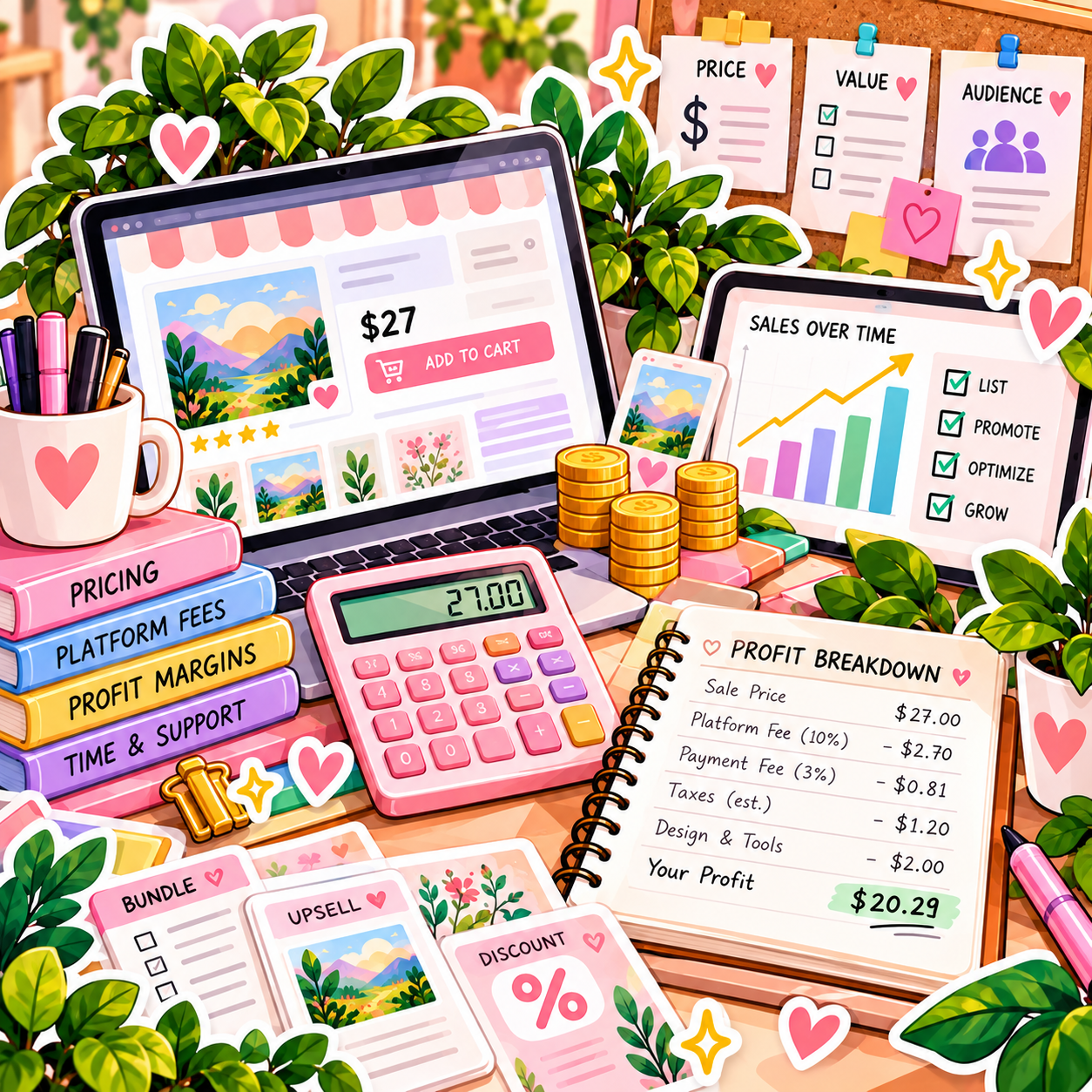
📅 Month 3: Build Your Listing & Start Selling
🎯 Main Goal
Create a clear product page so buyers understand what the product is, who it is for, and how it helps.
✅ What to Do
- Choose a selling platform
- Create product mockups or preview images
- Write a clear product title
- Write a benefit-focused description
- Add what is included
- Add file type and access instructions
- Set a beginner-friendly price
- Publish and share the product

🏁 Month 3 Success Looks Like
- Your product is listed
- Buyers can understand what they receive
- Your mockups and previews look clear
- You have shared the product
- You have started collecting views, clicks, downloads, or sales data
💡 PRO TIP
If people view the product but do not buy, improve the mockups, product title, description, price, or preview images before assuming the idea is bad.
☑️ Strong Product Listing Checklist
Listing Element | Why It Matters |
Clear title | Helps buyers understand the product quickly |
Mockups | Shows what the product looks like |
Preview images | Builds trust before purchase |
Benefit description | Explains why the product is useful |
What’s included | Reduces confusion |
File format | Helps buyers know what they receive |
Instructions | Reduces support questions |
Use cases | Helps buyers imagine using it |
🛒 Places to Sell Digital Products
Platform | Best For |
Etsy | Printables, planners, templates, and downloads |
Gumroad | Simple digital product sales |
Payhip | Digital downloads and simple storefronts |
Shopify | Building a branded digital product store |
Ko-fi | Small downloads, templates, and creator products |
Creative Market | Design assets and templates |
Canva template links | Editable design templates |
Notion template pages | Productivity and business templates |
📅 Month 4: Build a Repeatable Product Creation System
🎯 Main Goal
Create a simple workflow for researching, creating, listing, and improving digital products.
✅ What to Do
- Create product templates for faster creation
- Build a product idea tracker
- Create a mockup template
- Create a listing description template
- Track views, favorites, clicks, downloads, and sales
- Improve your first product based on feedback
- Create a second related product
- Start organizing products into collections
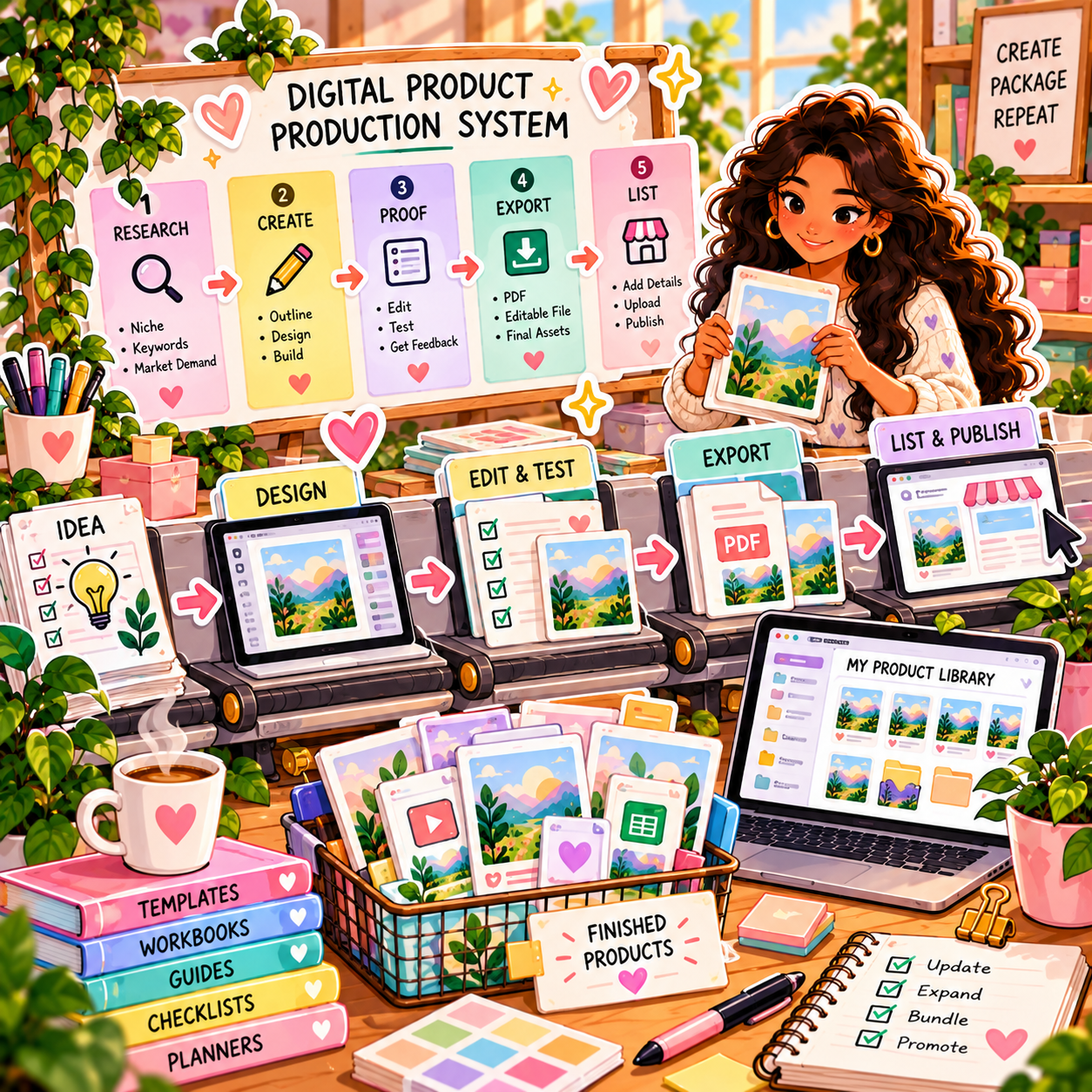
🏁 Month 4 Success Looks Like
- Your creation process is faster
- Your listings are more consistent
- You have improved your first product
- You have started a second product
- You are building a product library instead of one random download
⚠ COMMON MISTAKE
Do not create too many products without tracking demand. Improve what gets attention and build related products around proven interest.
🗓️ Simple Weekly Workflow
Day | Task |
Monday | Research product ideas and keywords |
Tuesday | Outline or improve a product |
Wednesday | Create product pages or templates |
Thursday | Make mockups and preview images |
Friday | Publish or update listings |
Weekend | Review stats and plan the next product |
🔄 Simple Digital Product Workflow
Step | What Happens |
Research | Find buyer problems and product ideas |
Outline | Decide what the product includes |
Create | Build the product file |
Test | Check usability and file access |
Mockups | Create preview images |
Listing | Add title, description, price, and files |
Publish | Make the product available |
Promote | Share with the right audience |
Review | Track data and improve the product |
📅 Month 5: Improve Sales, Bundles & Traffic
🎯 Main Goal
Use early data to improve your products, create bundles, and bring more people to your listings.
✅ What to Do
- Review your best-performing listings
- Improve weak product images
- Update descriptions and keywords
- Create a related product or upgrade
- Bundle similar products together
- Share products on Pinterest, TikTok, Instagram, or blog posts
- Add a simple freebie or lead magnet if useful
- Ask buyers for feedback or reviews
🏁 Month 5 Success Looks Like
- You know which products get the most interest
- Your best listing looks stronger
- You have created a related product or bundle
- You have tested at least one traffic source
- You understand what buyers care about most
🎯 KEY TAKEAWAY
Bundles work well when products solve related problems. Do not bundle random items just to make the offer look bigger.
📈 Ways to Increase Digital Product Value
Improvement | Why It Helps |
Better mockups | Makes the product feel more professional |
Clear instructions | Reduces buyer confusion |
Product bundle | Raises order value |
Editable version | Makes the product more useful |
Bonus checklist | Adds practical value |
More examples | Helps buyers use the product faster |
Niche-specific version | Makes the product feel tailored |
Stronger preview images | Builds trust before purchase |
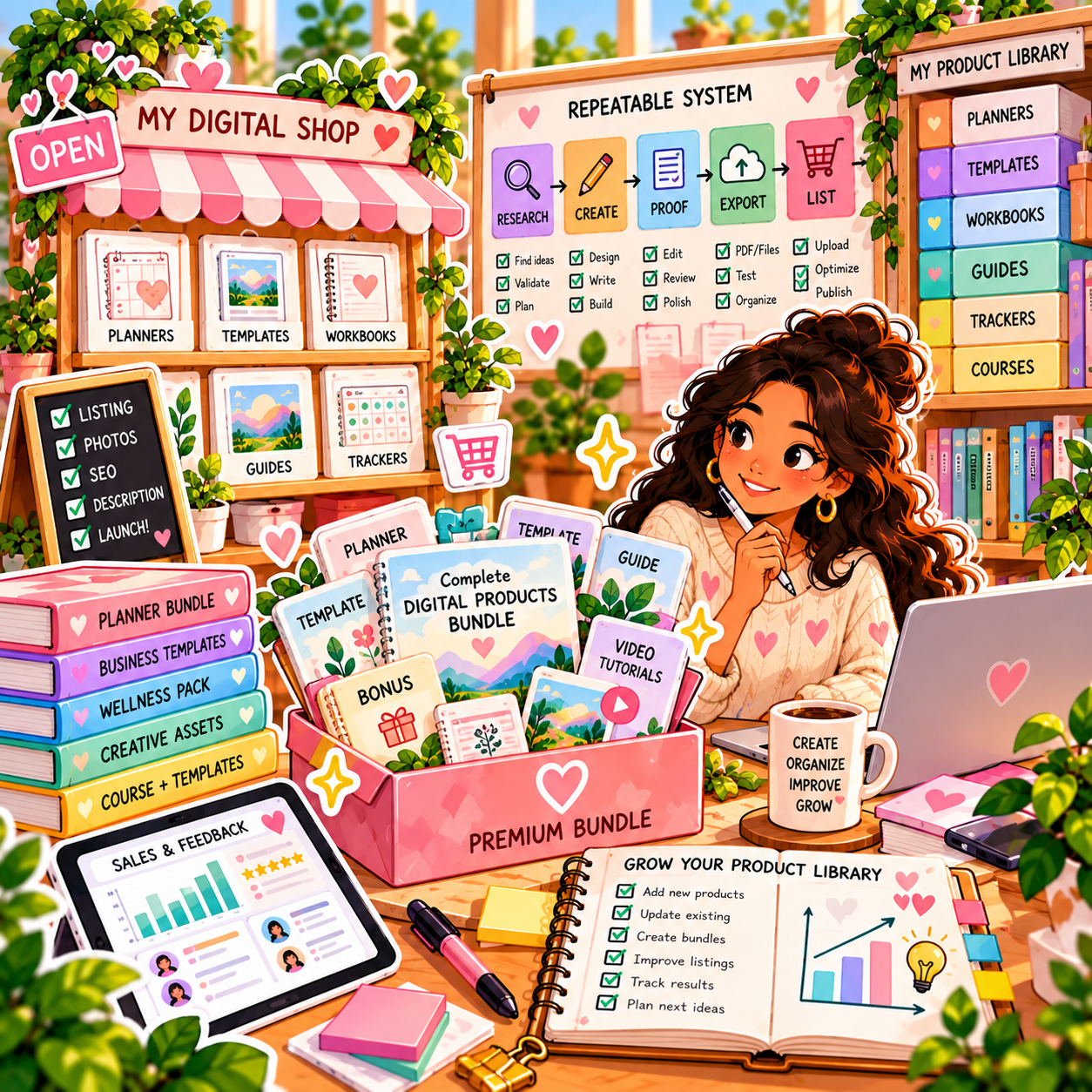
📅 Month 6: Review, Refine & Build Your Product Library
🎯 Main Goal
Review your first 6 months and decide which products, niches, and traffic sources deserve more focus.
✅ What to Do
- Review all products created
- Review views, clicks, favorites, downloads, and sales
- Identify your strongest product idea
- Identify your best traffic source
- Improve or remove weak products
- Create more versions of winning products
- Build a 90-day plan for months 7–9
- Decide whether to focus on templates, printables, spreadsheets, guides, or bundles
❓ 6-Month Review Questions
- Which product got the most views?
- Which product got the most sales or downloads?
- Which product was easiest to create?
- Which product solved the clearest problem?
- Which listing had weak conversion?
- Which traffic source worked best?
- What did buyers ask or complain about?
- What should become a bundle?
- What should you create more of next?
🏁 Month 6 Success Looks Like
- You know your strongest product type
- You understand what buyers respond to
- You have a repeatable product workflow
- Your listings are clearer and more professional
- You have a 90-day plan to grow your product library
🎯 KEY TAKEAWAY
Selling digital products becomes easier when you stop starting from zero and build related products around proven buyer problems.
📊 Decision Table
If This Happens | Do This |
One product gets views but no sales | Improve mockups, description, price, or preview |
One product sells best | Create variations, bundles, or upgrades |
Buyers ask the same questions | Add clearer instructions or FAQ |
Traffic is low | Improve keywords and promote on more channels |
Products take too long to make | Use templates and repeatable formats |
Printables perform best | Build a printable product collection |
Templates perform best | Create more niche-specific templates |
Bundles sell well | Build more related product sets |

✅ 6-Month Success Checklist
By the end of 6 months, check whether you have:
✅ Chosen one niche or audience
✅ Researched buyer problems
✅ Created a digital product idea list
✅ Finished your first product
✅ Tested the product file and customer experience
✅ Created mockups and preview images
✅ Published the product listing
✅ Tracked views, clicks, downloads, or sales
✅ Improved at least one listing
✅ Created a related product or bundle
✅ Identified your strongest product type
✅ Created a plan for the next 90 days
⚠️ What Not to Do During the First 6 Months
Avoid these mistakes:
❌ Creating products with no clear buyer
❌ Making the product look nice but hard to use
❌ Selling files without testing downloads or access
❌ Copying another seller’s template or design
❌ Using copyrighted graphics, fonts, or content without rights
❌ Making vague product descriptions
❌ Hiding what the buyer actually receives
❌ Pricing without considering value and competition
❌ Creating too many random products with no system
❌ Ignoring buyer questions and feedback
📝 QUICK NOTE
Digital products should make something easier for the buyer. Focus on usefulness, clarity, and a smooth download experience.
🧭 Simple 6-Month Milestone Tracker
Month | Main Focus | Target Output |
Month 1 | Niche & ideas | 10–30 product ideas |
Month 2 | First product | One finished digital product |
Month 3 | Listing & sales | Product published and shared |
Month 4 | Creation system | Second product started or published |
Month 5 | Bundles & traffic | Improved listing, related product, or bundle |
Month 6 | Review & library | 90-day growth plan created |
🚀 Final 6-Month Strategy
Your first 6 months should follow this simple path:
Month 1: Choose your niche and research product ideas
Month 2: Create your first digital product
Month 3: Build your listing and start selling
Month 4: Build a repeatable product creation system
Month 5: Improve sales, bundles, and traffic
Month 6: Review results and build your product library
The digital product sellers who grow fastest are not just good designers. They solve clear problems, create useful files, improve listings, and build related products that buyers actually need.
11. View the Digital Product Launch Kit
🎁 Your Digital Product Business Toolkit
The Selling Digital Products Starter Kit brings together 12 browser-based workspaces to help you explore product ideas, research demand, organize creation, plan marketing and track costs.
The 12 components:
✅ 1. Digital Product Ideas List — Explore ideas and identify customer problems worth researching.
✅ 2. Product Validation Checklist — Plan demand checks before spending time creating a product.
✅ 3. Pricing Calculator Template — Estimate prices, costs, fees and possible margins using your own inputs.
✅ 4. Product Creation Workflow — Organize the steps from outline and design to quality review.
✅ 5. Canva Mockup Templates — Prepare product presentation concepts and mockup plans.
✅ 6. Product Description Templates — Draft accurate, customer-focused product listing copy.
✅ 7. Keyword Research Spreadsheet — Research and organize relevant search terms.
✅ 8. Marketing Calendar Template — Plan promotional tasks, campaigns and launch milestones.
✅ 9. Pinterest Pin Templates — Draft and organize ideas for Pinterest promotion.
✅ 10. Email Sequence Templates — Prepare welcome and promotional email drafts.
✅ 11. Platform Comparison Sheet — Compare places to sell and verify current terms and fees.
✅ 12. Income & Expense Tracker — Record sales, costs and overall business performance.
Also included in the editable master: A central dashboard, Start Here guide and supporting worksheets appear in the editable master.
This is a self-guided toolkit; it does not create products automatically, open an online store, send emails, publish listings or guarantee sales. Validate demand and check current marketplace requirements independently.

12. Frequently Asked Questions
🎨 Do I need design skills to create digital products?
No! Canva makes professional design accessible to everyone.
You can start with:
- 🎨 Canva templates
- 📝 Simple layouts
- 📄 Printable PDFs
- 📊 Spreadsheet trackers
- 📚 Guides and ebooks
Many successful sellers use only Canva, either the free version or Canva Pro.
💡 Focus on solving problems, not artistic perfection.
⏳ How long does it take to make money?
Income varies. Some products sell within months; many earn little at first.
Illustrative timeline, not a guarantee:
- 🌱 Weeks 1–4: Create first products and set up your shop, often with little or no income
- 📈 Months 2–3: First sales are possible if listings and traffic start working
- 🚀 Later months: Higher totals usually take a catalog, traffic, and consistent listing work
- 🏆 Catalog growth: more files can create more chances to sell, not a forecast
- 💰 Year 2+: possible later, not a typical starting outcome
The key:
👉 This is not get-rich-quick.
Files can keep selling, but they still need traffic, updates, and support.
💡 Patience and consistency win.
📦 What's the best product type to start with?
Start with what you know or use.
Examples:
- 👩🏫 Teachers: Classroom printables and lesson planners
- 🗂️ Organized people: Planners and trackers
- 🎨 Designers: Templates and mockups
- ✍️ Writers: Ebooks and guides
- 💰 Anyone: Budget planners because they solve a universal need
The best product solves a specific problem for specific people.
Example:
- ❌ “General checklist”
- ✅ “Wedding planning checklist for DIY brides”
💡 Specific products usually sell better than broad ones.
💵 How much should I price my products?
General pricing guidelines:
- 🧾 Simple printables: $4–$12
- 📒 Comprehensive planners: $12–$25
- 🎨 Template bundles: $15–$35
- 📚 In-depth ebooks: $20–$49
- 🧰 Tool collections: $25–$79
- 🎓 Courses: $49–$299+
Research competitors, but don’t default to the lowest price.
Test pricing such as:
- $12
- $15
- $19
💡 Higher prices can sometimes convert better because they create stronger perceived value.
🖼️ Can I sell products I create with Canva?
Yes, with limitations.
Canva Free:
- ✅ You can sell designs you create
- ⚠️ You have access to fewer elements
Canva Pro:
- ✅ Gives expanded commercial-use access
- ✅ Offers more templates, graphics, and assets
- 💰 Usually worth it for serious sellers
You generally can:
- ✅ Create and sell PDFs made with Canva
- ✅ Sell PNG/JPG files of your designs
- ✅ Use Canva elements as part of larger original work
Avoid:
- ❌ Selling Canva templates as editable Canva templates if it violates platform or Canva terms
- ❌ Using Canva Pro elements in designs sold as-is without meaningful modification
- ❌ Claiming complete original creation if heavily using Canva elements
💡 Canva Pro can be worth the monthly cost for commercial use and expanded design options.
🧾 What about taxes?
You’re self-employed, so plan ahead.
Best practices:
- 💰 Set aside 25–30% of revenue for taxes
- 📊 Track all expenses
- 📅 Pay quarterly estimated taxes if earning $1,000+/quarter
- 🧾 Use accounting software like Wave or QuickBooks
- 👩💼 Consult a CPA once earning $10,000+/year
Deductible expenses may include:
- 🎨 Software subscriptions, such as Canva or email tools
- 🎓 Education, such as courses and books
- 🏠 Home office space, if eligible
- 💻 Computer and equipment
- 🛒 Platform fees
- 💳 Transaction costs
💡 Treat it like a business from the beginning.
🔁 How do I handle refunds and customer service?
Set clear policies before you start selling.
Common refund policies:
- ❌ “Due to the digital nature, all sales are final”
- ✅ “30-day money-back guarantee”
Common refund requests include:
- 📁 Wrong file format
- ❓ Customer could not figure out how to use the product
- 😕 Product was not what they expected
Helpful responses:
- Offer the correct format
- Provide a tutorial or instructions
- Improve your listing if expectations were unclear
Expected refund rates:
- ✅ 1–3% with clear descriptions and quality products
- ⚠️ 5–8% if listings are unclear or quality is weak
Customer service tips:
- 💬 Respond within 24 hours
- 😊 Stay friendly, even with difficult customers
- 🛠️ Fix legitimate issues quickly
- 🧠 Learn from complaints
💡 Excellent customer service leads to better reviews, more organic sales, and less marketing pressure.
🤖 Can I use AI to create products?
Yes, but with caveats.
Good uses:
- 🧠 ChatGPT for ebook outlines and content drafts
- 🎨 AI art for unique graphics or illustrations
- 📝 AI for product descriptions and marketing copy
- 💡 AI for brainstorming and idea generation
You must:
- ✍️ Heavily edit and refine AI output
- 🧠 Add your own expertise
- ⚠️ Check accuracy
- 📜 Disclose AI use if required by the platform
- 🎯 Add significant human value and creativity
Avoid:
- ❌ Selling raw AI output without modification
- ❌ Claiming 100% original creation if heavily AI-generated
- ❌ Relying only on AI without quality control
💡 AI is an acceleration tool, not a replacement for quality and expertise.
🚪 Should I quit my job to do this full-time?
Not yet.
Build while employed.
Consider quitting only when:
- 💰 You’re earning $3,000–$5,000/month consistently for 6+ months
- 🛡️ You have 6–12 months of emergency savings
- 📊 You know the business is sustainable
- ⚙️ You have systems that do not require 60 hours/week
- 🤝 Your partner or spouse supports the transition, if applicable
Better approach:
- 🌙 Start as a side hustle during evenings/weekends
- 📈 Grow it while employed before treating it as a replacement income
- 🕒 Negotiate part-time work if possible
- 🚀 Transition only when income is stable and expenses are covered
💡 Some sellers stay part-time; higher monthly figures are possible later, not a typical starting outcome.
13. Important Considerations
Before diving into selling digital products, it’s important to understand the realities, risks, and strategic decisions that determine whether you build a real asset or stall after a few listings.
🚨 This Is NOT Instant Income
Selling digital products is a long-term asset-building business, not instant hands-off income.
Typical timeline:
- ⏳ Months 1–3: Product creation, testing, and little income
- 📈 Months 3–6: First consistent sales if listings and traffic improve
- 🚀 Months 6–12: Real growth begins as your catalog and traffic compound
💡 Most people quit before their products, SEO, Pinterest traffic, and reviews have enough time to work.
📉 Traffic = Income
You do not get paid just because a product exists.
You get paid when the right people:
- 👀 See it
- 🧠 Understand it
- 🤝 Trust it
- 🛒 Buy it
📏 CORE RULE
👉 No traffic → No clicks → No sales
Your focus should be:
- 📌 Pinterest and SEO for long-term discovery
- 🖼️ Strong product mockups and previews
- 📝 Clear product descriptions
- 📧 Email list growth
- 🔁 Consistent product improvement
⚠️ Relying on one platform is risky. Diversify once one channel starts working.
⚖️ Legal, Licensing & Platform Rules Matter
Digital sellers must be careful with:
- 📜 Commercial-use rights
- 🤖 AI content
- 🎨 Templates
- 🔤 Fonts
- 🖼️ Stock images
- 🔁 Refund policies
You must:
- ✅ Use assets you have the right to sell commercially
- ✅ Follow each platform’s rules
- ✅ Be clear about what buyers receive
- ✅ Avoid misleading income or “guaranteed results” claims
- ✅ Include clear refund, usage, and support policies
Problems can come from:
- ❌ Selling unlicensed graphics, fonts, or templates
- ❌ Copying another seller too closely
- ❌ Selling raw AI output without added value
- ❌ Creating unclear listings that cause refund disputes
💡 This protects your shop, customers, and long-term brand.
🧠 Product Quality Is Your Biggest Trust Builder
Digital products are judged by the full customer experience, not just the file.
What builds trust:
- 📄 Clear instructions
- 🗂️ Organized files
- 🖼️ Professional mockups
- 💬 Helpful support
- 👀 Honest previews
- ⭐ Strong reviews
What destroys trust:
- ❌ Confusing downloads
- ❌ Poor formatting
- ❌ Missing instructions
- ❌ Overpromising results
- ❌ Low-effort products copied from trends
💡 Make the product easy enough for a beginner to use without asking questions.
📊 Conversion Rates Are Lower Than You Think
Even good listings may convert only a small percentage of visitors.
Typical conversion ranges:
- ❄️ Cold traffic: 1–3%
- 🔥 Warm audience: 5–10%
- 📧 Email subscribers or past buyers: 10–30%+
That means:
- 100 views ≠ 100 sales
- You need better traffic, listings, and offers
- Bundles and upsells can increase income faster than one-off products
💡 Focus on buyer intent, clear previews, and strong outcomes.
🧩 Platform Dependency Risk
Building only on one marketplace or social platform is dangerous.
Risks:
- 🚨 Algorithms change
- ⚠️ Accounts get flagged
- 📉 Reach drops
- 💸 Fees increase
Smart strategy:
- 📧 Build an email list
- 🌐 Own a simple website
- 🛍️ Sell on more than one platform over time
- 💾 Keep backup copies of product files, listings, and customer FAQs
💡 Email + website = your safest long-term business assets.
💸 Pricing Too Low Can Hurt You
Cheap pricing may feel easier at first, but it can attract bargain buyers and limit profit.
Watch for:
- ❓ Are customers asking lots of support questions for a low-priced product?
- 📊 Are similar products priced higher?
- 📦 Could a bundle increase order value?
- 💡 Does the product save time, money, or stress for the buyer?
💡 Price based on value and outcome, not just how long the file took to make.
🛑 Burnout & Content Fatigue
Digital products still require consistent creation, testing, customer service, and marketing.
Common issues:
- 😵 Creating too many unrelated products
- 🌐 Trying every platform at once
- 🎨 Redesigning endlessly instead of launching
- 📉 Posting inconsistently
Fix this by:
- 🎯 Focusing on one niche first
- 🧩 Building related products that fit together
- 🗂️ Batching product creation and marketing
- 📊 Improving based on data, not perfectionism
💡 Consistency beats intensity.
📈 Competition Is High — But Still Winnable
Yes, digital products are competitive.
Most sellers fail because they:
- ❌ Stay too broad
- ❌ Copy trends without differentiation
- ❌ Use weak mockups
- ❌ Do not market consistently
- ❌ Quit before traffic compounds
You win by:
- 🎯 Going niche
- 🧩 Solving a specific problem
- 👶 Making the product easier to use
- 🖼️ Creating better previews
- 📦 Building a product ecosystem instead of random listings
💡 You do not need more random products — you need better positioning and better execution.
🎯 Final Reality Check
Selling digital products rewards:
✅ Patience
✅ Consistency
✅ Product-market fit
✅ Clear presentation
✅ Strategic traffic building
It punishes:
❌ Copying
❌ Random product creation
❌ Weak mockups
❌ Poor customer experience
❌ Lack of focus
🚀 Bottom Line
Selling digital products works, but only if you treat it like a real product business, not a one-file experiment.
👉 Validate demand
👉 Create useful products
👉 Build traffic
👉 Improve based on data
Over time, the income can compound.
14. Your Next Steps
🚀 ACTION STEP
Ready to start selling digital products? Use this roadmap to move from idea to listing without trying to do everything at once.
⚡ Step 1: Pick Your Product Idea Today
🎯 GOAL Choose ONE idea and commit.
Choose a niche based on:
- 🧠 Your skills or experience
- ❓ Problems you understand
- 📊 Proven demand, not guesses
Validate your idea:
- 🛒 Search Etsy to see if people are buying
- 📌 Check Pinterest for existing demand
- 🔍 Look for products with strong sales
- ⭐ Study reviews to find improvement opportunities
💡 You don’t need a brand-new idea — you need a better version of what already sells.
🛠️ Step 2: Create Your First Product, Days 1–7
🎯 GOAL Build ONE high-quality product.
Start simple:
- 📝 Printable planner
- 🎨 Canva template
- 📊 Spreadsheet tracker
- 📚 Ebook or guide
Use free tools:
- 🎨 Canva
- 📄 Google Docs
- 📊 Google Sheets
Focus on:
- ✨ Clean design
- 🎯 Solving ONE clear problem
- 👶 Ease of use
- 📁 Organized files
🛒 Step 3: Launch Your First Listing, Week 2–3
🎯 GOAL Go live and get your first sale.
Choose a platform:
- 🛒 Etsy for beginners
- 🛍️ Gumroad for simple setup
Create:
- 🖼️ 8–10 mockup images
- 📝 Clear product description
- 🔍 Keyword-optimized title
- 📄 Simple usage instructions
- 📦 Clear file delivery details
💡 Listings with strong visuals and descriptions convert significantly higher.
📣 Step 4: Start Driving Traffic, Week 3–4
🎯 GOAL Get clicks → first sales.
Focus on ONE primary traffic source.
Best beginner option:
- 📌 Pinterest for fast + free traffic
Other options:
- ✍️ Blogging for long-term SEO
- 🎥 TikTok or Instagram for short-form content
- 📧 Email once you have a freebie
Create:
- 📌 5–10 pins per product
- 📱 3–5 posts per week
- 🔁 Consistent promotion for each listing
💡 Pinterest traffic can take 3–6 months to compound, but it becomes highly scalable.
📦 Step 5: Build Your Product Catalog, Month 2
🎯 GOAL Add related products if the first one is worth expanding.
Catalog size is a workload example, not an income forecast:
- 🌱 A few products to learn the process
- 📈 More related products if demand appears
- 🚀 A larger catalog only if quality, support, and traffic can keep up
Create:
- 📦 New products at a sustainable pace
- 🔁 Variations of what’s already working
- 🧩 Related products for the same audience
💡 More files create more chances to sell — they do not guarantee $2K+/month.
📧 Step 6: Start an Email List, Month 2–3
🎯 GOAL Own your audience.
Offer a freebie:
- ✅ Checklist
- 🎨 Mini template
- 📄 Sample product
- 📊 Starter tracker
- 📚 Mini guide
Promote it on:
- 🛒 Product listings
- 📱 Social media
- 🌐 Your website
💡 Email can convert at 10–40% vs. 1–3% for cold traffic.
📈 Step 7: Optimize & Scale, Month 3+
🎯 GOAL Turn effort into a clearer, more repeatable process.
Double down on:
- 🏆 Best-selling products
- 📌 Highest-performing traffic source
- 🎯 Strongest audience segment
Improve:
- 📝 Product listings
- 💵 Pricing strategy
- 📦 Bundles and upsells
- 🖼️ Mockups and previews
- 🔍 Keywords and SEO
Add:
- 📚 More products
- ⚙️ Better systems
- 🤖 Automation
- 📧 Email marketing
💡 Income scaling comes from catalog size + consistent marketing, not one viral product.
🎯 Your First Milestones
Goal | What It Means |
🛒 First Sale | Proof someone bought |
💯 Early sales | Learning what listings and traffic do |
📈 Repeatable process | Better photos, descriptions, and support |
🚀 Catalog growth | More related products only if the first ones are worth expanding |
⚠️ Keep This in Mind
- 📈 This is a compound growth business
- ⏳ Results take 30–90 days minimum
- 🔁 Consistency beats intensity
👉 The sellers who win are the ones who keep creating and improving.
🚀 Start Right Now
👉 Pick your product idea.
👉 Create your first product.
👉 List it for sale.
That’s it.
No waiting.
No overthinking.
15. The Bottom Line
🎯 KEY TAKEAWAY
Selling digital products can be a practical way to package knowledge into files that can sell more than once — but fees, refunds, tools, and marketing still reduce what you keep, and sales are not automatic. The work is choosing what people actually want.
🙋 If you:
✔ Validate demand before creating anything
✔ Start with one product in a niche you understand
✔ Present it with strong mockups and clear listings
✔ Drive one traffic channel consistently before adding more
🏗️ You can build:
💰 Extra income is possible; higher monthly figures usually take a catalog, traffic, and consistent listing work — not a per-file promise
🔁 Files can keep selling after launch, but that is recurring income, not hands-off income
📈 A larger catalog can support more income when the products are useful and discoverable — not a $5,000/month forecast
🚀 Outline your first product when the buyer, files, rights, and listing are ready.
16. Recommended Websites & Tools
🛠 TOOLS & RESOURCES
You do not need every resource listed below. This directory brings together the major platforms, tools, and resources from this guide, along with additional research and learning options, so you can find them in one place when you need them.
Start with the essentials. Add tools only when your product business develops a specific need for them.
🛒 Selling Platforms & Digital Product Marketplaces
- Etsy — Largest handmade and digital-download marketplace with built-in buyer traffic.
- Gumroad — Creator platform for selling downloads, templates, and courses with simple checkout.
- Payhip — Free storefront for digital downloads, courses, and memberships with instant delivery.
- Shopify — Full e-commerce platform for building your own branded digital product store.
- Creative Market — Curated marketplace for design assets, templates, fonts, and graphics.
- Amazon — Mentioned for Kindle publishing and massive built-in buyer reach.
- Fiverr — Services marketplace for productized digital services or affordable freelance help.
- Upwork — Freelance marketplace for outsourcing design work or offering digital services.
💡 PRO TIP
Start on Etsy or Gumroad — they bring built-in buyers. Open your own store only after a product proves itself.
🎨 Product Creation, Design & Template Tools
- Canva — All-in-one design tool for templates, planners, ebooks, and social graphics.
- Google Docs/Sheets — Free document and spreadsheet tools for ebooks, trackers, and planners.
- Google Slides — Free presentation tool often used for slide decks and printable layouts.
- GIMP — Free image editor for product graphics and photo editing.
- Inkscape — Free vector editor for SVG designs and scalable artwork.
- LibreOffice — Free office suite for documents, spreadsheets, and PDFs.
- Adobe Creative Suite — Professional design suite for advanced graphics and layouts.
- Photoshop — Professional image editing for product art and mockup-ready graphics.
- Lightroom — Photo editing for product photography and visual assets.
- Affinity Designer/Photo — One-time-purchase Adobe alternative for design and photo work.
- Microsoft Office — Familiar document tools for ebooks, worksheets, and planners.
- Notion — Workspace tool used to build and sell templates and dashboards.
- Notion templates — Template gallery for listing or selling Notion-based products.
- Procreate — iPad illustration app for hand-drawn digital art products.
🤖 AI Tools for Ideas, Copy & Creative Assets
- ChatGPT — AI assistant for product ideas, outlines, listing copy, and marketing drafts.
- Midjourney — AI image generation for unique artwork and design elements.
- DALL-E — AI image generator for creative assets and product visuals.
- Copy.ai — AI copywriting tool for product descriptions, ads, and email copy.
- Canva AI — AI design features inside Canva for layouts, images, and copy drafts.
📝 QUICK NOTE
Use AI for first drafts and ideation, then make the final product unmistakably yours. Generic AI output does not sell twice.
🖼️ Mockup, Preview & Product Presentation Tools
- Placeit — Mockup generator for presenting digital products on devices and in scenes.
- Smartmockups — Product mockup tool for professional listing previews.
- Creative Market — Source for fonts, graphics, and design assets to use in products.
- Yellow Images — Premium mockups and 3D assets for polished product presentation.
🔍 Product Research, SEO & Market Validation
- Pinterest — Visual search platform for spotting trending niches and product ideas.
- Ubersuggest — Keyword research tool for validating search demand.
- YouTube — Research what competitors sell and what audiences ask for.
- Reddit — Niche communities for validating problems people will pay to solve.
- r/EtsySellers — Seller community for marketplace insights and shop feedback.
- Google — Basic search-demand checks and competitor research.
📝 QUICK NOTE
Validate before you create. Search volume and competitor sales are cheaper signals than a week of design work.
📣 Traffic, Social Media & Paid Advertising
- Pinterest — Top organic traffic source for digital products and printables.
- TikTok — Short-form video channel for product demos and viral reach.
- Instagram — Visual platform for showcasing products and building a brand.
- YouTube — Long-form content and tutorials that drive evergreen traffic.
- LinkedIn — Channel for business-oriented digital products and professional audiences.
- Pinterest Ads — Paid promotion on the platform where buyers plan purchases.
- Facebook / Instagram Ads — Paid social ads for scaling proven products.
- Google Ads — Search ads for products with clear buying intent.
🧾 Business, Delivery & Finance Support
- QuickBooks — Bookkeeping software for tracking product income and expenses.
- Wave — Free invoicing and accounting for small product businesses.
- Trello — Simple boards for planning product pipelines and launches.
- Loom — Screen recording for product tutorials and customer support walkthroughs.
🎯 KEY TAKEAWAY
You do not need every tool on this page. One platform, one design tool, and one traffic channel are enough to make your first sale.
🧭 How to Use This Directory
🧰 Start With a Simple Setup
Do not start by creating accounts with every service listed above. For most beginners, a simple setup is enough:
- One selling platform
- One design tool
- One traffic channel
That is enough to start building. Add tools only when you can name the specific problem they will solve.
🎯 KEY TAKEAWAY
Tools support the business. They are not the business.
Your biggest advantages will come from:
A product people want → Clean presentation → Steady traffic → Iteration
17. Explore Similar Side Hustles
 Online Course Creation: Turn Your Knowledge Into Income — Package your best digital product into a higher-priced course.
 Print-on-Demand — Turn your digital designs into physical products with no inventory.
- Self-Publishing on Amazon KDP — Publish your knowledge as books that sell alongside your downloads.
 Selling Crafts & Handmade Goods — Add physical versions of your designs for buyers who want handmade.
 Faceless Video Content Creation: Go Viral Without Showing Your Face — Build a faceless channel that funnels viewers to your products.
- Stock Photography: Make Money Selling Your Photos Online — License your photos as digital products on stock platforms.