
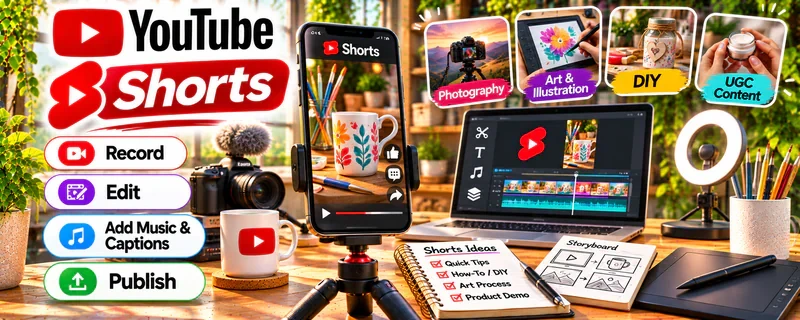
Official Website
YouTube Shorts is a free short-form video feed inside YouTube where quick, vertical videos can reach new viewers and funnel them to longer content, links, and offers.
🔗 Visit Official Website — YouTube Shorts
Domain: www.youtube.com
What This Website Is
YouTube Shorts is a free short-form video feed inside YouTube where quick, vertical videos can reach new viewers and funnel them to longer content, links, and offers. For 💻 Selling Digital Products, it works as a beginner-friendly discovery engine where demos, tips, and behind-the-scenes clips can send interested viewers straight to your storefront.
How to Apply It to 💻 Selling Digital Products
Use YouTube Shorts to demonstrate your digital products, teach quick wins, and drive viewers to your shop or email list. It works best when each Short solves one small problem and points to a clear next step.
Step-by-Step Implementation:
- Phase 1: Choose a product niche and script Shorts that show a quick tip or product demo.
- Phase 2: Post consistently, add a clear call to action, and link your shop in the description and profile.
- Phase 3: Track views, click-throughs, and sales, then make more of the Shorts that convert.
Common Use Cases for This Side Hustle:
- Scenario A: A seller demos a template or printable in a 30-second Short.
- Scenario B: A creator teaches a quick tip and links to a paid resource.
- Scenario C: A maker shares behind-the-scenes clips to build trust and demand.
When to Use This
- When you want free, algorithm-driven discovery.
- When your product is easy to demo on video.
- When building an audience before or after launch.
- When repurposing tips into short clips.
- When driving traffic to a shop or email list.
Best Tasks to Use It For
- Demoing templates, printables, or presets.
- Teaching quick, related tips.
- Announcing launches and promotions.
- Driving clicks to a storefront link.
- Testing hooks and product ideas.
Getting Started Steps
- Pick one product niche and audience.
- Script 5–10 Shorts around quick tips or demos.
- Film vertical clips with clear, readable text.
- Add a call to action and link your shop.
- Post consistently and reply to comments.
- Track views, clicks, and sales, then iterate.
Good Beginner Search Terms
- digital product demo
- sell templates online
- YouTube Shorts for creators
- printable shop promo
- digital download tips
- short form product marketing
- Etsy digital products
- Gumroad launch
Monetization Angle
YouTube Shorts does not need to pay out directly to grow your income; it drives discovery that leads to product sales. Money comes from digital downloads, templates, presets, and mini-courses sold through your linked shop, though results depend on your niche, demo quality, call to action, and posting consistency.
Pros
- Free and strong for discovery.
- Great for quick product demos.
- Repurposes easily from other content.
- Can drive steady traffic to your shop.
Cons
- Requires consistent posting to grow.
- Links are one step removed from checkout.
- Reach can be unpredictable.
- Short attention spans need sharp hooks.
Who Should Use This
YouTube Shorts is best for digital product sellers whose offers are easy to demo on video and who want free, discovery-driven traffic to their shop.
Who Should Skip This
Skip this if your product is hard to show visually, you dislike making video, or you already have steady sales from other channels.
Practical Applications
- Demonstrate one useful result a digital product helps a buyer achieve.
- Create original short tutorials that lead to an accurate product offer.
- Track permitted traffic paths and sales rather than judging success only by views.
Important Considerations
- Check current linking and promotional features; do not assume every URL shown in a Short is clickable.
- Use licensed media and clear disclosures, and avoid misleading income claims or promises about reach and conversion.
Related Resources
Gumroad — Hosts and sells your digital products with simple checkout.
Etsy — Provides a marketplace for digital downloads.
Canva / Canva Mockups — Designs products, covers, and Short thumbnails.
Gillian Perkins — Online Business Resources — Digital Products — Teaches digital product and online business strategy.
r/digitalproducts — Shares selling, pricing, and marketing advice.
Related Side Hustles
 Selling Digital Products — Directly uses the demos and shop traffic this page supports.
 Online Course Creation: Turn Your Knowledge Into Income — Overlaps through teaching, packaging, and selling knowledge.
Print-on-Demand — Overlaps through designs, listings, and marketplace selling.
 Faceless Video Content Creation: Go Viral Without Showing Your Face — Overlaps through short-form video production.
 Affiliate Marketing: Get Paid to Promote What You Love — Overlaps through links, traffic, and conversion tracking.