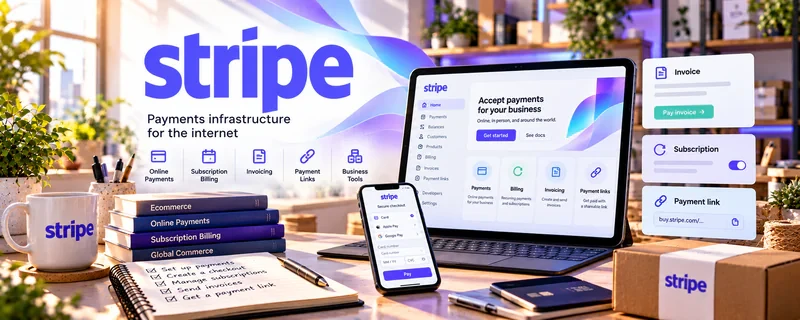
Official Website
Stripe is a freemium payment platform for online checkout, payment links, subscriptions, and transaction tracking.
🔗 Visit Official Website — Stripe
Domain: stripe.com
What This Website Is
Stripe is a freemium payment platform for online checkout, payment links, subscriptions, and transaction tracking. For 💻 Selling Digital Products, it can power checkout for templates, ebooks, downloads, memberships, bundles, and other digital offers.
What You Can Do With This Tool
- Create payment links for digital products.
- Collect one-time payments or recurring subscriptions.
- Track successful payments, refunds, and failed payments.
- Connect checkout to a landing page or delivery workflow.
- Separate product revenue from personal finances.
How to Apply It to 💻 Selling Digital Products
Use Stripe as the payment layer for a simple digital product funnel. You still need a sales page, delivery method, customer support process, and clear refund terms.
Step-by-Step Implementation:
- Phase 1: Define one product, price, deliverable, and refund policy.
- Phase 2: Create a payment link or checkout flow connected to a product page.
- Phase 3: Deliver the file or access instructions and track buyers for future offers.
Common Use Cases for This Side Hustle:
- Scenario A: You sell a downloadable template or guide.
- Scenario B: You offer a paid bundle or product pack.
- Scenario C: You want recurring payments for a membership or resource library.
When to Use This
- When selling outside a marketplace.
- When you need payment links.
- When launching bundles or upgrades.
- When testing direct checkout.
Recommended Workflow
- Create product.
- Build sales page.
- Create Stripe link.
- Test checkout.
- Deliver product.
- Tag buyer.
- Promote related offer.
Getting Started Steps
- Set up Stripe.
- Create one product and price.
- Build a payment link.
- Connect it to your sales page.
- Test purchase and delivery.
- Record fees and net revenue.
- Add buyer follow-up.
Recommended Searches
- Stripe payment links digital products
- digital product checkout setup
- Stripe product delivery workflow
- digital download refund policy
- sell templates with Stripe
Best Practices
- Test checkout before sharing the link.
- Make delivery instructions obvious.
- Include refund terms and support contact details.
- Track processing fees in your pricing.
- Connect buyers to an email follow-up system.
Monetization Angle
Stripe helps digital product sellers keep more control over checkout and customer experience. It supports direct sales, bundles, subscriptions, and product ladders when paired with a clear offer and reliable delivery process.
Pros
- Flexible checkout options.
- Supports payment links and subscriptions.
- Good transaction tracking.
- Professional buyer experience.
Cons
- Requires separate product delivery.
- Fees reduce margin.
- Setup can be technical.
- Not a marketplace with built-in traffic.
Who Should Use This
Digital product sellers who want direct checkout, payment links, subscriptions, or more control than a marketplace-only setup.
Who Should Skip This
Skip this if you need a beginner marketplace that handles discovery, hosting, delivery, and payment in one place.
Practical Applications
- Configure a suitable payment flow for a clearly described digital offer.
- Test purchase confirmation and how the buyer receives the files.
- Reconcile sales, fees, refunds, and payouts with your own records.
Important Considerations
- Stripe processes payments but does not automatically provide secure file delivery or handle every tax and consumer obligation.
- Confirm current eligibility, fees, integration, payout, and dispute terms; define licensing, support, refund, and subscription terms separately where applicable.
Related Resources
Mailchimp — email marketing for product launches and buyer follow-up
Kit — creator email platform for digital product funnels
LinkedIn Learning — Digital Products — structured learning for product creation
Stripe — direct checkout and payment workflow for digital products
Related Side Hustles
 Selling Digital Products — the direct side hustle this checkout workflow supports
 Newsletter Monetization: Get Paid to Write About What You Love — uses checkout for paid offers and sponsorship packages
 Self-Publishing on Amazon KDP — authors can sell companion workbooks, templates, and bonuses directly