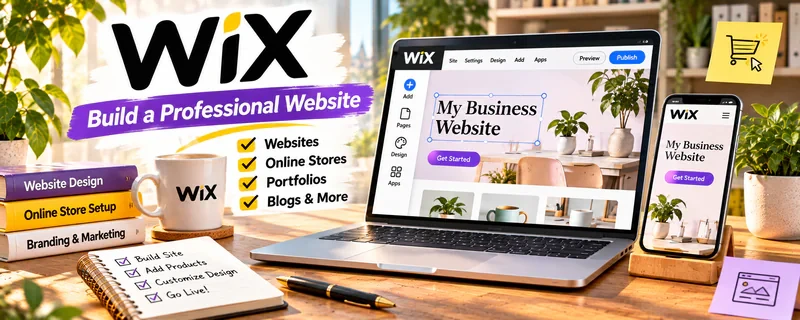
Official Website
Wix is a website builder for creating sites and blogs with templates and drag-and-drop editing.
🔗 Visit Official Website — Wix
Domain: www.wix.com
What This Website Is
Wix is a website builder for creating sites and blogs with templates and drag-and-drop editing. For ✍️ Blogging, it can help you launch a blog and basic site quickly without technical setup.
How to Apply It to Blogging
Use Wix as your “quick publishing home base”: set up core pages, publish posts consistently, and add lead capture and CTAs to turn readers into subscribers or clients.
Step-by-Step Implementation:
- Define a reader and the useful original content your blog will publish.
- Review current plan, domain, integration, cost, and content requirements before building.
- Create clear pages and articles using reliable sources and authorized media, with appropriate disclosures and signup consent.
- Test navigation, mobile readability, access, and privacy controls and refine from actual reader feedback.
When to Use This
- You want a fast website without coding
- You value templates and design ease
- You don’t want to manage hosting/security
Best Tasks to Use It For
- Blog + website setup
- Landing pages
- Portfolio/service pages
- Basic SEO configuration
Getting Started Steps
- Choose a Wix template.
- Create core pages (Home, About, Blog, Contact).
- Set navigation and categories.
- Publish 3–5 pillar posts.
- Add email capture and CTAs.
- Connect a custom domain (optional).
- Publish weekly and review analytics monthly.
Good Beginner Search Terms
- wix blog seo settings
- how to write pillar posts
- lead magnet ideas for bloggers
Monetization Angle
A clean site improves trust and conversion. Consistent SEO content can compound into affiliate and product revenue.
Pros
- Very easy setup
- Strong templates
- No hosting maintenance
Cons
- Less flexibility than self-hosted WordPress
- Can get expensive on higher tiers
Who Should Use This
Bloggers who want a fast, no-code website builder.
Who Should Skip This
People who need full plugin freedom and deep customization (WordPress.org fits better).
Practical Applications
- Set up a readable blog structure with clear navigation.
- Publish original sample posts and review the mobile experience.
- Plan a repeatable editorial process and content backups.
Important Considerations
- Check current plan costs, domain terms, storage, export options, and monetization restrictions.
- A site builder does not guarantee search traffic; review accessibility, privacy, licensed assets, and any affiliate disclosures.
Related Resources
Notion — Plans content calendars, outlines, keyword research, and publishing workflows before posts go live.
WordPress.org — Offers a more flexible blogging platform when Wix becomes limiting.
Kit — Captures subscribers from blog traffic and sends email campaigns.
Related Side Hustles
 Blogging: Build an Online Brand and Earn from Your Words — Wix helps bloggers launch a no-code site, publish posts, build landing pages, and add CTAs.
 Affiliate Marketing: Get Paid to Promote What You Love — Affiliate marketers use blog posts, reviews, and landing pages to drive clicks.
 Selling Digital Products — Blogs can promote templates, downloads, and offers through product pages.