Official Website
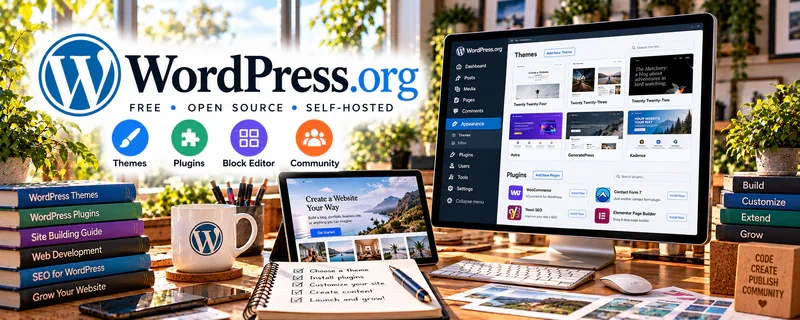
WordPress.org is the open-source version of WordPress that you host yourself (more control than WordPress.com).
🔗 Visit Official Website — WordPress.org
Domain: wordpress.org
What This Website Is
WordPress.org is the open-source version of WordPress that you host yourself (more control than WordPress.com). For ✍️ Blogging, it powers full-featured websites and blogs with themes, plugins, and strong SEO flexibility.
How to Apply It to Blogging
Use WordPress.org as your “owned home base”: publish content, build landing pages, and capture emails so your traffic turns into subscribers or clients—without relying fully on platforms.
Step-by-Step Implementation:
- Define the blog’s audience and check domain, hosting, security, maintenance, and total cost requirements.
- Set up only necessary tools using authorized accounts and review theme, plugin, and asset rights.
- Create original core pages and content and test navigation, accessibility, links, backups, and privacy controls.
- Maintain software and access permissions and review real reader feedback rather than assuming ownership alone produces subscribers or clients.
When to Use This
- You want maximum control over your site
- You need plugins (SEO, forms, speed, ecommerce)
- You plan to scale content and monetization
Best Tasks to Use It For
- Blogging and publishing
- Landing pages and lead capture
- SEO optimization
- Monetized content sites
Getting Started Steps
- Choose a host and install WordPress.
- Pick a lightweight theme.
- Install core plugins (SEO, backups, security, caching).
- Create core pages (Home, About, Services, Blog).
- Publish 3–5 pillar posts.
- Set up email capture.
- Update content weekly and review SEO monthly.
Good Beginner Search Terms
- wordpress.org vs wordpress.com
- best wordpress plugins for seo
- wordpress speed optimization checklist
Monetization Angle
Owned traffic compounds. Better SEO + conversion-focused pages can increase affiliate, product, and service revenue over time.
Pros
- Maximum customization
- Huge plugin ecosystem
- Strong long-term SEO potential
Cons
- Requires hosting/setup
- Ongoing maintenance (updates, security)
Who Should Use This
Bloggers who want full control and plan to build a long-term content business.
Who Should Skip This
Anyone who wants “no maintenance” simplicity (WordPress.com or Squarespace may fit better).
Practical Applications
- Plan a simple blog structure and publish an original test article.
- Choose a maintained theme and only the plugins required for your workflow.
- Set up backups, updates, and a clear editorial process before promoting the site.
Important Considerations
- The open-source software is distinct from paid hosting, domains, and other services.
- You are responsible for security, plugin compatibility, accessibility, privacy, and content rights; test updates and keep recoverable backups.
Related Resources
WordPress.com — Offers a more hosted, lower-maintenance WordPress option for simpler blogs.
Notion — Organizes content calendars, outlines, keyword notes, and publishing workflows.
Kit — Captures email subscribers and sends newsletters from blog traffic.
Related Side Hustles
 Blogging: Build an Online Brand and Earn from Your Words — WordPress.org powers owned content sites with themes, plugins, SEO flexibility, and monetization control.
 Affiliate Marketing: Get Paid to Promote What You Love — Affiliate content benefits from WordPress SEO, reviews, comparison posts, and link management.
 Selling Digital Products — Blogs can host product pages, lead magnets, and checkout paths for digital offers.