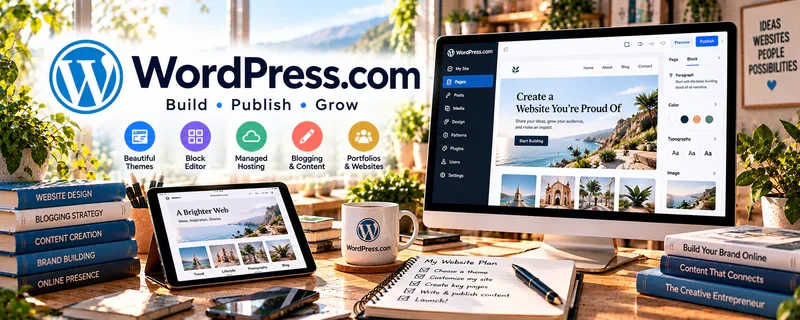
Official Website
WordPress.com Blog Guide is a beginner guide for creating a blog on WordPress.com.
🔗 Visit Official Website — WordPress.com Blog Guide
Domain: wordpress.com
What This Website Is
WordPress.com Blog Guide is a beginner guide for creating a blog on WordPress.com. For ✍️ Blogging, it helps with the basic publishing foundation: site setup, blog structure, posts, pages, design, and getting a writing home online.
How to Use It for Blogging
Use WordPress.com Blog Guide to get a simple blog live before overthinking advanced systems. Focus on creating a clean site, publishing useful posts, and building a repeatable workflow.
Step-by-Step Implementation:
- Review the blog creation guide.
- Choose a focused blog topic and audience.
- Set up basic pages such as About, Contact, and Start Here.
- Publish 3–5 useful starter posts.
- Organize posts with categories.
- Improve design only after the core content is clear.
Best Time to Use This
- When starting a first blog.
- Before buying advanced plugins or themes.
- When you need a simple publishing home.
- When turning writing ideas into public posts.
Best Skills to Learn Here
- Blog setup
- Basic publishing
- Site structure
- Category planning
- Beginner content workflow
- Online presence building
Getting Started Steps
- Open the WordPress.com Blog Guide.
- Pick one blog niche and reader.
- Create the basic site structure.
- Write a short About page.
- Publish your first helpful post.
- Schedule the next 3 post ideas.
Good Beginner Search Terms
- WordPress.com create blog
- beginner blogging setup
- WordPress blog guide
- first blog post ideas
- blog categories beginner
- start a blog WordPress.com
Monetization Angle
A blog can become the traffic and trust layer for affiliate offers, services, newsletters, and digital products. This guide supports the first step: getting a credible publishing home online.
Pros
- Beginner-friendly setup path.
- Good for getting started quickly.
- Creates a public home for writing.
- Supports several monetization paths later.
Cons
- Setup alone does not create traffic.
- Advanced customization may require paid plans or other tools.
- Blogging still needs consistent content.
- Monetization usually takes time.
Who Should Use This
Use this if you want a simple starting point for publishing blog posts online.
Who Should Skip This
Skip this if you already have a website or need a highly customized self-hosted setup.
Practical Applications
- Map the basic pages and categories for an original blog.
- Publish a test post and check its mobile reading experience.
- Use current official setup guidance to prepare a repeatable publishing checklist.
Important Considerations
- The guide describes WordPress.com, whose plans and capabilities differ from other WordPress setups.
- Verify current pricing, domain, export, plugin, and monetization terms, and check rights, privacy, accessibility, and backups separately.
Related Resources
Copyblogger — Helps improve content strategy, headlines, and calls to action.
Neil Patel Affiliate Marketing Guide — Connects blog content to affiliate income.
Grammarly — Helps polish blog drafts.
Hemingway Editor — Helps make posts clearer and easier to read.
Related Side Hustles
 Blogging: Build an Online Brand and Earn from Your Words — WordPress.com Blog Guide helps create the publishing foundation.
 Affiliate Marketing: Get Paid to Promote What You Love — Blog posts can attract search traffic for affiliate offers.
 Freelance Writing: Get Paid to Write Online — A blog can act as a writing sample library.
 Newsletter Monetization: Get Paid to Write About What You Love — Blog readers can become email subscribers.