Affiliate disclosure: Some links in this guide may be paid referral links. If you purchase or sign up through one, One Stop Side Hustles may earn a commission. How our affiliate links work.
✨ YOUTUBE AUTOMATION STARTER GUIDE
Discover how to build a faceless YouTube channel, choose viable niches, create an efficient production system, optimize content, and explore multiple monetization options. This guide covers the process and trade-offs. Results vary widely, and no earnings or monetization outcome is guaranteed.
1. What Is YouTube Automation?
2. Why YouTube Automation Is a Great Side Hustle
3. Popular Faceless Channel Niches
4. How Much Can You Earn & Pricing Strategies
5. Tools & Roles You Can Use (or Outsource)
6. How to Launch a YouTube Automation Channel
 YouTube Automation: Make Money Without Showing Your Face - 7. From Video Idea to Published Asset
8. Tips to Maximize Earnings & Scale Your YouTube Automation Channel
9. Learning, Templates & Resources
10. Your First 6 Months Automation Plan
11. View the YouTube Automation Starter Kit
12. Frequently Asked Questions
📌 Quick Snapshot
💰 Earn: Illustrative examples only — $100–$1,000/mo small, $5,000–$50,000+/mo scaled. Results vary widely. Many channels earn nothing. Revenue depends on niche, views, RPM, costs, and eligibility
⏰ Work: Manage strategy while you outsource production
🧰 Start: Low cost — reinvest into scripts, voiceover, editing
📺 Best for: Systems builders who prefer staying anonymous
📈 Grow: One channel → optimized system → multiple channels
1. What Is YouTube Automation?
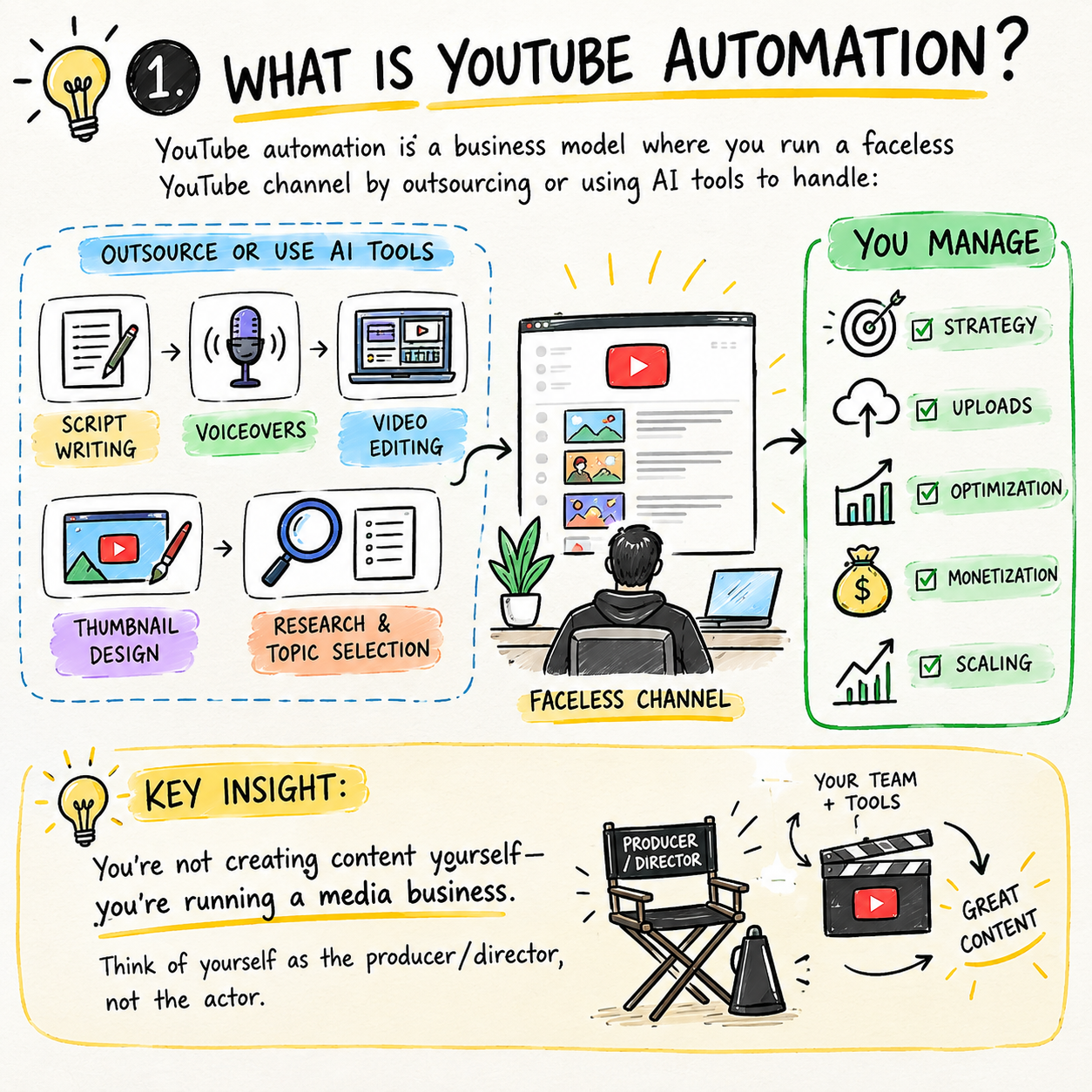
YouTube automation runs a faceless channel by using systems, collaborators, or tools to produce videos without the creator appearing on camera.
YouTube automation is a business model where you run a faceless YouTube channel by outsourcing or using AI tools to handle:
- Script writing
- Voiceovers
- Video editing
- Thumbnail design
- Research and topic selection
You manage: Strategy, uploads, optimization, monetization, and scaling
🧠 REMEMBER THIS
You may create content yourself at first, then delegate production tasks as the workflow develops. Think of yourself as the producer/director, whether or not you appear on camera.
2. Why YouTube Automation Is a Great Side Hustle
YouTube automation combines content leverage, global distribution, and a path from one useful video into a repeatable media system.
💰 Income & Scalability
💰 YouTube Can Offer More Scalable Upside Than Hourly Work
A single channel can create several income streams instead of relying on one client or one shift at a time.
Common monetization paths include:
- Ad revenue
- Affiliate links
- Sponsorships
- Digital products
- Email-driven offers
🧠 You can build without becoming the face of the brand
Faceless channels make it possible to stay anonymous while still publishing content people want to watch consistently.
That usually works through:
- Voiceovers
- Stock footage
- AI tools
- Editors
- Repeatable production
This makes the model more accessible for people who prefer strategy and systems over public personal branding.
⚡ The business is built on systems, not only your personal labor
The real appeal is not just posting videos — it is creating a process that can produce content more efficiently over time.
Common leverage points include:
- Outsourced scripts
- Standard editing workflows
- Template-driven thumbnails
- Voiceover systems
- Topic research pipelines
That gives you a route to scale output without personally doing every production task forever.
🌍 Reach & Content Leverage
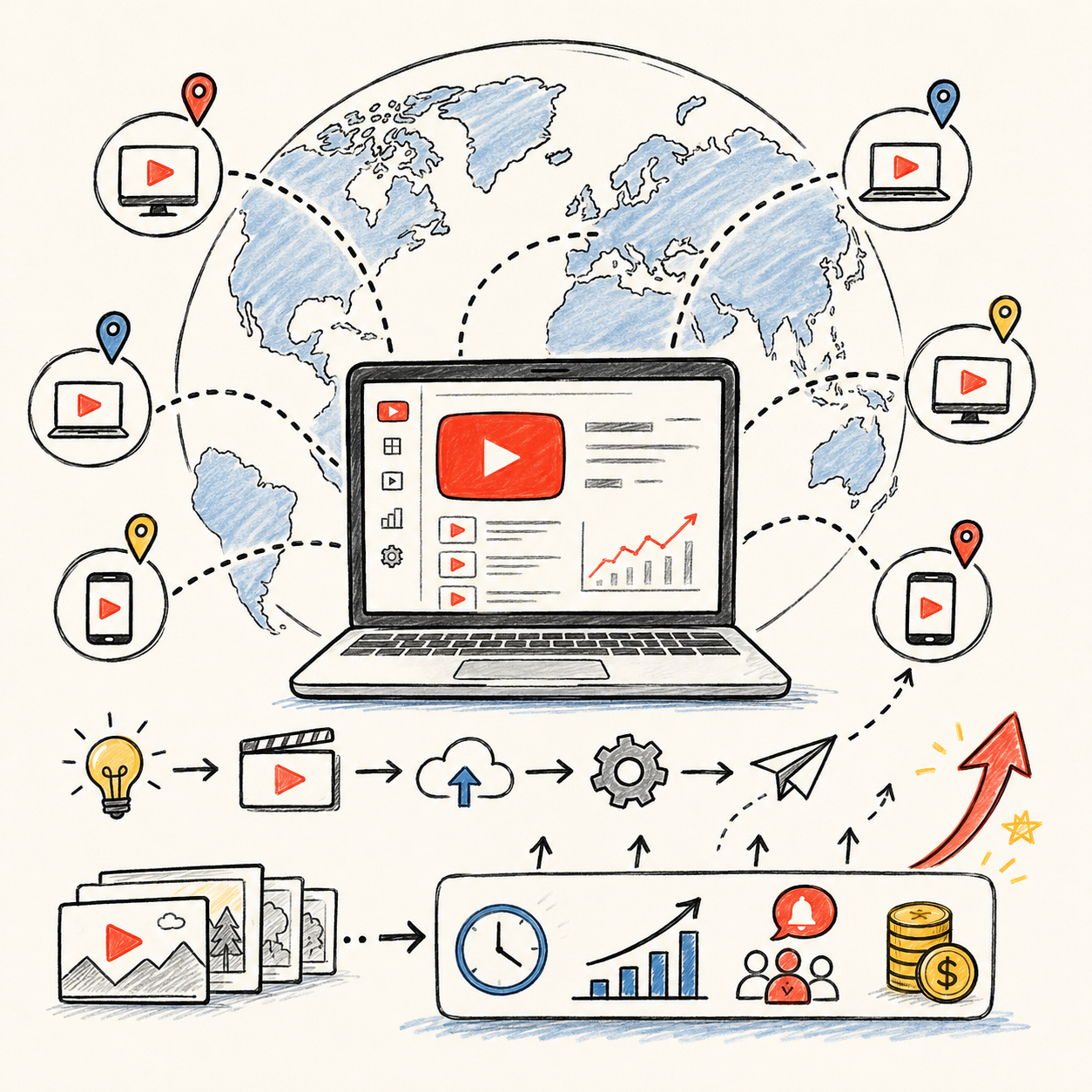
🌍 The audience is global from day one
Unlike local side hustles, YouTube content is not limited by geography once a video is live and discoverable.
Common advantages include:
- Worldwide reach
- Cross-region traffic
- Ongoing discoverability
- Search and browse exposure
- No local service cap
That global reach can help even small channels find an audience beyond their local market, though growth depends on viewer demand and content quality.
📈 Good videos can keep producing value long after upload
Strong content can continue driving views and revenue months after it is published, especially if the topic stays relevant.
That long-tail upside often comes from:
- Search traffic
- Suggested videos
- Evergreen topics
- Library growth
- Compounding watch time
Strong videos can keep working after upload, unlike work that stops paying when you stop.
🚀 Growth Paths
🎯 The model works across many niche directions
Faceless channels can be built around a wide range of topics, which gives you flexibility to match your interests with monetization and production feasibility.
Common options include:
- Finance
- Business
- History
- Tech
- Entertainment
That variety makes it easier to find a niche where you can create lots of content without tying everything to one personality.
🔁 Growth compounds as the content library expands
Each additional good video gives the channel another chance to attract traffic, subscribers, and revenue.
That compounding usually shows up through:
- More searchable topics
- More recommended content
- Better channel authority
- More subscriber touchpoints
- More monetization surfaces
A larger quality catalog can create momentum from more than one direction at a time.
🚀 It can grow into a media operation
Once a workflow works, the side hustle can expand beyond one channel or one monetization stream into a broader content business.
Common next steps include:
- Multiple channels
- Affiliate systems
- Sponsorship pipelines
- Digital products
- Team-based production
Once a workflow works, this can grow from a solo project into a broader media operation.
3. Popular Faceless Channel Niches
Faceless YouTube channels work best when the niche has steady viewer demand, easy-to-source visuals, repeatable video ideas, and clear monetization paths. Some niches are built on viral curiosity, while others earn more because advertisers tend to pay higher rates for the audience.
Most beginners do better by choosing one niche you can produce consistently, validating it against real channel examples, and building a repeatable content system before expanding to a second format.
📝 QUICK NOTE
The monetization notes below are qualitative and illustrative, not verified CPM or revenue figures. Ad rates vary by audience, country, season, and content, and no monetization outcome is guaranteed. Follow YouTube’s current policies on monetization, reused or mass-produced content, and disclosure of realistic AI-altered content, and only use scripts, footage, images, and music you created or are licensed to use.
💰 High-CPM & Business-Friendly Niches
💹 Finance, Tech & High-Value Explainers
A strong monetization lane because advertisers often pay more to reach audiences interested in money, software, careers, and business.
- 📌 What you might make: Investing and budgeting explainers, AI-tool reviews, software breakdowns, and career-focused content
- 👥 Typical viewers: Professionals, students, small-business owners, and people researching a decision
- 💰 Monetization outlook: Often higher ad rates than average, but with more competition and a need for accuracy
- ✅ Best for: Creators who can research carefully and explain practical topics clearly
💡 PRO TIP
Make scripts accurate and source your claims. For finance and health-related topics, add clear disclaimers and avoid presenting general information as personalized advice.
🌟 Motivation, Business Stories & Self-Improvement
A hybrid lane that can combine emotional hooks and broad appeal with stronger monetization than pure entertainment.
- 📌 What you might make: Entrepreneur stories, habit breakdowns, productivity lessons, and lessons from successful people
- 👥 Typical viewers: Self-improvement viewers, aspiring entrepreneurs, and students
- 💰 Monetization outlook: Moderate to strong, depending on audience and topic specificity
- ✅ Best for: Storytellers who can build a specific angle instead of generic inspiration
💡 PRO TIP
Pick a specific angle with a clear takeaway. Generic motivation is easy to produce but hard to differentiate.
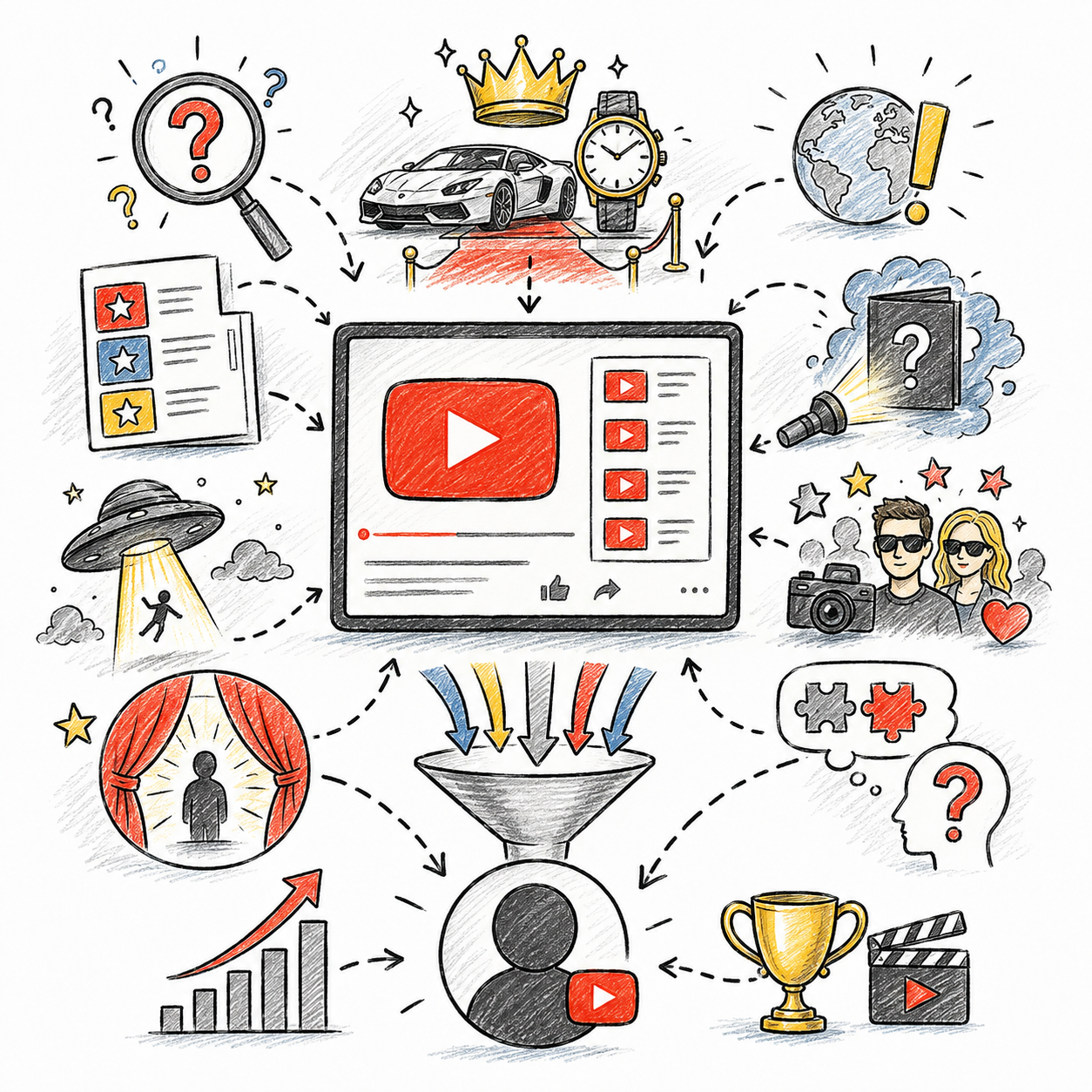
🔥 Viral Curiosity & Entertainment Niches
💎 Top 10, Luxury & Curiosity-Driven Concepts
A strong click-potential lane because these topics naturally create suspense, comparison, and surprise.
- 📌 What you might make: Ranking videos, luxury lifestyles, strange facts, expensive mistakes, and visually dramatic topics
- 👥 Typical viewers: Broad, entertainment-seeking viewers who browse and binge
- 💰 Monetization outlook: Variable; views can be high, but ad rates and audience loyalty vary
- ✅ Best for: Creators who like list structure, fast pacing, and strong packaging
💡 PRO TIP
Narrow the category rather than competing with broad “everything” fact channels. Use images and footage you have the rights to use.
📖 Story-Led Curiosity With Better Packaging
A useful lane for creators who want click potential without relying only on random viral topics.
- 📌 What you might make: Before-and-after stories, business failures, cultural mysteries, and “what really happened” formats
- 👥 Typical viewers: Curiosity-driven viewers who want a story resolved
- 💰 Monetization outlook: Variable; depends on topic, retention, and audience
- ✅ Best for: Writers who can build one clear curiosity gap per video
💡 PRO TIP
Make the title, thumbnail, and opening hook point to the same curiosity gap. Deliver on that promise early in the video.
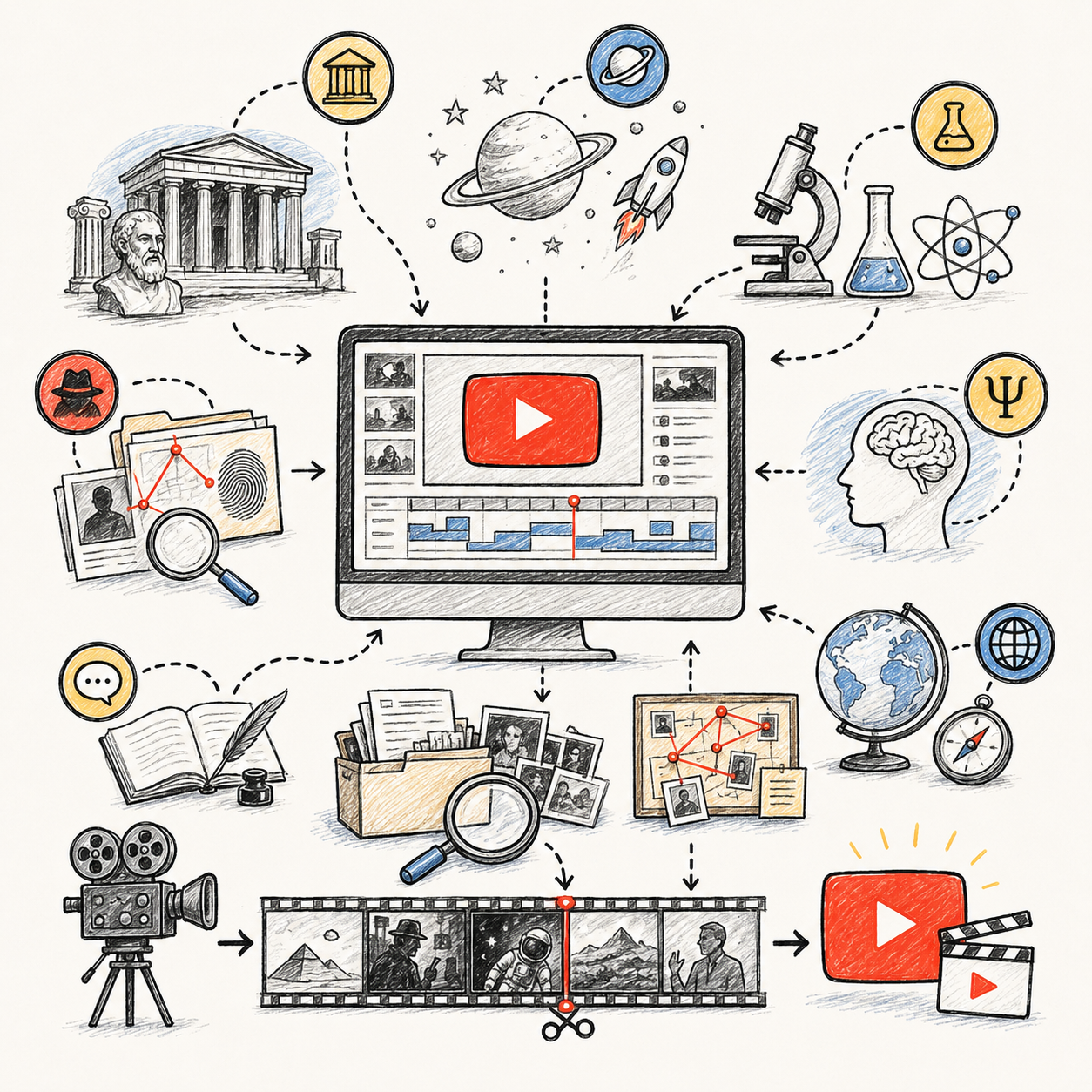
🌑 Story-Driven & Documentary Niches
🕵️ History, True Crime, Space & Documentary Channels
A strong watch-time category because story structure and tension naturally keep viewers through the full video.
- 📌 What you might make: Forgotten empires, unsolved mysteries, science questions, historical mistakes, and documentary-style narration
- 👥 Typical viewers: Story-loving viewers who watch longer videos
- 💰 Monetization outlook: Variable; long watch time can help, but research and rights work is heavier
- ✅ Best for: Creators who enjoy research, writing, and long-form storytelling
💡 PRO TIP
Write like a storyteller, not a lecturer. Fact-check carefully, and be cautious with true-crime topics involving real people.
🧠 Educational Evergreen Topics With Strong Search Value
A reliable lane because evergreen explainers can keep earning views after publishing if the topic stays useful.
- 📌 What you might make: Psychology, economics, science, geography, business concepts, and practical educational breakdowns
- 👥 Typical viewers: Students, curious learners, and people searching for explanations
- 💰 Monetization outlook: Moderate to strong, especially with repeat search demand
- ✅ Best for: Creators who can make a topic easier to understand than competing videos
💡 PRO TIP
Check search demand before you commit to a topic. A clear explanation that beats the existing top results is a real advantage.
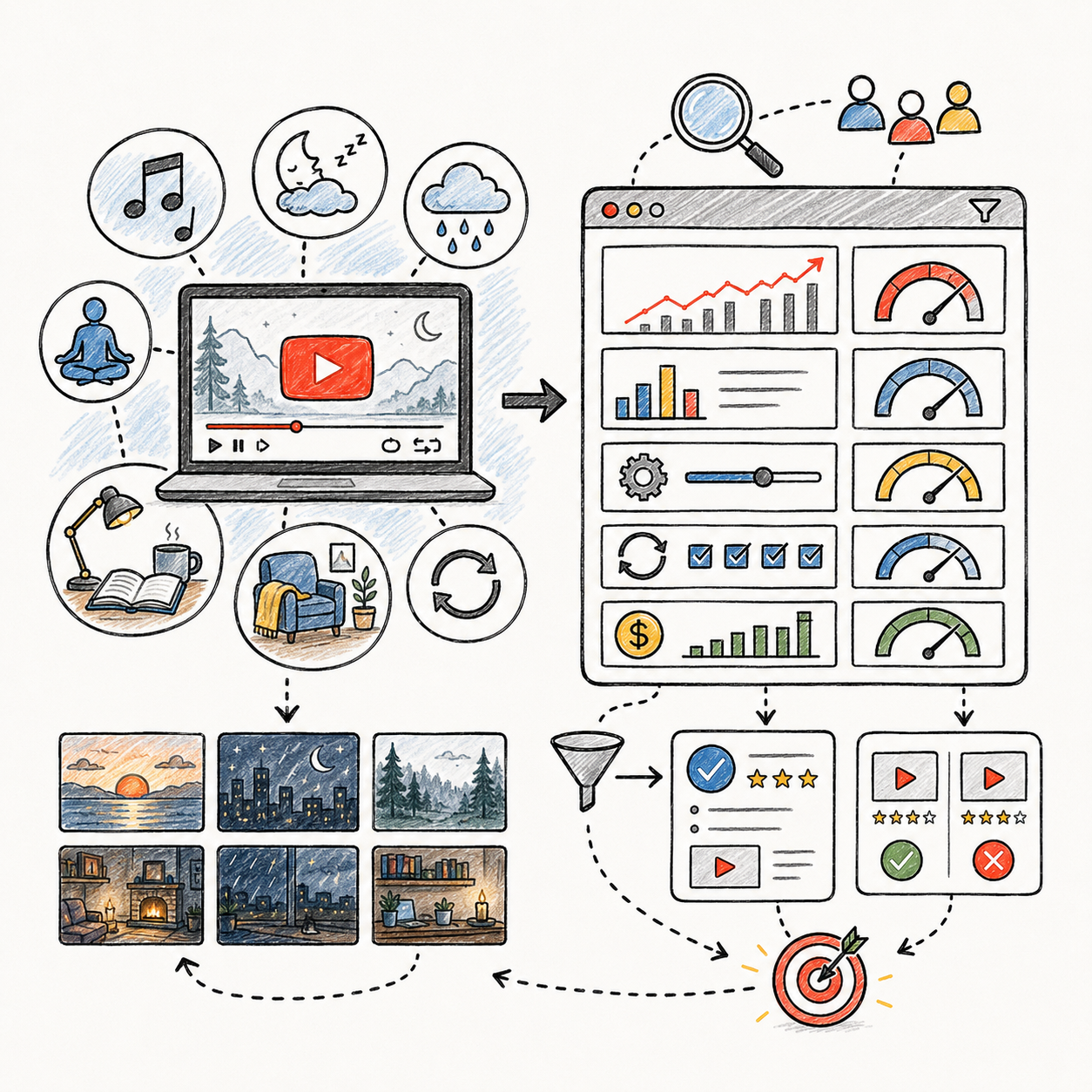
🎧 Passive Watch-Time & Niche Validation
🌙 Ambient, LoFi, Sleep & Background Content
A different model where growth depends on long sessions, use-case clarity, and repeat listening.
- 📌 What you might make: Rain sounds, study music, sleep audio, cozy ambience, focus tracks, and background atmosphere videos
- 👥 Typical viewers: Students, sleepers, remote workers, and background listeners
- 💰 Monetization outlook: Variable; long watch time helps, but licensing and policy risks are higher
- ✅ Best for: Creators who can produce or properly license original audio and visuals
💡 PRO TIP
Use only audio you created or are licensed to use commercially. Position the channel around a specific use case rather than a generic “relaxing music” upload.
✅ What Makes a Good Automation Niche
The strongest niches have evergreen demand, easy visual sourcing, repeatable ideas, and several ways to earn.
- 🟢 Good signs: Successful recent channels, repeat topic demand, ideas for 100+ videos, and affordable production
- 🔴 Warning signs: A niche that looks profitable on paper but does not fit your ability to produce consistently
- 💰 Monetization outlook: Several paths, such as ads, sponsorships, affiliate links, and products, where policies allow
- ✅ Best for: Anyone choosing a niche before investing time or money
💡 PRO TIP
Validate before you commit. Study several recent channels in the niche and confirm you can produce ten strong video ideas.
🎯 Choose Your First Faceless Channel Concept
🎯 KEY TAKEAWAY
Start with Top 10 lists, educational explainers, motivation or business stories, history, or AI-tool reviews. These niches are easier to structure and research and have plenty of existing channels to study—while still requiring original value, accurate information, and properly licensed material.
🚀 ACTION STEP
Write a focused first plan:
- Audience & promise: Define one viewer group and a repeatable channel format.
- Topic runway: Outline ten ideas you can research and produce responsibly.
- Production & rights: Plan scripts, visuals, audio, editing, and permitted source material.
- Pilot: Publish a small batch and review quality, retention, and production cost before scaling.
4. How Much Can You Earn & Pricing Strategies
Use this chapter to connect viewer demand, content quality, production costs, and monetization options to your income plan.
🧠 REMEMBER THIS
Earnings vary widely. Figures in this chapter are illustrative, not forecasts. Monetization is not guaranteed and depends on YouTube eligibility and policies. Gross revenue is not profit—production, outsourcing, tools, and management time all reduce what you keep.
🧠 Reality Check (What Actually Separates Higher Earners)
- Most beginners make little or inconsistent income at first
- Not because YouTube automation does not work
- 👉 Many expect fast money from a few uploaded videos
- 👉 Or they choose weak niches, poor topics, or low-retention video formats
- The channels that earn more typically:
- Pick topics with strong viewer demand
- Improve thumbnails, titles, and hooks
- Publish consistently
- Build systems for scripting, editing, voiceover, and optimization
🎯 KEY TAKEAWAY
In YouTube automation, income usually grows from better content systems, better topic selection, and better viewer retention — not from uploading more random videos.
🔑 Smart Income Strategy
🎬 Niche, Packaging & Lean Production
- Choose a niche with:
- proven demand
- repeatable video ideas
- decent monetization potential
- Focus early on:
- titles
- thumbnails
- hooks
- watch time
- Keep production lean at first
- do not overspend on editing or outsourcing too early
💰 Additional Monetization Layers
- Add monetization layers over time:
- affiliate links
- sponsorships
- digital products
- email list offers
💰 MONETIZATION NOTE
Build a lean original format before outsourcing at scale. Monetization depends on current eligibility and policies; views alone do not guarantee ad revenue.
🧪 Illustrative Example
📋 REAL-WORLD EXAMPLE
📌 Same Business Model, Different Outcomes
These scenarios exclude production costs, overhead, and taxes.
🌱 Scenario A: Casual channel owner
- Uploads inconsistent videos
- Weak niche research
- Income: $0–$300/month
🎯 Scenario B: Focused growing channel
- Better scripts, thumbnails, and upload consistency
- Monetized with improving traffic
- Income: $1,000–$4,000/month
🚀 Scenario C: Scaled automation operator
- Strong niche, repeatable team workflow, multiple monetization streams
- Income: $5,000–$15,000+/month
📊 PLANNING NOTE
The same monetization model can perform very differently depending on niche, traffic quality, retention, RPM, costs, and execution. Use these scenarios as planning tools, not income predictions.
🎯 What Actually Drives Income
🧮 Audience Demand × Content Quality × Monetization Fit = Income Potential
📊 Key Income Drivers
- Niche
- Finance, business, software, education, celebrity content, motivation, and documentaries all monetize differently
- View volume
- More views usually means more earning potential, but view count alone is not everything
- RPM / monetization quality
- Some niches earn far more per 1,000 views than others
- Retention
- Better watch time helps videos get recommended more often
- Packaging
- Strong thumbnails and titles increase clicks
- Monetization layers
- Ads, affiliate links, sponsorships, digital products, and channel memberships can all add income
💰 MONETIZATION NOTE
Many higher-earning channels diversify beyond ad revenue by adding affiliates, sponsorships, products, or other monetization streams. They still depend on views, retention, and additional monetization options.
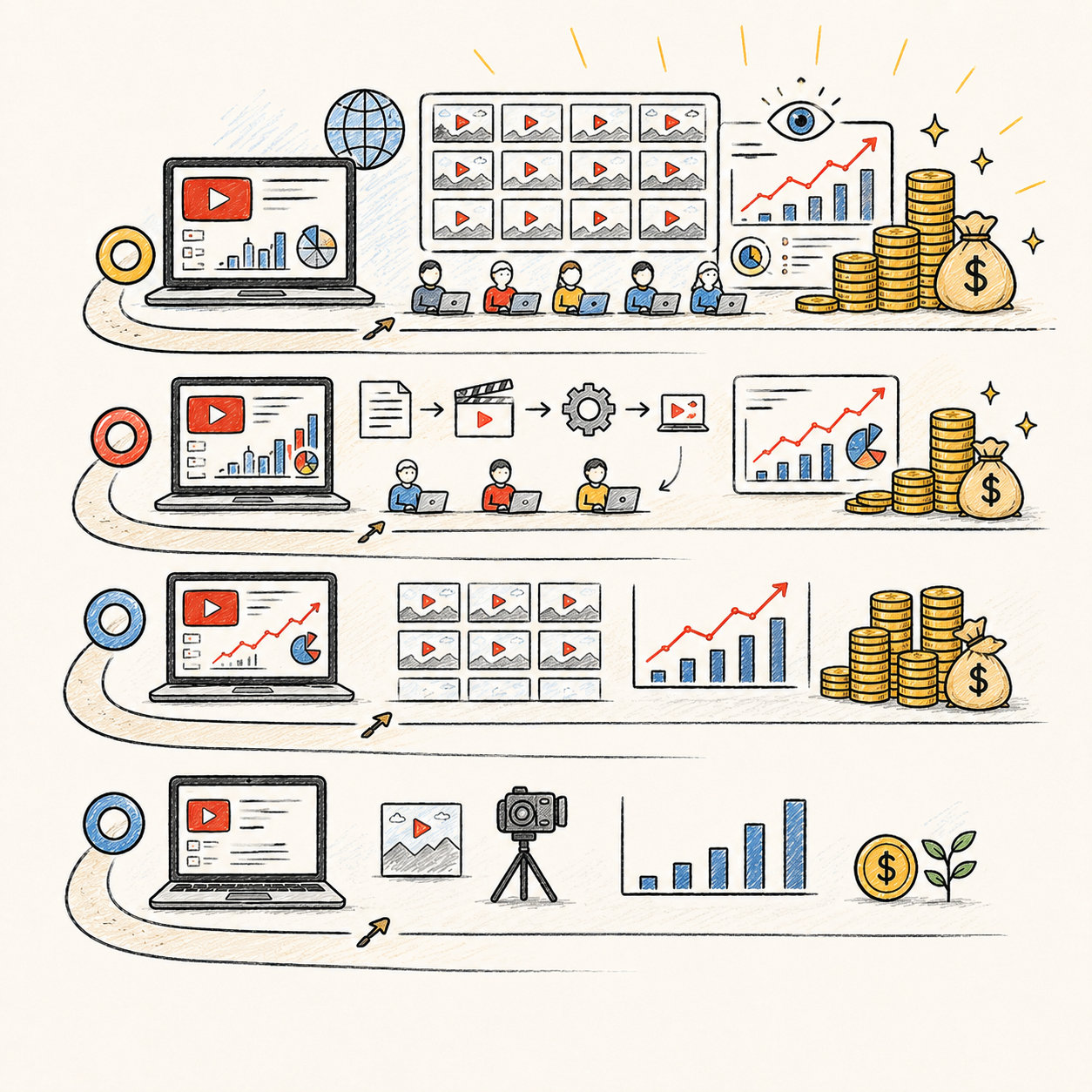
📈 Eligibility & Production Costs (Income Reality)
📖 Read the Numbers in Context
Pre-monetized channels may earn no advertising revenue. Check current YouTube requirements rather than assuming a timeline. Rights-cleared assets alone do not make repetitive or reused material eligible. Outsourcing, tools, licensed assets, and management time can consume revenue.
🚀 Build Your First YouTube Automation Income Plan
Start with one audience, an original repeatable format, and a capped production budget. Use four weeks to test the workflow and early audience signals.
🧭 Run an Original Content & Cost Test
- Define one audience and repeatable original format. Choose a focused viewer problem you can research responsibly. Plan videos that add meaningful original explanation or analysis rather than copying another channel’s scripts or compiling low-value clips. Avoid presenting fabricated examples as real events.
- Set a budget and quality checklist. Cap spending you can afford without relying on future income. Specify research, script, narration, edit, thumbnail, and review steps. Use licensed or original footage, music, and images, and keep rights records. Check facts and permission for any synthetic voices or likenesses.
- Create a small pilot publishing workflow. Produce a manageable batch with clear contractor briefs and deadlines if outsourcing. Review every deliverable yourself for accuracy, originality, audio, and visual quality. Use titles and thumbnails that accurately represent the video; do not buy views or engagement.
- Publish and measure for four weeks. Track production cost and total management time per video, clicks, watch time, retention patterns, and relevant audience responses. Do not infer durable demand from one unusually strong upload. Follow applicable platform rules for altered or synthetic content and sponsorship disclosure.
- Review audience fit and complete economics. Compare videos across the same measurement window and identify topics viewers genuinely value. Check current monetization eligibility and permitted revenue options. Scale only when quality and costs are manageable; a four-week test may earn nothing and is not proof of a profitable channel.
🎯 KEY TAKEAWAY
Automation can assist production, but you remain responsible for originality, accuracy, rights, quality, costs, and ongoing channel management.
💡 Example: A Four-Week YouTube Channel Test
- Audience: Beginners learning a focused software workflow
- Format: Original tutorials using permission-cleared screen recordings and useful explanations
- Pilot: A small sustainable video batch, not a daily content factory
- Budget: A written production cap with no assumed ad revenue
- Test: Four weeks of publishing and workflow measurement
- Signals: Audience fit, watch behavior, cost per video, total work time, and actual revenue
Faceless or outsourced production does not remove your editorial responsibility.
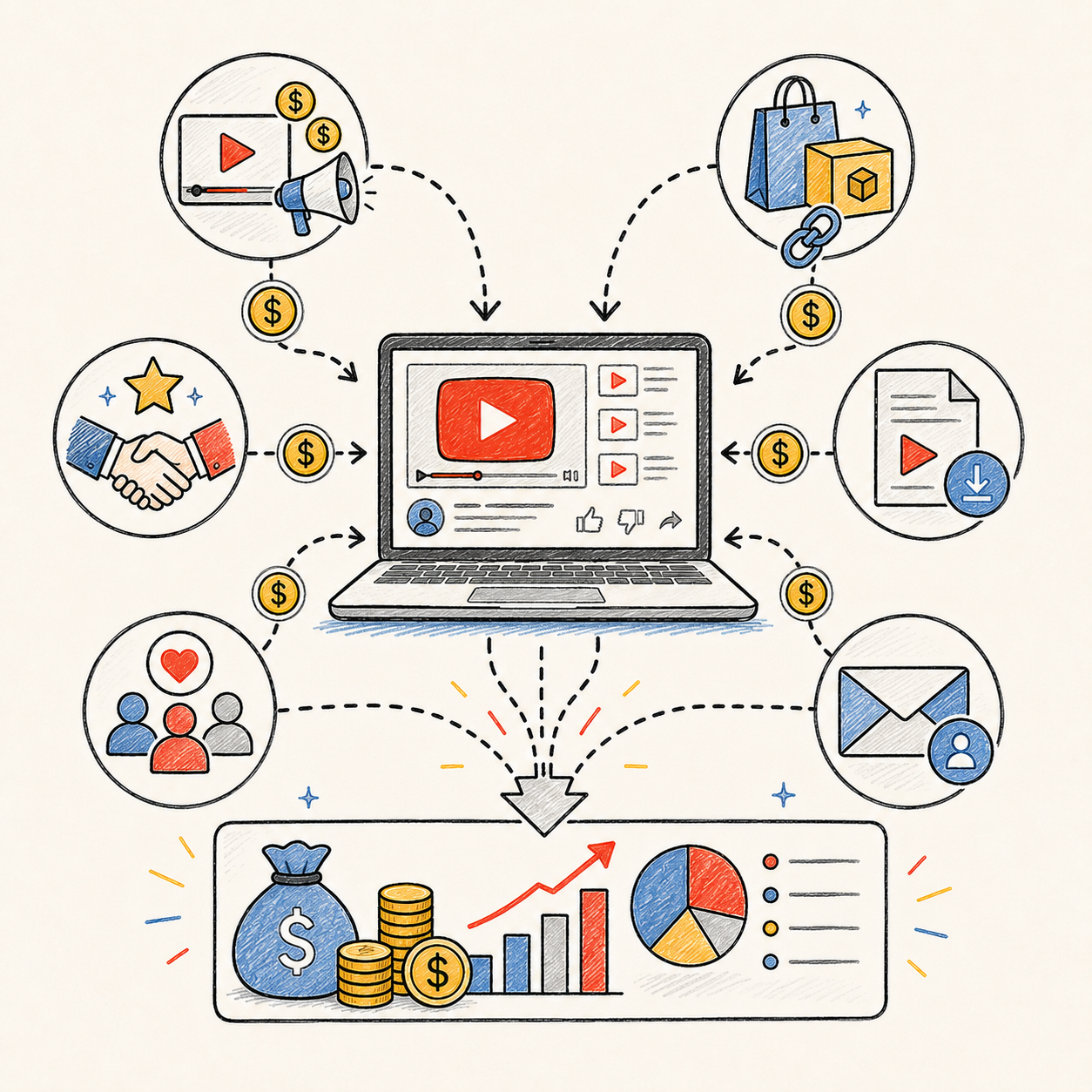
✍️ Write Your One-Line Earnings Test Plan
Use this structure to make the plan easy to review:
“For [audience], I will publish [small original video batch] over [period] within [budget], using [rights and quality checks]. I will review [viewer signals, all costs, work time, eligibility, and actual revenue] before scaling.”
✅ Completed example
“For software beginners, I will publish a small batch of original tutorials over four weeks within a fixed production cap, using permission-cleared recordings and editorial review. I will compare viewer signals, all costs, work time, eligibility, and actual revenue before expanding.”
🚀 ACTION STEP
Before starting:
Keep the first plan focused. Build a workable process before adding more complexity.
📋 Pricing & Revenue Planning Reference
Treat the stages below as illustrative references. Many channels earn no revenue. Gross revenue is not profit.
💵 What YouTube Channel Revenue Streams Can Earn
📊 Income Progression by Stage
🚀 Stage | 📺 Channel Level | 💰 Illustrative Monthly Revenue | ⏳ Illustrative Timeline | 📌 What’s Happening |
Beginner | New / pre-monetized channel | $0–$200 | 0–3 months | Testing niches, learning workflow, little traffic yet |
Developing | Monetized small channel | $200–$1,500 | 3–6 months | More uploads, improving packaging, early ad revenue |
Established | Growing channel with traction | $1,500–$5,000 | 6–12 months | Better retention, stronger uploads, more predictable views |
Advanced | Optimized multi-video system | $5,000–$15,000+ | 12–24 months | Catalog effect, stronger team/process, more monetization streams |
Professional | Scaled channel or multiple channels | $15,000+/month | 2+ years | Better systems, outsourcing, higher view volume, diversified income |
📊 PLANNING NOTE
Use these stages as budgeting and benchmarking references. Track your own monetization eligibility, production costs, traffic, RPM, retention, and revenue rather than trying to match a preset timeline.
📊 Key Metrics & Margin Snapshot
📈 Eligibility & Production Costs (Income Reality)
📊 What Your Channel Is Actually Producing
Metric | What to Record |
Audience signals | Clicks, retention, watch time, and returning viewers in comparable periods |
Production economics | Full cost per video and total management hours |
Eligibility and rights | Current monetization status, permissions, and policy compliance |
Revenue mix | Ads, approved sponsorships, affiliate commissions, and product sales separately |
Cash and margin | Actual earnings, receipts, fees, refunds, and ongoing costs |
💰 MONETIZATION NOTE
Views and upload volume are not profit. Pair audience usefulness with rights, eligibility, full costs, and actual receipts.
💸 YouTube Revenue Examples
🧾 YouTube Revenue Examples
💡 Revenue Detail | 💰 Example |
Monthly views | 100,000 |
Ad revenue per 1,000 views | Varies by niche |
Estimated monthly ad revenue | Can range widely |
💡 Revenue Detail | 💰 Example |
Monthly views | 500,000+ |
Monetization sources | Ads + affiliates + sponsors |
Estimated monthly income | Much higher than ads alone |
📊 QUICK COMPARISON
Similar view counts can yield different revenue—or no ad revenue. Separate each revenue stream and its conditions.
🧮 Check Your Project & Revenue Economics
Illustrative ad revenue = views ÷ 1,000 × a comparable ad-revenue RPM.
Use actual analytics for the same format and period, not an assumed universal RPM. If a reported RPM already includes other platform revenue, do not add those streams again. Channel contribution = earned revenue across distinct streams − production and selling costs. Account for scripts, voiceover, editing, assets, tools, contractor costs, refunds, and management overhead; taxes still reduce take-home income.
🚀 ACTION STEP
🗓️ Build a Monthly YouTube Revenue Snapshot
Use actual records and a sustainable plan—not projections alone—to decide what to continue.
5. Tools & Roles You Can Use (or Outsource)
🛠 TOOLS & RESOURCES
Costs below are illustrative budget estimates, not current price quotes. Check each provider’s current plans, billing terms, usage limits, and commercial-use rights. Contractor rates depend on scope, video length, quality, and revisions; estimates exclude equipment, taxes, and your management time.
✍️ Script Writing
Method | Cost | Quality | Speed | Best For |
DIY Research | $0 | Medium-High | Slow | Starting out |
$0-20/mo | Medium | Fast | Quick content | |
Fiverr Writers | $10-40/script | Medium-High | Fast | Scaling |
Specialized Writers | $50-150/script | High | Medium | Premium content |
✅ Recommendation: Start with AI-assisted writing, hire writers once earning $1,000+/month
🎬 Video Editing
Tool | Cost | Ease of Use | Features | Best For |
Free | ⭐⭐ Very Easy | Auto-captions, effects | Beginners | |
$15-60/mo | ⭐⭐ Easy | Templates, stock footage | Quick videos | |
Free | ⭐⭐⭐⭐ Hard | Professional editing | Advanced users | |
$21/mo | ⭐⭐⭐⭐ Hard | Industry standard | Professionals | |
$18-70/mo | ⭐⭐ Easy | Online, auto-subtitles | Simple edits | |
Fiverr Editors | $20-100/video | N/A | Custom work | Outsourcing |
✅ Recommendation: CapCut (free) to start, Fiverr editors ($30-50/video) once earning
🎙️ Voiceover
Method | Cost | Quality | Naturalness | Best For |
Your Own Voice | $0 | Varies | Human performance | If comfortable |
AI Voices (ElevenLabs) | $0-330/mo | 🔥 Excellent | Varies by voice and script | Most niches |
Fiverr Voice Actors | $10-50/video | High | Human performance | Premium feel |
Text-to-Speech (free) | $0 | Low-Medium | Often robotic; varies by tool | Testing only |
✅ Recommendation: Test ElevenLabs with your script and confirm the selected plan permits commercial use before publishing.
🖼️ Thumbnail Design
Tool | Cost | Ease of Use | Templates | Best For |
Free-$13/mo | ⭐ Very Easy | 1000s | DIY thumbnails | |
$21/mo | ⭐⭐⭐ Moderate | Custom | Advanced design | |
$47 one-time | ⭐⭐ Easy | Templates | YouTube-specific | |
Fiverr Designers | $5-30/thumbnail | N/A | Custom | Outsourcing |
✅ Recommendation: Canva to start; consider a Fiverr designer when your budget supports it, and review samples before hiring.
🎞️ Stock Footage & Assets
Source | Cost | Quality | Library Size |
Free | 🔥🔥🔥 Good | Large | |
Free | 🔥🔥🔥 Good | Large | |
$17/mo | 🔥🔥🔥🔥 Excellent | Massive (unlimited) | |
$30/mo | 🔥🔥🔥🔥 Excellent | Large (unlimited) | |
$25/mo | 🔥🔥🔥🔥🔥 Premium | Curated, cinematic |
✅ Recommendation: Pexels + Pixabay (free) to start, Envato ($17/mo) when scaling
📊 Channel Management & SEO
Tool | Purpose | Cost | Worth It? |
Keyword research, tags, A/B testing | Free-$9/mo | Optional - useful for research | |
Analytics, SEO, competitor research | Free-$39/mo | Yes - alternative to TubeBuddy | |
Content calendar, planning | Free-$8/mo | Yes - organization | |
Hootsuite/Buffer | Schedule social shares | Free-$15/mo | Optional |
💵 Full Production Cost Breakdown
DIY (Starting Out):
- Scripts: $0 (AI-assisted)
- Voiceover: $11/mo (ElevenLabs)
- Editing: $0 (CapCut)
- Thumbnails: $0 (Canva free)
- Stock footage: $0 (Pexels/Pixabay)
- SEO tools: $0 (TubeBuddy free)
- Total: $11/month
Fully Outsourced (Scaling):
- Full production: $80-150/video (all-in-one service)
- 8-10 videos/month = $640-1,500/month
- Manager: $500-1,000/month (VA to handle uploads, optimization)
- Illustrative total: $1,140-2,500/month before other tools, assets, fees, taxes, and management overhead; revenue above this total does not automatically mean a profitable business
Hybrid (Growing):
6. How to Launch a YouTube Automation Channel
Treat the launch as a validation process, not a race to outsource everything. Research the niche, build a lean production workflow, publish a small test batch, study retention and click-through behavior, then scale only the formats that show real promise.
🔍 Phase 1: Research & Planning — Week 1
Before you create videos, you need to choose a niche that has demand, monetization potential, and enough content ideas to support long-term growth.
🧭 Step 1: Choose Your Niche
Research 5–10 potential niches before committing.
Look for niches that have:
- Strong viewer demand
- Clear monetization potential
- Enough topics for 100+ videos
- Existing successful channels
- Room for a new angle or better execution
- Affiliate, sponsorship, or product opportunities
▶️ Good YouTube Automation Niches
Niche | Why It Works |
Personal Finance | High ad rates, affiliate potential, evergreen demand |
Tech & AI Tools | Fast-growing, sponsor-friendly, high search demand |
Health & Fitness | Broad audience, evergreen topics, product tie-ins |
Luxury / Lifestyle | Strong visual content, curiosity-driven titles |
Business Stories | High retention potential, strong storytelling |
Motivation / Self-Improvement | Evergreen, easy to batch, broad audience |
Travel / Geography | Visual, educational, strong binge potential |
History / Documentaries | Long-form potential, high watch time |
💡 PRO TIP
If you cannot brainstorm at least 100 video ideas, the niche may be too narrow.
🛠️ Step 2: Study Successful Channels
Find 3–5 top channels in your niche and study their best-performing videos.
Analyze their top 20 videos:
- What titles get the most views?
- What thumbnails stand out?
- What video lengths perform best?
- What topics repeat often?
- How do they structure the opening hook?
- How often do they upload?
- What emotions do they use: curiosity, fear, aspiration, shock, controversy, inspiration?
- What comments reveal audience demand?
🔍 What to Look For
Element | What to Study |
Titles | Keywords, curiosity gaps, numbers, promises |
Thumbnails | Contrast, emotion, faces, text, simplicity |
Hooks | First 5–15 seconds |
Retention | Pacing, visuals, pattern interrupts |
Topics | Repeated winners and evergreen themes |
Comments | Questions, complaints, topic requests |
💡 Step 3: Brainstorm 100 Video Ideas
Use your research to build a content bank before launching.
💡 Where to Find Ideas
- 🎥 Competitor videos
- 🔍 YouTube search suggestions
- 📈 Google Trends
- 💬 Reddit communities
- 👥 Facebook Groups
- 📝 Blog articles in your niche
- ❓ Frequently asked questions
- 💭 Comments on competitor videos
- 🛠️ Tools like TubeBuddy or vidIQ
💡 Organize Ideas Into Buckets
Example for a finance channel:
- Beginner guides
- Mistakes to avoid
- Tool reviews
- Success stories
- Case studies
- Explainers
- Comparison videos
- “How much can you make?” videos
🛠️ Phase 2: Channel Setup — Week 2
Once your niche is validated, set up the channel so it looks trustworthy from day one.
▶️ Step 4: Create Your YouTube Channel

☑️ Channel Setup Checklist
- Choose a brand name, not a personal name
- Create a clean logo or icon
- Design channel banner art using Canva
- Write an SEO-friendly About section
- Add niche keywords naturally
- Add links to website, social media, or affiliate resources
- Create a simple channel description explaining who the channel helps
- Set up playlists for future video categories
📦 Example Channel Positioning
Helping beginners understand personal finance, investing, and money habits through simple, visual explainer videos.
🎨 Branding Tips
- Use one consistent color palette
- Use the same thumbnail style
- Keep fonts readable
- Make the channel look active and professional
- Avoid overly generic branding
🧰 Step 5: Gather Your Tools
Set up your content production workflow before trying to publish consistently.
🧰 Recommended Tool Stack
Task | Tools |
Editing | CapCut, DaVinci Resolve, Adobe Premiere Pro |
Voiceover | ElevenLabs, human voice actor, your own voice |
Design | |
Keyword Research | TubeBuddy, vidIQ, YouTube search |
Stock Footage | Pexels, Pixabay, Storyblocks, Envato Elements |
Planning | Google Sheets, Notion, Airtable |
Analytics | YouTube Studio |
🔄 Basic Production System
- Topic research spreadsheet
- Script template
- Voiceover process
- Editing checklist
- Thumbnail template
- Upload checklist
- Analytics tracker
💡 PRO TIP
Keep your tool stack simple at first. A complicated workflow will slow you down before you even know what works.
🎬 Build the First Test Video
🔍 Step 6: Create Your First Test Video
Your first video is not about going viral. It is about testing your production process and learning how long each step takes.
🔄 First Video Workflow
- Choose one proven topic from your research
- Write a script of 500–1,500 words
- Create or record the voiceover
- Gather stock footage, screenshots, or visuals
- Edit the video
- Design the thumbnail
- Upload it as unlisted first
- Watch it all the way through
- Fix obvious audio, pacing, or visual issues
- Record how long the full process took
☑️ Quality Checklist
- Clear hook in the first 5–10 seconds
- Good audio quality
- Visuals change regularly
- No long boring pauses
- Thumbnail is readable on mobile
- Title matches the video content
- Script gives real value
- Video has a clear ending or next step
📊 What to Measure
Task | Track This |
Research | How long topic selection takes |
Script | Time to write or edit script |
Voiceover | Time to record or generate |
Editing | Time to assemble final video |
Thumbnail | Time to create and revise |
Upload | Time to optimize title, description, tags |
⚠ COMMON MISTAKE
Do not spend weeks perfecting your first video. Create a solid version, publish, then improve based on real data.
🚀 Phase 3: Launch — Weeks 3–8
The launch phase is about publishing consistently enough for YouTube to understand your channel and for you to learn what your audience responds to.
🛠️ Step 7: Upload Consistently
Start with:
- A sustainable schedule; 2–3 videos per week is one possible target, not a requirement
- A consistent upload schedule
- Repeatable video formats
- A backlog of ideas
- Simple production templates
💡 Why Consistency Matters
- You gather data faster
- You test more topics
- The algorithm has more videos to evaluate
- Viewers see your channel as active
- You improve through repetition
💡 PRO TIP
Consistency beats perfection. Your early videos are training data for both you and the algorithm.
📈 Step 8: Optimize Every Video
Every upload should be optimized before publishing.
☑️ Upload Optimization Checklist
Element | Best Practice |
Title | Keyword-rich, curiosity-driven, usually 50–60 characters |
Description | Put the strongest keywords and promise in the first 150 characters |
Tags | Use relevant tags when helpful, especially for common misspellings; prioritize the title, thumbnail, and description |
Thumbnail | High contrast, simple, readable on mobile |
Hook | Make the first 5–15 seconds strong |
End Screen | Link to 2–3 related videos |
Pinned Comment | Add a question, resource, or next video link |
Playlist | Add video to the most relevant playlist |
💡 Strong Title Examples
- 7 AI Tools That Can Save You 10 Hours a Week
- How Rich People Use Debt Differently
- The Dark Side of Fast Fashion
- 10 Places You Should Never Travel Alone
- How This Company Quietly Took Over the Internet
🛠️ Step 9: Promote Strategically
Promotion helps, but do it carefully. The wrong traffic can hurt retention if people click and leave quickly.
📣 Where to Promote
- Relevant Reddit communities
- Facebook Groups
- Blog posts
- Pinterest pins
- Email list
- Niche forums
- Short clips on TikTok, Reels, or Shorts
🧠 Promotion Rules
- Do not spam links
- Share only where the video solves a real problem
- Add context before linking
- Repurpose clips into Shorts
- Avoid buying views or subscribers
⚠ COMMON MISTAKE
Buying views or subscribers can damage your channel because fake engagement usually hurts retention, trust, and monetization potential.
Once you have enough videos published, your job is to study the data and make better decisions.
📊 Phase 4: Analyze & Iterate — Weeks 9–16
🛠️ Step 10: Study Analytics Weekly
Use YouTube Studio to review performance.
📈 Metrics to Watch
Metric | What It Tells You |
CTR | Whether your title and thumbnail are getting clicks |
Average View Duration | How long people stay |
Audience Retention | Where viewers drop off |
Traffic Sources | Search, browse, suggested, external, Shorts |
Search Terms | What viewers typed to find you |
Subscriber Growth | Which videos convert viewers into fans |
Comments | What viewers want next |
🔍 Weekly Review Questions
- Which videos got the highest CTR?
- Which videos had the best retention?
- Which topics brought the most subscribers?
- Which thumbnails performed best?
- Which intros caused viewers to drop?
- Which traffic source is growing?
- What topics are viewers requesting?
🛠️ Step 11: Double Down on Winners
When a video performs well, do not ignore it. Study why it worked and create related videos.
🔁 How to Repeat Success
- Make follow-up videos
- Turn one winning topic into a series
- Use similar thumbnail style
- Test similar title formats
- Create beginner, intermediate, and advanced versions
- Answer comments with new videos
- Compare winners against weak videos
💡 Example
If this video performs well:
“7 AI Tools That Can Save You 10 Hours a Week”
Create follow-ups like:
- 5 Free AI Tools for Students
- 10 AI Tools Every Freelancer Should Know
- I Tested 7 AI Tools for 30 Days
- Best AI Tools for Small Business Owners
💰 Step 12: Hit Monetization
The first major milestone is joining the YouTube Partner Program.

💰 Common Ad-Revenue Eligibility Goal
- 1,000 subscribers
- 4,000 qualified public watch hours from long-form videos in the past 12 months, or 10 million qualified public Shorts views in the past 90 days
- Meet YouTube’s other eligibility requirements and pass its channel review; thresholds alone do not guarantee approval
- Link an AdSense for YouTube account through YouTube Studio
Earlier access to some fan-funding and Shopping features is available under the expanded program in eligible countries. Check current YouTube Partner Program requirements for your channel.
⏳ Timing Varies
There is no reliable monetization timeline. It may take months or longer, and some channels never qualify. Publishing consistently can support learning, but does not guarantee audience growth or approval.
📈 GROWTH TIP
Monetization is not the finish line. It is the point where your content system starts turning into an asset.
📈 Phase 5: Scale — Months 4–12
Once your channel has traction, the goal shifts from creating every piece manually to building a repeatable content machine.
🛠️ Step 13: Outsource Gradually
Once the channel earns around $500–$1,000/month, consider reinvesting into production.
📤 Best Tasks to Outsource First
Task | Why Outsource It |
🖼️ Thumbnails | Easier to delegate and directly affects CTR |
🎬 Basic Editing | Saves time and increases output |
✍️ Script Drafting | Helps batch content faster |
🎙️ Voiceover | Improves quality if using human talent |
🔍 Research | Speeds up topic planning |
📱 Shorts Repurposing | Turns long videos into extra distribution |
🔒 Keep These Yourself Initially
- Niche strategy
- Topic selection
- Final approval
- Analytics review
- Monetization decisions
- Brand direction
⚠ COMMON MISTAKE
Outsource bottlenecks, not strategy. You should understand what works before hiring someone to do it for you.
📈 Step 14: Increase Upload Frequency
Once your workflow is efficient, increase production carefully.
📈 Scaling Uploads
- Move from 2–3 videos/week to 4–7 videos/week
- Batch scripts in groups of 5–10
- Create thumbnail templates
- Build a 2–4 week content buffer
- Reuse proven video structures
- Track whether more uploads improve total channel growth
🔄 Batching Workflow
Research 10 Ideas → Write 10 Scripts → Record/Generate 10 Voiceovers → Edit in Batches → Schedule Uploads💰 Step 15: Diversify Revenue
Ad revenue is only one income stream. Strong YouTube automation channels usually stack multiple monetization methods.
💰 MONETIZATION NOTE
Diversified channels can become more stable media assets. Ad revenue is helpful, but affiliates, sponsors, products, and email can make the business more resilient.
💰 Revenue Streams to Add
- Affiliate links
- Sponsorships
- Digital products
- Email list
- Paid community
- Templates or guides
- Newsletter
- Course
- Consulting or services
- Second channel
💰 When to Add Each Revenue Stream
Revenue Stream | Best Time to Add |
Affiliate Links | From the beginning if relevant |
Email List | Once you have a clear niche |
Digital Product | After you know audience problems |
Sponsors | Often easier around 10K+ subscribers |
Second Channel | After the first channel has a repeatable system |
7. From Video Idea to Published Asset
A faceless YouTube channel becomes scalable only when you can take an idea through the same reliable production process repeatedly.
That process needs to protect more than speed.
🎯 PHASE 1 — Define Viewer, Brief, and Angle
📋 Steps 1–3. Name the viewer, write a one-page brief, and lock an original angle before anyone starts researching or scripting.
✅ Ready to move on: You can hand a writer the viewer, promise, format, sources needed, and what this video adds.
👤 Step 1: Define the Viewer Before the Topic
Do not begin with: “What video can I make?” Begin with: “Who am I trying to help or entertain, and what would make them choose this video?” Now you have something to research.
🎯 Define These Four Things
- Viewer: Who is likely to care?
- Question / Desire: What are they trying to understand, compare, avoid, discover, or experience?
- Video Promise: What should they know or feel by the end?
- Format: Explainer? Story? Ranking? Tutorial? Documentary? Comparison?
📝 Step 2: Create a One-Page Video Brief
Every production should begin with the same core information. This document becomes the handoff point for writers, editors, voice talent, and designers.
🎯 Briefs Beat Mind-Reading
🛠️ WORKFLOW TIP
Automation works much better when people receive a brief instead of trying to read your mind.
📋 Video Brief — Viewer Side
Working Topic: ______________________ Target Viewer: ______________________ Viewer Question: ____________________ Main Promise: _______________________ Original Angle: _____________________ Format: _____________________________ Target Length: Based on what the topic needs
🎬 Video Brief — Production Side
Primary Sources Needed: _____________ Visual Needs: _______________________ Potential Rights Issues: ____________ Thumbnail Direction: ________________ Title Direction: ____________________ CTA / Next Video: ___________________
✨ Step 3: Define the Original Angle
Before researching deeply, answer: What is this video adding? This matters more than ever for faceless channels. YouTube’s current monetization policies require content to be original and authentic. The platform specifically identifies generic, repetitive, mass-produced material and highly templated videos with little meaningful variation as potential inauthentic content, while reused material needs meaningful original commentary, modification, education, or entertainment value. [1]
💡 Original Value Can Come From
- Your explanation
- Your research
- A new comparison
- Original storytelling
- Analysis
- A useful framework
- Original graphics
- Demonstrations
- Original examples
- Connecting several sources into a new conclusion
💡 Faceless Does Not Mean Authorless
💡 PRO TIP
Faceless does not mean authorless. Someone still has to bring original editorial judgment.
🚫 Weak Example
📋 REAL-WORLD EXAMPLE
Weak: “Video about failed companies.”
✅ Stronger Example
📋 REAL-WORLD EXAMPLE
Viewer: Business-curious audience Question: How can a huge company collapse after dominating its industry? Format: Story-driven business breakdown Promise: Explain the strategic decisions that caused the decline
🚫 Weak Approach
“Find three successful videos and combine their scripts.”
✅ Stronger Approach
“Research the underlying subject independently, identify the unanswered question, then build our own explanation and structure.”
🚀 Your First 5 Actions
🚀 ACTION STEP
Keep week one on one original video—not a 50-video content factory.
🧪 Your First 5 Videos
Use this five-video challenge to practice the production workflow. It complements the four-week test in Chapter 4 and the six-month roadmap in Chapter 10: Take five videos through the complete production system. Then compare all five.
1️⃣ Video 1 — Learn the Pipeline
Focus on: Brief → Research → Script → Narration → Edit → QA → Publish Record how long everything takes.
🔎 PHASE 2 — Research and Write the Script
📋 Steps 4–10. Map sources, separate facts from guesses, outline the story, write for the ear, then fact-check claims on a separate pass.
✅ Ready to move on: The script has a source map, a listenable opening, and every risky claim marked verified, qualified, or removed.
🗺️ Step 4: Build a Source Map Before Writing
Do not let the script writer rely on: “I saw this on another YouTube channel.” Build a source map. The right source depends on the subject. This is especially useful when a freelancer or AI tool produces the first draft.
⚖️ Step 5: Separate Facts, Interpretation, and Uncertainty
Your script should know which is which. Do not convert uncertainty into confidence because confident narration sounds better.
✅ FACT
Supported by reliable evidence. “The company filed for bankruptcy in 2022.”
🧠 INTERPRETATION
Your analysis of what the evidence suggests. “That decision appears to have weakened its competitive position.”
❓ UNCERTAIN
Evidence is incomplete or disputed. “Reports differ on exactly when negotiations began.”
🎯 Do Not Manufacture Certainty
🎯 KEY TAKEAWAY
Good storytelling can simplify complexity. It should not manufacture certainty.
📚 Prioritize Sources Such As
- Official documents
- Government sources
- Company filings
- Academic research
- Original interviews
- Reputable journalism
- Manufacturer documentation
- Books from credible authors
- Primary historical material
📋 Research Sheet
📋 REAL-WORLD EXAMPLE
Claim / Topic | Source | Verified? | Notes |
Company launched in 1998 | Official history | ✅ | Use exact year |
Revenue declined | Annual report | ✅ | Check period |
Founder quote | Interview | ✅ | Paraphrase |
Rumor about acquisition | Unknown blog | ❌ | Do not use |
🧱 Step 6: Build the Story Structure Before Writing Full Sentences
Create the skeleton first. Structure should fit the material. Do not force every topic into the exact same template.
🪝 Step 7: Make the Opening Deliver the Promise
The opening should quickly reassure the viewer: “Yes, this is the video I clicked for.” YouTube’s current creator guidance emphasizes that the opening should deliver on the title and thumbnail promise and move quickly into the value viewers came for. [2] Avoid: “Hey guys, welcome back to the channel. Before we get started...” especially when nobody knows your channel yet. Then give the viewer enough context to continue.
✅ Better Openings Start With
- Important fact
- Contradiction
- Question
- Problem
- Moment in the story
- Useful result
🧪 Example Explainer
📋 REAL-WORLD EXAMPLE
- Hook: What question are we answering?
- Context: What does the viewer need to understand first?
- Section 1: First major point
- Section 2: Second major point
- Section 3: Complication or turning point
- Payoff: Answer the original question
- Takeaway: What should the viewer remember?
- Next Step: Related video or CTA
🎬 Example Documentary
Cold Open → Setup → Rise → Turning Point → Consequences → What Happened Next → Takeaway
🎙️ Step 8: Write for Listening
A YouTube script is spoken language. It should not sound like a term paper being held hostage by a microphone. Use:
- Shorter sentences
- Clear transitions
- Concrete examples
- Natural phrasing
- Intentional pauses
- Variety in sentence length
Same idea. Far more listenable. 🔊 Read It Out Loud If the sentence is difficult to say, it may be difficult to follow.
⚠️ Step 9: Build a Claim Checklist
Before approving the script, highlight anything that could create extra risk. Then verify them individually. This is especially important for finance, health, true crime, news, history, and documentary channels.
🔍 Review These Claims
- Numbers
- Dates
- Quotes
- Medical claims
- Financial claims
- Crime allegations
- Legal conclusions
- Product claims
- Historical claims
- Scientific claims
- Claims about living people
📝 Written Style
📋 REAL-WORLD EXAMPLE
“Notwithstanding the aforementioned developments, the corporation subsequently elected to pursue a diversification strategy.”
🎧 Voiceover Style
📋 REAL-WORLD EXAMPLE
“But instead of fixing the core problem, the company made another bet: diversification.”
✅ Step 10: Run a Script Fact-Check
Use a separate pass. Do not let the same person simply reread what they already wrote and call that verification. 🏷️ Mark Each Important Claim ✅ Verified 🟡 Needs qualification ❌ Remove / rewrite
🔎 Check Names, Dates, Numbers
- Names: Spelled correctly?
- Dates: Correct year and sequence?
- Numbers: Correct amount, percentage, unit?
🔎 Check Quotes, Causation, Status
- Quotes: Accurate and properly contextualized?
- Causation: Are you claiming one event caused another without sufficient evidence?
- Present Status: Is the information still current?
2️⃣ Video 2 — Improve Research
Focus on:
- Better sources
- Claim tracking
- Fact-checking
- Original angle
💡 AI Confidence Is Not a Source
💡 PRO TIP
AI-generated confidence is not a source.
⚖️ PHASE 3 — Clear Rights and Track AI
📋 Steps 11–15. Log every asset and music license, skip fake fair-use labels, and treat AI as a tool that still needs disclosure, permission, and human QA.
✅ Ready to move on: You know why every clip and track is allowed, and you have an AI log plus disclosure decision.
📁 Step 11: Build an Asset Rights Plan Before Editing
Do not let the editor finish the video first and ask: “Uh... are we allowed to use these clips?” afterward. For every visual or audio source, know why you can use it. 📦 Possible Sources
- Original footage
- Original screen recordings
- Properly licensed stock
- Client/contractor-created material
- Public-domain material
- Creative Commons content used according to its license
- Material used under an applicable copyright exception
🚫 Step 12: Do Not Treat “Fair Use” Like a Magic Label
Avoid: “No copyright intended.” “Credit to the owner.” “For educational purposes only.” Those phrases do not automatically make copyrighted use lawful. YouTube’s own fair-use guidance explicitly says that credit or a disclaimer by itself does not create fair use; the circumstances of the actual use matter. [4] [5] ✅ Better Rule If third-party content is central to the video:
- Understand why you believe the use is permitted
- Use only what serves the new purpose
- Add meaningful original context
- Keep records
- Get professional advice when the stakes justify it
📋 Keep an Asset Register
Asset | Source | License / Permission | Project |
Office B-roll | Stock library | Commercial license | Video 014 |
App screen recording | Created by channel | Original | Video 014 |
Background music | Audio Library | Permitted | Video 014 |
YouTube notes that permission, Creative Commons licensing, public domain, and copyright exceptions can sometimes permit use of third-party material—but none automatically guarantees freedom from claims. [3]
🎵 Step 13: Check Music Separately
Music creates its own licensing problems. Even royalty-free libraries can have different terms. YouTube specifically recommends checking licensing terms carefully because some music may still generate claims or may not permit monetized use. [6] [7] 🎧 Before Adding a Track, Confirm
- You may use it on YouTube
- Commercial use is allowed
- Monetization is allowed when relevant
- The license covers the channel/project
- Attribution requirements are understood
- Territory/duration restrictions are understood
🤖 Step 14: Track AI Use
AI can assist with:
- Research organization
- Brainstorming
- Drafting
- Translation
- Narration
- Image generation
- Video generation
- Editing
But using AI does not eliminate your editorial responsibilities. YouTube currently provides disclosures for meaningfully altered or synthetically generated content and has continued updating its AI labeling system in 2026. [8] [9]
❓ For Every Project Ask
- Did AI create or materially alter realistic audio/video?
- Does YouTube require disclosure?
- Do we have permission for any person's voice or likeness involved?
- Does the output create a misleading impression of a real event or person?
🧾 Keep a Simple AI Log
Tool: __________ Used For: __________ Human Review: __________ Disclosure Needed: Yes / No / Check Rights Verified: __________
🧱 Step 15: Do Not Confuse AI Use With Automatic Monetization Eligibility
AI itself is not automatically disqualifying. But YouTube’s monetization policies currently emphasize that content should not feel mass-produced, generic, repetitive, or interchangeable, regardless of how it was created. AI-generated content built from repetitive templates with little original value can therefore become a monetization problem. [1] Automation should remove repetitive labor. It should not remove editorial thinking.
🚫 Weak Automation
Prompt → Generic Script → Generic AI Voice → Random Stock Clips → Upload repeat 100 times.
✅ Stronger Automation
Original Brief → Reliable Research → Human Editorial Judgment → Distinct Script → Rights-Cleared Assets → Deliberate Edit → Human QA
🎬 PHASE 4 — Produce Narration, Edit, and Package
📋 Steps 16–23. Brief every role, approve the script, QA the voiceover, then edit so visuals explain the story and the title-thumbnail pair tells the truth.
✅ Ready to move on: You have an approved script, clean narration, supporting visuals, and packaging the video can actually deliver.
📬 Step 16: Give Every Contributor a Definition of Done
If outsourcing, do not send: “Make this good.” Give each role a clear standard. This dramatically reduces: “That's not what I meant.”
✍️ Writer
Deliver:
- Script
- Source links
- Claim notes
- Pronunciation notes
- Visual suggestions
🎙️ Voiceover
Deliver:
- Correct script
- Correct pronunciation
- Clean audio
- Correct file format
- Approved performance style
🎬 Editor
Deliver:
- Correct aspect ratio
- Full video
- Licensed/approved assets
- Clear audio
- Captions when required
- Brand treatment
- No placeholder media
🖼️ Thumbnail Designer
Deliver:
- Required dimensions
- Clear visual concept
- Editable source when agreed
- Rights-cleared assets
- Several versions if contracted
🗂️ Step 17: Use Version Control
Please spare Future You from:
FINAL_FINAL_USE_THIS_2.mp4
Future You has suffered enough.
🚪 Step 18: Approve the Script Before Expensive Production
Do not pay for narration and editing before checking the script. Only then move forward. This one approval gate can prevent very expensive revisions. ✅ Script Gate Before Voiceover
📁 Example Production Folder
📋 REAL-WORLD EXAMPLE
VIDEO_024/
- 01_BRIEF/
- 02_RESEARCH/
- 03_SCRIPT/
- 04_VOICEOVER/
- 05_ASSETS/
- 06_EDIT/
- 07_THUMBNAIL/
- 08_FINAL/
- 09_RIGHTS/
🏷️ File Names
Video024_Script_v01
Video024_Script_APPROVED
Video024_Edit_v02
Video024_FINAL
🎧 Step 19: QA the Narration Before Editing
Before the editor builds an entire video around the audio: Listen to the voiceover. Fix the narration first. Bad narration buried under 600 edit cuts is still bad narration. 🔍 Check the Voiceover For
- Missing lines
- Mispronunciations
- Wrong numbers
- Strange AI pronunciation
- Unnatural pacing
- Audio artifacts
- Excessive pauses
- Tone mismatch
✂️ Step 20: Edit for Understanding—Not Constant Motion
Do not treat changing visuals every 2–4 seconds as a universal pacing rule. Some moments benefit from quick cuts. Others need time for:
- Chart
- Map
- Quote
- Demonstration
- Emotional beat
- Explanation
Not because a stopwatch told you to cut.
✅ Better Rule
Change the visual when doing so helps attention or understanding. Use:
- B-roll
- Screenshots
- Graphics
- Text
- Charts
- Maps
- Animation
- Original footage
because they support the narration.
📊 Step 21: Make the Visuals Prove or Explain Something
Avoid decorative stock footage that has no relationship to what the viewer hears. The viewer should learn from the screen too.
🖼️ Step 22: Build the Thumbnail and Title as One Package
The title and thumbnail do not need to say the exact same thing. They should work together. YouTube's current guidance emphasizes that titles and thumbnails should accurately represent the video, stay understandable, and communicate value to the intended audience. [11] Together they create one curiosity question.
🎙️ Narration Example
📋 REAL-WORLD EXAMPLE
“The company's revenue fell 38% over two years.”
🚫 Weak Visual
Random businessman typing.
✅ Stronger Visual
- Revenue chart
- Annual-report excerpt
- Timeline
- Company storefront change
- Relevant data visualization
✅ Working Package
📋 REAL-WORLD EXAMPLE
Title: Why This Billion-Dollar Company Collapsed Thumbnail: Logo + “$12B → $0?”
🚫 Empty Curiosity
Avoid: Title: You Won't Believe What Happened!!! Thumbnail: SHOCKING!!! That communicates almost nothing.
🚫 Step 23: Avoid Fake Curiosity
Curiosity is good. Misrepresentation is not. The thumbnail and title should be interesting because the video genuinely delivers something interesting. Clicks purchased with disappointment usually do not build a healthy content library. ❓ Before Approval Ask
- Does the video actually support this title?
- Does the event shown in the thumbnail actually occur?
- Are we implying a result the video does not establish?
3️⃣ Video 3 — Improve Production
Focus on:
- Cleaner handoffs
- Better voiceover
- More meaningful visuals
- Better file organization
✅ PHASE 5 — Run Editorial QA Before You Upload
📋 Steps 24–27. Watch the full export, then check originality, reused-content value, and disclosures before the video goes public.
✅ Ready to move on: The final file is watchable end to end, not a cloned template, and policy boxes are checked.
👀 Step 24: Watch the Entire Video Before Publishing
Not: “I watched the first minute. Looks good.” Watch the complete final export. Preferably without constantly stopping in the editing timeline.
📖 Story, Facts, Narration, Visuals
- Story: Does it make sense? Does the promise get delivered?
- Facts: Are claims accurate?
- Narration: Any pronunciation errors?
- Visuals: Do they match the narration?
🎧 Audio, Text, Rights
- Audio: Music too loud? Strange cuts? Silence?
- Text: Spelling? Dates? Numbers?
- Rights: Any unapproved assets?
🔁 Step 25: Run an Originality Check
Ask: Would someone watching five videos from this channel feel like they are essentially watching the same video with different nouns? YouTube’s current policy explicitly distinguishes legitimate recurring formats from content where videos are so repetitive or templated that they provide little variation or original value. [1] Brand consistency is good. Content interchangeability is not. ✅ Repetition That Can Be Fine
- Same intro style
- Same visual branding
- Same recurring series format
🚫 Bigger Problem
- Same script structure
- Same generic claims
- Same AI phrasing
- Same visuals
- Different topic inserted into identical template
🧩 Step 26: Run a Reused-Content Check
If your video incorporates material from elsewhere, ask: What meaningful original contribution did we add? YouTube currently treats reused-content monetization separately from copyright permission. In other words, even having permission to use material does not automatically mean minimally changed compilation content qualifies for monetization. [1] That's especially important for automation channels built from clips. ✨ Original Contribution Can Be
- Commentary
- Analysis
- Storytelling
- Explanation
- Critique
- New context
- Substantial transformation
📜 Step 27: Run a Policy and Disclosure Check
This should become a normal production step. Not something you discover after a strike, claim, or monetization problem.
✅ Before Publishing
📤 PHASE 6 — Publish Carefully Into a Content Path
📋 Steps 28–32. Upload early, run the publishing checklist, write a unique description, and point viewers to the next video.
✅ Ready to move on: The live page has the right file, honest packaging, disclosures, and a next-video path.
⏰ Step 28: Upload Before the Planned Publish Time
Do not finish the export at 3:58 PM for a 4:00 PM release. For higher-resolution files, processing can take additional time. [12] 🕒 Give Yourself Time For
- Upload
- Processing
- Copyright checks
- Captions
- Metadata
- Final inspection
- Fixes
📋 Step 29: Build a Publishing Checklist
Use the same checklist on every upload so nothing is skipped in a rush.
🎥 Video and Packaging
Video
Packaging
⚙️ Settings and Rights
Settings
Rights / Policy
🏷️ Step 30: Stop Overvaluing Tags
Do not treat a fixed tag count as an upload requirement. YouTube currently says tags are mainly helpful for common misspellings and otherwise play a minimal role in discovery. Titles, thumbnails, and descriptions are more important. [13] That is a much healthier beginner workflow. ✅ Better Priority
- Topic
- Video quality
- Title
- Thumbnail
- Description
- Viewer experience
- Tags when useful
✍️ Step 31: Write a Unique Useful Description
The description should help both the viewer and YouTube understand the content. YouTube currently recommends unique descriptions and suggests using the opening lines to clearly describe the video because those are visible before a viewer expands the rest. [14] Do not paste a giant wall of repeated keywords into every upload. 📌 Include When Useful
- Short video summary
- Relevant resources
- Sources
- Affiliate disclosure
- Sponsor disclosure
- Chapters
- Related video
- Channel information
🔗 Step 32: Publish Into a Content Path
Do not think of each video as an island. Ask: What should someone watch next? Now the library begins functioning as a system. ➡️ Connect Videos Through
- End screens
- Playlists
- Description links
- Pinned comments
- Related series
4️⃣ Video 4 — Improve Packaging
Focus on:
- Clearer title
- Stronger thumbnail concept
- Better match between promise and video
🧪 Example Content Path
📋 REAL-WORLD EXAMPLE
Viewer watches: Why Blockbuster Collapsed Next: How Netflix Nearly Failed Before It Won Then: 5 Companies That Ignored the Future
📊 PHASE 7 — Review Results and Improve the Next Video
📋 Steps 33–37. Wait for comparable data, diagnose packaging vs. content, review retention moments and costs, then pick one or two real changes.
✅ Ready to move on: You know why the video performed as it did and what the next production will do differently.
⏳ Step 33: Give the Video Time to Produce Useful Data
Do not rebuild your entire strategy because one upload had a bad afternoon. Compare videos using reasonable, comparable windows. The exact metrics that matter depend on what the video was supposed to accomplish.
🧩 Step 34: Separate Packaging From Content
A video can underperform for very different reasons. Do not solve every problem by changing the thumbnail.
📊 Track
- Impressions
- Click-through rate
- Views
- Average view duration
- Audience retention
- Traffic sources
- Returning viewers where useful
- Subscriber activity
- Comments
- Production cost
- Management time
📉 Low Impressions or Weak Clicks
Low Impressions You may not have enough distribution/data yet, or the topic may have limited audience fit. Impressions + Weak Clicks Investigate:
- Topic appeal
- Title
- Thumbnail
- Viewer expectation
🚪 Early Drop-Off
Clicks + Early Drop-Off Investigate:
- Opening
- Mismatch between packaging and content
- Slow setup
- Confusing premise
📉 Mid-Video Drop
Good Opening + Mid-Video Drop Investigate:
- Structure
- Repetition
- Weak section
- Pacing
- Lost narrative
➡️ Weak Next-Video Activity
Strong Viewing + Weak Next-Video Activity Investigate:
- Ending
- Channel fit
- Related content
- Next-video path
📍 Step 35: Review Retention by Moment
Instead of saying: “Retention was bad.” Ask: Where did people leave? Then compare the video to your script and edit. Retention becomes much more useful when it leads to a production change. 🔍 Review These Moments
- Opening
- First major transition
- Long explanation
- Sponsor section
- Repetitive section
- Payoff
- Ending
💵 Step 36: Review the Economics Too
YouTube automation is a production business. A strong-performing video may still be expensive. Then track actual revenue separately when there is any. Review production costs, management time, actual receipts, and monetization status rather than treating views as profit.
Cost | Amount |
Research | ___ |
Script | ___ |
Narration | ___ |
Editing | ___ |
Thumbnail | ___ |
Assets | ___ |
Tools | ___ |
Management Time | ___ |
🧾 Step 37: Hold a Video Postmortem
For every important upload, answer:
- What Worked?
- What Didn't?
- Was the Topic Strong?
- Did the Packaging Match the Video?
- Where Did Retention Change?
- Were There Production Problems?
- Were Any Rights / Policy Issues Found?
- Was the Cost Reasonable?
- What Should the Next Video Change?
Do not write: “Make better videos.” Choose one or two actual changes.
5️⃣ Video 5 — Run the Full System
Complete: Brief → Research → Verify → Produce → Rights Check → Editorial QA → Publish → Postmortem
🔄 Your YouTube Automation Workflow
Use the same cycle: Brief → Research → Script → Verify → Source → Narrate → Edit → Package → QA → Publish → Learn Then repeat it with better information. Then use Chapter 8 to maximize earnings and scale. That separation is important: this chapter publishes one original, rights-cleared video; Chapter 8 helps the channel earn more from a library that already works.
Ask:
- Which topic was easiest to research responsibly?
- Which video had the strongest original angle?
- Where did production slow down?
- Which contractor instructions were unclear?
- Which facts required the most verification?
- Did I discover any licensing problems too late?
- Which visuals actually helped explain the subject?
- Which title/thumbnail combination best matched the content?
- Where did viewers leave?
- How much did each video cost?
- How much management time did each require?
- Which part of the process should become a template?
- Which part should never be fully automated?
That last question matters. Some parts of the business benefit from automation. Others need judgment.
🗂️ Advanced: Build Your YouTube Production Operating System
⭐ Keep Systems Optional Until You Repeat the Work
⭐ ADVANCED STRATEGY
As the channel grows, create reusable systems. Keep these as optional operating-system choices, not beginner prerequisites. The point is not to turn YouTube into paperwork. It is to make sure scaling doesn't quietly turn quality into mush.
🚦 Use a Video Decision System
After enough data, classify the format or topic. Templates should accelerate good ideas. They should not keep bad ones alive.
✅ REPEAT
The video was manageable to produce, provided clear viewer value, and produced enough positive evidence to justify another related video.
🛠️ IMPROVE
The idea is promising, but something needs work. Possibilities:
- Packaging
- Opening
- Script structure
- Research
- Editing
- Visuals
- Production cost
Fix the weak link.
📚 LEARN FIRST
The concept requires knowledge or skills your system does not currently handle well. Examples:
- Advanced finance research
- Medical sourcing
- Original animation
- Complex data visualization
- Investigative research
Build capability before scaling it.
❌ DROP
Do not keep producing the format just because you already made a template. Stop when:
- The videos feel interchangeable
- Reliable sourcing is difficult
- Rights are risky
- Viewer value is weak
- Production costs are excessive
- The topic does not fit the channel
🎯 Strategy
- Video brief
- Audience profile
- Topic backlog
- Series map
🔎 Research
- Source sheet
- Claim log
- Fact-check checklist
- Research archive
⚖️ Rights
- Asset register
- Music-license records
- Stock-license records
- AI-use log
- Release / permission records
✍️ Script
- Outline template
- Script template
- Pronunciation sheet
- Script approval checklist
🎬 Production
- Voiceover brief
- Editor brief
- Folder structure
- File naming
- Version control
✅ QA
- Script QA
- Audio QA
- Visual QA
- Rights QA
- Policy/disclosure QA
📤 Publishing
- Upload checklist
- Description template
- Thumbnail/title approval
- End-screen plan
📊 Learning
- Analytics tracker
- Video postmortem
- Cost tracker
- Contractor scorecard
🎯 The Goal
🎯 KEY TAKEAWAY
Your goal is not: “Automate as much as possible.” It is: “Build a content system that can produce original videos people actually want to watch.” Choose a real viewer. Develop an original angle. Research responsibly. Verify the claims. Clear the assets. Use AI deliberately. Give contractors clear briefs. Review every stage. Package the video honestly. Publish carefully. Study what viewers actually do. Then improve the next production. The best YouTube automation system does not remove human judgment. It concentrates human judgment where it matters most.
8. Tips to Maximize Earnings & Scale Your YouTube Automation Channel
Use this section to build trust, present your YouTube channel professionally, communicate clearly with your team, deliver consistently high-quality videos, market and upsell with purpose, specialize strategically, and avoid the mistakes that cost new channel owners views, income, and energy. Treat YouTube automation as a media business: profit depends on audience demand, monetization, and production costs. Chapter 7 gets each video published; this chapter helps you build a repeatable system that creates searchable, clickable, watchable videos, then scale with better topics, thumbnails, retention, and a reliable production team.
⭐ ADVANCED STRATEGY
1️⃣ Build Proof Before You Publish 🔬
Non-negotiable
Automation does not fix a weak idea. Before you invest in scripts, voiceovers, or a team, show that real viewers search for your topic, click on it, and keep watching.
🛡️ Why Proof Builds Trust
Platforms and viewers cannot see your potential. They only see your videos, your channel, and your numbers.
Why this matters:
- Demand evidence reduces the risk of building the wrong channel
- A tested niche makes scripts, thumbnails, and hiring decisions easier
- Original, useful videos protect you from reused-content problems
- Clear rights and sources protect your channel and your viewers
- If nobody searches or clicks, automation will not save the video
☑️ Minimum Proof Checklist
- 5–10 niches researched and compared
- 3–5 competitor channels studied, top 20 videos each
- A list of 100 video ideas
- A clear channel promise and target viewer
- A first test video with a 500–1,500 word script
- Licensed or royalty-free music, footage, and images
- A written plan for AI voice and synthetic content disclosure
- A spreadsheet to track topics, costs, and results
🛡️ How to Build Proof Before You Scale
🔍 Option 1: Research Before You Create
Check demand before you spend money on production.
Research sources:
- YouTube search suggestions
- Competitor top videos
- Google Trends
- Reddit and Quora
- TikTok trends
- Video comments
- Facebook groups
- AnswerThePublic
- Keyword tools such as TubeBuddy and vidIQ
{cap("tip","If nobody is searching for the topic or clicking similar videos, automation will not save it.")}
📡 Option 2: Look for Demand Signals
Strong signals:
- Repeated questions
- Emotional topics
- High views compared with the channel size
- Recent trends
- Pain points viewers want solved
- Evergreen topics that keep getting searched
Do: Use these signals to build a list of 100 video ideas before you commit to a niche.
🧪 Option 3: Publish a Small Pilot Batch
Use your first few videos to learn, not to prove you are done.
What to do:
- Write a 500–1,500 word script for your first test video
- Upload it as unlisted first and review it
- Check the title, thumbnail, and hook on mobile
- Publish a few videos in the same format
- Review analytics before adding a team
{cap("tip","Treat your pilot videos as experiments. Your goal is to learn what viewers click and watch.")}
⚖️ Option 4: Set Up Rights and Assets
Clean assets protect the channel you are building.
What to do:
- Use licensed or royalty-free music and footage
- Keep a record of every asset source and license
- Confirm commercial use for any AI voice plan
- Plan how you will disclose realistic AI-altered or synthetic content
- Read current YouTube policies on reused and mass-produced content
📝 QUICK NOTE
Platform rules, eligibility requirements, and tool terms change. Verify current YouTube requirements before you plan around them.
2️⃣ Showcase Your Channel 📺
🎬 What to Include on Your Channel
Channel Element | What It Shows |
Channel promise | Who the videos are for and what they solve |
Banner and branding | A consistent, recognizable identity |
Best videos | Your strongest proof of quality |
Playlists and series | Depth in one topic and more watch time |
Thumbnail style | Consistent, readable packaging |
Description and links | Clear next steps and honest disclosures |
Keep it tight:
- Feature your best 3–5 videos first
- Group videos by topic or series
- Keep thumbnails and titles in a consistent style
- Avoid a channel page that feels random
🛡️ Where to Show Your Content
Place | Best For |
YouTube channel home | First impressions and best videos |
Playlists | Series, topics, and binge watching |
Shorts and clips | Reaching new viewers from long videos |
Email list | Direct access to your audience |
Website or blog | Search traffic and product links |
Social platforms | Sharing clips and driving viewers back |
Tips:
- Make the first 10 seconds of each video count
- Keep your channel description current
- Link to related videos and playlists
🧭 Show Range Without Chaos
🧱 Content Types to Build
- Beginner guides
- Comparison videos
- Mistakes videos
- Case studies
- Updated versions of older videos
- Shorts and clips from winners
🎯 Good Examples of Channel Depth
- A main video and related follow-ups
- A series on one problem
- Beginner and advanced versions
- Newsletter topics from top videos
Goal: Show depth in one topic without making the channel feel messy or random.
⚠️ Reality check: A strong channel page helps, but it does not guarantee views or income. Many channels earn nothing. Monetization depends on niche, views, RPM, costs, and eligibility, which currently includes 1,000 subscribers and 4,000 watch hours or 10M Shorts views. Verify current requirements.
💡 PRO TIP
Review your channel page every few months. Replace weak featured videos and update playlists as your best content changes.
3️⃣ Be Recognizable and Honest ✨
Viewers return to channels they recognize, trust, and understand.
🪜 Position Your Channel Clearly
Do not cover every topic on day one. Pick one niche and one promise so viewers know why to subscribe.
Beginner: “I make finance videos”
Better: “Budgeting videos for beginners”
Best: “Faceless budgeting videos that test real methods, so people on a tight income can pick one that works.”
Why a tight focus wins:
- Easier for viewers to remember and share
- Stronger packaging and series
- Faster, more consistent workflow
- Easier to find the right sponsors and offers
⭐ Trust Builds Subscribers
Honest, useful videos help you earn repeat viewers, sponsors, and better opportunities.
Build trust by:
- Delivering what the title promises
- Citing sources in your script doc
- Correcting mistakes quickly
- Using clear, readable thumbnails
Never: buy views or subscribers, or use misleading titles and thumbnails to win clicks.
💼 Make Your Brand Recognizable
- Use one channel name, logo, and color palette across platforms
- Keep a consistent thumbnail and title style
- Use clear topic keywords in titles and descriptions
- Match your channel description to your promise
Avoid:
- Mixing unrelated topics in one channel
- Vague promises like “videos about everything”
🤝 Be Honest About Your Work
Do:
- Disclose realistic AI-altered or synthetic content as required by YouTube
- Disclose sponsorships and affiliate links
- Use original scripts, commentary, and visuals
- Label opinions and examples honestly
Avoid:
- Misleading titles or thumbnails
- Presenting illustrative income as typical
- Copying competitor scripts
- Publishing health, legal, or financial claims you have not checked
4️⃣ Communicate Like a Professional 💼
Contractors judge your reliability from your first brief and your first payment.
📋 Ask the Right Questions Before Hiring
Good questions prevent revisions and misunderstandings.
Ask and answer:
- What is the niche, audience, and tone?
- What is the script format and video length?
- Who owns the final files and rights?
- What assets and music are allowed?
- What is the revision process?
- What is the deadline and payment schedule?
- Can examples of past work be shared?
{cap("tip","A short brief and an SOP can reduce back-and-forth messages and keep quality consistent.")}
🧑🤝🧑 Build a Small Production Team
Roles you may add over time:
- Researcher
- Scriptwriter
- Voiceover artist
- Editor
- Thumbnail designer
- Channel manager
- Quality checker
Goal: Make each role clear, documented, and replaceable.
🪜 Hire in a Smart Order
1️⃣ Suggested Hiring Order
- Thumbnail designer
- Scriptwriter
- Editor
- Voiceover artist
- Researcher
- Channel manager
Rule: Hire one role at a time so you can judge quality and fix problems.
🧠 What to Keep Yourself
Outsource bottlenecks, not strategy. Consider outsourcing once you are earning about $500–$1,000 a month.
Keep control of:
- Niche strategy
- Topic selection
- Final approval
- Analytics
- Monetization decisions
- Brand direction
📅 Production Status
Status | What to Tell Your Team |
Idea | “Topic approved. Start research and the title idea.” |
Scripting | “Script due by the agreed date. Send sources with it.” |
In editing | “Voiceover is approved. Edit to the style guide.” |
Review | “Send the edit for quality control before upload.” |
Scheduled | “Video is approved and queued for publishing.” |
⏱ Response time: Set expected reply times and review days so your team knows when feedback is coming.
📝 QUICK NOTE
Only mark a video approved when it passes your checklist. Rushed approvals lead to costly fixes later.
5️⃣ Brief & SOP Templates 📝
✅ Contractor Brief
Hi [Name],

Thanks for your interest in [role] for my
[niche] YouTube channel.

Project: [video topic and length]
Style: [tone and reference videos]
Deliverables: [files and format]
Deadline: [date]
Revisions: [number and what counts as one]
Rights: [ownership and permitted use]
Payment: [amount and schedule]

Please reply to confirm.
[Your Name]
📜 Script Brief
Topic: [working title]
Viewer: [who and what problem]
Hook: [first 10 seconds]
Length: [500–1,500 words]
Sources: [links to include]
Avoid: [claims or copied phrasing]
Due: [date]
🖼️ Thumbnail Brief
Video: [title]
Promise: [what the viewer gets]
Text: [3–4 words max]
Style: [colors and fonts]
Must work on mobile.
Due: [date]
🔄 Editor Revision Request
Hi [Name],

Thanks for the edit. Please fix these:
1. [timestamp and change]
2. [timestamp and change]

Revisions cover corrections to the brief.
New direction is quoted separately.
[Your Name]
🤝 Sponsor Outreach
Hi [Name],

I run a [niche] channel that helps
[viewer] with [problem]. I would like to
discuss a sponsored video for [product].
I will clearly disclose the sponsorship.

[Your Name]
[Channel link]
💬 Community Reply
Thanks for watching, [Name]! Great question.
[Short answer]. I may cover it in a future
video, so keep an eye out.
📋 Terms to Cover in Writing
- Scope, script length, and approved version
- Deliverables, format, and deadline
- Rights and ownership of scripts, voice, and files
- Allowed assets and license proof
- Revisions
- Payment amount and schedule
- AI voice, cloning, and reuse exclusions unless agreed
📂 Save SOPs & Presets
Write SOPs for:
- Topic research
- Script format
- Thumbnail style
- Voiceover direction
- Editing style
- Copyright-safe asset sourcing
- Upload checklist
- SEO
- Analytics review
- Quality control
📘 What Each SOP Should Include
- Step-by-step instructions
- Good and bad examples
- File naming rules
- Deadlines
- A quality checklist
- A revision process
Example file naming system:
Channel_VideoTopic_Version_Date.mp4Organization prevents lost files, missed revisions, and confusing handoffs.
🛠 TOOLS & RESOURCES
Keep briefs and SOPs in Notion or Google Sheets so every contractor gets the same clear, professional instructions.
6️⃣ Marketing Hook Mastery & Smart Upselling 🪝
Great videos still need clickable packaging. Then you can add income streams that fit your audience.
🪝 Create Clickable Titles
Use proven title formulas as starting points, then make them specific to your video.
7 Things I Wish I Knew Before [Topic]
Avoid These Mistakes If You [Goal]
How to Save $1,000 Using [Method]
The Truth About [Topic]
How [Person/Business] Went From X to Y
I Tried [Strategy] for 30 Days
Stop Doing This If You Want [Result]
⚖️ Weak vs. Stronger Titles
Weak | Stronger |
Budgeting Tips for Beginners | I Tried 5 Budgeting Methods — Only One Actually Worked |
Why it works: The stronger title adds a clear test, a result, and curiosity without making a false promise.
{cap("tip","Make the title and thumbnail work together, and make sure the video delivers what they promise.")}
💸 Add Income Streams Beyond Ads
AdSense is only one piece of the income puzzle. Many stronger channels stack monetization methods.
Additional income streams:
- Affiliate marketing
- Digital products
- Sponsored videos
- Email list building
- Online courses
- Software referrals
- Merch
- Memberships
- Consulting or coaching
- Paid templates, guides, or toolkits
🧾 Example: A Finance Channel
A finance channel can earn from:
- YouTube ads
- Budgeting app affiliates
- Investing platform referrals
- Digital budget planners
- Sponsored finance tools
- Email newsletter promotions
Why it matters: Relevant income streams can reduce dependence on ads, but each adds costs and conditions and may not improve profit.
Disclose sponsorships and affiliate links clearly.
📦 Build a Back-End Offer
A back-end offer gives viewers something to buy after watching your content.
Channel Type | Back-End Offer Ideas |
Finance | Budget tracker, investing guide, credit repair checklist |
Self-improvement | Habit tracker, goal-setting workbook |
Tech | Software toolkit, setup guide, templates |
Fitness | Meal plan, workout tracker, coaching package |
Career | Resume templates, interview prep guide |
Business | Startup checklist, proposal kit |
Why it matters: A small channel with a strong back-end offer can outperform an ad-only channel. Check platform rules, taxes, and refund terms before selling anything.
🚀 ACTION STEP
This week, write 10 titles using three formulas, then pick one back-end offer idea that fits your niche.
7️⃣ Quality Checklist & Workflow ✅
Quality protects your channel. Make your workflow repeatable and your checks consistent before you focus on growth.
🔁 The Automation Workflow
- Topic research
- Title idea
- Thumbnail concept
- Script
- Voiceover
- Editing
- Quality control
- Upload and optimize
- Review analytics
- Improve the next video
🧱 Batch Your Work
- Research topics in one session
- Write scripts in dedicated blocks
- Edit multiple videos together
- Upload on a set schedule
- Review analytics weekly
Why it matters: Switching between research, scripting, editing, and analytics all day slows you down. Build a 2–4 week buffer before you increase output.
🚦 Pre-Publish Quality Check
Check | What to Confirm |
Title promise | The video matches the title |
Hook | Strong in the first 10 seconds |
Script | Clear, with no confusing sections |
Facts | No factual errors |
Voiceover | Clean and easy to hear |
Music | Not too loud |
Visuals | Relevant to what is said |
Check | What to Confirm |
Copyright | No copyright risks |
Thumbnail | Readable on mobile |
Title | Clickable but not misleading |
Metadata | Description, tags, and chapters complete |
Rule: Fewer strong videos beat many weak ones.
🔎 Fact-Check Before Publishing
📋 What to Verify
- Names
- Dates
- Statistics
- Prices
- Legal, health, and financial claims
- Product details
- Current events
- Historical claims
Keep source links in the script doc.
⚠️ High-Risk Niches
Be extra careful in:
- Finance
- Investing
- Medicine
- Law
- Politics
- News
- Safety
- Insurance
Do not present your video as professional advice.
🚫 Avoid Reused-Content Problems
❌ Avoid
- Clips with little transformation
- Copying competitor scripts
- Copyrighted music
- Reposting TikToks or compilations
- AI voiceovers with no originality
- Low-effort slideshows
- Misleading titles or thumbnails
- Stock footage with no narrative
✅ Better
- Original scripts
- Licensed or royalty-free assets
- Unique commentary
- Custom visuals
- Original voiceover
- Storytelling
- Useful or entertaining content
Rule: Automation should improve your workflow, not replace originality.
🛠 TOOLS & RESOURCES
Keep a reusable pre-publish checklist in Notion or Google Sheets so every video goes out through the same quality check.
8️⃣ Specialization & Income Strategy 🎯
Income varies widely with niche, views, RPM, costs, and eligibility, not only how many videos you upload.
📈 Focus on High-RPM Niches
Not all views are worth the same. Some niches earn more because advertisers pay more to reach those audiences.
Higher-value niches often include:
- Personal finance
- Investing
- Business
- Self-improvement
- Real estate
- Technology
- Insurance
- Legal education
- Health and wellness
- Career and education
📉 Lower-RPM Niches
Lower-RPM niches often include:
- Memes
- General gaming
- Kids content
- Entertainment clips
- General animal videos
- Broad celebrity news
Why it matters: A channel with fewer views in a high-RPM niche can earn more than a large channel in a low-RPM niche.
{cap("tip","Choose a niche where viewers have buying power and advertisers have products to sell.")}
💎 Specific Beats Generic
Generic | Specific |
“Finance videos” | “Budgeting videos for people on a low income” |
Copy trending topics | Pick topics with search demand and a clear angle |
Chase high RPM only | Pick a niche you can make original content for |
Upload randomly | Follow a repeatable workflow and schedule |
📊 Track Your Numbers
📋 Weekly Metrics
- Click-through rate (CTR)
- Average view duration
- Retention
- Impressions
- Views
- Watch time
- Subscriber conversion
- Traffic sources
- Top videos
- Returning viewers
- RPM
🩺 Diagnose What Is Wrong
Signal | Likely Fix |
Low CTR | Improve title and thumbnail |
Low retention | Improve hook, pacing, and structure |
High views, low subscribers | Strengthen channel positioning |
High retention, low impressions | Topic may be too narrow |
High RPM, low traffic | Improve titles and packaging |
🔥 Double Down on Winners
When a video works, build around it:
- Follow-up videos
- Series
- Updated versions
- Beginner and advanced guides
- Comparisons
- Mistakes videos
- Case studies
- Shorts and clips
- Newsletter topics
🧾 Example
Winning video: “7 Budgeting Mistakes Keeping You Broke”
Follow-ups:
- “5 Budgeting Apps I Tested”
- “The 50/30/20 Rule Explained”
- “How I’d Budget on a Low Income”
- “Stop Making These Saving Mistakes”
🧪 Test Titles and Thumbnails
- Short title vs. curiosity title
- Face vs. no face
- Text vs. no text
- Bright vs. dark
- Numbered vs. question title
- Problem vs. outcome
Rule: Change one major element at a time.
🧮 Know Your Costs
Approach | Illustrative Cost |
DIY | About $11 a month |
Hybrid | About $67 a video plus $37 a month |
Fully outsourced | About $1,140–$2,500 a month |
Gross revenue is not profit. These figures are illustrative planning references, not guarantees.
🏆 The Skill Stack That Wins
⚡ Speed and 🎯 Quality
Speed: Batch work, use SOPs, and edit efficiently.
Quality: Deliver original, accurate, watchable videos that match the title.
💰 Sales and 💼 Systems
Sales: Add income streams, back-end offers, and sponsors that fit your audience.
Systems: Track topics, costs, files, analytics, and publishing dates.
Winning formula: Efficiency + Quality + Sales + Systems = Scalable Profit
⭐ ADVANCED STRATEGY
Scale to 4–7 videos a week only after your workflow is steady and you have a 2–4 week buffer. Increase investment when analytics show repeatable winners, not when you feel behind. Treat the channel as a media business, and let better topics, thumbnails, retention, and team systems drive growth.
9️⃣ Common Mistakes: Niche, Content & Packaging ⚠️
❌ Choosing a Niche Only for High RPM
The trap: Picking a niche only because it pays well.
The reality: You still need audience demand, original ideas, and the ability to make good videos.
The fix: Balance RPM with demand, competition, and your ability to deliver.
❌ Copying Competitors Too Closely
The trap: Reusing the same structure, wording, or visuals.
The reality: It can hurt originality, trust, and monetization.
The fix: Study what works, then add your own angle, script, and commentary.
❌ Using Weak Scripts
The trap: Pushing out videos with poor scripts.
The reality: Weak hooks and rambling structure hurt retention.
The fix: Use a clear script format, strong hook, and one idea per section.
❌ Ignoring Thumbnails
The trap: Treating thumbnails as an afterthought.
The reality: A great video with a weak thumbnail may not get clicked.
The fix: Plan the thumbnail with the title and test it on mobile.
❌ Overloading With Fluff
The trap: Padding videos with filler to reach a length.
The reality: Fluff hurts pacing and viewer trust.
The fix: Cut anything that does not serve the promise of the video.
❌ Misleading Titles and Clickbait
The trap: Overpromising to win clicks.
The reality: It can hurt retention, viewer trust, and channel health.
The fix: Make titles curious and honest, and deliver what you promise.
⚠ COMMON MISTAKE
Picking a niche only for RPM, copying competitors, and relying on clickbait all make it harder to build a channel that lasts.
🔟 Common Mistakes: Rights, Team, Analytics & Systems ⚠️
❌ Publishing Low-Effort Reused Content
The trap: Posting clips, compilations, or generic slideshows.
The reality: It can create copyright, monetization, and trust problems.
The fix: Add original scripts, commentary, visuals, and licensed assets.
❌ Hiring Too Fast Without SOPs
The trap: Hiring a full team before your process is clear.
The reality: Quality drops and costs rise.
The fix: Write SOPs first and hire one role at a time.
❌ Not Checking Analytics
The trap: Publishing without reviewing results.
The reality: You cannot fix CTR, retention, or positioning problems you do not measure.
The fix: Review key metrics weekly and improve the next video.
❌ Giving Up Too Early
The trap: Quitting after a few videos.
The reality: Channels often need months of testing before patterns appear.
The fix: Set a testing period and judge by trends, not single videos.
❌ No Written Terms
The trap: Relying on a verbal agreement with contractors.
The reality: Disputes about rights, revisions, payment, and AI voice use are common.
The fix: Confirm scope, ownership, revisions, payment, and AI exclusions in writing.
❌ Revenue Is Not Profit
The trap: Judging success by ad revenue alone.
The reality: Tools, contractors, assets, platform fees, and taxes reduce what you keep.
The fix: Track expenses, separate business and personal money, and set aside money for taxes.
🧰 Basic Business Skills to Build
💼 Everyday Systems
- Scheduling uploads
- Tracking contractor payments
- Managing expenses
- Keeping asset licenses organized
- Backing up scripts, voiceovers, and project files
- Following YouTube policy updates
📊 Business Management Skills
- Tracking profit margins and monthly revenue
- Monitoring CTR, retention, and RPM
- Planning a content buffer
- Creating standard operating procedures
- Managing disclosure and compliance
- Hiring only after systems are steady
🚀 ACTION STEP
This week, save your brief and SOP templates, set up one tracker for topics, costs, and analytics, and back up your current files.
9. Learning, Templates & Resources
🛠 TOOLS & RESOURCES
YouTube Automation brings together editorial judgment, original production, team handoffs, and evidence-led improvements. You do not need to master everything at once. Choose resources that help you complete the next practical step.
🎓 Learning (Free & Paid)
Start with one source that fits your current level. Practice what it teaches before collecting more courses or tools.
🎬 YouTube Automation Tutorials & YouTube
Watch production walkthroughs to understand the editorial work behind a repeatable faceless channel.
Watch Primal Video for tutorials, examples, and practical ideas you can apply to YouTube automation.
🟢 Beginner
Watch Think Media (YouTube Channel) for tutorials, examples, and practical ideas you can apply to YouTube automation.
🟢 Beginner
Watch TubeBuddy (YouTube Channel) for tutorials, examples, and practical ideas you can apply to YouTube automation.
🟢 Beginner
Watch VidIQ (YouTube Channel) for tutorials, examples, and practical ideas you can apply to YouTube automation.
🟢 Beginner
Watch Film Booth (YouTube Channel) for tutorials, examples, and practical ideas you can apply to YouTube automation.
🟡 Intermediate
🆓 Free YouTube Automation Learning
Watch production walkthroughs to understand the editorial work behind a repeatable faceless channel.
Use YouTube Creators to learn beginner concepts, examples, and workflows before starting YouTube automation.
🟢 Beginner
Use YouTube Help Center to learn beginner concepts, examples, and workflows before starting YouTube automation.
🟢 Beginner
💬 YouTube Automation Communities & Forums
Watch production walkthroughs to understand the editorial work behind a repeatable faceless channel.
Use r/NewTubers to ask questions, study real examples, and network with people doing YouTube automation.
🟢 Beginner
Use r/VideoEditing to ask questions, study real examples, and network with people doing YouTube automation.
🟢 Beginner
Use r/YouTubers to ask questions, study real examples, and network with people doing YouTube automation.
🟢 Beginner
Use Creator Science to ask questions, study real examples, and network with people doing YouTube automation.
🟡 Intermediate
Use r/PartneredYoutube to ask questions, study real examples, and network with people doing YouTube automation.
🟡 Intermediate
💰 Paid YouTube Automation Courses
Watch production walkthroughs to understand the editorial work behind a repeatable faceless channel.

Use Skillshare — YouTube Growth Classes for structured training, courses, or credentials that build confidence in YouTube automation.
🟢 Beginner
Use Udemy — YouTube Automation Courses for structured training, courses, or credentials that build confidence in YouTube automation.
🟢 Beginner

Use Coursera — Video Production Courses for structured training, courses, or credentials that build confidence in YouTube automation.
🟡 Intermediate

Use LinkedIn Learning — YouTube Marketing Courses / LinkedIn Learning — YouTube Marketing for structured training, courses, or credentials that build confidence in YouTube automation.
🟡 Intermediate
Use Creator Science Lab for structured training, courses, or credentials that build confidence in YouTube automation.
🔴 Advanced
📝 QUICK NOTE
Automation does not remove editorial responsibility. Verify current YouTube rules and media rights; outsourcing or using AI does not guarantee originality, monetization, or revenue.
📝 What Should You Learn First?
Follow this order:
1️⃣ Audience & channel premise
Choose a viewer need and a repeatable format with a realistic production budget.
2️⃣ Original research & scripting
Build a clear story from credible sources rather than repackaging other creators’ work.
3️⃣ Production standards
Define acceptable narration, editing, media rights, captions, and factual checks.
4️⃣ Team handoffs
Learn to brief contributors, review milestones, and keep version and ownership records.
5️⃣ Publishing & policy
Check platform requirements, honest packaging, rights, and applicable disclosure obligations.
6️⃣ Cost & audience review
Review retention, feedback, production cost, and revenue before expanding output.
🎯 KEY TAKEAWAY
Learn through a small, realistic practice task. Build confidence in the core workflow before adding more tools, paid courses, or commitments.
📄 Four Practical Starting Templates
Create these in a document, spreadsheet, or Notion page. They are working outlines—not ready-made legal agreements or professional advice. Use fictional data for practice and keep real records secure.
Video Commission Brief
Record: Viewer | Topic | Angle | Sources | Deliverables | Budget | Deadline
Give each contributor a concrete assignment.
Production Pipeline
Record: Video | Research | Script | Voice | Edit | Review | Publish
Track the actual stage and owner of each video.
Editorial & Rights Checklist
Record: Facts | Original contribution | Asset licenses | Audio | Captions | Policy checks
Review the complete video before upload.
Video Economics & Review
Record: Video | Contributor costs | Other costs | Reach | Retention | Revenue | Next test
Use observed outcomes to decide what to repeat.
🚀 ACTION STEP
Choose one learning resource and draft your Video Commission Brief. Use a small practice example to identify the next skill you need before taking on live work or spending more money.
🧰 Resources
Use these resources to put your youtube automation learning into practice. Start with a small, dependable setup and add a tool only when its purpose, cost, and limitations are clear.
✍️ Scriptwriting & Research Tools
Organize source research and original scripts. Check important claims before sending a draft into production.
Use Google Docs to research keywords, niches, competitors, or content ideas that support YouTube automation.
🟢 Beginner
Use ChatGPT to research keywords, niches, competitors, or content ideas that support YouTube automation.
🟢 Beginner

Use Notion to research keywords, niches, competitors, or content ideas that support YouTube automation.
🟢 Beginner
Use Perplexity to research keywords, niches, competitors, or content ideas that support YouTube automation.
🟢 Beginner
Use Jasper to research keywords, niches, competitors, or content ideas that support YouTube automation.
🔴 Advanced
🎨 Thumbnail & Design Tools
Create honest, readable video packaging. Test thumbnail ideas without misleading viewers about the content.
Use Photopea to create visuals, templates, mockups, portfolios, or branded assets for YouTube automation.
🟢 Beginner

Use Adobe Express to create visuals, templates, mockups, portfolios, or branded assets for YouTube automation.
🟢 Beginner

Use Canva / Canva Mockups to create visuals, templates, mockups, portfolios, or branded assets for YouTube automation.
🟢 Beginner
Use Figma to create visuals, templates, mockups, portfolios, or branded assets for YouTube automation.
🟡 Intermediate
Use Adobe Photoshop to create visuals, templates, mockups, portfolios, or branded assets for YouTube automation.
🔴 Advanced
🎬 Editing & Production Tools
Coordinate narration, visual storytelling, captions, and final edits. Define quality checks before increasing output.
Use CapCut to record, edit, clean up, or package media assets for YouTube automation.
🟢 Beginner
Use Descript to record, edit, clean up, or package media assets for YouTube automation.
🟢 Beginner
Use VEED to record, edit, clean up, or package media assets for YouTube automation.
🟢 Beginner
Use DaVinci Resolve to record, edit, clean up, or package media assets for YouTube automation.
🟡 Intermediate
Use Adobe Premiere Pro to record, edit, clean up, or package media assets for YouTube automation.
🔴 Advanced
📈 Publishing & Analytics
Prepare uploads and review audience behavior. Use retention and feedback to improve videos rather than treating monetization as automatic.
Use YouTube Studio to track results, spot what is working, and improve performance for YouTube automation.
🟢 Beginner
Use Social Blade to track results, spot what is working, and improve performance for YouTube automation.
🟢 Beginner
Use YouTube Analytics to track results, spot what is working, and improve performance for YouTube automation.
🟡 Intermediate
Use Metricool to track results, spot what is working, and improve performance for YouTube automation.
🟡 Intermediate
Use Hootsuite to track results, spot what is working, and improve performance for YouTube automation.
🔴 Advanced
🔍 Niche & Topic Research
Investigate viewer needs and feasible channel topics. Compare demand with your budget and ability to add original value.
Use Google Trends to research keywords, niches, competitors, or content ideas that support YouTube automation.
🟢 Beginner
Use YouTube Partner Program to research keywords, niches, competitors, or content ideas that support YouTube automation.
🟢 Beginner
Use AnswerThePublic to research keywords, niches, competitors, or content ideas that support YouTube automation.
🟢 Beginner
Use TubeBuddy Tool to research keywords, niches, competitors, or content ideas that support YouTube automation.
🟢 Beginner
Use VidIQ Tool to research keywords, niches, competitors, or content ideas that support YouTube automation.
🟢 Beginner
🖼️ Stock Media & Visuals
Find supporting media with appropriate licenses. Retain permission records and verify reuse conditions before publishing.
Use Mixkit as a practical resource for YouTube automation in this category.
🟢 Beginner

Use Pexels as a practical resource for YouTube automation in this category.
🟢 Beginner
Use PIxabay as a practical resource for YouTube automation in this category.
🟢 Beginner
Use Envato Elements as a practical resource for YouTube automation in this category.
🟡 Intermediate
Use Storyblocks as a practical resource for YouTube automation in this category.
🟡 Intermediate
🤝 Outsourcing & Workflow Tools
Brief contributors and track production milestones. Outsource tasks only when you can assess quality, rights, and delivery.
Use Google Drive to compare, buy, or organize the tools and supplies needed for YouTube automation.
🟢 Beginner
Use Fiverr to compare, buy, or organize the tools and supplies needed for YouTube automation.
🟢 Beginner
Use Trello to compare, buy, or organize the tools and supplies needed for YouTube automation.
🟢 Beginner
Use Upwork to compare, buy, or organize the tools and supplies needed for YouTube automation.
🟡 Intermediate
Use Airtable to compare, buy, or organize the tools and supplies needed for YouTube automation.
🟡 Intermediate
10. Your First 6 Months Automation Plan
Your first 6 months should be focused on building a repeatable content system, not chasing quick money.
The goal is to move from: Idea → Video → Upload → Data → Improvement → Repeat
Use the output targets below as an example schedule, not a requirement or earnings forecast. Adjust the pace to protect quality, rights, and a production budget you can afford; monetization may take longer or never occur.
By the end of 6 months, you should know what topics get clicks, what videos hold attention, what production process works, and whether your channel is worth scaling.
🎯 6-Month Goal
By the end of your first 6 months, aim to have:
✅ 50–75 videos published
✅ A clear niche and audience
✅ 3–5 proven video formats
✅ A repeatable production workflow
✅ Basic analytics tracking
✅ Improved thumbnails and titles
✅ Early monetization setup or progress toward monetization
✅ A plan for outsourcing or scaling
🧠 REMEMBER THIS
The first 6 months are about building proof. Once you know what works, scaling becomes much easier.
📅 Month 1: Research, Setup & First Videos
🎯 Main Goal
Choose a niche, set up the channel, and publish your first few test videos.
✅ What to Do
- Pick one niche with proven demand
- Study 5–10 successful faceless channels
- Create a list of 100 video ideas
- Set up your channel branding
- Create your first thumbnail style
- Build a simple production checklist
- Publish 4–8 test videos
🏁 Month 1 Success Looks Like
- You know your niche
- Your channel looks clean and active
- You have a basic upload workflow
- You published your first videos
- You understand which parts of production take the most time
⚠ COMMON MISTAKE
Spending the whole first month planning without publishing. You need real videos to get real data.
🎯 Focus Areas
Area | What to Focus On |
Niche | Choose a topic with long-term demand |
Competitors | Study top videos, titles, thumbnails, and pacing |
Workflow | Learn how long each video takes to make |
Quality | Make videos clear, watchable, and useful |
Speed | Avoid overthinking every detail |
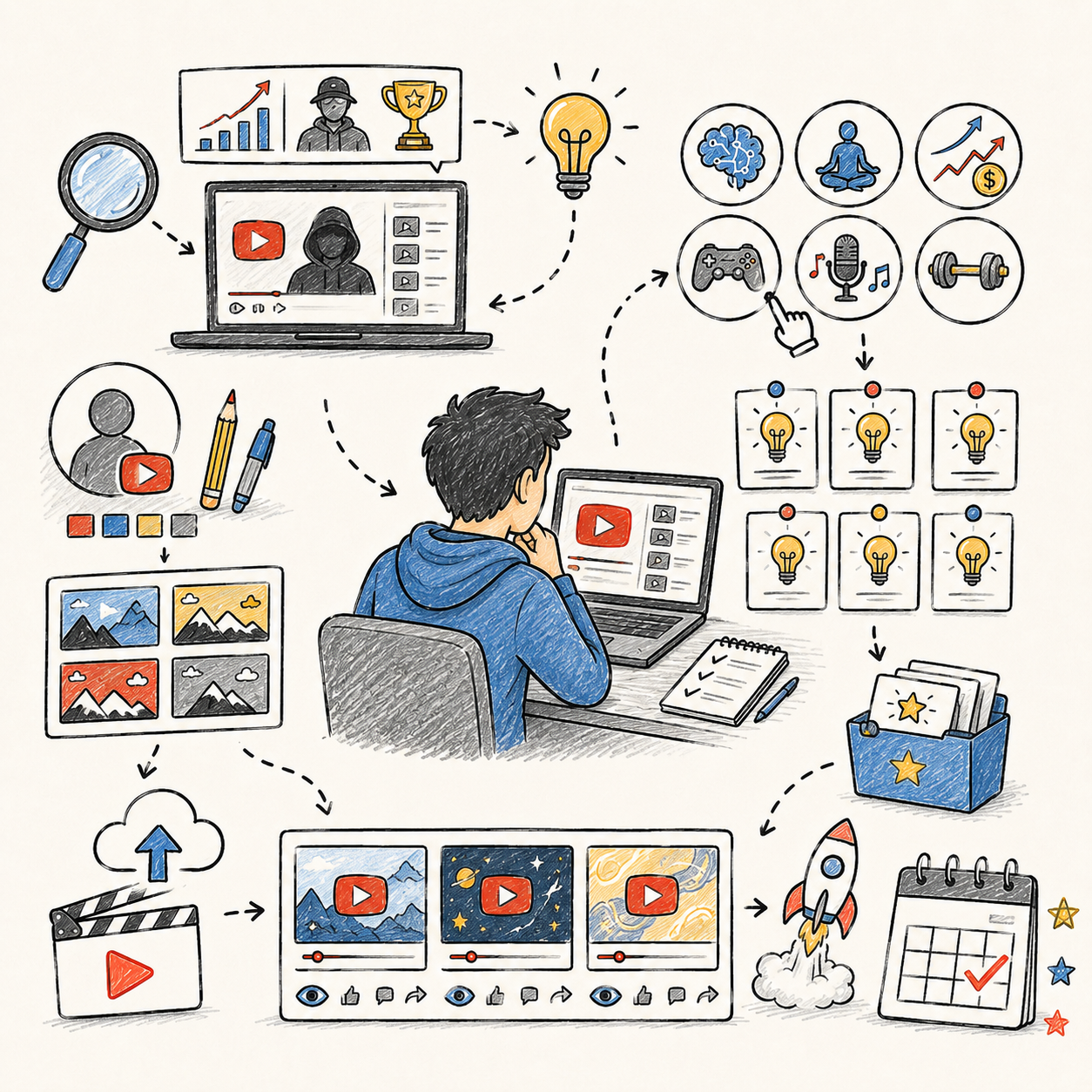
📅 Month 2: Consistency & Content Testing
🎯 Main Goal
Publish consistently and test different video topics, titles, and formats.
✅ What to Do
- Upload 2–3 videos per week
- Test different title styles
- Test different thumbnail layouts
- Try 2–3 video formats
- Track views, CTR, retention, and subscriber growth
- Start building playlists
- Improve your intro hooks
🏁 Month 2 Success Looks Like
- You are uploading on a schedule
- You are getting better at titles and thumbnails
- You can see which topics get more clicks
- You are starting to understand your audience
- You have at least 12–20 videos published
🔍 WHAT TO LOOK FOR
Do not judge the channel from one video. Look for patterns across multiple uploads.
💡 Video Formats to Test
Format | Example |
List videos | “10 Mistakes Beginners Make With…” |
Explainers | “How ___ Actually Works” |
Comparisons | “X vs. Y: Which Is Better?” |
Curiosity videos | “The Truth About ___” |
Beginner guides | “Start Here If You Want To…” |
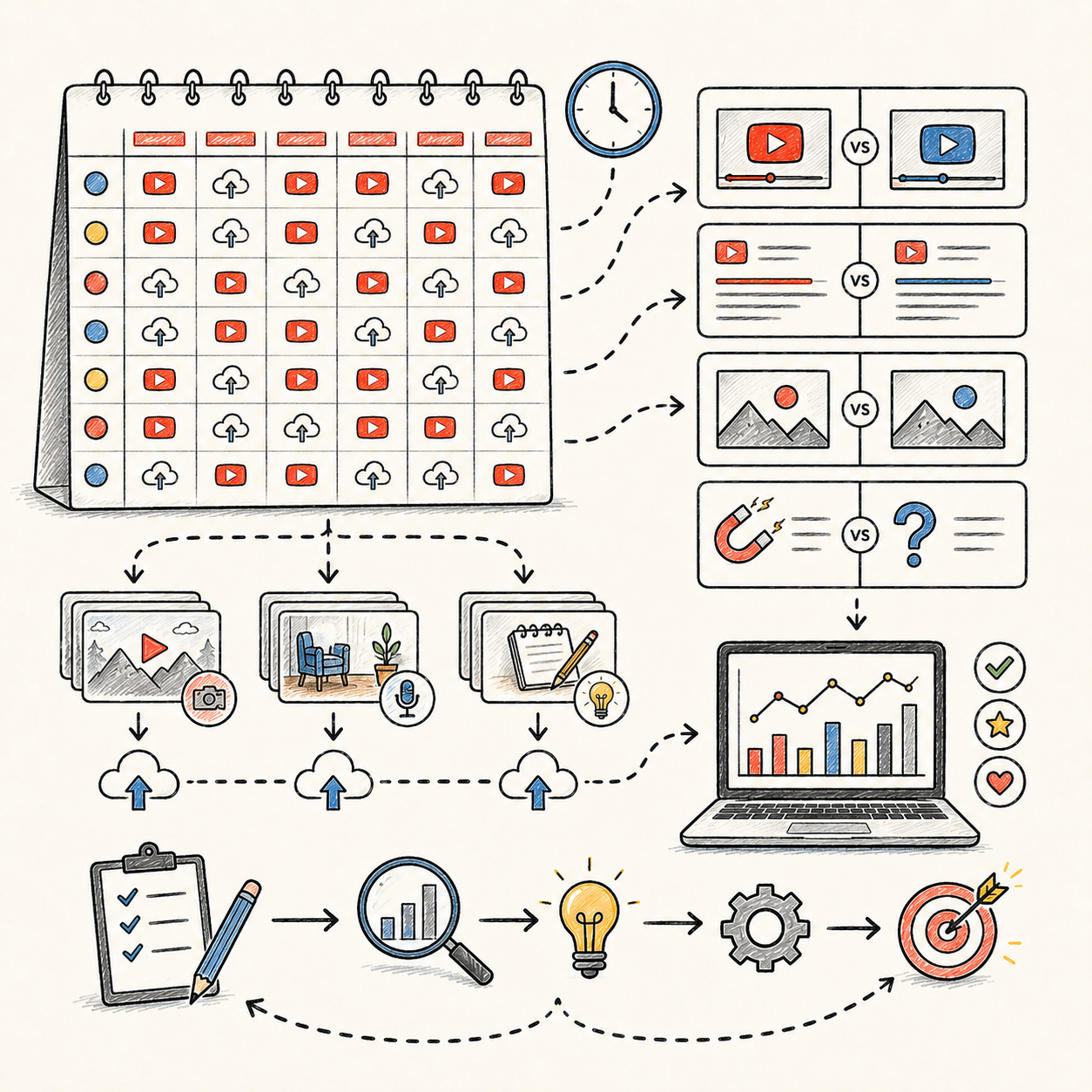
📅 Month 3: Analytics & Improvement
🎯 Main Goal
Use YouTube Studio data to improve future videos.
✅ What to Do
- Review analytics once per week
- Identify your top 3 videos
- Identify your weakest 3 videos
- Compare titles, thumbnails, hooks, and topics
- Improve videos based on retention drops
- Make follow-up videos from your best topics
- Create stronger end screens and pinned comments
🛠️ What to Improve First
- Weak titles
- Boring thumbnails
- Slow intros
- Long pauses
- Repetitive scripts
- Poor audio
- Videos with no clear next step
🏁 Month 3 Success Looks Like
- You know which topics perform best
- Your thumbnails are improving
- Your hooks are stronger
- You are making follow-up videos from winners
- You have 20–35 videos published
💡 PRO TIP
If one video performs better than the rest, make 3–5 related videos. Do not move on too quickly from a winning topic.
📈 Metrics to Watch
Metric | What It Tells You |
CTR | Are people clicking the title and thumbnail? |
Average View Duration | Are people staying long enough? |
Retention Graph | Where do viewers leave? |
Traffic Sources | Where are views coming from? |
Subscriber Growth | Which videos turn viewers into subscribers? |
Comments | What viewers want next |
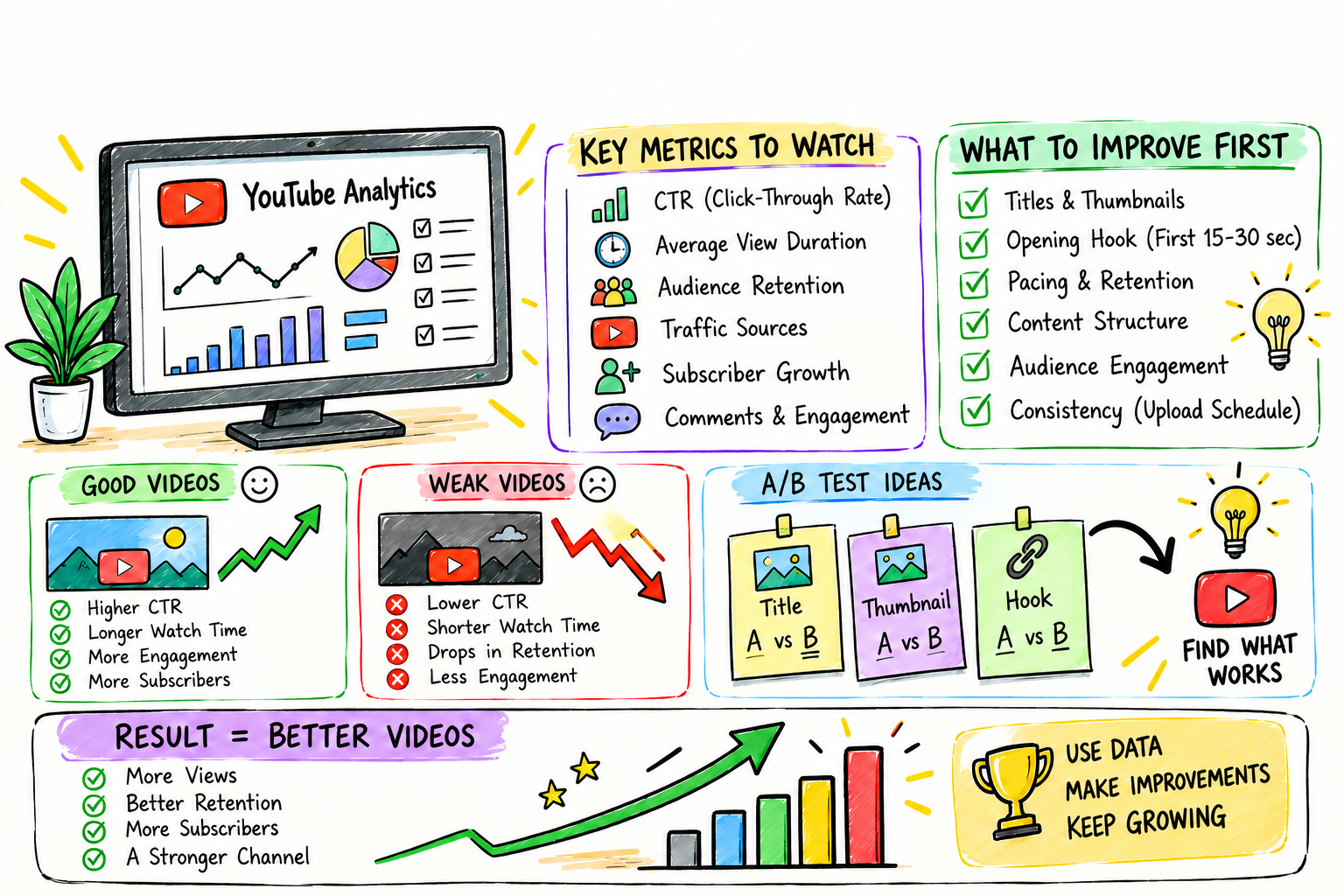
📅 Month 4: Build a Repeatable System
🎯 Main Goal
Turn your channel into a simple content machine.
✅ What to Do
- Create templates for scripts, thumbnails, and descriptions
- Batch 5–10 video ideas at a time
- Batch scripts before editing
- Build a 2-week content buffer
- Create a video tracker in Notion or Google Sheets
- Start documenting your workflow
- Consider outsourcing one small task
📤 First Task to Outsource
If production feels too slow, outsource one of these first:
- Thumbnail design
- Basic editing
- Script cleanup
- Shorts repurposing
- Stock footage gathering
🏁 Month 4 Success Looks Like
- You have a repeatable production process
- You are no longer starting from scratch every video
- You are producing faster without lowering quality
- You have 35–50 videos published
- You know your biggest bottleneck
⚠ COMMON MISTAKE
Do not outsource strategy too early. You should still control the niche, topics, final approval, and analytics decisions.
🗓️ Simple Weekly Workflow
Day | Task |
Monday | Research topics and titles |
Tuesday | Write or edit scripts |
Wednesday | Create voiceovers |
Thursday | Edit videos |
Friday | Make thumbnails and upload |
Weekend | Review analytics and plan next batch |
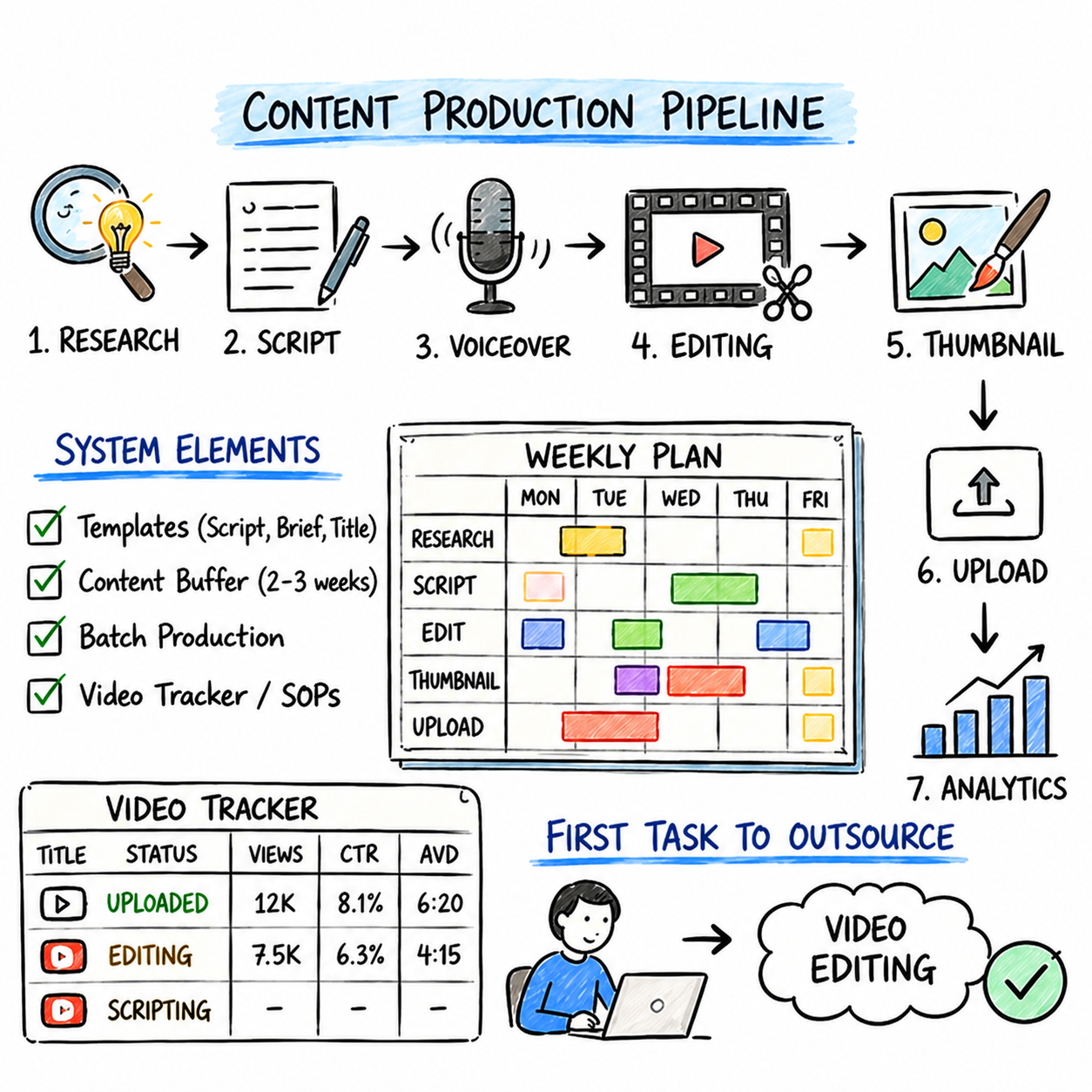
📅 Month 5: Monetization Preparation
🎯 Main Goal
Prepare the channel to earn from multiple income streams, not just ads.
✅ What to Do
- Check progress toward YouTube monetization
- Add affiliate links where relevant
- Improve descriptions on older videos
- Create a simple lead magnet if it fits your niche
- Build a basic email list or resource page
- Reach out to small brands or affiliate programs
- Create more videos around proven topics
🏁 Month 5 Success Looks Like
- You know your best monetization angle
- You have affiliate links or offers where relevant
- Your descriptions are more useful
- You are closer to YouTube Partner Program requirements
- Your channel has a clearer business model
💰 MONETIZATION NOTE
A small channel with the right affiliate offer or digital product can sometimes earn more than a larger channel relying only on ads.
💰 Monetization Options to Add
Income Stream | Best Use |
Ad revenue | Once eligible for YouTube Partner Program |
Affiliate links | Product, software, book, or tool recommendations |
Sponsors | Once videos get consistent views |
Digital products | Templates, guides, checklists, trackers |
Email list | Building long-term audience value |
Memberships | Best after loyal viewers appear |
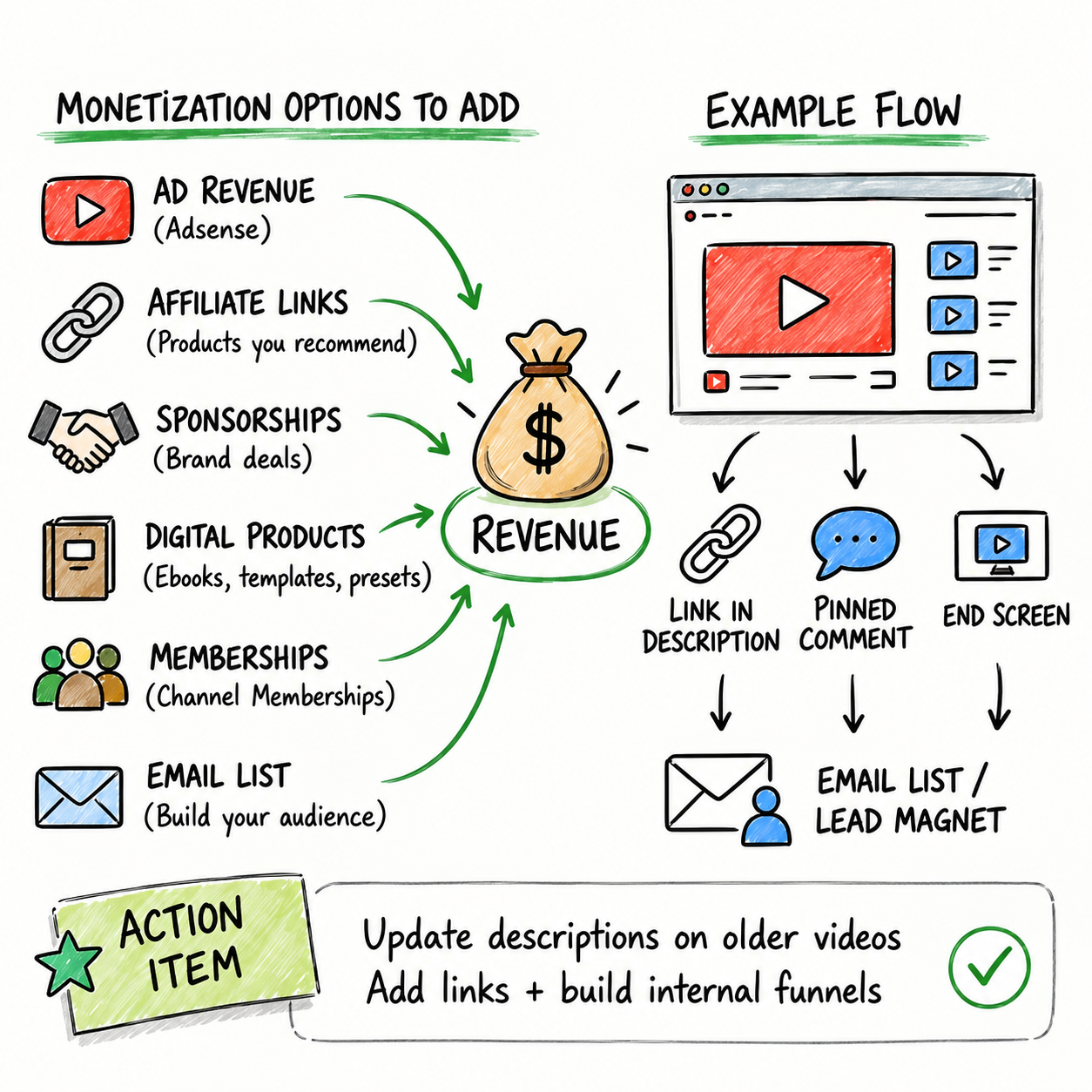
📅 Month 6: Review, Double Down & Decide
🎯 Main Goal
Decide whether to scale, improve, pivot, or start a second channel later.
✅ What to Do
- Review all videos from the first 6 months
- Identify your best topics
- Identify your best title styles
- Identify your best thumbnail designs
- Review your upload consistency
- Calculate production costs
- Decide what to outsource next
- Build a 90-day growth plan for months 7–9
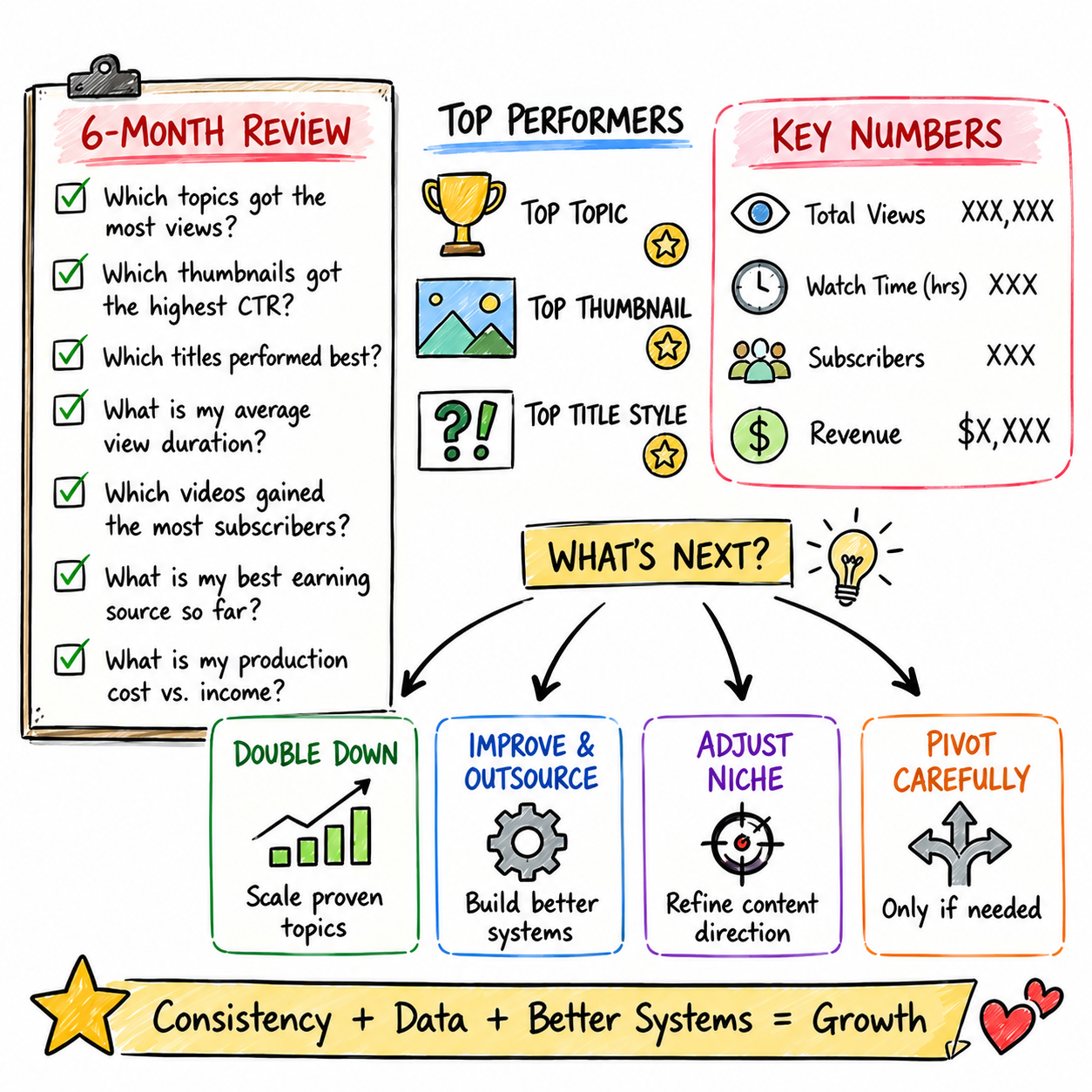
🏁 Month 6 Success Looks Like
- You understand what works and what does not
- You have enough data to make better decisions
- You have a clearer content strategy
- You know whether the niche is worth scaling
- You have a plan for the next 90 days
🧠 REMEMBER THIS
The first 6 months are not about perfection. They are about collecting enough proof to make smarter moves.
📊 Decision Table
If This Happens | Do This |
Some videos are getting traction | Double down on those topics |
CTR is low | Improve titles and thumbnails |
Retention is low | Improve hooks, pacing, and scripting |
Production is too slow | Outsource one task |
Niche feels too limited | Adjust the angle, not the whole channel immediately |
No topic works after consistent testing | Consider pivoting carefully |
❓ 6-Month Review Questions
- Which 5 videos performed best?
- What topics got the most views?
- What videos gained the most subscribers?
- Which thumbnails got the highest CTR?
- Where did viewers drop off most often?
- Which videos were easiest to produce?
- Which videos had the best earning potential?
- Is this niche worth continuing?
- What should be repeated, improved, or stopped?
✅ 6-Month Success Checklist
By the end of 6 months, check whether you have:
✅ Picked and validated a niche
✅ Published consistently
✅ Created at least 50 videos
✅ Tested multiple title styles
✅ Tested multiple thumbnail styles
✅ Built playlists
✅ Reviewed analytics weekly
✅ Found winning topics
✅ Improved retention
✅ Added affiliate links or monetization paths
✅ Created a repeatable workflow
✅ Identified what to outsource next
✅ Created a plan for the next 90 days
⚠️ What Not to Do During the First 6 Months
Avoid these mistakes:
❌ Switching niches every few weeks
❌ Buying fake views or subscribers
❌ Uploading random topics with no strategy
❌ Making videos longer just for watch time
❌ Spending too much money before the channel has proof
❌ Ignoring analytics
❌ Copying competitors exactly
❌ Using low-quality reused content
❌ Outsourcing everything before you understand the process
❌ Giving up after a few weak videos
📝 QUICK NOTE
A tight, useful video is better than a long, boring one. Focus on clicks, retention, and consistency before trying to scale.
🧭 Simple 6-Month Milestone Tracker
Month | Main Focus | Target Output |
Month 1 | Research & setup | 4–8 videos |
Month 2 | Consistent testing | 12–20 total videos |
Month 3 | Analytics improvement | 20–35 total videos |
Month 4 | System building | 35–50 total videos |
Month 5 | Monetization prep | 45–65 total videos |
Month 6 | Review & scale decision | 50–75 total videos |
🚀 Final 6-Month Strategy
Your first 6 months should follow this simple path:
Month 1: Research your niche, set up the channel, and publish your first test videos
Month 2: Publish consistently and test different topics, titles, and formats
Month 3: Use analytics to improve your videos and double down on winners
Month 4: Build a repeatable system and document your workflow
Month 5: Prepare monetization paths beyond ads alone
Month 6: Review results and decide what to scale, improve, or pivot
The YouTube automation channels that grow fastest are not just uploading more. They research topics, improve packaging, follow the data, and build systems around videos that hold attention.
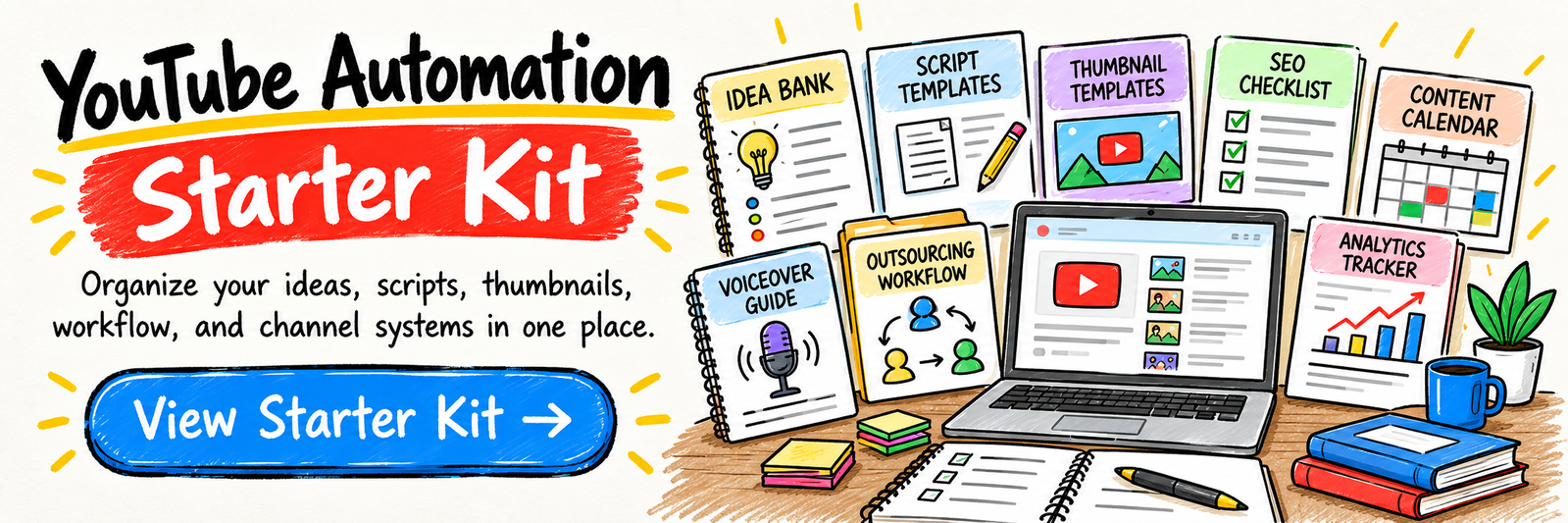
11. View the YouTube Automation Starter Kit
🎁 Your YouTube Channel Toolkit
The YouTube Automation Starter Kit includes 12 browser-based workspaces to research channel topics, outline original videos, prepare narration, organize production, plan releases and monitor business assumptions.
The 12 components:
✅ 1. Video Niche & Idea Explorer — Research audience needs, compare channel niches and explore original video concepts.
✅ 2. High-CTR Title Generator — Adapt 30 title-writing formulas to your content and viewers; a high click-through rate is not guaranteed.
✅ 3. Video Script Builder — Structure clear, accurate and engaging scripts for original videos.
✅ 4. Voiceover Production Guide — Plan human or properly licensed AI narration and review recording quality.
✅ 5. Tools & Freelancer Planner — Plan software, production roles and outsourcing needs for your channel.
✅ 6. Thumbnail Design Toolkit — Plan clear thumbnails that accurately represent your video content.
✅ 7. YouTube SEO Checklist — Review video titles, descriptions and discoverability details before publishing.
✅ 8. 90-Day Content Calendar — Organize production tasks and publishing milestones.
✅ 9. Outsourcing Cost Calculator — Estimate production budgets and contractor costs.
✅ 10. Channel Analytics Tracker — Manually record actual channel metrics and performance observations.
✅ 11. Channel Operations Playbook — Document repeatable production workflows and quality-control procedures.
✅ 12. Monetization Growth Planner — Explore eligible income models and plan responsible tests of your revenue assumptions.
Also included in the editable master: A central YouTube Automation dashboard, Start Here instructions and supporting resources are present in the editable master.
The kit does not automatically create or publish videos, provide access to copyrighted footage, fetch live analytics or guarantee monetization. YouTube eligibility, originality, disclosure and monetization policies require independent review.

12. Frequently Asked Questions
🎭 Do I really need to show my face or use my voice?
No! Many successful channels use:
- 🎥 Stock footage
- 🤖 AI voiceovers
- 📝 Scripted narration
- 🎬 Simple editing
- 📊 Data-driven topics
You can publish without showing your face or real name publicly, though YouTube and payment providers may still require identity verification.
💡 Faceless production does not guarantee income. Revenue depends on audience demand, quality, eligibility, and monetization; production costs can consume earnings.
⏳ How long until I make money?
There is no dependable timeline. Some channels take months or longer to earn, and others never qualify for ad revenue.
For ad-revenue eligibility, the standard audience thresholds are:
- 👥 1,000 subscribers
- ⏱️ 4,000 qualified public long-form watch hours in the past 12 months, or 10 million qualified public Shorts views in the past 90 days
You must also meet other requirements and pass YouTube’s review. Earlier access to some features is available in eligible countries; check the current requirements linked in Chapter 6.
👉 Use a sustainable upload schedule to test audience fit, not to predict an approval date.
📈 Can YouTube automation still be profitable?
It can be, but profitability is not automatic. Competition, production costs, audience demand, and monetization policies all matter.
Success comes from:
- 🎯 Niche selection
- 📅 Consistency
- 🎥 Video quality
- 🖼️ Strong thumbnails
- 📝 Strong titles
- 📊 Analytics-based improvement
💡 Automation works best when it improves your process — not when it becomes low-effort content.
🤖 Can I use AI-generated content?
Yes, but use it carefully.
AI can help with:
- 📝 Script drafts
- 💡 Topic ideas
- 🎙️ Voiceovers
- 🖼️ Image generation
- 📊 Research organization
- 🎬 Editing support
YouTube requires disclosure for qualifying realistic AI-generated or meaningfully altered content. Check its current examples and disclosure requirements before uploading.
Possible production uses, subject to originality, rights, disclosure, and platform policies:
- ✅ Stock footage + AI voice
- ✅ AI-assisted scripts
- ✅ AI-supported editing
- ✅ AI-generated visuals when used responsibly
💡 AI use is not an automatic barrier to monetization, but generic, repetitive, mass-produced content or minimally changed reused material can be ineligible. Quality, originality, rights, and transparency all matter.
💵 How much does it cost to start?
Startup cost depends on your approach.
Illustrative monthly budgets, not current service quotes:
- 🌱 DIY: $0–$50 using free tools + optional AI voice subscription
- ⚙️ Hybrid: $300–$800/month outsourcing some tasks
- 🏢 Fully outsourced: $1,500–$3,000/month, usually only worth it once revenue supports it
💡 Start lean. Prove the niche before spending heavily.
🧑💻 Should I create content myself or outsource immediately?
Create your first 10–20 videos yourself.
This helps you understand:
- What your niche needs
- What topics perform
- How long production takes
- What quality level is required
- Which tasks are worth outsourcing
After that, you can outsource:
- ✍️ Scriptwriting
- 🎙️ Voiceover
- 🎬 Editing
- 🖼️ Thumbnails
- 📊 Research
👉 Prove the concept before spending money on a team.
🎯 What niche should I choose?
Choose a niche with:
- 📈 Proven demand
- 🔁 Evergreen content potential
- 🎥 Stock footage availability
- 💰 Commercial value
- 👥 Existing successful channels
- 🧠 Topics you can research consistently
Avoid niches that are:
- ❌ Too generic
- ❌ Overcrowded with low-quality “Top 10” videos
- ❌ Personality-dependent
- ❌ Hard to monetize
- ❌ Based only on trends
💡 A strong niche makes everything easier: topics, thumbnails, monetization, and outsourcing.
📹 How many videos before monetization?
There is no fixed number of videos that qualifies a channel for ad revenue. Eligibility depends on audience thresholds, policy compliance, and review. Results are influenced by:
- 🎯 Niche
- 📊 Watch time
- 🖼️ Thumbnail quality
- 📝 Title strength
- 📅 Upload consistency
- 🎥 Video quality
- 👥 Audience demand
More useful uploads can provide more learning opportunities, but volume alone does not guarantee reach, growth, or monetization.
💡 Treat your first 30 videos as your testing phase.
📺 Can I run multiple channels?
Yes.
Some operators expand to multiple channels once they can manage the production costs and maintain quality.
But start with one channel first.
Steps:
- 🎯 Pick one niche
- 📹 Publish consistently
- 📊 Prove the model works
- ⚙️ Build repeatable systems
- 🔁 Duplicate the process in another niche
👉 Do not start multiple channels before your first one has traction.
📉 What if my videos don't get views?
This is common in the first 10–30 videos.
YouTube needs data to understand your content and audience.
Improve by:
- 📊 Analyzing your best-performing videos
- 📝 Testing stronger titles
- 🖼️ Improving thumbnails
- ⏱️ Improving hooks and retention
- 🎯 Narrowing your niche
- 🔁 Replicating what works
💡 Low views early are not conclusive. Look for enough comparable data to decide whether to improve execution, change the angle, or stop an unworkable format.
⚖️ Is this legal?
Faceless production and outsourcing can be lawful, but licensing alone does not cover every legal issue. Respect copyright, privacy, voice and likeness rights, advertising rules, and applicable local laws; monetization is a separate policy question.
Use:
- ✅ Licensed stock footage
- ✅ Licensed music
- ✅ AI voices you have rights to use
- ✅ Original scripts
- ✅ Properly licensed images
- ✅ Public domain content when allowed
Avoid:
- ❌ Copyrighted clips without permission
- ❌ Reuploaded content
- ❌ Music without rights
- ❌ Stolen scripts
- ❌ Misleading AI content
💡 Copyright strikes can damage or kill your channel, so stay careful.
🏢 Do I need to register a business?
Requirements depend on where you operate. Check local registration, licensing, and tax obligations before treating the channel as a business.
In the U.S., income may be reported as self-employment income, and an LLC is one possible structure—not a requirement triggered by a particular monthly income.
Consider your structure based on:
- 💰 Income, expenses, and tax obligations
- 🛡️ Liability risks and the limits of protection
- 🧾 Financial recordkeeping
- 📈 Contractor agreements and business operations
💡 Ask a qualified local tax or legal professional what applies to your situation.
13. Important Considerations
Before you begin, understand the time, quality, copyright, and reinvestment demands of building a faceless channel:
⏳ Patience Required
Monetization can take months or longer, and some channels never qualify or become profitable.
Allow time for research, production, and testing without depending on future earnings.
👉 Consistency helps you learn; it does not guarantee success.
🎥 Quality Matters
Automation does not mean low quality.
Invest in:
- ✍️ Good scripts
- 🎙️ Clear voiceovers
- 🎬 Strong editing
- 🖼️ Clickable thumbnails
- 📊 Better topic research
- ⏱️ Strong hooks and retention
💡 Low-effort automated content usually does not last.
🔄 Algorithm Changes Happen
YouTube changes constantly.
Risks include:
- 📉 Algorithm shifts
- 📊 Changing recommendation patterns
- 🧪 New content formats
- 📱 Shorts vs. long-form changes
- 💰 Monetization policy updates
👉 Diversify revenue and do not rely only on AdSense.
©️ Copyright Vigilance Is Critical
Use original material, properly licensed assets, or material you can lawfully use under an applicable exception; keep records of the basis for use.
Avoid:
- ❌ Copyrighted video clips without permission or a valid legal basis
- ❌ Unlicensed music
- ❌ Stolen thumbnails
- ❌ Copied scripts
- ❌ Reused content without transformation
- ❌ Stock assets without proper rights
💡 Copyright strikes can kill your channel quickly.
💰 Reinvest Profits
If actual profit and cash flow support it, set a reinvestment budget after allowing for taxes and reserves. Options include:
- 🎬 Better editing
- 🖼️ Better thumbnails
- ✍️ Better scripts
- 🎙️ Better voiceovers
- ⚙️ Outsourcing
- 📺 A second channel
👉 Reinvestment is how you scale faster.
🧱 Ongoing Management Is Required
The building phase is active.
Expect to work on:
- 🎯 Niche research
- 📝 Scripts
- 🎥 Production
- 📊 Analytics
- 🧪 Testing
- 🔁 Improvements
A useful content library can generate recurring revenue after publication, but research, quality review, updates, rights checks, and channel management remain ongoing work.
14. Your Next Steps
🚀 ACTION STEP
📍 Today
- 📦 View the YouTube automation starter kit above
- 🎯 Choose 3 potential niches to research
- 📺 Watch 10 videos from successful faceless channels
📅 This Week
- 🔍 Validate your niche through competition analysis and 100 video ideas
- 📺 Create your YouTube channel and basic branding
- 🧰 Set up free tools, such as CapCut, TubeBuddy, and Canva
- 🎬 Create your first test video, even if it is imperfect
🗓️ This Month
- 📹 Upload 8–12 videos, about 2–3 per week
- 📊 Study analytics after each upload
- 🖼️ Improve thumbnails and titles based on data
- 📝 Write next month’s content calendar
🚀 Months 2–6
- 📅 Maintain a sustainable upload schedule without sacrificing quality
- 🎯 Track progress toward current audience and policy requirements
- 💰 Apply for monetization only when eligible
- ⚙️ Consider outsourcing 1–2 tasks when your budget and actual margins support it
- 🎯 Goal: a repeatable workflow with evidence of audience fit and manageable costs—not a promised income level
15. The Bottom Line
🎯 KEY TAKEAWAY
YouTube automation can become a scalable content business, but it requires original work, audience demand, responsible production, and costs that the business can support.
🙋 If you:
- 🎯 Choose a proven niche
- 📅 Upload consistently at a pace that protects quality and fits your budget
- 🖼️ Improve titles and thumbnails constantly
- 📊 Study analytics and double down on winners
- 💰 Reinvest into outsourcing and scale
- 🔁 Repeat the process once the model works
💡 What This Really Is
This is not just “posting videos.”
It is:
- 🎬 A content-driven media business
- ⚙️ A systems + outsourcing model
- 📈 A long-term asset builder
You are:
- 🧠 The strategist
- 🎥 The producer
- ⚙️ The operator
- 📊 The decision-maker
You do not have to be the creator on camera.
⚠️ The Reality Check
This is not:
❌ Fast money
❌ A fully hands-off business
❌ Easy without effort
You will need:
- ⏳ Sustained effort without a guaranteed monetization timeline
- 📹 Dozens of uploads
- 🧪 Continuous testing
- 📊 Analytics review
- 🖼️ Thumbnail and title improvement
Common pitfalls include:
- ❌ Quit too early
- ❌ Expect instant results
- ❌ Don’t stay consistent
- ❌ Make low-quality automated content
- ❌ Ignore analytics
🔥 Bottom Line
If you want:
- 📈 Possible long-term income
- 🔁 Recurring revenue potential, with ongoing work
- ⚙️ A system you can grow and duplicate
👉 YouTube automation may suit people who want to build a long-term content business and can manage its production and financial risks.
But to succeed:
Treat it like a long-term business — not a quick win.
🏗️ You can build:
Illustrative gross-revenue scenarios, not verified typical earnings or a forecast. Many channels earn nothing, and production costs, fees, overhead, and taxes reduce take-home income:
- 🌱 Early stage: $0–$500/month during the building phase
- 📈 Growth stage: $1,000–$5,000/month
- 🚀 Scaled channel: $5,000–$20,000+/month
- 🏆 Multi-channel operation: $20,000–$100,000+/month
Results depend in part on:
- 📅 Consistency
- 🎯 Niche selection
- 🎥 Execution quality
- 📊 Analytics-driven improvement
- ⚙️ Systems and outsourcing
⚙️ Why This Model Can Scale
- 📈 Content works for you 24/7
- 🔁 Videos can compound over time
- 🧠 Many production tasks can be delegated, but editorial responsibility and management remain
- 💼 Multiple income streams are possible
- 💰 Channels can become sellable assets
Potential income streams include:
- 📺 AdSense
- 🔗 Affiliate marketing
- 🤝 Sponsorships
- 📦 Digital products
- 🎓 Courses
- 📧 Email lists
- 🛒 Brand deals
💡 A channel sale is not guaranteed. Value and transferability depend on documented profit, traffic stability, content rights, policy history, buyer demand, and platform terms.
🚀 What This Can Become
This can become:
- 🔁 A recurring revenue stream requiring ongoing management
- 📈 A scalable digital business
- 💰 A sellable asset
- 🏢 A multi-channel media operation
👉 Systems can reduce the amount of production you do personally, but growth still requires management and is not assured.
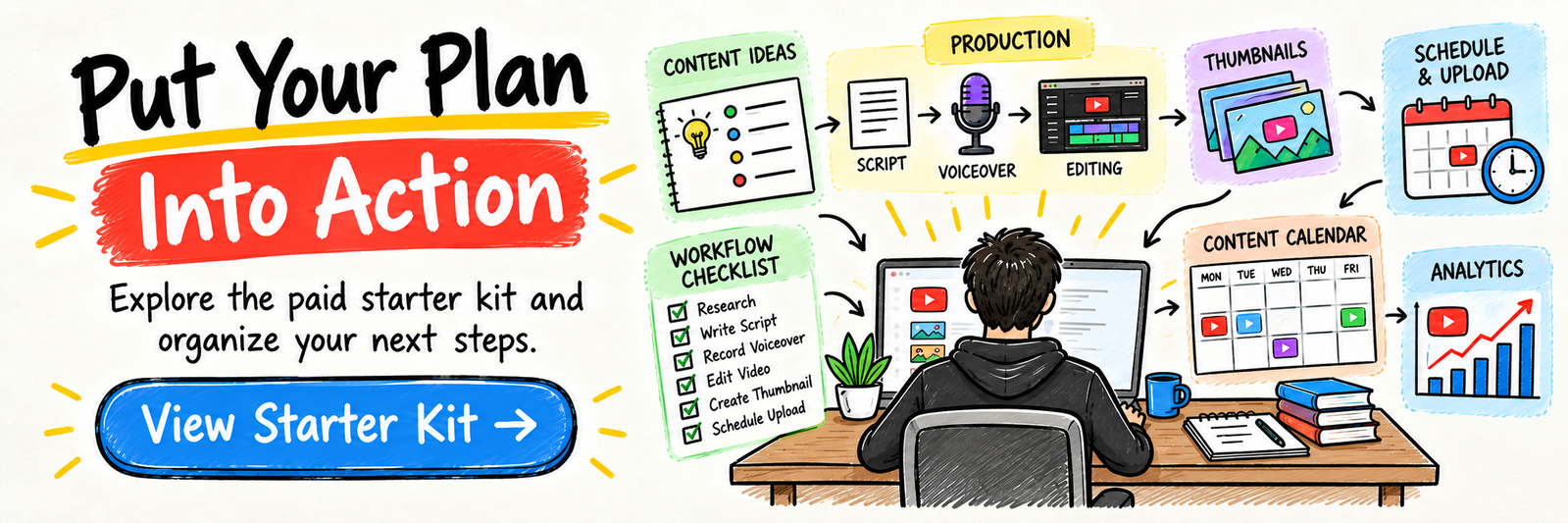
16. Recommended Websites & Tools
🛠 TOOLS & RESOURCES
You do not need every resource listed below. This directory brings together the major platforms, tools, and resources from this guide, along with additional research and learning options, so you can find them in one place when you need them.
Start with the essentials. Add tools only when your channel develops a specific production or audience-growth need.
▶️ YouTube Channel, Analytics & Monetization Tools
- YouTube — Video platform for building faceless channels, publishing videos, growing subscribers, and monetizing content.
- YouTube Studio — Creator dashboard for uploads, analytics, comments, thumbnails, titles, monetization, and channel management.
- YouTube Partner Program — YouTube monetization program resource for understanding ad revenue eligibility and creator monetization.
- AdSense — Google ad payment platform used for receiving YouTube ad revenue once monetized.
📝 QUICK NOTE
Check YouTube’s current eligibility and monetization policies directly. Track audience retention and viewer satisfaction rather than relying on subscriber targets alone.
✍️ Script Writing, Research & AI Assistance
- ChatGPT — AI assistant for script outlines, topic ideas, hooks, research summaries, video descriptions, and production workflows.
- Claude — AI writing assistant mentioned for scripts, long-form outlines, research organization, and clearer video structure.
- Google Trends — Trend research tool for validating topics, niche demand, seasonal interest, and rising search trends.
- Reddit — Community research platform for finding audience questions, niche pain points, story ideas, and viewer language.
- Facebook — Social platform mentioned for niche research, audience groups, competitor content, and content idea discovery.
💡 PRO TIP
Use AI for drafts and organization, then check accuracy, originality, and usefulness. A production shortcut is not a substitute for a strong viewer-focused script.
🎬 Video Editing & Production Tools
- CapCut — Beginner-friendly video editor for faceless videos, captions, simple effects, short-form repurposing, and fast production.
- InVideo — Template-based video creation tool for quickly assembling faceless videos with stock footage and text.
- DaVinci Resolve — Professional video editor for advanced editing, pacing, color, and long-form production.
- Adobe Premiere Pro — Industry-standard video editing software for polished faceless content and production workflows.
- VEED.io — Online video editing tool for subtitles, simple edits, social clips, and quick web-based production.
🎙️ Voiceover & Narration Tools
- ElevenLabs — AI voice generation platform for realistic narration, faceless channel voiceovers, and repeatable production.
- Fiverr — Freelance marketplace for hiring human voice actors, script writers, video editors, and thumbnail designers.
🖼️ Thumbnail Design & Visual Branding
- Canva — Beginner-friendly design tool for thumbnails, channel banners, logos, video graphics, and visual templates.
- Photoshop — Professional image editing tool for advanced thumbnails, photo manipulation, and custom channel visuals.
- Thumbnail Blaster — YouTube-specific thumbnail design tool mentioned for template-based thumbnail creation.
- Fiverr — Marketplace for outsourcing thumbnails, channel branding, title design, and visual assets.
🎞️ Stock Footage, Music & Visual Asset Libraries
- Pexels — Free stock footage and image library for faceless video visuals, B-roll, and beginner content production.
- Pixabay — Free stock media platform for videos, photos, music, sound effects, and visual assets.
- Envato Elements — Subscription asset library for stock footage, music, templates, graphics, motion assets, and production resources.
- Storyblocks — Stock footage and media library for video clips, templates, audio, and high-volume production workflows.
- Artgrid — Premium cinematic stock footage platform for higher-quality visual storytelling.
📝 QUICK NOTE
Confirm the license for every clip, image, music track, and sound effect. Keep license records and follow attribution requirements.
📊 SEO, Channel Planning & Workflow Tools
- TubeBuddy — YouTube SEO and channel growth tool for keyword research, tags, title testing, optimization, and workflow support.
- VidIQ — YouTube analytics and SEO tool for competitor research, keyword ideas, scorecards, and channel optimization.
- Notion — Workspace for content calendars, topic banks, scripts, upload checklists, outsourcing workflows, and analytics tracking.
- YouTube Search — Research method for studying autocomplete suggestions, competitor channels, winning video formats, and viewer demand.
💼 Outsourcing & Scaling Resources
- Fiverr — Marketplace for hiring script writers, editors, voice actors, thumbnail designers, channel managers, and production help.
- YouTube Studio — Channel operations tool for managing uploads, descriptions, playlists, comments, analytics, and production results.
🛠️ WORKFLOW TIP
Build a repeatable production workflow on one channel before expanding. Outsource a clearly defined task when you can judge quality and afford the cost.
🧭 How to Use This Directory
🧰 Start With a Simple Setup
Do not start by creating accounts with every service listed above. For most beginners, a simple setup is enough:
- One clear channel niche and content plan
- One editing and thumbnail workflow
- Properly licensed visual and audio assets
- YouTube Studio for performance review
That is enough to start building. Add tools only when you can name the specific problem they will solve.
⚙️ SYSTEM TIP
Tools support the business. They are not the business.
Your biggest advantages will come from:
Original value → Consistent publishing → Audience feedback → Better systems
17. Explore Similar Side Hustles
- Faceless Video Content Creation: Go Viral Without Showing Your Face — Compare a hands-on faceless-content approach with managing an outsourced production system.
 Freelance Writing: Get Paid to Write Online — Build the scriptwriting skills behind strong hooks, pacing, and useful videos.
 Voiceover Work — Record your own narration or understand the voiceover service your channel may hire.
 Affiliate Marketing: Get Paid to Promote What You Love — Explore a complementary income stream by recommending relevant products transparently.
 Selling Digital Products — Turn audience needs into downloadable resources that complement your videos.
 Social Media Management — Develop content calendars and distribution skills that support a wider media operation.