Official Website
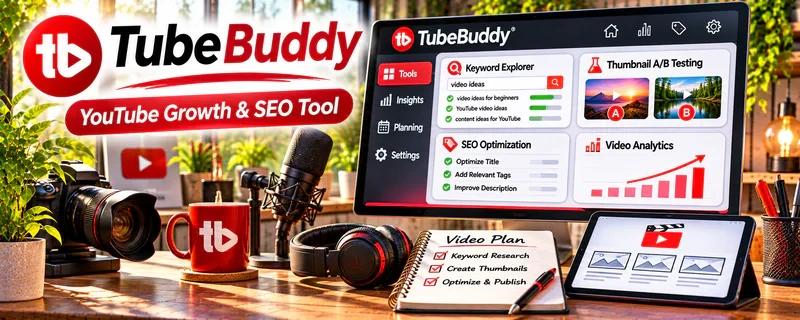
TubeBuddy Tool is a freemium browser extension and YouTube optimization tool for keyword research, tags, titles, SEO checks, and channel workflow.
🔗 Visit Official Website — TubeBuddy Tool
Domain: www.tubebuddy.com
What This Website Is
TubeBuddy Tool is a freemium browser extension and YouTube optimization tool for keyword research, tags, titles, SEO checks, and channel workflow. For ▶️ YouTube Automation, it helps validate video topics and improve upload optimization before publishing.
How to Apply It to ▶️ YouTube Automation
Use TubeBuddy as a research and upload-optimization layer for your channel pipeline.
Step-by-Step Implementation:
- Research keywords before assigning a script.
- Compare search demand, competition, and related terms.
- Use findings to shape titles, tags, descriptions, and content briefs.
Common use cases:
- Finding searchable video topics.
- Checking competitor keywords.
- Improving title and metadata before publishing.
When to Use This
- Before choosing topics.
- During keyword research.
- Before publishing a video.
- When improving old uploads.
Best Tasks to Use It For
- Keyword research
- Tag ideas
- Title checks
- Competitor research
- Upload optimization
Getting Started Steps
- Install TubeBuddy.
- Connect your YouTube channel.
- Research one niche keyword.
- Save related keyword ideas.
- Build a title and tag set.
- Compare performance after publishing.
Good Beginner Search Terms
- TubeBuddy keyword research
- YouTube SEO for beginners
- YouTube automation keywords
- TubeBuddy tag explorer
- YouTube title optimization
Monetization Angle
TubeBuddy can help YouTube automation channels target topics with stronger search demand, improving the odds of views, retention, and long-term ad or affiliate revenue.
Pros
- Useful keyword ideas.
- Built for YouTube.
- Helpful before publishing.
Cons
- Not a full content strategy.
- Scores are not guarantees.
- Still needs strong videos.
Who Should Use This
YouTube automation builders who want a repeatable keyword and metadata workflow for videos.
Who Should Skip This
Skip this if your channel strategy is not search-driven or you do not publish on YouTube.
Practical Applications
- Use topic tools to generate hypotheses for your original video plan.
- Organize a repeatable upload and metadata-review checklist.
- Compare your own video performance before and after a controlled change.
Important Considerations
- Tool scores and keyword suggestions are estimates, not ranking or revenue guarantees.
- Review account permissions and current plan limits; automation does not override YouTube policies or content-rights requirements.
Related Resources
VidIQ Tool — YouTube keyword and competitor research
 YouTube Analytics — performance feedback
ChatGPT — topic and script support
Related Side Hustles
 YouTube Automation: Make Money Without Showing Your Face — direct fit for video research
Faceless Video Content Creation: Go Viral Without Showing Your Face — similar YouTube research workflow
 Affiliate Marketing: Get Paid to Promote What You Love — optimized videos can promote affiliate offers