
Official Website
YouTube Analytics is YouTube’s official performance dashboard for channels and videos.
🔗 Visit Official Website — YouTube Analytics
Domain: support.google.com
What This Website Is
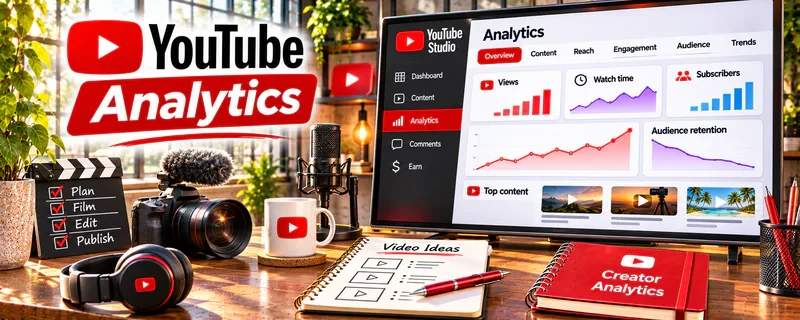
YouTube Analytics is YouTube’s official performance dashboard for channels and videos. It shows retention, click-through rate, traffic sources, audience demographics, and conversion proxies (subscribers gained, returning viewers). For ▶️ YouTube Automation, it helps you identify which topics, hooks, and formats actually drive watch time and revenue—so you can scale what works.
How to Apply It to ▶️ YouTube Automation
Use YouTube Analytics as your production decision engine.
Step-by-Step Implementation:
- Evaluate “packaging”: impressions → CTR (thumbnail + title).
- Evaluate content: retention curves and average view duration.
- Evaluate distribution: traffic sources (browse, suggested, search).
- Turn insights into changes: new hook patterns, pacing edits, topic selection, posting cadence.
Common use cases:
- Deciding which video formats to repeat
- Diagnosing why a video didn’t take off (CTR vs retention)
- Choosing the next 10 topics based on winners
When to Use This
- After every upload (first 24–72 hours).
- Weekly: review channel trends and top performers.
- Monthly: set a topic roadmap based on winners.
- After changing thumbnails/titles (measure CTR lift).
Best Research Tasks to Use It For
- CTR diagnostics (thumbnail/title performance)
- Retention and pacing analysis
- Traffic source strategy (browse vs search vs suggested)
- Audience segmentation (new vs returning viewers)
- “Winner replication” planning for content pipelines
Key Signals to Look For
- Audience engagement: retention curve drops in the first 30 seconds (hook problem).
- Performance patterns: videos that outperform average watch time and return viewers.
- Traffic sources: strong suggested/browse signals (YouTube likes the video) vs only search.
- Trend direction: channel views rising over 28–90 days from repeatable formats.
- Conversion indicators: subscribers gained per 1,000 views, returning viewers growth.
Getting Started Steps
- Define 3 core KPIs: CTR, average view duration, returning viewers.
- Review last 10 videos and label: win / average / loss.
- Identify what winners share (topic, hook, pacing, length).
- Build the next 10-video slate from those patterns.
- Run a weekly review and adjust one variable at a time.
Good Beginner Search Terms
- YouTube Analytics retention curve explained
- how to improve CTR thumbnails titles
- YouTube traffic sources browse suggested search
- analytics workflow for YouTube automation channels
Monetization Angle
YouTube automation monetizes through watch time and scale. YouTube Analytics helps you improve packaging and retention, which increases distribution, ad revenue, and the leverage you have for affiliates and sponsorships.
Pros
- Official data (best signal quality).
- Directly supports iterative improvement.
- Strong for diagnosing CTR vs retention issues.
Cons
- Can be overwhelming if you track too many metrics.
- Requires enough uploads to see patterns.
- Doesn’t automatically tell you what to change; you must interpret.
Who Should Use This
YouTube automation builders who want a repeatable improvement loop to scale topics and formats that produce watch time and revenue.
Who Should Skip This
Skip this only if you aren’t publishing consistently. If you do publish, focus on 2–3 KPIs and make small changes weekly.
Practical Applications
- Review where viewers leave a specific original video.
- Compare click-through and retention patterns with the actual title and content.
- Plan one measured change to packaging or structure rather than replacing the entire workflow.
Important Considerations
- Metrics can be delayed, limited, or affected by traffic mix and sample size.
- Correlation does not identify a single cause or guarantee future growth; use authorized account access and avoid exposing private audience information.
Related Resources
Social Blade — competitor benchmarking and niche scanning
VidIQ Tool — topic + packaging research
Pinterest Trends — trend discovery for video topics
Related Side Hustles
 Faceless Video Content Creation: Go Viral Without Showing Your Face — similar analytics workflow
 Affiliate Marketing: Get Paid to Promote What You Love — use analytics to improve conversion-driving videos
 Social Media Management — reporting/optimization skills apply across channels