Official Website
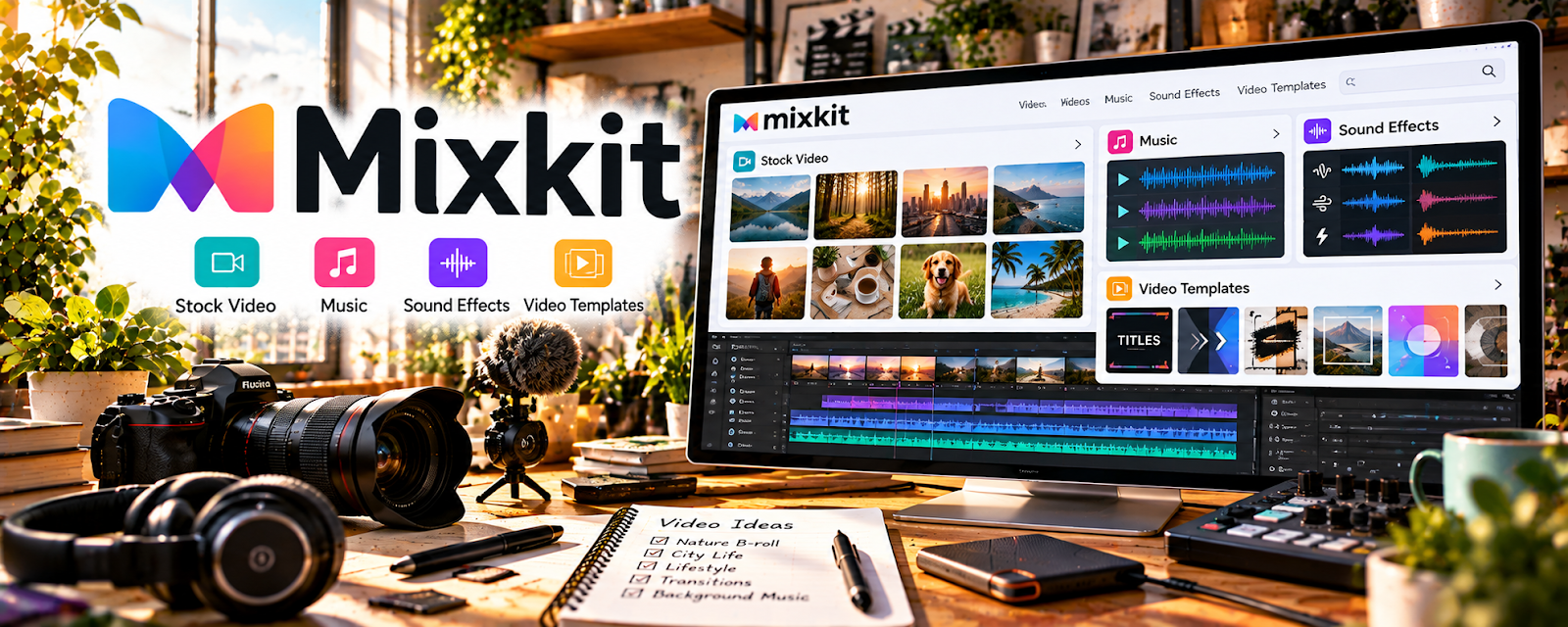
Mixkit is a free stock media library with stock video footage, music, sound effects, and video templates that can support creative projects.
🔗 Visit Official Website — Mixkit
Domain: mixkit.co
What This Resource Is
Mixkit is a free stock media library with stock video footage, music, sound effects, and video templates that can support creative projects. For ▶️ YouTube Automation, it works as a practical stock-media resource because faceless or systemized channels often need b-roll, background visuals, transitions, music, and sound effects to support scripts without filming every clip from scratch.
What You Can Learn From This Resource
- How stock video, music, and sound effects can support faceless YouTube production.
- How to match visuals with a script, voiceover, topic, and target audience.
- How b-roll can improve pacing, explanation, and viewer retention.
- How free stock assets can reduce early production costs.
- How licensing and platform rules affect automated or outsourced video workflows.
- How to build a reusable asset library by niche, topic, mood, and episode type.
- How to avoid overused, unrelated, or misleading stock footage.
- How to combine stock assets with original scripts, editing, voiceover, graphics, and thumbnails.
How to Apply It to ▶️ YouTube Automation
Use Mixkit as one piece of a YouTube automation production workflow. The resource is most useful when you already have a clear script and video structure, then choose stock footage, music, or sound effects that support the story instead of filling time with random visuals.
Step-by-Step Implementation:
- Phase 1: Start with the script, hook, outline, and visual needs for a video before downloading assets.
- Phase 2: Search Mixkit for supporting b-roll, music, or sound effects that match each section’s topic, tone, and pacing.
- Phase 3: Track asset sources, license notes, usage, and performance so future videos can be produced faster and more consistently.
Common Use Cases for This Side Hustle:
- Scenario A: A faceless channel uses Mixkit b-roll to support educational, list-style, or explainer videos.
- Scenario B: A production workflow uses free music and sound effects to improve pacing without paying for a subscription library yet.
- Scenario C: A channel manager builds a categorized stock-media folder for editors and contractors.
When to Use This
- When creating faceless YouTube videos that need b-roll or background footage.
- When you need free music or sound effects for early video tests.
- When building a repeatable asset library for editors or production assistants.
- When a script needs visual support but custom filming is not practical.
- When testing topics before paying for premium stock subscriptions.
- When improving pacing, transitions, and production polish.
- When replacing risky unlicensed media from random web searches.
Recommended Learning Path
- Script First: Define the video topic, audience, sections, and visual needs.
- License Review: Check Mixkit’s current license and any restrictions before using assets in monetized videos.
- Asset Search: Find b-roll, music, or sound effects that match specific script sections.
- Organization: Save assets by niche, video title, source link, mood, and intended use.
- Editing: Combine assets with original scripts, voiceover, captions, graphics, and pacing.
- Review: Check the final video for relevance, copyright risk, repetition, and viewer experience.
Getting Started Steps
- Open Mixkit and review the current license terms for stock video, music, sound effects, and templates.
- Choose one planned YouTube automation video and list the visual moments needed.
- Search for footage that supports each script section instead of downloading broad generic clips.
- Save source links, file names, and usage notes in your production tracker.
- Add the assets to the edit with voiceover, captions, pacing, and branded graphics.
- Watch the full video to confirm visuals are accurate, non-misleading, and not repetitive.
- Track retention, comments, and production time to decide whether Mixkit fits your workflow.
Recommended Searches on This Resource
- business
- technology
- finance
- productivity
- nature
- city
- computer
- office
- background music
- sound effects
Best Practices
- Review Mixkit’s current license before using assets in monetized YouTube videos.
- Keep source links and usage notes for every asset used in a production.
- Do not imply that people, brands, or locations in stock footage endorse your channel or claims.
- Avoid misleading b-roll that makes the video feel inaccurate or sensationalized.
- Combine stock media with original scripting, editing, narration, research, and graphics.
- Use stock footage to support ideas, not to hide weak research or thin scripts.
- Build a reusable media folder by topic, tone, and rights status.
- Check YouTube policies, copyright rules, and monetization expectations before scaling automated workflows.
Monetization Angle
Mixkit can support YouTube automation income indirectly by lowering early production costs and helping channels create more polished videos with free stock footage, music, and sound effects. Better visuals can improve watchability, but revenue still depends on original value, topic selection, retention, thumbnails, titles, compliance, publishing consistency, and audience demand.
Pros
- Free stock video, music, sound effects, and templates.
- Useful for faceless videos, explainers, list videos, and b-roll-heavy edits.
- Helps beginner channels test production workflows without premium subscriptions.
- Can support faster editing when assets are organized well.
- Good companion to YouTube Audio Library, Storyblocks, Pexels, and editing tools.
- Reduces reliance on untracked or risky media from random searches.
Cons
- Free assets may be used by many other creators.
- Library depth may be limited compared with paid stock platforms.
- Licensing still needs review for each asset type and use case.
- Stock visuals can feel generic if they do not closely support the script.
- It does not replace original research, scripting, editing, voiceover, or channel strategy.
Who Should Use This
Mixkit is best for beginner YouTube automation creators who need free b-roll, music, sound effects, and templates for faceless videos, topic tests, or repeatable production workflows.
Who Should Skip This
Skip this if you need exclusive footage, deep premium libraries, custom filming, advanced licensing support, or a full YouTube strategy system.
Practical Applications
- Choose b-roll that supports a specific point in an original script.
- Record each selected asset’s source and reviewed license.
- Combine approved footage, audio, and graphics with your own narration and editing.
Important Considerations
- Mixkit asset types and individual items may have different license conditions; check the exact intended use.
- Free media does not guarantee exclusive rights, clearance for every context, or YouTube monetization eligibility.
Related Resources
 YouTube Audio Library — provides free music and sound effects directly inside the YouTube ecosystem.
Storyblocks — adds a paid stock-media option with deeper footage, audio, and template libraries.

YouTube Creators — offers official guidance on channel setup, policies, monetization, Shorts, analytics, and audience growth.
YouTube Help Center — helps review copyright, monetization, community guidelines, and platform rules.
Udemy — YouTube Automation Courses — provides structured training for faceless channels, scripting, production, and channel systems.
Related Side Hustles
 YouTube Automation: Make Money Without Showing Your Face — directly uses scripts, b-roll, audio, editing systems, publishing workflows, and audience analytics.
Faceless Video Content Creation: Go Viral Without Showing Your Face — overlaps through stock footage, voiceover, templates, captions, and repeatable production workflows.
 Social Media Management — can use stock clips and sound effects for short-form client content and repurposed videos.
UGC Creation — overlaps through video editing, sound choices, pacing, hooks, and product storytelling.
 Selling Digital Products — can use stock media in compliant promotional videos, demos, tutorials, and launch content.