Affiliate disclosure: Some links in this guide may be paid referral links. If you purchase or sign up through one, One Stop Side Hustles may earn a commission. How our affiliate links work.
✨ UGC CREATION STARTER GUIDE
Learn how to start a UGC (User-Generated Content) creation business: what brands actually want, how to create content with your phone, where to find paying clients, and how to grow if demand supports it. This is content creation for pay, not followers. Project fees vary, and no rate per video is guaranteed.
2. Why UGC Creation Is a Great Side Hustle
3. Types of UGC Content You Can Create
4. How Much Can You Earn & Pricing Strategies
5. Equipment & Tools You Actually Need
6. How to Pitch Brands & Close UGC Deals
 UGC Creation - 7. From Brand Brief to Final UGC Delivery
8. Tips to Stand Out & Land More Clients
9. Free & Paid Learning Resources
10. Your First 6 Months UGC Creation Plan
11. View the UGC Creator Starter Kit
12. Frequently Asked Questions
📌 Quick Snapshot
💰 Earn: Varies widely — some videos pay about $100–$500+; higher monthly totals usually take repeat brands, clear usage terms, and consistent delivery
⏰ Work: Film authentic brand content with your phone
🧰 Start: Low cost — a smartphone and basic editing apps
🎥 Best for: Relatable creators who need no following
📈 Grow: Small gigs → brand deals → retainers/agency
1. What Is UGC Creation?
UGC creation produces authentic-looking marketing content for brands to use on their own channels, rather than relying on the creator’s personal audience.
↔️ The Critical Difference: UGC Creator vs. Influencer
Influencer Marketing:
- You post content to YOUR followers
- Payment based on engagement, reach, or follower count
- You need a large audience to make money
- Income dependent on algorithm and audience size
- Brand deals require proof of influence
UGC Creation:
- You create content that BRANDS post on THEIR channels
- Payment per project, regardless of your follower count
- Zero followers required to start earning
- You deliver files, brand uses them however they want
- Project-based pay for delivered files
The difference: A creator with a small following can still get paid if the content is useful to the brand. Follower count is not the same as UGC fees.
🔄 How It Works (Simple 4-Step Process)
- Brand hires you to create content featuring their product (via platform, direct pitch, or marketplace)
- You film content that looks like it came from a real customer or friend recommendation
- You deliver raw files to the brand (you typically don't post anything yourself)
- You get paid per project (often quoted around $100-500+ per video, depending on scope and usage rights)
What brands do with your content:
🎯 KEY TAKEAWAY
You're being paid for content creation skills and authenticity, not audience size. A reliable creator with professional lighting and clear audio can earn more than a sloppy influencer with 100K followers. Brands care about conversion rates, not your follower count.
2. Why UGC Creation Is a Great Side Hustle
UGC creation is a strong side hustle because it combines high-value content demand, low equipment barriers, and a clear path from one-off videos into recurring brand work.
💰 The pay per project can be strong even early on
UGC often stands out because a single video can pay far more than many other beginner-friendly online gigs.
That value usually comes from:
- Brand marketing budgets
- Ad creative demand
- Content testing needs
- Short-form video volume
- Reusable deliverables
That makes each project feel more meaningful than low-ticket task work.
🧠 You do not need a following to get started
Brands are usually hiring you for the content itself, not for audience size.
That removes pressure around:
- Building a large audience
- Going viral
- Becoming an influencer
- Chasing algorithm growth
- Proving reach first
This makes UGC much more accessible than creator income models tied to followers.
⚡ You can build proof and start pitching fairly quickly
A few strong examples are often enough to begin conversations with smaller brands.
Common early steps include:
- Filming sample content
- Creating spec work
- Building a small portfolio
- Pitching relevant brands
- Joining creator marketplaces
That faster start helps beginners get moving without waiting years to build authority.
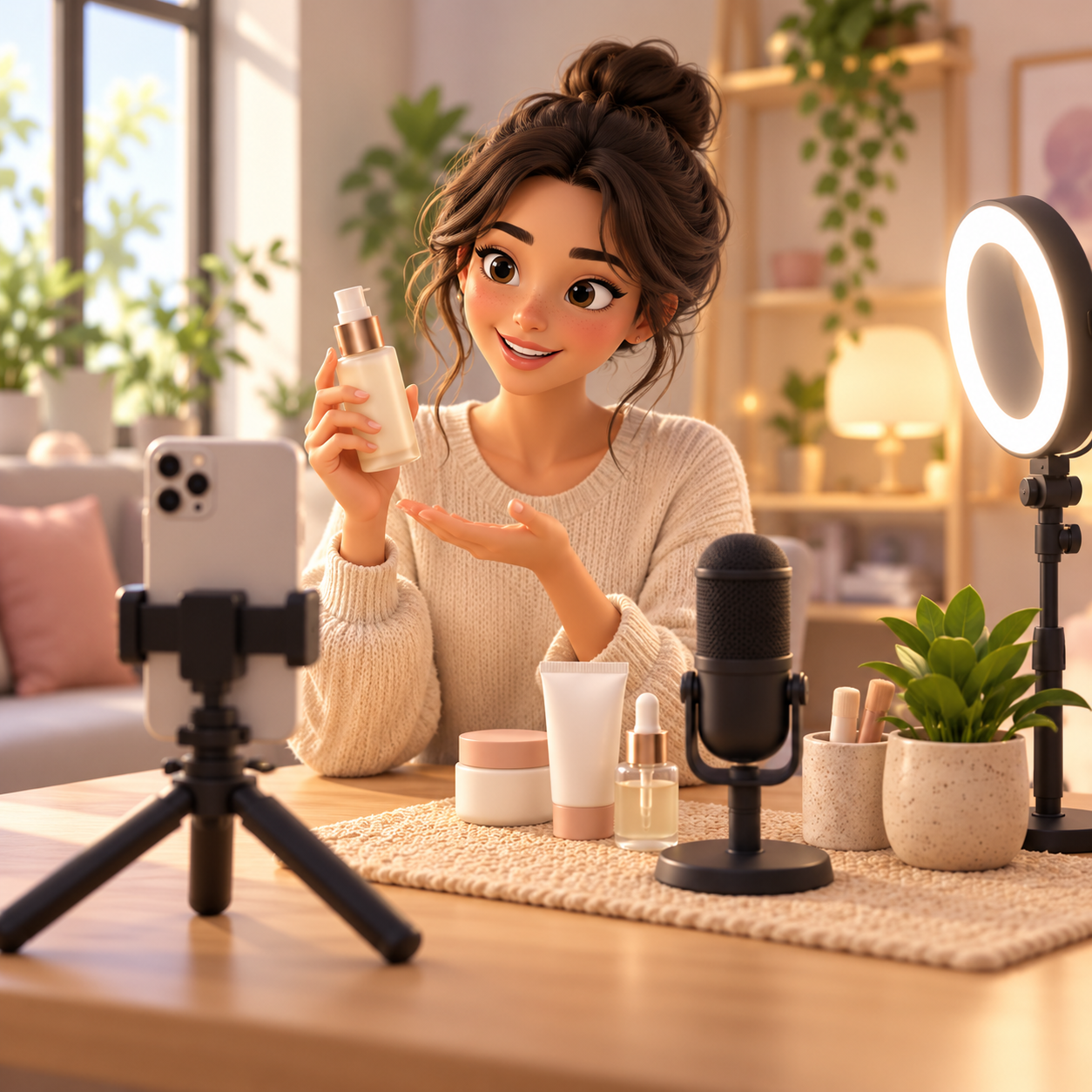
📱 The starter setup is simple and affordable
Many people can begin with tools they already own and upgrade later only if the work justifies it.
The basics are usually:
- A smartphone
- Natural light
- A clean setup
- Basic editing software
- Clear audio
That low equipment threshold makes the side hustle easier to test before spending heavily.
🕒 The project-based format gives you schedule flexibility
Because the work is organized by deliverables instead of fixed hours, you can control the pace more easily.
Common advantages include:
- Batching filming days
- Choosing project volume
- Working around a job
- Flexible editing time
- Easier calendar control
That makes UGC easier to fit into real life than many shift-based side hustles.
📈 Brand demand keeps this category active
Businesses constantly need fresh content that feels native to TikTok, Reels, Shorts, and paid ads.
Common demand drivers include:
- Product demos
- Testimonials
- Ad variations
- Launch campaigns
- Organic social content
That ongoing content appetite is a major reason UGC has become a real business model instead of a short-term trend.
🎯 Authenticity often matters more than studio polish
UGC performs well because it feels believable and relatable, not because it looks like a big commercial.
That gives creators room to win through:
- Clear storytelling
- Natural delivery
- Useful demonstrations
- Real-world context
- Strong hooks
If you can make content that feels genuine, you can be valuable without looking overly produced.
🚀 There is a real growth path into bigger offers
Once you build proof, it becomes easier to expand beyond one-off clips into more stable or premium work.
Common next steps include:
- Bundles
- Retainers
- Ad variations
- Niche specialization
- Agency-style support
That makes UGC one of the clearer side hustles for moving from freelance projects into a more structured creative business.
3. Types of UGC Content You Can Create
UGC takes many forms, but the goal is usually the same: make a product feel useful, trustworthy, and natural in real life. Brands often want relatable content that looks like something a real customer would post, not polished influencer work.
Most beginners do better by choosing one product category and one or two content styles, building a small portfolio of honest samples, and adding higher-paying formats once brands respond.
📝 QUICK NOTE
The pay figures below are illustrative per-video or per-project ranges, not verified market rates or expected earnings. Rates depend on usage rights, video length, revisions, exclusivity, and whether the content will be used in paid ads. Follow platform and FTC disclosure rules, never invent claims about a product, and agree on licensing terms in writing.
📦 Product-Focused & Starter UGC
📦 Product Reviews, Unboxings & First-Impression Videos
A strong beginner format because brands constantly need relatable proof of how a product looks and feels.
- 📌 What you might create: Honest reviews, unboxings, and first-impression videos of a product
- 👥 Common brands: E-commerce, beauty, gadget, wellness, home, and subscription brands
- 💰 Illustrative pay: Roughly $75–$250 per video for beginners, depending on length and usage rights
- ✅ Best for: Beginners building a first portfolio
💡 PRO TIP
Show the product clearly and sound like a real recommendation, not a script. Only say what you have actually experienced.
🛠️ How-To Demonstrations, Tutorials & Product Use Videos
A valuable format because brands want content that shows how a product works and what problem it solves.
- 📌 What you might create: Step-by-step demos, tutorials, and product-in-use videos
- 👥 Common brands: Tech, app, beauty, cleaning, productivity, kitchen, and fitness brands
- 💰 Illustrative pay: Roughly $100–$350 per video, depending on length and complexity
- ✅ Best for: Creators who can explain clearly and film clean, easy-to-follow demos
💡 PRO TIP
Focus on one benefit and keep the steps easy to follow. Clear visuals matter more than a long feature list.

🗣️ Story-Based & Conversion-Focused UGC
🗣️ Testimonial-Style, Problem/Solution & Transformation Videos
A strong category when content needs to feel personal and connect to a real customer pain point.
- 📌 What you might create: Personal testimonial-style videos, problem/solution stories, and honest before-and-after sequences
- 👥 Common brands: SaaS, wellness, skincare, app, coaching, and service brands
- 💰 Illustrative pay: Roughly $100–$400 per video, depending on usage rights and complexity
- ✅ Best for: Creators who can tell a believable, honest story
💡 PRO TIP
Make the problem clear quickly and keep the result honest. Brands and platforms have rules on health and results claims, so avoid exaggeration.
⚖️ Comparison, Decision-Making & Hook-Testing Content
A higher-value lane because brands want multiple angles to help viewers choose or respond to different hooks.
- 📌 What you might create: Comparison videos, alternate hooks, concept variations, and ad-testing bundles
- 👥 Common brands: Competitive consumer, app, beauty, tech, and kitchen brands running paid ads
- 💰 Illustrative pay: Roughly $150–$600 for a bundle, depending on variations and usage rights
- ✅ Best for: Creators who can generate several hooks and angles from one product
💡 PRO TIP
Sell variations as a bundle rather than a single clip. More hooks give a brand more to test and give you more value to charge for.
🎙️ No-Face, Lifestyle & Everyday Integration
🎙️ Voiceover, B-Roll & Hands-Only Content
A good option for creators who prefer to stay off camera while still delivering usable product footage.
- 📌 What you might create: Hands-only demos, B-roll, product close-ups, and natural voiceover narration
- 👥 Common brands: Brands in home, food, app, skincare, tech, and product-demo categories
- 💰 Illustrative pay: Roughly $75–$300 per video, depending on length and edits
- ✅ Best for: Introverts and privacy-first creators with strong audio and steady shots
💡 PRO TIP
Good lighting, steady shots, and clean audio carry a no-face video. Invest in those basics before anything else.
🏠 Lifestyle Integration, Routine & Real-Life Use Content
A popular format where the product feels naturally part of everyday life instead of an obvious sales pitch.
- 📌 What you might create: Morning routines, “day in my life” clips, and real-life use of a product
- 👥 Common brands: Wellness, beauty, fashion, food, fitness, home, parenting, and productivity brands
- 💰 Illustrative pay: Roughly $100–$400 per video, depending on length and usage rights
- ✅ Best for: Creators whose everyday life naturally fits the product category
💡 PRO TIP
Make the product part of a believable moment viewers can picture copying. Authenticity makes this format work.
📸 Photo UGC, Trends & Growth Path
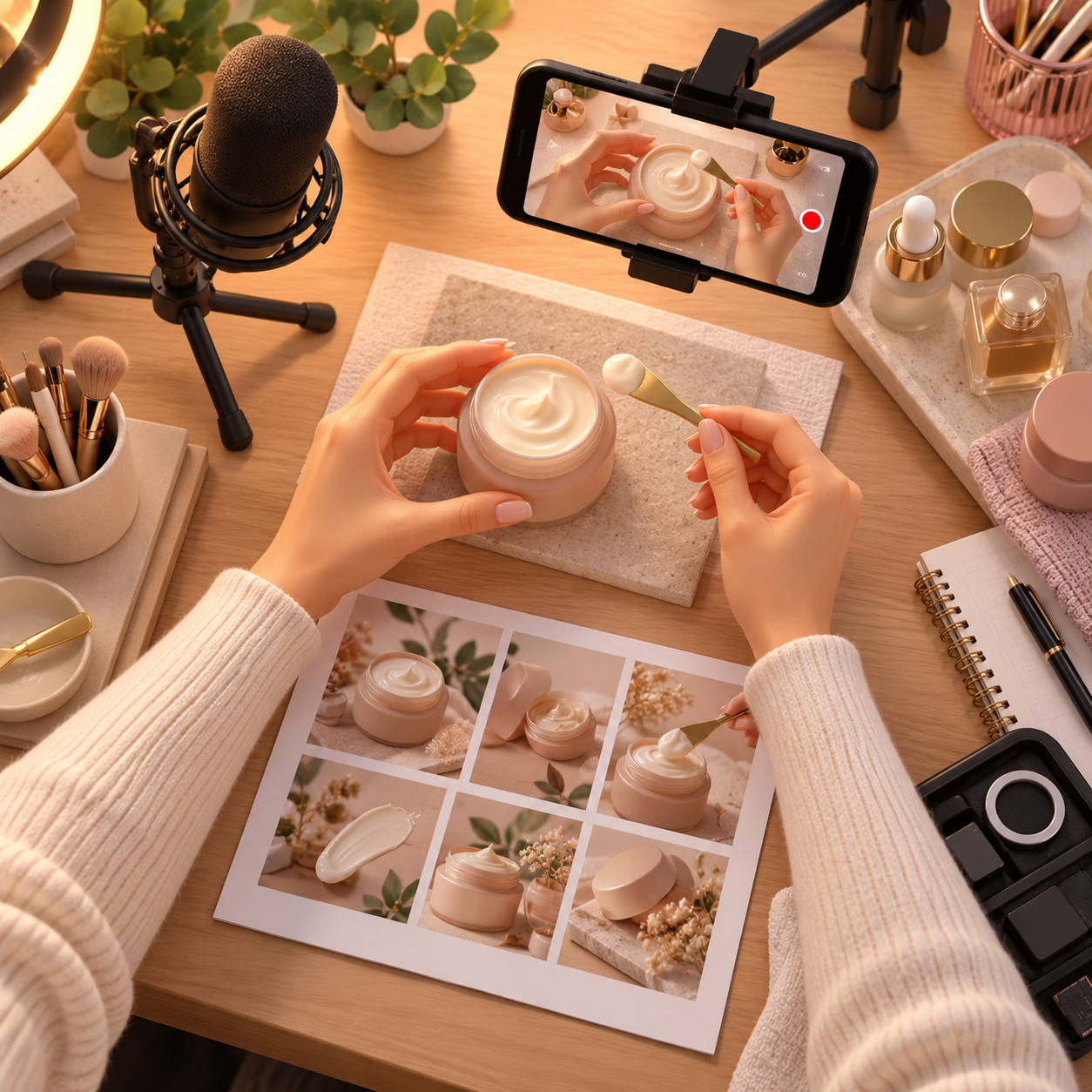
📸 Photo-Based UGC & Lifestyle Product Images
A useful offer because brands want creator-style images for social posts, websites, product pages, and ads.
- 📌 What you might create: Close-up detail shots and real-life product-in-use photos
- 👥 Common brands: E-commerce, beauty, wellness, home, food, pet, tech, and fashion brands
- 💰 Illustrative pay: Roughly $50–$250 per photo set, depending on image count and usage rights
- ✅ Best for: Creators with a good eye for bright, clean, flexible images
💡 PRO TIP
Provide both detail shots and product-in-use images. Flexible, well-lit photos are easier for brands to reuse.
📈 Trend-Based UGC, Ad Variations & Best Growth Path
A path where brands need fresh content and more angles for TikTok, Reels, Shorts, and paid ads.
- 🪜 Growth path: Simple reviews first, then demos and lifestyle content, then premium bundles with hook testing and variations
- 📈 Where income grows: Packaging content as a performance-focused creative service instead of selling random videos
- 💰 Illustrative pay: Varies by package, usage rights, and brand budget
- ✅ Best for: Creators ready to move beyond single-video sales
💡 PRO TIP
Package content as a bundle with hooks, variations, and clear usage terms. A structured service is easier to price at a premium.
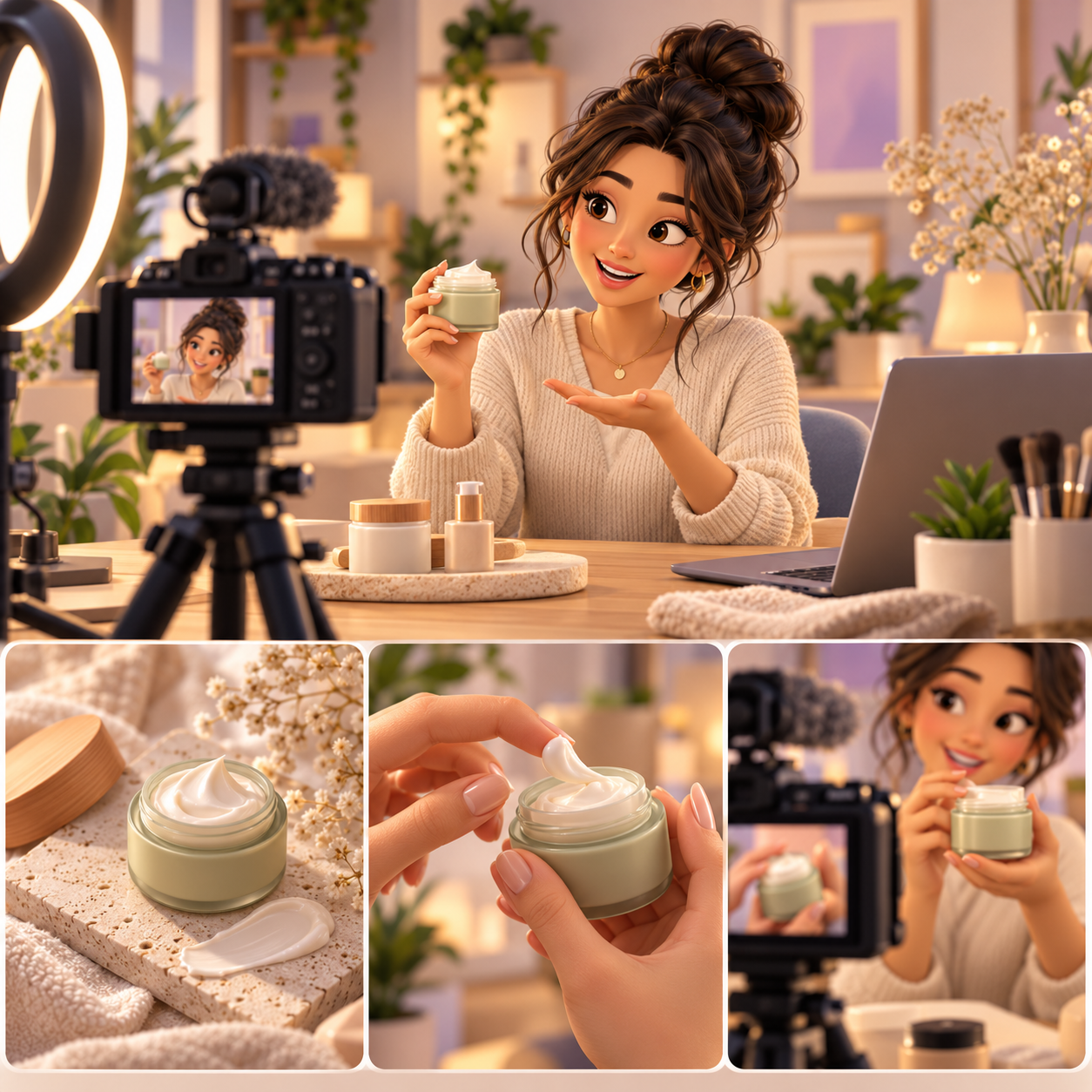
🎯 Build Your Starter UGC Portfolio
🎯 KEY TAKEAWAY
Start with product reviews, unboxings, how-to demos, voiceover B-roll, and lifestyle integration videos. They are easy to understand, commonly requested, and simple enough to build a portfolio quickly—as long as the content is honest and follows disclosure rules.
🚀 ACTION STEP
Write a focused first plan:
- Format & fit: Select a product category and one or two content styles you can produce well.
- Samples: Create a few honest demos or unboxings using products you can access.
- Deliverables: Define duration, hooks, revisions, raw footage, and delivery format.
- Usage terms: Agree on licensing, paid-ad use, disclosures, and payment before accepting work.
4. How Much Can You Earn & Pricing Strategies
Use this chapter to connect content performance, package scope, usage rights, and repeat brand clients to your UGC pricing plan.
🧠 Reality Check (What Actually Separates Higher Earners)
- Most beginners do not make big money right away
- Not because UGC is fake or overhyped
- 👉 Many start by charging too little just to land their first deals
- 👉 Or they create content that looks good but does not help brands sell
- The creators who earn more typically:
- Learn how to make strong ad-style content
- Understand hooks, scripting, and conversions
- Build a niche like beauty, fitness, tech, parenting, or lifestyle
- Package deliverables clearly instead of pricing randomly
🎯 KEY TAKEAWAY
In UGC Creation, higher income usually comes from better content that performs for brands, not just prettier videos or more followers.

🔑 Smart Pricing Strategy
📦 Video Offers, Packages & Scope
- Start with a simple offer
- Example: 1 video, 1 concept, 1 revision
- Then move into packages like:
- 3 videos
- 5 hooks
- raw footage add-on
- monthly retainer
- Always define:
- number of videos
- length
- revisions
- turnaround time
- usage rights
📣 Usage Rights & Premium Deliverables
- Charge more when brands want:
- paid ad usage
- longer licensing
- multiple hooks
- extra edits
- fast turnaround
🎯 KEY TAKEAWAY
Separate production fees from organic use, paid-ad use, duration, exclusivity, and extra edits. Raw footage or creator-account ad permissions require explicit agreement rather than an assumed all-rights transfer.
🧪 Real Example
📋 REAL-WORLD EXAMPLE
📌 Same Skill Category, Different Outcomes
These scenarios illustrate possible gross service revenue, not verified typical results or forecasts. They exclude production, tools, support, refunds, fees, overhead, and taxes. Repeat brands and performance-based positioning do not guarantee demand or sales.
🌱 Scenario A: New UGC creator
- Charges low rates to build a portfolio
- Takes one-off gigs with unclear boundaries
- Income: $300–$800/month
🎯 Scenario B: Developing niche creator
- Has a stronger portfolio and better pitching process
- Sells video bundles instead of single clips
- Income: $2,000–$5,000/month
🚀 Scenario C: Performance-focused UGC creator
- Works with repeat brands
- Charges for deliverables plus usage rights and testing variations
- Income: $6,000–$12,000+/month
🎯 KEY TAKEAWAY
Same side hustle. Big difference in niche, packaging, performance, and business structure.
🎯 KEY TAKEAWAY
Use these scenarios to understand the model, not to predict your own income. Compare actual results and risks with your written plan.
🎯 What Actually Drives Income
🧮 Offer Fit × Deliverable Value × Clear Usage Terms = Income Potential
This is a business framework, not a mathematical earnings forecast.
📊 Key Income Drivers
- Niche
- Beauty, skincare, wellness, tech, SaaS, and parenting can all pay differently
- Content quality
- Strong hooks, clean editing, clear speaking, and natural delivery improve value
- Performance mindset
- Brands care more about content that converts than content that just looks aesthetic
- Package structure
- Bundles and retainers usually beat one-off pricing
- Usage rights
- If a brand wants to run your content as ads, your pricing should increase
- Specialization
- “UGC for beauty brands” is easier to sell at better rates than “I make content for anyone”
🎯 KEY TAKEAWAY
The best-paid UGC creators are not just content makers. They are creative partners who help brands get sales, clicks, leads, and attention.
📈 Video Fees & Usage Obligations (Pricing Reality)
📖 Read the Numbers in Context
Scripting, filming, setup, editing, revisions, communication, and licensing all affect value and workload. Paid-ad rights are different from organic posting. Clarify duration, platforms, territories, likeness use, editing permissions, and exclusivity; do not assume gifted products are cash payment.
🎯 KEY TAKEAWAY
Look beyond headline income: assess the complete economics, risks, and real cash available.
🚀 Build Your First Clearly Licensed UGC Offer
Start with one brand category, a focused video offer, clear revision limits, and written usage rights. Use a four-week test to learn production effort and client fit before offering larger packages or retainers.
🧭 Run a Scoped UGC Package Test
- Choose a suitable niche and create honest samples. Select products you can discuss truthfully and safely. Make a few original sample clips and label them as portfolio examples rather than paid endorsements. Do not fabricate experience, testimonials, results, or claims for a brand.
- Define the production package. State concepts, hooks, video count, length, format, delivery files, revisions, turnaround, and who supplies products. Price all scripting, filming, editing, and admin time. Distinguish revisions from reshoots or new concepts.
- Agree rights and payment in writing. Specify organic and paid use, license duration, platforms, territories, exclusivity, raw footage, editing, likeness, and any AI or synthetic-use permissions. Define renewal, payment, and cancellation terms. Use platform-authorized account permissions rather than sharing passwords.
- Test a small four-week client workflow. Pitch one relevant brand group through a manageable outreach routine. Verify the client and brief, approve claims and concepts, and deliver against the agreement. Use commercially licensed music and assets and appropriate advertising disclosures where applicable. Reject deceptive endorsement requests.
- Review workload and repeat fit. Track outreach, collected fees, all production and revision hours, costs, usage commitments, and client feedback. Request performance data only where available and avoid claiming causation without evidence. Expand packages only when quality, rights, and capacity remain clear.
🎯 KEY TAKEAWAY
Clear deliverables, truthful content, and defined licenses protect both the creator and brand. Attractive videos do not guarantee advertising results.
💡 Example: A Four-Week UGC Offer Test
- Niche: A familiar household-product category
- Offer: One short demonstration video, one concept, and one defined revision
- Proof: Original clearly labeled portfolio examples
- Scope: Format, deadline, product supply, reshoot policy, and payment agreed
- Rights: A specific organic-use license; paid advertising negotiated separately
- Test: Four weeks of targeted outreach and manageable delivery
- Signals: Responses, paid projects, total effort, rights commitments, and client feedback
This is an offer and delivery test, not a promise of brand deals or ad performance. Content must reflect genuine experience and approved truthful claims. Future paid usage, exclusivity, or synthetic likeness use should not be granted accidentally.
✍️ Write Your One-Line Earnings Test Plan
Use this structure to make the plan easy to review:
“For [brand niche], I will test [defined UGC package] for [period], with [revision, payment, and usage terms]. I will review [collected fees, production time, costs, rights obligations, and client feedback].”
✅ Completed example
“For a familiar household-product niche, I will test a one-video demonstration package over four weeks with one concept, a defined revision, and written organic-use rights. I will negotiate paid usage separately and track collected fees, production effort, costs, and client feedback before expanding.”
🚀 ACTION STEP
Before starting:
Keep the first plan focused. Build a workable process before adding more complexity.
📋 Pricing & Revenue Planning Reference
Treat these stages and package ranges as illustrative references, not verified typical fees or guaranteed timelines. Deliverables, license terms, production effort, client type, and demand change quotes. Retainer revenue creates ongoing work obligations and is not net profit.
💵 What UGC Services Can Earn
📊 Income Progression by Stage
🚀 Stage | 🎥 Monthly Client Work | 💰 Typical Monthly Income | ⏳ Timeline | 📌 What’s Happening |
Beginner | 1–4 small deals | $200–$1,000 | 0–3 months | Building portfolio, learning scripts, undercharging early |
Developing | 4–8 recurring or mid-sized deals | $1,000–$3,500 | 3–6 months | Better samples, stronger pitching, clearer packages |
Established | 6–12 brand deals | $3,500–$8,000 | 6–12 months | Better niche positioning, repeat clients, stronger ad-style content |
Advanced | Premium brand packages / retainers | $8,000–$15,000+ | 1–2 years | Specialization, strong systems, higher-performing deliverables |
Professional | Retainers + licensing + premium brands | $15,000+/month | 2+ years | Reliable performance, authority, and business-level packaging |
🎯 KEY TAKEAWAY
The stages describe possible progression, not guaranteed income or a required timeline. Use your own capital or business records to plan realistically.
📊 Key Metrics & Margin Snapshot
📈 Video Fees & Usage Obligations (Pricing Reality)
📊 What Your UGC Packages Are Actually Worth
Metric | What to Record |
Collected fees | Separate production, usage extensions, and retainers |
Full production time | Include scripting, setup, filming, editing, revisions, and admin |
License obligations | Track platforms, duration, exclusivity, and renewal dates |
Quality and feedback | Record approved briefs, changes, and client feedback |
Contribution and capacity | Track products, props, tools, fees, and available delivery time |
🎯 KEY TAKEAWAY
A larger package fee may also carry more work or broader rights. Compare the complete commitment.
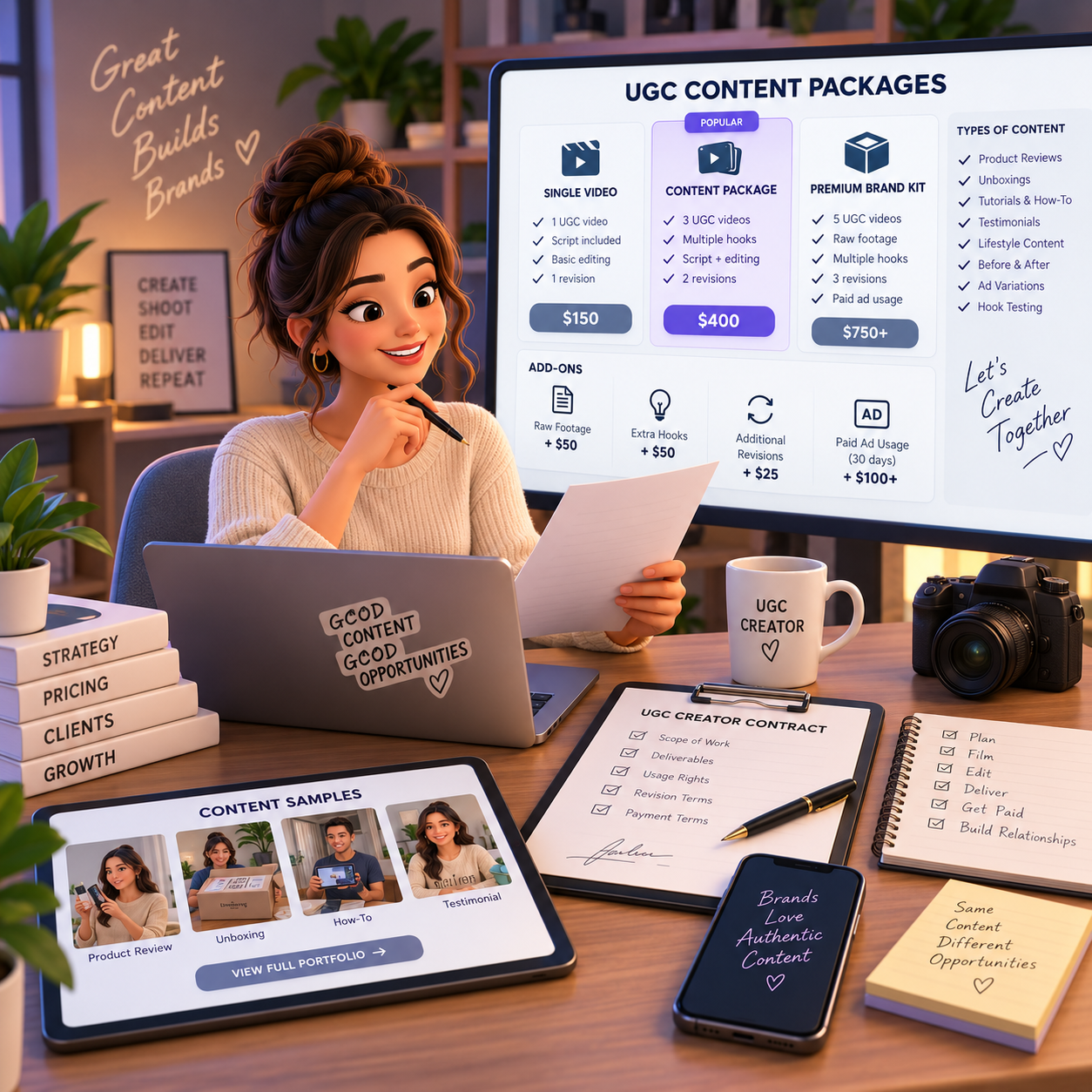
💸 UGC Deliverables & Usage Pricing Reference
🧾 UGC Deliverables & Usage Pricing Reference
💡 Deliverable | 💰 Typical Pricing |
1 simple beginner UGC video | $50–$150 |
1 polished short-form UGC video | $150–$500 |
3-video package | $300–$1,200 |
Monthly retainer | $500–$3,000+ |
Raw footage add-on | $50–$300+ |
Extra hooks / variations | $50–$200+ |
Usage rights / ad usage | Additional fee |
Whitelisting / paid ad usage / extended licensing | Premium add-on |
🎯 KEY TAKEAWAY
Usage fees depend on negotiated terms. Do not silently include perpetual paid-ad rights, exclusivity, raw footage, or synthetic likeness use.
🧮 Check Your Project & Revenue Economics
Project contribution = collected production and licensing fees − direct product, prop, tool, subcontractor, and payment costs.
Compare contribution with all scripting, filming, editing, revision, outreach, and admin hours. Keep gifted product value separate from cash fees. Track license extensions and future delivery obligations; overhead and taxes still reduce profit.
🚀 ACTION STEP
🗓️ Build a Monthly UGC Revenue Snapshot
Use actual records and a sustainable plan—not projections alone—to decide what to continue.
5. Equipment & Tools You Actually Need
🛠 TOOLS & RESOURCES
📱 Camera Options (Start Minimal)
📱 Your Smartphone (Recommended for Beginners)
Phone Type | Why It Works | Best For |
iPhone 11 or newer | Excellent stabilization, 4K video, Cinematic mode | All UGC content types |
Samsung Galaxy S20+ | High quality, pro mode controls, great low-light | Product-focused content |
Google Pixel 6+ | Computational photography, clean audio | Talking-head testimonials |
The truth: You don't need a "real camera" for UGC. Brands want authentic content that looks user-generated, not Hollywood production quality. Your smartphone is perfect.
📷 Camera upgrade path (optional, after earning $2,000+):
🎒 Essential Starter Kit ($75-150)
The Minimal Setup (Everything You Need to Start)
Item | Cost | Why You Need It | Recommendation |
Ring light with phone holder | $25-60 | Eliminates shadows, professional look instantly | |
Phone tripod | $15-30 | Steady shots, hands-free filming, consistent angles | |
Lavalier microphone | $20-40 | Clear audio (most important quality factor) | |
White poster board | $5-10 | Reflector, backdrop, bounce light | Any art supply store |
CapCut app | Free | Video editing with all features you need | Free download |
Total: $65-140 — A practical starter setup. Per-video fees still depend on quality, pitching, and brand demand.
✂️ Editing Software Comparison
App | Cost | Platform | Best For | Learning Curve |
Free | iOS/Android/Desktop | Beginners, trending effects, captions | Easy | |
Free (ads) or $3/mo | iOS/Android | Quick edits, text overlays, music | Very Easy | |
Free | iOS/Android | More control, no watermark free tier | Medium | |
$10/mo | All platforms | Professional polish, cross-platform | Medium | |
Free | iOS/Mac | Simple, clean edits, Apple users | Easy | |
Free | Desktop only | Advanced color, pro features | Hard |
Recommendation: Start with CapCut (free). It is a common beginner choice and includes:
- Auto-captions
- Trending effects and transitions
- Music library
- Speed controls
- No watermark on free version
- Templates for common formats
💡 Lighting (Critical Investment)
☀️ Natural Light (Free and Excellent)
- Film near large windows (best UGC lighting)
- Morning (8-10am) or late afternoon (3-5pm) = soft, flattering
- Cloudy days = diffused, even light (no harsh shadows)
- Avoid midday sun (too harsh, creates unflattering shadows)
💡 Ring Light ($25-60)
- Eliminates shadows on face
- Creates catchlight in eyes (looks professional)
- Adjustable brightness and color temperature
- Phone holder built-in (multitasking tool)
Starter recommendation: Neewer 10" Ring Light Kit ($30-40 on Amazon)
💡 Softbox Lights ($50-150)
- More natural-looking than ring lights
- Larger light source = softer shadows
- Professional studio feel
- Optional upgrade after your first $1,000 earned
Pro tip: Natural window light + white poster board reflector is often enough to start.
🎧 Audio Equipment (Make or Break Factor)
💡 Why audio quality matters more than video:
- Viewers forgive slightly grainy video
- Viewers immediately leave with bad audio
- Brands reject content with echo, background noise, or muffled voice
- Clear audio = professional, trustworthy
🎤 Built-in Phone Microphone
- Adequate if you're close to camera (2-3 feet)
- Requires quiet room
- Works for voiceover content
🎙️ Lavalier (Lapel) Mic ($20-50)
- Clips to shirt near chest
- Consistent audio regardless of distance from camera
- Eliminates echo and room noise
- Game-changer for quality
Budget option: BOYA BY-M1 ($20-25)
Premium option: Rode SmartLav+ ($50-70)
🎙️ Shotgun Mic ($50-150)
- Mounts on phone or camera
- Directional (only picks up what it's aimed at)
- Professional-grade audio
Option: Rode VideoMic Me ($60) for iPhone
Pro tip: Invest in audio before camera upgrades. A $25 lavalier mic beats a $500 camera with bad audio.
🎬 Stabilization & Angles
📐 Phone Tripod ($15-40)
- Steady, professional-looking shots
- Hands-free filming essential
- Consistent angles across videos
- Adjustable height and orientation
Recommendation: UBeesize Tripod Stand ($20-30) - phone holder, remote, flexible legs
Gimbal Stabilizer ($80-200)
- Smooth moving shots
- Walking/action footage
- Professional cinematic look
- NOT necessary for most UGC (static shots work fine)
When to upgrade: After earning $2,000+ and if your niche requires movement (fitness, lifestyle, outdoor products)
🖼️ Props & Backgrounds
🧼 Clean Backgrounds:
- Plain wall (white, light gray, or neutral)
- Tidy room corner
- Outdoor natural settings
- Blurred background (portrait mode)
🧺 Props to have:
- White poster board (reflector and backdrop)
- Small plants or decor for depth
- Clean countertop or table
- Aesthetic surfaces for product shots
🚫 What to avoid:
- Cluttered backgrounds (distracting)
- Unmade beds or messy rooms
- Branded items from competitors
- Anything that dates the content (calendars, holiday decor unless seasonal)
6. How to Pitch Brands & Close UGC Deals
A strong UGC pitch connects a specific brand need to a clear creative idea, portfolio proof, deliverables, and usage terms. Use these templates as starting points, then personalize every message so it sounds relevant—not mass-sent.
📩 Instagram DM — Start With Genuine Relevance
Use this when you genuinely like a brand, already use their product, or can create a very specific content idea for them.
💡 Why This Works
- 💛 Shows genuine interest
- 🧴 Mentions a specific product
- ✂️ Keeps the message short
- 📦 Gives clear deliverables
- 📁 Includes your portfolio upfront
- 🎯 Makes the ask simple: 2–3 videos
💡 Best Practice: Do not send generic DMs. Brands can tell immediately. Mention a specific product, campaign, or content gap you noticed.
📧 Cold Email — Lead With a Brand-Specific Idea
Use this when contacting a brand professionally through email. This works best for brands with a marketing team, influencer manager, partnerships email, or founder email.
✉️ Subject Line Options
- UGC Content Ideas for [Brand Name]
- Authentic UGC Content for [Brand Name]
- Video Content Support for [Product Name]
- UGC Creator for [Niche] Brands
💡 Why This Works
- Sounds professional
- Shows brand research
- Explains the business value of UGC
- Gives specific content ideas
- Makes it easy for the brand to reply
💡 Best Practice: Keep your portfolio simple. A Google Drive folder, Canva portfolio, Notion page, or one-page website is enough if the samples are strong.
💬 Job Posts — Respond Directly to the Brief
Use this when a brand posts that they are looking for UGC creators on Facebook, X/Twitter, TikTok, Instagram Stories, creator groups, or job boards.
💡 Why This Works
- Responds directly to what they asked for
- Shows you understand the product
- Includes relevant examples
- Makes your rate and deliverables clear
- Reduces back-and-forth
💡 PRO TIP
When replying to job posts, speed matters. Brands often review the first strong applicants before looking at everyone else.
💵 Pricing — Define Deliverables, Rights and Boundaries
Use this when a brand replies with: “What are your rates?”
💡 Why This Works
- Gives clear package options
- Makes your pricing look professional
- Builds in upsells
- Explains usage rights
- Gives the brand room to choose instead of forcing one option
⚠ COMMON MISTAKE
Usage rights matter. If a brand wants to run your video as a paid ad, charge more than you would for organic-only content.
🤝 Retainers — Turn Successful Projects Into Recurring Work
Use this after a brand has already worked with you and liked the result. This is one of the best ways to create stable monthly income as a UGC creator.
💡 Why This Works
- Builds from an existing relationship
- Highlights cost savings
- Shows the operational benefit for the brand
- Makes content consistency the main selling point
- Turns unpredictable one-off work into recurring income
💡 Best Time to Pitch a Retainer: Right after a successful project, strong feedback, repeat order, or when the brand says they need more consistent content.
🔁 Follow-Up — Stay Professional Without Chasing
Use this when a brand has not replied after your first pitch. Keep it polite, helpful, and low-pressure.
💡 Why This Works
- Polite and professional
- Adds value instead of just “checking in”
- Includes specific ideas
- Makes the next step easy
- Gives them two simple response options
📅 Simple Follow-Up Schedule
Timing | What to Send |
Day 1 | Initial pitch |
Day 5–7 | Follow-up with 2–3 content ideas |
Day 10–14 | Final follow-up with a softer close |
After 30+ days | Re-engage with a new idea, product launch, or seasonal angle |
💡 Final Follow-Up Example
Hi [Name],

I wanted to send one final follow-up in case UGC content is not a priority right now.

I’d still love to connect in the future if you ever need product demos, testimonials, or short-form video content for [Brand Name].

Wishing you a great week!

[Your Name]
🎯 KEY TAKEAWAY
Follow-up is where many creators win. A brand may be interested but busy, so one thoughtful follow-up can make the difference.
7. From Brand Brief to Final UGC Delivery
Landing a UGC project is only the beginning.
Professional UGC creation means turning a brand's objective into content that is truthful, on-brief, properly licensed, technically usable, delivered on time, and easy for the brand to review.
Use this workflow:
Confirm → Brief → Research → Concept → Approve → Prepare → Film → Edit → QA → Review → Revise → Deliver → Track
Your goal is not: “Make a cool video.”
It is: “Deliver exactly what the brand agreed to buy.”
Use the seven tabs in order for your first paid project, then reopen the phase you need. Chapter 6 covers pitching; this chapter takes one brand brief through rights, filming, QA, delivery, and review.
🤝 PHASE 1 — Confirm the Deal and Rights
📋 Steps 1–4: Verify the brand, freeze deliverables and payment, separate production fees from usage rights, and define revision vs. reshoot before you film.
✅ Ready to move on: You have the brand, scope, payment, license, and revision rules in writing.
🔎 Step 1: Confirm the Brand Is Legitimate
Before sending personal information, buying products, or beginning production, verify who you are working with.
✅ What to Check
- Brand website
- Company email domain
- Social accounts
- Contact person's role
- Product
- Campaign
- Payment process
- Contracting entity
🚨 Be Cautious When Someone
- Pressures you to move unusually fast
- Sends suspicious payment instructions
- Wants you to purchase expensive products through unusual links
- Requests sensitive information through informal channels
- Refuses to identify the company
- Promises unrealistic compensation with no clear deliverables
🎯 Treat It Like a Business Transaction
🎯 KEY TAKEAWAY
Treat the opportunity like a business transaction—not just an exciting DM.
🧊 Step 2: Freeze the Scope Before Production
Do not begin filming from: “We just need a quick UGC video.”
Write down exactly what the brand is purchasing.
Confirm these details in writing before production starts.
📦 Confirm Deliverables
Confirm:
- Number of videos
- Number of concepts
- Number of hooks
- Video length
- Aspect ratio
- Edited files
- Raw footage
- Photos
- Alternate versions
- Captions
- Voiceover
- Cutdowns
🗓️ Confirm Process
Confirm:
- Product arrival
- Concept approval
- Draft deadline
- Revision rounds
- Final deadline
- Delivery method
💵 Confirm Payment
Confirm:
- Production fee
- Deposit when applicable
- Payment due date
- Additional charges
- Cancellation terms
- Reshoot terms
📜 Step 3: Separate Production From Usage Rights
Creating a video and licensing a video are different things.
Document where and how the brand may use the content.
📣 Clarify Organic Use
- Brand social accounts?
- Website?
- Email?
- Product pages?
💵 Clarify Paid Advertising
- Included or separate?
- Which platforms?
- How long?
🌍 Clarify Territory and Duration
Territory
- One country?
- Worldwide?
Duration
- Fixed period?
- Renewable?
🚫 Clarify Exclusivity and Raw Footage
Exclusivity
- Which competitors?
- Which category?
- How long?
Raw Footage
- Included?
- May the brand create new edits?
🗣️ Clarify Creator Identity
- Can your name, face, voice, or handle be used?
📲 Clarify Creator-Account Advertising
- Spark Ads?
- Partnership ads?
- Other authorized account-based ad formats?
🤖 Also Clarify Newer Uses
Do not silently grant permission for:
- AI training
- Voice cloning
- Synthetic voice
- Digital replicas
- Synthetic likeness
- New AI-generated edits using your appearance
If the brand wants those rights, they should be explicitly discussed.
💡 “Use the Video” Is Too Vague
💡 PRO TIP
“Use the video” is too vague for a professional agreement.
✂️ Step 4: Decide What Counts as a Revision vs. Reshoot
This distinction can save you a lot of grief.
🔄 Revision
Uses existing footage.
Examples:
- Shorten the edit
- Change text overlay
- Replace music
- Adjust captions
- Reorder clips
🎬 Reshoot
Requires new filming.
Examples:
- Different location
- New outfit
- Different script
- New concept
- New product demonstration
- Different person on camera
➕ Scope Change
The brand requests something materially different from what was approved.
For example:
Approved: Product tutorial
New request: Testimonial ad with three hooks
That is not automatically a revision.
🚀 Your First 5 Actions
🚀 ACTION STEP
Keep the first week on one scoped project—not a 20-brand pitch blast.
🧠 PHASE 2 — Turn the Brief Into a Filmable Concept
📋 Steps 5–11: Convert the brand document into a creator brief, separate facts from claims, lock a truthful concept, and get approval before you shoot.
✅ Ready to move on: You can film a specific concept with approved claims, a shot list, and a CTA.
🧠 Step 5: Turn the Brand Brief Into a Creator Brief
Brands may send long creative documents.
Convert them into something you can actually film.
🎯 Record Campaign Inputs
- Campaign Goal: What is the content supposed to help accomplish?
- Audience: Who is watching?
- Product: What are you featuring?
- Main Message: What should the viewer understand?
- Required Points: What must be included?
🚫 Record Limits and Delivery
- Prohibited Claims: What must not be said?
- Tone: Casual? Educational? Energetic? Premium?
- CTA: What should the viewer do?
- Deliverables: Exactly what must be delivered?
- Deadline: When?
⚖️ Step 6: Separate Facts From Claims
Before scripting, identify what you are actually allowed to say.
📦 Category 1 — Product Facts
Examples:
- Size
- Ingredients
- Material
- Features
- Subscription terms
Verify these against approved brand information.
🙋 Category 2 — Your Real Experience
Examples:
“I like how lightweight this feels.”
“The setup took me about five minutes.”
Those should reflect your actual experience.
🚫 Category 3 — Performance Claims
Examples:
- Improves health
- Produces a specific financial result
- Causes weight loss
- Treats a condition
- Guarantees an outcome
Do not invent these or strengthen the brand's wording yourself.
Advertising claims generally need to be truthful and supportable, and endorsements should reflect the endorser's honest experience. The FTC also says someone should not claim experience with a product they have not actually had.
🗣️ Step 7: Be Careful With “Testimonial-Style” UGC
This deserves special attention.
A script may be written in first person, but that does not make it okay to invent an experience.
🚫 Do Not Say
“I used this for 30 days and lost 15 pounds.”
if that did not happen.
Do not say:
“This completely fixed my acne.”
because the brand wants a dramatic hook.
Do not portray yourself as:
- A real customer when you are not
- Someone who experienced results you did not experience
- An expert you are not
- A person with a condition you do not have
✅ Build Around Truth Instead
The FTC's current rule prohibits fake or false testimonials that misrepresent someone's experience with a product.
Build creative around:
- Genuine product use
- Demonstration
- Features
- Honest reaction
- Approved factual benefits
- Problem scenarios that do not falsely claim personal experience
Authenticity should mean truthful, not merely “looks believable.”
🎬 Step 8: Build the Concept Before the Script
Write a simple concept statement.
Now the video has a visual idea rather than just words.
🧪 Example Concept Statement
📋 REAL-WORLD EXAMPLE
Audience: Busy pet owners
Problem: Messy water bowls
Product Role: Makes feeding area easier to manage
Format: Casual demonstration
Setting: Kitchen
Hook: Show the mess first
Proof: Demonstrate real use
CTA: Brand-approved next step
🧱 Step 9: Use a Simple UGC Story Structure
Not every UGC video needs the same formula.
But a useful framework is:
Hook → Context → Product → Demonstration → Benefit → Proof → CTA
🪝 Hook Through Demonstration
- Hook: Why should someone continue watching?
- Context: What situation are we addressing?
- Product: Introduce it naturally.
- Demonstration: Show it doing something.
✅ Benefit Through CTA
- Benefit: Explain why that matters.
- Proof: Show what supports the message.
- CTA: Use the approved next step.
🎯 Show the Product Working
🎯 KEY TAKEAWAY
The product demonstration is often stronger than another adjective.
📋 Step 10: Create a Shot List
Before filming, translate the concept into shots.
This prevents you from discovering during editing that the one clip you desperately need was never filmed.
🎙️ A-Roll
- Hook
- Main talking points
- CTA
- Alternate delivery where useful
🎥 B-Roll
- Product close-up
- Packaging
- Opening
- Setup
- Product in use
- Detail
- Result
- Lifestyle context
🔁 Variations
If contracted:
- Hook A
- Hook B
- Hook C
- CTA variation
- Alternate opening shot
✍️ Step 11: Get Concept Approval When Required
If the project includes approval before filming, pause here.
Send the brand:
- Concept:
- Hook:
- Main Talking Points:
- Visual Sequence:
- CTA:
- Required Claims:
Get written approval.
Then film that version.
🎬 PHASE 3 — Prepare and Film the Required Version
📋 Steps 12–18: Inspect the product, set the location, test camera and audio, then film the approved version with enough coverage before you pack up.
✅ Ready to move on: You have the required takes, usable B-roll, clean audio, and a CTA on camera.
📦 Step 12: Prepare the Product Before Filming
Inspect what arrived.
✅ Check the Product
- Correct product
- Correct variation
- Damage
- Packaging
- Missing parts
- Function
- Instructions
🚨 If Something Is Wrong
Tell the brand before filming.
Do not hide:
- Broken packaging
- Missing component
- Incorrect color
- Damaged item
unless the brand explicitly approves how to proceed.
🏠 Step 13: Prepare the Location
UGC should feel natural.
It should not look careless.
The background should support the story rather than steal attention.
👀 Check the Frame
- Background clutter
- Competitor products
- Mirrors
- Personal information
- Family photos if unwanted
- Logos
- Computer screens
- Noise
- Lighting
- Product cleanliness
📍 Match the Setting to the Product
Kitchen product → kitchen may make sense.
Skincare → bathroom or vanity.
Software → desk.
Fitness → appropriate exercise setting.
🧪 Step 14: Test Before the Full Shoot
Record a short test clip.
Ten seconds of testing can save an entire reshoot.
🎥 Video
- Focus
- Exposure
- Framing
- Product visibility
🎧 Audio
- Voice clarity
- Echo
- Background noise
🎭 Performance
- Pacing
- Energy
- Natural delivery
⚙️ Technical
- Orientation
- Resolution
- Frame rate if specified
- Storage space
- Battery
🎯 Step 15: Film the Required Version First
Do not spend your best light and energy experimenting before you capture the agreed deliverable.
First film:
The approved concept
Then capture:
- Alternate delivery
- Extra B-roll
- Additional expressions
- Safe variations
if useful and within scope.
🧩 Step 16: Film in Short Pieces
You do not always need one perfect continuous take.
Record the project in manageable sections.
This often makes:
- Delivery more natural
- Reshoots easier
- Editing faster
- Hook variations easier
🧪 Example Clip Breakdown
📋 REAL-WORLD EXAMPLE
Clip 1: Hook
Clip 2: Problem
Clip 3: Product introduction
Clip 4: Demo
Clip 5: Reaction
Clip 6: CTA
🎥 Step 17: Capture More B-Roll Than You Think You Need
Useful B-roll gives the edit flexibility.
Get:
- Wide
- Medium
- Close-up
- Product-only
- Hands using product
- Texture/detail
- Lifestyle context
- Opening/closing action
But avoid filming 40 nearly identical clips.
The goal is coverage, not digital clutter.
🔍 Step 18: Review Footage Before Breaking Down the Setup
Before moving the lights, changing clothes, eating the product, or cleaning everything up:
Check the footage.
Confirm:
- Main lines recorded
- Product visible
- Audio clean
- Required shots present
- No major focus errors
- No accidental competitor branding
- CTA recorded
This is your cheapest reshoot opportunity.
✂️ PHASE 4 — Edit for Clarity and Run QA
📋 Steps 19–24: Build the story first, use only authorized assets, then check captions, claims, safe text, and technical files before the brand sees a draft.
✅ Ready to move on: The draft matches the brief, uses cleared assets, and passes content, visual, audio, caption, and file QA.
🧱 Step 19: Build the Message Before Adding Effects
Start with the story.
1️⃣ First Pass
- Choose strongest takes
- Build logical sequence
- Remove unnecessary pauses
- Tighten pacing
2️⃣ Second Pass
Add:
- B-roll
- Captions
- Text
- Graphics
- Music
3️⃣ Final Pass
Polish:
- Audio levels
- Color
- Transitions
- Timing
- CTA
💡 Edit to Clarify, Not to Decorate
💡 PRO TIP
Editing should clarify the message—not prove how many editing features you know.
🎵 Step 20: Use Only Authorized Assets
Before adding music, fonts, graphics, sound effects, or stock footage, make sure they can be used for the brand's intended commercial use.
This becomes especially important when content may be used as:
- Paid advertising
- Website creative
- Sponsored social
- Product-page media
A sound being available inside a consumer social app does not necessarily mean every commercial use outside that context is automatically cleared.
When uncertain, use assets provided or approved by the brand or appropriately licensed commercial assets.
🔠 Step 21: Check Captions Manually
Auto-captions are useful.
They are also very capable of confidently inventing nonsense.
Review:
- Brand name
- Product name
- People's names
- Numbers
- Technical terms
- Punctuation
- Timing
A brand paying for polished content should not receive:
“Skin serum” → “skim cereal.”
Tiny comedy sketch, terrible deliverable.
📱 Step 22: Keep Text Inside Safe Areas
If the content will appear on short-form platforms, avoid placing critical text where interface elements may cover it.
Keep:
- Hook
- CTA
- Product name
- Key caption text
inside a comfortably visible area.
Also deliver alternate versions if the agreement requires different placements or aspect ratios.
⚖️ Step 23: Run a Claim Check
Before exporting, compare the final video against the approved brief.
This check matters just as much as color correction.
❓ Ask Before You Export
- Did I add a claim that wasn't approved?
- Did editing change the meaning?
- Did I imply a result I cannot verify?
- Did captions accidentally strengthen the claim?
- Does before/after footage accurately represent what occurred?
✅ Step 24: Run a Technical QA
Then export the draft.
📦 Content
👀 Visual
🎧 Audio
🔠 Captions
📁 File
👀 PHASE 5 — Collect Feedback and Control Revisions
📋 Steps 25–28: Send a named draft, ask for one revision list, classify each change, and refuse untrue lines even when the brand requests them.
✅ Ready to move on: Feedback is classified, truthfulness is protected, and extra filming or new scope is confirmed before you do it.
📤 Step 25: Deliver the Draft in a Reviewable Way
Do not send:
video_final_NEW2_ACTUALFINAL.mp4
with no explanation.
Use something like:
Brand_Product_ConceptA_Draft01.mp4
Include:
- Deliverable name
- Concept
- Version
- Review deadline
- Revision process
That makes feedback much easier to manage.
🧪 Example Draft Note
📋 REAL-WORLD EXAMPLE
Draft 1 — Product Demo
Includes:
- Hook A
- 28-second main edit
- Captions
- Approved CTA
Please consolidate revision notes by [date].
💬 Step 26: Ask for Consolidated Feedback
If three people at the brand are reviewing the content, ask them to consolidate feedback internally when possible.
Otherwise you may receive:
Marketing: Make it shorter.
Founder: Add more explanation.
Social Manager: Make it longer.
Marketing: Actually restore Version 1.
Ah yes, the sacred freelance ritual.
Ask for one approved revision list whenever possible.
🗂️ Step 27: Classify Every Requested Change
Use four categories.
✅ Correction
You failed to follow the approved brief.
Fix it.
🔄 Included Revision
A normal change using existing footage within the agreed revision scope.
Complete it.
🎬 Reshoot
Requires new filming.
Check whether it was caused by your error or a client-requested change.
➕ New Scope
New:
- Hook
- Concept
- Platform
- Length
- CTA
- Deliverable
- Product
- Script direction
Pause and confirm scope before doing additional work.
🛡️ Step 28: Protect Truthfulness During Brand Revisions
If the brand asks:
“Can you say you use it every day?”
but you do not—
do not just add the line.
If they ask:
“Can you say it cured your problem?”
do not treat that as a harmless copy change.
Endorsements need to reflect honest experiences, and compensated relationships can require clear disclosure when the creator personally publishes or endorses the product.
Ask for a truthful alternative.
📦 PHASE 6 — Deliver Files, Rights, and Follow-Up
📋 Steps 29–34: Check the agreement, send an organized folder, summarize usage in the delivery note, then track the license and ask separately for portfolio and service-testimonial permission.
✅ Ready to move on: Finals are named, licensed, invoiced, and the brand can find every file without guessing.
✅ Step 29: Run the Agreement Check Before Sending Finals
Compare the finished project directly against the agreement.
📦 Deliverables
⚙️ Technical
📜 Rights
💼 Business
📁 Step 30: Organize the Delivery Folder
Make the content easy for the brand's marketing team to identify six weeks later.
🧪 Example Folder and File Names
📋 REAL-WORLD EXAMPLE
BRAND_PRODUCT_CAMPAIGN/
01_FINAL_EDITED/02_ALT_HOOKS/03_RAW_FOOTAGE/(only if purchased)04_PHOTOS/05_DOCUMENTATION/
Brand_Product_Demo_HookA_Final.mp4
Brand_Product_Demo_HookB_Final.mp4
📨 Step 31: Send a Professional Delivery Message
Keep it short and useful.
🧪 Example Delivery Message
📋 REAL-WORLD EXAMPLE
Hi [Name],
The final UGC assets for [campaign/product] are ready.
Included:
- [x] final edited videos
- [x] hook variations
- [Other purchased assets]
Files: [link]
Usage: [brief summary of agreed license]
Please confirm receipt when you have a chance.
Thanks again—I enjoyed working on this project.
📅 Step 32: Track License Dates
Do not finish the project and forget the rights.
Record:
- Brand
- Asset
- Usage type
- Platforms
- Start date
- End date
- Paid-ad rights
- Exclusivity
- Renewal date
- Creator-account permissions
This becomes increasingly important once multiple brands are using your face and content.
🎯 The File Can Finish Before the License Does
🎯 KEY TAKEAWAY
The file may be finished while the license is still active.
🖼️ Step 33: Request Portfolio Permission Separately
Do not assume:
“I created it, so I can publicly show it.”
Ask.
Especially if the project:
- Has not launched
- Contains unreleased products
- Is part of a confidential campaign
- Uses licensed brand assets
Get the answer in writing.
🧪 Example Portfolio Ask
📋 REAL-WORLD EXAMPLE
“Would you be comfortable with me including the final video in my creator portfolio after the campaign launches?”
⭐ Step 34: Ask for a Testimonial About the Service
If the brand was happy, ask about their experience working with you.
Good topics:
- Communication
- Reliability
- Creative process
- Responsiveness
- Delivery
Do not pressure them to claim your content generated results they cannot verify.
The FTC's review and testimonial rule also prohibits buying or incentivizing testimonials based on required positive sentiment.
📊 PHASE 7 — Review the Project and Decide What to Repeat
📋 Steps 35–38: Log time, fees, rights, and feedback, then review brief accuracy, production efficiency, and whether this brand belongs on your repeat list.
✅ Ready to move on: You know the true workload, the license dates, and whether you would take the same project again.
📊 Step 35: Track the Whole Project
Do not track only filming time.
Now Chapter 4's pricing advice can be evaluated using actual evidence rather than guessed workload.
📋 Project Tracker
Track | Why It Matters |
Brand | Client history |
Niche | Shows your strongest categories |
Deliverables | Scope |
Production Fee | Revenue |
Usage Fee | Licensing revenue |
License End Date | Rights management |
Scripting Time | Workload |
Filming Time | Workload |
Editing Time | Workload |
Admin Time | Hidden workload |
Revision Time | Scope quality |
Reshoots | Process quality |
Direct Costs | Economics |
Collected Payment | Actual cash |
Brand Feedback | Service quality |
Repeat Project? | Client fit |
Would I Take This Again? | Best summary signal |
🎯 Step 36: Review the Brief Accuracy
Ask:
- Did I understand what the brand wanted?
- Did questions arise that intake should have caught?
- Were claims clear?
- Was the CTA clear?
- Did the brand change direction halfway through?
If the same problem repeats across projects, improve your creative-brief template.
⚡ Step 37: Review Production Efficiency
Ask:
- What took the most time?
- Which shots were unnecessary?
- What did I have to reshoot?
- Did I record enough B-roll?
- Did file organization work?
- Did editing take longer than expected?
Your goal is not merely to work faster.
It is to remove avoidable work.
🤝 Step 38: Review the Brand Relationship
A well-paying project can still be a bad fit.
Ask:
- Did they communicate clearly?
- Did approvals arrive on time?
- Did they respect scope?
- Did they pay as agreed?
- Were rights reasonable?
- Was feedback usable?
- Would I work with them again?
This helps you build a better client list—not merely a longer one.
🧪 Your First 3 Paid Projects
Your first milestone should be:
Complete three properly scoped paid projects from brief to final delivery.
Then review all three.
1️⃣ Project 1 — Learn the Workflow
Focus on:
- Scope
- Brief
- Product
- Concept
- Filming
- Delivery
Do not chase speed.
2️⃣ Project 2 — Improve Production
Focus on:
- Better shot list
- Cleaner audio
- More useful B-roll
- Faster file organization
- Stronger QA
3️⃣ Project 3 — Improve the Business System
Focus on:
- Rights
- Revision boundaries
- Project tracking
- Time tracking
- Brand communication
- Portfolio permission
📋 Your First-3-Project Review
Ask:
- Which project felt most natural?
- Which content type was easiest?
- Which niche made sense for me?
- Where did scope become unclear?
- Did I underestimate scripting?
- Did I underestimate editing?
- Which revision could have been prevented?
- Did I grant any rights I did not fully understand?
- Which client communicated best?
- Which project had the strongest economics?
- Would I accept the same project again?
- What should I standardize before Project 4?
That gives you much better information than:
“I sent 100 pitches this month.”
After delivery, classify the opportunity.
A recognizable brand name does not automatically make a bad agreement good.
✅ REPEAT
The brand is a good fit, the project runs smoothly, and the scope and economics work.
Consider more work.
🛠️ IMPROVE
The client or niche is promising, but your process needs refinement.
Fix:
- Brief
- Filming
- Editing
- Approvals
- File delivery
➕ RE-SCOPE
The brand wants substantially more:
- Concepts
- Platforms
- Raw footage
- Ads
- Creator-account use
- Exclusivity
Renegotiate before the next project.
❌ PASS NEXT TIME
Decline future work when:
- Claims feel deceptive
- Scope is constantly ignored
- Payment is unreliable
- Rights are unreasonable
- Communication is chaotic
- Work is outside your comfort or competence
⭐ Keep Systems Optional Until You Repeat the Work
⭐ ADVANCED STRATEGY
As projects increase, create reusable assets. Keep these as optional operating-system choices, not beginner prerequisites.
The point isn't bureaucracy.
It is to make Project 10 calmer than Project 1.
🤝 Deal
- Project-scope checklist
- Rate sheet
- Agreement
- Usage-rights worksheet
- License tracker
🧠 Brief
- Creative-brief template
- Claim-approval sheet
- Concept template
- Shot-list template
🎬 Production
- Pre-shoot checklist
- Product checklist
- Equipment checklist
- Folder structure
✂️ Editing
- Edit checklist
- Caption QA
- Claim QA
- Export presets
👀 Review
- Draft-delivery template
- Revision tracker
- Reshoot tracker
📦 Delivery
- Final QA
- File naming
- Delivery email
- Portfolio-permission request
💼 Business
- Project tracker
- Time tracker
- Payment tracker
- License-expiration tracker
- Client review
🔄 Your UGC Project Workflow
Use the same cycle:
Confirm → Brief → Research → Concept → Approve → Prepare → Film → Edit → QA → Review → Revise → Deliver → Track
As this becomes repeatable, you can handle more work without relying on memory or frantic message searches.
Then use Chapter 8 to stand out and land more clients. That separation is important: this chapter delivers one truthful, on-brief project; Chapter 8 helps you get more of the right brands.
🎯 The Goal
Your goal is not:
“Make content that looks like a real customer made it.”
It is:
“Make truthful, useful brand content that feels natural and is delivered professionally.”
Understand the brief.
Clarify the rights.
Verify the claims.
Plan the concept.
Capture enough footage.
Edit for clarity.
Review every word.
Control revisions.
Deliver organized files.
Track the license.
Learn from the project.
Then repeat what works.
The best UGC creator isn't just easy to watch. They're easy for a brand to work with.
8. Tips to Stand Out & Land More Clients
Use this section to build proof, create better UGC content, communicate professionally, improve technical quality, specialize strategically, and avoid the mistakes that keep new creators from getting paid.
⭐ ADVANCED STRATEGY
1️⃣ Build a Portfolio Before Pitching 📁
Non-negotiable
Brands usually will not hire you without seeing examples of your work first.
🛡️ Why Brands Need a Portfolio
Brands want proof that you can deliver content that looks good, sounds natural, and fits their audience.
Why this matters:
- They need proof you can create quality content
- Your work may affect their ad performance and sales
- Hiring someone with no samples feels risky
- Seeing your style helps them decide if you are a fit
- A portfolio makes you look more professional immediately
☑️ Minimum Portfolio Checklist
- At least 5 videos
- 3 different content styles
- 2–3 different product types
- Mix of on-camera and voiceover content, if possible
- Recent content from the last 3–6 months
- Only your best work
- Clear audio
- Strong lighting
- Natural delivery
- Professional file organization
🛡️ How to Create Portfolio Content Before Paid Work
🏠 Option 1: Use Products You Own
Start with items you already use and like.
What to do:
- Make 5–8 videos featuring products you already own
- Treat each video like a real client project
- Write a short script or talking points
- Use good lighting
- Edit professionally
- Create different content styles
Good product options:
- Skincare
- Snacks
- Apps
- Fitness gear
- Cleaning products
- Pet products
- Clothing
- Tech accessories
- Home items
🛠️ Option 2: Create Spec Content
Spec content means sample content you create for a brand that did not hire you.
What to do:
- Choose 3–5 brands you would love to work with
- Buy their products or use a free trial if it is an app/software
- Create videos as if they hired you
- Label the content as “Spec Work” or “Personal Project”
- Use these videos to show your style and skill
⚠ COMMON MISTAKE
Do not imply the brand hired you if they did not.
📦 Option 3: Offer a Free or Discounted First Project
This can help you get testimonials and real client examples.
What to do:
- Find 2–3 small brands with under 10K followers
- Offer 1 free or discounted video
- Ask for a testimonial in exchange
- Ask for permission to use the content in your portfolio
- Deliver your absolute best work
Best fit:
Small brands, local businesses, new e-commerce stores, Etsy shops, or creators launching products.
👨👩👧 Option 4: Film Friends or Family
You can create realistic UGC by filming people you know using products they genuinely like.
What to do:
- Have them use products they already enjoy
- Coach them lightly on delivery
- Keep the reaction natural
- Film in normal home settings
- Get permission to use the footage in your portfolio
🛡️ Portfolio Must-Haves
Aim for at least 5 strong videos before pitching.
💡 PRO TIP
Having a portfolio before pitching can dramatically increase your response rate.
Do not skip this step.
2️⃣ Showcase Your Portfolio 🗂️
💡 Content Styles to Include
Style | What It Shows |
Review | You can explain benefits naturally |
Tutorial | You can demonstrate product use |
Testimonial | You can tell a believable customer story |
Unboxing | You can create curiosity and first impressions |
Problem/Solution | You can show why the product matters |
Before/After | You can communicate transformation |
🛡️ Where to Host Your Portfolio
Platform | Best For |
Easiest setup; shareable folder | |
Private YouTube playlist | Easy video playback and quality control |
Simple website | Most professional option |
Simple one-page portfolio | |
Easy organized portfolio page | |
More polished website option | |
Accessible but less formal | |
Alternative file-sharing options |
💡 PRO TIP
Set your Google Drive folder to: Anyone with the link can view
Then organize it clearly by category, style, or niche.
3️⃣ Authenticity Over Perfection 🧠
UGC should feel like content from a real person, not a polished commercial. Natural delivery often performs better than overly polished acting.
🎯 What Brands Actually Want
😮 Real Reactions, Not Scripted Perfection
Natural delivery often performs better than overly polished acting.
What works:
- Natural pauses
- Conversational tone
- Genuine emotions
- Real reactions
- Light “ums” or casual phrasing when natural
- Speaking like you are recommending something to a friend
🧰 Natural Lighting, Not Studio Setup
You do not need a full production studio.
What works:
- Window light
- Living room setup
- Bathroom counter for beauty content
- Kitchen counter for food products
- Bedroom or closet for fashion content
- Real spaces people recognize
🗣️ Your Genuine Voice, Not an Announcer Tone
Brands want content that feels believable.
Use:
- Conversational pacing
- Your natural personality
- Simple language
- Honest reactions
- Relatable phrasing
🏠 Relatable Settings, Not Fancy Backgrounds
Your actual home or everyday environment can work well.
Good UGC settings:
- Kitchen
- Bathroom
- Bedroom
- Car
- Desk
- Gym
- Living room
- Outdoor walk
- Grocery store
- Coffee table setup
⚠️ The “Too Perfect” Problem
UGC can perform poorly when it feels too much like an ad.
Too polished can look like:
- Studio lighting
- Scripted word-for-word delivery
- Perfect background
- Overly formal tone
- Zero personality
- Only positive claims
- Too many transitions or effects
💬 Honest Opinions, Not Pure Praise
Mentioning a small downside can actually build trust.
Examples:
- “At first I thought this would be too small, but…”
- “I was skeptical because I usually do not like this type of product…”
- “The only thing I wish was different is…, but overall…”
- “I did not expect to use it every day, but now I do.”
🧪 The Authenticity Formula
Use this structure for more believable UGC:
- Start casual “So I just tried…” or “Can we talk about…”
- Show the actual product Show packaging, size, texture, app screen, or real use.
- Demonstrate real use Actually use the product instead of just holding it.
- Share an honest reaction Include genuine surprise, satisfaction, concern, or discovery.
- End with a real recommendation Recommend it for a specific type of person or situation.
💡 Authentic vs. Fake Examples
Fake | Authentic |
“This is the BEST product EVER!” | “Okay, I was skeptical, but this actually made my morning routine faster.” |
“It’s amazing and life-changing!” | “I did not think I would notice a difference, but after a week I actually did.” |
Perfect scripted ad voice | Natural, conversational flow |
All praise, no detail | Honest reaction with specific use case |
📝 QUICK NOTE
UGC is meant to look like a recommendation from a friend, not a Super Bowl commercial.
Imperfection is part of the point.
4️⃣ Professional Communication 💼
This separates you from the competition.
Brands work with many creators. They remember the ones who are reliable, clear, and easy to work with.
💡 Why This Matters
Professional communication leads to:
- Repeat clients
- Referrals
- Better testimonials
- Fewer misunderstandings
- Faster approvals
- Higher trust
- More premium rates
☑️ The Professional Creator Checklist
⏱️ Response Time
Do:
- Reply within 24 hours
- Reply within 12 hours for new leads when possible
- Set up email notifications
- Check messages at least twice daily
- Use an auto-responder if away for 48+ hours
Avoid:
- Ghosting brands
- Leaving messages unanswered for days
- Responding vaguely
- Waiting too long on warm leads
💬 Communication Clarity
Do:
- Be specific about timelines
- Confirm deliverables
- Clarify revision rounds
- Ask important questions upfront
- Confirm receipt of products or information
- Put key details in writing
Avoid:
- Assuming what the brand wants
- Being vague about timing
- Starting without a confirmed scope
- Asking major questions halfway through the project
🔔 Project Updates
Do:
- Confirm when the product arrives
- Share when filming is complete
- Notify the brand immediately about delays
- Confirm when files are delivered
- Ask for feedback after delivery
Avoid:
- Going silent during production
- Missing deadlines without warning
- Waiting until the due date to mention problems
🔁 Handling Feedback
Do:
- Thank them for the feedback
- Confirm you understand the requested changes
- Ask questions if anything is unclear
- Deliver revisions promptly
- Stay professional
Avoid:
- Getting defensive
- Arguing about creative choices
- Taking revision requests personally
- Ignoring specific feedback
5️⃣ Kickoff & Delivery Templates 📝
📝 Project Kickoff Template
Use this after a brand confirms the project:
📝 Delivery Template
Use this when sending final files:
6️⃣ Hook Mastery 🎣
The first 3 seconds win or lose.
A strong hook gives people a reason to keep watching.
💡 Why Hooks Matter
- Social media attention spans are short
- Brands often measure 3-second view rate
- A weak hook means people may never see the rest of the content
- A good hook can improve performance dramatically
- Strong hooks make your content more valuable to brands
🪝 Winning Hook Formulas
😣 Problem Hook
Best for products that solve a clear pain point.
Examples:
- “If you struggle with [problem]…”
- “Still dealing with [pain point]? Try this.”
- “This is for anyone who [relatable problem].”
- “If your [routine/problem] feels impossible, watch this.”
🤝 Relatable Hook
Best for building immediate connection.
Examples:
- “As someone who [relatable situation]…”
- “If you’re like me and [common experience]…”
- “Anyone else tired of [frustration]?”
- “I did not think I needed this until…”
🎯 Direct Hook
Best for bold, benefit-driven claims.
Examples:
- “This [product] changed my [routine/life/skin].”
- “I found the [superlative] [product category].”
- “This is all you need for [benefit].”
- “This made [task] so much easier.”
😲 Shocking Statement Hook
Best for pattern interruption.
Examples:
- “I did not believe this would work, but…”
- “I paid $[high price] and it was worth it.”
- “This $[low price] product beats [expensive competitor].”
- “I almost returned this, but then…”
🔄 Before/After Hook
Best for transformation content.
Examples:
- “I used to [negative], now I [positive].”
- “Before this: [problem]. After: [solution].”
- “POV: You finally found [solution].”
- “This changed my [routine] from [bad] to [better].”
❓ Question Hook
Best for curiosity and engagement.
Examples:
- “Want to know my secret for [benefit]?”
- “Why did no one tell me about this?”
- “How is everyone not using this?”
- “Have you tried this for [problem] yet?”
🚫 Hooks to Avoid
Avoid openings that waste the first few seconds.
Weak hooks:
- “Hey guys!”
- Starting with the brand name before the benefit
- “In today’s video…”
- Generic greetings
- Long setup before getting to the point
- Explaining too much before showing the product
🧠 Hook Testing Strategy
Create multiple hooks for the same video.
What to do:
- Film 3–5 different hooks
- Keep the rest of the video mostly the same
- Offer brands a “hook testing package”
- Charge an add-on fee for extra hook variations
- Let brands A/B test which hook performs best
- Track which hook styles work best for future content
🔍 Hook Testing Add-On
You can offer:
3 extra hook variations for +$100–$300
This gives the brand more ad-testing options and increases your project value.
7️⃣ Technical Quality Checklist ✅
What brands actually reject content for
Before submitting any content, review the video like a brand would.
🎥 Video Quality Standards
Check that your video is:
- Shot in vertical 9:16 format, unless specified otherwise
- Minimum 1080p resolution
- Stable and not shaky
- Properly focused
- Framed correctly
- Not blurry
- Free of shaky or unusable sections
- Shot with a clean phone or camera lens
🔊 Audio Quality Standards
Audio is one of the biggest rejection reasons.
Check that your audio has:
- Clear voice
- No echo
- No muffled sound
- No background noise
- No traffic, dogs, AC, or construction sounds
- Consistent volume
- Music that does not overpower your voice
- No wind noise in outdoor shots
- Audio synced properly with video
💡 Lighting Standards
Check that the lighting is:
- Bright enough
- Natural-looking
- Consistent throughout
- Free of harsh shadows on the face
- Accurate in color
- Clear enough to show the product
- Not dark or underexposed
- Not backlit with a window behind you
🛠️ Editing Standards
Check that the edit has:
- Smooth cuts
- Appropriate pacing
- Accurate captions, if included
- No watermarks from free editing apps
- Correct export format, usually MP4 H.264
- Correct platform dimensions
- Clean audio transitions
- No distracting effects
📋 Content Standards
Check that the content:
- Follows the creative brief exactly
- Includes all required product mentions
- Stays within the requested length
- Fits the brand voice and audience
- Has no competitor products visible
- Uses no copyrighted music unless licensed
- Spells and pronounces the brand name correctly
❌ Common Rejection Reasons
Avoid these issues:
🔍 Pre-Delivery Self-Review
Before sending the video, review it four ways:
- Watch on mute: does it still make sense visually?
- Listen without watching: is the audio clear?
- Watch on your phone: does it look good small?
- Show a friend or family member: is the message clear?
8️⃣ Specialization Strategy 🎯
Charge 20–40% more
After around 10 projects, choose one niche to specialize in.
🧭 High-Demand UGC Niches
Niche | Why It’s Profitable | Average Rates | Competition |
Skincare/Beauty | Huge market, visual results, constant launches | $150–$500/video | High but always hiring |
Health/Wellness | Supplements, fitness, mental health boom | $150–$450/video | Medium |
Tech/SaaS | Higher budgets, B2B spending | $200–$600/video | Low–Medium |
Food/Beverage | Fun, visual, subscription boxes | $100–$350/video | Medium–High |
Fashion/Accessories | Fast-moving, seasonal, huge market | $125–$400/video | High |
Home/Lifestyle | Broad category, many sub-niches | $150–$450/video | Medium |
Parenting/Baby | Loyal audience, high customer value | $150–$500/video | Medium |
Pet Products | Growing market, enthusiastic buyers | $100–$350/video | Medium |
Fitness/Activewear | Visual transformation content | $150–$450/video | Medium–High |
Eco/Sustainable | Growing consciousness, premium pricing | $175–$500/video | Low–Medium |
💡 Why Specialization Matters
Specialists can often charge more because they understand the niche better.
Benefits:
- Brands pay a premium for niche expertise
- You understand industry-specific language
- Your portfolio looks more focused
- You get referrals within that industry
- Content creation becomes faster
- You learn what hooks and angles work
- You build authority and reputation
🧭 How to Specialize
🛠️ Step 1: Analyze Your First 10 Projects
Ask:
- Which projects did you enjoy most?
- Which videos performed best?
- Which brands gave the best feedback?
- Which products felt easiest to talk about?
- Which niches paid better?
- Which content felt natural for your lifestyle?
🛠️ Step 2: Choose Based on Fit
Choose a niche based on:
- Genuine interest
- Market demand
- Your lifestyle fit
- Competition level
- Product access
- Long-term content potential
Examples:
- Parent → baby products
- Fitness enthusiast → activewear or supplements
- Pet owner → pet products
- Skincare lover → beauty or wellness
- Tech user → apps or SaaS
🛡️ Step 3: Go All-In on Your Portfolio
Create 8–10 strong videos in your chosen niche.
Include:
- Reviews
- Tutorials
- Problem/solution videos
- Testimonial-style videos
- Unboxings
- Before/after content
- Voiceover content
- On-camera content
🛠️ Step 4: Update Your Marketing
Update your:
- Bio
- Portfolio
- Pitch messages
- Service descriptions
- Website
- Social profiles
🧭 Step 5: Network Within the Niche
Build relationships where your ideal brands spend time.
What to do:
- Join industry Facebook groups
- Follow niche brands
- Comment thoughtfully on brand posts
- Connect with other creators
- Study brand ads
- Save high-performing examples
- Pitch niche-specific content ideas
📦 Positioning Example
Instead of:
“UGC Creator”
Use:
“UGC Creator specializing in skincare and beauty brands.”
💰 Pricing Premium Example
Creator Type | Example Rate |
General creator | $150/video |
Niche specialist | $200–$250/video |
Same work, stronger positioning, higher perceived value.
9️⃣ Common Mistakes: Portfolio, Quality & Pricing ⚠️
Learn from others before you lose time or money.
⚠ COMMON MISTAKE
🛡️ Starting Without a Portfolio
Brands usually will not hire you sight unseen.
Avoid this by:
- Creating 5–8 spec videos first
- Using products you already own
- Building proof before pitching
- Investing 1–2 weeks upfront into portfolio content
⚠️ Confusing UGC With Influencer Marketing
UGC and influencer marketing are not the same.
Model | What You Do | How You Get Paid |
UGC | Create content for brands to use | Paid for content creation |
Influencer Marketing | Post content to your audience | Paid for audience access and promotion |
You do not need a large audience to sell UGC.
🔇 Poor Audio Quality
Poor audio is one of the fastest ways to get rejected.
Avoid this by:
- Filming in quiet spaces
- Turning off fans and AC when possible
- Avoiding windy outdoor audio
- Using a lavalier mic
- Listening back before submitting
- Refusing to submit muffled audio
Minimum investment:
A basic lavalier mic around $25 can improve quality quickly.
🛠️ Over-Editing the Content
UGC should feel real, not overly produced.
Avoid:
- Too many effects
- Excessive transitions
- Heavy filters
- Overly polished commercial style
- Too much text on screen
- Distracting music
- Fake enthusiasm
📄 Not Reading Creative Briefs Carefully
Missing key requirements can waste time and create revision problems.
Avoid this by:
- Reading the brief more than once
- Highlighting required talking points
- Confirming deliverables
- Asking questions upfront
- Checking the brief before filming
- Checking it again before delivery
💸 Undercharging Consistently
Low pricing can attract difficult clients and make the work unsustainable.
Avoid this by:
- Starting around $100 minimum per video when possible
- Raising rates every 10–20 projects
- Charging more for rush delivery
- Charging more for raw footage
- Charging more for extra hooks
- Charging separately for extended usage rights
🔟 Common Mistakes: Contracts, Rights & Tracking ⚠️
⚠ COMMON MISTAKE
📝 No Contract or Agreement
Without an agreement, projects can become messy.
Specify:
- Deliverables
- Timeline
- Payment terms
- Revision rounds
- Usage rights
- Raw footage terms
- Late payment policy
- Cancellation terms
🚀 Posting Client Content Without Permission
Brands usually own or license the content depending on the agreement.
Rule:
Ask permission before posting client content on your own socials or portfolio.
⚖️ Not Specifying Usage Rights
If usage rights are not clear, brands may assume they can use the content indefinitely.
Define:
- 30 days
- 60 days
- 90 days
- 6 months
- 1 year
- Organic usage
- Paid ad usage
- Unlimited usage
Pricing rule:
Charge more for extended or unlimited usage rights.
📨 Giving Up After 10–20 Pitches
UGC pitching is a numbers game at first.
Reality check:
- A 5–15% response rate is normal
- Many brands will not reply
- Follow-ups matter
- Your pitch improves with practice
- Your portfolio improves response rates
📦 Taking Lowball Offers
Avoid $25–$50/video offers if they do not respect your time.
Why lowball offers hurt:
- They undervalue your work
- They often come with difficult clients
- They are not sustainable
- They leave no room for revisions, filming, editing, and communication
💰 Not Tracking Projects and Income
Poor tracking creates tax, follow-up, and pricing problems.
🔍 Track:
- Brand name
- Contact person
- Deliverables
- Project rate
- Usage rights
- Due date
- Payment status
- Revision status
- Content type
- Niche
- Time spent
- Profit per project
- Follow-up date
9. Free & Paid Learning Resources
🛠 TOOLS & RESOURCES
UGC Creation brings together brand briefs, natural delivery, production quality, and clearly defined usage. You do not need to master everything at once. Choose resources that help you complete the next practical step.
🎓 Learning (Free & Paid)
Start with one source that fits your current level. Practice what it teaches before collecting more courses or tools.
🎬 UGC Tutorials & YouTube
Watch examples of hooks, demonstrations, filming, and edits to understand how a brand brief becomes a usable asset.
Watch Jade Beason (YouTube Channel) for tutorials, examples, and practical ideas you can apply to UGC creation.
🟢 Beginner
Watch Think Media (YouTube Channel) for tutorials, examples, and practical ideas you can apply to UGC creation.
🟢 Beginner
Watch Creator Science for tutorials, examples, and practical ideas you can apply to UGC creation.
🟡 Intermediate
Watch Latasha James (YouTube Channel) for tutorials, examples, and practical ideas you can apply to UGC creation.
🟡 Intermediate
Watch Vanessa Lau (YouTube Channel) for tutorials, examples, and practical ideas you can apply to UGC creation.
🟡 Intermediate
🆓 Free UGC Learning
Practice clean audio, simple lighting, natural scripts, and truthful product demonstrations before pitching brands.
Creator Science Podcast gives UGC beginners creator-business perspectives on positioning, storytelling, audience understanding, and sustainable production. Use the lessons to sharpen portfolio choices and client offers; it is not a UGC marketplace, a guaranteed source of brand deals, or a discussion community.
🟢 Beginner

Use Meta Blueprint Course Catalog to learn beginner concepts, examples, and workflows before starting UGC creation.
🟢 Beginner
Use TikTok Creative Center to learn beginner concepts, examples, and workflows before starting UGC creation.
🟢 Beginner

Use Later Blog to learn beginner concepts, examples, and workflows before starting UGC creation.
🟢 Beginner
Use TikTok Business Learning Center to learn beginner concepts, examples, and workflows before starting UGC creation.
🟡 Intermediate
Use Shopify Creator Marketing Guide to learn beginner concepts, examples, and workflows before starting UGC creation.
🟡 Intermediate
💬 UGC Communities & Forums
Discuss creative feedback and deal questions while verifying usage and advertising obligations independently.
Use r/ContentCreation to ask questions, study real examples, and network with people doing UGC creation.
🟢 Beginner
Use r/Tiktokhelp to ask questions, study real examples, and network with people doing UGC creation.
🟢 Beginner
Use r/UGCcreators to ask questions, study real examples, and network with people doing UGC creation.
🟢 Beginner
Use r/socialmedia to ask questions, study real examples, and network with people doing UGC creation.
🟡 Intermediate
💰 Paid UGC Courses
Look for focused filming, editing, or creative-brief training rather than guarantees of paid brand deals.

Use Skillshare — Content Creation Classes for structured training, courses, or credentials that build confidence in UGC creation.
🟢 Beginner
Use Udemy — UGC Creator Courses for structured training, courses, or credentials that build confidence in UGC creation.
🟢 Beginner

Use Coursera — Digital Marketing Courses for structured training, courses, or credentials that build confidence in UGC creation.
🟡 Intermediate

Use LinkedIn Learning — Content Marketing for structured training, courses, or credentials that build confidence in UGC creation.
🟡 Intermediate
Use Creator Science Lab for structured training, courses, or credentials that build confidence in UGC creation.
🔴 Advanced
📝 QUICK NOTE
Do not fabricate reviews, results, or product experience. Check applicable endorsement and advertising rules and agree explicitly on usage, including AI voice or likeness reuse.
📝 What Should You Learn First?
Follow this order:
1️⃣ Buyer & format
Choose product categories and content formats you can demonstrate credibly.
2️⃣ Creative briefs
Clarify the audience, objective, deliverables, claims, and required talking points.
3️⃣ Hooks & scripts
Write a clear opening and a useful demonstration without fabricated product experiences.
4️⃣ Recording & editing
Practice lighting, clean audio, framing, captions, and platform-friendly exports.
5️⃣ Pricing & usage
Separate production scope from paid-ad usage, duration, exclusivity, and other rights.
6️⃣ Pitching & delivery
Share relevant samples, confirm terms, and deliver approved files on schedule.
🎯 KEY TAKEAWAY
Learn through a small, realistic practice task. Build confidence in the core workflow before adding more tools, paid courses, or commitments.
📄 Four Practical Starting Templates
Create these in a document, spreadsheet, or Notion page. They are working outlines—not ready-made legal agreements or professional advice. Use fictional data for practice and keep real records secure.
Brand Brief
Record: Product | Audience | Goal | Format | Claims | Deliverables | Deadline
Confirm the creative direction before filming.
Script & Shot List
Record: Hook | Demonstration | Spoken line | Visual | CTA | Disclosure
Plan a coherent video rather than filming random clips.
Usage & Quote Checklist
Record: Deliverables | Revisions | Usage type | Duration | Exclusivity | Fee
Make rights and production scope explicit in negotiations.
Pitch & Delivery Tracker
Record: Brand | Sample | Pitch date | Response | Approval | Delivery | Payment
Keep outreach and paid commitments separate.
🚀 ACTION STEP
Choose one learning resource and draft your Brand Brief. Use a small practice example to identify the next skill you need before taking on live work or spending more money.
🧰 Resources
Use these resources to put your ugc creation learning into practice. Start with a small, dependable setup and add a tool only when its purpose, cost, and limitations are clear.
🤝 UGC & Brand Deal Platforms
Explore paid creator opportunities and brand briefs. Compare fees, usage expectations, and payment arrangements before accepting a deal.
Use Billo Creator to organize clients, files, schedules, communication, or repeatable workflows for UGC creation.
🟢 Beginner
Use JoinBrands to organize clients, files, schedules, communication, or repeatable workflows for UGC creation.
🟢 Beginner
Use Insense to organize clients, files, schedules, communication, or repeatable workflows for UGC creation.
🟡 Intermediate
Use TikTok Creator Marketplace to organize clients, files, schedules, communication, or repeatable workflows for UGC creation.
🟡 Intermediate
Use Aspire to organize clients, files, schedules, communication, or repeatable workflows for UGC creation.
🔴 Advanced
📱 Social Platforms & Portfolio Channels
Show relevant content examples where brands can assess your work. Distinguish a portfolio channel from a promise to post to a large audience.
Use Instagram to promote your offer, capture leads, and build an audience around UGC creation.
🟢 Beginner
Use Pinterest to promote your offer, capture leads, and build an audience around UGC creation.
🟢 Beginner
Use TikTok to promote your offer, capture leads, and build an audience around UGC creation.
🟢 Beginner
Use YouTube Shorts to promote your offer, capture leads, and build an audience around UGC creation.
🟢 Beginner
Use LinkedIn to promote your offer, capture leads, and build an audience around UGC creation.
🟢 Beginner
🎬 Recording & Editing Tools
Record and edit clear, usable brand assets. Start with dependable lighting, audio, and simple exports before buying more gear.

Use Canva / Canva Mockups to record, edit, clean up, or package media assets for UGC creation.
🟢 Beginner
Use CapCut to record, edit, clean up, or package media assets for UGC creation.
🟢 Beginner
Use InShot to record, edit, clean up, or package media assets for UGC creation.
🟢 Beginner
Use Descript to record, edit, clean up, or package media assets for UGC creation.
🟡 Intermediate
Use Adobe Premiere Pro to record, edit, clean up, or package media assets for UGC creation.
🔴 Advanced
✍️ Scripts, Hooks & Creative Planning
Plan hooks, product demonstrations, and creative variations. Keep claims truthful and grounded in actual product experience.
Use Google Docs to create visuals, templates, mockups, portfolios, or branded assets for UGC creation.
🟢 Beginner

Use ChatGPT to brainstorm content hooks, write scripts, draft captions, plan content calendars, and generate visual concepts for UGC creation.
🟢 Beginner

Use Notion to create visuals, templates, mockups, portfolios, or branded assets for UGC creation.
🟢 Beginner
Use Trello to create visuals, templates, mockups, portfolios, or branded assets for UGC creation.
🟢 Beginner

Use Milanote to create visuals, templates, mockups, portfolios, or branded assets for UGC creation.
🟡 Intermediate
🧾 Portfolio, Media Kit & Landing Pages
Present your style, formats, and sample work in one place. Make services clear without inflating audience figures or past results.
Use Google Drive to promote your offer, capture leads, and build an audience around UGC creation.
🟢 Beginner
Use Beacons to promote your offer, capture leads, and build an audience around UGC creation.
🟢 Beginner
Use Canva Media Kit Templates to promote your offer, capture leads, and build an audience around UGC creation.
🟢 Beginner

Use Carrd to promote your offer, capture leads, and build an audience around UGC creation.
🟢 Beginner

Use Squarespace to promote your offer, capture leads, and build an audience around UGC creation.
🟡 Intermediate
📣 Outreach & Lead Generation
Research suitable brands and send relevant pitches. Track follow-ups and avoid generic mass outreach.
Use Gmail to promote your offer, capture leads, and build an audience around UGC creation.
🟢 Beginner
Use Hunter.io to promote your offer, capture leads, and build an audience around UGC creation.
🟡 Intermediate
Use LinkedIn to promote your offer, capture leads, and build an audience around UGC creation.
🟡 Intermediate
Use Mailmeteor to promote your offer, capture leads, and build an audience around UGC creation.
🟡 Intermediate
Use Apollo.io to promote your offer, capture leads, and build an audience around UGC creation.
🔴 Advanced
💳 Payments, Contracts & Admin
Organize quotes, approvals, usage terms, invoices, and delivery. Agree explicitly on paid-ad rights, duration, and revisions.
Use PayPal Business to handle payments, invoices, income tracking, or taxes for your UGC creation work.
🟢 Beginner
Use Wave to handle payments, invoices, income tracking, or taxes for your UGC creation work.
🟢 Beginner
Use Stripe to handle payments, invoices, income tracking, or taxes for your UGC creation work.
🟡 Intermediate
Use Bonsai to handle payments, invoices, income tracking, or taxes for your UGC creation work.
🟡 Intermediate
Use HoneyBook to handle payments, invoices, income tracking, or taxes for your UGC creation work.
🔴 Advanced
10. Your First 6 Months UGC Creation Plan
Your first 6 months in UGC creation should be focused on building camera confidence, short-form content skills, strong samples, brand outreach, and a repeatable content delivery process.
The goal is to move from:
Practice Videos → Portfolio → Outreach → First Brand Deals → Testimonials → Repeat Clients
By the end of 6 months, you should know what type of UGC videos you create best, what brands you want to work with, how to pitch yourself, how to price content, and how to deliver videos brands can use in ads, social posts, or product pages.
🎯 6-Month Goal
By the end of your first 6 months, aim to have:
✅ One clear UGC niche or content style
✅ 5–10 practice videos created
✅ A simple UGC portfolio
✅ A basic rate sheet
✅ A brand outreach template
✅ 1–3 paid or gifted collaborations completed
✅ A repeatable filming and editing workflow
✅ Testimonials or brand feedback
✅ A plan to grow into paid packages, retainers, or higher-quality brand deals
🎯 KEY TAKEAWAY
UGC is not about being famous. Brands pay for relatable content that shows real people using, explaining, reviewing, or demonstrating products.
📅 Month 1: Learn UGC Basics & Choose Your Content Style
🎯 Main Goal
Understand what UGC is, what brands use it for, and what kind of content you can create confidently.
✅ What to Do
- Study UGC examples on TikTok, Instagram, and brand ads
- Choose 1–2 content styles to practice
- Pick product categories you feel comfortable filming
- Practice speaking on camera
- Practice product demonstrations
- Learn basic short-form video structure
- Create a folder for scripts, clips, and examples
- Film your first practice videos using items you already own
🏁 Month 1 Success Looks Like
- You understand what UGC brands look for
- You chose a few content styles to practice
- You filmed first practice videos
- You are more comfortable on camera
- You know what products or niches fit your personality
⚠ COMMON MISTAKE
Thinking you need a huge following. UGC creators usually sell content creation, not audience size.
💡 UGC Content Styles to Consider
Content Style | What It Looks Like |
Product demo | Showing how a product works |
Testimonial-style video | Talking about the experience of using a product |
Unboxing | Opening and reacting to the product |
Problem-solution video | Showing a problem and how the product helps |
Lifestyle content | Showing the product naturally in daily life |
Voiceover video | Product footage with spoken explanation |
How-to video | Teaching viewers how to use the product |
Before-and-after | Showing a visible transformation or result |
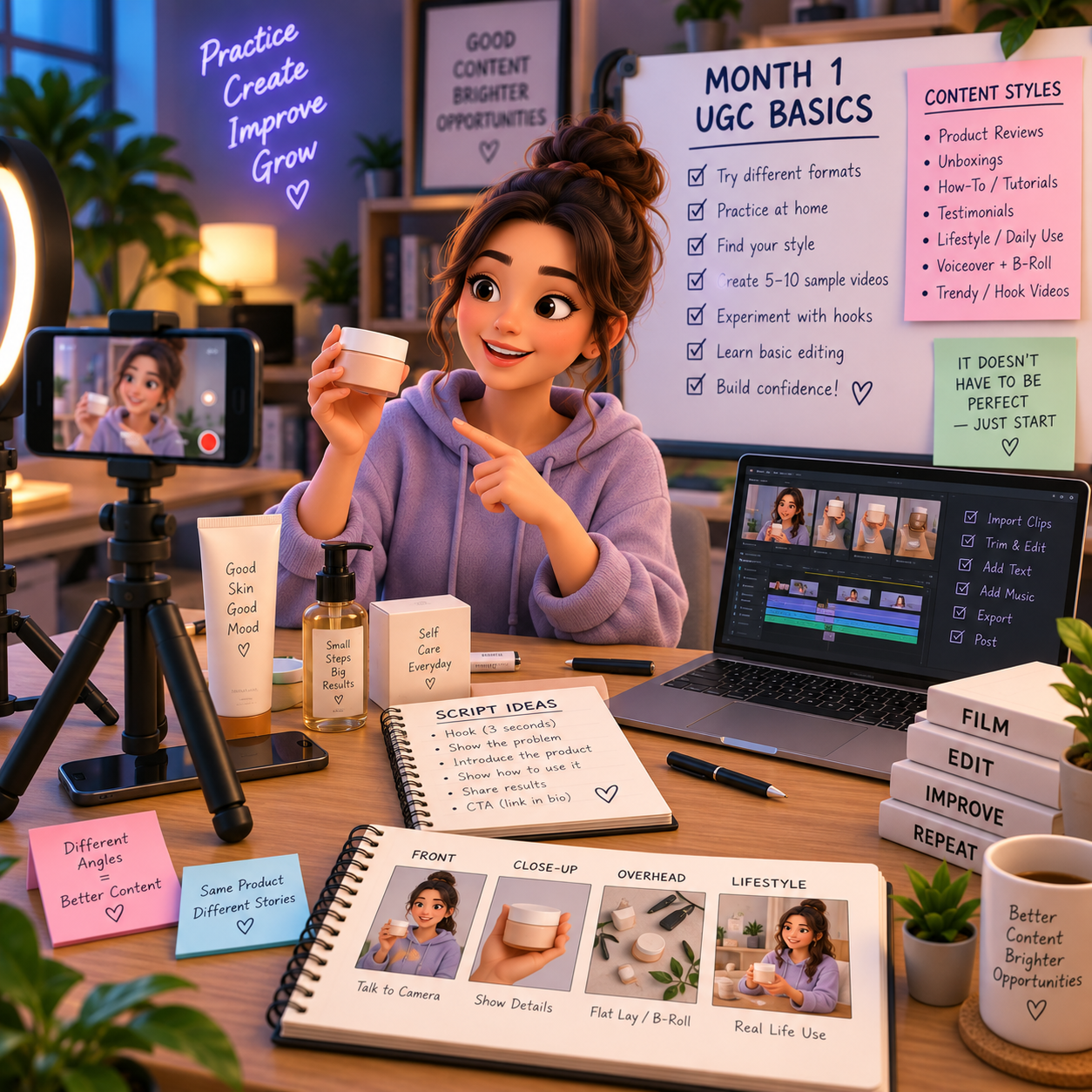
📅 Month 2: Create Your UGC Portfolio & Rate Sheet
🎯 Main Goal
Build sample videos and a simple portfolio so brands can quickly see your content style.
✅ What to Do
- Create 5–10 sample UGC videos
- Use products you already own
- Film different formats and hooks
- Edit videos cleanly
- Create a simple portfolio page or folder
- Write a short creator bio
- Create a beginner rate sheet
- Build a pitch template for brands
🛡️ What to Include in Your Portfolio
- Short creator introduction
- 5–10 sample videos
- Niches you create for
- Services offered
- Basic rates or “starting at” pricing
- Contact information
- Turnaround time
- Usage rights note
🏁 Month 2 Success Looks Like
- Your portfolio is ready
- Your samples show different content styles
- Your rates are written down
- Your pitch template is prepared
- You are ready to contact brands
🎯 KEY TAKEAWAY
Your portfolio does not need to be fancy. Brands mainly want to see whether you can create clear, natural, usable videos.
💡 Beginner UGC Sample Ideas
Sample Type | Example |
Skincare demo | Show product texture, use, and result |
Fitness product | Show how it fits into a workout routine |
Food or drink | Taste test, recipe, or quick review |
Home product | Show problem, use, and final setup |
Tech accessory | Show features, setup, and daily use |
App or software | Screen recording plus voiceover |
Clothing item | Try-on, styling, or fit explanation |
Digital product | Walkthrough, benefit, and use case |
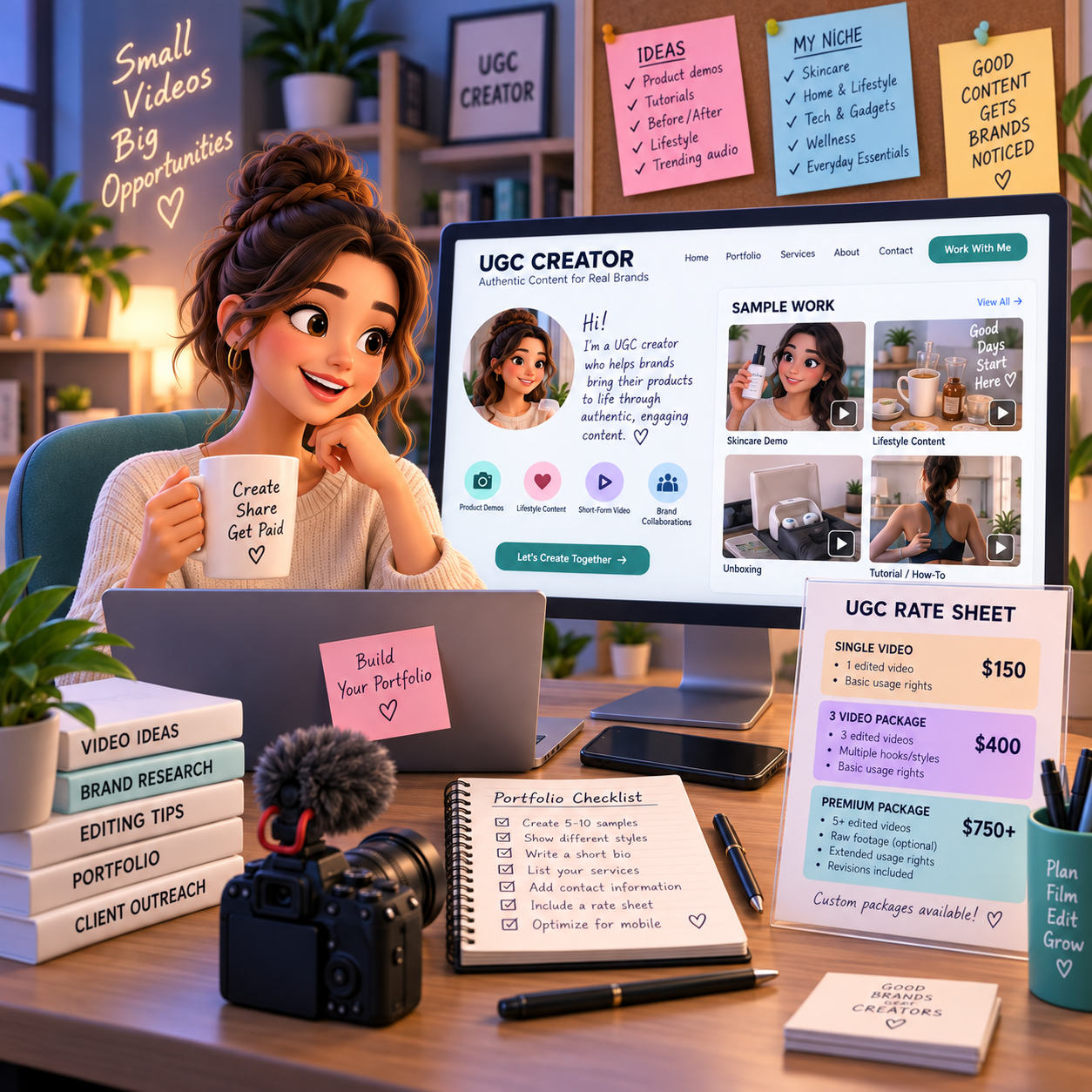
📅 Month 3: Start Pitching Brands & Getting First Deals
🎯 Main Goal
Start reaching out to brands, applying to UGC opportunities, and landing your first collaborations.
✅ What to Do
- Make a list of brands that match your niche
- Reach out to small and mid-sized brands
- Apply to UGC creator platforms
- Send your portfolio with every pitch
- Offer a simple starter package
- Track outreach, replies, and follow-ups
- Negotiate clear deliverables
- Complete first gifted or paid collaborations carefully
🏁 Month 3 Success Looks Like
- You are pitching consistently
- You have contacted brands
- You understand what brands ask for
- You completed first collaborations or test projects
- You started collecting feedback
💡 PRO TIP
Track every pitch. UGC outreach is a numbers game, but better targeting and stronger samples improve your response rate.
📍 Places to Find UGC Opportunities
Source | Best For |
TikTok | Finding brands using creator-style ads |
Instagram | Small brands and product-based businesses |
LinkedIn | Marketing teams and founders |
X/Twitter | Creator economy and startup opportunities |
Upwork | Freelance UGC projects |
Fiverr | Productized UGC packages |
UGC creator platforms | Brand collaboration opportunities |
Direct brand websites | Contact forms and marketing emails |
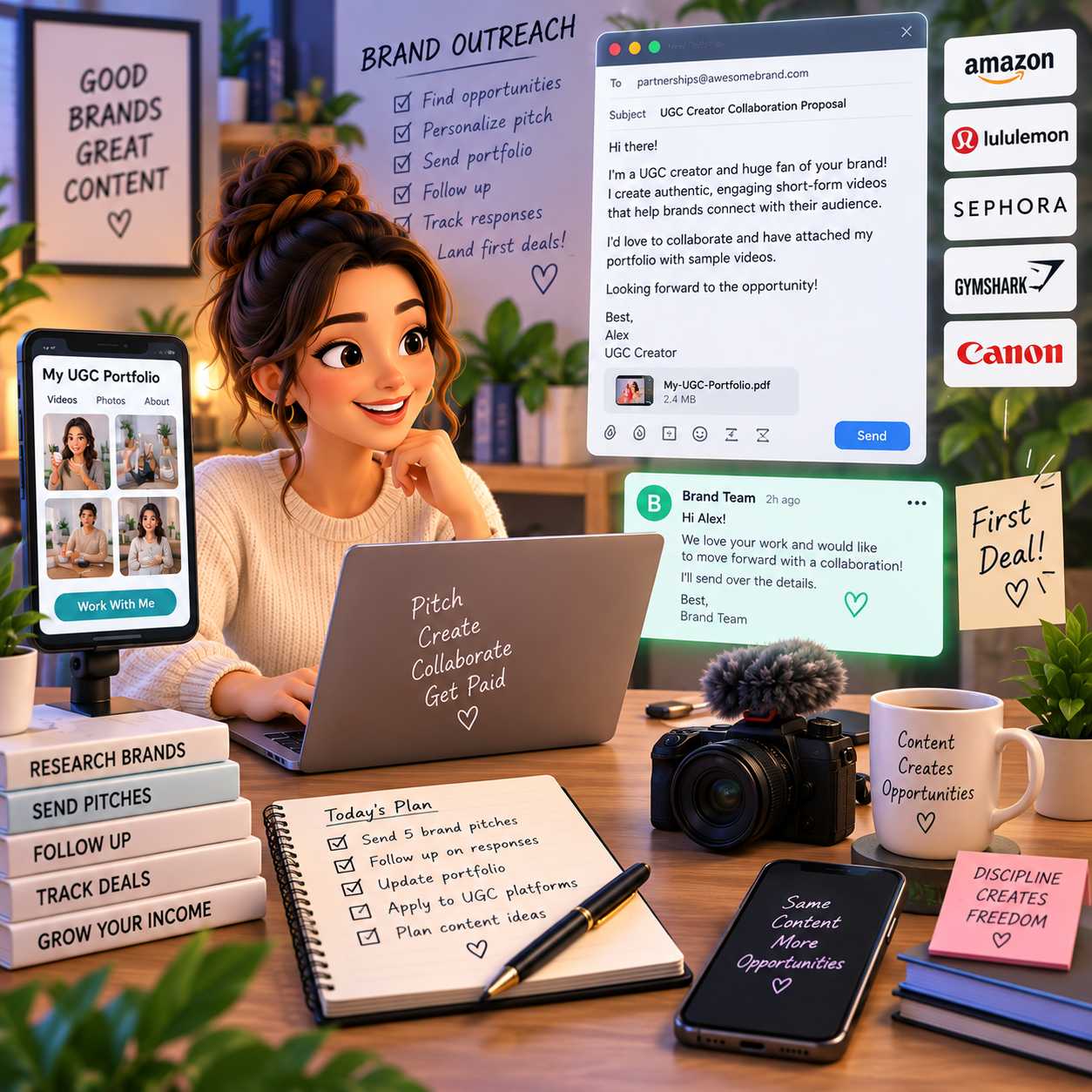
📅 Month 4: Build a Repeatable Filming & Delivery System
🎯 Main Goal
Create a reliable process for planning, filming, editing, revising, and delivering UGC content.
✅ What to Do
- Create a brand intake form
- Build a content brief template
- Create script and hook templates
- Set up a simple filming space
- Create a file naming system
- Define revision limits
- Track deadlines and deliverables
- Create delivery and follow-up messages
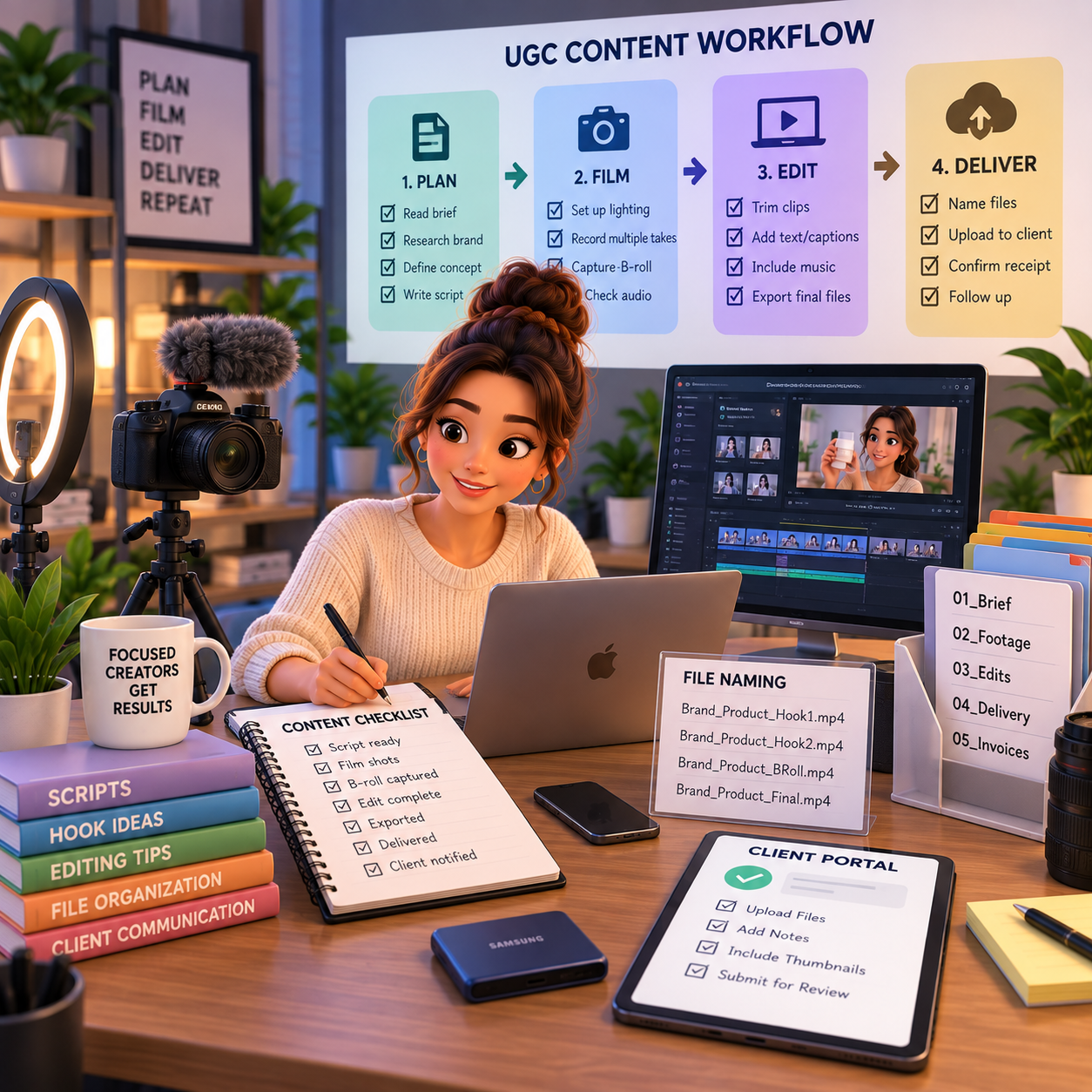
🏁 Month 4 Success Looks Like
- Your content process is organized
- You can film faster
- Brands understand your timeline
- You are managing revisions better
- Your delivery process feels professional
⚠ COMMON MISTAKE
Do not agree to unlimited revisions, unclear usage rights, or vague deliverables. UGC work needs clear terms before filming begins.
🔄 Simple UGC Workflow
Step | What Happens |
Inquiry | Brand asks about UGC content |
Brief | Brand sends product, goals, audience, and content needs |
Quote | You confirm package, price, usage rights, and timeline |
Script | You create hooks, talking points, or shot plan |
Filming | You record product footage and speaking clips |
Editing | You edit video, captions, voiceover, and cuts |
Review | Brand reviews and requests reasonable edits |
Delivery | You send final files |
Follow-up | You ask for feedback, testimonial, or future projects |
🗓️ Simple Weekly Workflow
Day | Task |
Monday | Pitch brands and follow up |
Tuesday | Plan scripts and shot lists |
Wednesday | Film content |
Thursday | Edit videos |
Friday | Deliver projects and send invoices |
Weekend | Update portfolio and create new samples |
📅 Month 5: Improve Quality, Pricing & Brand Relationships
🎯 Main Goal
Use early projects to improve your content quality, raise your value, and create stronger brand relationships.
✅ What to Do
- Review which videos brands liked most
- Improve hooks, lighting, sound, and editing
- Add testimonials or brand feedback to your portfolio
- Create package options
- Raise rates for new clients if your work improves
- Offer bundle deals for multiple videos
- Follow up with past brands
- Ask if brands need monthly content
🏁 Month 5 Success Looks Like
- Your videos look more professional
- Your portfolio has stronger proof
- You have clearer packages
- You are improving your pricing
- You are creating opportunities for repeat brand work
🎯 KEY TAKEAWAY
Brands often need multiple video variations to test. Selling bundles can be more valuable than selling one video at a time.
📦 UGC Package Ideas
Package | What It Includes |
Starter UGC Video | One short-form product video |
3-Video Bundle | Multiple hooks or angles for testing |
Product Demo Package | Clear demonstration and benefit explanation |
Testimonial Package | Natural review-style video |
Unboxing Package | Product reveal and first impression |
Voiceover Package | Product footage with scripted voiceover |
Monthly Content Package | Recurring videos for ads or social posts |
Raw Footage Add-On | Extra clips the brand can edit later |
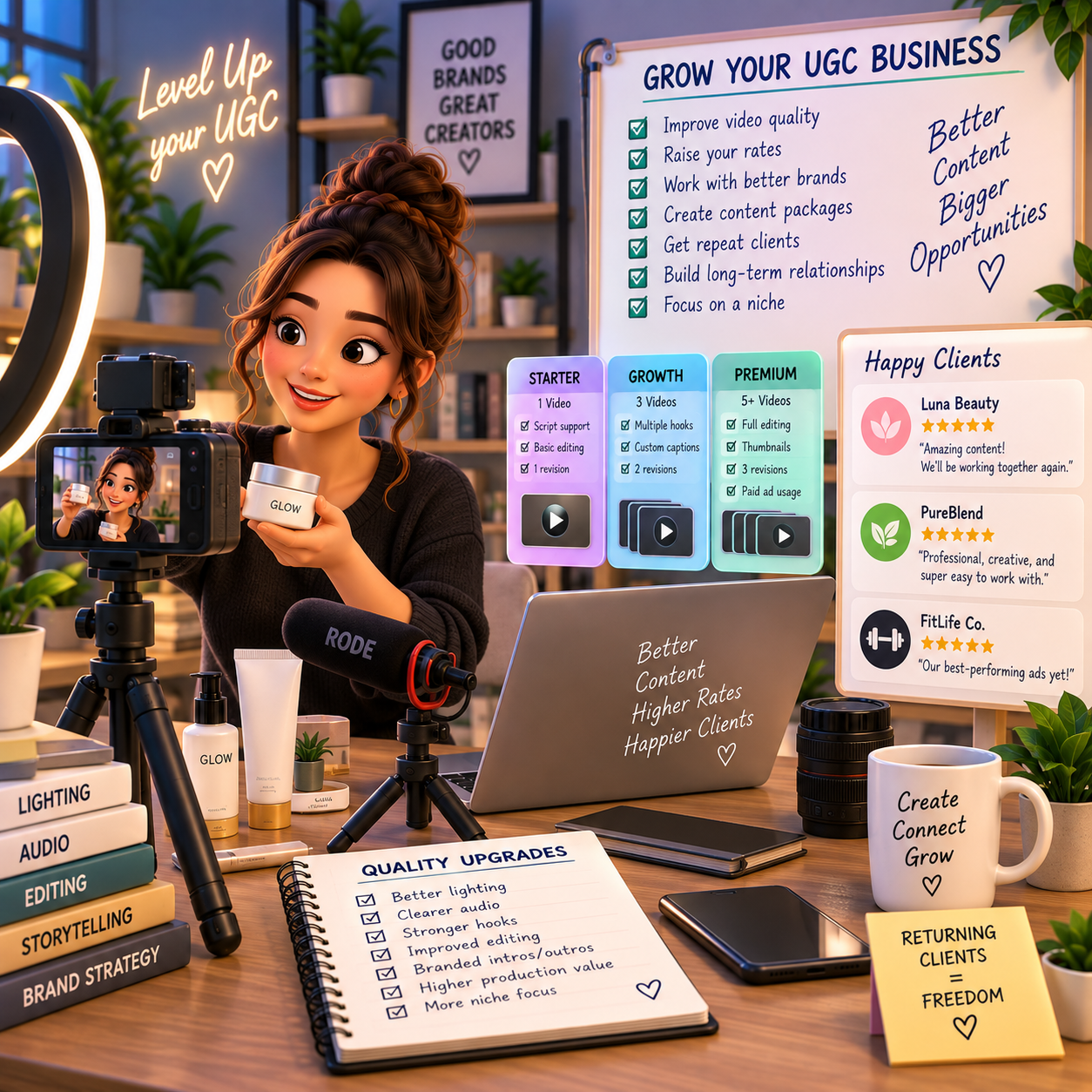
📅 Month 6: Review, Specialize & Build a Growth Plan
🎯 Main Goal
Review your first 6 months and decide which UGC niche, content format, and brand type deserve more focus.
✅ What to Do
- Review all sample and client videos
- Identify your strongest content style
- Identify which brands responded best
- Review which packages were easiest to deliver
- Review your pricing and turnaround time
- Remove offers that create too much scope creep
- Update your portfolio and pitch
- Create a 90-day plan for months 7–9
❓ 6-Month Review Questions
- Which videos looked most natural?
- Which content style got the best brand feedback?
- Which niche was easiest to film for?
- Which brands responded to your outreach?
- Which packages paid best for the time required?
- Which part of the workflow slowed you down?
- What should you stop offering?
- Are you ready to raise rates?
- Can you offer monthly UGC packages?
🏁 Month 6 Success Looks Like
- You know your strongest UGC content style
- Your portfolio looks more polished
- You understand what brands need
- Your pricing and workflow are clearer
- You have a 90-day plan to get better brand deals
🎯 KEY TAKEAWAY
UGC grows faster when you specialize in content brands can actually test, reuse, and turn into ads or organic posts.
📊 Decision Table
If This Happens | Do This |
Product demos are strongest | Build demo-focused packages |
Voiceovers are easier | Offer voiceover UGC packages |
Beauty or skincare brands respond | Create more samples in that niche |
Tech products fit you well | Build screen recording and demo samples |
Brands ask for multiple videos | Offer 3-video or 5-video bundles |
Revisions take too long | Tighten your brief and revision policy |
Outreach gets low replies | Improve your portfolio and pitch targeting |
Past brands are happy | Ask about monthly content needs |
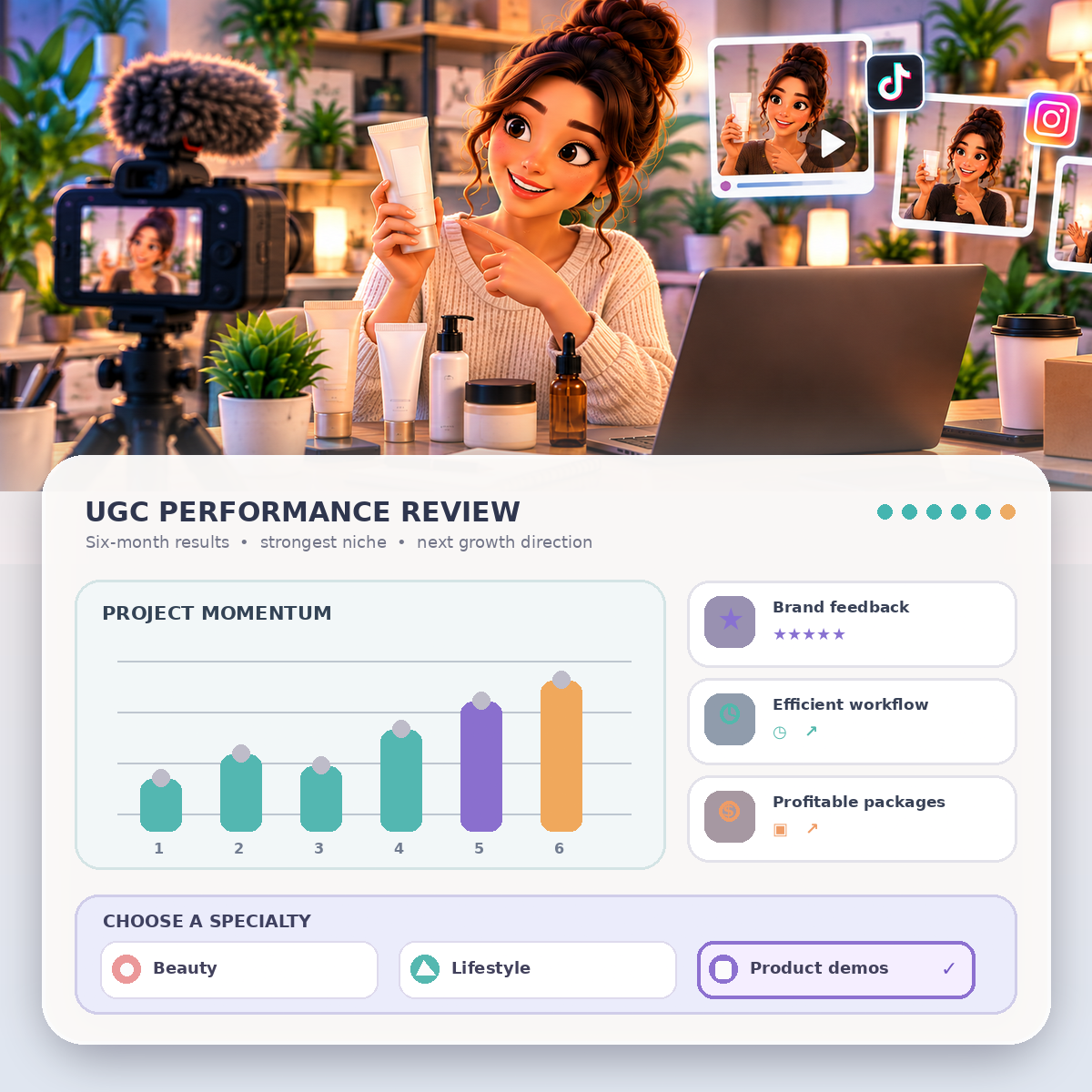
✅ 6-Month Success Checklist
By the end of 6 months, check whether you have:
✅ Learned what UGC is and how brands use it
✅ Chosen a content style or niche
✅ Created 5–10 sample videos
✅ Built a simple portfolio
✅ Created a rate sheet
✅ Built a pitch template
✅ Contacted brands
✅ Completed first collaborations
✅ Created a filming and editing workflow
✅ Collected feedback or testimonials
✅ Identified your strongest UGC style
✅ Created a plan for the next 90 days
⚠️ What Not to Do During the First 6 Months
Avoid these mistakes:
❌ Thinking you need a large following to start
❌ Sending pitches without a portfolio
❌ Filming with poor lighting or unclear audio
❌ Copying another creator’s exact style or script
❌ Accepting vague deliverables
❌ Offering unlimited revisions
❌ Ignoring usage rights
❌ Undercharging for bundles or ad usage
❌ Missing deadlines
❌ Treating gifted collaborations like guaranteed paid work
📝 QUICK NOTE
UGC is client work. Clear deliverables, deadlines, usage rights, and revision limits protect your time and make you look professional.
🧭 Simple 6-Month Milestone Tracker
Month | Main Focus | Target Output |
Month 1 | UGC basics | First practice videos filmed |
Month 2 | Portfolio | 5–10 samples, rates, pitch template |
Month 3 | Brand outreach | First pitches and collaborations |
Month 4 | Workflow | Brief, filming, editing, delivery system |
Month 5 | Quality & pricing | Stronger packages and testimonials |
Month 6 | Review & specialize | 90-day growth plan created |
🚀 Final 6-Month Strategy
Your first 6 months should follow this simple path:
Month 1: Learn UGC basics and choose your content style
Month 2: Create your UGC portfolio and rate sheet
Month 3: Start pitching brands and getting first deals
Month 4: Build a repeatable filming and delivery system
Month 5: Improve quality, pricing, and brand relationships
Month 6: Review results and specialize
The UGC creators who grow fastest are clear, relatable, consistent, and professional enough to help brands create content they can actually use.
11. View the UGC Creator Starter Kit
🎁 Your UGC Creator Toolkit
The UGC Creation Starter Kit brings together 12 browser-based tools to help you prepare original content, scope projects, research brands, organize outreach, set rates and review deliverables.
The 12 components:
✅ 1. UGC Video Script Builder — Outline original UGC video concepts and turn them into scripts.
✅ 2. UGC Pricing Calculator — Estimate rates and package pricing using your production costs and project assumptions.
✅ 3. Creative Brief Builder — Capture campaign goals, product details and approval requirements in a clear project brief.
✅ 4. UGC Project Tracker — Organize project timelines, tasks, revisions and client handoffs.
✅ 5. Portfolio Presentation Builder — Prepare a presentation of UGC samples you have permission to share.
✅ 6. UGC Contract Builder — Draft usage-rights terms, project scope and deliverables for independent legal review.
✅ 7. Brand Pitch Email Builder — Draft accurate, personalized brand pitches and follow-up emails for review before sending.
✅ 8. Brand Outreach Tracker — Research potential brand partners and manually track contacts and outreach progress.
✅ 9. UGC Hook Lab — Develop attention-grabbing introductions without false claims.
✅ 10. Delivery Quality Checklist — Review production specifications and client delivery requirements before handing off content.
✅ 11. UGC Platform Evaluator — Compare creator platforms and verify their current terms before choosing where to participate.
✅ 12. UGC Equipment Checklist — Review gear needs and plan a practical recording setup before buying equipment.
Also included in the editable master: The editable master includes a central dashboard and Start Here guide.
This is a review edition, not verified as a final customer release. The tools do not contact brands, guarantee contracts, supply permission to use copyrighted work or approve legal terms automatically.

12. Frequently Asked Questions
❓ Do I Need Followers or a Social Media Presence?
No! This is the beauty of UGC.
You’re creating content for brands to use, not posting to your own audience.
That means:
- 👥 You can have zero followers
- 🔒 You can keep your personal account private
- 🎬 You can earn from content creation, not audience size
- 💰 Extra income is possible with strong work and consistent pitching, but monthly totals are not guaranteed
💡 Brands pay for usable content, not your follower count.
🙈 What If I'm Camera-Shy or Don't Want to Show My Face?
Perfect — create faceless UGC.
Many creators specialize in:
- 📦 Product-focused videos
- 📸 Flat lay photography
- 👀 POV content
- ✋ Hands-only demonstrations
- 🎙️ Voiceover + B-roll footage
Some niches actually prefer faceless content, especially:
- 🧴 Aesthetic lifestyle products
- 💻 Tech products
- 🏠 Home organization
- 🍽️ Food and kitchen products
- 📦 Product demonstrations
💡 You can build an entire UGC business without ever being on camera.
⏰ How Long Does It Take to Make Money?
Illustrative timeline, not a guarantee:
- 🧱 Week 1–4: Build portfolio and start pitching, often with little or no income
- 💵 Month 2: First paid projects are possible if pitching and samples start working
- 📈 Month 3–6: Higher monthly totals usually take consistent work and repeat clients
- 🚀 Month 6–12: Retainers and premium rates are possible, not typical starting outcomes
The key:
👉 Quality portfolio + consistent pitching.
Most people who “fail” give up after 20 pitches.
💡 Success often comes from pitching 100+ brands.
🎥 What Equipment Do I Actually Need to Start?
Bare minimum, around $0–$75:
- 📱 Smartphone, such as iPhone 11+ or equivalent Android
- ☀️ Natural window light
- 🔇 Quiet space
- ✂️ Free editing app, such as CapCut
Recommended starter kit, around $75–$150:
- 💡 Ring light: $25–$60
- 📱 Phone tripod: $15–$30
- 🎙️ Lavalier microphone: $20–$40
- 🪞 White poster board reflector: $5–$10
💡 Don’t let equipment be an excuse. Start simple and upgrade later.
💰 How Do I Price My Services?
🌱 Beginner Rates — First 10 Projects
- 🎬 Single video: $75–$150
- 📦 3-video bundle: $200–$400
📈 Intermediate Rates — 10–30 Projects
- 🎬 Single video: $150–$300
- 🔁 Monthly retainer: $800–$1,500
🚀 Advanced Rates — 30+ Projects, Specialized
- 🎬 Single video: $300–$600
- 💼 Monthly retainer: $1,500–$3,000+
Always charge more for:
- 📆 Extended usage rights
- 📣 Whitelisting, where brands run ads from your account
- ⚡ Rush delivery
- 🔒 Exclusivity clauses
💡 Your content has value beyond the file itself.
📄 Do I Need a Contract?
Yes, even for small projects.
A simple agreement should include:
- ✅ Deliverables: what exactly you’re creating
- 🗓️ Timeline: when you’ll deliver
- 💳 Payment terms: when and how much
- 🔁 Revision rounds: typically 2 included
- 📢 Usage rights: how long they can use the content
- 🚫 Cancellation policy
💡 Use a template and adjust for each project. This protects both parties.
🧾 What About Taxes?
You’re self-employed, so plan ahead.
You may pay:
- 💰 Regular income tax on earnings
- 🧾 Self-employment tax, around 15.3%
- 🏦 Taxes based on your total business income
Best practice:
- Set aside 25–30% of income for taxes
- Track everything in a spreadsheet
- Consult a tax professional if earning $10,000+/year
Deductible expenses may include:
- 🎥 Equipment, such as camera, lights, and microphone
- 💻 Software subscriptions, such as CapCut Pro or Adobe
- 🛍️ Props and products used in content
- 🏠 Home office space, if applicable
- 📱 Internet and phone bills, based on business-use percentage
💡 Treat your UGC work like a real business from the beginning.
📢 Can Brands Use My Content Forever?
Only if you let them.
Always specify usage rights in your contract.
Common usage terms:
- ⏳ Standard: 30–90 days
- 📆 Extended: 6 months to 1 year, usually +$100–$300
- ♾️ Unlimited: Forever, usually +$300–$1,000+
Never give unlimited rights without charging significantly more.
💡 Content has ongoing value, especially if brands use it in ads.
⭐ What If I Don't Like the Product I'm Reviewing?
Be honest with the brand before filming.
Options:
- 🚫 Decline the project to protect your reputation
- 🗣️ Create honest review content where mild criticism is allowed
- ✅ Focus on positives while mentioning minor drawbacks
Never fake enthusiasm for terrible products.
💡 Your authenticity is your brand.
🚨 How Do I Handle Brands Who Ask for Free Content?
Politely decline.
Use this response:
“Thanks for reaching out! I’d love to work with you. My rates start at $[X] for [deliverables]. Would you like to discuss a paid collaboration?”
Only work for free if:
- 🧱 It is for your initial portfolio, limited to 2–3 projects
- 🏆 It is a major brand that could open doors
- 🎁 The product value is very high, usually $500+
Otherwise, your time and skills have value.
👉 Charge accordingly.
🤳 What's the Difference Between UGC and Influencer Marketing?
🎬 UGC Creator
- 📸 Creates content for brands to use
- 💰 Gets paid per project or retainer
- 👥 Does not need followers
- 📁 Delivers files and usually does not post
- 🎯 Focuses on content quality and deliverables
📲 Influencer
- 📢 Posts content to their own audience
- 📊 Gets paid for reach and engagement
- 👥 Needs a substantial following
- 📱 Posts to their own channels
- 🎯 Focuses on audience size and engagement
You can do both, but they are different business models with different value propositions.
🏢 Should I Start an LLC or Business Entity?
Not necessary to start.
Begin as a sole proprietor and:
- 📊 Track income and expenses carefully
- 🏦 Get a business bank account if helpful
- 📈 Consider an LLC when earning $30,000+/year
- 🧑💼 Consult an accountant about tax benefits
💡 Focus on landing clients first, then optimize legal structure later.
😤 How Do I Deal With Difficult Clients?
Watch for red flags:
- 🔁 Asking for endless revisions beyond the contract
- 📌 Changing scope mid-project without adjusting payment
- 😠 Disrespectful communication
- 💸 Payment delays or disputes
- ⏰ Unrealistic expectations
How to handle it:
- 📄 Reference the contract for scope and revisions
- 🧾 Document all communication
- 💪 Stand firm on agreed terms
- ✅ Complete the current project professionally
- 🚪 Do not work with them again
💡 Your time and sanity are valuable. Fire bad clients.
🌎 Can I Do This Internationally or From Outside the US?
Absolutely.
UGC is globally accessible.
Many creators work with:
- 🇺🇸 US brands from Europe, Asia, or Latin America
- 🏪 Local brands in their own country
- 🌍 International brands
- 📦 E-commerce brands that sell worldwide
Payment considerations:
- 💸 Use PayPal, Wise, or Payoneer for international transfers
- 💱 Factor in currency exchange
- 🇺🇸 Some US brands prefer US creators, but many do not care
- 🕒 Time zones can be an advantage because you can work while the US sleeps
13. Important Considerations
Before you pitch brands, understand these key realities — UGC rewards consistency and business thinking as much as creativity.
🧠 This Is a Content + Marketing Skill, Not Just Filming
UGC is not just “making videos.”
It is about:
- 🧠 Understanding what converts
- 🪝 Creating scroll-stopping hooks
- 🎬 Delivering content brands can actually use
- 💬 Communicating the product clearly
- 📊 Supporting a marketing goal
👉 You’re solving a marketing problem, not just filming clips.
📉 Inconsistent Work at the Start
Early on, expect:
- 🗓️ Dry weeks with no clients
- 📩 Low response rates, often 5–15%
- 🧪 Trial-and-error with pitching
- 💬 Lots of unanswered messages
Stability comes from:
- 📈 Volume through more outreach
- 🔁 Retainers with monthly clients
- 📁 A strong portfolio
- 🤝 Repeat clients
- 🎯 Niche positioning
💰 Pricing Pitfalls
Common mistakes:
- ❌ Undervaluing your work with $25–$50 videos
- ❌ Not charging for usage rights
- ❌ Accepting unlimited revisions
- ❌ Forgetting rush fees
- ❌ Giving brands too much for too little
Fix this early:
- 💵 Set minimum rates, such as $75–$150 starting
- 📦 Define deliverables clearly
- 📢 Charge for add-ons, such as ads, exclusivity, and rush delivery
- 🔁 Limit revisions in writing
📜 Usage Rights = Hidden Money
If you ignore usage rights, you lose income.
Brands may:
- 📣 Run your content as ads
- 📆 Use it for months or years
- 🌐 Repurpose it across platforms
- 🛒 Use it on websites or product pages
- 📱 Use it for organic social content
Always define:
- ⏳ Duration, such as 30, 60, or 90 days
- 📍 Platforms, such as ads, organic, or website
- 💰 Extra fees for extended use
- 🔒 Exclusivity terms if requested
💡 Usage rights are one of the biggest ways to increase your earnings.
🎥 Quality Still Matters, Even If It’s “UGC”
UGC does not mean low effort.
Brands may reject content for:
- ❌ Bad audio
- ❌ Poor lighting
- ❌ Shaky footage
- ❌ Not following the brief
- ❌ Unclear product shots
- ❌ Weak hook or pacing
Authentic still needs to be:
- ✅ Clear
- ✅ Clean
- ✅ Watchable
- ✅ Useful
- ✅ On-brand
📦 Revisions & Scope Creep
Without boundaries:
- 🔁 Clients may ask for endless edits
- 📌 Projects may expand without extra pay
- ⏳ Small changes can eat hours of your time
- 😤 Expectations can become unclear
Protect yourself:
- 🔁 Include 1–2 revision rounds max
- 💰 Charge for additional edits
- 📄 Define scope in writing
- 🗓️ Set delivery timelines clearly
🤝 Client Quality Varies
You will encounter:
- 💸 Low-budget brands
- 💬 Poor communication
- ⏰ Late payments
- 📌 Vague deliverables
- 🔁 Endless revision requests
Red flags:
- 🚩 “We don’t have budget but great exposure”
- 🚩 Constant scope changes
- 🚩 Vague deliverables
- 🚩 Disrespectful communication
- 🚩 Avoiding contracts or payment terms
👉 Best move: work with fewer, better clients over time.
⏱️ Time vs. Output Reality
UGC looks fast, but every video includes:
- 🧠 Concepting
- 🎥 Filming
- 🔁 Retakes
- ✂️ Editing
- 📩 Communication
- 🔄 Revisions
- 📤 File delivery
One “30-second video” can take:
- ⏳ 1–3+ hours depending on complexity
💡 Price based on total work, not just final video length.
📈 Growth Requires Specialization
General UGC is easier to start, but often pays less.
Specialized UGC has:
- 📈 Higher demand
- 💰 Premium pricing
- 🎯 Easier positioning
- 🤝 Better client fit
Profitable niches can include:
- 🧴 Skincare
- 💻 SaaS/tech
- 🏋️ Fitness
- 💰 Finance
- 🏠 Home products
- 🐾 Pet products
- 🍽️ Food and wellness
👉 Niche = higher income + easier sales.
🤖 Platform Dependency Risk
Relying only on platforms like:
- 💼 Fiverr
- 🧑💻 Upwork
- 🎬 UGC marketplaces
Means dealing with:
- 💸 Fees, often 10–20%
- 🏁 Platform competition
- ⚠️ Less control
- 📉 Algorithm or account risk
Long-term play:
- 🤝 Build direct clients + retainers
- 📧 Create an outreach system
- 🌐 Build a simple portfolio page
- 📁 Keep your own client list
🔁 Burnout Risk and Content Fatigue
UGC requires:
- 💡 Constant creativity
- 🔁 Repeating similar formats
- 📦 High output
- 🎥 Frequent filming
- 💬 Ongoing communication
Avoid burnout by:
- 🗂️ Batching content
- 📋 Using templates
- 🎯 Focusing on fewer, higher-paying clients
- 📅 Creating a repeatable workflow
- 🧠 Choosing niches you actually understand
📊 The Reality Most People Don’t Say
UGC is:
- ✅ Easy to start
- ⚠️ Hard to scale without systems
Success comes from:
- 📩 Outreach volume
- 🎬 Content volume
- 🔁 Consistency
- 📊 Iteration
- 💼 Business discipline
- 🎯 Clear positioning
💡 The creators who grow treat UGC like a business, not random content creation.
⚠️ Biggest Beginner Mistakes
Avoid these:
❌ No portfolio before pitching
❌ Copying trends without understanding them
❌ Poor audio quality
❌ Not reading briefs carefully
❌ Undercharging long-term
❌ Giving up after 10–20 pitches
❌ Not charging for usage rights
❌ Accepting vague deliverables
👉 Most people fail from lack of consistency, not lack of ability.
🔥 Bottom Insight
UGC is one of the highest ROI side hustles right now, but it rewards:
- ⚡ Speed
- 🔁 Adaptability
- 💼 Business thinking
- 🎬 Content skill
- 📩 Consistent outreach
Not just creativity.
If you treat it like a hobby → inconsistent income.
If you treat it like a business → scalable, predictable income.
14. Your Next Steps
🚀 ACTION STEP
📅 Take Action This Week
Day 1: 🎥 Watch 10 successful UGC videos and analyze what makes them work
Day 2: 🎧 Order basic equipment, such as a ring light, tripod, and mic, around $75–$150
Day 3: 🎬 Set up your filming space and practice being on camera or recording voiceover
Day 4–5: 📦 Create your first 2 portfolio videos using products you already own
Day 6: ✂️ Edit videos in CapCut and get feedback from 2 friends
Day 7: 📁 Create a portfolio folder, sign up for Fiverr, and apply to 5 platforms
Week 2: 🎬 Complete 3 more portfolio videos and start pitching brands
Start with one spec video and one pitch when your samples are ready.
15. The Bottom Line
🎯 KEY TAKEAWAY
UGC creation can be an accessible way to get paid for brand content without needing a large following — because brands buy the files, not your audience. Fees, usage terms, and available work still decide what you keep.
🙋 If you:
✔ Build a small portfolio of spec videos this week
✔ Nail lighting and audio with just your phone
✔ Pitch brands consistently — volume beats waiting
✔ Communicate professionally and deliver on deadline
🏗️ You can build:
💰 Extra income is possible; $100–$500+ per video is an example, not a promise
🔁 Repeat brand deals and monthly retainers are possible if quality, rights, and delivery stay reliable
📈 Higher monthly totals usually take repeat clients or a team — not a $12,000/month forecast
🚀 Outline your first spec video when the product, claims, and usage terms are ready.
16. Recommended Websites & Tools
🛠 TOOLS & RESOURCES
You do not need every resource listed below. This directory brings together the major platforms, tools, and resources from this guide, along with additional research and learning options, so you can find them in one place when you need them.
Start with the essentials. Add tools only when your UGC business develops a specific need for them.
📱 Social Platforms & Brand Content Channels
- Instagram — Platform where brands use UGC for Reels, Stories, product content, paid ads, DMs, and creator outreach.
- TikTok — Short-form video platform for studying native ad styles, trends, hooks, product demos, and UGC-style content.
- Facebook — Platform mentioned for brand ads, creator groups, job posts, community leads, and UGC content usage.
- X / Twitter — Social platform mentioned for finding creator job posts, brand requests, and UGC opportunities.
- YouTube — Video platform for studying ad examples, building sample content, and hosting creator education or portfolio content.
💡 PRO TIP
Study the TikTok and Instagram ads already running in your niche — that is the exact style brands want to buy.
🎥 Filming Gear, Lighting & Audio Tools
- Neewer — Lighting brand mentioned for affordable ring lights and beginner UGC lighting setups.
- UBeesize — Tripod and ring light brand mentioned for phone holders, filming stands, and beginner creator gear.
- Joby GorillaPod — Flexible tripod option for steady product shots, lifestyle clips, and hands-free filming.
- BOYA — Budget lavalier microphone brand mentioned for improving voice quality in UGC videos.
- Rode — Microphone brand mentioned for lavalier, mobile, and creator audio upgrades.
- Amazon — Retail source mentioned for buying ring lights, microphones, tripods, reflectors, and creator setup items.
📝 QUICK NOTE
A phone, a window, and a cheap clip-on mic beat a $2,000 camera with bad lighting. Upgrade only when clients demand it.
✂️ Video Editing & Mobile Production Apps
- CapCut — Beginner-friendly video editor for UGC clips, captions, hooks, transitions, templates, and short-form edits.
- InShot — Mobile video editor for quick cuts, text overlays, music, vertical videos, and fast UGC editing.
- VN Video Editor — Free mobile editor for creators who want more editing control without heavy desktop software.
- Adobe Premiere Rush — Lightweight Adobe video editor for quick cross-platform UGC edits and social content.
- iMovie — Free Apple video editor for basic UGC trimming, simple edits, and beginner content production.
- DaVinci Resolve — Advanced desktop video editor for creators who want higher-end editing and color control.
🗂️ Portfolio, File Delivery & Client Assets
- Google Drive — File storage tool for hosting UGC portfolios, sample videos, raw files, final deliverables, and brand project folders.
- Dropbox — File delivery platform for sharing large video files, edited assets, and organized client folders.
- WeTransfer — Large-file transfer tool for sending finished videos, raw footage, and brand deliverables quickly.
- Notion — Workspace for building a simple UGC portfolio, tracking pitches, organizing brand leads, and managing project details.
- Carrd — One-page website builder for a clean UGC portfolio, service menu, pricing, and contact page.
- Wix — Website builder for creating a more complete creator portfolio, testimonials page, and service landing page.
📝 QUICK NOTE
Your portfolio link is your storefront. Three strong spec videos beat ten average ones.
💼 Client-Finding & Freelance Platforms
- Fiverr — Freelance marketplace for packaging UGC videos, product demos, testimonials, voiceover B-roll, and short-form ad creatives.
- Upwork — Freelance platform for finding UGC projects, brand content jobs, product video work, and recurring creator clients.
- Instagram — Outreach channel for DM pitching brands, studying product pages, and finding brands already using creator-style content.
- TikTok — Research and outreach platform for finding brands active in short-form ads and studying UGC formats that perform.
- Facebook — Platform for creator groups, UGC job posts, brand communities, and freelance opportunity threads.
- X / Twitter — Social channel for finding brands, creator calls, UGC job posts, and marketing teams looking for content support.
🎯 KEY TAKEAWAY
You do not need every tool on this page. A phone, one editing app, and one portfolio link are enough to pitch your first brand.
🧭 How to Use This Directory
🧰 Start With a Simple Setup
Do not start by creating accounts with every service listed above. For most beginners, a simple setup is enough:
- Your smartphone
- One editing app
- One portfolio link
That is enough to start building. Add tools only when you can name the specific problem they will solve.
🎯 KEY TAKEAWAY
Tools support the business. They are not the business.
Your biggest advantages will come from:
Authentic content → Consistent pitching → Repeat clients → Retainers
17. Explore Similar Side Hustles
- Faceless Video Content Creation: Go Viral Without Showing Your Face — Prefer to stay off-camera? Build faceless channels instead of brand deals.
 Social Media Management — Expand from content creation into full account management retainers.
- Stock Photography: Make Money Selling Your Photos Online — License your best shots as a second income stream.
 Freelance Writing: Get Paid to Write Online — Write the scripts and hooks brands pair with your videos.
 Online Course Creation: Turn Your Knowledge Into Income — Teach your UGC system once it consistently lands clients.
 Selling Digital Products — Sell your hooks, scripts, and pitch templates as downloads.