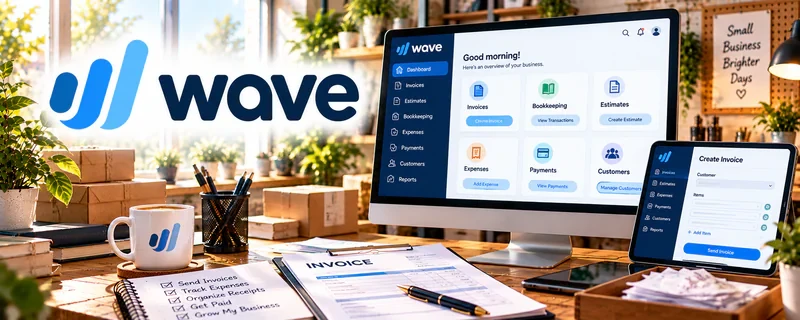
Official Website
Wave is a freemium invoicing and finance tool for small businesses.
🔗 Visit Official Website — Wave
Domain: www.waveapps.com
What This Website Is
Wave is a freemium invoicing and finance tool for small businesses. For the 🤳 UGC Creation side hustle, it can be used to invoice brands, track payments, and keep basic finances organized.
How to Apply It to 🤳 UGC Creation
Use Wave as your “get paid system”: invoice → collect payment → track income → export records.
Step-by-Step Implementation:
- Phase 1: Set up your business profile and invoice template.
- Phase 2: Create packages/rate card line items.
- Phase 3: Invoice after delivery and track payments.
Common Use Cases for this Side Hustle:
- Scenario A: If brands pay late, use clear due dates and reminders.
- Scenario B: If you want better records, export monthly statements.
- Scenario C: If you scale, standardize invoice templates.
When to Use This
- You invoice brands directly.
- You want simple bookkeeping.
- You want payment tracking.
- You want organized records.
Best Tasks to Use It For
- Invoicing brands
- Tracking payments
- Income/expense tracking
- Exporting records
- Basic cashflow visibility
Getting Started Steps
- Create a Wave account.
- Set up your invoice template.
- Add your services/products.
- Send your first invoice.
- Track payments and due dates.
- Export records monthly.
- Save templates for reuse.
Good Beginner Search Terms
- Wave invoicing for freelancers
- UGC invoice template
- payment terms for creators
- freelance bookkeeping basics
- how to follow up on unpaid invoices
- UGC rate card template
Monetization Angle
Better invoicing improves cashflow and reduces unpaid work. Clean records also support taxes and pricing decisions.
Pros
- Easy invoicing
- Freemium entry point
- Good for simple tracking
Cons
- Not a full accounting suite
- Requires manual upkeep
- Some features are paid
Who Should Use This
UGC creators with direct brand clients who need simple invoicing and payment tracking.
Who Should Skip This
Skip this if you already use an accounting platform and don’t want duplicate tracking.
Practical Applications
- Invoice a brand for a clearly agreed UGC package.
- Match payments and refunds to the relevant production project.
- Record production expenses consistently for regular reconciliation.
Important Considerations
- Check current regional support, pricing, payment-processing fees, and available features.
- Invoices do not establish usage rights or revision terms; agree these separately and obtain suitable tax guidance for uncertain classifications.
Related Resources
PayPal Business — Collects brand payments and supports direct client transactions.
Bonsai — Adds contracts, proposals, and more structured client admin for UGC work.
Google Docs — Stores briefs, scripts, invoices notes, and client communication templates.
Google Drive — Organizes deliverables, contracts, receipts, and brand asset folders.
Related Side Hustles
 Blogging: Build an Online Brand and Earn from Your Words — UGC insights and creator workflows can become content.
 Affiliate Marketing: Get Paid to Promote What You Love — Product demos and recommendations can connect to affiliate revenue.
 Freelance Writing: Get Paid to Write Online — Scriptwriting and pitch writing rely on strong freelance writing skills.