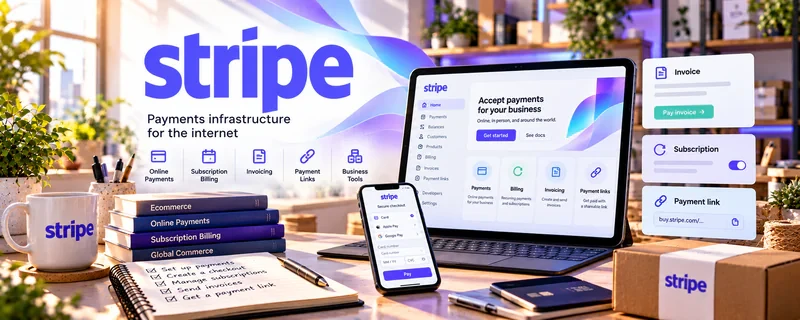
Official Website
Stripe is a freemium payment platform for collecting online payments, sending payment links, managing checkout, and tracking business revenue.
🔗 Visit Official Website — Stripe
Domain: stripe.com
What This Website Is
Stripe is a freemium payment platform for collecting online payments, sending payment links, managing checkout, and tracking business revenue. For 🤳 UGC Creation, it helps creators look more professional when charging brands for content packages, usage rights, rush fees, retainers, and add-on deliverables.
What You Can Do With This Tool
- Create payment links for UGC packages.
- Collect card payments from brands and agencies.
- Track paid, unpaid, refunded, and disputed payments.
- Separate creator income from personal spending.
- Build a simple checkout path for portfolio or media-kit pages.
How to Apply It to 🤳 UGC Creation
Use Stripe as the payment layer behind your UGC offer. Your actual service still needs a clear brief, deliverables, timeline, revision rules, and usage terms.
Step-by-Step Implementation:
- Phase 1: Define 2–3 UGC packages, such as one video, three hooks, or monthly content bundles.
- Phase 2: Create payment links that match each package and add notes about deliverables, timelines, and usage rights.
- Phase 3: Track every paid project in a simple client board so payments, deadlines, files, and follow-ups stay connected.
Common Use Cases for This Side Hustle:
- Scenario A: A brand wants to pay quickly after accepting your pitch.
- Scenario B: You need a clean way to collect deposits before filming.
- Scenario C: You want better records for monthly income, taxes, and client follow-up.
When to Use This
- When you sell UGC directly to brands.
- When you need payment links instead of casual transfers.
- When you package content into clear offers.
- When you want cleaner income records.
Recommended Workflow
- Package your offer.
- Quote the brand.
- Send contract or scope notes.
- Send Stripe payment link.
- Confirm payment before production.
- Deliver files and log the project.
Getting Started Steps
- Open a Stripe account.
- Set up business and payout details.
- Create one payment link for your entry UGC package.
- Add the link to your media kit or invoice process.
- Test the checkout flow before sending it to a client.
- Record each payment in your UGC tracker.
Recommended Searches
- Stripe payment links for freelancers
- UGC invoice template
- UGC usage rights pricing
- creator payment workflow
- Stripe tax reporting basics
Best Practices
- Keep the payment link tied to a specific package, not a vague “UGC service.”
- Confirm deliverables, usage rights, deadlines, and revision limits before payment.
- Use deposits for larger projects or new clients.
- Track fees so your real profit is clear.
- Do not treat payment collection as a substitute for a clear agreement.
Monetization Angle
Stripe does not create UGC demand by itself, but it can make paid work easier to close. A clean payment process reduces friction, supports higher-ticket packages, and helps you turn one-off brand deals into repeatable client operations.
Pros
- Professional payment experience.
- Easy payment links for packages.
- Strong tracking for creator income.
- Good fit for direct brand clients.
Cons
- Processing fees reduce net income.
- Setup can feel formal for beginners.
- Disputes and refunds require attention.
- Not a client-finding platform.
Who Should Use This
UGC creators who sell direct packages, collect deposits, or want a more professional payment workflow than peer-to-peer apps.
Who Should Skip This
Skip this if you only work through marketplaces that already manage payments, escrow, and payout records.
Practical Applications
- Create a payment request for an agreed UGC content package.
- Itemize separately priced deliverables or usage-rights charges clearly.
- Match brand receipts, fees, and refunds to the relevant project.
Important Considerations
- Agree scope, licensing, revisions, and payment terms in writing before collecting money; checkout does not define usage rights.
- Check current account eligibility, processing fees, payout and dispute rules, and protect confidential brand and payment information.
Related Resources
PayPal Business — alternative payment option for UGC clients who prefer PayPal
Wave — invoicing and bookkeeping support for UGC income
Google Docs — useful for UGC scripts, briefs, scope notes, and revision comments
Carrd — simple landing page for a UGC portfolio or media kit
Related Side Hustles
 UGC Creation — the direct side hustle this payment workflow supports
 Newsletter Monetization: Get Paid to Write About What You Love — also uses payments for sponsorships, products, and services
 Consulting: Get Paid for What You Know — similar need for deposits, invoices, and clear client scopes