Official Website
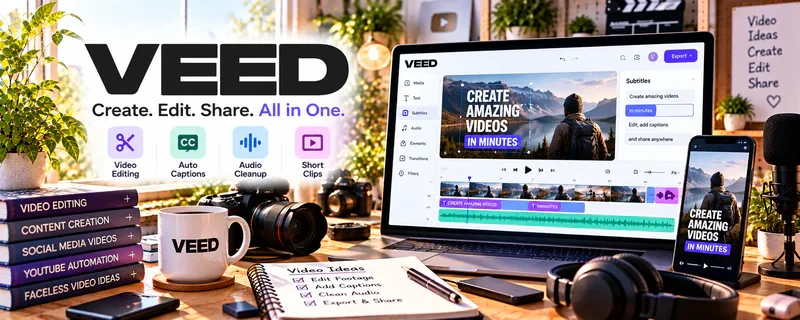
VEED is a video editing tool for cutting clips, adding captions, and creating social-ready videos.
🔗 Visit Official Website — VEED
Domain: www.veed.io
What This Website Is
VEED is a video editing tool for cutting clips, adding captions, and creating social-ready videos. For the ▶️ YouTube Automation side hustle, it can help you assemble videos faster and maintain consistent editing style.
How to Apply It to ▶️ YouTube Automation
Use VEED as your “assembly + captions” step: import → edit → captions → export.
Step-by-Step Implementation:
- Phase 1: Create a reusable project style (fonts, caption presets, transitions).
- Phase 2: Edit your script/VO + visuals into a clean timeline.
- Phase 3: Add captions, export, and upload.
Common Use Cases for this Side Hustle:
- Scenario A: If editing takes too long, use templates and presets.
- Scenario B: If retention is low, tighten pacing with quick cuts.
- Scenario C: If captions matter, standardize caption styling.
When to Use This
- You want faster video production.
- You rely on captions/subtitles.
- You want consistent editing style.
- You publish regularly.
Best Tasks to Use It For
- Basic video editing
- Captions/subtitles
- Social-ready exports
- Template-based production
- Quick turnaround edits
Getting Started Steps
- Create a VEED account.
- Import footage/graphics.
- Build a simple reusable style preset.
- Edit the timeline and clean pacing.
- Add captions.
- Export in your standard format.
- Save templates for the next video.
Good Beginner Search Terms
- VEED captions tutorial
- YouTube automation editing workflow
- caption styling best practices
- improve watch time editing
- video editing templates
- export settings for YouTube
Monetization Angle
Faster production + better retention supports more uploads and higher ad revenue over time.
Pros
- Fast workflow
- Caption-friendly
- Good for repeatable templates
Cons
- May be limited for complex edits
- Exports depend on plan
- Requires consistent source assets
Who Should Use This
Creators building repeatable YouTube automation workflows who want speed and consistency.
Who Should Skip This
Skip this if you need advanced color grading/motion graphics and prefer pro desktop editors.
Practical Applications
- Assemble an original video from approved narration and licensed visuals.
- Generate draft captions and manually correct names and technical terms.
- Create a consistent export checklist for channel uploads.
Important Considerations
- Review current watermark, export, storage, and plan limits before planning production.
- Verify media permissions and any AI-feature terms; faster editing does not establish originality or YouTube monetization eligibility.
Related Resources
Adobe Audition — Cleans voiceovers and audio before assembling videos.
Adobe Premiere Pro — Provides advanced editing when VEED is too limited.
CapCut — Offers fast short-form editing and social video repurposing.
OBS Studio — Records screen footage, tutorials, and source assets for videos.
Related Side Hustles
 Online Course Creation: Turn Your Knowledge Into Income — Uses similar recording, captions, and lesson-video production workflows.
Blogging: Build an Online Brand and Earn from Your Words — Video scripts and topics can be repurposed into written content.
 Affiliate Marketing: Get Paid to Promote What You Love — YouTube videos can promote products and drive affiliate conversions.