Official Website
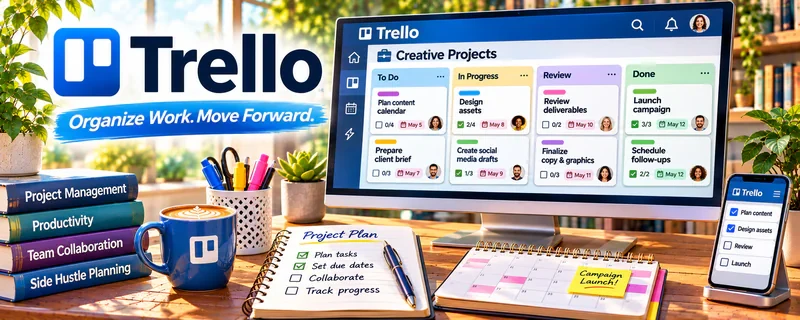
Trello is a freemium kanban board tool for tracking tasks and simple workflows.
🔗 Visit Official Website — Trello
Domain: trello.com
What This Website Is
Trello is a freemium kanban board tool for tracking tasks and simple workflows. For the ▶️ YouTube Automation side hustle, it can be used to manage your production pipeline from ideas → scripting → editing → publishing.
How to Apply It to ▶️ YouTube Automation
Use Trello as your “production board” so every video moves through the same steps.
Step-by-Step Implementation:
- Phase 1: Create lists (Ideas, Script, Voiceover, Edit, Thumbnail, Upload, Published).
- Phase 2: Create a card template checklist for each stage.
- Phase 3: Batch-plan weekly and track outsourcing deadlines.
Common Use Cases for this Side Hustle:
- Scenario A: If you miss steps, use checklists per card.
- Scenario B: If you outsource, assign cards and due dates.
- Scenario C: If you want consistency, track throughput weekly.
When to Use This
- You produce videos repeatedly.
- You outsource editing, thumbnails, or scripts.
- You need a clear pipeline.
- You want consistent publishing cadence.
Best Tasks to Use It For
- Video pipeline tracking
- Checklist-based production
- Outsourcing coordination
- Weekly planning and batching
- Status visibility and accountability
Getting Started Steps
- Create a Trello board called “YouTube Pipeline.”
- Add pipeline lists from Idea to Published.
- Create a reusable checklist template per card.
- Add 20 ideas to the backlog.
- Pick 3–5 videos for this week.
- Assign tasks to collaborators (if any).
- Review weekly and refine workflow.
Good Beginner Search Terms
- Trello YouTube content workflow
- YouTube automation production checklist
- how to batch content creation
- outsource video editing process
- content calendar kanban board
- Trello Butler automations
Monetization Angle
A cleaner pipeline increases output consistency, which improves channel growth and monetization over time.
Pros
- Simple kanban workflow
- Great for checklists
- Easy to collaborate
Cons
- Can get messy without rules
- Limited analytics without upgrades
- Not a specialized content tool
Who Should Use This
Creators who want a lightweight workflow system to ship videos consistently.
Who Should Skip This
Skip this if you already run a full production system elsewhere and don’t want duplication.
Practical Applications
- Create a production board with research, script, voiceover, edit, and review stages.
- Attach source checks, asset permissions, and thumbnail tasks to each video card.
- Assign clear ownership and due dates for handoffs between collaborators.
Important Considerations
- A completed card is not proof that facts, rights, or YouTube policies have been checked.
- Restrict collaborator access appropriately and verify automation limits; do not put account passwords or sensitive credentials in cards.
Related Resources
CapCut — Helps edit short-form cuts, promos, and repurposed clips from YouTube videos.
Photopea — Creates thumbnails, overlays, and simple graphics without paid design software.
OBS Studio — Records screens, tutorials, or source footage for automated channel formats.
Google Drive — Stores scripts, voiceovers, raw assets, edits, and final uploads.
Related Side Hustles
 Blogging: Build an Online Brand and Earn from Your Words — Uses similar content planning, research, and audience growth skills.
 Affiliate Marketing: Get Paid to Promote What You Love — YouTube videos can drive product recommendations and affiliate revenue.
 Freelance Writing: Get Paid to Write Online — Research and scripting skills transfer directly into video production.