Official Website
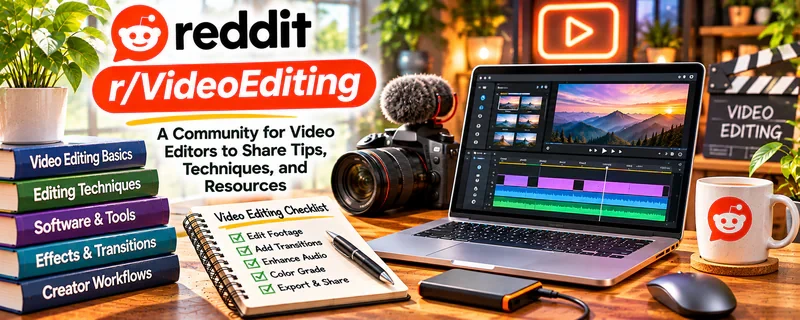
r/VideoEditing is a community where editors discuss software, workflow, pacing, storytelling, and technical fixes.
🔗 Visit Official Website — r/VideoEditing
Domain: www.reddit.com
What This Website Is
r/VideoEditing is a community where editors discuss software, workflow, pacing, storytelling, and technical fixes. For ▶️ YouTube Automation, it’s useful because editing quality and retention are the biggest levers—especially in faceless channels.
How to Apply It to ▶️ YouTube Automation
Use r/VideoEditing as a “retention and workflow” community: learn editing patterns → build a repeatable checklist → improve one element per upload.
Step-by-Step Implementation:
- Phase 1: Improve fundamentals — audio clarity, pacing, and structure.
- Phase 2: Build an editing checklist — hook, pattern interrupts, b-roll cadence, captions.
- Phase 3: Scale output — templates, presets, and consistent handoff between roles.
Common Use Cases for this Side Hustle:
- Scenario A: You want to improve retention through pacing.
- Scenario B: You want workflow advice for editing faster.
- Scenario C: You want tool recommendations and fix troubleshooting.
When to Use This
- You’re building a faceless/automation channel and editing is a bottleneck.
- You want to improve pacing and retention.
- You want workflow templates and checklists.
- You have specific technical questions.
Best Tasks to Use It For
- Improving pacing and retention through editing
- Solving technical issues (audio, color, codecs)
- Building templates/presets for faster output
- Choosing editing software and tools
- Learning storytelling through cuts and visuals
Getting Started Steps
- Choose one editor stack (Premiere/Resolve) and stick with it.
- Build a standard project template (folders, sequences, exports).
- Create a pacing checklist (cut every X seconds, add b-roll, captions).
- Improve audio first (it’s the biggest perceived quality signal).
- Export and review your first 30 seconds for drop-off risk.
- Ask targeted questions with clips/timecodes, not general “help me edit.”
Good Beginner Search Terms
- pacing tips for youtube videos
- pattern interrupts editing examples
- audio cleanup workflow video editing
- DaVinci Resolve templates presets
- captions workflow faster editing
- retention editing checklist
Monetization Angle
Indirect + direct: better editing improves retention and watch time, which increases views and revenue once monetized. Templates and checklists increase output capacity.
Pros
- Strong workflow and technical editing discussions
- Helpful for retention-focused editing improvements
- Good tool recommendations and troubleshooting
Cons
- Can get technical quickly
- Advice varies by niche and style
- Easy to chase tools instead of improving fundamentals
Who Should Use This
YouTube automation builders and editors who want better retention through editing improvements and faster, repeatable workflow.
Who Should Skip This
Skip this if you’re brand new and need basic “YouTube strategy” first. Use it when editing is your bottleneck.
Practical Applications
- Research a specific editing problem with relevant version details.
- Test a suggested fix on a duplicate project.
- Use feedback to refine an original video’s pacing or export workflow.
Important Considerations
- Community recommendations can be inaccurate or unsuitable for your hardware and software.
- Avoid untrusted downloads and protect source files, rights, and confidential footage; editing advice does not guarantee retention or monetization.
Related Resources
DaVinci Resolve — Provides the editing software used to apply pacing, audio, and workflow lessons.
Google Trends — Helps validate topic demand before investing editing time.
Epidemic Sound — Supplies music and sound effects that improve production quality and retention.
r/YouTubers — Adds broader creator strategy, channel feedback, and YouTube growth discussion.
Related Side Hustles
 YouTube Automation: Make Money Without Showing Your Face — r/VideoEditing improves editing workflow, pacing, retention, templates, and technical production quality.
Faceless Video Content Creation: Go Viral Without Showing Your Face — Faceless channels rely heavily on clean editing, b-roll, captions, audio, and pacing.
UGC Creation — UGC creators use similar short-form editing, pacing, hooks, and production polish.