Official Website
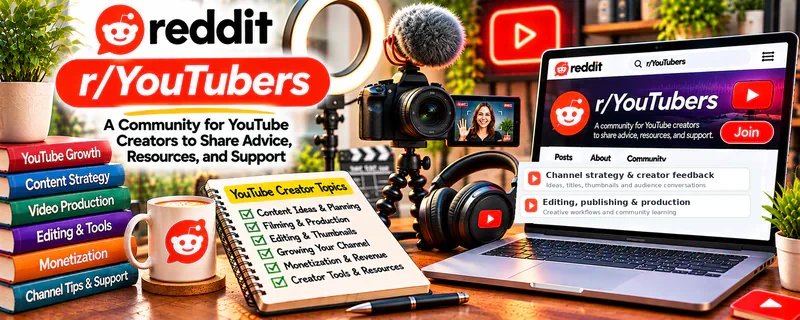
r/YouTubers is a creator community for channel feedback, titles, thumbnails, analytics, video ideas, audience growth, and publishing questions.
🔗 Visit Official Website — r/YouTubers
Domain: www.reddit.com
What This Website Is
r/YouTubers is a creator community for channel feedback, titles, thumbnails, analytics, video ideas, audience growth, and publishing questions. For ▶️ YouTube Automation, it helps improve the channel strategy and packaging behind a repeatable video operation.
How to Apply It to YouTube Automation
Use r/YouTubers as a channel-feedback and strategy forum: study critiques, improve packaging, and turn repeated lessons into SOPs for topics, scripts, thumbnails, editing, and publishing.
Step-by-Step Implementation:
- Review recent title, thumbnail, and channel critique posts.
- Audit your own last 10 videos for CTR, retention, and topic patterns.
- Improve one packaging variable at a time.
- Build SOPs for script, voiceover, edit, thumbnail, and upload.
- Track changes across several videos before deciding.
- Use feedback to refine the production pipeline.
When to Use This
- You run or plan a repeatable YouTube content pipeline.
- You need feedback on titles, thumbnails, or channel direction.
- You want broader creator strategy and analytics context.
Best Tasks to Use It For
- Title and thumbnail feedback
- Channel audits
- Analytics interpretation
- Topic validation
- Publishing workflow improvement
Getting Started Steps
- Define your channel niche and viewer promise.
- Save strong critique examples.
- Build a checklist for titles, thumbnails, hooks, retention, and CTA.
- Test packaging improvements on new uploads.
- Review analytics weekly.
- Turn repeated wins into production standards.
Good Beginner Search Terms
- YouTube channel critique
- YouTube thumbnail feedback
- YouTube automation workflow
- improve YouTube CTR
- YouTube retention analytics
Monetization Angle
Indirect + direct: better channel packaging and retention can increase views, ad revenue, sponsorship value, and output efficiency.
Pros
- Broad YouTube creator feedback
- Helpful for packaging and analytics
- Useful for channel direction and topic ideas
Cons
- Feedback quality varies
- Not automation-specific all the time
- Can lead to over-tweaking instead of publishing consistently
Who Should Use This
YouTube automation builders who want feedback on channel strategy, packaging, analytics, and repeatable production.
Who Should Skip This
Skip this if critique threads distract you from building and publishing the next video.
Practical Applications
- Seek focused feedback on an original video or clearly defined channel issue.
- Compare suggestions with actual audience-retention and viewing data.
- Use discussions to generate testable improvements rather than wholesale strategy changes.
Important Considerations
- Follow feedback and promotion rules and protect private channel information.
- Anecdotes do not guarantee growth; avoid bought engagement, copied media, or production shortcuts that breach current YouTube policies.
Related Resources
 YouTube Studio — Shows analytics, content status, comments, and channel performance.
YouTube Analytics — Helps diagnose retention, CTR, and traffic patterns.
Adobe Premiere Pro — Supports editing and production workflows for YouTube videos.
Related Side Hustles
 YouTube Automation: Make Money Without Showing Your Face — r/YouTubers helps with channel feedback, titles, thumbnails, analytics, and publishing strategy.
Faceless Video Content Creation: Go Viral Without Showing Your Face — Faceless channels use the same packaging, retention, and production lessons.
UGC Creation — Video creators can apply hook and audience feedback lessons to brand content.