Affiliate disclosure: Some links in this guide may be paid referral links. If you purchase or sign up through one, One Stop Side Hustles may earn a commission. How our affiliate links work.
✨ TRANSCRIPTION STARTER GUIDE
Learn how to start transcription work, from general files to more specialized legal or medical audio if you later have the skills and demand. Whether you want a few extra hours or a fuller workload, this guide covers the practical path.
2. Why Transcription Jobs Are a Great Side Hustle
3. Types of Transcription Jobs
4. How Much Can You Earn & Pricing Strategies
6. Where to Find Transcription Work
 Transcription Jobs - 7. From Audio File to Client-Ready Transcript
8. Build Trust & Improve Results
9. Learning, Templates & Resources
10. Your First 6 Months Transcription Jobs Plan
11. View the Transcription Starter Kit
12. Frequently Asked Questions
📌 Quick Snapshot
💰 Earn: Varies widely — some general files pay about $5–$25/hr effective; specialist legal work can pay more, but monthly totals depend on speed, accuracy, and available files
⏰ Work: Listen and type from home on your own schedule
🧰 Start: Low cost — a laptop, headphones, and internet
🎧 Best for: Detail-oriented fast typists who focus well
📈 Grow: General files → specialization → legal/medical work
1. What Is Transcription?
Transcription is the process of listening to audio or video files and typing out exactly what you hear. Clients include podcasters, businesses, researchers, medical professionals, legal teams, and content creators who need written records of their audio.
Unlike captioning (which includes timestamps and formatting for video), transcription is primarily the text conversion with minimal extra formatting.
🔄 How It Works (Simple 4-Step Process)
- Get audio/video file (from client or platform)
- Listen and type (convert spoken words to text)
- Proofread (check for accuracy and formatting)
- Submit and get paid (weekly or per-project payment)
🎯 KEY TAKEAWAY
Transcription is a skills-for-pay trade. Faster, more accurate work can improve your effective hourly pay, but file rates, audio difficulty, and available work still decide what you keep.

2. Why Transcription Jobs Are a Great Side Hustle
Transcription jobs are a strong side hustle because they combine low startup cost, flexible remote work, and a clear path from basic files into better-paying specialized transcription.
💸 The startup cost is one of the lowest in online work
Most people can begin with equipment they already own or can access cheaply.
That often means:
- A laptop
- Headphones
- Internet
- A quiet space
- Basic software
That low barrier makes transcription easier to test before committing serious money.
⚡ The path to first paid work is relatively direct
Compared with many online services, transcription can move from learning to earning fairly quickly.
Common early steps include:
- Applying to beginner platforms
- Taking short tests
- Practicing on simple files
- Completing first jobs
- Improving with feedback
That gives beginners a realistic way to start building income without a long setup period.
🧠 You can build the core skill set without formal credentials
Success usually comes from accuracy and consistency more than degrees or certifications.
The main skills are:
- Typing speed
- Careful listening
- Attention to detail
- Formatting discipline
- Patience
That makes it a practical side hustle for people who are willing to improve through repetition.
🌍 The work fits remote and location-independent schedules
Because the files are delivered online, the job can be done from almost anywhere with a reliable setup.
Common advantages include:
- Home-based work
- Flexible time zones
- No commute
- Easy digital delivery
- Broad client access
That flexibility is one of the main reasons transcription stays attractive as a part-time income option.

⏰ It can fit around other responsibilities
Many transcriptionists work in short focused blocks instead of fixed shifts.
That can make room for:
- Evening work
- Weekend work
- Part-time hours
- On-demand task selection
- Easier pacing control
This makes it easier to use transcription as supplemental income without rebuilding your whole schedule.
📈 The income can improve as your speed and accuracy improve
Transcription rewards stronger execution because faster, cleaner work usually leads to better hourly earnings.
Common growth drivers include:
- Faster turnaround
- Better audio handling
- Fewer mistakes
- More efficient workflow
- Better client trust
That visible skill progression gives the side hustle more upside than many small online tasks.
🎯 It is a strong fit for detail-oriented people
People who enjoy focused, structured work often do well because small details matter constantly.
That includes:
- Catching small errors
- Following guidelines
- Organizing files
- Labeling speakers
- Staying consistent
If you like careful work more than high-pressure selling, transcription can feel like a better fit than many other side hustles.
🚀 It can open the door to better-paying related services
Transcription can become a stepping stone into other kinds of paid content and media support.
Common next steps include:
- Captioning
- Subtitles
- Editing
- Specialized transcription
- Research support
That gives you a path from simple beginner work into more valuable service options over time.
3. Types of Transcription Jobs
Transcription ranges from simple podcast and interview transcripts to specialized legal, medical, academic, or captioning projects. Some work is beginner-friendly, while other work demands industry knowledge, strict formatting, and very high accuracy.
Most beginners do better by choosing one audio type and one output style, building speed and accuracy on clear recordings, and moving into specialized niches once quality is consistent.
📝 QUICK NOTE
The pay figures below are illustrative ranges, not verified market rates or expected earnings. Pay structures vary—per audio minute, per hour, or per project—and the time to transcribe usually far exceeds the audio length. Handle client recordings confidentially, and review the requirements and any training or certification needed before taking medical, legal, or other sensitive work.
📝 Entry-Level & Starter Transcription Work
🎧 General Transcription & Clean Read Work
A strong starting lane for building listening accuracy, formatting discipline, and workflow speed.
- 📌 What you might transcribe: Meetings, interviews, webinars, and general business recordings with clean-read output
- 👥 Common clients: Small businesses, researchers, agencies, and transcription marketplaces
- 💰 Illustrative pay: Roughly $0.30–$1.00 per audio minute, depending on audio quality and turnaround
- ✅ Best for: Beginners who want to build accuracy and speed on clear audio
💡 PRO TIP
Start with clear audio, then improve turnaround and editing quality. Time how long a sample takes before accepting volume work.
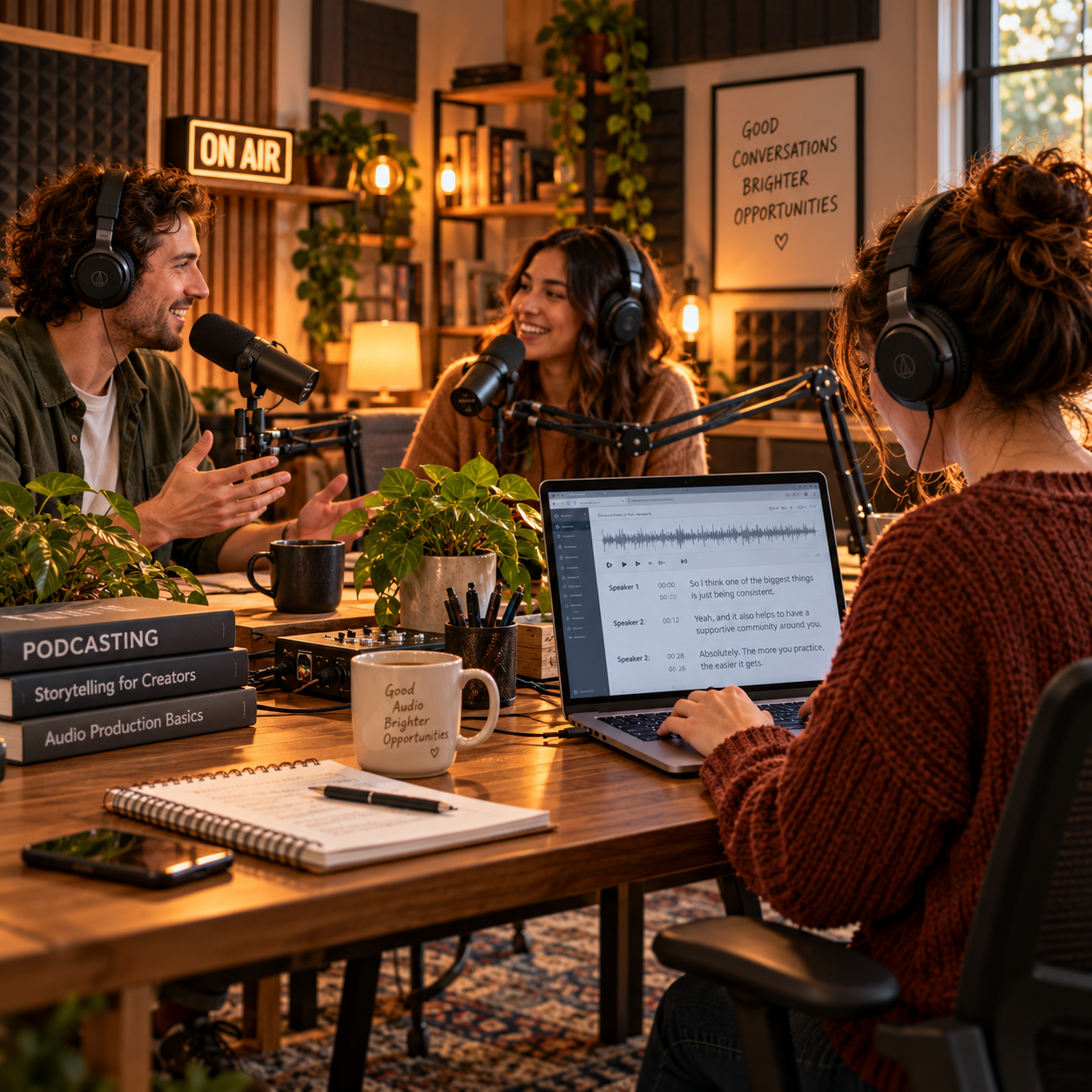
🎙️ Podcast, YouTube & Creator Transcription
A beginner-to-intermediate lane where creators need transcripts for accessibility, show notes, and repurposed content.
- 📌 What you might transcribe: Podcast episodes, YouTube videos, interviews, and transcripts with timestamps or show-note summaries
- 👥 Common clients: Podcasters, YouTubers, coaches, and content teams
- 💰 Illustrative pay: Roughly $0.75–$2.00 per audio minute, depending on formatting and extras
- ✅ Best for: Transcribers who want recurring work with content-focused clients
💡 PRO TIP
Offer a clean transcript plus timestamps, show notes, or repurposed text. Add-ons make the service more valuable than raw text alone.
🎬 Captioning, Verbatim & Detailed Formats
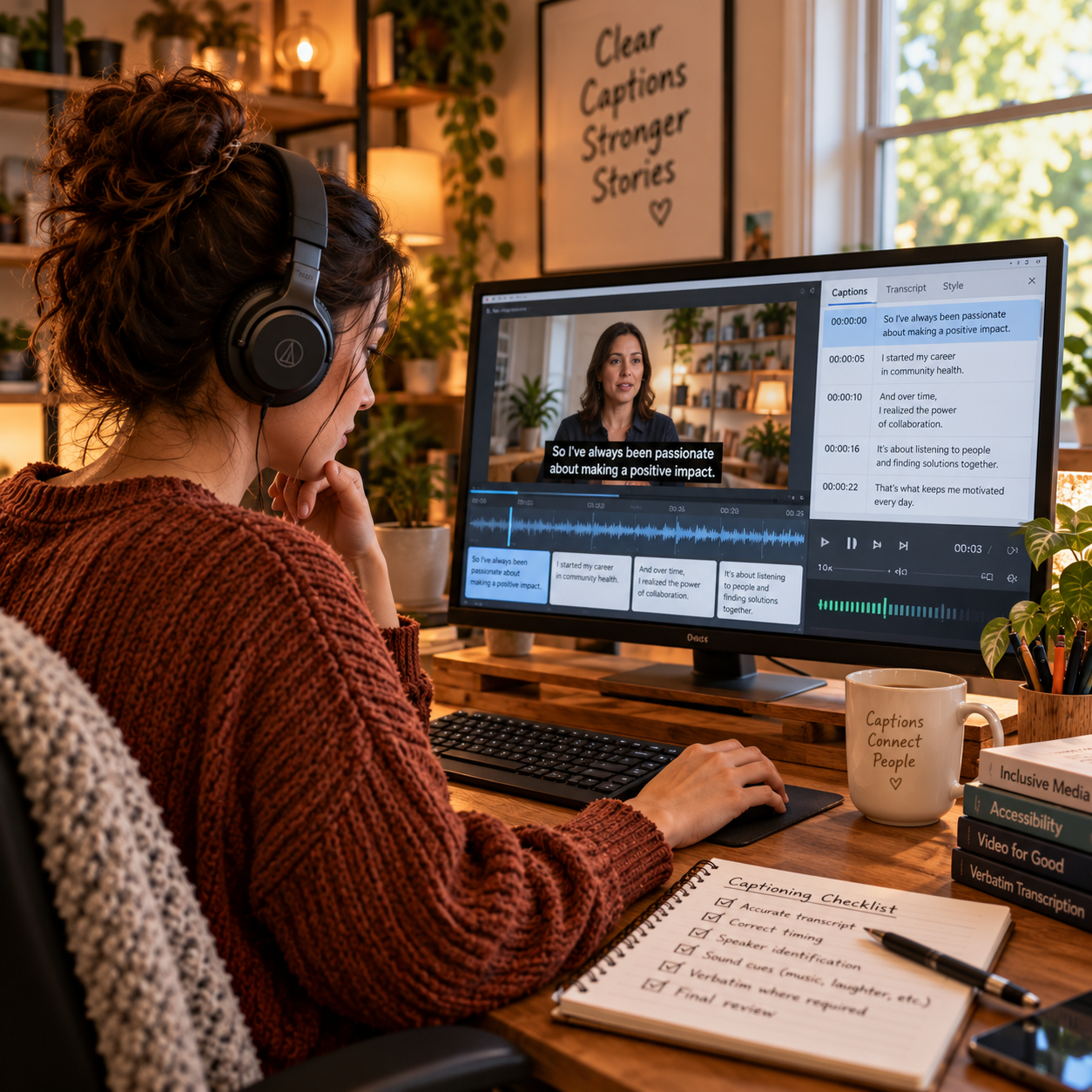
💬 Captioning, Subtitles & Timestamped Transcription
A specialty where clients need timing, readability, and accessibility support for video.
- 📌 What you might transcribe: Subtitle files, captions, and timestamped transcripts for video content
- 👥 Common clients: Video creators, course creators, marketing teams, and training departments
- 💰 Illustrative pay: Roughly $1.00–$3.00 per audio minute, depending on formatting and platform requirements
- ✅ Best for: Detail-oriented transcribers comfortable with formatting and timing rules
💡 PRO TIP
Review the platform’s caption format and style rules before you start. Good timing and readable line breaks matter as much as the words.
🔍 Verbatim, Research & High-Detail Transcription
A detail-heavy lane where pauses, filler words, interruptions, and nuance are preserved.
- 📌 What you might transcribe: Research interviews, focus groups, academic recordings, and analysis-ready transcripts
- 👥 Common clients: Researchers, universities, investigators, and market-research firms
- 💰 Illustrative pay: Roughly $1.50–$4.00 per audio minute, depending on difficulty and detail level
- ✅ Best for: Patient transcribers with strong concentration and consistency
💡 PRO TIP
Agree on the transcription style—true verbatim or clean read—before you begin. Verbatim takes longer, so price it higher.
🩺 Specialized Professional Niches
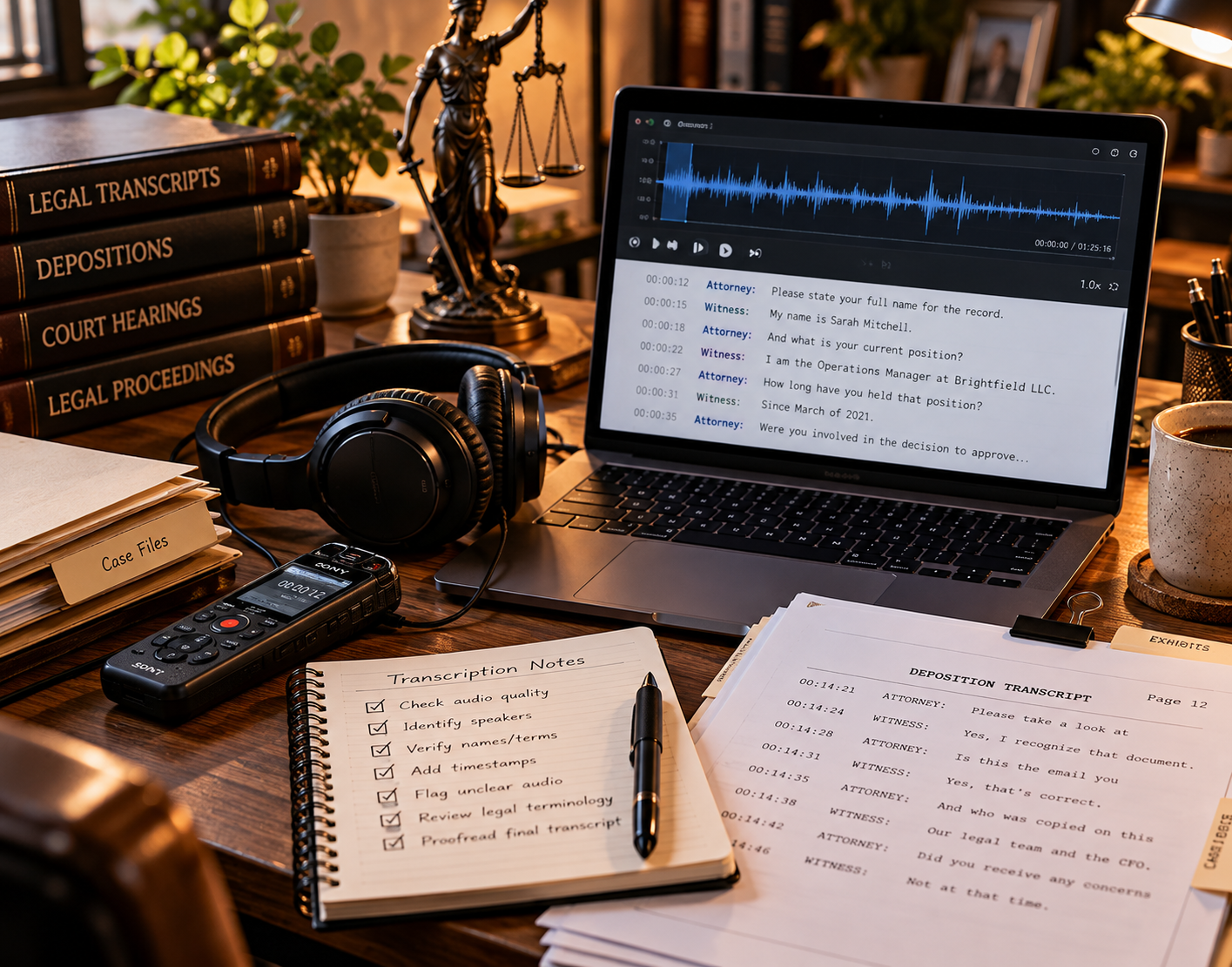
🩺 Medical & Legal Transcription
A premium lane with stricter accuracy, formatting, and confidentiality expectations, and a higher entry barrier.
- 📌 What you might transcribe: Clinical notes, dictations, depositions, hearings, and legal recordings
- 👥 Common clients: Healthcare organizations, law firms, court-related services, and specialized agencies
- 💰 Illustrative pay: Varies widely; often higher than general work but dependent on training and employer requirements
- ✅ Best for: Transcribers willing to learn specialized vocabulary and meet strict standards
💡 PRO TIP
Check training, certification, and confidentiality requirements, such as HIPAA where applicable, before applying. Never handle sensitive recordings without the proper safeguards.
💼 Business, Financial, Academic & Technical Transcription
A specialty where precision and terminology familiarity are valued and turnaround matters.
- 📌 What you might transcribe: Earnings calls, research interviews, finance, software, SaaS, and structured professional content
- 👥 Common clients: Corporations, consultants, universities, and technical teams
- 💰 Illustrative pay: Roughly $1.00–$3.00 per audio minute, depending on niche and turnaround
- ✅ Best for: Transcribers comfortable with business, research, or technical language
💡 PRO TIP
Build a glossary of common terms in your niche. A faster, more accurate workflow comes from knowing the vocabulary.
🎯 Premium Difficulty & Specialization Path
🎧 Difficult Audio, Accent Handling & Premium Problem Solving
A higher-paying opportunity because messy recordings can take much longer to finish.
- 📌 What you might transcribe: Recordings with overlapping speakers, heavy background noise, strong accents, or poor audio
- 👥 Common clients: Agencies, researchers, and clients with hard-to-transcribe files
- 💰 Illustrative pay: Roughly $2.00–$5.00 per audio minute, depending on difficulty
- ✅ Best for: Experienced transcribers with strong listening skills and sound judgment
💡 PRO TIP
Set difficulty criteria and a surcharge before you accept the file. Difficult audio can take many times the recording length.
🧭 Best Path to Grow Your Income
Most people do best by starting with general work, then moving into creator work, captioning, business transcription, or a specialized niche.
- 🪜 A simple path: Beginner files first, recurring content clients second, and premium niche work later
- 📈 Where income grows: Better clients, cleaner systems, and stronger specialization rather than more low-paid files
- 💰 Illustrative pay: Varies by niche, quality, speed, and client type
- ✅ Best for: Anyone planning a longer-term transcription business
💡 PRO TIP
Raise rates as your accuracy and speed improve. Track earnings per working hour, not just per audio minute.
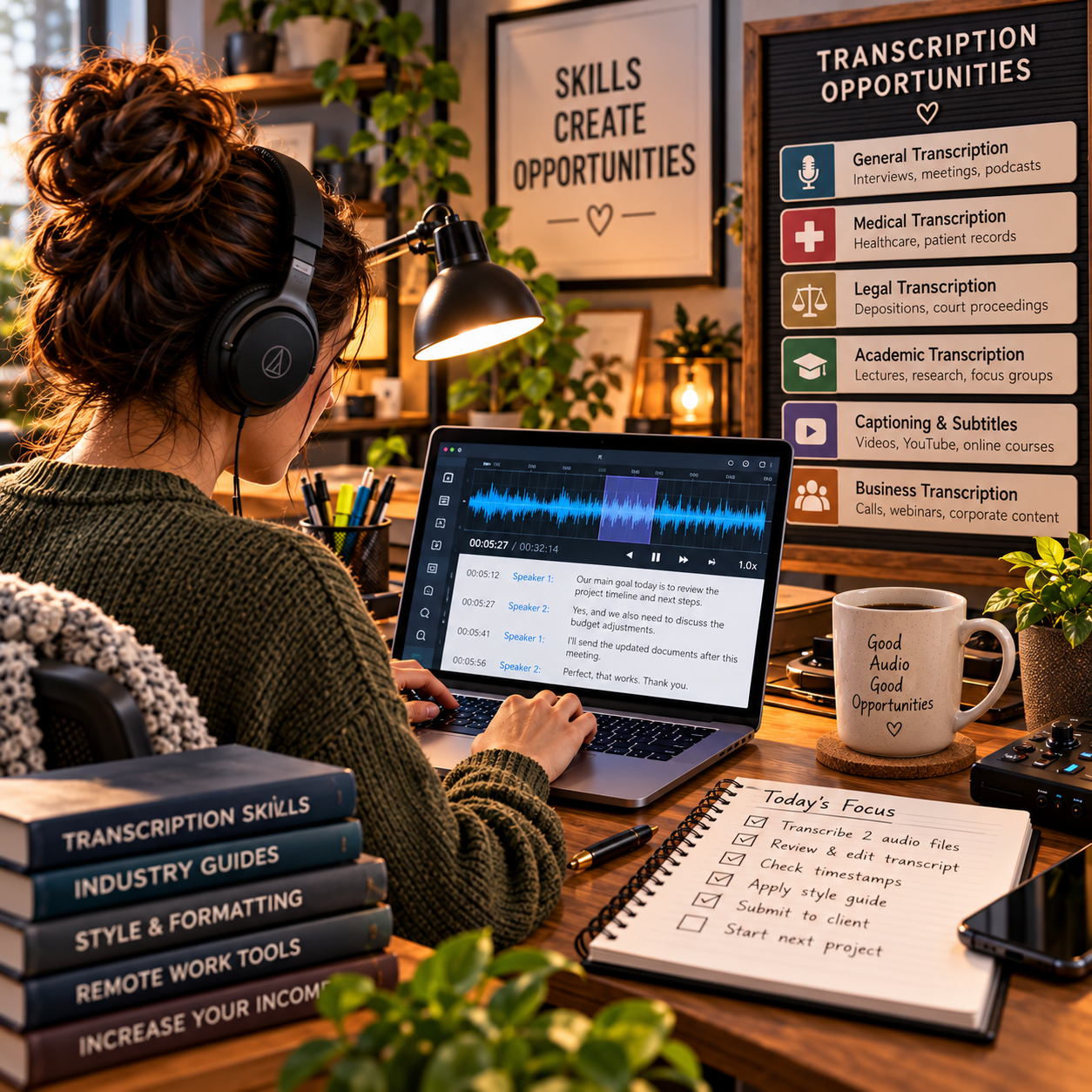
🎯 Build Your Beginner Transcription Offer
🎯 KEY TAKEAWAY
Start with general transcription, podcast transcription, or clean-read work on clear audio. These are easier to learn and more widely available, and they help you build speed and accuracy before you move into specialized or higher-detail work.
🚀 ACTION STEP
Write a focused first plan:
- Format: Choose a familiar audio type and clean-read or verbatim output.
- Practice: Time a short sample and check accuracy before committing to volume.
- Scope: Define audio length, quality assumptions, timestamps, speaker labels, and turnaround.
- Terms: Explain confidentiality, review, and pricing without confusing audio minutes with work time.
4. How Much Can You Earn & Pricing Strategies
Use this chapter to connect file payouts, audio difficulty, turnaround time, and specialization to your transcription income plan.
🧠 Reality Check (What Actually Separates Higher Earners)
- Most beginners start at lower pay rates
- Not because transcription is a bad side hustle
- 👉 Many begin on lower-paying marketplaces
- 👉 Or they work too slowly early on, which lowers their effective hourly income
- The transcribers who earn more typically:
- Improve typing speed and accuracy
- Get better at understanding accents and messy audio
- Use tools and shortcuts efficiently
- Move into higher-paying niches like legal, medical, business, or captioning work
🎯 KEY TAKEAWAY
In transcription, income does not usually grow just by doing more files. It grows when you become faster, more accurate, and more specialized.
🔑 Smart Pricing Strategy
🎧 File Selection & Effective Hourly Pay
- Start with simpler files to build speed and confidence
- Track your effective hourly rate, not just file payouts
- Avoid files with:
- Terrible audio
- Too many speakers
- Unclear instructions
- Low pay for high difficulty
- Raise your standards as your skill improves
🎯 Agencies, Direct Clients & Specialization
- Move toward:
- Better-paying agencies
- Direct clients
- Captioning
- Legal or medical transcription
🎯 KEY TAKEAWAY
Check sample audio, speaker count, formatting, timestamps, deadlines, and confidentiality before accepting. Specialist legal or medical work requires appropriate competence and applicable safeguards.
🧪 Real Example
📋 REAL-WORLD EXAMPLE
📌 Same Skill Category, Different Outcomes
These scenarios illustrate possible gross file revenue, not verified typical outcomes. They omit software, fees, overhead, taxes, and potentially unpaid corrections. Specialist work is not an automatic pay upgrade without qualifications, demand, and quality.
🌱 Scenario A: Beginner marketplace worker
- Takes low-paying files
- Needs 3 hours to finish 1 hour of audio
- Income: $300–$700/month
🎯 Scenario B: Efficient general transcriptionist
- Better speed and cleaner workflow
- Works consistently with decent files
- Income: $1,200–$2,500/month
🚀 Scenario C: Specialized transcription professional
- Handles legal, medical, or corporate transcription
- Works with repeat clients or better agencies
- Income: $3,500–$5,000+/month
🎯 KEY TAKEAWAY
Same side hustle. Big difference in speed, quality, specialization, and client quality.
🎯 KEY TAKEAWAY
Use these scenarios to understand the model, not to predict your own income. Compare actual results and risks with your written plan.
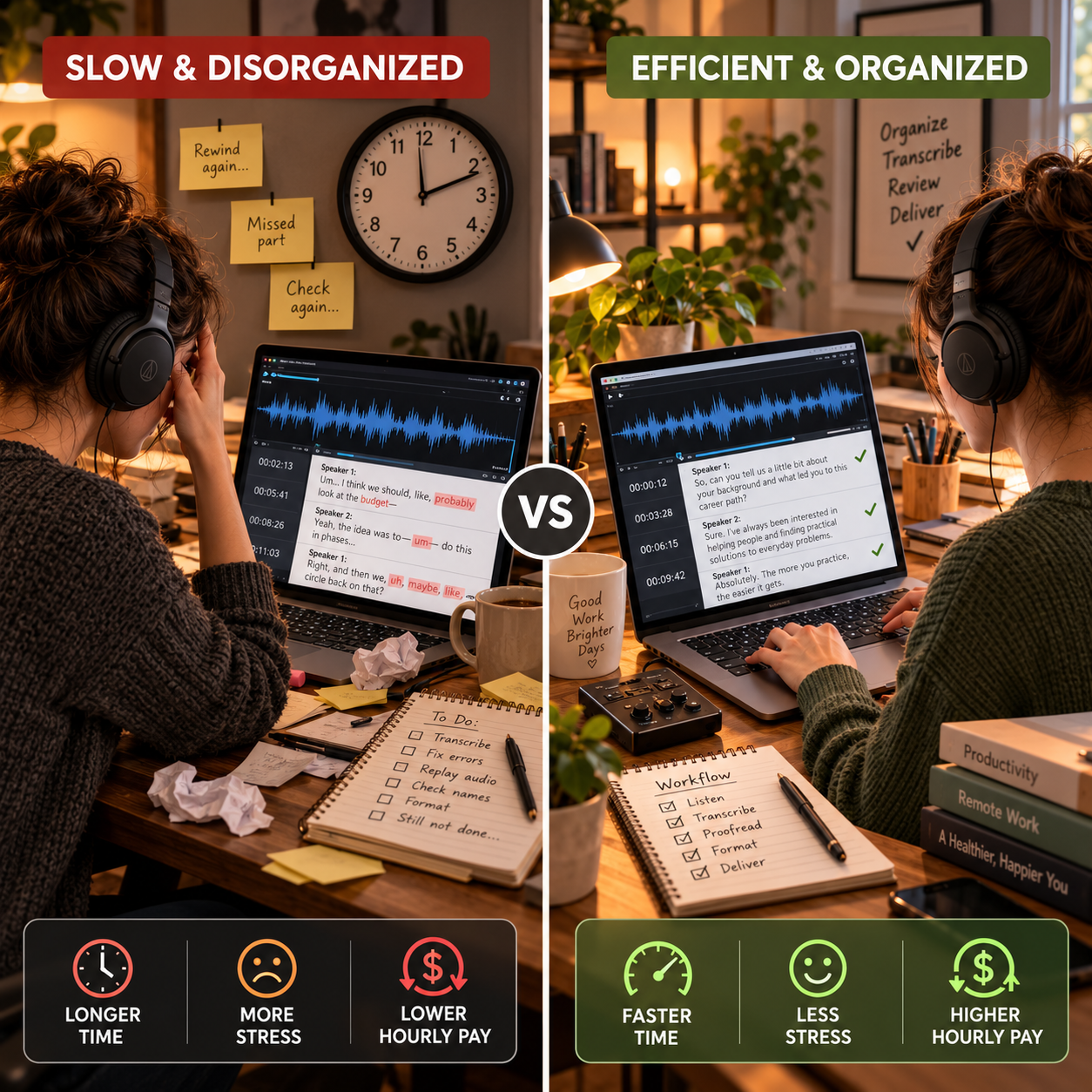
🎯 What Actually Drives Income
🛠️ Collected File Pay ÷ Total Work Hours = Effective Gross Hourly Pay
This is a business framework, not a mathematical earnings forecast.
📊 Key Income Drivers
- Audio quality
- Clean audio is much faster and easier than noisy recordings
- Typing speed
- Faster typing improves hourly earnings immediately
- Accuracy
- Fewer corrections and rewrites save time and build trust
- Speaker difficulty
- Heavy accents, multiple speakers, and crosstalk slow everything down
- Specialization
- Legal, medical, and business transcription can pay more than general files
- Client source
- Entry-level platforms usually pay less than direct clients or premium agencies
🎯 KEY TAKEAWAY
The same “30-minute file” can pay very differently depending on audio quality, your skill level, and who hired you.
📈 Audio Minutes & Working Hours (Pay Reality)
📖 Read the Numbers in Context
One hour of audio may require several hours of work. Include replaying, research, speaker labels, timestamps, proofreading, revisions, and admin. A higher file payout can still produce lower hourly earnings when audio is difficult. Approved tools do not remove your responsibility for accuracy or confidentiality.
🎯 KEY TAKEAWAY
Look beyond headline income: assess the complete economics, risks, and real cash available.
🚀 Build Your First Sustainable Transcription Plan
Start with clear general audio, one verified work source, explicit formatting rules, and complete time tracking. Use four weeks to learn quality and effective pay before pursuing more difficult files or specialist work.
🧭 Run a File Quality & Workflow Test
- Choose general work within your ability. Begin with clear, low-risk audio and a verified platform or client. Check eligibility, test requirements, payment terms, and the stated pay unit. Do not accept regulated or specialist assignments beyond your training or authorization.
- Assess the file and instructions. Review a sample when possible and check length, speakers, accents, noise, verbatim style, timestamps, and deadline. Estimate total effort conservatively. Ask about unclear instructions before quoting or accepting rather than assuming all audio minutes take equal time.
- Set a secure workflow. Use approved storage and tools, agreed confidentiality terms, and a written retention or deletion process. Do not upload sensitive recordings to unapproved AI or transcription services. Follow instructions for unclear words, labels, and formatting instead of inventing content.
- Run a four-week workflow test. Practice first on original or permissioned audio, then take manageable paid files when ready. Track each stage of work and reserve time for a final audio-to-text review. Use shortcuts or approved tools only where quality remains intact.
- Review effective pay and quality. Record file pay, audio length, total hours, fees, corrections, rejected work, and collected payments. Compare files by difficulty and full effort. Improve weak stages and adjust future selection or quotes before increasing volume or moving into specialties.
🎯 KEY TAKEAWAY
Audio-minute pay is not work-hour pay. Evaluate total listening, research, typing, review, and correction time without sacrificing accuracy.
💡 Example: A Four-Week Transcription Test
- Audio: Clear, permissioned single-speaker general content
- Scope: Agreed transcript style, labels, format, and deadline
- Source: One verified platform or direct client with clear payment terms
- Workflow: Listening, drafting, research, audio review, and final formatting
- Tools: Only approved tools and secure storage
- Test: Four weeks with a manageable file load
- Signals: Total work hours, corrections, collected pay, and effective hourly earnings
This is a workflow test, not a promise of available files or earnings. Audio difficulty varies substantially. Do not treat a faster sample result as proof that every client file can be completed at the same speed.
✍️ Write Your One-Line Earnings Test Plan
Use this structure to make the plan easy to review:
“For [general audio type], I will test [verified source] for [period], using [agreed style and secure tools]. I will review [audio length, total hours, accuracy, corrections, fees, and collected file pay].”
✅ Completed example
“I will test clear general transcription through one verified work source for four weeks using agreed style rules and approved secure tools. I will record audio length, listening and review time, corrections, fees, and collected pay before choosing a larger workload.”
🚀 ACTION STEP
Before starting:
Keep the first plan focused. Build a workable process before adding more complexity.
📋 Pricing & Revenue Planning Reference
Use these stages and workflow examples as illustrations, not verified typical rates or guaranteed timelines. Audio hours differ from working hours. The example speed and payout assumptions may not match your files, and specialist work requires relevant competence.
💵 What Transcription Work Can Earn
📊 Income Progression by Stage
🚀 Stage | 🎧 Work Level | 💰 Typical Monthly Income | ⏳ Timeline | 📌 What’s Happening |
Beginner | Entry-level general transcription | $100–$600 | 0–3 months | Learning formatting, struggling with speed, taking simpler files |
Developing | More regular workflow | $600–$1,500 | 3–6 months | Better turnaround time, fewer mistakes, more confidence |
Established | Consistent part-time transcription | $1,500–$3,000 | 6–12 months | Improved speed, better clients, stronger audio handling |
Advanced | Specialized or high-volume work | $3,000–$5,000+ | 1–2 years | Faster workflow, repeat clients, better-paying niches |
Professional | Premium niche / agency / direct clients | $5,000+/month | 2+ years | Specialized expertise, efficient systems, higher rates |
🎯 KEY TAKEAWAY
The stages describe possible progression, not guaranteed income or a required timeline. Use your own capital or business records to plan realistically.
📊 Key Metrics & Margin Snapshot
📈 Audio Minutes & Working Hours (Pay Reality)
📊 What Your Files Are Actually Paying
Metric | What to Record |
Audio duration | Record file minutes separately from work time |
Total working hours | Include research, formatting, quality review, and corrections |
Quality | Track errors, revisions, acceptance, and unclear sections |
Collected pay | Separate quoted, accepted, pending, and paid amounts |
Effective hourly pay | Divide collected file pay less relevant fees by all work hours |
🎯 KEY TAKEAWAY
Measure actual time and quality, not typing speed or audio duration alone.

💸 File Pay & Workflow Examples
🧾 File Pay & Workflow Examples
💡 Pay Detail | 💰 Example |
Audio length | 30 minutes |
Rate | $0.60 per audio minute |
Gross pay | $18 |
Time to complete | 1.5–2.5 hours |
Effective hourly rate | About $7–$12/hour |
💡 Pay Detail | 💰 Example |
Audio length | 30 minutes |
Rate | $1.25 per audio minute |
Gross pay | $37.50 |
Time to complete | 1–1.5 hours |
Effective hourly rate | About $25–$37/hour |
🎯 KEY TAKEAWAY
Treat the examples as conditional arithmetic. A better workflow must maintain accuracy; real file difficulty and unpaid tasks affect effective pay.
🧮 Check Your Project & Revenue Economics
Effective gross hourly pay = collected file pay ÷ total work hours.
For contribution per hour, subtract relevant platform, payment, and file-specific costs first. Record software, equipment, overhead, and taxes separately. Do not confuse a quoted rate per audio minute with a wage per working minute.
🚀 ACTION STEP
🗓️ Build a Monthly Transcription Pay Snapshot
Use actual records and a sustainable plan—not projections alone—to decide what to continue.
5. Tools & Equipment You Need
🛠 TOOLS & RESOURCES
🎧 Essential Equipment
Item | Minimum | Better Option | Cost | Why It Matters |
Computer | Any laptop or desktop | 8GB+ RAM with reliable performance | $0-$800 | Runs audio files, documents, and transcription tools |
Headphones | Basic headphones or earbuds | Comfortable noise-isolating headphones | $10-$100 | Helps you hear speech clearly and reduce mistakes |
Keyboard | Built-in or basic keyboard | Comfortable external keyboard | $0-$100 | Makes long typing sessions easier |
Internet | Reliable home internet | Faster connection for large audio/video files | Existing plan | Needed to download files and submit work |
Quiet Workspace | Desk, table, or private area | Dedicated workspace with limited distractions | Free-$100 | Improves focus, accuracy, and speed |
Reality: You probably already own most of what you need. A computer, internet connection, and decent headphones are enough to start practicing.
💻 Transcription Software
Tool | Cost | Best For | Priority |
Free / paid options | Beginner transcription playback | 🔥 Essential | |
Free trial / paid | Browser-based transcription | ⭐ High | |
Free | Basic speech-to-text assistance | Medium | |
Free | Cleaning or slowing down audio | Medium | |
$12-$30/mo | AI-assisted transcription and editing | Optional | |
Free-$30/mo | AI transcription drafts | Optional | |
$20+/mo | Video transcription workflows | Advanced |
Best beginner setup: Start with Express Scribe and Google Docs. Add paid tools only after you are earning consistently.
✅ Editing & Quality Tools
Tool | Purpose | Cost | Why It Helps |
Grammar, spelling, punctuation checks | Free / paid | Catches errors before submission | |
Definitions and spelling checks | Free | Helps verify words and terminology | |
Word meanings and usage | Free | Useful for unclear phrases | |
Drafting, formatting, and editing | Free | Easy document workspace | |
Professional formatting and editing | Paid / included | Useful for client-ready documents |
Quality rule: Accuracy matters more than speed at first. Build speed only after your transcripts are clean, formatted, and easy to read.
⚙️ Optional but Helpful Upgrades
Upgrade | Cost | Purpose | Buy When |
Foot Pedal | $30-$100 | Control audio playback hands-free | Once you are doing regular paid work |
Comfortable Headphones | $40-$100 | Reduce fatigue during long sessions | If your current headphones are uncomfortable |
External Keyboard | $25-$100 | Improve typing comfort and speed | If using a laptop keyboard feels cramped |
Typing Tutor Software | Free-$50 | Improve typing speed and accuracy | While practicing daily |
Free | Typing speed practice | Beginner-friendly | |
Free / paid | Structured typing lessons | Skill-building |
Best upgrade: A foot pedal can speed up workflow because you can pause, rewind, and play audio without taking your hands off the keyboard.
💰 Your Startup Budget
Setup Level | What You Need | Estimated Cost | Best For |
Absolute Minimum | Existing computer, internet, headphones, free software | $0 | Practicing and applying |
Realistic Beginner Setup | Better headphones, free software, optional foot pedal | $70-$90 | Taking beginner jobs seriously |
Comfort Upgrade | Better headphones, foot pedal, external keyboard | $100-$200 | Regular transcription work |
Advanced Setup | Premium headphones, paid tools, ergonomic desk setup | $200-$500+ | Higher-volume work |
✅ Your Minimal Starter Stack
Need | Starter Option | Cost |
Computer | Laptop or desktop you already own | Free |
Internet | Existing home internet | Free |
Headphones | Basic headphones or earbuds | Free-$30 |
Playback software | Free | |
Writing workspace | Free | |
Grammar check | Free | |
Word lookup | Free | |
Typing practice | Free |
Total to launch: $0-$90
Reality: You do not need expensive software to start transcription. Your biggest assets are clear audio, strong listening skills, fast typing, accuracy, and patience.
💡 PRO TIP
Practice with real audio before applying for paid jobs. Focus on typing accuracy, speaker labels, timestamps, punctuation, and formatting rules. Most transcription platforms care more about clean, consistent work than fancy equipment.
6. Where to Find Transcription Work
Build your search around three stages: beginner platforms for practice, freelance marketplaces for packaged services, and direct or specialized clients for stronger rates. Use this chapter to compare each path and choose opportunities based on audio quality, expectations, and effective hourly pay.
🎧 Beginner Platforms — Build Speed and Experience
These platforms are the easiest place to start because they already have transcription work available. Most require a grammar, typing, or transcription test before approval.
Platform | Typical Pay | Best For | Application |
Around $0.30/audio minute | Beginners, flexible scheduling | Simple test required | |
Around $0.30–$0.90/audio minute | Consistent work | Grammar + transcription test | |
Around $0.30–$1.10/audio minute | Building speed and experience | Simple test | |
Around $0.75–$1.25/audio minute | Intermediate transcribers | Harder test, quality standards | |
Tiered pay, often lower starting rates | Practice and improvement | Basic test |
🌱 Best Beginner Approach
- 🚀 Apply to 2–3 platforms at first
- 🎧 Practice with short audio files before taking tests
- 🎯 Focus on accuracy before speed
- ⏱️ Track how long it takes you to transcribe each audio minute
- 📈 Move to better-paying work once you build confidence
📝 QUICK NOTE
“Per audio minute” does not mean per working minute. A 10-minute audio file may take 40–60+ minutes to transcribe if the audio is difficult.
💼 Freelance Marketplaces — Package a Clear Service
Freelance marketplaces are more competitive, but they let you set your own rates, work with direct clients, and build a portfolio outside transcription-only platforms.
Platform | Best For | Pros | Cons |
Experienced beginners, direct clients | Wide variety of jobs, higher-rate potential | Very competitive | |
Packaged transcription services | Clients can find you passively | Takes time to get reviews | |
UK/EU freelance clients | Good for service packages | Smaller marketplace | |
Supplemental work | Lots of posted projects | Price competition can be high |
📦 How to Package Your Services
Instead of only saying “I do transcription,” create clear service offers:
- Podcast transcription
- YouTube caption transcription
- Interview transcription
- Research call transcription
- Business meeting transcription
- Clean verbatim transcription
- Timestamped transcription
📦 Sample Fiverr / Upwork Offer
I will transcribe your podcast, interview, YouTube video, webinar, or business meeting into a clean, accurate transcript with optional timestamps.
🧠 Best Strategy
- Start with a narrow service package
- Show sample transcript formatting
- Offer fast turnaround as a premium add-on
- Add extras for timestamps, captions, speaker labels, or proofreading
- Ask every satisfied client for a review




⚖️ Legal & Medical Work — Higher Standards and Specialization
Legal and medical transcription can pay more than general transcription, but accuracy requirements are much stricter. These niches usually require stronger terminology knowledge, confidentiality, and formatting standards.
⚖️ Legal Transcription
Legal transcription may include court recordings, attorney notes, depositions, hearings, legal interviews, and case-related audio.
🧰 Possible Platforms
🗂️ Typical Work
- Court-related audio
- Legal interviews
- Depositions
- Attorney dictation
- Law firm notes
- Case summaries
👍 Best For
- Detail-oriented transcribers
- People comfortable with legal terminology
- Fast typists with strong proofreading skills
- Workers who can follow strict formatting rules
🩺 Medical Transcription
Medical transcription may include physician notes, patient reports, medical interviews, clinical documentation, and healthcare-related recordings.
🧰 Possible Platforms
🗂️ Typical Work
- Doctor dictation
- Medical reports
- Patient interviews
- Healthcare documentation
- Clinical notes
- Research recordings
👍 Best For
- People familiar with medical terminology
- Detail-focused transcribers
- Workers comfortable with confidentiality
- Anyone willing to learn specialized vocabulary
⚠ COMMON MISTAKE
Legal and medical transcription often require higher accuracy and may involve sensitive information. Do not enter these niches casually without understanding confidentiality and formatting expectations.
🎓 Academic & Research Work — Precision and Confidentiality
Academic transcription can be a good niche because universities, researchers, students, and professors often need interviews, focus groups, lectures, and research recordings transcribed.
📍 Where to Find Work
- University departments
- Graduate students
- Professors and researchers
- Research labs
- Market research companies
- Education-focused transcription services
- TranscribeMe Education Services
💡 Common Project Types
- Research interviews
- Focus groups
- Lecture recordings
- Oral history projects
- Dissertation interviews
- Student research projects
- Market research calls
🧭 Why This Niche Works
- Researchers often need accurate transcripts
- Projects can be recurring
- Longer recordings can mean larger invoices
- Direct clients may pay more than beginner platforms
📨 Outreach Idea
Hi [Name], I help researchers and students turn interviews, focus groups, and lecture recordings into clean, organized transcripts. If you ever need transcription support for a project, I’d be happy to help.
📬 Direct Outreach — Pursue Better-Fit Clients
Direct clients can pay more than platforms because there is no middleman taking a cut. This works best once you can show a sample transcript, clear pricing, and fast communication.
🎙️ Podcast Creators
Podcast creators often need transcripts for SEO, accessibility, show notes, blog posts, and repurposing content.
📨 How to Reach Them
- DM on Instagram, X/Twitter, or LinkedIn
- Email the contact address on their podcast website
- Offer a sample transcript for one short segment
- Mention benefits like SEO, accessibility, and repurposing
📨 Example Pitch
Hi [Name], I noticed your podcast covers [topic]. I help podcasters turn episodes into clean transcripts that can be used for show notes, blog posts, accessibility, and SEO. I’d be happy to transcribe a short sample from one episode so you can see the format.
▶️ YouTube Creators
YouTube creators may need captions, transcripts, repurposed blog content, or cleaned-up scripts.
🎯 Good Targets
- Educational channels
- Interview channels
- Business channels
- Coaching channels
- Tutorial channels
- Long-form video creators
📦 Service Ideas
- Video transcript
- Caption file support
- Blog post from video
- Timestamped transcript
- Cleaned-up notes from video content
🏪 Small Businesses
Small businesses may need transcripts for meetings, webinars, trainings, interviews, customer calls, or internal documentation.
🎯 Best Targets
- Coaches
- Consultants
- Course creators
- Marketing agencies
- Real estate teams
- Law offices
- Local business owners
- Online education businesses
💡 Why Direct Business Clients Are Valuable
- They may have recurring work
- They often value reliability
- They may need faster turnaround
- You can offer add-ons like summaries or formatted notes
👥 Facebook Groups
Facebook Groups can be useful when people are actively asking for content help, podcast support, YouTube services, or administrative tasks.
👥 Groups to Look For
- Podcasting groups
- YouTube creator groups
- Virtual assistant groups
- Small business groups
- Online course creator groups
- Content marketing groups
- Entrepreneur groups
🥇 Best Approach
- Answer questions first
- Share helpful transcription tips
- Do not spam your link
- DM people who ask for help
- Offer a simple starter package
🧭 Work-Finding Strategy — Progress Toward Better Rates
The smartest path is to start on beginner platforms, build speed and accuracy, then move toward direct clients and niche work.
Stage | Focus | Best Channels |
Month 1 | Practice + platform applications | Rev, GoTranscript, TranscribeMe, Scribie |
Months 2–3 | Build accuracy and samples | Beginner platforms, small freelance jobs |
Months 3–6 | Package services | Fiverr, Upwork, podcast outreach |
Months 6+ | Specialize for better pay | Legal, medical, academic, YouTube, podcast niches |
🧭 Best First Niches
- Podcast transcription
- YouTube transcription
- Interview transcription
- Webinar transcription
- Business meeting transcription
- Research interview transcription
⭐ How to Stand Out
- Offer clean formatting
- Include speaker labels
- Provide timestamps when requested
- Respond quickly
- Deliver on time
- Offer proofreading as an add-on
- Create before-and-after transcript samples
- Learn basic caption formatting
💰 Pricing Strategy
Start simple:
- Beginner: lower rates while building samples and reviews
- Intermediate: charge more for clean formatting, timestamps, and faster turnaround
- Advanced: specialize in legal, medical, academic, or business transcription
🎯 KEY TAKEAWAY
The highest-paid transcription work usually comes from specialization, reliability, and direct client relationships — not from beginner platforms alone.
7. From Audio File to Client-Ready Transcript
Getting a transcription assignment is only the beginning. The real work is turning an audio or video file into a transcript that is accurate, properly formatted, securely handled, consistent with the client's instructions, and ready to use.
Use this workflow:
Review → Clarify → Secure → Prepare → Listen → Draft → Research → Verify → Format → QA → Deliver → Learn
Your goal is not simply to type fast. Your goal is to turn spoken information into reliable written information.
Use the seven phase tabs in order. Keep the project brief, speaker map, and QA checklist open while working. Chapters 5–6 cover tools and finding work.
🎧 PHASE 1 — Review the File, Decide Fit & Confirm the Rules
📋 Steps 1–4: Judge the actual recording, decide accept / train first / clarify / pass, confirm the transcript style, and write a one-page brief. Finish with rules you can follow—not a file you accepted by audio length alone.
✅ Ready to move on: Fit is decided, style is confirmed, and the brief is visible.
🎧 Step 1: Review the File Before Accepting It
Do not judge a transcription project by audio length alone. A 20-minute recording can be easy. Another 20-minute recording can take far longer because of poor audio, overlapping speakers, technical terminology, timestamps, or formatting requirements.
🔊 Check the Audio & Speakers
Audio
- Length
- Sound quality
- Background noise
- Speaker volume
- Overlapping speech
- Accents
- Recording interruptions
Speakers
- Number of speakers
- Whether names are known
- Whether voices are easy to distinguish
📚 Check the Subject
- General conversation
- Business
- Academic
- Technical
- Legal
- Medical
- Other specialized material
📄 Check Output & Project Terms
Output
- Verbatim or clean read
- Speaker labels
- Timestamps
- Formatting requirements
- File type
- Template
Project
- Deadline
- Confidentiality requirements
- Approved tools
- Revision expectations
- Delivery method
🎯 KEY TAKEAWAY
Estimate the difficulty of the actual file—not just the number of audio minutes.
🚦 Step 2: Make a File-Fit Decision
Before committing, choose one path. Turning down the wrong file can protect your reputation better than finishing it badly.
✅ ACCEPT
The audio, subject, instructions, deadline, and confidentiality requirements fit your current skills and capacity.
❓ CLARIFY
The project may be appropriate, but something is unclear. Ask questions first.
- Which transcript style?
- How should speakers be labeled?
- Are timestamps required?
- How should unclear speech be marked?
- Should false starts be included?
- Is a provided template mandatory?
📚 TRAIN FIRST
The type of work interests you, but you do not yet have the terminology or formatting knowledge to handle it reliably.
Practice before using a paying client's file as your training ground.
❌ PASS OR REFER
Decline when:
- You cannot understand enough of the recording
- The deadline is unrealistic
- The subject is outside your competence
- You cannot meet security requirements
- Instructions conflict or remain unresolved
- Specialized work requires knowledge you do not have
💡 PRO TIP
Turning down the wrong file can protect your reputation better than finishing it badly.
📝 Step 3: Confirm the Transcript Rules
There is no single universal transcription format. The client or platform may have its own rules. Do not bring the rules from Client A into Client B's project automatically.
🎙️ Confirm Full Verbatim Rules
Full verbatim may preserve things such as:
- Filler words
- False starts
- Repetitions
- Stutters
- Nonverbal sounds
depending on the assigned style guide.
✨ Confirm Clean Read Rules
Clean read / clean verbatim may remove some speech clutter while preserving the speaker's actual meaning.
The exact rules vary.
📋 Confirm the Rest of the Style Guide
- Speaker-label format
- Timestamp format
- Paragraph rules
- Punctuation style
- Number formatting
- Unclear-word notation
- Non-speech notation
- File naming
- Document template
🎯 KEY TAKEAWAY
Do not bring the rules from Client A into Client B's project automatically.
📄 Step 4: Create a Project Brief
Make a small reference sheet before working. Keep it visible so you do not finish a beautiful transcript in the wrong format.
🧾 Capture File Basics
Client / Platform: __________________
Audio Length: ______________________
Deadline: __________________________
Transcript Style: ___________________
Speaker Format: ____________________
Timestamp Rule: ____________________
🔐 Capture Rules & Delivery
Unclear Audio Rule: _________________
Required Template: _________________
Delivery Format: ___________________
Security Requirements: _____________
Special Terminology: _______________
Ready for Phase 2 when: Fit is decided, style is confirmed, and the brief is visible.
🧪 Your First 5 Files
🚀 ACTION STEP
Instead of another generic first-month roadmap, use your first five manageable files to learn the actual workflow.
📘 File 1 — Learn the Rules
Focus on:
- Instructions
- Style guide
- Speaker labels
- Timestamps
- Final QA
Do not chase speed.
👂 File 2 — Improve Listening
Focus on:
- Rewind discipline
- Unclear speech
- Context
- Names
- Numbers
🔎 File 3 — Improve Research
Build:
- Terminology sheet
- Proper-name workflow
- Reference sources
Notice how much guessing disappears.
⚡ File 4 — Improve Efficiency
Look for:
- Repeated mouse actions
- Useful shortcuts
- Playback controls
- Text expansion
- Better file organization
Only keep efficiency improvements that preserve quality.
📋 File 5 — Run the Full System
Complete:
Review → Clarify → Secure → Prepare → Draft → Research → Verify → Format → QA → Deliver
Then compare all five.
🔐 PHASE 2 — Protect the Recording, Check Automation & Set Up Files
📋 Steps 5–7: Treat the audio as confidential, confirm whether automated tools are allowed, and set up folders before you type. Finish with a secure workspace—not a file sitting in a public folder or an unapproved AI tool.
✅ Ready to move on: Storage is approved, automation is allowed or declined, and files are named.
🔐 Step 5: Protect the Recording
Audio files can contain far more sensitive information than they appear to at first. Convenience does not override confidentiality.
🤫 Know What You May Hear
You may hear:
- Names
- Addresses
- Financial information
- Business strategy
- Research data
- Legal matters
- Health information
- Private conversations
- Unreleased content
🛡️ Follow Security Requirements
That may include:
- Approved storage
- Approved devices
- Secure file transfer
- Access controls
- Encryption
- Retention limits
- File deletion after delivery
🚫 Avoid These Security Shortcuts
Avoid:
- Uploading confidential recordings to random online services
- Using unapproved AI transcription tools
- Saving client files to public folders
- Sharing samples without permission
- Keeping files indefinitely “just in case”
⚠ COMMON MISTAKE
Convenience does not override confidentiality.
🤖 Step 6: Know Whether Automated Transcription Is Allowed
Speech-to-text tools can sometimes accelerate drafting. That does not mean they are automatically appropriate for every project.
❓ Confirm Permission Before Uploading
Before uploading client audio to any automated or AI service, confirm:
- Is the tool allowed?
- Does the client permit automated processing?
- Does the platform permit it?
- Does the tool's data handling meet the project's requirements?
📝 Treat Allowed Output as a Draft
If it is allowed, treat the output as a draft, not the final transcript.
Automated systems can mishear names, numbers, technical terminology, accents, overlapping speakers, quiet speech, and homophones.
Your job remains to verify the transcript against the source recording.
🎯 KEY TAKEAWAY
Automation can reduce typing. It does not remove the need to listen.
📁 Step 7: Set Up the Project Files
Use clear file names and folders. For confidential work, follow the client's naming requirements if provided. A good file system becomes very valuable once several jobs are active at the same time.
📂 Use a Simple Folder Structure
Client_Project/
01_Source_Audio/02_Working_Transcript/03_Reference/04_Final/
🏷️ Use Clear File Names
Instead of final.docx, use:
ClientName_Interview01_Transcript_Draft_v1.docx
Then:
ClientName_Interview01_Transcript_FINAL.docx
Ready for Phase 3 when: Storage is approved, automation is allowed or declined, and files are named.
👂 PHASE 3 — Preview the Audio, Map Speakers & Build a Glossary
📋 Steps 8–10: Listen to a short portion first, identify voices, and collect verified spellings. Finish with a speaker map and terminology sheet—not a surprise six-speaker file 40 minutes in.
✅ Ready to move on: You know the speaker count and have a voice map and a starter glossary.
👂 Step 8: Listen Before You Start Typing
For unfamiliar material, listen to a short portion before beginning the full transcript. You do not always need to listen to the entire file first.
🔎 Identify What You're About to Transcribe
Identify:
- Number of speakers
- Audio difficulty
- Speaking speed
- Technical terms
- Names
- Accents
- Recurring phrases
- Recording problems
⚠️ Catch Problems Early
The goal is to avoid discovering 40 minutes into the project that:
- There are six speakers instead of two
- The terminology is highly specialized
- The recording becomes nearly inaudible
- The formatting instructions do not fit the content
👥 Step 9: Build a Speaker Map
Multiple-speaker recordings become much easier when you identify voices early. Do not guess identities. If the client requires generic labels, use their preferred format.
🎧 Map Voices Before Names Are Confirmed
Example:
Speaker 1 — Host / male / lower voice
Speaker 2 — Guest / female / faster speech
Speaker 3 — Joins around 14:20 / quieter microphone
📛 Use Confirmed Names Only
If actual names are confirmed:
James Carter — Host
Maria Lopez — Guest
📚 Step 10: Build a Terminology Sheet
For technical or recurring subject matter, create a mini glossary. This prevents you from researching the same word eight times.
Term | Verified Spelling | Source / Note |
Company name | Acme Analytics | Client website |
Product | InsightPro | Client materials |
Speaker | Dr. Marissa Chen | Provided agenda |
Acronym | CRM | Customer relationship management |
🔎 Research These First
Research:
- Proper names
- Companies
- Product names
- Locations
- Technical terms
- Acronyms
- Industry vocabulary
Ready for Phase 4 when: You know the speaker count, have a voice map, and have a starter glossary.
⌨️ PHASE 4 — Draft, Mark Uncertainty & Verify Hard Details
📋 Steps 11–14: Get a first pass down, never invent unclear speech, research instead of guessing, and double-check names, numbers, and dates. Finish with a draft you can verify—not a confident wrong word.
✅ Ready to move on: The first draft exists, unclear spots are marked, and hard details are researched.
⌨️ Step 11: Complete the First Draft
Now work through the recording. Focus on Meaning + Accuracy + Structure, not perfect punctuation on every sentence during the first pass.
▶️ Use a Simple Listen-Type Loop
Listen → Type → Pause → Continue
When needed: Listen → Rewind → Slow Down → Verify
⏩ Don't Get Stuck Forever
If one word is unclear:
- Replay it reasonably
- Check context
- Research when useful
- Mark it according to the client's unclear-audio rule
- Move forward
You can revisit it during review.
💡 PRO TIP
Ten minutes spent chasing one impossible syllable can destroy your workflow without improving the transcript.
🚫 Step 12: Never Invent Unclear Speech
This is one of the most important rules in transcription. If you cannot confidently hear a word, do not create one because it “sounds about right.” Follow the client's required notation.
🏷️ Mark Uncertainty the Client's Way
Possible conventions might include [inaudible 00:14:32] or another client-specific tag.
Do not assume that exact convention unless the project's style guide uses it.
Better: Correctly mark uncertainty.
Worse: Confidently insert the wrong information.
⚠️ Be Extra Careful With High-Stakes Details
That difference matters especially with:
- Names
- Numbers
- Dates
- Medical terms
- Legal terminology
- Financial information
🔎 Step 13: Research—Don't Guess
Some words are unclear because you do not know the term yet. Use context. If you still cannot establish it reliably, mark the uncertainty according to the project rules.
📚 Use Reliable Sources
Good sources can include:
- Client-provided reference materials
- Official company websites
- Product documentation
- Government sources
- Academic sources
- Professional dictionaries
- Industry references
🧪 Example: Don't Guess the CRM
You hear: “We integrated with ___ CRM.”
Rather than guessing from the sound alone, use the conversation and client context to determine whether the speaker is referring to Salesforce, HubSpot, Zoho, or another platform.
🔢 Step 14: Verify Names, Numbers & Dates Carefully
Small errors can create large problems. When possible, replay important numbers separately during QA.
🧾 Give Extra Attention To
- People's names
- Company names
- Addresses
- Dates
- Dollar amounts
- Percentages
- Phone numbers
- URLs
- Email addresses
- Measurements
- Case numbers
- Product names
🧪 Example: 15% Is Not 50%
These are not interchangeable: 15% and 50%.
A casual listening error can completely change the meaning.
Ready for Phase 5 when: The first draft exists, unclear spots are marked, and hard details have been researched.
💬 PHASE 5 — Follow Style, Preserve Meaning & Keep Labels Consistent
📋 Steps 15–19: Handle filler words by the assigned style, preserve meaning, add timestamps consistently, keep speaker labels stable, and format as you go without obsessing. Finish with a structured draft—not a rewritten article the client did not buy.
✅ Ready to move on: Style, timestamps, and speaker labels match the brief.
💬 Step 15: Handle Filler Words According to the Style
Do not arbitrarily “clean up” speech. Clean the transcript only as far as the assigned style permits.
🎙️ Full Verbatim vs Clean Read
Full verbatim may require: “So, um, I—I think we should probably, you know, wait.”
Clean read might become: “So I think we should probably wait.”
The amount of editing permitted depends on the client's rules.
🚫 Don't Change Meaning
Do not turn “I think revenue may improve.” into “Revenue will improve.”
That's no longer cleanup. That's changing meaning.
🎯 KEY TAKEAWAY
Clean the transcript only as far as the assigned style permits.
🧠 Step 16: Preserve Meaning Even When Speech Is Messy
People do not speak like polished articles. They change direction, repeat themselves, interrupt, trail off, use fragments, and mispronounce words.
🗣️ Keep What Was Said
Your job is not automatically to rewrite them into elegant prose.
Unless the project specifically requests edited transcript work, preserve what was said within the agreed transcription style.
✂️ Know Transcription ≠ Copyediting
Those can be separate services. Know which one the client purchased.
⏱️ Step 17: Add Timestamps Correctly
If timestamps are required, confirm the frequency and format, then stay consistent.
📅 Confirm Frequency
- At speaker changes?
- At fixed intervals?
- Only at unclear sections?
- At major sections?
🧾 Confirm Format and Stay Consistent
Examples could include 00:05:42 or another client-required format.
Do not use 5:42 in one section and 00:05:42 in another unless instructed.
👤 Step 18: Keep Speaker Labels Consistent
Choose the required format and stick to it. If you cannot identify a speaker, use the client's uncertainty convention. Do not assign someone else's name because their voice sounds similar.
🏷️ Stick to One Label Format
Example:
INTERVIEWER: How long have you worked here?
PARTICIPANT 1: About three years.
Do not switch halfway through to Speaker A unless you have confirmed that is appropriate.
❓ Handle Unknown Speakers Honestly
Use the client's uncertainty convention rather than guessing a name.
📄 Step 19: Format While You Work—But Don't Obsess
Basic formatting during drafting can save time. Keep speaker labels, paragraph breaks, timestamps, headings, indentation, and punctuation style consistent.
Do not interrupt every sentence to make the document visually perfect. The dedicated formatting pass comes later.
Ready for Phase 6 when: Style, timestamps, and speaker labels match the brief.
✅ PHASE 6 — Verify Against Audio, Proofread & Run Final QA
📋 Steps 20–24: Compare the transcript to the recording, revisit every unclear marker, proofread the text, apply the required format, then run the checklist. Finish with a file you can submit—not a beautiful document that missed a sentence.
✅ Ready to move on: Audio review, proofreading, formatting, and QA are complete.
🔄 Step 20: Perform an Audio-to-Text Verification Pass
This is the most important review. Return to the beginning and compare the transcript against the recording. Do not simply read the transcript silently.
🎧 Check Against the Audio
Check:
- Missing words
- Added words
- Wrong words
- Numbers
- Names
- Speaker labels
- Timestamps
- Overlapping speech
- Unclear tags
- Meaning changes
👂 Listen for Omissions
A transcript can read beautifully while still missing an entire sentence. That is why audio verification matters.
🎯 KEY TAKEAWAY
Proofreading finds writing problems. Audio review finds transcription problems. You need both.
🔍 Step 21: Revisit Every Unclear Section
Search the document for the client's unclear-audio markers. Return to each one. Keep the uncertainty marker when they remain unclear.
🔁 Try Another Pass
Try:
- Normal speed
- Slightly slower playback
- Headphones
- Surrounding context
- Alternate section of recording
- Terminology research
💡 Some Words Become Obvious Later
Some words that seemed impossible during the first pass become obvious once you understand the conversation.
✏️ Step 22: Complete a Text-Only Proofread
After audio verification, read the document as a document. A spellchecker can help. It cannot tell you whether the speaker said “their” or “there.” Use tools as support, not final authority.
📝 Look for Text Problems
- Spelling
- Punctuation
- Capitalization
- Paragraph breaks
- Duplicate words
- Missing spaces
📐 Look for Consistency Problems
- Formatting inconsistencies
- Speaker-label inconsistencies
- Obvious typos
📋 Step 23: Apply the Client's Formatting Rules
Now make the final document match the required format. An accurate transcript in the wrong required format can still be rejected or sent back for correction.
📄 Check Document Settings
- Font
- Size
- Margins
- Headings
- Paragraph spacing
- Speaker labels
- Timestamps
- Page numbers
- Header / footer
- File type
- Template
🧭 Match the Source of the Rules
Platform work: Follow the platform's style guide exactly.
Direct clients: Use the agreed client format.
💡 PRO TIP
An accurate transcript in the wrong required format can still be rejected or sent back for correction.
✅ Step 24: Run the Final QA Checklist
Before submitting, run the full checklist. Then submit.
🎧 Audio Accuracy
✍️ Style
⏱️ Timestamps
📄 Formatting
👤 Speakers
🔐 Security
📦 Delivery
Ready for Phase 7 when: Audio review, proofreading, formatting, and QA are complete.
📦 PHASE 7 — Deliver, Handle Revisions, Track Time & Score the File
📋 Steps 25–29: Send a simple delivery message, classify revision requests, log preventable mistakes, track the whole job, and score whether you would take that file again. Finish with better next-file decisions—not only faster typing.
✅ Done when: The file is delivered, revisions are classified, and you have scored whether you would take that file again.
📦 Step 25: Deliver Professionally
For direct clients, keep the delivery message simple. No giant speech necessary. The work should speak for itself.
📧 Copy a Delivery Message
Hi [Name],
Your transcript for [project/file] is complete and attached in the requested format.
I followed the agreed clean-read style, speaker-label format, and timestamp instructions.
I flagged [number, if useful] sections where the recording remained unclear rather than guessing.
Please let me know if you have any questions about the file or need a correction within the agreed revision scope.
Thank you.
🔄 Step 26: Handle Revisions With a System
Not every requested change means the same thing. Classify it.
✅ TRANSCRIPTION CORRECTION
You misheard, omitted, mislabeled, or formatted something incorrectly.
Correct it.
🎨 STYLE PREFERENCE
The client wants a different presentation or wording treatment that remains within the project scope.
Adjust as appropriate.
❓ SOURCE AMBIGUITY
The audio itself is unclear.
Explain that distinction rather than pretending certainty exists where it does not.
➕ SCOPE CHANGE
The client now wants something not originally included, such as full verbatim instead of clean read, additional timestamps, a caption file, a summary, translation, or extensive editorial cleanup.
That is additional work—not automatically a correction.
📝 Step 27: Learn From Corrections
Every corrected file can improve the next one. Keep a general learning log without retaining confidential client information unnecessarily. Corrections should become process improvements.
🧭 Example: Speaker Mix-Up
Mistake type: Speaker label
What happened: Two similar voices confused
Prevention: Build speaker map before drafting
🧭 Example: Misspelled Product Name
Mistake type: Technical terminology
What happened: Product name repeatedly misspelled
Prevention: Create terminology sheet before first pass
⏱️ Step 28: Track the Whole Job
Do not track only typing time. Audio minutes and working hours are not the same thing. Chapter 4 already explains the economics. Chapter 7 should make sure you collect the data needed to evaluate them.
Stage | Time |
File review | ___ |
Setup | ___ |
Drafting | ___ |
Research | ___ |
Audio verification | ___ |
Proofreading | ___ |
Formatting | ___ |
Revisions | ___ |
Administration | ___ |
Total | ___ |
💵 Record Pay Against Real Time
Then record:
- Audio minutes: ______
- Collected file pay: ______
- Fees / direct costs: ______
- Total work time: ______
- Effective gross hourly pay: ______
📊 Step 29: Build a File Scorecard
After each project, record the details below. The final question is especially useful: Would I take this again?
Track | Why It Matters |
Audio Quality | Predicts effort |
Speaker Count | Affects complexity |
Subject Difficulty | Shows knowledge gaps |
Transcript Style | Affects workload |
Audio Minutes | File size |
Total Work Time | Real effort |
Corrections | Quality |
Client / Platform Feedback | Reliability |
Collected Pay | Actual revenue |
Effective Pay | Economic quality |
Would I Take This Again? | Best summary question |
📋 Your First-5-File Review
Ask:
- Which audio type was easiest for me?
- Which file took longest relative to its length?
- Which mistakes repeated?
- Do I follow style guides consistently?
- Are speaker labels a problem?
- Do I guess when audio is unclear?
- Which terminology slows me down?
- How much time does final verification require?
- Do I underestimate research time?
- Which files produced the best effective pay?
- Which work would I gladly accept again?
- What should I fix before increasing difficulty?
Your first files should teach you how you work, not just how fast you type.
As you gain experience, classify opportunities. Being selective is part of becoming professional.
✅ ACCEPT
The file fits your skills, schedule, confidentiality requirements, and working standards.
❓ CLARIFY
The job is potentially appropriate, but you need better instructions before committing.
📚 TRAIN FIRST
The category could become a good fit after additional terminology, formatting, or specialty training.
❌ PASS
The work is too difficult, too risky, outside your competence, or otherwise not worthwhile for your current situation.
As you complete more work, create reusable tools. The point is not more paperwork. It is fewer preventable mistakes.
📥 Intake
- File-review checklist
- Project brief
- Client-question template
- Deadline tracker
⌨️ Production
- Speaker map
- Terminology sheet
- Playback shortcuts
- Transcript templates
📦 Delivery
- File-naming standard
- Delivery template
- Revision tracker
🔐 Security
- Approved-tool list
- File-storage process
- Retention/deletion checklist
- Confidentiality notes
✅ Quality
- Audio-review checklist
- Formatting checklist
- Final QA checklist
- Unclear-audio search
📊 Performance
- Time tracker
- File scorecard
- Correction log
- Effective-pay tracker
🔄 Use Your Repeatable Transcription Workflow
Use the same core cycle:
Review → Clarify → Secure → Prepare → Listen → Draft → Research → Verify → Format → QA → Deliver → Learn
As that cycle becomes familiar, speed should improve naturally.
But do not reverse the order.
Accuracy first. Efficiency second.
🎯 Turn Speech Into Reliable Written Information
Your goal is not “Type fast.”
It is “Turn spoken information into reliable written information.”
- Understand the assignment
- Protect the files
- Follow the style guide
- Listen carefully
- Research instead of guessing
- Mark uncertainty honestly
- Verify the transcript against the audio
- Format it correctly
- Deliver on time
- Learn from corrections
- Then improve your speed without sacrificing the work
🎯 KEY TAKEAWAY
A professional transcriptionist is not the person who types the fastest. It is the person a client can trust not to quietly change what was said.
8. Build Trust & Improve Results
Use this chapter to build proof before you scale, showcase your transcription services, stay honest and recognizable, communicate like a professional, use ready-made templates, grow speed, accuracy, and specialization, check every transcript before it goes out, choose a specialty and pricing path, and avoid the mistakes that cost new transcriptionists money, ratings, and client trust. Chapter 7 walks through the file-to-transcript workflow; this chapter helps you earn trust and raise the value of each hour you work. Results vary with your skills, audio difficulty, platform or client, and available hours, and nothing here guarantees work, ratings, or income.
⭐ ADVANCED STRATEGY
1️⃣ Build Proof Before You Scale 📁
Clients cannot see how carefully you listen, so they rely on evidence. So should you.
Before you raise rates, chase specialized work, or take on more volume, build proof that your transcripts are accurate, on time, and handled confidentially.
🛡️ Why Proof Builds Trust
Clients hand you recordings that may contain private or business-critical information.
Why this matters:
- Sample transcripts show your accuracy and formatting
- Platform scores and QA results show consistency
- Speed and accuracy records make progress measurable and honest
- Testimonials show other clients trusted you
- Clear confidentiality habits show you run a professional service
☑️ Minimum Proof Checklist
- A written description of the transcript styles you offer
- 2–3 sample transcripts (clean read, verbatim, timestamped) from audio you own or have permission to use
- A short log of accuracy and time per audio minute
- Platform test results or QA scores, where available
- A testimonial or reference, with permission
- A written confidentiality and file-handling approach
🛡️ How to Create Proof From Scratch
🎧 Option 1: Build Sample Transcripts
Show how you work when you have no clients yet.
What to do:
- Use public-domain, licensed, or self-recorded audio
- Produce a clean-read and a verbatim version of the same 2–3 minutes
- Add a timestamped sample
- Label every sample clearly as a sample
⏱️ Option 2: Run Timed Practice Tests
Measure what you can really do.
What to do:
- Transcribe 5–10 minutes of clear audio, then review it line by line
- Record words per minute, accuracy, and total work time
- Repeat weekly with harder audio (accents, two speakers)
- Keep results in a simple log
⭐ Option 3: Capture Honest Feedback
Social proof must be real and permitted.
What to do:
- Ask for feedback after a successful file or project
- Get written permission before sharing names or excerpts
- Share only scores and results you can verify
- Never fake or inflate reviews
💡 PRO TIP
Treat your first few weeks as a learning period. Record accuracy, time per audio minute, and feedback for every file so you can set pricing and choose work from evidence.
📈 Option 4: Use Platform Signals
Beginner platforms already measure your work.
What to do:
- Track review scores, corrections, and rejected work
- Note which file types earn the best feedback
- Study corrections to find repeat mistakes
- Use stronger scores to apply for harder work
2️⃣ Showcase Your Transcription Services 🗂️
Show how you work, not just that you type fast.
A small, honest portfolio of samples and clear service descriptions makes you easier to trust than a generic “I do transcription” pitch.
📁 What to Include
- Short before/after sample (audio you own or public audio + transcript)
- Your clean-read and verbatim style rules in plain language
- Your speaker label and timestamp conventions
- Your process: review, clarify, listen, verify, QA, deliver
- Turnaround options and how you price difficult audio
🔒 Portfolio Safety Rules
- Never publish a client's transcript or audio without written permission
- Never use platform work as a public sample unless the platform allows it
- Remove names, locations, and identifying details from samples
- Never share medical, legal, or financial content that is not yours to share
- Keep samples short and clearly labeled
🗂️ What to Show and Where
🧾 What to Show
What to Show | Why It Matters |
Sample transcripts (with permission or your own audio) | Lets clients judge accuracy, formatting, and speaker labels |
Transcript styles offered | Shows you understand clean read, verbatim, and timestamped work |
Turnaround options | Sets realistic expectations |
Confidentiality approach | Reassures clients with private audio |
Specialty and terminology focus | Makes you easier to hire for niche work |
Testimonials (permitted) | Shows other clients trusted you |
📍 Where to Show It
Place | Best For |
Upwork or Fiverr profile | Marketplace clients comparing options |
Simple one-page site or Notion page | Direct clients, podcasters, researchers |
LinkedIn profile | Business, legal, and academic contacts |
Email signature or outreach message | Cold outreach with a sample link |
Platform profile | Showing your level and scores where allowed |
🛠 TOOLS & RESOURCES
Notion, Google Docs, or a simple one-page site can host your samples. Always check platform rules before sharing work done through a platform.
🏷️ Simple Service Packages
📝 Standard Transcript
- Clean read, speaker labels
- Standard turnaround
- One round of corrections
⏱️ Timestamped / Captions
- Timestamps at agreed intervals or caption files
- Clear timestamp rule in the brief
- Priced separately because it takes longer
🔬 Verbatim or Specialized
- Verbatim or terminology-heavy audio
- Glossary requested from the client
- Quote after reviewing a sample of the audio
3️⃣ Be Recognizable and Honest ✨
Trust grows when you are consistent, clear, and honest about limits.
Clients return to transcriptionists whose work is predictable and who tell them early when something will not work.
✨ Be Recognizable
- Use one consistent name and profile photo
- Describe your specialty in one clear sentence
- Use the same file-naming and template style every time
- Deliver in the format you promised
- Reply within your stated response window
🤝 Be Honest
- Tell clients when audio quality will affect accuracy
- Flag unclear terms instead of guessing
- Say when a file is outside your experience
- Correct your own errors quickly
- Be accurate about AI-assisted workflows
⚖️ Honest Practice Table
Area | Honest Practice |
Accuracy | Say what you offer; never promise a perfect transcript on poor audio |
Unclear speech | Mark [inaudible] or [crosstalk] per the style guide; never invent words |
Turnaround | Quote time you can really meet, with a buffer |
AI tools | Use only approved tools; describe AI-assisted drafts accurately when asked |
Expertise | Do not claim legal or medical skills without training |
Confidentiality | Do not upload client audio to unapproved services |
🔒 Protect Confidentiality
- Use only tools the client or platform approves
- Do not upload sensitive audio to unapproved AI services
- Store files in a protected folder and delete them per agreement
- Never discuss client content in public
- Follow HIPAA or legal confidentiality rules where they apply
⚠ COMMON MISTAKE
Guessing at unclear audio to make a transcript look complete. A wrong guess can mislead the reader and damage trust far more than an honest [inaudible] tag.
🚫 Know Your Limits
- Take legal or medical audio only if you have the training, accuracy, and confidentiality awareness it requires
- Refer or decline files that are beyond your current level
- Do not accept deadlines you cannot meet
🔁 Own Your Mistakes
- Acknowledge the issue plainly
- Fix it quickly and say what changed
- Note the cause in your log
- Update your checklist so it does not repeat
4️⃣ Communicate Like a Professional 💼
Clear communication prevents most transcription problems before they start.
Short, specific messages about the file, the style, and the deadline protect both your time and the client's expectations.
📥 Before Accepting a File
- Confirm audio length, speakers, and audio quality
- Confirm transcript style (clean read or verbatim)
- Confirm timestamp and speaker label rules
- Confirm deadline and delivery format
- Confirm confidentiality and approved tools
📤 When Delivering
- State what is included
- Mention any [inaudible] or flagged terms
- List any assumptions you made
- Say how to request corrections
- Keep the tone calm and specific
💬 Situations and Responses
Situation | Professional Response |
Audio is poor or unclear | Tell the client early, share a short sample, and discuss a difficulty rate or tagging rules |
Style guide is missing | Ask which transcript style, speaker format, and timestamp rule to use |
Deadline is too tight | Offer a realistic date or a split delivery |
Client requests extra changes | Confirm what is included, then quote any extra work |
Client disputes accuracy | Ask for specific lines, check against the audio, and correct genuine errors |
Unfamiliar terms | Ask for a glossary or name spellings before starting |
🧭 Response Habits
- Reply within the window you promised
- Keep each message to one topic
- Ask for line numbers or timestamps on disputes
- Keep a written record of agreements
💡 PRO TIP
Ask your clarifying questions before you start. One short message at the beginning saves hours of rework later.
5️⃣ Ready-to-Use Transcription Templates 📝
Use these templates so you spend your time transcribing, not rewriting emails.
Adapt the wording to your voice and to each platform's rules.
📩 Client Inquiry Reply
📋 Project Brief and File-Fit Intake
Project brief
Client:
Audio length:
Deadline:
Transcript style: clean read / verbatim
Speaker format:
Timestamp rule:
Unclear-audio rule: [inaudible] / [crosstalk] / time-stamped flag
Template:
Delivery format:
Security notes:
File-fit decision: Accept / Clarify / Train first / Pass or refer
❓ Clarification Questions
Hi [Name],

Before I start, I have a few quick questions about [file name]:
1. Should I use clean-read or verbatim style?
2. How should I handle unclear words: [inaudible] tags or timestamped flags?
3. Do you have spellings for names, brands, or technical terms?
4. Are timestamps required, and at what interval?

I'll begin as soon as I have your answers.
[Your name]
📤 Delivery Message
Hi [Name],

Your transcript for [file name] is attached ([format]).

Notes:
- Style: [clean read / verbatim]
- Unclear sections: [number] tagged as [inaudible] at [timestamps]
- Terms I could not verify: [list]

If you spot anything that needs correcting, send me the line or timestamp and I'll review it against the audio.

Best,
[Your name]
🔧 Correction Reply
Hi [Name],

Thanks for the feedback. I checked [timestamp/line] against the audio.

[Corrected: the word is "X".] / [I replayed the section and it still sounds like "Y". Could you confirm?]

I've attached the updated transcript.
[Your name]
📊 Effective-Pay Tracking Log
Effective pay log
Date | Client/platform | Audio minutes | Pay collected | Total work time | Effective hourly | Corrections | Notes
Effective hourly = pay collected ÷ total work hours.
6️⃣ Speed, Accuracy & Repeat-Client Mastery 🎣
Growth comes from speed, accuracy, and specialization, in that order of care.
General transcription gets you started; reliable skill and a clear niche are what usually lead to better clients and rates.
⌨️ Improve Your Speed
- Practice typing 20–30 minutes a day with Monkeytype, TypingClub, or TypingMaster
- Learn playback and formatting shortcuts in Express Scribe or your editor
- Consider a foot pedal to keep your hands on the keyboard
- Use quality headphones to hear unclear audio
- Create text shortcuts for repeated names, phrases, and formatting
💡 PRO TIP
Many beginners notice real speed gains after a couple of months of steady practice, but timelines vary. Track words per minute and time per audio minute so you can see your own progress.
🗓️ Suggested Practice Routine
- ⌨️ 10 minutes of typing practice
- 🎧 10 minutes transcribing clear audio
- 🔁 10 minutes reviewing mistakes and formatting
- 📊 Log words per minute, accuracy, and time per audio minute
🎯 KEY TAKEAWAY
Speed only helps if accuracy stays high. Fast but inaccurate work leads to rejected files and poor ratings.
🪜 Growth Ladder
Stage | Focus | Move On When |
Months 1–3 | General transcription, platform rules, typing endurance, accuracy | Your accuracy and timing are consistent |
Months 4–6 | Choose a specialty, learn terminology, build a glossary | You can handle niche audio with few corrections |
Months 7–12 | Take more work from your specialty, improve turnaround | Clients or platforms repeat your work |
Year 2+ | Work with agencies or direct clients, add related services | Your quality supports higher rates |
🔁 Earn Repeat Clients
- Deliver on time in the agreed format
- Follow the style guide exactly
- Offer a simple way to send more files
- Check in after completed projects
- Keep a short list of people who can refer you
🌱 Grow Into Direct Work
- Move from platforms to agencies or direct clients as your quality supports it
- Offer related services such as proofreading, captioning, or transcript formatting
- Ask satisfied clients if they know others who need transcripts
- Review pricing once a quarter
7️⃣ Transcript Quality Checklist ✅
Check every transcript at three points: before you accept, before you deliver, and after you finish.
A repeatable checklist catches most errors early and keeps your quality steady as volume grows.
✓ | Before Accepting a File |
☐ | Listened to a sample; audio quality is workable |
☐ | Number of speakers and accents are manageable |
☐ | Style, timestamps, and speaker labels are clear |
☐ | Deadline is realistic with a buffer |
☐ | Confidentiality and approved tools are confirmed |
☐ | Effective hourly estimate is acceptable |
✓ | Before Delivering |
☐ | Re-listened to unclear sections |
☐ | Names, numbers, and terms are verified |
☐ | Speaker labels and timestamps follow the rule |
☐ | Spelling, punctuation, and formatting checked |
☐ | No invented words; unclear speech tagged |
☐ | File name and format match the brief |
✓ | After Delivering |
☐ | Logged pay, work time, and effective hourly |
☐ | Recorded corrections or feedback |
☐ | Added new terms to your glossary |
☐ | Deleted or archived files as agreed |
☐ | Noted what to change next time |
🔍 Quality Habits
- Take a short break before the final read
- Read the transcript aloud or use text-to-speech to catch typos
- Use Grammarly or a dictionary for spelling, but do not trust it for names or terms
- Spot-check timestamps against the audio
- Track recurring errors and add them to your checklist
8️⃣ Specialization & Pricing Strategy 🎯
Choose a niche on purpose, and price by effective hourly pay, not just per audio minute.
A clear specialty makes you easier to hire. Honest pricing makes the work worth doing. See Chapter 3 and Chapter 4 for the illustrative pay ranges.
🧭 Specialty Options
Niche | What Clients Value | Prepare With |
General / clean read | Accuracy, on-time delivery | Platform style guides |
Podcast / media | Readable text, timestamps, captions | Sample episodes, caption tools |
Academic / research | Verbatim detail, confidentiality | Interview practice, terminology |
Business / finance | Names, figures, terminology | Glossaries, earnings calls |
Technical / IT | Correct terms, product names | Webinars, documentation |
Legal | Accuracy, confidentiality, format rules | Training and sample transcripts |
Medical | Terminology, privacy compliance (HIPAA) | Training and approved tools |
💰 Pricing Bases
Pricing Basis | Strength | Watch Out For |
Per audio minute | Easy to quote and compare | Ignores your real work time |
Effective hourly | Shows what you actually earn | Needs honest time tracking |
Difficulty surcharge | Pays for poor audio and accents | Explain it before starting |
Rush fee | Pays for fast turnaround | Only if you can truly deliver |
💡 PRO TIP
Specializing can support higher rates because clients value accuracy, terminology knowledge, and confidentiality. The size of the difference depends on the niche, client, and turnaround.
📌 Weak Positioning
“I offer transcription services.”
Too general to stand out.
✅ Stronger Positioning
“I provide accurate, confidential transcripts for podcasters and researchers who need clean, timestamped text with predictable turnaround.”
Names the client, the benefit, and the style.
🏆 Why Specialists Often Earn More
- They understand difficult terminology
- They make fewer mistakes
- They work faster within their niche
- They understand confidentiality needs
- They follow industry formatting standards
📚 Specialty Action Steps
- Learn common terminology and build a glossary
- Study sample transcripts in the niche
- Practice with niche audio
- Consider optional training; courses may cost roughly $50–$200 depending on provider
- Apply to specialized work once your accuracy supports it
⭐ ADVANCED STRATEGY
Judge every offer by effective hourly pay: pay collected ÷ total work hours, including research, review, and corrections. Raise your minimum when your accuracy and speed support it, and add a surcharge for difficult audio.
9️⃣ Common Mistakes: Pricing, Files & Positioning ⚠️
⚠ COMMON MISTAKE
Most pricing mistakes come from judging files by audio length instead of total work time.
❌ Taking Files by Audio Length
The trap: “It's only 30 minutes.”
The reality: Audio length is not working time; difficult audio can take several times longer.
The fix: Estimate total work time before you accept.
❌ Ignoring Effective Hourly Pay
The trap: “The per-minute rate looks fine.”
The reality: Research, review, and corrections can erase the rate.
The fix: Track pay collected ÷ total work hours.
❌ Underpricing Difficult Audio
The trap: Charging the same for clear and poor audio.
The reality: Accents, crosstalk, and noise add hours.
The fix: Add a difficulty surcharge or decline.
❌ Too Many Niches at Once
The trap: “I'll take any file.”
The reality: Constant switching slows you down and weakens your positioning.
The fix: Lead with one or two specialties.
❌ Ignoring Formatting Guidelines
The trap: “The content is right, so the format doesn't matter.”
The reality: Jobs can be rejected or delayed.
The fix: Follow the style guide exactly.
❌ Staying General Forever
The trap: “General work is enough.”
The reality: It is a starting point and often caps your options.
The fix: Build toward a specialty as your skills grow.
🚀 ACTION STEP
Pick your last three files. Calculate pay collected ÷ total hours for each, note the audio quality, and decide which kinds of files to accept, reprice, or pass on.
🔟 Common Mistakes: Confidentiality, Accuracy & Burnout ⚠️
⚠ COMMON MISTAKE
These mistakes damage trust and wear you out. Most are avoidable with a few habits.
❌ Uploading Sensitive Audio Carelessly
The trap: “An AI tool will speed this up.”
The reality: Unapproved tools can breach confidentiality.
The fix: Use only approved tools and keep files protected.
❌ Guessing at Unclear Speech
The trap: “It sounds close enough.”
The reality: Invented words mislead readers.
The fix: Tag it and flag it to the client.
❌ Prioritizing Speed Over Accuracy
The trap: “Faster means more pay.”
The reality: Rejections and poor ratings can cost future work.
The fix: Build speed only while accuracy holds.
❌ Taking Work Beyond Your Level
The trap: “I'll figure out the legal or medical terms.”
The reality: Sensitive niches need training and accuracy.
The fix: Train first, or pass or refer.
❌ Working in a Noisy Setup
The trap: “I can focus anywhere.”
The reality: Noise lowers accuracy and speed.
The fix: Use quiet space and good headphones.
❌ Burning Out or Working Inconsistently
The trap: “I'll type for hours, then take weeks off.”
The reality: Long sessions cause fatigue and long breaks hurt rhythm.
The fix: Work in blocks with breaks and keep a steady routine.
❌ Ignoring Feedback
The trap: “It was just one rejection.”
The reality: Corrections show exactly what to fix.
The fix: Review every correction and update your checklist.
❌ Not Investing in Basic Tools
The trap: “I'll manage without them.”
The reality: A foot pedal, headphones, and shortcuts can save hours.
The fix: Add tools as your income supports them.
🚀 ACTION STEP
Write a one-page confidentiality and file-handling checklist this week, and add one tracking column for corrections to your pay log.
9. Learning, Templates & Resources
🛠 TOOLS & RESOURCES
Transcription Jobs brings together careful listening, format accuracy, confidentiality, and realistic turnaround. You do not need to master everything at once. Choose resources that help you complete the next practical step.
🎓 Learning (Free & Paid)
Start with one source that fits your current level. Practice what it teaches before collecting more courses or tools.
💰 Paid Transcription Courses
Consider structured transcription practice with feedback when accuracy or formatting remains a clear obstacle.

Use Skillshare — Transcription Classes to learn beginner concepts, examples, and workflows before starting transcription work.
🟢 Beginner

Use Udemy — Transcription Courses for structured training, courses, or credentials that build confidence in transcription work.
🟢 Beginner
Use Transcribe Anywhere for structured training, courses, or credentials that build confidence in transcription work.
🟡 Intermediate
Use CareerStep Medical Transcription for structured training, courses, or credentials that build confidence in transcription work.
🔴 Advanced
💬 Transcription Communities & Forums
Ask about tools and workflow difficulties without sharing confidential recordings or assuming advertised rates equal hourly pay.
Use r/transcription to ask questions, study real examples, and network with people doing transcription work.
🟢 Beginner

Use r/WorkOnline to ask questions, study real examples, and network with people doing transcription work.
🟢 Beginner

Use r/freelance to ask questions, study real examples, and network with people doing transcription work.
🟡 Intermediate
Use Transcription Essentials Community to ask questions, study real examples, and network with people doing transcription work.
🟡 Intermediate
🆓 Free Transcription Learning
Practice careful listening, speaker labels, timestamps, and formatting on authorized audio before applying for work.
Use GoTranscript Freelance Guide to learn beginner concepts, examples, and workflows before starting transcription work.
🟢 Beginner
Use TranscribeMe Resources to learn beginner concepts, examples, and workflows before starting transcription work.
🟢 Beginner
Use Scribie to learn beginner concepts, examples, and workflows before starting transcription work.
🟢 Beginner
Use 3Play Media Blog to learn beginner concepts, examples, and workflows before starting transcription work.
🟡 Intermediate
📝 QUICK NOTE
Use only authorized recordings and approved storage. Do not upload confidential audio to an AI or transcription service without permission; specialist legal or medical work may need additional training.
📝 What Should You Learn First?
Follow this order:
1️⃣ Listening & accuracy
Practice with authorized audio and focus on correct meaning before speed.
2️⃣ Style & formatting
Learn the required verbatim level, speaker labels, timestamps, and uncertainty markers.
3️⃣ Playback tools
Practice shortcuts, playback speed, and secure file organization.
4️⃣ Timed practice
Measure total work time against audio duration to estimate realistic turnaround.
5️⃣ Client requirements
Confirm audio quality, scope, deadline, confidentiality, and payment terms.
6️⃣ Audio-to-text QA
Listen through while checking the final transcript, especially names, numbers, and unclear sections.
🎯 KEY TAKEAWAY
Learn through a small, realistic practice task. Build confidence in the core workflow before adding more tools, paid courses, or commitments.
📄 Four Practical Starting Templates
Create these in a document, spreadsheet, or Notion page. They are working outlines—not ready-made legal agreements or professional advice. Use fictional data for practice and keep real records secure.
Transcription Brief
Record: Audio duration | Quality | Speakers | Style | Timestamps | Deadline
Assess difficulty before accepting a file.
Style & Terminology Sheet
Record: Speaker labels | Spelling | Terms | Formatting | Unclear-audio rule
Apply client preferences consistently.
Audio Query Log
Record: Timestamp | Issue | Possible term | Reference | Resolution
Flag uncertainty rather than inventing words.
Time & Delivery Log
Record: File | Audio minutes | Work time | QA | Delivered | Payment
Review effective earnings using actual time spent.
🚀 ACTION STEP
Choose one learning resource and draft your Transcription Brief. Use a small practice example to identify the next skill you need before taking on live work or spending more money.
🧰 Resources
Use these resources to put your transcription jobs learning into practice. Start with a small, dependable setup and add a tool only when its purpose, cost, and limitations are clear.
🤝 Transcription Job Platforms
Find transcription assignments and review platform requirements. Check audio quality expectations, rates, and payment terms before applying.
Use Rev Transcription Jobs Guide to apply for transcription assignments and build paid experience with audio-to-text work.
🟢 Beginner
Use Scribie Blog to apply for transcription assignments and build paid experience with audio-to-text work.
🟢 Beginner
Use GoTranscript Jobs to apply for transcription assignments and build paid experience with audio-to-text work.
🟢 Beginner
Use Rev Freelancers to explore transcription and captioning opportunities, review application requirements, complete any required screening, and undertake eligible projects if accepted and work is available.
🟢 Beginner
Use TranscribeMe Freelancers to apply for transcription assignments and build paid experience with audio-to-text work.
🟢 Beginner
Use 3Play Media Jobs to apply for transcription assignments and build paid experience with audio-to-text work.
🟡 Intermediate
💻 Freelance & Remote Platforms
Explore remote and freelance opportunities beyond specialist platforms. Verify the client and the scope before taking a test or paid project.
Use Fiverr Transcription Services to find paid opportunities, pitch services, or connect with clients for transcription work.
🟢 Beginner
Use Freelancer Transcription Jobs to find paid opportunities, pitch services, or connect with clients for transcription work.
🟡 Intermediate
Use Upwork Transcription Jobs to find paid opportunities, pitch services, or connect with clients for transcription work.
🟡 Intermediate
Use PeoplePerHour to find paid opportunities, pitch services, or connect with clients for transcription work.
🟡 Intermediate

Use FlexJobs Transcription Jobs to find paid opportunities, pitch services, or connect with clients for transcription work.
🟡 Intermediate
🧰 Transcription Tools
Control playback and organize transcription work. Learn shortcuts that improve efficiency without sacrificing listening accuracy.
Use Google Docs Voice Typing to play audio, control timestamps, draft transcripts, and speed up transcription delivery.
🟢 Beginner
Use oTranscribe to play audio, control timestamps, draft transcripts, and speed up transcription delivery.
🟢 Beginner
Use Descript to play audio, control timestamps, draft transcripts, and speed up transcription delivery.
🟡 Intermediate
Use Express Scribe to play audio, control timestamps, draft transcripts, and speed up transcription delivery.
🟡 Intermediate
Use Otter.ai to play audio, control timestamps, draft transcripts, and speed up transcription delivery.
🟡 Intermediate
✍️ Editing & Proofreading Tools
Check spelling, consistency, and readability. Review suggestions against the audio rather than silently rewriting what was said.

Use Merriam-Webster to check word meanings, spellings, and usage while reviewing written work for Transcription Jobs.
🟢 Beginner
Use Grammarly to review grammar, spelling, clarity, and tone in written drafts for Transcription Jobs.
🟢 Beginner
Use Hemingway Editor to review readability, sentence complexity, and clarity in written drafts for Transcription Jobs.
🟢 Beginner

Use LanguageTool to check spelling, grammar, and style in written drafts for Transcription Jobs.
🟢 Beginner
Use PerfectIt to check editorial consistency, terminology, and document style for Transcription Jobs.
🔴 Advanced
⌨️ Typing & Speed Practice
Build typing accuracy and efficient keyboard habits. Measure accuracy and total task time, not speed alone.

Use 10FastFingers to improve typing speed and accuracy before taking transcription tests or paid audio assignments.
🟢 Beginner
Use Keybr to improve typing speed and accuracy before taking transcription tests or paid audio assignments.
🟢 Beginner

Use Ratatype to improve typing speed and accuracy before taking transcription tests or paid audio assignments.
🟢 Beginner

Use Typing.com to improve typing speed and accuracy before taking transcription tests or paid audio assignments.
🟢 Beginner
Use Monkeytype to improve typing speed and accuracy before taking transcription tests or paid audio assignments.
🟡 Intermediate
🔊 Audio Cleanup & Playback
Improve playback clarity when permitted. Avoid processing that obscures speech and never treat cleanup as proof of uncertain words.
Use VLC Media Player to record, edit, clean up, or package media assets for transcription work.
🟢 Beginner
Use Audacity to record, edit, clean up, or package media assets for transcription work.
🟡 Intermediate
Use Auphonic to record, edit, clean up, or package media assets for transcription work.
🟡 Intermediate
Use Krisp to record, edit, clean up, or package media assets for transcription work.
🟡 Intermediate
Use Adobe Audition to record, edit, clean up, or package media assets for transcription work.
🔴 Advanced
📋 Client & File Management
Manage versions, deadlines, confidentiality, and delivery. Keep client audio and transcripts in approved storage.
Use Dropbox to store, organize, and share authorized client recordings, completed transcripts, and transcription deliverables, following client file-handling requirements.
🟢 Beginner

Use Notion to organize project notes, documents, tasks, and reusable workflows in one workspace for Transcription Jobs.
🟢 Beginner
Use Trello to organize assignments, checklists, and project stages on task boards for Transcription Jobs.
🟢 Beginner
Use Airtable to organize project records, files, and statuses in customizable tables for Transcription Jobs.
🟡 Intermediate
💳 Payments & Invoicing
Record agreed rates, invoices, and payment dates. Include real working time when assessing the value of an assignment.
Use PayPal Business to handle payments, invoices, income tracking, or taxes for your transcription work work.
🟢 Beginner
Use Wave to handle payments, invoices, income tracking, or taxes for your transcription work work.
🟢 Beginner
Use Square Invoices to handle payments, invoices, income tracking, or taxes for your transcription work work.
🟡 Intermediate
Use Square Invoices to handle payments, invoices, income tracking, or taxes for your transcription work work.
🟡 Intermediate
Use Stripe to handle payments, invoices, income tracking, or taxes for your transcription work work.
🟡 Intermediate
Use Bonsai to handle payments, invoices, income tracking, or taxes for your transcription work work.
🟡 Intermediate
10. Your First 6 Months Transcription Jobs Plan
Your first 6 months in transcription jobs should be focused on building listening accuracy, typing speed, formatting skills, client trust, and a repeatable delivery process.
The goal is to move from:
Typing Practice → Transcription Samples → First Jobs → Accuracy → Reviews → Better-Paying Work
By the end of 6 months, you should know what type of transcription work fits you, how fast and accurately you can transcribe, how to format transcripts, how to price projects, and how to move from beginner platforms into better client work.
🎯 6-Month Goal
By the end of your first 6 months, aim to have:
✅ A basic transcription setup
✅ Improved typing speed and listening accuracy
✅ 3–5 transcription samples
✅ A simple service profile
✅ A basic rate sheet
✅ 2–5 practice or paid transcription projects completed
✅ A formatting and proofreading checklist
✅ A file organization system
✅ A plan to move into better niches like podcast, business, legal, medical, or caption transcription if qualified
🎯 KEY TAKEAWAY
Transcription is not just typing what you hear. Good transcription requires accuracy, formatting, grammar cleanup, speaker labeling, timestamps, and confidentiality.
📅 Month 1: Build Your Typing, Listening & Formatting Foundation
🎯 Main Goal
Learn how transcription works and improve the basic skills needed before applying for jobs.
✅ What to Do
- Practice typing daily
- Test your typing speed and accuracy
- Practice listening to clear and difficult audio
- Learn common transcript formats
- Practice speaker labeling
- Learn when to use timestamps
- Set up headphones, computer, and transcription tools
- Create a simple folder system for files
🏁 Month 1 Success Looks Like
- You understand basic transcription formats
- Your typing speed is improving
- You know how to label speakers
- You can transcribe short practice files
- You understand what transcription work requires
⚠ COMMON MISTAKE
Thinking transcription is easy because it is “just typing.” Poor audio, accents, multiple speakers, background noise, and formatting rules can make transcription much harder.
💡 Transcription Types to Consider
Transcription Type | Best For |
General transcription | Interviews, meetings, podcasts, videos |
Podcast transcription | Creators who need written episodes |
Video transcription | YouTube, courses, webinars, and training videos |
Caption transcription | Videos that need captions or subtitles |
Business transcription | Meetings, calls, presentations, and notes |
Legal transcription | Legal recordings, if trained or qualified |
Medical transcription | Medical audio, if trained or qualified |
Academic transcription | Research interviews and lectures |
📅 Month 2: Create Samples & Set Up Your Service
🎯 Main Goal
Create beginner transcription samples and turn your skill into a simple service people can hire.
✅ What to Do
- Create 3–5 short transcription samples
- Practice clean verbatim and true verbatim styles
- Create a basic transcription profile
- Set your starting rates
- Create a client intake form
- Create a proofreading checklist
- Decide what audio quality you will accept
- Decide your turnaround times
📦 What to Include in Your Offer
- Audio or video length accepted
- Transcript style offered
- Turnaround time
- Starting price
- File format delivered
- Whether timestamps are included
- Whether speaker labels are included
- Revision policy
🏁 Month 2 Success Looks Like
- You have transcription samples
- Your service offer is clear
- Your rates are written down
- Your intake form is ready
- You are ready to apply for beginner jobs
🎯 KEY TAKEAWAY
Clients need to know exactly what kind of transcript they are getting. Clean verbatim, true verbatim, timestamps, captions, and proofreading should be clearly explained.
💡 Common Transcript Styles
Style | What It Means |
Clean verbatim | Removes filler words, false starts, and repeated words when appropriate |
True verbatim | Includes every word, filler sound, pause, and verbal habit |
Edited transcript | Lightly cleaned for readability |
Timestamped transcript | Includes time markers throughout |
Speaker-labeled transcript | Identifies each speaker |
Caption-ready transcript | Prepared for video captions or subtitles |
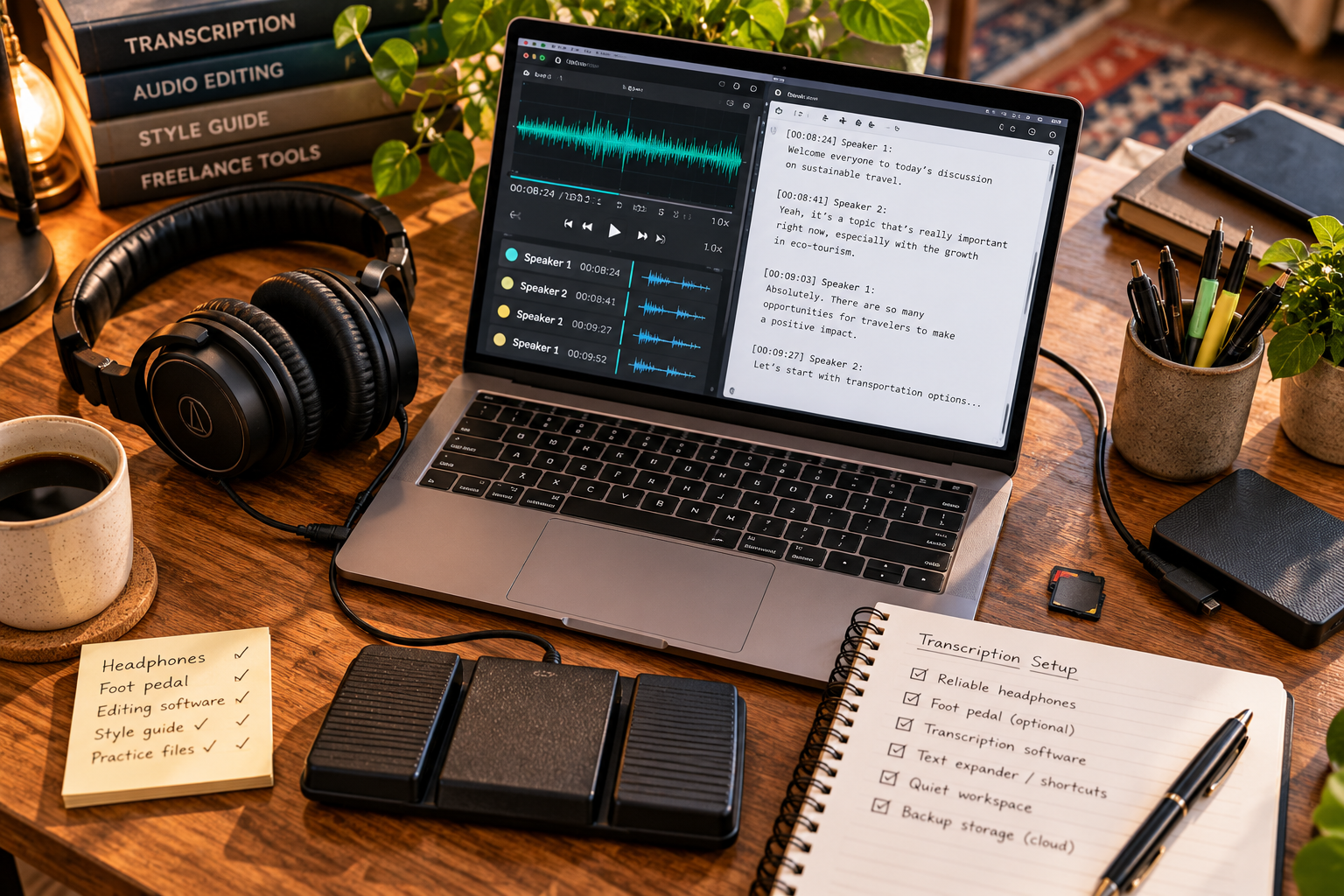
📅 Month 3: Find Your First Transcription Jobs
🎯 Main Goal
Start applying for beginner transcription work and complete your first practice or paid projects.
✅ What to Do
- Create profiles on transcription and freelance platforms
- Apply to beginner transcription jobs
- Reach out to podcasters, YouTubers, coaches, and businesses
- Offer a short sample transcript when appropriate
- Track every application and response
- Complete small projects first
- Proofread every transcript carefully
- Ask for feedback or testimonials
🏁 Month 3 Success Looks Like
- You applied to transcription jobs
- You completed first practice or paid projects
- You learned how long transcription takes you
- You understand common client requests
- You collected feedback or testimonials
💡 PRO TIP
Track your real transcription time. One hour of audio can take several hours to transcribe, proofread, and format.
📍 Places to Find Transcription Work
Source | Best For |
Rev | Beginner transcription and caption work |
TranscribeMe | Short transcription tasks |
GoTranscript | General transcription practice |
Scribie | Beginner transcription jobs |
Upwork | Freelance transcription clients |
Fiverr | Productized transcription packages |
LinkedIn | Business and creator clients |
Podcast creators | Recurring episode transcription |
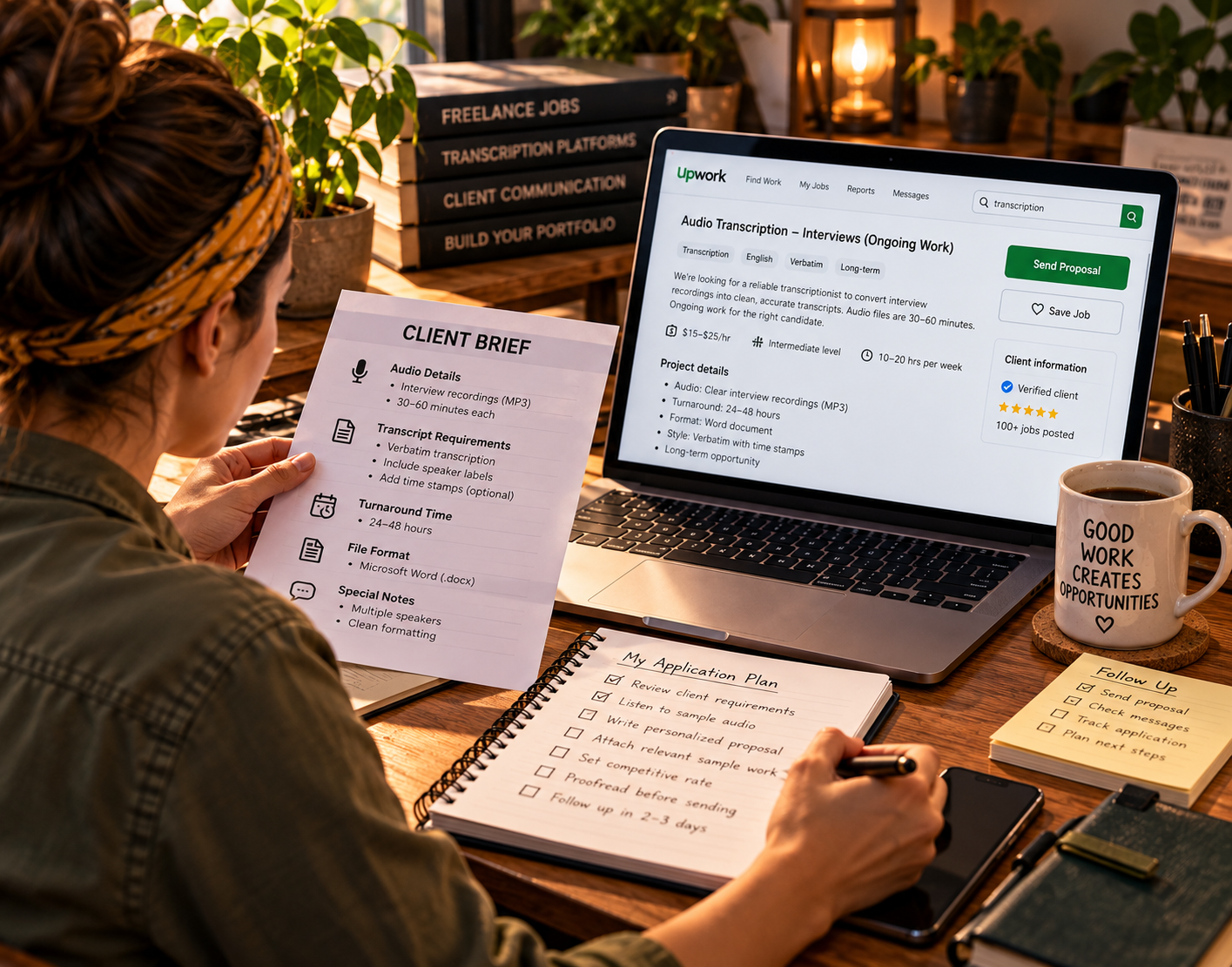
📅 Month 4: Build a Repeatable Transcription Workflow
🎯 Main Goal
Create a reliable process for receiving files, transcribing, proofreading, formatting, and delivering transcripts.
✅ What to Do
- Create a project checklist
- Use a consistent file naming system
- Build transcript templates
- Use text expanders or shortcuts for common formatting
- Create a proofreading routine
- Track deadlines and turnaround times
- Organize client files securely
- Create delivery and follow-up message templates
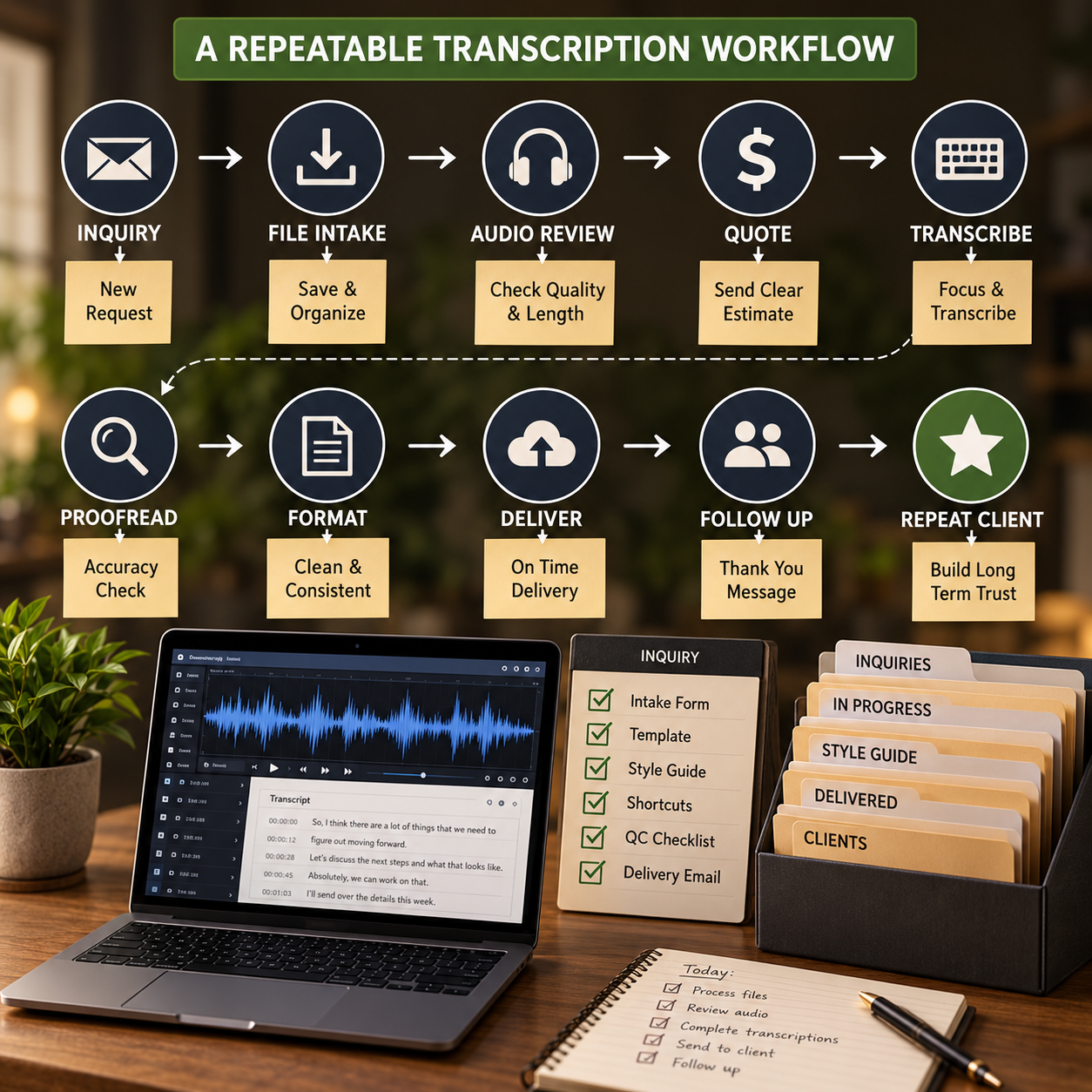
🏁 Month 4 Success Looks Like
- Your workflow is more organized
- Your transcripts are more consistent
- You are tracking deadlines better
- Clients know what to expect
- You can handle multiple small projects with less confusion
⚠ COMMON MISTAKE
Do not accept more audio than you can finish accurately. Rushed transcription usually leads to mistakes and poor reviews.
🔄 Simple Transcription Workflow
Step | What Happens |
Inquiry | Client asks about transcription |
Intake | Client sends audio length, quality, deadline, and format needs |
Quote | You confirm price, timeline, and transcript style |
File review | You check audio quality and speaker count |
Transcription | You type the transcript |
Proofreading | You listen again and fix errors |
Formatting | You add speaker labels, timestamps, and cleanup |
Delivery | You send the final transcript |
Follow-up | You ask for feedback or future work |
🗓️ Simple Weekly Workflow
Day | Task |
Monday | Reply to leads and review files |
Tuesday | Transcribe first project batch |
Wednesday | Proofread and format transcripts |
Thursday | Deliver projects and request feedback |
Friday | Apply to new jobs and update profiles |
Weekend | Practice typing, listening, and formatting |
📅 Month 5: Improve Accuracy, Speed & Better-Paying Niches
🎯 Main Goal
Improve your transcription quality and start moving toward higher-value work.
✅ What to Do
- Review mistakes from past transcripts
- Improve typing speed and shortcuts
- Practice with difficult audio
- Learn better proofreading habits
- Improve your profile and samples
- Add testimonials if available
- Test better-paying niches
- Offer recurring transcription packages
🏁 Month 5 Success Looks Like
- Your accuracy has improved
- Your proofreading process is stronger
- You know which transcription type fits you best
- Your samples and profile look better
- You are moving beyond only beginner low-paying tasks
🎯 KEY TAKEAWAY
Better transcription clients usually pay for reliability, formatting, confidentiality, and accuracy—not just typing speed.
📈 Higher-Value Transcription Opportunities
Opportunity | Why It Can Pay Better |
Podcast transcription | Recurring weekly or monthly work |
Course transcription | Creators need lessons turned into text |
Webinar transcription | Businesses repurpose recordings |
Interview transcription | Researchers, writers, and businesses need accuracy |
Caption files | Requires formatting beyond basic transcript |
Business meetings | Professional clients may need ongoing support |
Legal transcription | Can pay more if trained or qualified |
Medical transcription | Requires training and terminology knowledge |
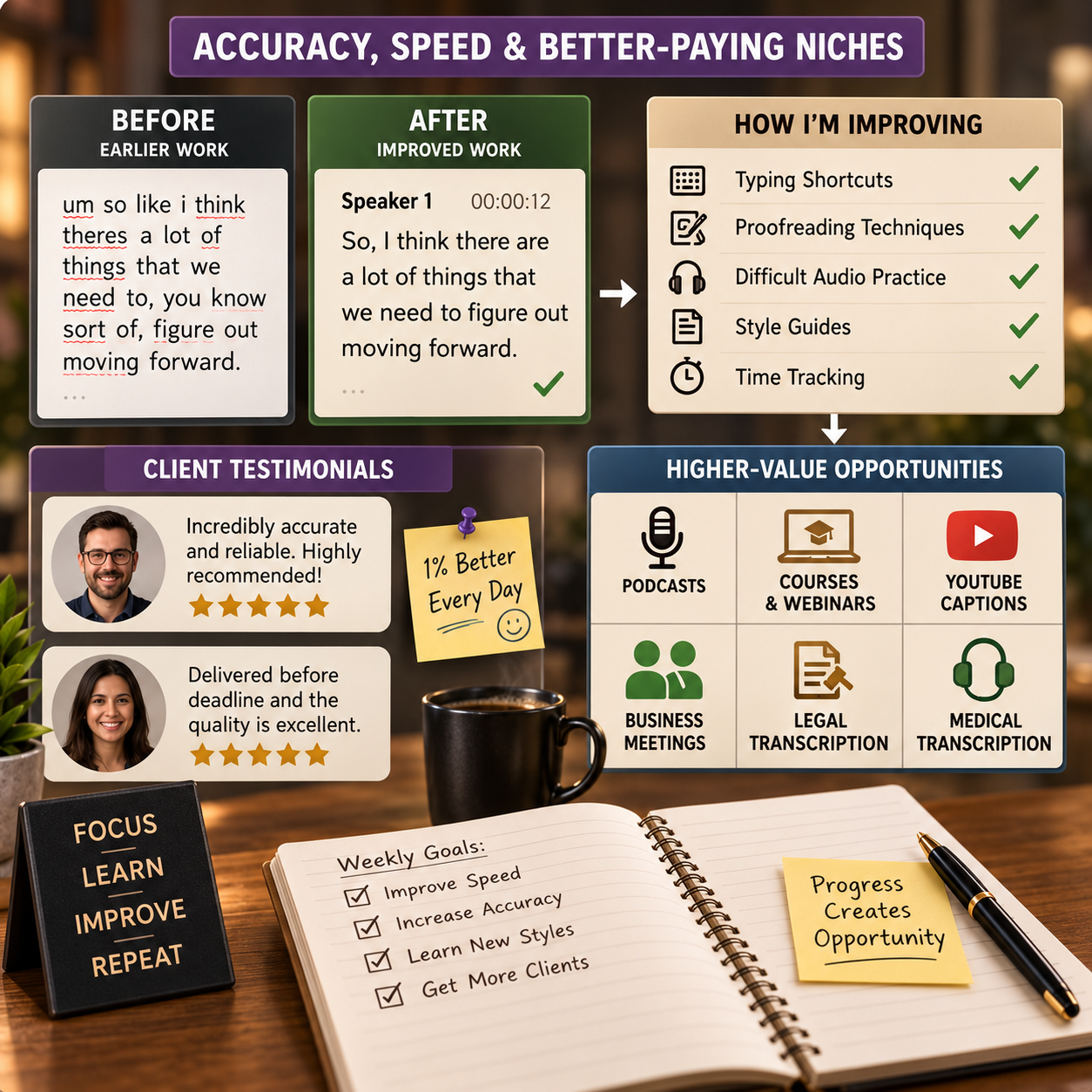
📅 Month 6: Review, Specialize & Plan Your Next Step
🎯 Main Goal
Review your first 6 months and decide which transcription niche, platform, or client type deserves more focus.
✅ What to Do
- Review completed transcription projects
- Calculate your hourly earnings after total time spent
- Identify your best audio types
- Identify which clients were easiest to work with
- Review which platforms brought the best work
- Remove services that take too long or pay too little
- Update your rates and packages
- Create a 90-day plan for months 7–9
❓ 6-Month Review Questions
- Which transcription jobs were easiest to complete?
- Which audio types took too long?
- Which projects paid best for the time required?
- Which clients gave clear instructions?
- Which platform brought the best opportunities?
- Did your rates match your actual work time?
- What transcript style do you prefer?
- What should you stop offering?
- Are you ready to specialize or raise prices?
🏁 Month 6 Success Looks Like
- You know your strongest transcription niche
- You understand your real hourly rate
- You have a repeatable delivery workflow
- Your samples and profile are stronger
- You have a 90-day plan to improve income and client quality
🎯 KEY TAKEAWAY
Transcription becomes more profitable when you stop chasing every file and focus on the audio types, clients, and workflows that match your speed and accuracy.
📊 Decision Table
If This Happens | Do This |
Podcast work is consistent | Build podcast transcription packages |
Video creators need captions | Learn caption formatting and subtitle files |
Audio quality is poor often | Charge more or decline bad audio |
Beginner platforms pay too little | Build freelance profiles and direct outreach |
Legal work interests you | Learn requirements before offering it |
Medical work interests you | Get proper training before offering it |
Turnaround times are stressful | Limit file length or increase pricing |
Clients need recurring help | Offer weekly or monthly transcription packages |
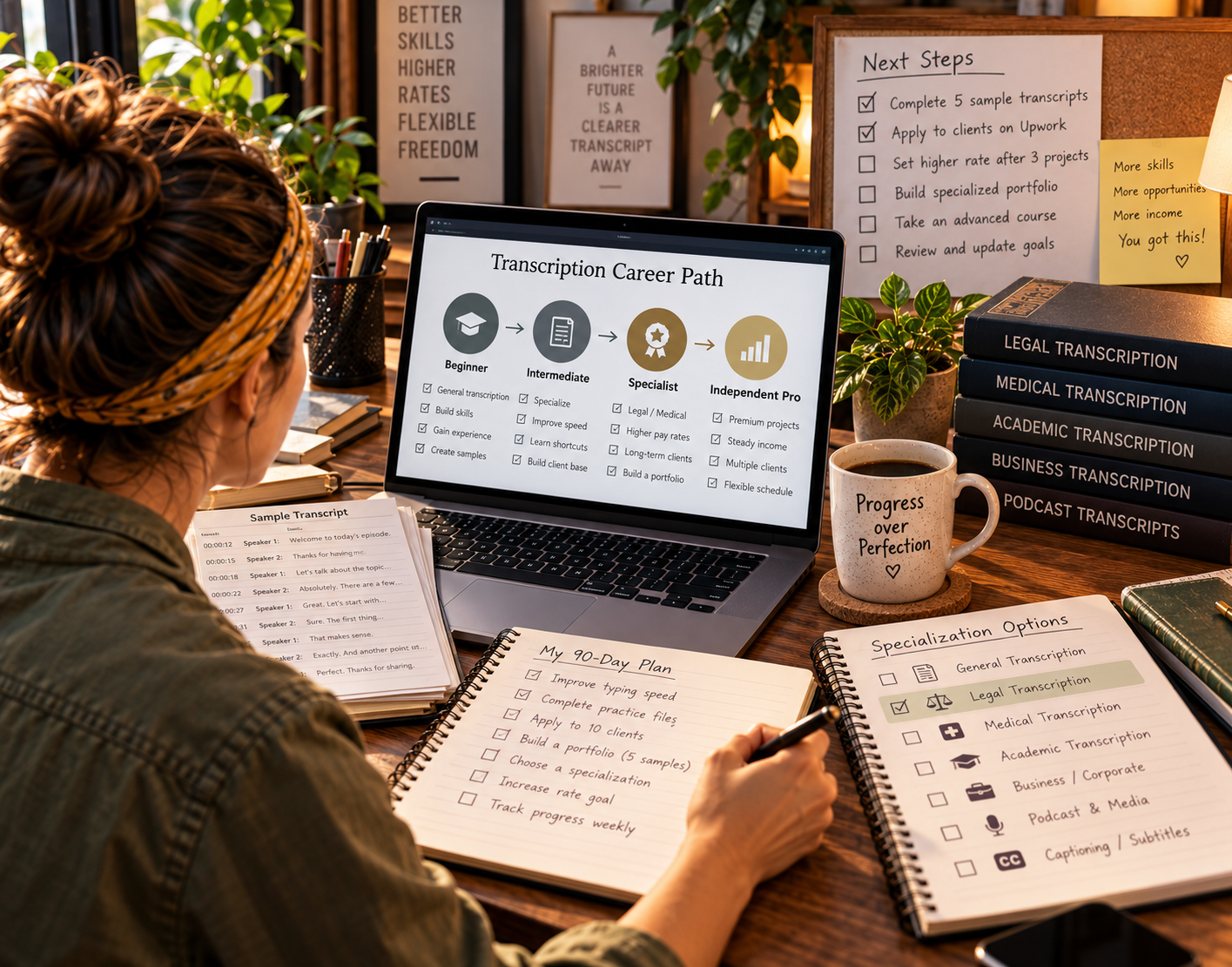
✅ 6-Month Success Checklist
By the end of 6 months, check whether you have:
✅ Practiced typing and listening skills
✅ Learned basic transcript styles
✅ Created transcription samples
✅ Built a transcription profile
✅ Created a rate sheet
✅ Created a client intake form
✅ Completed first transcription projects
✅ Built a proofreading checklist
✅ Created a file organization system
✅ Tracked real transcription time
✅ Identified your best transcription niche
✅ Created a plan for the next 90 days
⚠️ What Not to Do During the First 6 Months
Avoid these mistakes:
❌ Accepting poor audio without reviewing it first
❌ Underestimating how long transcription takes
❌ Skipping proofreading
❌ Ignoring formatting requirements
❌ Mixing up speakers
❌ Missing deadlines
❌ Taking legal or medical transcription without proper knowledge
❌ Sharing confidential client files
❌ Charging only based on audio length without considering difficulty
❌ Relying completely on AI transcription without checking accuracy
📝 QUICK NOTE
Transcription is accuracy-based work. Your reputation depends on careful listening, clean formatting, confidentiality, and reliable delivery.
🧭 Simple 6-Month Milestone Tracker
Month | Main Focus | Target Output |
Month 1 | Typing & listening | Basic transcription skills practiced |
Month 2 | Samples & offer | 3–5 samples, rates, intake form |
Month 3 | First jobs | First practice or paid projects completed |
Month 4 | Workflow | Templates, checklist, file system |
Month 5 | Accuracy & niches | Better samples and niche options |
Month 6 | Review & specialize | 90-day growth plan created |
🚀 Final 6-Month Strategy
Your first 6 months should follow this simple path:
Month 1: Build your typing, listening, and formatting foundation
Month 2: Create samples and set up your service
Month 3: Find your first transcription jobs
Month 4: Build a repeatable transcription workflow
Month 5: Improve accuracy, speed, and better-paying niches
Month 6: Review results and specialize
The transcriptionists who grow fastest are accurate, reliable, organized, and focused on delivering clean transcripts clients can use right away.
11. View the Transcription Starter Kit
🎁 Your Transcription Practice Toolkit
The Transcription Jobs Starter Kit contains 12 interactive workspaces covering typing practice, platform research, qualification preparation, transcription quality, time tracking and career development.
The 12 components:
✅ 1. Typing Speed & Accuracy Tracker — Record typing performance and track improvements in speed and accuracy.
✅ 2. Transcription Platform Comparison — Compare platform requirements, policies and potential job fit.
✅ 3. Qualification Test Prep Guide — Prepare for legitimate transcription screening tests through practice.
✅ 4. Equipment Budget Planner — Plan a suitable transcription setup and budget for equipment purchases.
✅ 5. Transcription Tool Setup Guide — Organize your transcription software setup and editing workflow.
✅ 6. Formatting & Quality Checklist — Review transcription conventions, formatting and quality before delivery.
✅ 7. Transcript Practice Library — Work through sample transcription exercises and evaluate your results.
✅ 8. Transcription Specialization Roadmap — Research specialist transcription fields and plan the skills or credentials they require.
✅ 9. Time & Earnings Tracker — Record work sessions and earnings to estimate your effective hourly rate.
✅ 10. Platform Fit Evaluator — Assess transcription platforms using criteria and details you verify independently.
✅ 11. Income & Workload Forecaster — Explore hypothetical workload and earnings scenarios using your own assumptions; forecasts are not income guarantees.
✅ 12. Weekly Progress Tracker — Set weekly practice goals and monitor your transcription skill development.
Also included in the editable master: A dashboard and Start Here instructions are also present.
The master is a working review edition. Tools cannot complete qualification tests for you, obtain jobs, fetch live job postings or guarantee income; specialist work may require additional credentials and confidentiality safeguards.

12. Frequently Asked Questions
🎓 Do I need a degree or certificate?
No. Transcription requires no formal education.
You mainly need:
- ⌨️ Good typing speed
- 👂 Strong listening skills
- 🧠 Attention to detail
- 📋 Ability to follow guidelines
- ⏰ Deadline discipline
A good starting typing speed is 50+ WPM, but you can begin practicing even if you are slightly below that.
💡 Medical and legal transcription may involve optional training, but no degree is required to start general transcription.
⌨️ How fast do I need to type?
Typing speed directly affects your income.
Benchmarks:
- 🌱 Starting: 40–50 WPM
- 📈 Goal: 60–80 WPM
- 🚀 Advanced: 100+ WPM
Most people improve naturally with practice.
💡 The faster and more accurately you type, the more jobs you can complete.
💰 Can I really make full-time income?
Income varies. Some people build enough paid hours to replace other work; many stay part-time or earn little at first.
Illustrative ranges, not a guarantee:
- 💻 General transcription: some experienced workers report $2,000–$4,000/month
- ⚖️ Legal transcription: can pay more with the right files and qualifications
- 🏥 Medical transcription: can pay more with the right files and qualifications
Speed, accuracy, specialization, and available work all affect results.
👉 Specialization and speed are what increase income.
😵 What's the hardest part?
The first month is usually the hardest.
At the beginning, you may spend:
- ⏳ 4–6 hours of work per 1 audio hour
- 🎧 Extra time replaying unclear sections
- 📋 Extra time checking formatting guidelines
- 🧠 Extra focus correcting mistakes
But speed improves dramatically with practice.
💡 Many people double their efficiency by month 3–4.
🕒 Can I work irregular hours?
Yes.
Most transcription platforms let you choose your own schedule.
You can work:
- 🌙 Late nights
- 🌅 Early mornings
- 🗓️ Weekends
- ⏰ Short work blocks
- 💻 Around a full-time job
Some platforms prioritize active workers, meaning if you are online, you may see jobs first.
💡 Flexibility is one of transcription’s biggest advantages.
🎧 What if audio quality is terrible?
Poor audio is common.
You may deal with:
- 🔊 Background noise
- 👥 Multiple speakers
- 🌍 Strong accents
- 📞 Low-quality recordings
- ⚖️ Difficult legal depositions
You still transcribe what you can hear according to platform rules.
Sometimes difficult audio pays more.
👉 If audio is truly impossible, you may be able to reject the job.
🎯 Should I specialize immediately?
No.
Build general transcription skills first for 3–6 months.
Then consider specializing in:
- ⚖️ Legal transcription
- 🏥 Medical transcription
- 🎙️ Podcast transcription
- 🎥 Video captions
- 📚 Academic interviews
- 🧾 Business meetings
Specialization usually requires additional terminology knowledge and stricter quality standards.
💡 Start general, then move into higher-paying niches.
📈 How long before I'm profitable?
The first month may be slow.
You may break even or earn very little while learning the process.
Illustrative timeline, not a guarantee:
- 🌱 Month 1: Slow speed, low effective hourly rate
- 📈 Month 3–4: Speed and accuracy may improve
- 🚀 Month 6: Extra income is possible if files are available
- 🏆 Month 12: Specialization is possible, not automatic
💡 The learning curve is real, but income improves as speed and accuracy improve.
🤖 Is transcription being replaced by AI?
Partially, but not completely.
AI is changing the industry, but human review is still needed.
AI struggles with:
- 🔊 Poor audio
- 👥 Multiple speakers
- 🌍 Accents
- ⚖️ Legal accuracy
- 🏥 Medical terminology
- 📋 Formatting requirements
- 🧠 Context and nuance
Some platforms now offer AI transcript editing jobs, but pay may be lower, often around $0.10–$0.20/minute.
💡 Human transcription still matters for complex audio, specialized content, and high-accuracy work.
⏰ Can I do this part-time while working full-time?
Yes.
Many people do transcription part-time.
Example:
- ⏳ 10–15 hours/week
- 💰 Extra income is possible; $300–$600/month is an example, not a forecast
- 🗓️ Flexible schedule
- 💻 Work whenever you have quiet time
💡 This is one of the most flexible online side hustles if you enjoy focused, quiet work.
13. Important Considerations
Before you take your first transcription job, understand these key realities — the work is flexible and beginner-friendly, but accuracy and speed decide what you earn.
🧠 This Is a Skill-Based Income Model
Transcription is not passive income.
Your income is directly tied to:
- ⌨️ Typing speed
- 🎧 Listening ability
- ✅ Accuracy
- 🧠 Focus
- 📋 Guideline compliance
👉 Faster + more accurate = higher income.
👉 Slower + mistakes = lower income.
💡 Your income improves as your skill improves.
⏱️ Time vs. Pay Reality
Most beginners underestimate how long transcription takes.
A common beginner pace:
- 🎧 1 hour of audio = 3–6 hours of work
- 📉 Early effective hourly rate can be very low
- 🧠 Harder audio takes even longer
This improves with:
- ⌨️ Faster typing
- 🎧 Better listening skills
- 📋 Familiarity with guidelines
- ⚙️ Better tools and workflow
👉 Be patient during the first 30–60 days.
🎧 Audio Quality Varies A Lot
You will deal with difficult audio.
Common issues include:
- 🔊 Background noise
- 👥 Multiple speakers
- 🌍 Strong accents
- 📞 Poor recordings
- 🗣️ People talking over each other
- 🧩 Missing context
💡 Some jobs take 2x longer because of audio quality alone.
⚖️ Platform Rules Matter
Transcription platforms are strict about:
- 📋 Formatting
- ✅ Accuracy
- ⏰ Deadlines
- 🗣️ Speaker labels
- 🔤 Spelling and punctuation
- 🧾 Style guides
Many platforms expect 98–99%+ accuracy.
Mistakes can lead to:
- ❌ Rejected work
- 📉 Lower ratings
- 🚫 Fewer job opportunities
- ⚠️ Account suspension
👉 Always follow guidelines exactly.
💰 Pay Can Be Misleading
Many platforms advertise pay like:
👉 “$15–$60 per audio hour”
But that is not the same as hourly pay.
It means pay per hour of audio, not per hour of work.
Example:
- 🎧 $30 per audio hour
- ⏳ Takes you 4 hours to complete
- 💵 True hourly rate = about $7.50/hour
Your real pay depends on:
- ⌨️ Speed
- ✅ Accuracy
- 🎧 Audio quality
- 📋 Formatting difficulty
- 🧠 Experience
💡 Always calculate your effective hourly rate.
🔁 Repetition & Burnout Risk
Transcription can be:
- 🔁 Repetitive
- 🧠 Mentally tiring
- ⌨️ Physically demanding
- 👂 Hard on your ears
- 🪑 Tough on posture
Long sessions require:
- ⏸️ Breaks
- 🪑 Good posture
- 🎧 Comfortable headphones
- ⌨️ Ergonomic keyboard
- 👀 Screen breaks
👉 Protect your body and focus.
📈 Growth Requires Specialization
General transcription is easier to start, but usually pays less.
Specialized transcription can pay more.
Examples:
- ⚖️ Legal transcription
- 🏥 Medical transcription
- 🎥 Captioning
- 🎙️ Podcast transcription
- 🧾 Business meeting transcription
- 🎓 Academic research interviews
General transcription:
- ✅ Easier to enter
- 💵 Lower pay
- 📉 More competition
Specialized transcription:
- 🧠 More terminology
- 📋 Stricter standards
- 💰 Higher pay
👉 Staying general long-term can cap your income.
🤖 AI Is Changing the Industry
AI tools are:
- ⚡ Faster
- 💸 Cheaper
- 📈 Improving quickly
But AI still struggles with:
- 🔊 Complex audio
- 👥 Multiple speakers
- 🌍 Accents
- ⚖️ High-accuracy legal work
- 🏥 Medical terminology
- 📋 Formatting rules
The opportunity is shifting toward:
- ✍️ Editing AI transcripts
- ✅ Quality control
- ⚖️ Specialized transcription
- 🎧 Difficult audio
- 📋 High-accuracy work
💡 Learn to work with AI tools, not against them.
📊 Consistency = Income Stability
Transcription is not guaranteed income.
Some weeks may have:
- 📈 Lots of available work
- 📉 Slower job flow
- 🧾 Lower-paying projects
- 🎧 More difficult audio
To stabilize income:
- 🌐 Work on multiple platforms
- 🤝 Build repeat clients
- ⌨️ Improve speed
- 🎯 Specialize over time
- 📊 Track your effective hourly rate
⚠️ Biggest Beginner Mistakes
Avoid these:
❌ Focusing on speed instead of accuracy
❌ Ignoring platform guidelines
❌ Taking difficult jobs too early
❌ Not practicing typing
❌ Skipping proofreading
❌ Quitting during the slow first month
💡 The first 30–60 days are the hardest — but everything improves after that.
🧠 The Reality You Need to Accept
This is a low-barrier, skill-driven side hustle.
That means:
- ✅ Easy to start
- 📉 Competitive
- ⌨️ Skill-dependent
- 📈 Scalable with practice
- 🎯 Better with specialization
The people who succeed:
- 🔁 Stick with it past the learning curve
- ⌨️ Improve their speed
- ✅ Improve accuracy
- 💰 Move into higher-paying niches
🔥 Bottom Insight
Transcription rewards:
👉 Discipline
👉 Focus
👉 Consistency
More than natural talent.
If you treat it casually, earnings often stay low.
Treating it as a skill can improve speed and rates, but income still depends on available files and accuracy.
14. Your Next Steps
🚀 ACTION STEP
📅 This Week
- ⌨️ Test your typing speed on TypingTest.com
- 🎧 Download Express Scribe for free
- 📩 Apply to 2–3 platforms, such as Rev, TranscribeMe, and Scribie
- 📋 Read platform guidelines thoroughly
🗓️ This Month
- ✅ Pass qualification tests
- 🎧 Accept 10–15 small jobs
- 🎯 Focus on accuracy first
- ⭐ Build initial portfolio experience and reviews
🚀 Next 90 Days
- ⌨️ Build typing speed, aiming for 60+ WPM
- 🎧 Increase workload toward 30–40 audio hours/week if available
- 💰 Track effective hourly pay — $600–$1,200/month is an example, not a forecast
- 🎯 Consider a specialization path
Your keyboard is your path to income. Start typing today.
15. The Bottom Line
🎯 KEY TAKEAWAY
Transcription can be an accessible, flexible side hustle. No credentials are required to start general work — you still need typing speed, attention to detail, available files, and the patience to follow style guides precisely.
🙋 If you:
✔ Start on beginner platforms like Rev or TranscribeMe
✔ Push your typing speed past 60+ WPM with daily practice
✔ Follow each platform's style guide precisely
✔ Specialize in legal or medical work once you're fast
🏗️ You can build:
💰 Extra income is possible; general and specialist rates vary widely, and $5–$25/hour or $40–$100+/hour is an example, not a promise
🔁 Recurring files can add up if platforms have work and you stay accurate, but this is paid labor, not hands-off income
📈 Higher monthly totals usually take speed, specialization, and enough files — not a $3,000/month forecast
🚀 Outline your first applications when your typing, tools, and sample accuracy are ready.
16. Recommended Websites & Tools
🛠 TOOLS & RESOURCES
You do not need every resource listed below. This directory brings together the major platforms, tools, and resources from this guide, along with additional research and learning options, so you can find them in one place when you need them.
Start with the essentials. Add tools only when your transcription workflow develops a specific need for them.
🎧 Beginner Transcription Platforms
- Rev — Beginner-friendly transcription, captioning, and legal freelancer platform for flexible audio and video transcription work.
- GoTranscript — Human transcription platform for general transcription jobs, beginner practice, and consistent audio-to-text work.
- TranscribeMe — Transcription platform for short audio files, beginner transcription tests, and building early experience.
- Speechpad — Transcription and captioning platform mentioned for higher-quality standards and better-paying transcription work.
- Scribie — Freelance transcription platform for practice, shorter files, and building transcription speed.
💡 PRO TIP
Pass the tests on 2–3 beginner platforms. Work volume fluctuates, and multiple accounts keep your queue full.
💼 Freelance Marketplaces & Direct Client Platforms
- Upwork — Freelance marketplace for podcast transcription, interview transcription, business meeting transcripts, captioning, and direct client projects.
- Fiverr — Service marketplace for packaging transcription offers by audio length, turnaround time, speaker count, or transcript type.
- PeoplePerHour — Freelance platform for finding transcription, captioning, proofreading, and document cleanup projects.
- Freelancer.com — Bidding marketplace for supplemental transcription projects and remote audio-to-text work.
- YouTube — Video platform mentioned for finding creator transcription needs, captioning opportunities, and podcast or video transcript clients.
- Facebook Groups — Group discovery page for finding creator communities, podcast groups, freelance groups, and transcription job leads.
⚖️ Legal, Medical & Specialized Transcription
- TranscribeMe Legal Services — Legal transcription service resource mentioned for court-related, law firm, and legal audio transcription.
- Voscribe — Legal and professional transcription platform mentioned for specialized transcription opportunities.
- SpeakWrite — Legal and business transcription company mentioned for experienced transcriptionists.
- AccuMed Global — Medical transcription resource mentioned for healthcare-related transcription opportunities.
- TranscribeMe Medical Services — Medical transcription service resource mentioned for healthcare documentation and medical audio work.
- TranscribeMe Education Services — Education transcription resource mentioned for lectures, academic content, and school-related recordings.
📝 QUICK NOTE
Legal and medical transcription pay 3–4x general rates, but take a course first — accuracy standards are unforgiving.
💻 Transcription Playback, AI Drafting & Editing Tools
- Express Scribe — Transcription playback software for slowing audio, pausing, rewinding, and managing transcription workflow.
- Transcribe by Wreally — Browser-based transcription workspace for listening, typing, and managing audio-to-text projects.
- Google Docs Voice Typing — Free dictation feature mentioned for rough speech-to-text assistance and practice workflows.
- Audacity — Free audio editor for slowing down audio, cleaning sound, reducing noise, and improving difficult recordings.
- Descript — AI-assisted audio and video editing tool for transcripts, captions, cleanup, and creator-focused transcription workflows.
- Otter.ai — AI transcription tool for creating rough drafts, meeting notes, and transcript starting points.
- Adobe Premiere Pro — Video editing software mentioned for video transcription, captions, and subtitle workflows.
📝 QUICK NOTE
AI drafting tools can double your output, but proof every word yourself before delivering. Clients pay for accuracy.
✅ Writing, Proofreading & Reference Tools
- Google Docs — Free document workspace for drafting, formatting, editing, and delivering transcripts.
- Microsoft Word — Professional document editor for transcript formatting, spellcheck, client delivery, and polished files.
- Grammarly — Grammar and clarity tool for checking transcript punctuation, spelling, and readability before submission.
- Merriam-Webster — Dictionary resource for verifying spelling, definitions, and unclear terms.
- Dictionary.com — Word lookup resource for checking meanings, spelling, and usage while proofreading transcripts.
⌨️ Typing Practice & Speed Improvement
- Monkeytype — Free typing practice tool for improving speed, accuracy, and transcription efficiency.
- TypingMaster — Structured typing practice software for building keyboard speed and accuracy.
- TypingTest.com — Typing speed test resource for tracking WPM, accuracy, and typing progress.
🎯 KEY TAKEAWAY
You do not need every tool on this page. One platform, good headphones, and steady typing practice are enough to start.
🧭 How to Use This Directory
🧰 Start With a Simple Setup
Do not start by creating accounts with every service listed above. For most beginners, a simple setup is enough:
- One transcription platform
- Good headphones
- One playback or editing tool
That is enough to start building. Add tools only when you can name the specific problem they will solve.
🎯 KEY TAKEAWAY
Tools support the business. They are not the business.
Your biggest advantages will come from:
Typing speed → Accuracy → Specialization → Higher rates
17. Explore Similar Side Hustles
 Online Translation Jobs: Earn from Your Language Skills — Add language skills for subtitle and bilingual transcription work.
- Copyediting & Proofreading: Get Paid to Polish Words — Proofreading transcripts pays on top of typing them.
 Remote Customer Service Jobs — Steady remote income built on the same reliability skills.
 Virtual Assistance — Offer transcription as part of a broader admin service.
- Freelance Writing: Get Paid to Write Online — Turn your ear for dialogue into paid writing work.
 User Testing & Surveys — Simpler task-based income for days you want lighter work.