Official Website
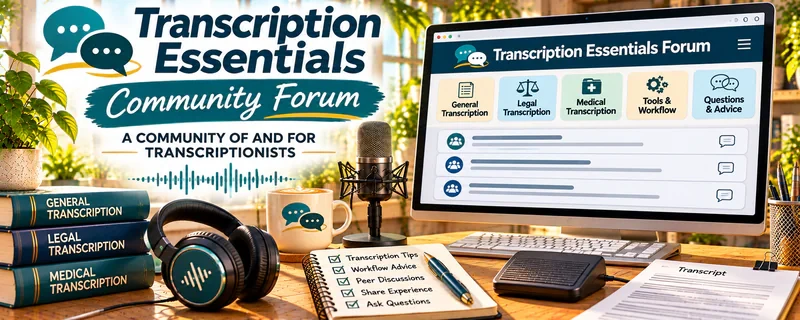
Transcription Essentials Community is a paid community tied to Transcription Essentials training, built for people who want support, feedback, and real-world answers about transcription work.
🔗 Visit Official Website — Transcription Essentials Community
Domain: www.transcriptionessentials.com
What This Website Is
Transcription Essentials Community is a paid community tied to Transcription Essentials training, built for people who want support, feedback, and real-world answers about transcription work. For 🎙️ Transcription Jobs, it matters because you can get practical guidance on speed, accuracy, tools, and client expectations—without trying to figure everything out alone.
How to Apply It to 🎙️ Transcription Jobs
Use the community as your “skill + workflow accelerator”: learn one technique, apply it to real practice files, then tighten your process.
Step-by-Step Implementation:
- Phase 1: Build fundamentals — learn the core rules (formatting, timestamps, speaker labels) and set up your tools.
- Phase 2: Improve speed + accuracy — practice with short audio, track WPM and error types, and fix one recurring mistake at a time.
- Phase 3: Get feedback + refine — ask specific questions (with examples) and adjust your workflow for the transcription niche you’re targeting.
Common Use Cases for this Side Hustle:
- Scenario A: You’re stuck at a slow pace and need strategies to speed up without losing accuracy.
- Scenario B: You’re unsure about formatting choices (clean verbatim vs full verbatim) and want clarity.
- Scenario C: You want a repeatable setup for audio cleanup, playback speed, and shortcuts.
When to Use This
- You’re serious about improving transcription skill and want structured support.
- You want feedback on specific issues (accuracy, formatting, difficult audio).
- You’re building a workflow and need tool/shortcut recommendations.
- You want accountability to practice consistently.
Best Tasks to Use It For
- Fixing common transcription mistakes
- Improving speed with shortcuts and repeatable workflows
- Learning formatting standards and niche expectations
- Troubleshooting hard audio and speaker identification
- Getting feedback and accountability to practice
Getting Started Steps
- Set up your transcription tools (text expander, foot pedal if you use one, audio player settings).
- Choose one practice audio type (interview, podcast, meeting) and do 3 short files first.
- Track where you lose time (names, accents, crosstalk, unclear audio).
- Ask one focused question in the community with context and an example.
- Build a personal shortcut list (speaker labels, filler words, common phrases).
- Practice 3–5x/week and review errors weekly.
Good Beginner Search Terms
- transcription essentials speed
- how to transcribe faster without mistakes
- best transcription shortcuts list
- handling accents transcription
- clean verbatim vs full verbatim
- difficult audio transcription tips
Monetization Angle
The monetization is indirect: stronger skill and faster turnaround increases your effective hourly rate and makes you more competitive for better transcription opportunities.
Pros
- Focused support for real transcription problems
- Helps you improve speed and accuracy faster than solo practice
- Good for tool/workflow recommendations
Cons
- Paid
- Value depends on your consistency (you still have to practice)
- Not a direct “job board” by itself
Who Should Use This
People pursuing transcription seriously who want accountability, workflow improvements, and faster skill development.
Who Should Skip This
Skip this if you only want free resources or you’re not ready to practice consistently. A paid community helps most when you apply what you learn.
Practical Applications
- Ask whether current community access includes feedback on practice transcripts.
- Use authorized sample audio to work on accuracy and formatting.
- Prepare focused questions about terminology research or a transcription workflow.
Important Considerations
- Verify current membership availability, cost, moderation, and any training prerequisites before paying.
- Never share confidential client audio or personal data; peer feedback does not guarantee work or replace specialist training for regulated material.
Related Resources
Otter.ai — Provides AI draft transcripts that still need human review and cleanup.
Audacity — Helps clean audio, reduce noise, and prepare difficult files for transcription.
Rev Freelancers — Shows a direct transcription platform path where speed and accuracy matter.
Monkeytype — Improves typing speed and accuracy, which directly affects transcription earning potential.
Related Side Hustles
 Transcription Jobs — This is the direct side hustle the community supports.
 Remote Customer Service Jobs — Uses similar listening, typing, accuracy, and remote-work reliability skills.