

Affiliate disclosure: Some links in this guide may be paid referral links. If you purchase or sign up through one, One Stop Side Hustles may earn a commission. How our affiliate links work.
REMOTE CUSTOMER SERVICE STARTER GUIDE
Discover how to land remote customer service jobs, excel in phone, chat, and email support, find legitimate companies hiring, negotiate better pay and schedules, advance to specialized or management roles, and build a sustainable work-from-home career. Whether you want part-time hours from home or a full-time support role, this guide covers a practical path.
1. What Are Remote Customer Service Jobs?
2. Why Remote Customer Service Jobs Are a Great Side Hustle
3. Types of Remote Customer Service Roles
4. How Much Can You Earn & Pricing Strategies
6. Where to Find Remote Customer Service Jobs
7. From Job Offer to Confident Support Rep
8. Pro Tips for Remote Customer Service Success
9. Learning, Templates & Resources
10. Your First 6 Months Remote Customer Service Jobs Plan
11. View the Remote Job Starter Kit
12. Frequently Asked Questions
Quick Snapshot
Earn: Varies widely — some entry-level roles pay extra income; higher figures usually take specialized work, more hours, and time on the job
Work: Set or flexible shifts from a home office
Start: Low cost — a headset, computer, and quiet space
Best for: Patient communicators who like helping people
Grow: General support → specialized/retention → team lead
1. What Are Remote Customer Service Jobs?
Remote customer service involves helping customers solve problems, answer questions, process orders, troubleshoot issues, and provide support—all from your home office via phone, chat, email, or social media.
📋 Core responsibilities:
- Answering inbound calls, chats, or emails
- Resolving customer complaints or issues
- Processing orders, returns, or account changes
- Providing product/service information
- Troubleshooting technical problems (tech support roles)
- Documenting interactions in CRM systems
- Meeting performance metrics (response time, satisfaction scores)
You handle: Customer interactions, problem-solving, documentation, following company procedures
🎯 KEY TAKEAWAY
You're the voice and face of the company for customers. Your empathy, patience, and problem-solving directly impact customer satisfaction, retention, and brand reputation.

2. Why Remote Customer Service Jobs Are a Great Side Hustle
Remote customer service is a strong side hustle because it turns communication skills, work-from-home access, and consistent company demand into reliable income with real career upside.
💰 The pay is usually steadier than many side hustles
Because most roles are hourly and shift-based, the income is often more predictable than gig work or project work.
That stability usually comes from:
- Set hourly pay
- Scheduled shifts
- Repeat weekly hours
- Clear expectations
- Ongoing company demand
This makes it easier to plan your time and finances than with more irregular side hustles.
🧠 The entry barrier is relatively low
Many remote customer service roles value professionalism and communication more than formal credentials.
Companies often look for:
- Clear communication
- Basic computer comfort
- Patience
- Problem-solving
- Reliability
That makes it one of the more accessible remote income paths for people building experience from home.
🌍 Demand stays strong across many industries
Businesses constantly need people who can help customers by phone, chat, or email.
Common hiring areas include:
- Tech and SaaS
- E-commerce and retail
- Finance and insurance
- Healthcare
- Subscription services
That broad demand gives you more opportunities than a side hustle tied to one narrow market.
⚡ Hiring can move faster than many other remote roles
Support roles often fill quickly because companies need coverage and training classes regularly.
A common hiring path includes:
- Fast applications
- Short screenings
- Basic assessments
- Quick interviews
- Training shortly after offer
That can make remote customer service one of the faster ways to get into consistent work-from-home income.

💻 Working from home removes a lot of friction
Remote support work is appealing because you can earn without commuting or working in a physical office.
Common advantages include:
- No commute
- Lower transportation costs
- Familiar work environment
- Simpler daily routine
- Easier setup for part-time work
That convenience can make the job more sustainable, especially when balancing family, school, or another role.
🕒 Many roles offer useful schedule flexibility
Not every role is flexible, but many companies hire for different shift types that can fit around other responsibilities.
Common options include:
- Part-time schedules
- Full-time shifts
- Nights or weekends
- Seasonal support
- Alternative coverage hours
That variety gives you a better chance of finding a schedule that works for your life.
📈 There is a clear path into better-paying roles
Customer service is often an entry point into stronger support, operations, or leadership work.
Common next steps include:
- Senior support roles
- Technical support
- Retention or escalations
- Team lead roles
- Supervisory paths
That growth path makes the work more valuable than a dead-end side hustle with no advancement.
🎯 The skills transfer into other remote careers
Even if you do not stay in customer service forever, the experience can help you qualify for stronger opportunities later.
Valuable skills include:
- De-escalation
- CRM experience
- Written communication
- Documentation
- Problem-solving under pressure
Those skills can support moves into customer success, tech support, operations, and other remote business roles.
3. Types of Remote Customer Service Roles
Remote customer service jobs range from beginner-friendly phone, chat, and email support to higher-paying specialties in technical support, retention, healthcare, finance, and B2B client success.
You do not need to target every lane at once. The best beginner move is to start with general support, chat/email support, or basic technical support, then use that experience to move into better-paying specialized roles.
📝 QUICK NOTE
Pay, hours, and requirements vary widely by employer, role, and country, and openings are not guaranteed. Verify every employer before applying, and never pay for a job, training, or equipment up front or share sensitive financial details before a verified offer.
🎧 Entry-Level Customer Support Roles
🎧 General Customer Support
Great starting point because the work is common, trainable, and available across many industries
- Best fits people who can handle orders, returns, account questions, and everyday customer issues with patience
- Usually strongest when you can stay calm, follow process, and communicate clearly by phone, chat, or email
💬 Chat & Email Support
Strong beginner lane for people who prefer writing over constant phone conversations
- Best fits fast typers who can use templates, knowledge bases, and ticket systems without losing tone or accuracy
- Often becomes a gateway into SaaS, marketplace, and digital support roles with cleaner workflows
💡 PRO TIP
Build a short “support samples” document with a sample reply, a de-escalation script, and your typing speed. It gives hiring teams concrete proof, even without prior experience.

🛠️ Technical & Problem-Solving Support Roles
🛠️ Technical Support
Good fit for problem-solvers who like walking people through fixes step by step
- Best opportunities usually involve software, telecom, hardware, internet, or product troubleshooting
- Usually pays more once you can explain solutions clearly while documenting issues accurately
🖥️ Help Desk Support
Often focuses on login issues, account access, password resets, and internal support tickets
- Best for people who want remote support experience that can also open doors into IT or cybersecurity paths
- Works best when you enjoy troubleshooting systems and staying organized under ticket pressure
⚠ COMMON MISTAKE
Do not guess at technical answers on a live ticket. Follow the knowledge base, document what you tried, and escalate when needed. Accurate hand-offs matter more than speed.

📈 Sales, Retention & Revenue Support Roles
💼 Sales Support Specialist
Helpful bridge between customer service and revenue because you answer pre-sale questions and guide buyers
- Best for communicators who are comfortable with scripts, goals, and light persuasion
- Usually stronger when you can balance helpful service with product confidence and upsell awareness
🔄 Retention Specialist
High-value lane because companies care deeply about keeping paying customers
- Best for calm communicators who can de-escalate frustration and still protect revenue
- Often becomes a better-paying specialty once you prove you can handle difficult conversations without losing control
📋 REAL-WORLD EXAMPLE
A retention specialist at a subscription company hears a customer say they want to cancel. By asking why, offering a relevant pause or plan change, and respecting the final decision, they keep the relationship positive, and often the customer.

📱 Digital & Community Support Roles
📱 Social Media Customer Support
Useful for brands that need fast replies across comments, DMs, and public complaints
- Best for people who write quickly, understand tone, and can stay professional in visible customer conversations
- Usually works best when you can protect brand reputation while still solving the real issue
🤝 Community Support Specialist
Strong option for helping customers inside forums, groups, Slack communities, or membership spaces
- Best for friendly communicators who enjoy ongoing interaction instead of only one-off tickets
- Often feels more relationship-based than traditional call-center work, especially in digital communities
💡 PRO TIP
Match the brand’s tone while staying clear and calm. Public replies are visible to many people, so move sensitive account details to a private channel.

🏥 Specialized Support Roles
🏥 Healthcare Customer Service
Strong specialty for people who can handle sensitive conversations about appointments, billing, portals, and patient support
- Best fits detail-oriented communicators who stay accurate while showing empathy
- Usually carries more responsibility because confidentiality and documentation standards matter so much
💳 Financial Services Support
Often involves banking, loans, account access, payment issues, and fraud-related concerns
- Best for people who are precise, trustworthy, and comfortable with compliance-heavy work
- Can pay better because the conversations affect money, security, and more regulated customer outcomes
⚠ COMMON MISTAKE
Do not apply for regulated roles without checking the requirements. Healthcare and finance support often involve privacy rules, background checks, or training, so confirm these before you invest time in applications.

💼 Higher-Touch B2B Client Support
🌐 B2B Customer Success Support
Higher-touch lane where you support business clients with onboarding, account help, and product questions
- Best for organized communicators who can manage longer relationships and more complex expectations
- Usually becomes a strong next step after solid performance in general, technical, or SaaS support roles
💰 Why It Pays More
Business clients usually bring bigger accounts, more complex workflows, and higher expectations
- The value comes from ownership, product fluency, documentation, and strong follow-through
- This path can lead into customer success, onboarding, account management, and operations roles
💡 PRO TIP
Track outcomes such as faster resolutions, satisfaction scores, and renewals you supported. Concrete results help you move from support into client-facing roles.

🎯 Choose Your First Remote Support Role
🎯 KEY TAKEAWAY
Start with general customer support, chat/email support, or basic technical support. These roles are easier to qualify for, widely available, and give you experience that can lead to higher-paying remote opportunities later.
🚀 ACTION STEP
Write a focused first plan:
- Role fit: Match your communication style and skills to phone, chat, email, or technical support.
- Job check: Verify the employer, requirements, hours, equipment, and pay arrangement.
- Application: Tailor your resume with relevant service and problem-solving examples.
- Interview prep: Practice explaining how you handle a difficult request and escalate appropriately.
4. How Much Can You Earn & Pricing Strategies
Use this chapter to connect hourly pay, scheduled hours, employer quality, and specialization to your remote customer service income plan.
🧠 Reality Check (What Actually Separates Higher Earners)
- Most beginners start with entry-level hourly pay
- Not because remote customer service is a bad option
- 👉 Many begin in general support roles with basic responsibilities
- 👉 Or they accept the first role they find without targeting better-paying industries
- The reps who earn more typically:
- Build strong communication skills
- Handle difficult customers calmly
- Learn systems quickly
- Move into specialized support, technical support, retention, or team lead roles
💡 PRO TIP
In remote customer service, income usually grows less from “working harder” and more from becoming more valuable, more reliable, and more specialized.
🎯 KEY TAKEAWAY
Remote support income grows through legitimate role selection, relevant skills, sustainable schedules, and suitable progression—not freelance pricing tricks.
🔑 Smart Income Strategy
🏢 Choose a Legitimate Role & Employer
- Start with the best legitimate role you can qualify for
- Prioritize companies with:
- Clear training
- Stable schedules
- Promotion paths
- Better-paying industries
🛠 Skills & Specialized Support Paths
- Improve the skills that raise your value:
- De-escalation
- Clear writing
- CRM/software fluency
- Speed + accuracy
- Look for opportunities to move into:
- Technical support
- Bilingual support
- Retention
- Escalations
- Team lead roles
🎯 KEY TAKEAWAY
Compare base pay, paid hours, employment status, training, equipment, benefits, and variable-pay rules before accepting an offer. A higher advertised rate may not mean higher reliable take-home income.
🧪 Real Example
📋 REAL-WORLD EXAMPLE
📌 Same Time, Different Outcomes
These scenarios illustrate possible gross pay levels, not verified vacancies or guarantees. They differ in hours, industry, duties, and employment status, so they are not controlled same-time comparisons. Benefits, deductions, costs, and variable-pay terms change the real outcome.
🌱 Scenario A: Entry-level support rep
- Handles basic inbound questions
- Works part-time or lower-paying company
- Income: $1,600/month
🎯 Scenario B: Strong full-time support rep
- Solid communication skills
- Consistent performance and reliability
- Income: $3,000–$4,000/month
🚀 Scenario C: Specialized or promoted rep
- Handles escalations, technical questions, or retention
- Strong metrics and more responsibility
- Income: $4,500–$6,000+/month
💡 Same field. Big difference in industry, specialization, schedule, and career progression.
🎯 KEY TAKEAWAY
Use these scenarios to understand the model, not to predict your own income. Compare actual results and risks with your written plan.
🎯 What Actually Drives Income
🧮 Pay Rate × Paid Hours = Base Gross Pay
This is a business framework, not a mathematical earnings forecast.
📊 Key Income Drivers
- Industry
- Tech, finance, healthcare, and SaaS roles often pay more than general retail support
- Support channel
- Chat and email roles may feel easier to some people, but phone or specialized support can pay more
- Experience
- Proven customer service experience helps you qualify for stronger companies and better schedules
- Performance metrics
- Fast response times, good customer satisfaction scores, and reliability can lead to raises or promotions
- Specialization
- Technical support, retention, escalations, and bilingual support often command higher pay
- Employment type
- Part-time, contract, and full-time roles can vary a lot in hourly rate, benefits, and stability
💡 PRO TIP
The best-paid reps are not just “friendly.” They are efficient, dependable, calm under pressure, and trusted with more difficult customer issues.
📈 Gross Pay & Employment Terms (Income Reality)
📖 Read the Numbers in Context
Base gross pay is hourly rate multiplied by paid hours; employer quality affects stability and suitability, not an extra numeric multiplier. Bonuses, overtime, deductions, benefits, and employment status change the comparison. Remote roles can still require fixed shifts, geographic eligibility, and a private workspace.
🎯 KEY TAKEAWAY
Look beyond headline income: assess the complete economics, risks, and real cash available.

🚀 Build Your First Remote Support Income Plan
Start with one support role type, realistic schedule requirements, verified employers, and a targeted application routine. Use four weeks to improve job-search quality and role comparisons—not to promise a hiring deadline.
🧭 Run a Focused Role & Skills Search
- Define role and schedule fit. Choose phone, chat, email, or technical support based on your skills and realistic availability. Check location, work authorization, language, equipment, internet, and quiet-workspace requirements. Remote does not automatically mean flexible or location-independent.
- Verify the employer and vacancy. Confirm the role through the employer’s official careers site or another verified channel. Check recruiter identities and written job details. Do not pay for access to a job, deposit a check to buy equipment, or send sensitive identity or bank information through an unverified hiring process.
- Prepare honest application evidence. Tailor your resume to relevant communication, problem-solving, reliability, and software experience. Practice a sample customer response and an escalation scenario using fictional data. Do not fabricate credentials, performance numbers, or experience.
- Run a four-week application and skill routine. Apply selectively to suitable verified roles, track submissions and responses, and practice clear writing, de-escalation, and basic support workflows. Use one or two focused application sources rather than mass-applying to unsuitable jobs. Follow employer instructions and avoid sharing private customer information.
- Compare written offers and next steps. Review base pay, expected and guaranteed hours, paid training, shift rules, equipment, benefits, variable pay, and employee or contractor status. Ask about quality metrics and progression. Estimate gross pay from actual paid hours, then consider deductions and costs without assuming bonuses or promotions.
🎯 KEY TAKEAWAY
Remote support income grows through legitimate role selection, relevant skills, sustainable schedules, and suitable progression—not freelance pricing tricks.
💡 Example: A Four-Week Remote Support Job Search
- Role: Entry-level email and chat support aligned with existing communication skills
- Availability: A clearly defined weekly schedule and eligible work location
- Evidence: A tailored resume and fictional sample support responses
- Search: A manageable set of verified applications each week for four weeks
- Verification: Employer careers listing, recruiter identity, and written role terms
- Comparison: Base pay, paid hours, training, equipment, benefits, and status
- Signals: Suitable applications, replies, interviews, skill gaps, and offer quality
This is a job-search and comparison plan, not a guarantee of interviews, hiring, pay, or promotion. Employee roles and contractor arrangements have different benefits, protections, expenses, and tax treatment; check the terms applicable to your location.
✍️ Write Your One-Line Earnings Test Plan
Use this structure to make the plan easy to review:
“For [support role type], I will target [verified employers] that fit [location and schedule] for [search period]. I will improve [relevant skills] and compare [base pay, paid hours, training, equipment, benefits, and employment status].”
✅ Completed example
“I will spend four weeks targeting verified email and chat support roles that fit my location and available schedule. I will tailor honest applications, practice fictional support responses, and compare written base pay, paid hours, training, equipment, benefits, and employment status before accepting an offer.”
🚀 ACTION STEP
Before starting:
Keep the first plan focused. Build a workable process before adding more complexity.

📋 Pricing & Revenue Planning Reference
Use these stage and pay examples as illustrative references, not verified current vacancies or guaranteed progression. Pay depends on location, employer, duties, employment status, and actual paid hours. Compare offers in the same currency and period; monthly equivalents are estimates, not guaranteed paychecks.
💵 What Remote Support Roles Can Pay
📊 Income Progression by Stage
🚀 Stage | 🧩 Role Level | 💰 Typical Monthly Income | ⏳ Timeline | 📌 What’s Happening |
Beginner | Entry-level phone/chat/email support | $1,500–$2,500 | 0–3 months | Learning scripts, systems, and customer workflows |
Developing | Experienced support rep | $2,500–$3,500 | 3–9 months | Better efficiency, stronger metrics, more confidence |
Established | Skilled rep in a solid company | $3,500–$4,500 | 9–18 months | Strong performance, reliability, and more responsibility |
Advanced | Specialized support / retention / technical support | $4,500–$6,000 | 12–24 months | Higher-value problem solving and more complex cases |
Professional | Senior rep / lead / supervisor track | $6,000+/month | 2+ years | Leadership, specialization, or premium company roles |
🎯 KEY TAKEAWAY
The stages describe possible progression, not guaranteed income or a required timeline. Use your own capital or business records to plan realistically.
📊 Key Metrics & Margin Snapshot
📈 Gross Pay & Employment Terms (Income Reality)
📊 What Your Role Offer Is Actually Worth
Metric | What to Record |
Base pay and paid hours | Record the written rate and expected or guaranteed paid hours |
Employment terms | Compare employee or contractor status and applicable benefits |
Training and equipment | Confirm paid training, required tools, and who pays |
Schedule and stability | Check shifts, eligibility, availability, and hour variability |
Progression evidence | Track skills, quality feedback, and actual opportunities |
🎯 KEY TAKEAWAY
Compare complete written employment terms. An advertised hourly rate alone does not establish reliable monthly income.
💸 Example Pay Breakdown
🧾 Example Pay Breakdown
💡 Income Detail | 💰 Example |
Hourly rate | $18/hour |
Hours per week | 25 |
Weekly gross pay | $450 |
Approx. monthly gross pay | $1,800 |
🎯 KEY TAKEAWAY
Check the hours and month-length assumption behind each pay illustration. Variable incentives and overtime are not guaranteed base pay.
🧮 Check Your Project & Revenue Economics
Base gross pay = hourly rate × actual paid hours.
Add only incentives or overtime actually earned under the applicable terms. Take-home pay differs after deductions. For contractor work, account separately for unpaid admin, equipment, benefits you fund yourself, and taxes. Do not value benefits as cash wages or assume every scheduled hour is paid without checking the agreement.
🚀 ACTION STEP
🗓️ Build a Monthly Remote Support Pay Snapshot
Use actual records and a sustainable plan—not projections alone—to decide what to continue.

5. Essential Tools & Setup
🛠 TOOLS & RESOURCES
💻 Hardware Requirements
Item | Minimum | Recommended | Cost | Why It Matters |
Computer | Desktop or laptop, 4GB RAM | 8GB+ RAM, recent processor | $300-$800 | Runs customer support software smoothly |
Headset | Basic USB headset | Noise-canceling headset with mic | $25-$100 | Clear calls and less background noise |
Internet | 10 Mbps download / 5 Mbps upload | 25+ Mbps download, wired connection | $50-$80/mo | Prevents dropped calls and lag |
Quiet Workspace | Dedicated area | Separate room with door | Free-$200 | Creates a professional work environment |
Backup Power | Optional | UPS battery backup | $50-$150 | Keeps you online during short outages |
Webcam | Built-in camera | HD external webcam | $30-$100 | Useful for interviews, meetings, and training |
Important: Many remote customer service companies provide the computer, headset, software access, and sometimes an internet stipend. Always check the job posting before buying equipment.
🎧 Best Starter Gear
Need | Budget Option | Better Option | Priority |
Headset | Basic USB headset | Noise-canceling headset | 🔥 Essential |
Internet | Existing home Wi-Fi | Wired Ethernet connection | 🔥 Essential |
Workspace | Desk or quiet table | Dedicated office space | 🔥 Essential |
Chair | Existing chair | Ergonomic office chair | ⭐ High |
Lighting | Natural light | Desk lamp or ring light | Medium |
Backup Internet | Phone hotspot | Dedicated mobile hotspot | Medium |
Best beginner move: Do not overbuy before getting hired. Start with a quiet workspace, strong internet, and a reliable headset.
🧰 Software & Tools You May Use
Tool Type | Purpose | Common Platforms | Usually Provided By |
CRM Systems | Track customer interactions and account history | Employer | |
Phone Systems | Handle inbound/outbound calls | Employer | |
Chat Platforms | Live chat and messaging support | Employer | |
Email Support | Manage email tickets and responses | Employer | |
Knowledge Base | Find answers, scripts, policies, and troubleshooting steps | Employer | |
Screen Sharing | Help customers troubleshoot visually | Employer | |
Time Tracking | Track hours for contractor roles | Employer / Contractor | |
Team Communication | Communicate with managers and coworkers | Employer |
Good news: Most companies train you on their specific tools. You usually do not need prior experience with every platform listed.
🏠 Workspace Setup
Setup Item | Why It Helps | Cost | Priority |
Quiet Room or Corner | Reduces background noise during calls | Free | 🔥 Essential |
Desk or Table | Keeps your setup organized | Free-$150 | 🔥 Essential |
Comfortable Chair | Helps during long shifts | $50-$300 | ⭐ High |
Good Lighting | Helps for video interviews and training calls | Free-$50 | Medium |
Notebook / Planner | Track notes, scripts, and reminders | $5-$20 | Medium |
Cable Management | Keeps your workspace clean and professional | $10-$25 | Optional |
Tip: Remote customer service work can involve long periods at your desk, so comfort matters more than aesthetics.
💰 Total Setup Cost
Setup Level | What You Need | Estimated Cost | Best For |
Company Provides Equipment | Quiet workspace, optional mobile hotspot | $0-$50 one-time | Most W-2 remote jobs |
Basic Personal Setup | Basic headset, existing computer/internet, small workspace upgrades | $75-$140 one-time | Beginners applying widely |
Professional Setup | Noise-canceling headset, ergonomic chair, desk setup, UPS backup | $405-$800 | Full-time remote workers |
✅ Minimal Starter Setup
Need | Starter Option | Cost |
Computer | Existing laptop or company-provided equipment | $0 |
Headset | Basic USB headset | $25-$40 |
Internet | Existing home internet | $0 additional |
Workspace | Quiet room, desk, or table | Free |
Scheduling | Free | |
Notes | Google Docs or notebook | Free-$10 |
Backup internet | Phone hotspot if available | $0-$30/mo |
Total to launch: $0-$140 for most beginners.
Reality: You do not need a fancy home office to start. You need reliable internet, clear audio, a quiet space, and the ability to follow company systems.
💡 Essential Tip: Before buying anything, read several job postings in your target role. Some companies require specific internet speeds, wired Ethernet, Windows instead of Mac, or a dedicated private workspace. Buy only what matches the jobs you are applying for.
6. Where to Find Remote Customer Service Jobs
A focused search beats sending generic applications everywhere. Use this chapter to find legitimate openings, target suitable employers and contract platforms, strengthen your application, and recognize common work-from-home scams.
🎯 Job Boards — Start With Focused Searches
Job boards are the fastest place to find remote customer service roles because new listings are posted daily. The key is using the right search terms, setting alerts, and applying quickly.
Site | Type & Focus | Success Tips |
General job board with huge volume | Filter by Remote and use exact search terms like “customer service” or “customer support.” Set daily email alerts. | |
Vetted remote jobs | Paid subscription, but useful for avoiding scams and low-quality listings. | |
Remote-specific job board | Check daily. Customer service roles can fill quickly. | |
Remote-first, tech-heavy but diverse | Look for global, asynchronous, email, chat, and SaaS support roles. | |
Work-from-home job leads | Strong free resource for entry-level and side-hustle-friendly remote jobs. | |
Professional network and job board | Optimize your headline for Remote Customer Support and turn on Open to Work for remote roles. |
🔎 Best Search Terms
Use several searches instead of only searching “customer service.”
- 🔎 Remote customer service representative
- 💬 Remote customer support specialist
- 🏠 Work from home customer service
- ⌨️ Remote chat support
- 📧 Remote email support
- 🛠️ Remote technical support
- 📞 Remote call center representative
- 🌟 Customer experience associate
- 🤝 Client support specialist
- 🗣️ Bilingual customer service representative
💡 Best Beginner Move: Set job alerts on Indeed, LinkedIn, Remote.co, and FlexJobs so new postings come to you automatically.
🏢 Established Employers — Check Current Openings
Large companies are usually best if you want training, benefits, structure, and a more traditional work-from-home job.
Company | Type | Schedule | Pay Range | Notes |
Customer service, tech support | Full-time / part-time, seasonal | $15–$20/hour | Frequent hiring surges before Q4. Good for entry-level remote customer support. | |
Technical support | Full-time, set schedule | $20–$28/hour | Competitive role with paid training, strong benefits, and technical support focus. | |
Customer service, travel, card support | Full-time | $16–$22/hour | Strong benefits and emphasis on customer retention. | |
Customer support for various clients | Full-time / part-time | $13–$20/hour | Fast hiring in many markets; pay depends on the client account. | |
Customer service and call center support | Full-time / part-time | $12–$17/hour | Entry-level friendly with paid training for many roles. | |
Customer support for global brands | Various | $14–$18/hour | Global customer experience company with support roles across industries. | |
Customer experience and support | Full-time / part-time | $13–$20/hour | Structured training; hires for standard support and specialized support roles. | |
Retail customer support | Part-time / full-time, seasonal | $14–$18/hour | Heavy seasonal demand; employee discounts can be a strong perk. |
👍 Best For
- Beginners who need training
- People who want W-2 employment
- Workers who want benefits
- Applicants comfortable with phone support
- People who prefer a predictable schedule
🏷️ Common Role Titles
- Customer Service Representative
- Customer Support Associate
- Customer Experience Specialist
- Technical Support Advisor
- Call Center Representative
- Chat Support Agent
- Email Support Specialist
- Client Care Specialist
💡 Seasonal Tip: Retail and e-commerce companies often hire heavily before the holiday season. Start applying in late summer or early fall for Q4 customer support roles.
📞 Flexible Contract Work — Compare Flexibility and Tradeoffs
Contract customer service roles can offer more schedule flexibility than traditional jobs. The tradeoff is that many are 1099 contractor roles, meaning no employee benefits and no taxes withheld.
Company | Type | Schedule | Pay Range | Notes |
Call center contracts | Choose your hours | $0.25–$0.34/minute | Flexible 1099 role; pay is often based on active talk time. | |
Phone, chat, and customer support | Flexible | $0.25–$0.31/minute | Requires client certification; good for schedule flexibility. | |
Platform for independent agents | Choose clients and shifts | $10–$18/hour | You operate more like a micro-business; may require background check or certification costs. | |
Chat, email, community management, moderation | Flexible contract | $12–$18/hour | Good fit for tech-savvy applicants, gaming, social media, and ticket support. |
👍 Best For
- Side hustlers
- Parents or caregivers
- Students
- People needing flexible hours
- Workers comfortable managing taxes
- Applicants who prefer chat, email, or community support over phones
🔍 1099 Reality Check
With contractor roles:
- No benefits are usually included
- Taxes are not withheld
- You may need your own equipment
- You may only be paid for active talk time or productive time
- Training or certification may be unpaid or handled differently
- You may need to set aside money for taxes
⚠️ Important: For 1099 roles, consider setting aside roughly 25–30% of earnings for taxes. Actual tax needs vary, so check with a tax professional if needed.
🗣️ Bilingual Jobs — Use Language Skills Strategically
Bilingual customer service roles can be a strong opportunity because companies need agents who can support customers in multiple languages. Spanish/English roles are especially common in healthcare, finance, insurance, retail, travel, and government support.
Company | Language Focus | Pay Range | Notes |
Spanish / English | $16–$24/hour | Often offers premium pay for bilingual agents, especially in healthcare and financial sectors. | |
Various languages | $15–$22/hour | Frequently hires remote agents for government, transit, healthcare, and client support. | |
Spanish, French, Mandarin, and others | $15–$21/hour | Often has dedicated bilingual support pipelines. | |
Interpretation and language support | Varies | Good fit for bilingual applicants interested in interpretation-style support. |
🔎 Best Search Terms
- Remote bilingual customer service
- Spanish English customer support remote
- Bilingual call center representative
- Remote Spanish customer service representative
- Bilingual chat support
- Remote interpreter
- Spanish technical support remote
⭐ How to Stand Out
- List your languages clearly on your resume
- Add proficiency level: native, fluent, professional, conversational
- Mention phone, chat, email, or translation experience
- Prepare for language assessments
- Use both English and Spanish keywords in your search
- Highlight experience helping customers from different backgrounds
💡 Best Angle: Bilingual support can help entry-level applicants stand out because language ability is a clear advantage employers actively search for.
📋 Application Strategy — Improve Your Interview Odds
Remote customer service jobs get a lot of applicants, so speed, resume tailoring, and keywords matter.
🧠 Weekly Application Plan
Task | Weekly Target |
Job applications | 10–20 per week |
Tailored resume versions | 2–3 versions |
Job alerts checked | Daily |
LinkedIn profile updates | 1 update |
Follow-ups | 3–5 per week |
⚡ Apply Fast
- Apply within 24–48 hours of posting
- Keep a customer service resume ready
- Use a short, tailored cover letter
- Save job descriptions so you can prepare for interviews
- Track applications in a spreadsheet
🧠 Skills Employers Want
- Clear communication
- Patience
- Empathy
- Problem-solving
- Typing speed
- Phone etiquette
- Multitasking
- Reliability
- Basic computer skills
- Ability to follow scripts and procedures
- Ability to work independently from home
📦 Resume Positioning Example
Instead of:
Helped customers.
Use:
Resolved customer questions by phone, email, and chat while maintaining accurate records and following company service procedures.
⚡ Key Insight: Customer service resumes should prove you can communicate clearly, stay calm under pressure, solve problems, and work independently from home.
🛡️ Scam Safety — Verify Every Opportunity
Remote customer service jobs attract scams because so many people want work-from-home roles. Knowing the warning signs helps you avoid losing money or sharing sensitive information too early.
🚩 Red Flags
- They ask you to pay for equipment before hiring
- They send a check and tell you to buy equipment
- They interview only through text or messaging apps
- The recruiter email does not match the company domain
- The pay is unusually high for entry-level work
- They ask for banking info before an official offer
- The job description is vague
- They pressure you to act immediately
- They ask for Social Security information too early
- They require training payments before you have a real contract
🧠 Safer Application Rules
- Apply through official company career pages when possible
- Verify the company website
- Check the recruiter’s email domain
- Search the company name plus “remote customer service jobs”
- Never deposit checks from unknown employers
- Never pay for equipment through a third-party vendor
- Use vetted boards like FlexJobs or Rat Race Rebellion when unsure
✅ Legitimate Jobs May Ask For
- Resume
- Interview
- Background check authorization
- Equipment requirements
- Work schedule availability
- Skills assessment
- Tax documents after hiring
⚠️ Safety Rule: A real employer may ask for documents after hiring, but they should not ask you to send money, buy equipment through them, or deposit a check as part of onboarding.
7. From Job Offer to Confident Support Rep
Getting hired is only the beginning. Remote customer service becomes much easier when you develop a repeatable system for learning the company, handling customer interactions, finding accurate answers, documenting what happened, and knowing when to escalate.
Use this cycle:
Listen → Understand → Verify → Research → Resolve → Confirm → Document → Learn
Use the seven phase tabs in order. Keep approved policies and the knowledge base open during live work. Chapters 5–6 cover tools and finding a legitimate role.
✅ PHASE 1 — Review the Offer, Onboard Securely & Set Up Your Workspace
📋 Steps 1–3: Confirm the job you actually accepted, complete onboarding without mixing work and personal data, and test a shift-ready workspace. Finish ready for training—not guessing from the job ad.
✅ Ready to move on: Pay, hours, status, schedule, equipment, and channel are confirmed; logins and audio work, and you know who to contact if equipment fails.
✅ Step 1: Review the Offer Before You Commit
Before starting onboarding, make sure you understand the job you actually accepted. Do not make assumptions based on the job advertisement alone. Use the written offer and official onboarding information.
🧾 Check Employment Details
Confirm:
- Employee or contractor status
- Base pay
- Expected or guaranteed hours
- Pay schedule
- Training pay
- Overtime or incentive rules when applicable
📅 Check the Schedule
Confirm:
- Normal shift
- Time zone
- Weekend or holiday requirements
- Attendance expectations
- Schedule-change procedures
💻 Check Equipment Requirements
Confirm:
- What the employer provides
- What you must provide
- Internet requirements
- Workspace requirements
- Whether a wired connection is required
📋 Check Job Expectations
Confirm:
- Phone, chat, email, or mixed support
- Performance standards
- Training requirements
- Probationary or introductory period
- Main responsibilities
🎯 KEY TAKEAWAY
Do not make assumptions based on the job advertisement alone. Use the written offer and official onboarding information.
Ready for Step 2 when: Pay, hours, status, schedule, equipment, and channel are confirmed in writing.
🔐 Step 2: Complete Onboarding Securely
Remote work often requires access to customer records, internal systems, and company information. Treat security as part of the job from day one.
Follow the employer's process for:
- Identity verification
- Payroll information
- Background screening when required
- Equipment delivery
- Account creation
- Multifactor authentication
- VPN access
- Password setup
- Security training
- Confidentiality policies
🚫 Keep Work and Personal Information Separate
Avoid:
- Saving customer information in personal notes
- Taking screenshots of customer records unless specifically authorized
- Forwarding work files to personal email
- Sharing login credentials
- Installing unauthorized software
- Copying customer information into public AI or online tools
⚠ COMMON MISTAKE
Customer information should stay inside the systems and processes your employer approves.
🏠 Step 3: Build a Shift-Ready Workspace
You do not need an Instagram-worthy home office. You need a workspace that helps you work reliably.
Before your first live shift, test:
- Computer
- Headset
- Microphone
- Camera when needed
- Internet connection
- Required software
- VPN
- Login credentials
- Backup contact method for technical problems
🔇 Reduce Preventable Problems
During scheduled work:
- Minimize background noise
- Keep distractions away
- Keep your phone available only as company policy allows
- Have water nearby
- Keep approved reference materials accessible
- Know who to contact if equipment fails
💡 PRO TIP
Do the technical troubleshooting before a customer is waiting on the other end.
Ready for Phase 2 when: Logins work, audio is clear, and you know who to contact if equipment fails.
🎧 PHASE 2 — Learn the Role & Find Accurate Answers
📋 Steps 4–5: Treat training as the source of the rules you will use on live contacts. Learn where answers live, then use a fixed order instead of guessing. Finish able to find the approved answer—not reciting every policy from memory.
✅ Ready to move on: You can name where answers live and the order you will check them.
🎧 Step 4: Treat Training Like the Real Job
Training is not something to simply “get through.” It is where you learn the rules that will determine whether your future answers are accurate.
📦 Learn Product Knowledge
What does the company sell or support?
📜 Learn the Policies
What are you allowed—and not allowed—to do?
🖥️ Learn the Systems
Where do you find customer records, knowledge articles, orders, tickets, and account information?
⬆️ Learn When to Escalate
When should you solve something yourself, and when should someone else take over?
🗒️ Build Useful Training Notes
Organize notes around:
Issue → Where to Look → Key Rule → Escalation Point
📋 REAL-WORLD EXAMPLE
Refund Request → Refund policy article → Check purchase date + product eligibility → Escalate exceptions to supervisor
That is much more useful than pages of random training notes.
🧠 Step 5: Learn How to Find Answers
Strong customer service representatives do not memorize everything. They learn how to locate the correct answer quickly.
A knowledge base is the employer's official answer library. A CRM (customer relationship management system) stores account history and tickets.
You may have access to:
- Knowledge base
- Internal wiki
- CRM
- Saved responses
- Scripts
- Product documentation
- Policy manuals
- Team chat
- Supervisor support
- Escalation queues
🧭 Use an Answer Hierarchy
When you are unsure:
1. Check the official knowledge source ↓ 2. Check the customer's account or case ↓ 3. Review the relevant policy ↓ 4. Ask the appropriate support resource ↓ 5. Escalate if necessary
Do not replace that process with guessing.
🎯 KEY TAKEAWAY
“I'm not sure—let me verify that for you” is better customer service than a confident wrong answer.
Ready for Phase 3 when: You can name where answers live and the order you will check them.
💬 PHASE 3 — Run a Repeatable Customer Conversation
📋 Steps 6–8: Use one conversation structure on phone, chat, and email. Diagnose the real issue before you fix it, and handle frustration without matching the customer's energy. Finish with a confirmed problem and an approved next step.
✅ Ready to move on: You can summarize the real issue, stay calm, and take an approved next action.
💬 Step 6: Use a Repeatable Conversation Framework
Whether you are working by phone, chat, or email, most support interactions follow the same basic structure.
Use:
Connect → Understand → Confirm → Solve → Verify → Close → Document
👋 Connect, Then Understand
Connect: Open professionally and acknowledge the customer. You do not need exaggerated friendliness. You do need to sound attentive.
Understand: Let the customer explain the problem. Ask useful questions.
Examples:
- “When did this start happening?”
- “What happens when you try to sign in?”
- “Which order are you referring to?”
- “What have you already tried?”
🔍 Confirm, Then Solve
Confirm: Before solving anything, make sure you understand the actual issue.
Try: “Just to make sure I have this right...” Then summarize the problem. This catches misunderstandings early.
Solve: Use the approved process. Explain what you are doing clearly. If several steps are required, guide the customer one step at a time.
✅ Verify, Then Close
Verify: Do not assume the issue is resolved because you completed the procedure.
Ask: “Can you try that now?” or “Are you able to access the account again?”
Close: Before ending:
- Confirm the main issue is handled
- Mention any necessary next steps
- Set realistic expectations
- Ask whether anything related remains unresolved
📝 Document the Contact
Record what happened according to company requirements.
A future representative should be able to understand the case without making the customer repeat the entire story.
👂 Step 7: Diagnose Before You Fix
Customers often describe symptoms rather than the underlying problem.
📋 REAL-WORLD EXAMPLE
Customer: “Your website is broken.”
Possible actual issue:
- Forgotten password
- Locked account
- Browser problem
- Payment failure
- Service outage
- Incorrect account
- User misunderstanding
Your job is to narrow the problem.
🔽 Use the Funnel Approach
Start broad: “What are you trying to do?”
Then narrow: “What happens when you click Sign In?”
Then verify: “So you're able to reach the login screen, but the password reset email never arrives—is that correct?”
Now you have something specific to solve.
😠 Step 8: Handle Frustrated Customers Without Matching Their Energy
An upset customer does not automatically mean you did something wrong. They may already be frustrated before they reach you.
Use this sequence:
Listen → Acknowledge → Clarify → Act
🚫 Don't Match Their Energy
Instead of: “Calm down. I can't help you if you're yelling.”
Try: “I understand why this has been frustrating. Let me check exactly what happened and see what options are available.”
You are acknowledging the situation without:
- Accepting blame you do not have
- Promising an outcome you cannot provide
- Arguing
- Matching the customer's tone
💬 Make Empathy Specific
Avoid empty empathy. Repeating “I completely understand.” after every sentence can sound robotic.
More useful empathy is specific: “I can see why being charged twice would be concerning.” Then move toward the solution.
💡 PRO TIP
Empathy should help the conversation move forward—not replace problem-solving.
Ready for Phase 4 when: You can summarize the real issue, stay calm, and take an approved next action.
📝 PHASE 4 — Escalate When Needed & Write Useful Notes
📋 Steps 9–10: Escalation is not failure. Hand off cases that exceed your authority, and write notes another rep can use tomorrow. Finish with a clear reason for the handoff and factual documentation.
✅ Ready to move on: The next rep could continue from your notes without making the customer repeat the story.
🛑 Step 9: Know When to Stop and Escalate
Escalation is not failure. It is part of a professional support system.
Escalation means moving the case to someone with more access or authority. Escalate when required by company policy or when the issue exceeds your authority.
That may include situations involving:
- Account security
- Fraud concerns
- Sensitive financial information
- Threats
- Legal issues
- Safety concerns
- High-value exceptions
- Supervisor requests
- Technical problems outside your access
- Policy exceptions
- Unresolved repeated contacts
📋 Document Before You Escalate
When possible, document:
- What the customer needs
- What you verified
- What you already tried
- What happened
- Why escalation is necessary
That prevents the next person from starting over.
📝 Step 10: Document Like Someone Else Will Read It Tomorrow
Good notes are short, factual, and useful. Facts beat opinions.
🚫 Weak Note vs Better Note
📋 REAL-WORLD EXAMPLE
Weak: “Customer angry. Refund issue.”
Better: “Customer contacted support regarding duplicate charge on Order 4821. Verified two posted charges dated 10/4. Reviewed billing policy and confirmed no duplicate order. Escalated to Billing Queue per procedure. Advised customer of expected follow-up process.”
That tells the next person why the customer contacted support, what was verified, what you did, where the case went, and what the customer was told.
📌 Keep Notes Objective
Avoid writing: “Customer was crazy.”
Write: “Customer raised voice and requested supervisor after refund request was denied under policy.”
Ready for Phase 5 when: The next rep could continue from your notes without making the customer repeat the story.
📞 PHASE 5 — Adapt the Channel, Protect the Account & Close Cleanly
📋 Steps 11–15: Use the same principles on phone, chat, and email, but change the delivery. Review history on repeat contacts, never skip verification, humanize templates where allowed, and run a five-point closeout. Finish with a secure, complete contact.
✅ Ready to move on: The channel fit, history, verification, wording, and closeout checks are complete.
📞 Step 11: Adapt the Workflow to the Support Channel
The same customer-service principles apply across channels, but each channel has different challenges.
🎧 Handle Phone Contacts
Focus on:
- Clear speaking
- Active listening
- Tone
- Controlling dead air
- Explaining hold time
- Verbal confirmation
- Accurate notes
Do not make the customer guess whether you disappeared.
If you need time: “I'm going to review the order history. This may take about a minute. May I place you on a brief hold?”
💬 Handle Chat Contacts
Focus on:
- Fast reading
- Clear writing
- Managing multiple conversations when required
- Avoiding overly long messages
- Confirming the customer's question
- Using saved responses naturally
Do not send five paragraphs when three short messages would be easier to follow.
📧 Handle Email Contacts
Focus on:
- Complete answers
- Clear structure
- Correct grammar
- Appropriate tone
- Useful next steps
- Avoiding unnecessary back-and-forth
Before sending, ask: “If I were the customer, would I know exactly what happens next?”
🔄 Step 12: Handle Repeated Contacts Differently
If a customer has already contacted support multiple times, do not force them to start from zero again. Review the history first.
Then say something like: “I can see you've already contacted us about this, so I'm reviewing the previous notes before we continue.”
Look for:
- What was previously promised
- What troubleshooting was attempted
- Whether the case was escalated
- Whether a deadline has passed
- Whether the customer has already repeated information
🎯 KEY TAKEAWAY
Nothing makes a frustrated customer angrier faster than having to explain the same problem for the fourth time.
🔐 Step 13: Treat Verification as Non-Negotiable
Helping quickly does not mean bypassing security. Follow the company's identity-verification process before discussing or changing protected account information.
Never:
- Skip verification because the customer sounds convincing
- Reveal information to “prove” the account exists
- Share internal security details
- Override authentication because someone is angry
- Accept information through an unapproved channel
If the customer cannot pass verification, follow the approved alternative process.
⚠ COMMON MISTAKE
A helpful answer given to the wrong person is not good customer service.
🧩 Step 14: Use the Knowledge Base—But Don't Sound Like It
Scripts and templates exist for a reason. Use them for:
- Accuracy
- Compliance
- Required disclosures
- Standard troubleshooting
- Consistent policy explanations
But when flexibility is allowed, communicate naturally.
Template: “We apologize for any inconvenience this may have caused.”
More natural: “I'm sorry you've had to deal with this twice. Let me check what happened.”
Follow required language exactly where policy requires it. Humanize the rest.
✅ Step 15: Finish Every Interaction With a Quick QA Check
Before closing the contact, mentally check the five groups below. Five seconds of review can prevent a repeat contact.
👤 Check the Customer & Solution
Customer
- Did I understand the real problem?
- Did I answer all relevant questions?
Solution
- Did I follow the correct procedure?
- Did I avoid promises I cannot guarantee?
🔐 Check Security, Next Steps & Notes
Security
- Did I follow verification and privacy requirements?
Next Steps
- Does the customer know what happens next?
Documentation
- Could another representative understand my notes?
Ready for Phase 6 when: The channel fit, history, verification, wording, and closeout checks are complete.
🎓 PHASE 6 — Use Nesting, Notes & Coaching to Get Better
📋 Steps 16–18: Nesting is supervised live work after training. Go slow enough to be accurate, keep a policy-safe learning log, and turn each piece of feedback into one next behavior. Finish each shift with one improvement—not ten.
✅ Ready to move on: You have one next behavior written down and no customer data in personal notes.
🎓 Step 16: Use the Nesting Period to Learn—Not Impress
Your first live interactions may feel slow. That is normal.
During nesting or supervised production, prioritize:
Accuracy → Process → Documentation → Confidence → Speed
Not:
Speed → Guessing → Mistakes
🙋 Ask for Help With a Specific Question
When you need help, ask a specific question.
Instead of: “I don't know what to do.”
Try: “The customer passed verification and qualifies under the standard refund policy, but the refund button is disabled. I checked Article 214. Is this a Billing escalation?”
That makes it much easier for a coach or supervisor to help you.
📓 Step 17: Build a Personal Learning Log
Do not store private customer information in personal notes. But where company policy permits, keep general learning notes about:
- Common issue types
- Knowledge articles you use often
- Processes you confuse
- Questions to ask your trainer
- Feedback themes
- Shortcuts within approved systems
- Concepts you need to study
🧪 Example: A Policy-Safe Learning Note
📋 REAL-WORLD EXAMPLE
Issue: Password-reset emails not received
Remember: Check spam → verify email → review account status → follow KB article
Need to Learn: Escalation path when email address cannot be accessed
That is useful learning without copying customer data.
🔁 Step 18: Turn Feedback Into One Specific Improvement
Quality reviews and coaching are normal in support work. Do not try to fix ten things at once.
After feedback, identify:
What happened? What should I have done instead? What will I do on the next interaction?
📋 REAL-WORLD EXAMPLE
Feedback: Too much dead air.
Next behavior: Explain what I am checking before going silent.
That is actionable.
Ready for Phase 7 when: You have one next behavior written down and no customer data in personal notes.
📊 PHASE 7 — Track Skills & Choose What to Practice Next
📋 Steps 19–20: Track the fundamentals you can improve, then classify each weak area as solid, practice, ask, or escalate. Finish the shift with judgment—not manufactured speed.
✅ Done when: Your scorecard is updated and each weak area is classified as solid, practice, ask, or escalate.
📊 Step 19: Track Your Support Skill Scorecard
You do not need to obsess over every company metric yet. Track the fundamentals you can improve.
Skill | Ask Yourself |
Product Knowledge | Can I find accurate answers? |
Diagnosis | Do I identify the real issue? |
Communication | Are my explanations clear? |
Empathy | Do customers feel heard without slowing resolution unnecessarily? |
Documentation | Can another rep understand what happened? |
Security | Do I consistently follow verification and privacy procedures? |
Escalation | Do I know when and where to escalate? |
Tool Fluency | Can I navigate the required systems confidently? |
Reliability | Am I ready and available for my scheduled shifts? |
Coachability | Am I applying feedback? |
Chapter 8 can then take those fundamentals and turn them into stronger performance, metrics, advancement, and career growth.
🚦 Step 20: Classify Each Weak Area Before the Next Contact
When you find a weak area, classify it. The last option is not weakness. It is judgment.
✅ SOLID
You can perform the skill consistently without much assistance.
Keep practicing it.
🛠️ PRACTICE
You understand the process but need more repetition.
Ask for practice opportunities and review relevant training.
❓ ASK
You are uncertain about the rule, tool, or procedure.
Get clarification before guessing with a customer.
🚨 ESCALATE
The situation exceeds your authority or knowledge.
Follow the approved escalation process.
Workflow complete when: The contact is documented, one skill is classified, and one improvement is chosen for the next shift.
🧪 Your First 10 Shifts
🚀 ACTION STEP
Instead of trying to become a top performer immediately, use your first ten live shifts to build the fundamentals. Quality first. Consistency second. Speed comes with experience.
🗺️ Shifts 1–2 — Learn the Systems
👂 Shifts 3–4 — Improve Diagnosis
💬 Shifts 5–6 — Improve Communication
🧩 Shifts 7–8 — Improve Resolution
📋 Shifts 9–10 — Build Consistency
🔎 Your First 10-Shift Review
Ask yourself:
- Which issues still slow me down?
- Which systems do I need more practice with?
- Am I finding answers or guessing?
- Are my notes useful?
- Do I understand escalation rules?
- Am I comfortable with verification?
- Which customer situations are hardest for me?
- What feedback keeps repeating?
- Is my workspace working well?
- Am I managing the mental load of the job?
- What is the single skill I should improve next?
As you learn the role, create a simple professional system. Your systems should make support safer and more consistent, not more complicated.
Do not store private customer information in personal notes or unapproved tools.
⏰ Before Each Shift
- Log in early enough to be ready on time
- Check required systems
- Test audio
- Review team updates
- Open approved resources
🎧 During the Shift
Use:
Listen → Diagnose → Verify → Solve → Confirm → Document
🆘 When You're Stuck
Use:
Knowledge Base → Policy → Approved Help Channel → Escalation
📓 After Difficult Contacts
Record the general lesson without retaining protected customer information.
🎯 After Coaching
Choose one behavior to improve.
🏁 At the End of the Shift
Close systems according to company procedure and mentally leave work at work.
🔄 Use Your Repeatable Support Workflow
Use this basic cycle:
Listen → Understand → Verify → Research → Resolve → Confirm → Document → Learn
You will become faster naturally as the process becomes familiar.
Do not try to manufacture speed by skipping steps.
🎯 Become the Rep Customers and Supervisors Can Rely On
Your goal during the first stage of remote customer service is not:
“Have the lowest handle time on the team.”
It is:
“Become someone customers, teammates, and supervisors can rely on to handle support accurately and professionally.”
- Learn the systems.
- Protect customer information.
- Listen before solving.
- Follow policy.
- Explain clearly.
- Document what happened.
- Escalate when necessary.
- Use feedback.
- Get a little better every shift.
🎯 KEY TAKEAWAY
Quality first. Consistency second. Speed comes with experience.
8. Pro Tips for Remote Customer Service Success
These strategies can help you perform more consistently, document your work, and stay sustainable. They do not guarantee raises, promotions, or burnout-proof results.
Remote customer service is not just about answering tickets or taking calls. The people who grow fastest learn how to perform well, document their wins, communicate clearly, and position themselves for better roles. Use this chapter to build proof of your performance, present your results professionally, ask for raises and promotions with evidence, specialize strategically, and avoid the mistakes that cost new remote reps pay, opportunities, and energy. Earlier chapters get you hired; this chapter helps you look dependable, grow, and keep going.
⭐ ADVANCED STRATEGY
1️⃣ Build Proof Before You Ask 📊
Non-negotiable
Your results are your reputation. Before you ask for a raise, a better shift, or a promotion, make sure you can show consistent, documented performance.
🛡️ Why Proof Builds Trust
Managers and reviewers want evidence that your performance is steady, not just one good week. Company dashboards do not tell the whole story, so keep your own simple record of your wins and improvement.
Why this matters:
- Data gives you leverage during performance reviews, raise conversations, and promotion interviews
- Managers have many reps to track and may not remember your best work
- Saved feedback shows customers were genuinely happy
- Solved-problem examples show you can handle more than the basics
- A weekly trend shows improvement over time
📋 What to Track
- ⚡ Your response speed
- ⭐ Customer ratings
- ✅ Resolved issues
- 📉 Escalations avoided
- 📈 Weekly improvement trends
- 🧩 Systems, tools, or processes you learned
- 💬 Positive feedback from customers or supervisors
🛡️ How to Build Proof Before Your First Review
📝 Option 1: Keep a Weekly Performance Note
Create one short note each week so your wins are never reconstructed from memory.
What to do:
- Record your key numbers and ratings
- Note what improved and what to work on next
- Keep every week in one place
- Review it before 1:1s and performance reviews
⭐ Option 2: Save Compliments and Strong Feedback
Positive customer and supervisor feedback is some of your strongest proof.
What to do:
- Save positive customer feedback and kind comments from supervisors
- Note the date and the issue it was about
- Keep names and private details out of your personal notes if company policy requires it
🧩 Option 3: Record Difficult Issues You Solved
Examples of hard problems show skill that raw numbers cannot.
What to do:
- Write 2–3 lines: the problem, what you did, the result
- Mention the systems or processes you used
- Keep a short list of your best examples
💡 PRO TIP
Write the example the same day. Details fade fast, and a fresh note is easy to turn into a review answer later.
🤝 Option 4: Track Teamwork and Process Help
Helping others and improving the process shows leadership before you have a title.
What to do:
- Log when you help teammates or train new hires
- Note scripts, templates, or documentation you improved
- Record process suggestions you made and what happened
Avoid:
- Sharing confidential customer or company information outside work systems
- Exaggerating or inventing numbers
2️⃣ Exceed Your Metrics 🎯
This is everything: your metrics are the clearest signal of how well you do the job.
🎯 Focus on the Big Three
Metric | What It Shows |
⭐ CSAT — Customer Satisfaction | How happy customers are after interacting with you |
⏱️ AHT — Average Handle Time | How efficiently you resolve calls, chats, or tickets |
✅ FCR — First Contact Resolution | How often you solve the issue the first time |
Why this matters:
- Your metrics are the clearest proof that you are doing the job well
- Strong metrics can support better shift options, reviews, and internal opportunities — they do not guarantee them
🚀 How to Stand Out
Habit | What It Shows |
Meet targets consistently, then improve | You are dependable and still growing |
Solve the real problem, not just the surface issue | Customers do not need to contact you again |
Use clear notes | Future reps understand what happened |
Keep a calm, helpful, professional tone | Customers feel looked after, even when upset |
Review difficult interactions | You improve your process over time |
Keep it simple:
- Pick one metric to improve at a time
- Compare yourself to last month, not to the top rep
💡 PRO TIP
Meeting targets is the baseline. Consistent improvement on top of it is what gets noticed.
3️⃣ Be Reliable and Honest ✅
Trust is built by what managers can see, repeat, and verify.
⏰ Be Reliable Every Day
Reliability is one of the simplest ways to beat the competition.
Do:
- Show up on time
- Avoid unnecessary call-outs
- Stick to your schedule
- Communicate early if there is an issue
- Maintain steady performance
- Stay dependable during busy periods
🏆 What Reliable Reps Often Get
- ⭐ Better shifts
- 💰 More overtime options
- 🏆 Promotion consideration
- 🧑🏫 Training opportunities
- 🏠 More flexibility
- 🔄 Internal transfer opportunities
Why it works:
- Managers remember who they can count on
- Reliability makes you easy to trust with more
🔎 Make Your Work Easy to Verify
Trust is built by what managers can see, repeat, and check.
What to do:
- Document your cases clearly
- Keep your own record of your results
- Follow company policies and confidentiality rules
- Use real, accurate numbers
🤝 Be Honest About Your Work
Do:
- Say early when you cannot cover a shift or meet a deadline
- Admit mistakes and share what you changed
- Ask for help with unfamiliar systems
Avoid:
- Inflating metrics or experience
- Promising what you cannot deliver
- Hiding problems until they grow
🎯 KEY TAKEAWAY
Managers remember who they can count on.
4️⃣ Communicate Like a Professional 💼
Managers judge your reliability from how you communicate when it counts.
💬 Clear, Prompt Communication
Do:
- Tell your manager early if something affects your schedule or work
- Confirm expectations before taking on extra work
- Ask specific questions instead of vague ones
- Use clear case notes so the next rep understands what happened
- Keep a calm, helpful tone with customers and coworkers
Avoid:
- Going silent when there is a problem
- Surprising your team with last-minute call-outs
- Making raise or review conversations emotional
🌙 Schedule Opportunities
Some shifts are harder to fill, which can create better opportunities for reliable reps.
Shift Type | Why It May Help |
🌙 Nights | Less competition and possible shift differentials or extra pay |
📅 Weekends | Easier to become essential to the team |
🎄 Holidays | Managers notice who steps up |
🌍 Different time-zone coverage | Fewer reps available for the hours |
🚨 High-volume periods | Chances to show you stay dependable under pressure |
🎁 Potential Benefits
- 💵 Shift differentials or extra pay
- 📈 Faster promotion opportunities
- 🧘 Less competition for available roles
- 🏆 Better chance to become essential to the team
⚖️ Choose Shifts Wisely
Do:
- Take less popular shifts temporarily if they help you earn more, build trust, or move up faster
- Check your own energy and household needs first
- Confirm shift pay and policies in writing
Avoid:
- Taking every undesirable shift forever
- Assuming a differential or promotion is guaranteed
💡 PRO TIP
Take less popular shifts temporarily if they help you earn more, build trust, or move up faster.
5️⃣ Raise & Promotion Templates 📨
Most people do not ask. Prepare your request with proof.
💰 When to Ask for a Raise
Do not wait forever for the company to notice you. If your performance is strong, prepare a professional request.
Good times to ask:
- After several months of strong metrics
- After positive performance reviews
- After taking on extra responsibilities
- After helping train, improve systems, or support team goals
- After 6–12 months of reliable performance
💵 What to Ask For
- 💵 A modest hourly increase, if your pay band and performance support it
- 📈 A performance-based raise
- 🕒 Better shifts
- 🏠 More flexibility
- 🚀 A pathway to promotion
📎 Use Proof
- Metrics
- Attendance
- Customer feedback
- Reliability
- Extra responsibilities
- Examples of problems you solved
📨 Raise Request Template
🔄 Internal Move Template
Hi [Manager Name],

I am interested in growing into [Technical Support / QA / Team
Lead / Trainer / Customer Success]. I have been building skills in
[system or skill] and [example of work].

Could we talk about what is needed to be considered for this path
and any open roles on the team?

Thank you,
[Your Name]
💡 PRO TIP
Do not make the conversation emotional. Make it evidence-based.
6️⃣ Take on Extra Responsibilities 💬
Be useful to the team, and make sure managers can see it.
🌟 Ways to Stand Out
Extra Responsibility | What It Shows |
🧑🏫 Help train new hires | You can teach and support others |
📋 Volunteer for special projects | You take initiative |
🛠️ Learn additional systems | You can handle more than one queue |
🧪 Test new workflows or tools | You help the team adapt |
🧾 Improve scripts, templates, or documentation | You make the work easier for everyone |
🤝 Support teammates when volume is high | You are a team player |
💡 Suggest process improvements | You think beyond your own queue |
🧑💼 Why Visibility Matters
Top performers do more than their assigned queue. They become useful to the team.
Why this matters:
- Extra responsibility shows leadership before you have a leadership title
- Managers notice who they can trust with more
- It gives you stronger examples for raise and promotion conversations
Keep it sustainable:
- Start with one extra responsibility
- Make sure it supports your career goal
- Do not let it hurt your core metrics
🎯 KEY TAKEAWAY
Extra responsibility shows leadership before you have a leadership title.
7️⃣ Delivery Quality & Skills Checklist 🧠
Quality is what your metrics are built on.
🎧 Quality Checklist for Every Interaction
- Understand the real problem before answering
- Solve the customer’s real problem, not just the surface issue
- Use clear notes so future reps understand what happened
- Keep your tone calm, helpful, and professional
- Follow scripts and templates, and personalize them
- Escalate when needed, with full context
- Review difficult interactions and improve your process
🧰 Skills Worth Developing
Skill | Why It Matters |
💻 CRM systems — Salesforce, Zendesk, HubSpot, Freshdesk | Opens doors to many support roles |
💬 Written communication | Clear notes, emails, and chats |
🎧 Phone and chat support | Flexibility across channels |
🧩 Problem-solving | Fixes the real issue |
😌 De-escalation | Handles upset customers |
📊 Basic reporting | Shows your results |
🛠️ Troubleshooting | Prepares you for technical roles |
🧾 Documentation | Helps teams and your own proof |
🤝 Cross-team communication | Helps with escalations and projects |
💡 WHY IT MATTERS
The job becomes more valuable when you treat it as skill-building, not just ticket-taking.
8️⃣ Specialization & Pay Strategy 🔄
Pay tends to rise when you move toward more specialized or responsible roles.
💼 Higher-Paying Paths
Path | Why It Can Pay More |
🛠️ Technical Support | Better pay because problems are more complex |
💰 Retention / Sales Support | Often includes bonuses or commission |
🔍 Quality Assurance | Reviews calls, chats, or tickets for coaching and compliance |
👥 Team Lead | Supports reps, tracks performance, and handles escalations |
📚 Trainer | Helps onboard new employees |
🧩 Customer Success | More relationship-based and often higher paying |
The fastest way to increase income is often moving into a specialized or leadership-adjacent role.
🧭 Where Your Skills Can Lead
- Customer success
- Technical support
- Operations
- Sales support
- Account management
- Quality assurance
- Training
- Team leadership
Why this matters:
- Internal moves are often easier than starting over with a brand-new company
- A clear target makes it easier to choose what to learn
🪜 Your 5-Step Path to a Better Role
- Pick one target role from the list that fits your strengths
- Learn the system or skill that role needs
- Take on one related responsibility and track your results
- Tell your manager the role you want and ask what is needed
- Apply internally when a role opens, with your proof ready
Generic vs. Specific
Vague Request | Specific Request |
“I want a better job.” | “I want to move into [role] and have been building [skill].” |
“I deserve a raise.” | “Here are my metrics, reliability record, and added responsibilities.” |
“Any shift is fine.” | “I can cover [shift] to help the team and build experience.” |
⭐ ADVANCED STRATEGYChoose the path where your documented strengths, your interests, and open roles overlap, then work toward it deliberately.
9️⃣ Common Mistakes: Proof, Performance & Positioning ⚠️
The most expensive mistakes are often the quiet ones.
❌ Relying Only on Company Dashboards
The trap: “My manager can see my numbers.”
The reality: Managers have many reps to track, and dashboards miss your context and extra work.
The fix: Keep your own weekly record of results, feedback, and examples.
❌ Waiting to Be Noticed
The trap: “If I work hard, they will offer a raise.”
The reality: Most people never ask, and raises are not guaranteed.
The fix: Prepare an evidence-based request after several months of strong performance.
❌ Only Chasing Metrics
The trap: Focusing on speed over solving the real problem.
The reality: Fast but incomplete answers can hurt CSAT and FCR.
The fix: Solve the customer’s real problem first, then improve efficiency.
❌ Staying Invisible
The trap: Doing the assigned queue and nothing more.
The reality: Managers cannot promote someone they do not see growing.
The fix: Take on one extra responsibility and tell your manager your goals.
⚠ COMMON MISTAKE
Strong results that are not documented or visible are easy to overlook when raises and promotions are discussed.
🔟 Common Mistakes: Burnout & Sustainability ⚠️
Protecting your energy is part of building a sustainable remote career.
❌ Overloading on Overtime
The trap: Saying yes to extra hours every week.
The reality: Customer service can be mentally draining, especially when you never fully “leave” the workplace.
The fix: Do not overload on overtime every week. Take breaks seriously and step away from your desk between shifts.
❌ No Boundary Between Work and Home
The trap: Working where you live, relax, and sleep.
The reality: Burnout usually builds slowly, and small stress points become big ones.
The fix: Separate your workspace from your personal space and turn off work notifications after hours when allowed.
❌ Doing Everything From Scratch
The trap: Retyping every answer under pressure.
The reality: It increases mental load and slows you down.
The fix: Use scripts and templates to reduce mental load.
❌ Carrying Difficult Calls Alone
The trap: Pushing through after a hard customer interaction.
The reality: Stress stacks up and affects your next interaction.
The fix: Ask for support after difficult customer interactions.
🔑 The Remote CS Success Formula
To grow faster in remote customer service, focus on four things:
- 🎯 Performance: Beat your metrics consistently
- 📊 Proof: Track your wins and results
- 💬 Visibility: Take on responsibilities that managers notice
- 😌 Sustainability: Protect your energy so you can keep performing
Strong Metrics + Reliability + Communication + Documentation can support better pay conversations and promotion chances — not a guarantee.
📝 QUICK NOTE
Burnout usually builds slowly. Fix small stress points before they become major problems.
9. Learning, Templates & Resources
🛠 TOOLS & RESOURCES
Remote Customer Service Jobs brings together clear communication, support workflows, job verification, and application readiness. You do not need to master everything at once. Choose resources that help you complete the next practical step.
🎓 Learning (Free & Paid)
Start with one source that fits your current level. Practice what it teaches before collecting more courses or tools.
🎬 Customer Service Tutorials & YouTube
Watch examples of support conversations and ticket handling to understand clear responses and sensible escalation.
Watch CareerVidz (YouTube Channel) for tutorials, examples, and practical ideas you can apply to remote customer service.
🟢 Beginner
Watch Professor Heather Austin (YouTube Channel) for tutorials, examples, and practical ideas you can apply to remote customer service.
🟢 Beginner
Watch Self Made Millennial (YouTube Channel) for tutorials, examples, and practical ideas you can apply to remote customer service.
🟢 Beginner
Watch Jeff Su (YouTube Channel) for tutorials, examples, and practical ideas you can apply to remote customer service.
🟡 Intermediate
Watch Linda Raynier (YouTube Channel) for tutorials, examples, and practical ideas you can apply to remote customer service.
🟡 Intermediate
🆓 Free Customer Service Learning
Practice listening, concise writing, and problem-solving with fictional support scenarios before interviews.

Use Google Digital Garage to learn beginner concepts, examples, and workflows before starting remote customer service.
🟢 Beginner

Use HubSpot Academy to learn beginner concepts, examples, and workflows before starting remote customer service.
🟢 Beginner
Use Indeed Career Guide — Customer Service to learn beginner concepts, examples, and workflows before starting remote customer service.
🟢 Beginner
Use Microsoft 365 Training to learn the document, email, spreadsheet, meeting, and file-sharing tools used in remote customer-service work.
🟢 Beginner
Use Salesforce Trailhead to learn beginner concepts, examples, and workflows before starting remote customer service.
🟡 Intermediate
Use Zendesk Blog to learn beginner concepts, examples, and workflows before starting remote customer service.
🟡 Intermediate
💬 Customer Service Communities & Forums
Research role experiences and working patterns while verifying hiring and pay details with the employer.
Use r/CustomerService to ask questions, study real examples, and network with people doing remote customer service.
🟢 Beginner
Use r/RemoteJobs to ask questions, study real examples, and network with people doing remote customer service.
🟢 Beginner
Use r/WorkOnline to ask questions, study real examples, and network with people doing remote customer service.
🟢 Beginner
Use r/callcentres to ask questions, study real examples, and network with people doing remote customer service.
🟡 Intermediate

Use Support Driven to ask questions, study real examples, and network with people doing remote customer service.
🔴 Advanced
💰 Paid Customer Service Courses
Consider targeted communication or support-software training only when relevant roles actually call for those skills.

Use Skillshare — Customer Service Classes for structured training, courses, or credentials that build confidence in remote customer service.
🟢 Beginner

Use Udemy — Customer Service Courses for structured training, courses, or credentials that build confidence in remote customer service.
🟢 Beginner

Use Coursera — Customer Service Courses for structured training, courses, or credentials that build confidence in remote customer service.
🟡 Intermediate

Use LinkedIn Learning — Customer Service for structured training, courses, or credentials that build confidence in remote customer service.
🟡 Intermediate
Use Zendesk Training for structured training, courses, or credentials that build confidence in remote customer service.
🔴 Advanced
📝 QUICK NOTE
Verify roles through official employer channels. Do not pay to secure a job, forward money, or expose real customer information in practice documents or a public portfolio.
📝 What Should You Learn First?
Follow this order:
1️⃣ Role & schedule fit
Compare phone, chat, and email roles with your availability and work environment.
2️⃣ Support communication
Practice listening, concise writing, empathy, and clear next steps.
3️⃣ Problem-solving & escalation
Learn to verify the issue, use approved guidance, and escalate rather than invent a policy.
4️⃣ Tools & privacy
Practice ticketing concepts and secure handling of customer information.
5️⃣ Applications & interviews
Prepare truthful examples and verify employers through official career pages.
6️⃣ Onboarding & improvement
Follow the employer’s procedures and use coaching to improve quality and consistency.
🎯 KEY TAKEAWAY
Learn through a small, realistic practice task. Build confidence in the core workflow before adding more tools, paid courses, or commitments.
📄 Four Practical Starting Templates
Create these in a document, spreadsheet, or Notion page. They are working outlines—not ready-made legal agreements or professional advice. Use fictional data for practice and keep real records secure.
Role Comparison
Record: Employer | Channel | Location eligibility | Schedule | Pay | Verified listing
Shortlist roles that fit your actual circumstances.
Application Tracker
Record: Role | Tailored resume | Applied | Follow-up | Interview | Outcome
Keep applications and deadlines organized.
Interview Story Bank
Record: Situation | Task | Action | Result | Skill shown
Prepare specific examples without inventing experience.
Practice Support Ticket
Record: Issue | Clarifying questions | Approved reference | Resolution | Escalation
Rehearse using fictional data, never customer records.
🚀 ACTION STEP
Choose one learning resource and draft your Role Comparison. Use a small practice example to identify the next skill you need before taking on live work or spending more money.
🧰 Resources
Use these resources to put your remote customer service jobs learning into practice. Start with a small, dependable setup and add a tool only when its purpose, cost, and limitations are clear.
💼 Remote Job Boards
Find advertised remote roles and check location eligibility. Verify each opportunity through the employer’s official recruitment channel.
Use Indeed Remote Customer Service to find paid opportunities, pitch services, or connect with clients for remote customer service.
🟢 Beginner
Use Remote.co to find paid opportunities, pitch services, or connect with clients for remote customer service.
🟢 Beginner

Use FlexJobs to find paid opportunities, pitch services, or connect with clients for remote customer service.
🟢 Beginner

Use We Work Remotely to find paid opportunities, pitch services, or connect with clients for remote customer service.
🟡 Intermediate
Use LinkedIn Jobs to find paid opportunities, pitch services, or connect with clients for remote customer service.
🟡 Intermediate
☎️ Customer Service Work Platforms
Explore support work arrangements and required channels. Check employment status, schedule, equipment, and pay terms before committing.

Use Concentrix Careers to find remote customer support roles and compare call, chat, or ticket-based openings.
🟢 Beginner

Use Foundever Careers to find remote customer support roles and compare call, chat, or ticket-based openings.
🟢 Beginner
Use LiveOps to find remote customer support roles and compare call, chat, or ticket-based openings.
🟡 Intermediate
Use Working Solutions to find remote customer support roles and compare call, chat, or ticket-based openings.
🟡 Intermediate
Use Arise to find remote customer support roles and compare call, chat, or ticket-based openings.
🟡 Intermediate
🧰 Customer Support Software
Learn how tickets, knowledge bases, and escalations work. Practice with sample data before handling real customer information.
Use Freshdesk to practice ticket, chat, and help-desk workflows used in remote customer service jobs.
🟡 Intermediate

Use HubSpot CRM to practice ticket, chat, and help-desk workflows used in remote customer service jobs.
🟡 Intermediate
Use Zendesk to practice ticket, chat, and help-desk workflows used in remote customer service jobs.
🟡 Intermediate
Use Intercom to practice ticket, chat, and help-desk workflows used in remote customer service jobs.
🔴 Advanced

Use Salesforce Service Cloud to practice ticket, chat, and help-desk workflows used in remote customer service jobs.
🔴 Advanced
💻 Remote Work Tools
Prepare a dependable remote work environment. Check the employer’s technical requirements before buying equipment.
Use Google Workspace Learning Center to compare, buy, or organize the tools and supplies needed for remote customer service.
🟢 Beginner
Use Calendly to compare, buy, or organize the tools and supplies needed for remote customer service.
🟢 Beginner

Use Slack to compare, buy, or organize the tools and supplies needed for remote customer service.
🟢 Beginner

Use Zoom to compare, buy, or organize the tools and supplies needed for remote customer service.
🟢 Beginner
✍️ Communication & Writing Tools
Practice clear, concise, helpful responses. Use tools to improve communication without inventing policies or sharing private customer details.
Use Google Docs to compare, buy, or organize the tools and supplies needed for remote customer service.
🟢 Beginner

Use Grammarly to compare, buy, or organize the tools and supplies needed for remote customer service.
🟢 Beginner

Use Hemingway Editor to compare, buy, or organize the tools and supplies needed for remote customer service.
🟢 Beginner

Use Notion to compare, buy, or organize the tools and supplies needed for remote customer service.
🟢 Beginner
Use TextExpander to compare, buy, or organize the tools and supplies needed for remote customer service.
🟡 Intermediate
📄 Resume & Application Tools
Prepare readable applications and truthful work examples. Tailor them to the specific support role.
Use Google Docs Resume Templates to compare, buy, or organize the tools and supplies needed for remote customer service.
🟢 Beginner
Use Canva Resume Builder to compare, buy, or organize the tools and supplies needed for remote customer service.
🟢 Beginner

Use LinkedIn to compare, buy, or organize the tools and supplies needed for remote customer service.
🟢 Beginner
Use Jobscan to compare, buy, or organize the tools and supplies needed for remote customer service.
🟡 Intermediate
Use Teal to compare, buy, or organize the tools and supplies needed for remote customer service.
🟡 Intermediate
🧑💼 Job Types & Specialties
Compare phone, chat, email, technical, and specialist support work. Choose roles that match your strengths and schedule.
Use Chat Support Specialist to find paid opportunities, pitch services, or connect with clients for remote customer service.
🟢 Beginner

Use Customer Service Representative to find paid opportunities, pitch services, or connect with clients for remote customer service.
🟢 Beginner

Use Customer Success Associate to find paid opportunities, pitch services, or connect with clients for remote customer service.
🟡 Intermediate
Use Technical Support Specialist to find paid opportunities, pitch services, or connect with clients for remote customer service.
🟡 Intermediate
Use Call Center Team Lead to find paid opportunities, pitch services, or connect with clients for remote customer service.
🔴 Advanced
💵 Pay & Company Research
Research employers, working conditions, and compensation. Treat anonymous reviews and advertised pay as information to verify.

Use Indeed Salaries to research keywords, niches, competitors, or content ideas that support remote customer service.
🟢 Beginner

Use Glassdoor to research keywords, niches, competitors, or content ideas that support remote customer service.
🟢 Beginner

Use Levels.fyi to research keywords, niches, competitors, or content ideas that support remote customer service.
🟡 Intermediate

Use Payscale to research keywords, niches, competitors, or content ideas that support remote customer service.
🟡 Intermediate
Use Blind to research keywords, niches, competitors, or content ideas that support remote customer service.
🔴 Advanced
10. Your First 6 Months Remote Customer Service Jobs Plan
Your first 6 months in remote customer service should be focused on building communication skills, job search consistency, interview confidence, and reliable remote work habits.
The goal is to move from:
Skills → Resume → Applications → Interviews → First Role → Performance → Growth
By the end of 6 months, you should know what customer service roles fit you, have a strong resume and profile, apply consistently, prepare for interviews, and build the habits needed to succeed in a remote support job.
🎯 6-Month Goal
By the end of your first 6 months, aim to have:
✅ A customer service resume created or updated
✅ A simple remote work setup
✅ 20–50 job applications submitted
✅ 3–5 job platforms or company career pages tracked
✅ Interview answers prepared
✅ Basic customer support tools learned
✅ A weekly job search routine
✅ A first remote role, part-time support job, or active interview pipeline
✅ A plan to move into better-paying support, chat, tech support, or customer success roles
🎯 KEY TAKEAWAY
Remote customer service jobs reward reliability, patience, clear communication, and the ability to solve problems professionally.
📅 Month 1: Build Your Resume, Skills & Remote Setup
🎯 Main Goal
Prepare your resume, work environment, and basic customer service skills before applying heavily.
✅ What to Do
- Update your resume for customer service roles
- Highlight communication, problem-solving, organization, and reliability
- Create or update your LinkedIn profile
- Set up a quiet remote work area
- Test your internet, headset, webcam, and computer
- Learn basic customer service terms
- Research common remote support job titles
- Create a job search tracker
🏁 Month 1 Success Looks Like
- Your resume is updated
- Your remote setup is ready
- You know which job titles to search
- Your LinkedIn or job profile is organized
- You have a tracker for applications
⚠️ Beginner Mistake: Applying with a generic resume. Customer service resumes should clearly show communication, patience, problem-solving, and reliability.
📦 Remote Customer Service Job Titles
Job Title | What It Usually Means |
Customer Service Representative | General customer support by phone, chat, or email |
Remote Support Agent | Helps customers solve basic issues |
Chat Support Agent | Handles live chat messages |
Email Support Specialist | Responds to customer emails |
Call Center Representative | Handles inbound or outbound calls |
Technical Support Representative | Helps with software, devices, or account issues |
Customer Care Associate | Supports customer questions and concerns |
Customer Success Associate | Helps customers use a product successfully |
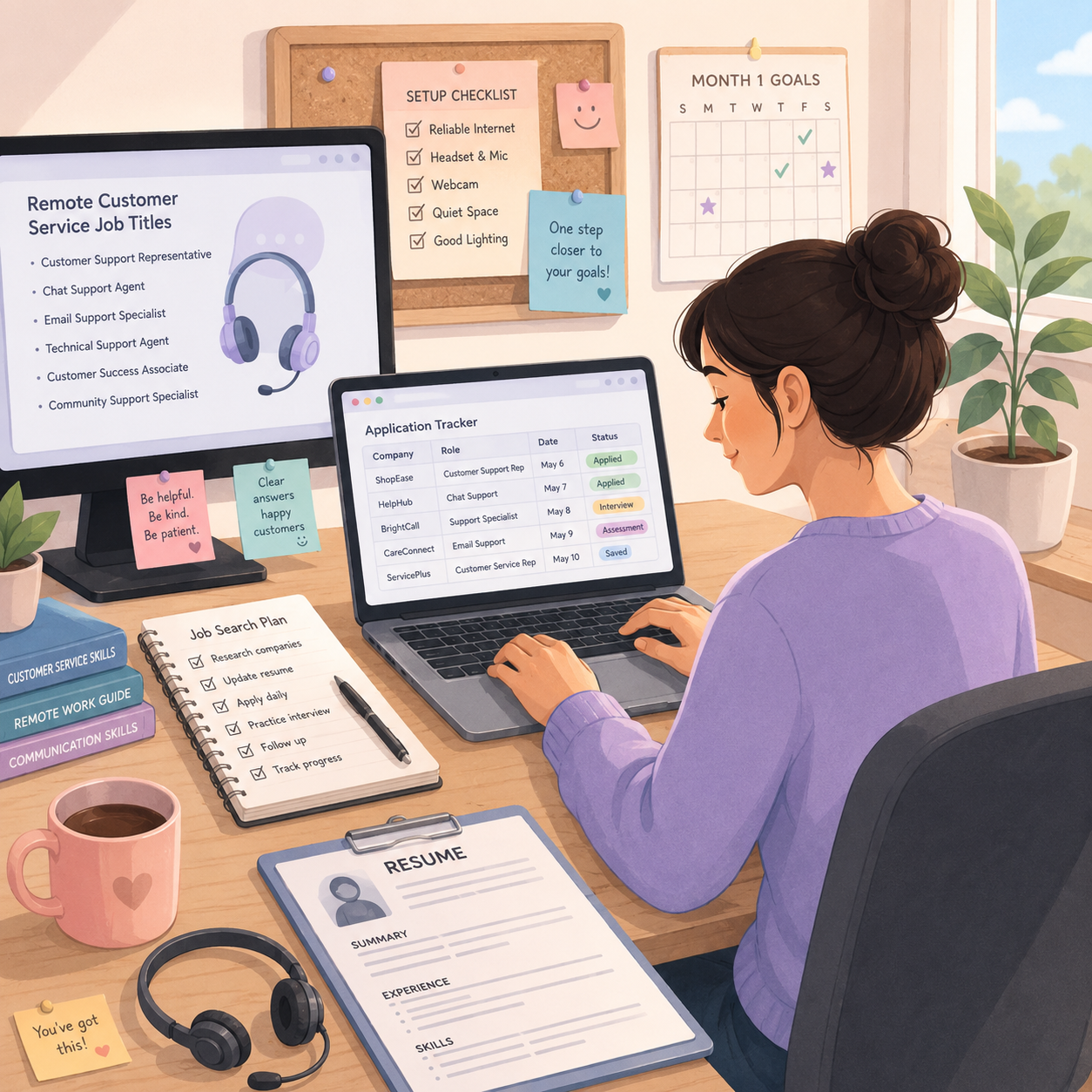
📅 Month 2: Start Applying Consistently
🎯 Main Goal
Build a steady job application routine and learn which roles fit your schedule and experience.
✅ What to Do
- Apply to 5–10 jobs per week
- Search multiple job boards
- Track each company, role, pay range, and application date
- Customize your resume slightly for each role
- Watch for scam job listings
- Save common application questions
- Apply directly on company websites when possible
- Start preparing interview answers
🏁 Month 2 Success Looks Like
- You are applying weekly
- Your tracker is organized
- You understand common job requirements
- You know which roles match your skills
- You are starting to get responses or screening questions
🎯 KEY TAKEAWAY
Remote jobs are competitive. Consistent applications and a strong resume matter more than applying randomly once in a while.
📍 Places to Find Remote Customer Service Jobs
Source | Best For |
Indeed | Broad customer service listings |
LinkedIn Jobs | Professional remote roles |
FlexJobs | Remote-focused listings |
Remote.co | Remote job opportunities |
We Work Remotely | Remote-friendly companies |
Company career pages | Direct applications |
Staffing agencies | Temporary or contract support roles |
Local companies | Hybrid or remote support openings |
🔒 What to Lock In Early
- Weekly application goal
- Search terms that fit you
- A clean job tracker
- Resume tweaks by role
- Scam-check habits
- Interview prep notes

📅 Month 3: Prepare for Interviews & Assessments
🎯 Main Goal
Get ready for phone screens, video interviews, typing tests, and customer service scenarios.
✅ What to Do
- Practice common interview questions
- Prepare examples of handling difficult people or problems
- Practice typing speed if the job requires chat support
- Prepare your workspace for video interviews
- Learn basic support tools like Zendesk, Intercom, Salesforce, or Freshdesk
- Practice writing professional customer responses
- Prepare questions to ask employers
- Keep applying while interviewing
🏁 Month 3 Success Looks Like
- You have interview answers prepared
- You can explain your customer service strengths
- You understand common support tools
- You are more confident in phone or video interviews
- You have completed screenings, assessments, or interviews
🎯 KEY TAKEAWAY
Use the STAR method for interview answers: Situation, Task, Action, Result. This helps your answers sound organized and specific.
🎤 Common Interview Questions
Question | What They Want to Know |
Tell me about yourself | Can you communicate clearly? |
How do you handle upset customers? | Can you stay calm and professional? |
Describe a time you solved a problem | Can you think through issues? |
How do you stay organized remotely? | Can you work independently? |
What would you do if you did not know the answer? | Can you use resources and escalate properly? |
Why do you want this role? | Are you serious about the job? |
Are you comfortable with phone, chat, or email support? | Do you understand the work format? |
🏋️ What to Practice First
- STAR examples
- Typing speed
- Calm customer language
- Tool basics
- Video interview setup
- Questions for employers
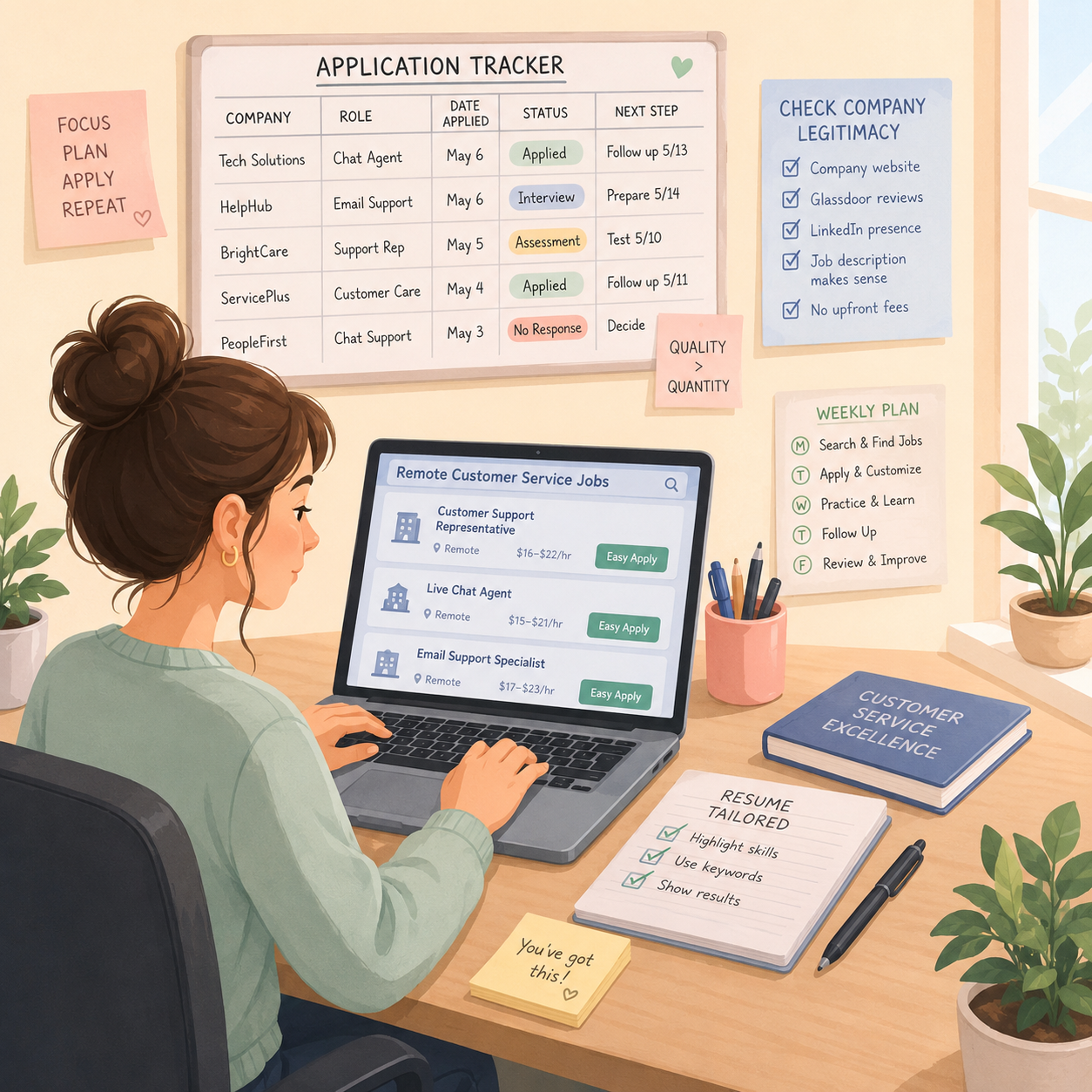
📅 Month 4: Improve Your Job Search & Follow-Up System
🎯 Main Goal
Use your first application results to improve your resume, interview approach, and job search strategy.
✅ What to Do
- Review which applications got responses
- Improve your resume if you are not getting interviews
- Improve interview answers if you are not moving forward
- Follow up professionally after interviews
- Apply to better-matched roles
- Add customer service training or certificates if helpful
- Practice typing, email writing, and phone etiquette
- Keep your job tracker updated

🏁 Month 4 Success Looks Like
- Your job search is more organized
- You know which roles are realistic
- Your resume and interview answers are improving
- You are avoiding low-quality or suspicious listings
- You have a stronger application routine
⚠️ Scale Smart: Do not apply to every remote job blindly. Focus on roles where your skills, schedule, equipment, and experience match the requirements.
🗓️ Simple Weekly Workflow
Day | Task |
Monday | Search and save job listings |
Tuesday | Apply to best-fit jobs |
Wednesday | Practice interviews and typing |
Thursday | Follow up on applications |
Friday | Update tracker and improve resume |
Weekend | Research companies and prepare for next week |
🔄 Simple Remote Job Search Workflow
Step | What Happens |
Search | Find remote customer service openings |
Review | Check pay, schedule, requirements, and legitimacy |
Customize | Adjust resume or cover note for the role |
Apply | Submit application through trusted source |
Track | Record company, role, date, and status |
Prepare | Practice role-specific interview answers |
Interview | Complete phone, chat, video, or assessment step |
Follow up | Send thank-you or status message when appropriate |
📅 Month 5: Land a Role or Strengthen Your Pipeline
🎯 Main Goal
Focus on getting hired, accepting the right role, or building a stronger interview pipeline.
✅ What to Do
- Continue applying consistently
- Prioritize roles with clear pay, schedule, and expectations
- Compare phone, chat, email, and technical support roles
- Ask about training, equipment, metrics, and schedule
- Prepare for onboarding if hired
- Keep records of job offers or interviews
- Avoid jobs that require suspicious fees
- Improve your customer service skill set if needed
🏁 Month 5 Success Looks Like
- You have interviews, offers, or stronger application traction
- You know what role type fits you best
- You understand what employers expect
- You are asking better questions before accepting
- You are closer to landing a remote support role
🎯 KEY TAKEAWAY
The best first remote customer service role is not always the highest-paying one. Look for training, stability, realistic expectations, and room to grow.
🔍 What to Check Before Accepting
Detail | Why It Matters |
Pay rate | Confirms whether the role is worth your time |
Schedule | Makes sure hours fit your life |
Training period | Helps you know what support is provided |
Equipment requirements | Confirms what you must provide |
Phone/chat/email type | Shows what the daily work looks like |
Metrics | Explains how performance is judged |
Benefits | Important for full-time roles |
Company legitimacy | Protects you from scams |

📅 Month 6: Perform Well, Review & Plan Your Next Move
🎯 Main Goal
If hired, focus on performing well. If still searching, review your strategy and improve your application pipeline.
✅ What to Do
- If hired, complete training carefully
- Learn company scripts, tools, policies, and escalation steps
- Track your performance metrics
- Ask for feedback from supervisors
- Build strong remote work habits
- If still searching, review resume, applications, and interview performance
- Decide whether to broaden job titles or improve skills
- Create a 90-day plan for months 7–9
❓ 6-Month Review Questions
- Which job titles got the most responses?
- Which platforms produced the best leads?
- Which interviews went well?
- Which questions were hardest to answer?
- Is your resume getting enough callbacks?
- Do you prefer phone, chat, email, or tech support?
- Are your remote setup and schedule realistic?
- What skill would make you more competitive?
- What role should you target next?
🏁 Month 6 Success Looks Like
- You have a remote role, offer, or stronger job search system
- You know which customer service path fits you
- You understand your skill gaps
- Your resume and interview process are stronger
- You have a 90-day plan to get hired or move into better roles
🎯 KEY TAKEAWAY
Remote customer service can be a starting point for better online work. Strong performance can lead to team lead, quality assurance, technical support, customer success, or operations roles.
📊 Decision Table
If This Happens | Do This |
You land a job | Focus on training, attendance, and quality metrics |
You get interviews but no offers | Improve interview answers and examples |
You get no interviews | Improve resume keywords and apply to better-fit roles |
Phone support feels stressful | Target chat or email support roles |
You enjoy troubleshooting | Move toward technical support |
You want higher pay | Build toward customer success or specialized support |
Jobs require tools you do not know | Learn Zendesk, Salesforce, Intercom, or Freshdesk basics |
Applications feel scattered | Use a weekly application tracker |

✅ 6-Month Success Checklist
By the end of 6 months, check whether you have:
✅ Updated your resume for customer service roles
✅ Created or improved your LinkedIn/job profile
✅ Set up a quiet remote work area
✅ Tested your computer, headset, webcam, and internet
✅ Learned common customer service job titles
✅ Applied consistently
✅ Tracked applications
✅ Prepared interview answers
✅ Practiced typing or written responses
✅ Learned basic support tools
✅ Avoided suspicious job listings
✅ Created a plan for the next 90 days
⚠️ What Not to Do During the First 6 Months
Avoid these mistakes:
❌ Applying with a generic resume
❌ Ignoring schedule, equipment, or phone requirements
❌ Paying upfront fees for suspicious jobs
❌ Missing interviews or responding late
❌ Speaking negatively about customers or past employers
❌ Applying randomly without tracking
❌ Ignoring typing or communication skills
❌ Forgetting to prepare examples for interviews
❌ Accepting unclear pay or unrealistic expectations
❌ Treating remote work like it requires less professionalism
⚠️ Reminder: Remote customer service is still professional work. Reliability, patience, communication, and focus are what help you get hired and keep the role.
🧭 Simple 6-Month Milestone Tracker
Month | Main Focus | Target Output |
Month 1 | Resume & setup | Resume, workspace, job tracker |
Month 2 | Applications | 20+ applications started |
Month 3 | Interview prep | Answers, assessments, tool practice |
Month 4 | Search system | Better resume, follow-ups, tracker updates |
Month 5 | Offers/pipeline | Interviews, offers, or stronger traction |
Month 6 | Review & growth | 90-day career plan created |
🚀 Final 6-Month Strategy
Your first 6 months should follow this simple path:
Month 1: Build your resume, skills, and remote setup
Month 2: Start applying consistently
Month 3: Prepare for interviews and assessments
Month 4: Improve your job search and follow-up system
Month 5: Land a role or strengthen your pipeline
Month 6: Perform well, review, and plan your next move
The people who succeed in remote customer service are dependable, calm under pressure, clear in writing and speech, and consistent enough to turn a first support role into better remote opportunities.
11. View the Remote Job Starter Kit
🎁 Your Remote Customer Service Career Toolkit
The Remote Customer Service Jobs Starter Kit contains 12 browser-based tools to build application materials, research employers, practice interviews, assess skills and plan career development.
The 12 components:
✅ 1. Customer Service Resume Builder — Draft and refine a role-specific resume.
✅ 2. Cover Letter Builder — Prepare a personalized cover letter tailored to a real vacancy.
✅ 3. Remote Employer Tracker — Organize remote job leads and verify employer career pages; listings and hiring status must be checked independently.
✅ 4. Interview Practice Toolkit — Practice interview answers and record preparation notes.
✅ 5. STAR Interview Story Builder — Develop interview examples grounded in your experience, covering the situation, task, action and result.
✅ 6. Home Office Setup Checklist — Review workspace, equipment and security needs.
✅ 7. Customer Service Skills Assessment — Review your customer service skills and identify development priorities.
✅ 8. Service Metrics Glossary — Learn customer satisfaction, average handle time, first contact resolution and other support measures.
✅ 9. 90-Day Job Success Plan — Plan onboarding milestones and improvement goals for your first three months in the role.
✅ 10. Difficult Customer Response Scripts — Adapt and practice professional responses to challenging customer situations.
✅ 11. Salary Negotiation Toolkit — Compare compensation assumptions and draft a counteroffer.
✅ 12. Career Advancement Roadmap — Plan future training, responsibilities and career directions.
Also included in the editable master: A central dashboard and Start Here guide are also available.
These tools do not apply for jobs, fetch live listings or guarantee hiring, earnings or promotions. Check each employer's current openings and legitimacy independently.

12. Frequently Asked Questions
💼 Do I need prior customer service experience?
Not always! Many entry-level roles provide full training.
Experience that counts:
- 🛍️ Retail
- 🍽️ Restaurant work
- 🏨 Hospitality
- 📞 Call center work
- 👥 Any customer-facing role
Emphasize transferable skills like:
- 💬 Communication
- 🧩 Problem-solving
- 🧘 Patience
- ⏰ Reliability
- 😤 Handling difficult people calmly
💡 You may already have more relevant experience than you think.
⏳ How long is the hiring process?
Often 2–6 weeks, depending on the employer.
Common process:
- 📝 Application
- 📞 Phone screen
- 🧪 Assessment or typing test
- 🎤 Interview
- 🛡️ Background check
- ✅ Offer
Seasonal hiring can be faster, sometimes 1–2 weeks.
👉 Keep applying to multiple companies while you wait.
⏰ Can I really work part-time?
Yes! Many companies offer 20–30 hour/week positions.
Common options:
- 🧾 Contractor roles, often more flexible
- 🏢 W-2 part-time roles
- 🕒 Evening/weekend shifts
- 📅 Seasonal support roles
Full-time positions usually require 35–40 hours/week and may offer benefits.
💡 Choose based on your schedule, income needs, and benefit needs.
🏥 What about benefits?
Full-time W-2 positions often offer:
- 🏥 Health insurance
- 🦷 Dental
- 👓 Vision
- 🌴 PTO
- 💰 401(k)
- 🛍️ Employee discounts
- 🎓 Sometimes tuition reimbursement
Part-time and contractor roles rarely include benefits but may offer more flexibility or higher hourly rates.
💻 Do companies provide equipment?
Some do, especially larger companies like Amazon, Apple, and major call centers.
Others require your own equipment.
Common requirements:
- 💻 Computer
- 🎧 Headset
- 🌐 Reliable internet
- 🖥️ Second monitor, sometimes
- 🔒 Secure workspace
💡 Always check the job posting or ask during the interview. Budget around $75–$300 if you need basic equipment.
🔊 What if I have a noisy household?
This can be a serious challenge.
For phone roles, you usually need a quiet workspace.
Possible solutions:
- 🚪 Dedicated room with a door
- 🤫 Work during quieter household hours
- 🎧 Noise-canceling headset
- 🔇 White noise outside the room
- 💬 Chat/email-only roles instead of phone support
👉 If you cannot guarantee quiet, prioritize non-phone support roles.
📅 How strict are the schedules?
It depends on the company.
Some require fixed schedules, such as:
- Monday–Friday, 9 AM–5 PM
- Evening shifts
- Weekend shifts
- Rotating schedules
Others offer:
- 🕒 Shift bidding
- 📅 Flexible blocks
- 🧾 Contractor scheduling
- 🌙 Night/weekend options
💡 Contractors usually have the most flexibility. Always ask about scheduling during the interview.
📊 What are the metrics I'll be judged on?
Common customer service metrics include:
- ⭐ CSAT: Customer Satisfaction Score, often 85–95%+
- ⏱️ AHT: Average Handle Time, balancing speed with quality
- ✅ FCR: First Call Resolution, solving without transfers or callbacks
- 🕒 Attendance/Adherence: Being on time and following your schedule
- 📋 Quality Score: Reviewed calls/chats based on company standards
👉 Metrics matter because they affect performance reviews, raises, and promotion opportunities.
👥 Can I work for multiple companies?
If you’re a contractor, usually yes, but avoid conflicts of interest.
If you’re a W-2 employee, check your employment agreement.
Some companies may prohibit:
- 🚫 Working for competitors
- 🚫 Overlapping schedules
- 🚫 Using company equipment for another job
- 🚫 Conflicts of interest
💡 Full-time customer service work can be hard to double up because it often requires strict schedule adherence.
🧪 What if I don't meet metrics during training?
Most companies understand that training is a learning period.
They expect:
- 📈 Improvement
- ❓ Questions
- 📝 Note-taking
- 🎧 Practice
- 🔁 Coachability
If struggling:
- Ask for extra help
- Study during off-hours
- Review training materials
- Watch examples of top performers
- Ask your trainer where to improve first
💡 Some companies give extra coaching during training, but policies vary — do not assume unlimited chances.
😤 How do I handle verbally abusive customers?
Most companies have policies that allow you to warn, escalate, or disconnect if a customer becomes abusive.
Use calm phrases like:
“I understand you’re frustrated, but I’m here to help. If the language continues, I’ll need to transfer you to my supervisor.”
Or:
“I want to help resolve this, but I need us to keep the conversation respectful.”
You are not required to tolerate:
- 🚫 Threats
- 🚫 Harassment
- 🚫 Personal attacks
- 🚫 Discriminatory language
- 🚫 Continued profanity after warning
👉 Follow your company’s policy every time.
🚀 Can this lead to a real career?
Some people do, if openings, performance, and the employer’s structure support it.
Illustrative path, not a guaranteed timeline or pay scale:
- 🌱 Entry-Level Agent
- ⭐ Senior Agent after 1–2 years: $18–$25/hour
- 🧩 Specialist roles in tech, sales, or retention: $20–$32/hour
- 👥 Team Lead/Supervisor after 2–3 years: $28–$40/hour
- 📋 Quality Assurance/Trainer: $25–$35/hour
- 🏢 Manager after 4–5 years: $50K–$80K+ salary
💡 Some leaders started as front-line agents. That path is not automatic.
13. Important Considerations
Before you apply, understand these key realities — remote support is stable and beginner-friendly, but performance is measured and schedules are not always flexible.
📊 Metrics Pressure Is Real
You’ll be measured on:
- ⏱️ Speed
- ⭐ Customer satisfaction
- 📋 Quality
- 🕒 Attendance
- ✅ Resolution rate
Some people thrive in metric-based work, while others find it stressful.
👉 Understand that remote customer service is results-oriented work.
🧠 Emotional Labor Is Draining
You may deal with frustrated, angry, or demanding customers every day.
This can take a toll.
Helpful coping tools:
- 🧘 Deep breaths between calls
- 💬 Supportive coworkers
- 🧠 Not taking things personally
- 🚶 Short breaks when allowed
- 📓 Keeping perspective after difficult calls
💡 Thick skin helps, but so do healthy boundaries.
⏰ Schedule Adherence Is Strict
Unlike freelance work, you must be logged in during scheduled hours.
Often tracked:
- 🕒 Start time
- 🍽️ Lunch breaks
- 🚻 Bathroom breaks
- 📞 Time on calls/chats
- 🧾 After-call work
- 📊 Availability status
👉 If you need high flexibility, look for freelance, contractor, or chat-based options instead.
🏠 Your Home Must Be Quiet
Background noise is usually unacceptable on customer calls.
Common issues:
- 🐕 Dogs barking
- 👶 Kids yelling
- 🛠️ Construction noise
- 📺 TV sounds
- 👥 Other people talking
If quiet is difficult, consider:
- 💬 Chat/email-only roles
- 🌙 Shifts when the household is asleep
- 🎧 Better headset
- 🚪 Separate workspace
💸 Starting Pay Can Be Low
Entry-level pay is often around $12–$15/hour.
This may not be sustainable long-term, but income can improve through:
- 📈 Raises when performance and company policy allow
- ⭐ Strong metrics
- 🧩 Specialist roles
- 👥 Team lead roles
- 🏢 Internal promotions
💡 Treat entry-level roles as the first step, not the finish line.
🌙 Night and Weekend Shifts Are Common
Many companies need 24/7 coverage.
New hires may start with:
- 🌙 Evening shifts
- 🗓️ Weekend shifts
- 🎄 Holiday shifts
- 🔁 Rotating schedules
Potential upside:
- 💰 Shift differentials, often +$1–$3/hour
- 📈 Faster availability for openings
- 🧩 Less competition for certain roles
👉 Build seniority to bid for better schedules later.
🎧 Quality Monitoring Is Constant
Calls and chats may be reviewed randomly.
Feedback may cover:
- Tone
- Accuracy
- Policy compliance
- Speed
- Professionalism
- Documentation
Use feedback constructively.
💡 Coaching can help you improve, but it does not guarantee a faster promotion.
14. Your Next Steps
🚀 ACTION STEP
📍 Today
- 📦 View the remote customer service starter kit above
- 🌐 Test your internet speed at Speedtest.net, aiming for 10+ Mbps
- 🤫 Identify the quietest space in your home for a workspace
- 🎧 Check if you need to purchase a headset or other equipment
📅 This Week
- 📄 Create or update your resume highlighting customer service skills
- 🔔 Set up job alerts on Indeed, FlexJobs, Remote.co, and LinkedIn
- 📩 Apply to 10–15 jobs, using a mix of large companies and contractors
- ⌨️ Take a typing test and practice if under 40 WPM
- 🔍 Research companies you applied to using Glassdoor reviews
🗓️ This Month
- 📩 Apply to 15–25 jobs per week consistently
- ✅ Complete any assessments or tests within 24 hours
- 🎤 Prepare for interviews using STAR method responses
- 🔁 Keep applying to verified roles that fit your schedule
- 🎯 Goal: improve applications and interview readiness — hiring is not guaranteed this month
🚀 First 90 Days
- 📝 Excel in training by taking detailed notes and asking questions
- 📊 Meet baseline metrics during the nesting period
- 🤝 Build relationships with colleagues and your supervisor
- ⭐ Consistently meet or exceed performance targets
- 📈 Ask about career growth opportunities
- 🎯 Goal: pass probation and establish yourself as a reliable high-performer
15. The Bottom Line
🎯 KEY TAKEAWAY
Remote customer service can be a beginner-friendly way to earn from home when you can meet the schedule, workspace, and metric requirements. It is a possible career ladder, not an automatic one.
🙋 If you:
✔ Set up a quiet workspace with reliable internet and a headset
✔ Communicate patiently and protect your performance metrics
✔ Treat reliability and attendance as your professional reputation
✔ Grow from general support into specialized or lead roles
🏗️ You can build:
💰 Starting pay is often hourly and entry-level; higher rates usually take time, skills, and openings — not a one-year promise
🔁 More predictable than many gigs if you have scheduled paid hours
📈 Specialized or lead roles can pay more, but that depends on the employer and your results
🚀 Communication skills are relevant — apply to verified roles that fit your setup and schedule.

16. Recommended Websites & Tools
🛠 TOOLS & RESOURCES
You do not need every resource listed below. This directory brings together the major platforms, tools, and resources from this guide, along with additional research and learning options, so you can find them in one place when you need them.
Start with the essentials. Add tools only when your job search or role develops a specific need for them.
💼 Remote Job Boards & Work-From-Home Search Sites
- Indeed — Large job board for finding remote customer service, chat support, call center, technical support, and help desk roles.
- FlexJobs — Curated remote and flexible job board for finding legitimate work-from-home customer support roles.
- Remote.co — Remote job board focused on work-from-home roles, including customer service, support, and virtual operations jobs.
- We Work Remotely — Remote job board for customer support, tech support, SaaS support, and distributed-company roles.
- Rat Race Rebellion — Work-from-home job resource for remote customer service leads, contract work, and flexible online job alerts.
- LinkedIn — Professional networking and job search platform for remote support roles, company research, and recruiter visibility.
- Glassdoor — Company review and salary research site for checking remote customer service employers before applying.
💡 PRO TIP
Set alerts on 2–3 job boards instead of checking daily. Remote support roles fill fast — applying within 48 hours matters.
🏢 Companies Known for Remote Customer Service Hiring
- Amazon Customer Service Jobs — Amazon job category page for customer service openings, including remote and seasonal support roles when available.
- Apple Careers — Apple careers page mentioned for At Home Advisor-style customer support opportunities.
- American Express Careers — Careers portal for financial services customer care, travel support, account support, and remote service roles.
- Concentrix Careers — Customer experience company that hires support representatives for phone, chat, technical support, and client service roles.
- Alorica Careers — Customer support employer for call center, work-from-home, sales support, and customer care positions.
- Foundever Jobs — Customer experience company hiring support agents, service representatives, and remote customer care workers.
- TTEC Jobs — Customer experience employer with remote customer service, technical support, and sales support positions.
- Williams-Sonoma Careers — Retail company careers page mentioned for remote or seasonal customer service opportunities.
- Conduent Jobs — Business services company mentioned for customer support, healthcare support, and bilingual service opportunities.
- LanguageLine Solutions — Language services company mentioned for bilingual customer support, interpretation, and multilingual communication roles.
📝 QUICK NOTE
Apply directly on company career pages. Legitimate employers never charge fees to apply or interview.
🧾 Flexible Contract & Side-Hustle Support Platforms
- LiveOps — Contract-based customer service platform for people who want flexible support work from home.
- Working Solutions — Remote contract platform for customer care, sales support, travel support, and client service programs.
- Arise Virtual Solutions — Work-from-home customer support platform for independent contractors serving client programs.
- ModSquad — Remote moderation, community support, social support, and customer experience platform for flexible online work.
🎧 Customer Support, CRM & Help Desk Software
- Salesforce — CRM platform commonly used by support teams to track customer records, cases, account details, and service history.
- Zendesk — Customer service platform for tickets, help desk workflows, chat, email support, and customer issue tracking.
- Freshdesk — Help desk software for managing customer tickets, support queues, knowledge bases, and service workflows.
- HubSpot — CRM and customer platform used for contact records, support pipelines, customer communication, and service tracking.
- Help Scout — Customer support platform for shared inboxes, help docs, email support, and customer conversation management.
📝 QUICK NOTE
You will be trained on each company’s help desk. Knowing one CRM well makes learning the next one trivial.
☎️ Contact Center, Phone & Live Chat Tools
- RingCentral — Business phone and contact center platform used for calls, support queues, messaging, and remote customer communication.
- Cisco — Enterprise communications and networking provider mentioned for call center, phone, and support infrastructure tools.
- Avaya — Contact center and business communications platform used by customer service teams.
- Five9 — Cloud contact center software used for inbound calls, outbound calls, routing, and customer support operations.
- Intercom — Customer messaging platform for live chat, support automation, help center content, and customer conversations.
- LiveChat — Live chat software for handling website questions, customer support requests, and real-time sales or service conversations.
- Zendesk Chat — Zendesk live chat and messaging tool for customer conversations and support workflows.
📧 Email, Knowledge Base & Remote Support Tools
- Gmail — Email platform used for customer communication, internal updates, support follow-ups, and remote work communication.
- Outlook — Microsoft email and calendar tool commonly used in business support environments.
- Confluence — Knowledge base and documentation tool for support procedures, internal guides, and company help resources.
- Notion — Workspace tool mentioned for knowledge bases, notes, procedures, and support documentation.
- Guru — Knowledge management tool used by support teams to access verified answers and internal customer service information.
- TeamViewer — Remote access software used for technical support, troubleshooting, and screen-based customer assistance.
- LogMeIn — Remote access and support tool mentioned for helping customers or employees troubleshoot issues remotely.
💬 Team Communication, Meetings & Productivity Tools
- Zoom — Video meeting platform for interviews, training sessions, team meetings, coaching, and remote onboarding.
- Slack — Team messaging platform for remote communication, updates, quick questions, and internal support collaboration.
- Microsoft Teams — Team communication platform for chat, video meetings, file sharing, and workplace collaboration.
- Google Calendar — Calendar tool for tracking interviews, training, shifts, follow-ups, and remote work schedules.
- Google Docs — Document tool for notes, training materials, interview prep, scripts, and support process documentation.
- Toggl — Time tracking tool mentioned for productivity, schedule awareness, and tracking remote work activity.
- Hubstaff — Time tracking and workforce productivity platform mentioned for remote team monitoring and work tracking.
- Time Doctor — Time tracking tool mentioned for productivity monitoring and remote work accountability.
📱 Social Media Support Channels
- Facebook — Social platform where remote support reps may respond to customer comments, DMs, brand questions, and public complaints.
- X / Twitter — Social platform mentioned for social media customer support, public replies, brand mentions, and fast-moving customer conversations.
- Instagram — Social platform where customer support teams may manage comments, DMs, product questions, and customer concerns.
🖥️ Workspace & Technical Readiness Resources
- Speedtest.net — Internet speed test tool for checking whether your connection meets remote customer service requirements.
- Amazon Jobs — Job search portal mentioned for checking broader Amazon work-from-home and customer service openings.
🎯 KEY TAKEAWAY
You do not need every tool on this page. A quiet space, a headset, reliable internet, and one job board are enough to land your first role.
🧭 How to Use This Directory
🧰 Start With a Simple Setup
Do not start by creating accounts with every service listed above. For most beginners, a simple setup is enough:
- A quiet workspace
- A headset and reliable internet
- One or two job boards
- A simple application tracker
That is enough to start building. Add tools only when you can name the specific problem they will solve.
🎯 KEY TAKEAWAY
Tools support the business. They are not the business.
Your biggest advantages will come from:
Reliability → Metrics → Communication → Promotion
17. Explore Similar Side Hustles
 Virtual Assistance — Turn your support skills into higher-paid admin work for businesses.
 Online Translation Jobs: Earn from Your Language Skills — Bilingual? Multilingual support and translation work pay premiums.
 Transcription Jobs — Detail-oriented typing work with fully flexible hours.
 Online Tutoring: Get Paid to Teach What You Know — Teach what you know between or instead of support shifts.
- Resume Writing & LinkedIn Optimization — Use your insider perspective to help others land remote roles.
- Social Media Management — Support experience translates directly into community management roles.