Official Website
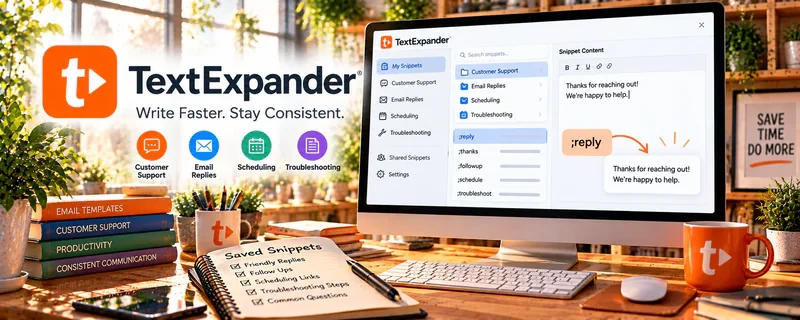
TextExpander is a text-snippet tool that lets you save reusable responses and expand them with short shortcuts.
🔗 Visit Official Website — TextExpander
Domain: textexpander.com
What This Website Is
TextExpander is a text-snippet tool that lets you save reusable responses and expand them with short shortcuts. For 🎧 Remote Customer Service Jobs, it helps you reply faster and more consistently.
How to Apply It to 🎧 Remote Customer Service Jobs
Use TextExpander as your “reply library”: build approved templates → insert with shortcuts → personalize quickly.
Step-by-Step Implementation:
- Create snippets for your top 20 questions (refunds, shipping, troubleshooting).
- Add placeholders for names/order numbers.
- Review weekly and improve snippets based on new issues.
Common Use Cases for this Side Hustle:
- Scenario A: You answer the same questions daily.
- Scenario B: You want fewer typos and faster responses.
When to Use This
- You handle repetitive support questions
- You want faster response time
- You need consistent tone and wording
Best Tasks to Use It For
- Saved customer support replies
- Internal macros and notes
- Standard troubleshooting steps
Getting Started Steps
- Install TextExpander.
- Create 10 basic support snippets.
- Assign short abbreviations.
- Use it for one week and track time saved.
- Expand your snippet library.
Good Beginner Search Terms
- TextExpander customer support snippets
- support macros best practices
- how to write reusable support templates
Monetization Angle
Faster replies and fewer mistakes can improve performance metrics and help you handle higher volume (or multiple clients).
Pros
- Big speed boost for repetitive work
- More consistent responses
Cons
- Requires setup and ongoing maintenance
- Paid tool
Who Should Use This
Support reps who answer repeated questions daily.
Who Should Skip This
Roles with mostly unique, complex responses where templates don’t help much.
Practical Applications
- Create employer-approved snippets for common support explanations.
- Use placeholders that prompt a human to check customer-specific details.
- Review examples for tone, factual accuracy, and outdated policy.
Important Considerations
- Verify current compatibility, permissions, storage, privacy, and team-sharing controls.
- Never insert passwords, sensitive customer records, or unapproved promises into shared snippets; review each response before sending rather than relying on expansion alone.
Related Resources
Related Side Hustles
 Remote Customer Service Jobs — TextExpander speeds repetitive replies, reduces typos, and keeps support tone consistent.
 Virtual Assistance — VAs can use snippets for client communication, inbox replies, and admin templates.