Official Website
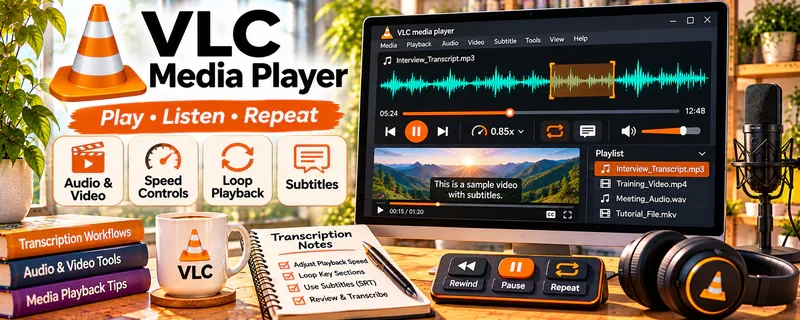
VLC Media Player is a free audio/video player with playback speed controls, looping, and hotkeys.
🔗 Visit Official Website — VLC Media Player
Domain: www.videolan.org
What This Website Is
VLC Media Player is a free audio/video player with playback speed controls, looping, and hotkeys. For the 🎙️ Transcription Jobs side hustle, it helps you control audio efficiently so you re-listen less and work faster.
How to Apply It to 🎙️ Transcription Jobs
Use VLC as a practical “transcription playback tool”: load audio → control speed → loop hard parts → transcribe faster.
Step-by-Step Implementation:
- Phase 1: Set playback shortcuts (pause, rewind 3–5 seconds, speed up/down).
- Phase 2: Transcribe at a comfortable speed, looping difficult segments.
- Phase 3: Do a final QC listen at 1.0x for names/numbers and formatting.
Common Use Cases for this Side Hustle:
- Scenario A: Hard-to-hear segments (loop + slow down).
- Scenario B: Easy audio (speed up to increase throughput).
- Scenario C: Standardizing your workflow across many files.
When to Use This
- You need better audio control than a browser player.
- You want speed controls and looping.
- You transcribe regularly and want consistency.
- You want a free tool to improve throughput.
Best Tasks to Use It For
- Playback speed control
- Looping difficult segments
- Quick navigation via hotkeys
- Reducing re-listening time
- QC listen-throughs
Getting Started Steps
- Install VLC.
- Enable and learn hotkeys for rewind/forward.
- Practice using loop for difficult sections.
- Set a default playback speed.
- Transcribe one file using the same controls.
- QC the transcript at normal speed.
- Repeat and refine your workflow.
Good Beginner Search Terms
- VLC hotkeys for transcription
- VLC playback speed shortcuts
- how to loop sections in VLC
- transcription workflow audio player
- improve transcription speed tools
- VLC slow down audio without distortion
Monetization Angle
Faster playback control increases your effective hourly rate. Small speed gains compound across many transcription jobs.
Pros
- Free and reliable
- Great speed + loop controls
- Works with many file types
Cons
- Not a transcription editor by itself
- Needs practice to use hotkeys efficiently
- Doesn’t automatically format transcripts
Who Should Use This
Transcriptionists who want a free audio playback tool that improves speed and accuracy through better controls.
Who Should Skip This
Skip this if you already use a dedicated transcription app with built-in playback controls and foot pedal support.
Practical Applications
- Replay a difficult passage at a comfortable speed while transcribing.
- Use a short loop to compare uncertain words with surrounding context.
- Review the final transcript against the unchanged original recording.
Important Considerations
- Playback adjustment cannot reliably recover missing speech; mark uncertainty according to the agreed standard rather than guessing.
- Use authorized files and approved storage, protect confidentiality, and confirm current shortcut and format support on your system.
Related Resources
Express Scribe — Provides a transcription-focused playback workflow with stronger shortcut support.
Auphonic — Cleans noisy audio before playback and transcription.
Grammarly — Polishes transcript grammar, punctuation, and readability after drafting.
Related Side Hustles
 Online Translation Jobs: Earn from Your Language Skills — Both involve careful language review, formatting, and accuracy checks.
 Freelance Writing: Get Paid to Write Online — Transcription editing builds cleanup and clarity skills useful for writing work.