Official Website
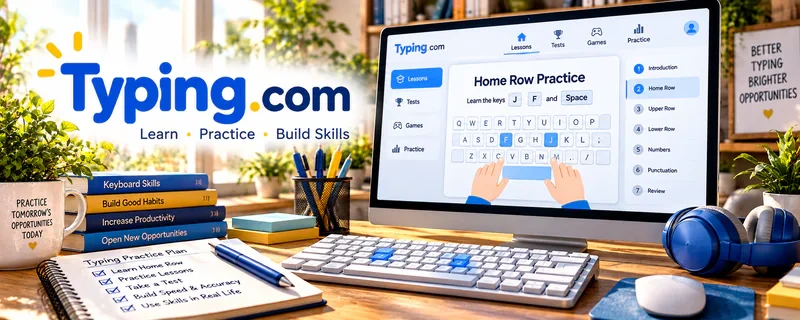
Typing.com is a free typing-practice platform for building speed, accuracy, keyboard confidence, and typing consistency.
🔗 Visit Official Website — Typing.com
Domain: www.typing.com
What This Learning Resource Is
Typing.com is a free typing-practice platform for building speed, accuracy, keyboard confidence, and typing consistency. For 🎙️ Transcription Jobs, it helps you prepare for timed tests and paid audio work where slow or inaccurate typing reduces earnings.
How to Use It for Transcription Jobs
Use Typing.com as daily skill practice before applying to transcription platforms. Focus on accuracy first, then speed, because transcription clients pay for clean text—not just fast keystrokes.
Step-by-Step Implementation:
- Take a baseline typing test.
- Practice 10–15 minutes per day.
- Track words per minute and accuracy.
- Add punctuation, capitalization, and number drills.
- Pair typing practice with short audio transcription practice.
- Apply for transcription tests only when your accuracy is consistent.
Best Time to Use This
- Before taking transcription platform tests.
- When your typing speed limits earnings.
- When accuracy drops during longer typing sessions.
Best Skills to Learn Here
- Typing speed
- Typing accuracy
- Keyboard confidence
- Punctuation practice
- Consistent rhythm
- Test readiness
Getting Started Steps
- Take a typing test and record your score.
- Set a daily practice target.
- Focus on accuracy before speed.
- Practice punctuation and capitalization.
- Retest weekly.
- Combine typing drills with real audio practice.
Good Beginner Search Terms
- typing speed practice
- transcription typing test
- improve typing accuracy
- WPM for transcription
- typing punctuation practice
- transcription test preparation
Monetization Angle
Typing speed and accuracy directly affect transcription earning potential. Faster clean typing helps you finish files sooner, pass tests more confidently, and reduce unpaid correction time.
Pros
- Free and beginner-friendly.
- Easy to measure progress.
- Directly supports transcription readiness.
- Good daily practice habit.
Cons
- Typing drills are not the same as transcribing audio.
- Does not teach formatting standards.
- Does not provide jobs.
- Needs regular practice to matter.
Who Should Use This
Use this if your typing speed or accuracy is holding you back from transcription tests or paid audio work.
Who Should Skip This
Skip this if you already type quickly and need audio cleanup, formatting, or client-finding resources instead.
Practical Applications
- Practice a short typing exercise while prioritizing accuracy.
- Track progress using consistent practice conditions.
- Add separate listening and transcript-format exercises to your preparation.
Important Considerations
- Typing speed alone does not establish transcription accuracy or likely earnings.
- Use nonconfidential practice text and check current access and privacy terms; avoid strain and do not submit private client material for exercises.
Related Resources
Express Scribe — Helps control audio playback while transcribing.
oTranscribe — Provides a simple browser workspace for audio practice.
Rev Transcription Jobs Guide — Explains general transcription expectations.
GoTranscript Jobs — Offers a job platform where typing skill can support applications.
Grammarly — Helps catch proofreading issues after transcription.
Related Side Hustles
 Transcription Jobs — Typing practice directly supports transcription speed and accuracy.
Copyediting & Proofreading: Get Paid to Polish Words — Clean typing and attention to detail support editing work.
 Virtual Assistance — Fast typing helps with admin tasks, notes, and documentation.