
Affiliate disclosure: Some links in this guide may be paid referral links. If you purchase or sign up through one, One Stop Side Hustles may earn a commission. How our affiliate links work.
COPYEDITING & PROOFREADING STARTER GUIDE
- The difference between proofreading and copyediting
- Who hires editors (and what they actually pay)
- The tools you need to start — for $0
- How to find clients fast
- A 30-day plan to get your first gig
1. What Is Copyediting vs. Proofreading?
2. Why Choose Copyediting & Proofreading?
3. Choose Your Niche & Services
4. Earnings, Pricing & Offer Selection
5. Essential Tools & Your Starting Setup
6. Find Clients & Reach Your Audience
7. From Inquiry to Delivered Edit
8. Build Trust & Improve Results
9. Learning Resources & Templates
10. Your First 6 Months in Copyediting & Proofreading
11. Get the Copyediting & Proofreading Starter Kit
12. Frequently Asked Questions
Quick Snapshot
Earn: $15–$30/hr starting, $30–$75+/hr experienced
Work: Edit remotely, on deadlines instead of fixed hours
Start: Low cost — a laptop and free editing tools
Best for: Detail-oriented, grammar-loving people
Grow: One-off gigs → niche specialties and retainers
1. What Is Copyediting vs. Proofreading?
Proofreading corrects surface-level errors, while copyediting improves clarity, tone, flow, and consistency without losing the writer’s voice.
📝 Proofreading:
Fixes surface-level mistakes — grammar, punctuation, typos, and formatting. Think of it as the final polish before publishing.
🪶 Copyediting:
Goes deeper — refining clarity, tone, flow, and consistency while keeping the writer’s voice intact.
Think of it as turning good writing into great writing.
💡 PRO TIP
Most clients don’t know the difference — start by offering proofreading, then upsell copyediting once they see your value.
2. Why Choose Copyediting & Proofreading?
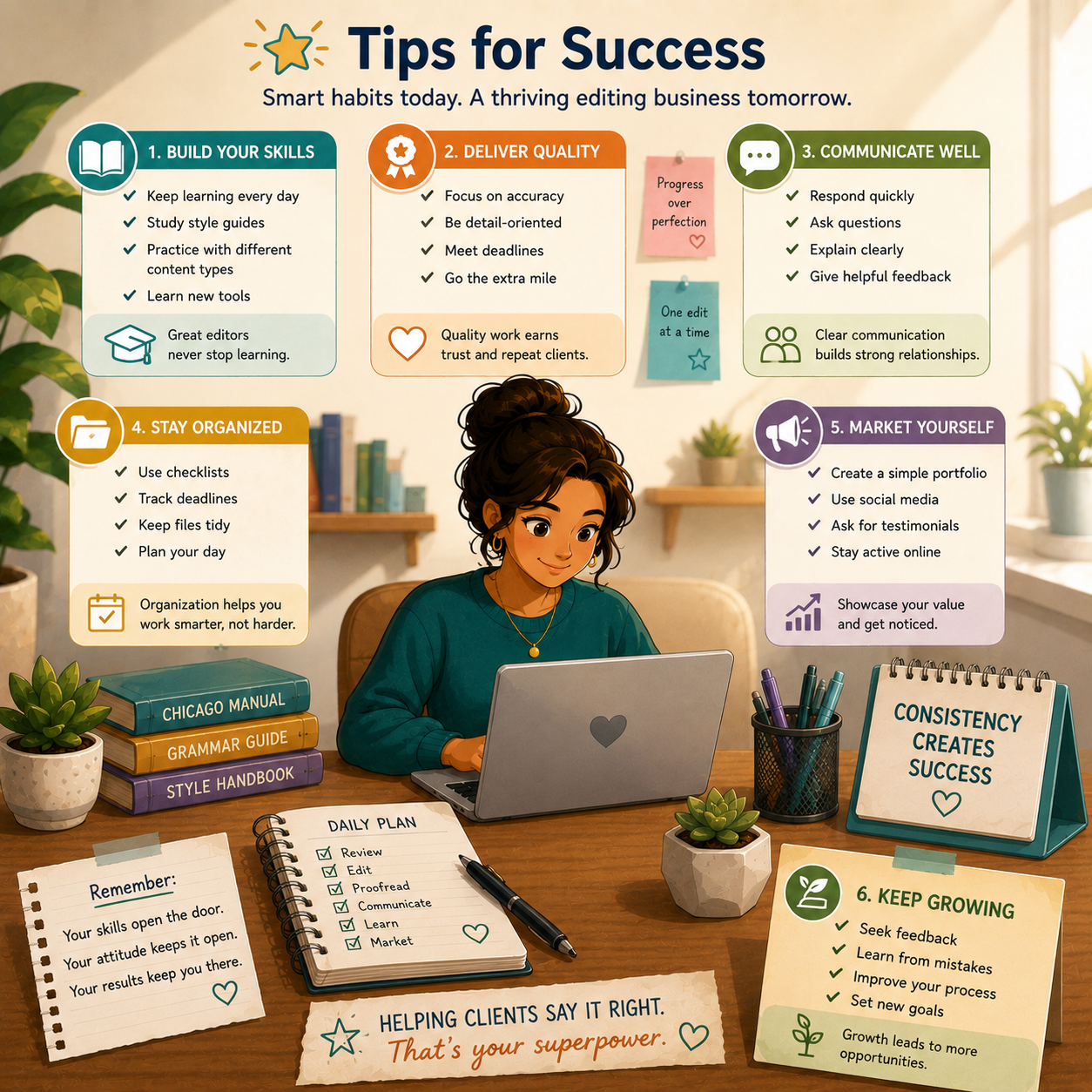
Copyediting and proofreading is a strong side hustle because it rewards precision, professional judgment, and repeatable client value without requiring a large upfront investment.
💰 Your rates can rise with skill
Editing is one of those services where better work can directly justify better pay.
Earnings usually improve through:
- Higher accuracy
- Faster turnaround
- Better communication
- Niche specialization
That makes it a skill stack that becomes more valuable over time.
💻 You can start with simple tools
Most people can launch with a very basic setup:
- Laptop
- Google Docs or Word
- Free grammar tools
- A few strong sample edits
You do not need expensive software or a big business setup to begin.
🕒 Flexible, remote, and part-time friendly
Because editing work is usually deadline-based, it fits well around:
- Evenings
- Weekends
- Deep-focus work blocks
- A full-time job
This makes it easier to build gradually without needing fixed client hours.
⚡ You can land early projects quickly
You do not need years of experience to start proving value.
Early work often comes from:
- Sample edits
- Resume polish offers
- Blog post proofreading
- Beginner-friendly platforms
Small projects can turn into testimonials, referrals, and repeat work fast.

🧠 Clients pay for judgment, not just grammar
The real value is not only catching typos — it is improving how the writing reads.
Clients are paying for:
- Clarity
- Consistency
- Professional polish
- Better reader trust
- A cleaner final product without losing the original voice
🤝 Repeat clients can make income steadier
Many clients publish or send writing regularly, which makes editing naturally recurring:
- Weekly blog posts
- Monthly newsletters
- Ongoing website updates
- Recurring manuscript work
That repeat demand is one of the biggest long-term advantages of the service.
📈 Specialization makes the service easier to sell
The more specific your niche becomes, the easier it often is to explain your value.
Strong directions include:
- Business content
- Books and manuscripts
- Academic editing
- SEO blog content
- Email and conversion-focused writing
🧪 It can grow into a bigger writing business
Once clients trust your eye and communication style, editing can lead into:
- Copywriting
- Content strategy
- Publishing support
- Ghostwriting
- Monthly retainers
It can start as proofreading and expand into a broader service business.
3. Choose Your Niche & Services
Editing work becomes easier to sell when you organize it into a few clear lanes instead of trying to accept every kind of document.
Most beginners do better by choosing 1–2 content types, learning the patterns in those projects, and building samples around that niche.
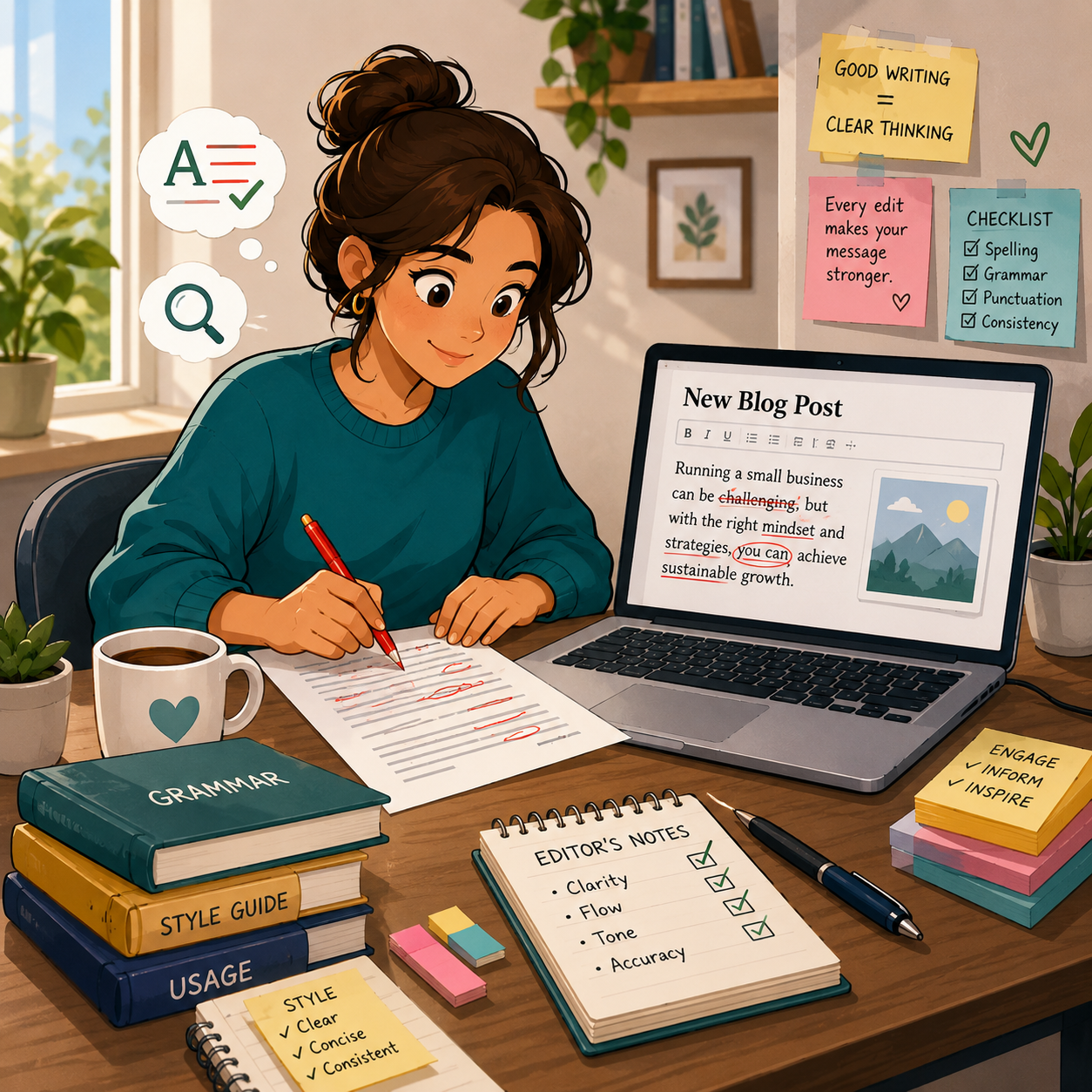
📝 Online Content & Blog Editing
🔎 Blog Posts & SEO Articles
- 📌 What you might edit: How-to posts, listicles, reviews, affiliate articles, newsletters, and niche content
- 👥 Common clients: Bloggers, niche site owners, content agencies, and small brands
- 💰 Typical pay: $25–$100+ per post
- ✅ Best for: Beginners who want simpler, repeatable projects and steady practice
💡 PRO TIP
Blog editing is often about grammar, flow, headings, readability, and making the content easier to trust and scan.
📰 Articles, Reports & Informational Content
- 📊 What you might edit: Reports, summaries, nonprofit content, educational articles, and white papers
- 👥 Common clients: Journalists, educators, nonprofits, researchers, and organizations
- 💰 Typical pay: $50–$200+ per project
- ✅ Best for: Editors who are comfortable checking clarity, flow, consistency, and professional tone
💡 PRO TIP
These projects often need more than typo cleanup, so accuracy and logical structure matter more.
💼 Career & Business Documents
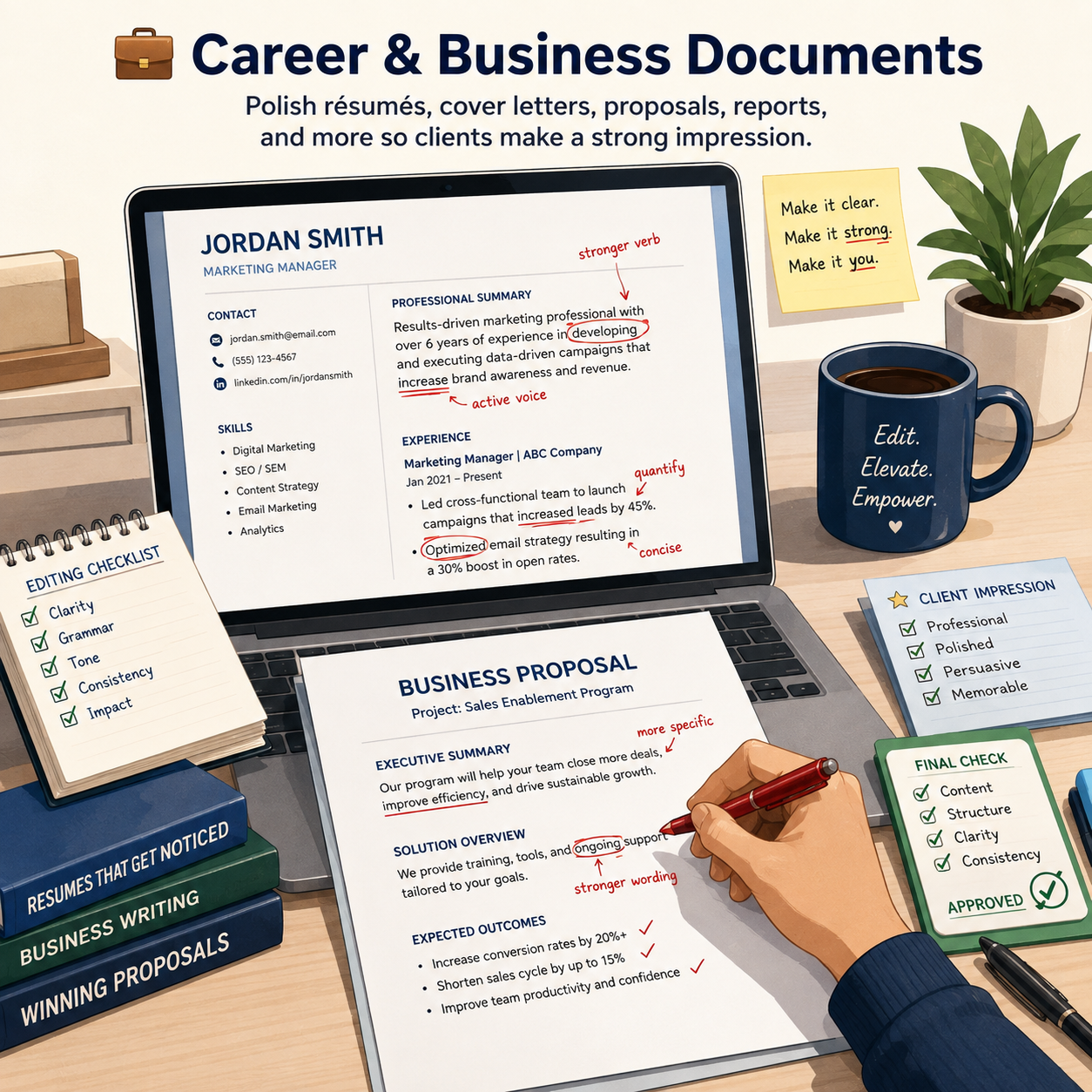
📄 Resumes, Cover Letters & LinkedIn Content
- 📄 What you might edit: Resumes, cover letters, professional bios, job application materials, and LinkedIn summaries
- 👥 Common clients: Job seekers, students, career changers, and professionals
- 💰 Typical pay: $20–$75+ for basic edits, more for premium packages
- ✅ Best for: Beginners who understand concise professional writing and strong formatting
💡 PRO TIP
These edits are valuable because small wording improvements can make achievements clearer and easier to scan.
📑 Business Documents & Client-Facing Assets
- 📁 What you might edit: Proposals, reports, presentations, case studies, PDFs, and internal docs
- 👥 Common clients: Consultants, agencies, coaches, startups, and small businesses
- 💰 Typical pay: $75–$500+ per project
- ✅ Best for: Editors who like polished, structured, credibility-focused writing
💡 PRO TIP
Business clients usually care about clarity, professionalism, consistency, and whether the writing sounds trustworthy.
🎓 Academic, Educational & Long-Form Work
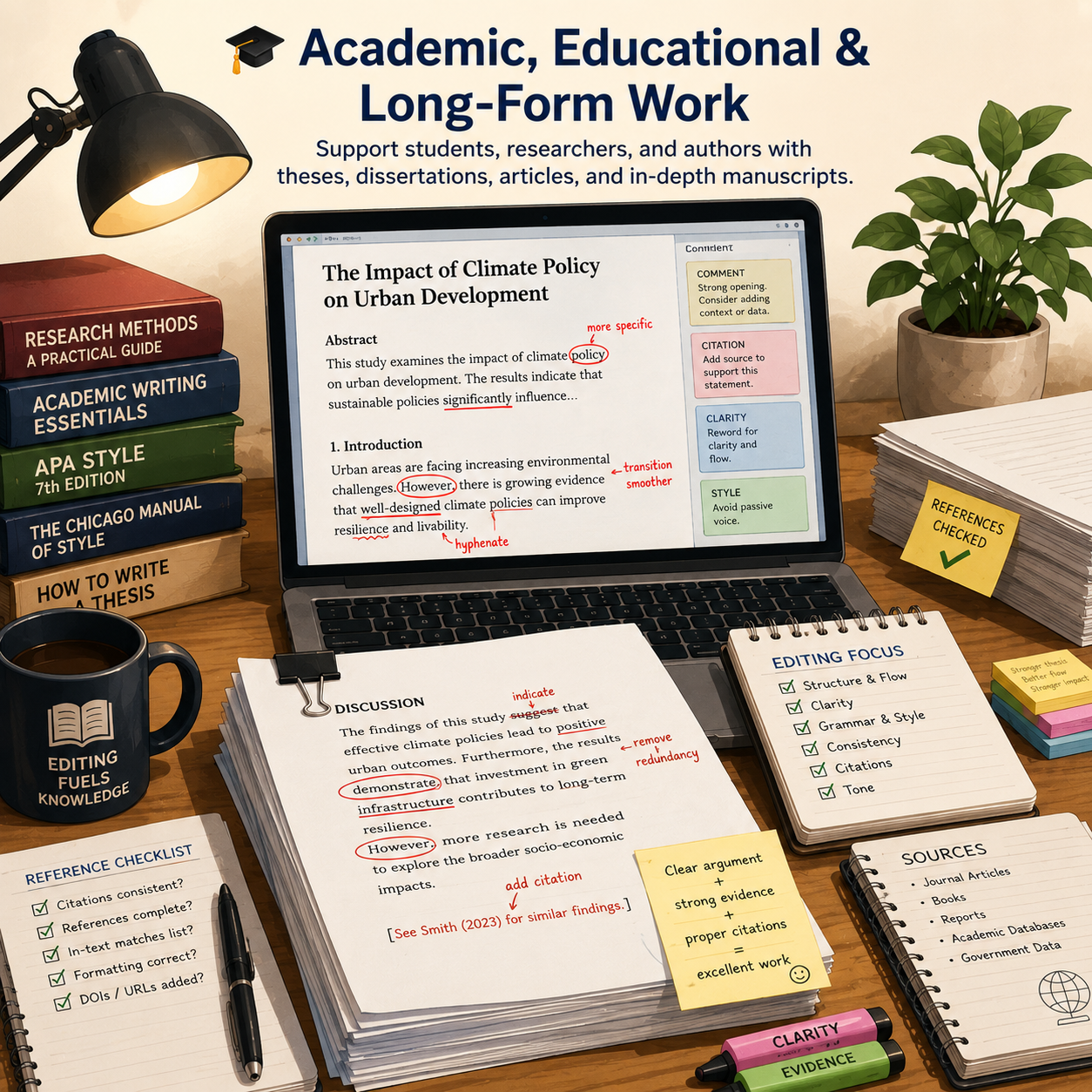
🎓 Academic Papers & Student Work
- 🎓 What you might edit: Essays, research papers, literature reviews, admissions essays, and ESL writing
- 👥 Common clients: Students, researchers, and academic writers
- 💰 Typical pay: $5–$10+ per page for proofreading, more for advanced editing
- ✅ Best for: Editors who understand academic tone, citations, and boundaries
💡 PRO TIP
Academic editing requires clear scope. Many clients need proofreading and clarity support, not rewriting.
📚 Books, eBooks & Manuscripts
- 📚 What you might edit: Novels, nonfiction books, memoirs, guides, KDP books, blurbs, and launch content
- 👥 Common clients: Self-published authors, indie publishers, coaches, and creators
- 💰 Typical pay: $100–$2,500+ depending on scope
- ✅ Best for: Editors who can handle longer files, consistency, voice, and deeper review
💡 PRO TIP
Be specific about whether the service is proofreading, copyediting, line editing, or a sample edit.
🛒 Marketing, Sales & Recurring Content
🌐 Website Copy & Sales Pages
- 🌐 What you might edit: Homepages, about pages, landing pages, service pages, and FAQs
- 👥 Common clients: Small businesses, freelancers, agencies, coaches, and consultants
- 💰 Typical pay: $100–$500+ per project
- ✅ Best for: Editors who understand clarity, trust, and conversion-focused wording
💡 PRO TIP
Website copy has to read clearly fast, so tightening clutter often adds visible value.
📧 Emails, Newsletters & Product Copy
- 📧 What you might edit: Weekly newsletters, sales emails, launch sequences, product descriptions, and listing copy
- 👥 Common clients: Course creators, eCommerce brands, marketers, and digital product sellers
- 💰 Typical pay: $3–$10 per listing or $300–$1,000+/month for recurring support
- ✅ Best for: Editors who want repeat work and easier package offers
💡 PRO TIP
Recurring content is one of the easiest ways to turn editing into steadier monthly income.

🔥 Hot Niches Right Now
✍️ Creator & Author Niches
Self-help book authors
- Newsletter writers
- Bloggers and niche publishers
- Course creators
✅ These clients often need repeated cleanup, launch support, and polished reader-facing content.
🤖 Business & AI-Assisted Content Niches
Coaches and consultants
- Small businesses
- SEO content teams
- AI-drafted content editors
✅ These projects can grow quickly because businesses want cleaner writing without hiring a full in-house editor.

🎯 Build Your Starter Editing Offer
🎯 KEY TAKEAWAY
Start with blog posts, resumes, website copy, product descriptions, or newsletters. These are usually easier to understand, easier to package, and easier to sell than deeper manuscript or academic editing.
🚀 ACTION STEP
Write a focused first plan:
- Document type: Pick one or two familiar formats and explain the level of editing you provide.
- Proof: Prepare a before-and-after sample that demonstrates your judgment.
- Scope: Define word count, style guide, revisions, turnaround, and pricing.
- Boundaries: Clarify confidentiality and any academic, specialist, or authorship limitations.
4. Earnings, Pricing & Offer Selection
Use this chapter to connect your editing niche, service scope, proof, and pricing model before planning your next client offer.
🧠 Reality Check (What Actually Separates Earners)
- Most beginners start with lower-paying, one-off gigs
- Not because editing is low value
- 👉 Many new editors compete on price instead of specialization
- 👉 Clients pay more for accuracy, speed, communication, and reliability
- Editors who earn more usually:
- Choose a clearer niche
- Deliver strong work consistently
- Build repeat-client relationships
- Package services more professionally
🎯 KEY TAKEAWAY
Editing is a trust-based service. The more reliable and specialized you become, the easier it is to charge more.
🔑 Smart Pricing Strategy
📈 Rate Review & Proof
- Raise rates after:
- 5–10 completed projects
- Positive feedback or testimonials
- Better speed and stronger niche clarity
📦 Packages & Recurring Clients
- Move toward:
- Per-project pricing
- Recurring monthly clients
- Niche packages
🧪 Real Example
📋 REAL-WORLD EXAMPLE
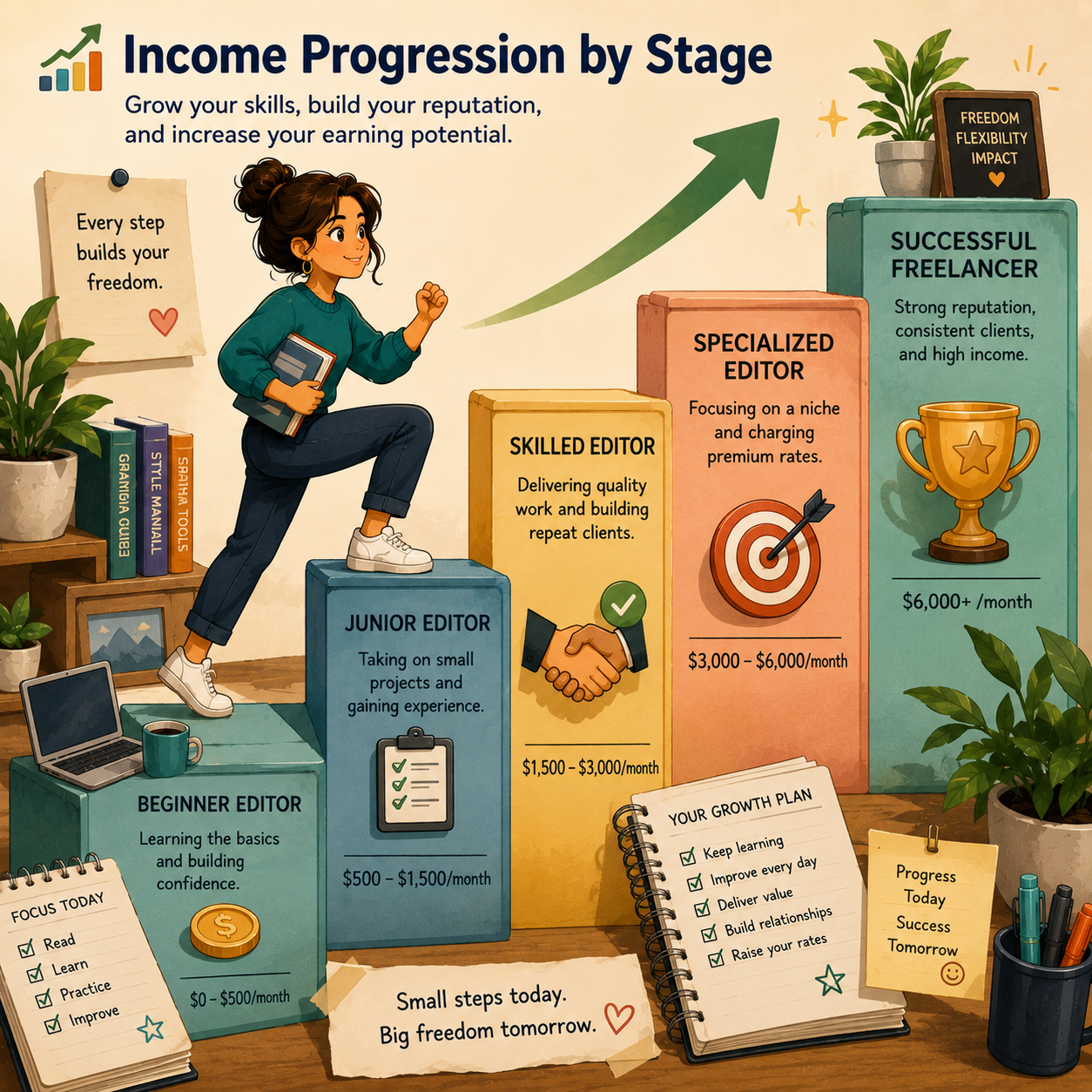
🌱 Scenario A: General beginner editor
- Charges $0.01/word
- Edits 50,000 words/month
- Income: $500/month
🎯 Scenario B: Niche editor
- Charges $0.03/word
- Same workload
- Income: $1,500/month
🚀 Scenario C: Specialized editor
- Charges per project or monthly support
- Handles books, business content, or recurring clients
- Income: $4,000–$6,000+/month
🎯 KEY TAKEAWAY
Same editing skill base. Big difference in niche, positioning, and pricing structure.
🎯 Pricing Strategy (This Is What Matters)
Most beginners think:
👉 “I need more editing jobs.”
But the real formula is:
🧮 Skill × Speed × Specialization = Income
- Low specialization = lower rates
- Better speed = more earning capacity
- Better-fit clients = better pricing power
📈 What Affects Your Earnings
📊 Key Income Drivers
- Type of content
- Simple blog posts often pay less than books, business docs, or specialized editing
- Turnaround speed
- Faster delivery can justify premium rush pricing
- Specialization
- Business, academic, technical, medical, or publishing niches often pay better
- Client type
- Businesses and repeat clients usually pay more than one-time individuals
- Proof
- Testimonials, samples, and strong communication improve trust quickly
🎯 KEY TAKEAWAY
Specialization is one of the fastest ways to increase editing income without needing far more hours.

🚀 Build Your First Paid Editing Offer
Start with one document type, one editing service, and one manageable package. Tell clients what you will improve, what they will receive, when you will deliver, and what it will cost.
🧭 Build Your Offer in 5 Steps
- Choose a familiar document type.
- Define your editing service.
- Set the scope and deliverables.
- Price the actual workload.
- Test one small paid project.
Start with blog posts, newsletters, resumes, or another format you can edit confidently. Prepare a relevant before-and-after sample; label practice work clearly.
Choose final-stage proofreading or copyediting for correctness, consistency, and clarity. State whether rewriting, fact-checking, or formatting is included.
Specify the word limit, file format, style guide, number of editing passes, and turnaround. Define what the client receives and what counts as extra work.
Review a representative excerpt before quoting. Account for editing, final checks, communication, fees, and follow-up; agree on payment terms before starting.
Share your offer with suitable prospects or publish a focused service listing. Track your time and client feedback, then refine the package.
🎯 Key Takeaway
Sell a clear improvement to a specific document. Relevant samples, transparent boundaries, and reliable delivery make your offer easier to trust.
📋 Example: Blog Post Copyedit
Sample starter package—adjust scope and price to suit the project.
- Client: A blogger or small business with a completed draft.
- Scope: One blog post of up to 1,000 words in Google Docs; one copyediting pass and a final check.
- Included: Grammar, spelling, punctuation, consistency, and light clarity edits that preserve the writer’s voice.
- Deliverables: A suggested-edits version, a clean copy, and a short editing summary.
- Turnaround: Three business days after receiving the draft, instructions, and agreed payment.
- Follow-up: One round of clarification or corrections within the original scope, requested within seven days. New text and substantial rewrites are quoted separately.
- Excluded: Research, fact-checking, SEO strategy, developmental editing, publishing, and layout work.
- Example fee: $50 for this sample package, subject to reviewing the draft and confirming the scope.
💡 Pricing Reminder
The fee is illustrative. Set your quote according to draft quality, complexity, your experience, and the total time required.
✍️ Write Your One-Sentence Offer
Use this structure to make your service easy to understand:
“I provide [editing level] for [client/document type], covering up to [word count]. You receive [deliverables] within [turnaround] for [fee], including [limited follow-up].”
✅ Completed example
“I copyedit blog posts of up to 1,000 words for bloggers and small businesses, delivering suggested edits, a clean copy, and a brief summary within three business days for $50, including one round of follow-up corrections within the original scope.”
Use a completed sentence like this after confirming the project’s scope and fee.
🚀 Action Step
Prepare Your First Offer
Before pitching your package:
Keep your first offer small. Add rush delivery, larger documents, or recurring packages when you can maintain quality and meet the agreed deadlines.
📋 Pricing & Revenue Planning Reference
Build your pricing around the work involved, then estimate revenue from the number of projects you can realistically deliver.
📊 Illustrative Monthly Revenue Scenarios
These are planning examples, not typical earnings or a promised progression. Revenue is the amount billed before expenses and taxes; actual receipts depend on payment collection.
Scenario | Monthly Workload | Example Fee | Monthly Revenue | Planning Focus |
Small starter offer | 4 short projects | $50 per project | $200 | Test your scope, track editing time, and collect feedback. |
Regular project work | 8 defined projects | $150 per project | $1,200 | Check your capacity and allow time for client communication. |
Larger scoped projects | 6 larger projects | $400 per project | $2,400 | Allow for longer drafts, complexity, and final quality checks. |
Recurring client packages | 4 monthly packages | $750 per package | $3,000 | Define each package’s volume, deadlines, and additional-work fees. |
🎯 Key Takeaway
Monthly revenue = billable projects × agreed fee.
Repeat clients and specialized offers can help you build a more consistent editing business. Check the hours required before setting a revenue target.
🧾 Common Pricing Models
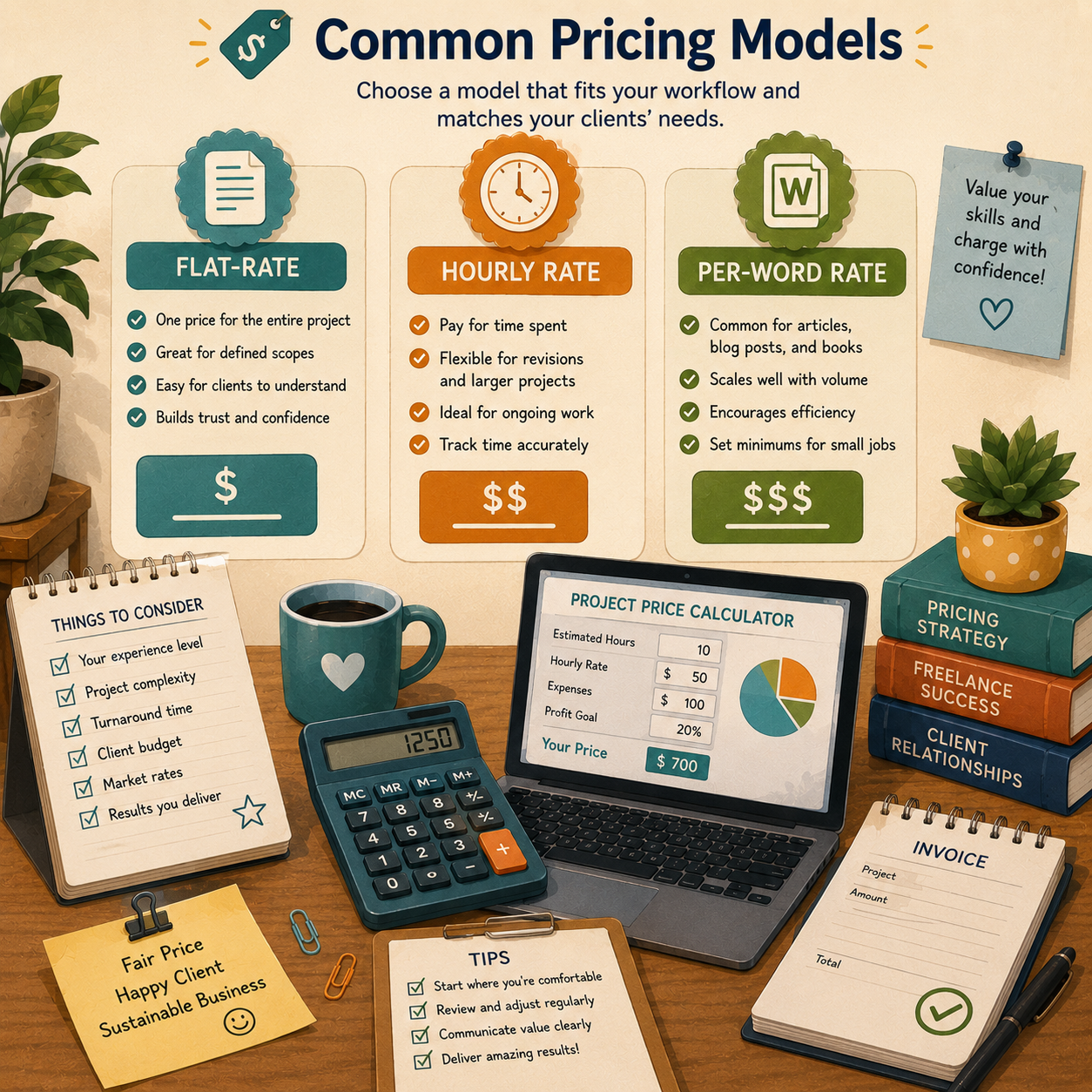
Choose a model that suits the document and scope. The examples below demonstrate how a quote works; they are not market-rate benchmarks.
Pricing Model | How to Quote | Best Fit |
Per word | Multiply the agreed word count by your rate. Example: 1,000 words × $0.05 = $50. | Documents with a clear word count and defined editing level. |
Per page | Define a billing page first. Example: 250 words per page at $10. | Clients who prefer page-based estimates using an agreed definition. |
Hourly | Multiply your agreed rate by billable hours. Provide an estimate or spending cap. | Variable scope, document cleanup, or ongoing editing support. |
Per project | Set a fixed fee after reviewing the draft and defining deliverables. | Clearly scoped articles, resumes, business documents, or manuscripts. |
Monthly retainer | Charge a recurring fee for defined deliverables, hours, or reserved capacity. | Recurring newsletters, blog content, or regular business editing. |
🎯 Key Takeaway
Match the price to the editing level and workload. Proofreading and copyediting can require different amounts of time. Review a representative sample before confirming your quote.
💡 Choose Your Pricing Model
- 📦 Clear scope → Fixed project fee
- ⏱️ Variable scope → Hourly rate
- 📝 Defined text → Per-word rate
- 🔁 Repeat work → Monthly package
Give clients a clear price for an agreed set of deliverables.
Track time and agree on an estimate or spending cap before starting.
Confirm the word count, editing level, and minimum charge.
Specify volume, deadlines, follow-up, and what happens to unused hours or capacity.
🧮 Check Your Quote
Project fee ÷ total working hours = effective hourly revenue.
Include editing, final checks, client communication, and follow-up in your time estimate.
🧮 Worked Example
⏳ Check the Time Behind Your Price
A $50 project that takes two hours in total produces $25 per working hour before expenses and taxes. If the same project takes four hours, that falls to $12.50 per working hour.
Track your actual time on early projects. Use what you learn to adjust the scope, fee, or delivery process for future quotes.
🚀 Action Step
💰 Set Your First Pricing Plan
5. Essential Tools & Your Starting Setup
Build an editing setup around careful judgment, transparent changes, reliable reference material, and secure delivery. Use a familiar document editor first; automated suggestions should support your review, not replace it.
🧰 Your Minimum Viable Setup
🧰 Start With What You Already Have
- Workspace: A reliable computer and quiet, focused work blocks.
- Document editor: Use Word Track Changes or Google Docs Suggesting mode, according to the client’s format.
- References: Keep the appropriate style guide and dictionary available.
- Project records: Track word count, editing level, deadline, instructions, and time spent.
- File management: Preserve the original, version your working copy, and use restricted storage.
💡 PRO TIP
Practice delivering a marked-up file and clean copy using your chosen editor. Check comments and formatting after export so the client sees the intended changes.
🧭 Choose One Working Path
Proofreading: Check a near-final document within the agreed scope and format. Do not silently turn a final check into a substantial rewrite.
Copyediting: Review correctness, consistency, and clarity while preserving meaning and voice. Maintain a project style sheet and query unclear intent.
Specialist work: Accept academic, technical, or manuscript projects only within your competence and the client’s rules. Clarify whether citations, fact-checking, formatting, or deeper editing are included.
🎯 KEY TAKEAWAY
Your essential tools are a reviewable editing workspace, relevant references, and a careful process—not every grammar subscription in the comparison tables.
⚙️ Set Up Your Workflow in 5 Steps
📋 1. Confirm Scope and Format
Review a representative excerpt and agree on editing level, word count, style guide, file format, deadline, fee, and follow-up limits. Identify any specialist or academic integrity boundaries.
📂 2. Prepare Files and Instructions
Save an untouched original and a clearly named working copy. Record the audience, preferred spelling, terminology, and house style. Restrict access to client folders and agree on retention or deletion requirements.
✏️ 3. Edit in Reviewable Passes
Enable tracked or suggested changes. Review language and clarity, then consistency and formatting within scope. Query ambiguous meaning instead of inventing facts. Record recurring decisions in a style sheet.
🤖 4. Use Assistance Carefully
Evaluate grammar and readability suggestions individually; tools can introduce incorrect edits or flatten the writer’s voice. Obtain informed client permission before uploading material to AI or other third-party tools. Never assume an automated check guarantees accuracy.
📤 5. Check and Deliver
Do a final review, resolve your own accidental errors, and prepare the agreed marked-up file, clean copy, and short summary. Check document permissions and any unresolved queries before delivery.
Before you begin:
💸 Keep Your Tool Budget Lean
⚠ COMMON MISTAKE
Accepting every automated suggestion or uploading confidential client text to a tool without permission.
Begin with a compatible editor and the references your projects require. Add paid tools only when their specific reports or features improve your workflow; keep a separate allowance for required professional references.
🚀 ACTION STEP
Choose one document type and edit a practice sample. Deliver a marked-up version, clean copy, and brief summary; time the whole process and use it to refine your first package.
📋 Tool, Equipment & Setup Reference
🛠 TOOLS & RESOURCES
Use these existing comparisons as a reference library, not a requirement to buy or use every option.
📝 QUICK NOTE
Original comparison entries are retained. Listed prices, fees, eligibility, availability, timelines, and performance claims have not been reverified here. Check current provider terms and applicable requirements before relying on them; a free software tier does not eliminate equipment, training, transaction, or other business costs.
✍️ Essential Editing Tools
Tool | Best For | Cost | Priority |
Grammar, punctuation, spelling, tone checks | Free-$12/mo | 🔥 Essential | |
Sentence clarity, readability, wordiness | Free online | 🔥 Essential | |
Client edits, comments, version history | Free | 🔥 Essential | |
Track Changes, professional document editing | Included / paid | ⭐ High | |
Deep style, grammar, and readability reports | $10-$20/mo | ⭐ High | |
Rewording suggestions, explanations, rewrite options | Free-$20/mo | Medium |
📚 Style Guides & Reference Tools
Tool | Best For | Cost | Priority |
Books, publishing, formal writing | Free basics / paid access | ⭐ High | |
Academic papers, psychology, education, social sciences | Free online | ⭐ High | |
Essays, humanities, student papers | Free online | Medium | |
Journalism, media, press releases, web content | Paid / free basics | Medium | |
Spelling, word usage, definitions | Free | 🔥 Essential | |
Word choice and synonym checks | Free | Medium |
💬 Client Review & Delivery Tools
Tool | Purpose | Cost | Best Use |
Comments, suggested edits, shared files | Free | Beginner-friendly editing | |
Track Changes and professional markup | Included / paid | Formal client work | |
File delivery and document storage | Free-$12/mo | Larger client files | |
Organizing client folders and files | Free-$12/mo | Simple file management | |
Video walkthroughs of editing notes | Free-$12/mo | Premium client experience | |
Client dashboards, project notes, templates | Free-$10/mo | Organized workflows |
💰 Business & Payment Tools
Tool | Purpose | Cost | Priority |
Simple client payments | Transaction fees | 🔥 Essential | |
Payment links, invoices, card payments | Transaction fees | 🔥 Essential | |
Invoicing and basic bookkeeping | Free-$15/mo | ⭐ High | |
Booking discovery calls | Free-$15/mo | Medium | |
Tracking editing projects and deadlines | Free | Medium | |
Client database and project tracker | Free-$20/mo | Optional |
✅ Your $0 Starter Stack
Need | Tool | Cost |
Grammar checks | Free | |
Readability checks | Free | |
Editing workspace | Free | |
Style reference | Free | |
File storage | Free | |
Payments | Pay per transaction |
Total to launch: $0/month
Truth: You do not need expensive software to start copyediting or proofreading. A free editing stack is enough to begin taking small projects, practicing with real documents, and building client trust.
💡 PRO TIP
Always use Track Changes or Suggested Edits so clients can clearly see what you fixed. It makes your work feel transparent, professional, and easier to approve.
6. Find Clients & Reach Your Audience
Editing clients come from a mix of marketplaces, direct relationships, visible proof, and consistent outreach. Start with one or two channels you can maintain, then expand after learning which projects fit you best.
💻 Find Active Buyers on Freelance Platforms
Marketplaces are useful for building early proof because clients are already searching for editing support.
⚖️ Platform Comparison
Platform | Best For | Skill Level |
Fiverr | Resumes, proofreading, and basic editing | Beginner |
Upwork | Blogs, eBooks, and business clients | Beginner–Intermediate |
Reedsy | Professional book editing | Advanced |
Scribendi | Academic and ESL editing | Intermediate |
FlexJobs | Remote editing contracts | All levels |
LinkedIn | Professional outreach and business clients | Intermediate |
Facebook Groups | Authors, bloggers, and creator communities | Beginner |
💡 PRO TIP
Tailor each profile to one or two document types instead of advertising every editing service.
🎨 Win Trust With Before-and-After Samples
A focused portfolio can demonstrate judgment even before you have paid client work.
🛡️ Portfolio Strategy
Create demonstration samples using public or self-created text, and clearly label them as practice work.
Include:
- The original excerpt
- Your tracked or highlighted edits
- A clean final version
- Short notes explaining improvements to grammar, clarity, flow, or tone
💡 PRO TIP
Choose samples that match the exact projects you want clients to hire you for.
📧 Reach Writers and Businesses Directly
Direct outreach works well when you contact people who publish regularly and explain a relevant, specific benefit.
📨 Outreach Strategy
- Identify bloggers, authors, creators, agencies, or businesses with recurring content.
- Reference something specific you genuinely read.
- Explain the type of editing you provide.
- Offer a small sample when the fit is strong.
- Follow up politely without pressuring the prospect.
💬 Example Message
“I enjoyed your piece on [topic]. I help [client type] improve clarity, consistency, and polish. I’d be happy to edit a short sample if you ever need an extra set of eyes.”
💡 PRO TIP
A personalized message to a well-matched prospect is more valuable than many generic pitches.
🤝 Build Leads Through Relationships
Warm contacts and niche communities can produce early projects, testimonials, and referrals without competing on a crowded marketplace.
🧠 Relationship Strategy
- Tell friends, former colleagues, and professional contacts what you edit.
- Join communities for authors, bloggers, entrepreneurs, or local businesses.
- Answer questions and share useful editing insights.
- Ask satisfied clients for a testimonial and introduction.
💡 PRO TIP
Describe your service specifically—for example, “newsletter proofreading for coaches”—so people know when to refer you.
🎯 Get Your First Clients in Four Focused Weeks
Use this plan to build proof, start conversations, and improve your offer through real feedback.
🏁 First-Client Action Plan
🧰 Week 1: Set Up
- Create focused profiles on one or two platforms.
- Publish two or three relevant portfolio samples.
- Define introductory pricing and scope.
📆 Week 2: Offer a Sample
- Join several relevant communities.
- Offer one strong 300–500-word sample edit to qualified prospects.
📆 Week 3: Send Direct Pitches
- Identify ten well-matched writers, creators, or businesses.
- Send personalized, low-pressure messages.
📆 Week 4: Activate Your Network
- Tell friends, family, and former colleagues about your service.
- Ask for introductions, practice projects, or testimonial opportunities.
🚀 ACTION STEP
Track outreach, replies, samples, booked projects, and follow-ups in one simple spreadsheet.
7. From Inquiry to Delivered Edit
Getting the project is only the beginning. The real job is to turn a draft into a version that is clearer, more consistent, and fit for purpose—without changing the writer’s meaning or taking on work you cannot do well.
Use the seven phase tabs in order. Keep the brief, checklist, and style sheet alongside your working file. Revisit a checkpoint when the client changes the draft or scope; a new file or deeper edit needs a fresh agreement.
🎯 PHASE 1 — Check the Document & Define the Editing Level
📋 Steps 1–3: Decide whether the document fits your competence and availability. Explain the editing level and boundaries before discussing the price.
✅ Ready to move on: A suitable document, a named service, and clear exclusions—including any academic or specialist limits.
🔎 Step 1: Check the Document Before You Say Yes
Choose document types, subjects, and file formats you can actually handle. A resume, a blog post, a thesis, and a novel are different jobs. If the subject, language variety, citation system, or software is outside your competence, clarify, refer, or decline.
Before you offer to edit:
- Confirm the document type, audience, and intended use
- Ask for the word count and a representative excerpt
- Check the deadline against your real available hours
- Note any specialist, legal, or academic constraints
⚠ COMMON MISTAKE
Accepting “a quick proofread” of a messy draft. If the writing still needs structure, rewriting, or research, a final-stage check will not make it publishable.
📝 Step 2: Name the Editing Level in Plain Language
Clients often say “proofreading” when they mean copyediting or a rewrite. Agree on the level before you quote.
Proofreading
The final quality check of words and layout after editing—and, in traditional publishing, after design. It catches remaining errors and inconsistencies; it is not a first-pass rewrite. [1]
Copyediting
Checking grammar, spelling, and punctuation; applying consistency; and making sure the text is clear and reads well for its purpose. It comes before layout and proofreading. [1]
State whether rewriting, fact-checking, citation formatting, SEO, or design work is included. Do not silently upgrade a proofread into a copyedit, or a copyedit into a rewrite, to “be helpful.”
🚦 Step 3: Draw the Boundaries You Will Not Cross
Decline or re-scope when:
- The client wants you to write the assignment, invent sources, or hide the extent of your help on assessed work
- The subject requires specialist knowledge you do not have
- The deadline cannot support a careful pass
- You are asked to ignore plagiarism, libel, or other legal concerns you have flagged
For student theses and similar assessed work, follow the institution’s rules and professional guidance on what editors may ethically change. IPEd’s guidelines set out the nature and extent of services editors may provide when editing students’ theses; language help is not the same as writing the research. [2]
🚀 Your First 5 Actions
Test one manageable practice project using your own text or material you have permission to edit.
- Choose the document and service: Pick a familiar short text and define proofreading or copyediting—not an open-ended rewrite.
- Write a mock brief and quote: Review an excerpt; set word count, style instructions, deliverables, timing, and follow-up limits.
- Prepare the working files: Preserve the original, name the copy, and enable tracked or suggested changes.
- Complete the edit: Use focused passes, query uncertain meaning, and record recurring style decisions.
- Check and hand over: Test markup and exports, prepare the agreed clean copy and summary, log the full working time, and choose one improvement.
🔎 PHASE 2 — Review the Draft & Confirm the Agreement
📋 Steps 4–6: Inspect a representative excerpt, estimate the complete workload, and agree on the fee and terms in writing. Do not promise a careful edit on an impossible schedule.
✅ Ready to move on: Accepted scope, realistic timing, deliverables, follow-up limits, and recorded starting-payment conditions.
🧪 Step 4: Review a Representative Excerpt
Do not quote from a description alone. Read enough of the actual draft to judge density, consistency, citation load, and how much intervention it needs.
In the sample, notice:
- How complete and stable the draft is
- Error density and how often meaning is unclear
- Style-guide, spelling, and formatting requirements
- Tables, references, comments, or messy markup
- Whether the client already expects rewriting
If the sample is unusually clean or unusually rough, say so and base the quote on the whole file, not the easiest page.
⏱️ Step 5: Estimate Time, Then Price the Workload
Account for editing, queries, a final check, communication, and file handling. Short jobs are often slower than they look because briefing and delivery still take time. CIEP notes that copyediting speed depends on complexity, and that even experienced editors may need several passes. [3]
💡 PRO TIP
Check the quote against hours: fee ÷ total working time = effective hourly revenue before expenses and taxes. If the hours will not fit, change the scope, the deadline, or the fee—not the quality of the pass.
📄 Step 6: Confirm Scope and Terms in Writing
Agree on editing level, word count, file format, style guide, number of passes, deadline, fee, payment timing, and follow-up limits. Define what counts as extra work.
📋 REAL-WORLD EXAMPLE
“Confirming a copyedit of one blog post, up to 1,000 words, in Google Docs. I’ll correct grammar, spelling, punctuation, and consistency, and make light clarity edits that keep your voice. You receive suggested edits, a clean copy, and a short summary within three business days after I have the draft, brief, and agreed payment. One round of clarification within the original scope is included if requested within seven days. Rewriting, research, SEO, and new text are quoted separately.”
Before production: Confirm written acceptance and the agreed starting-payment or funded-milestone requirement, where applicable. Send the agreed invoice or payment request and record its status. Follow platform payment rules; do not infer that funds arrived from a screenshot.
📂 PHASE 3 — Protect the Files & Prepare the Brief
📋 Steps 7–9: Preserve the original, capture the client’s instructions, and settle confidentiality and tool permissions before changing text.
✅ Ready to move on: An untouched original, a restricted working copy, and complete instructions for the edit.
🗂️ Step 7: Protect the Original File
Save an untouched original and a clearly named working copy. Restrict access to the client folder. Agree how long you will keep files and how they should be deleted.
Do not overwrite the only copy, and do not mix several clients’ documents in one untitled draft.
📋 Step 8: Capture the Brief Before You Edit
The document
- Audience and purpose
- Preferred spelling and style guide
- Terms, product names, or house style to keep
- What “done” looks like
The working rules
- Track Changes / Suggesting mode
- How the client wants queries
- Deadline and time zone
- Who approves changes
If the brief is missing, ask. Guessing the audience or tone is how voice gets flattened.
🔐 Step 9: Set Confidentiality and Tool Rules
Treat the draft as confidential. Obtain informed permission before sharing it, using it in a portfolio, or uploading it to AI or other third-party tools.
⚠ COMMON MISTAKE
Pasting a client’s unpublished chapter, resume, or thesis into a public AI tool to “speed up” the edit. If you cannot do the work without that, the project is not a fit—or you need written permission and a tool the client accepts.
✏️ PHASE 4 — Make Reviewable Edits & Resolve Uncertainty
📋 Steps 10–13: Enable reviewable changes, work in focused passes, query uncertain meaning, and record style decisions as you go. Return to earlier checks when an answer changes the edit.
✅ Ready to move on: A scope-matched edit with the writer’s meaning preserved, clear queries, and a project style sheet.
✏️ Step 10: Make Changes the Client Can Review
Copyeditors usually mark edits in a Word document with Track Changes, then produce a final edited version after feedback. [3] In Google Docs, use Suggesting mode. Match the format the client asked for.
Enable reviewable markup before you change anything. Invisible edits look faster to you and untrustworthy to the client.
🖊️ Step 11: Edit in Focused, Scope-Matched Passes
Read the draft once for purpose and voice, then make the changes the brief permits. Keep uncertain points for queries rather than guessing.
For a copyedit:
- Review grammar, spelling, punctuation, and light clarity without altering meaning.
- Check repeated names, terminology, spelling choices, numbers, headings, and agreed formatting for consistency.
- Use the specified references and keep a running note of project style decisions.
For a proofread:
- Check the near-final text for remaining errors and inconsistencies.
- Review layout details only within the agreed format and scope.
- Flag problems that require a deeper edit; do not turn the final check into a rewrite.
Re-read changed sentences in context. Search can help locate repeated issues, but review replacements individually. Keep editing, query handling, and final quality control as distinct checks.
💬 Step 12: Query Instead of Inventing
Correct clear errors. When meaning, a name, a number, or a source is uncertain, leave a concise query. Do not invent facts, citations, or a sentence the writer did not mean.
CIEP describes querying errors and inconsistencies—and liaising on anything the editor cannot confirm alone—as part of copyediting. [3]
💡 PRO TIP
Write queries as choices, not lectures: “Did you mean Monday 12 May or Monday 19 May?” is easier to answer than a paragraph on why dates matter.
📚 Step 13: Keep a Project Style Sheet
Record decisions so page 20 matches page 2:
- Spelling variants (e.g. email/e-mail)
- Capitalization, numbers, and hyphenation
- Product, character, or organization names
- Citation style and unusual terms to keep
A style sheet is for this project. It is not a reason to impose your favorite house style on a client who already has one.
✅ PHASE 5 — Check Your Work & Protect Authorship
📋 Steps 14–16: Review tool suggestions rather than accepting them blindly. Run a final check for your own errors and verify any academic or authorship boundaries.
✅ Ready to move on: A checked file with reviewable changes, intact meaning, and clearly flagged unresolved issues.
🛠️ Step 14: Use Tools as Assistants, Not Authors
Run spelling and grammar checks if they help, then judge every suggestion. Tools miss context, accept the wrong homophone, and can flatten voice. Never treat an automated pass as a completed edit.
If the client authorized a specific tool, still read the document yourself.
✅ Step 15: Do a Final Pass for Your Own Errors
After the main edit, check:
No professional copyeditor should promise a perfect text. CIEP is explicit: remaining errors can exist, some “errors” are style choices, and fitness for purpose within the brief is the standard. [3]
🎓 Step 16: Stay Inside Academic and Authorship Limits
On assessed work, edit language—not the student’s argument, data, or authorship—unless the institution expressly allows more and the student remains responsible for the submission.
⚠ COMMON MISTAKE
Rewriting a weak essay until it sounds like yours, then calling it proofreading. If the writer could not have produced the submitted text, you have crossed from editing into ghostwriting.
📤 PHASE 6 — Deliver the Package & Close the Job Clearly
📋 Steps 17–20: Prepare the purchased files, test access and completeness, record delivery and payment, and keep follow-up inside the agreement.
✅ Ready to move on: The client can review the edit, unresolved queries are visible, and acceptance, payment, and remaining support are recorded.
📤 Step 17: Send the Agreed Package
Unless the brief says otherwise, deliver:
- The marked-up file (tracked or suggested edits)
- A clean copy, if included
- A short summary of the main patterns you found
- Any unresolved queries
- A reminder of the follow-up window
📋 REAL-WORLD EXAMPLE
“Copyedit delivered for ‘Spring launch email.’ Suggested edits are in the Doc; a clean copy is attached. I tightened three repeated phrases, queried one date, and left two product names as provided. One clarification round within this scope is included until Friday.”
🔗 Step 18: Check Permissions and Completeness Before You Hand Off
Confirm the client can open the files, see comments, and know what to do next. Do not leave the only copy sitting in a personal draft with the wrong sharing settings.
If something is unfinished, say so. Do not hide an unresolved query in a comment the client is unlikely to find.
💳 Step 19: Record Acceptance & Close the Payment Milestone
Document the delivery, client response, and payment position before closing the job.
- Record which file version was delivered and when.
- Confirm acceptance using the process agreed in the brief.
- Send any remaining invoice according to the accepted terms.
- Check actual receipt in the official account; distinguish money expected from money received.
- Record an outstanding balance and the next agreed follow-up if needed.
- Keep the invoice, receipt, approval, and delivery evidence with the project record.
Use the agreed milestone or marketplace submission process. Do not invent a late fee, change release terms, or promise unlimited revisions during a payment dispute.
🧭 Step 20: Close Follow-Up Without Scope Creep
Answer questions about the original edit. Quote separately for new text, extra chapters, or a different editing level.
Do not offer unlimited revisions to keep the client happy. A clear follow-up window protects both the deadline and the quality of your next project.
🔄 PHASE 7 — Review the Whole Job & Improve the Next Project
📋 Steps 21–23: A project is finished only after you record what happened, improve one thing, and decide whether this arrangement should continue.
✅ Done when: A private job review, one concrete improvement, and a continue / adjust / re-scope / decline decision.
📊 Step 21: Track the Whole Job Privately
Measure more than the billed word count.
Field | What to record |
Project | Private client identifier, document type, editing level |
Scope | Agreed word count, deadline, and deliverables |
Time | Editing, queries, communication, and final check |
Payment | Agreed fee, amount received, and any balance |
Direct costs | Software, payment fees, and reference access |
Quality | Client feedback, errors you missed, follow-up needed |
Fit | Would you accept the same arrangement again? |
⏱️ Review Your Real Workload & Keep Client Data Private
Compare collected pay minus direct costs with total work time. That is a planning measure before taxes and overhead—not a promise of earnings.
Keep client manuscripts and personal data out of a general marketing tracker.
🔧 Step 22: Improve One Thing After Each Project
Ask
- Did the excerpt match the rest of the file?
- Was the editing level named clearly enough?
- Where did queries or files slow me down?
- Did I stay inside the brief?
- Did the hours match the fee?
Then change one thing
- Add a briefing question
- Tighten an exclusion
- Adjust the minimum fee or turnaround
- Practice a weaker skill before the next similar job
Do not respond to a painful project by taking on a longer, harder one.
🔄 Step 23: Decide What to Repeat—and What to Change
If this is true | Do this |
✅ The work is within your skill, hours, and brief | Continue. Offer a realistic next slot. |
🛠️ The client is a good fit, but files, scope, or timing were messy | Adjust. Agree on changes before the next document. |
➕ They want a deeper edit, a longer file, or extra services | Re-scope. Recheck competence, then quote the new work. |
❌ The work is outside your ability, unethical, or unsustainable | Decline or refer. Do not keep a client by doing work you cannot stand behind. |
🧭 Act Before You Accept the Next File
🚀 ACTION STEP
After your next project, fill in the private tracker, choose one improvement, and make a continue / adjust / re-scope / decline decision before you say yes again.
🔄 Your Editing Workflow
Use the same cycle for every document:
Check Fit → Scope → Quote → Brief → Edit → Query → QA → Deliver → Record → Review
🎯 The Goal
Your goal is not “Catch every possible mistake.” It is “Make this text fit for purpose, within the brief, with changes the writer can trust.”
- Know your limits.
- Name the editing level.
- Read the sample before you quote.
- Keep the original.
- Edit in reviewable markup.
- Query what you cannot confirm.
- Do a final pass.
- Deliver what you promised.
- Then improve one thing.
🎯 KEY TAKEAWAY
A dependable editor does not accept every file. They define the job, preserve the writer’s meaning, show their work, and know when a request is beyond the brief.
Complete these only within your existing competence.
- Scope: Practice naming the editing level, reviewing an excerpt, and writing a clear confirmation.
- Markup: Deliver tracked or suggested edits, queries, and a short summary on a short document.
- Closeout: Improve your final check, file naming, and private time log.
Review all three before expanding into manuscripts, theses, or rush work. A job count is not proof you are ready for specialist editing.
Keep one private set of templates and update them when a client’s needs change:
The purpose is not extra paperwork. It is to stop rebuilding the same quality process from memory every time.
8. Build Trust & Improve Results
Use this section to build trust, present your editing skill professionally, communicate clearly, deliver polished files, market with purpose, specialize strategically, and avoid the mistakes that cost new editors clients, income, and energy. Chapter 7 walks you through a single job; this chapter helps you look credible, charge confidently, and keep clients coming back.
⭐ ADVANCED STRATEGY
1️⃣ Build Proof Before You Pitch 📁
Non-negotiable
Clients are trusting you with their words, their reputation, and often a job application, a launch, or a book. Before asking anyone to hire you, show that you can improve writing without damaging it.
🛡️ Why Proof Builds Trust
Buyers want evidence that you can improve their writing, not just a claim that you have an eye for detail.
Why this matters:
- They need proof you catch what they miss
- They are sharing unfinished work before they see any result
- A profile with no samples feels risky
- Before-and-after samples show your judgment, not just your grammar
- Clear examples help them choose proofreading or copyediting faster
☑️ Minimum Portfolio Checklist
- 3–5 before-and-after samples to start
- One or two clearly named document types
- Each sample labeled as proofreading or copyediting
- A tracked-changes view and a clean final version
- Short notes explaining what you improved and why
- A short bio and your availability status
- Clear contact or order instructions
- At least one testimonial once you have it
- Permission for any client work you show
🛡️ How to Create Proof Before Your First Paid Client
🏠 Option 1: Use What You Already Have
Start with writing you own or have clear permission to use.
What to do:
- Choose your own older drafts, posts, or documents
- Edit them as you would for a client, with tracked changes
- Group samples by document type, such as blog posts or resumes
- Add a short note explaining the improvements
- Remove anything that does not match what you want to be hired for
✏️ Option 2: Create Practice Samples
Edit pieces as if a real client had ordered them.
What to do:
- Invent 3–5 realistic briefs, such as a blog post, a resume, a newsletter, or a product page
- Use your own draft text or public text, and label every sample as practice work
- Follow your full process, from brief to delivery
- Show the level of edit each sample represents
- Fill any gaps in the document types you offer
🎁 Option 3: Offer a Few Discounted First Edits
Use a small number of reduced-price or trial slots to earn real examples and reviews.
What to do:
- Offer 2–3 slots, clearly labeled as an introductory batch
- Keep the same scope, follow-up limits, and terms you will use later
- Ask for permission to share the result
- Request a short testimonial on delivery
- Move to standard pricing as soon as the batch is done
💡 PRO TIP
A discount or trial edit should shorten the trust gap, not set your long-term rate. A free 500-word trial can also remove risk for a new client; say clearly that it is a limited introductory offer.
🤝 Option 4: Edit for Friends, Family, or Fellow Creators
People who already know you can become your first reviewers.
What to do:
- Offer a free or low-cost edit in exchange for an honest testimonial
- Treat the project like a real client job
- Use your actual brief, kickoff, and delivery messages
- Ask whether you can show the before-and-after
- Keep the finished sample in your portfolio
Avoid:
- Posting writing you do not have permission to show
- Using someone else's edited work as your own sample
- Uploading anyone's text to AI or other third-party tools without permission
2️⃣ Showcase Your Portfolio 🗂️
🖼️ What to Include in Your Portfolio
Portfolio Piece | What It Shows |
Before-and-after samples | You can improve writing without changing the author's meaning |
Tracked-changes view | Your edits are transparent and easy to review |
Clean final version | The result is polished and ready to use |
Editing notes or summary | You can explain the value you added |
Testimonials | Other clients were happy working with you |
Range within your niche | You can adapt to different voices and still deliver consistently |
Keep it tight:
- Show only your strongest 5–8 samples
- Group by document type: blog posts, resumes, newsletters, and so on
- Label each sample as proofreading or copyediting
- Replace older pieces when stronger ones are ready
🛡️ Where to Show Your Portfolio
Place | Best For |
Fiverr / Upwork profile | Showing samples where buyers are already searching |
LinkedIn profile | Professional credibility and business outreach |
Notion page or simple website | One home page that links your samples, services, and contact details |
Google Drive folder or PDF | Sharing a tailored selection with a specific prospect |
Writer and creator communities | Building relationships and referrals |
Display testimonials:
- Ask clients for permission before quoting them
- Use a short line like “Clear, careful, and easy to work with.”
- Add one near your contact or order button
- Save longer reviews on your profile or website
💡 PRO TIP
Label every sample with the document type and editing level. Buyers should be able to picture their own project in your portfolio within seconds.
3️⃣ Be Recognizable and Honest ✨
Trust is built by what clients can see, repeat, and verify.
🎨 Make Your Service Instantly Recognizable
- Use one clear headline, such as “Proofreading for bloggers and coaches”
- Present every sample in the same clean format
- Keep your name, photo, bio, and service description consistent across platforms
- Use the same naming system for files and documents
- Describe the result you deliver, not just the tools you use
Why it works:
- Prospects understand what you do in seconds
- A clear niche makes pricing easier to justify
- Consistent examples reduce hesitation
📱 Optimize Your Profiles
- Name the document types you edit in your headline
- Put your strongest sample first
- Write a short, benefit-focused description
- Include turnaround, scope, and a clear way to order
- Use a professional photo and tidy layout
Avoid:
- “I edit anything” profiles
- Long lists of every possible service
- Typos or inconsistent formatting in your own materials
📹 Show Your Process
Process proof shows clients what they are paying for and how you protect their voice.
What to share:
- Tracked or suggested changes on a sample
- A short editing summary, such as the kinds of issues you fixed
- Your style-sheet approach
- Brief notes on decisions you made
🤝 Be Honest About Your Work
Do:
- Say what you do and do not edit
- State your tools, file formats, and turnaround
- Admit when a document is outside your competence
- Label practice samples as practice work
Avoid:
- Promising error-free text
- Claiming credentials or experience you do not have
- Hiding limitations until after payment
4️⃣ Communicate Like a Professional 💼
Clients judge your reliability from your first reply.
💬 Clear, Prompt Communication
Do:
- Reply to inquiries within a stated time, such as 24–48 hours
- Confirm scope, word count, and style guide before you start
- Ask specific questions instead of vague ones
- Ask about audience and tone, such as “Who is your target reader?” or “Formal or conversational?”
- Confirm deadlines and what happens if they change
Avoid:
- Taking too long to respond
- Missing deadlines
- Being condescending in comments
- Starting with unclear or incomplete details
🔁 Handling Feedback and Queries
Do:
- Explain how many follow-up rounds are included
- Collect the client's feedback in one message when possible
- Fix what was requested and note what you changed
- Query unclear meaning instead of guessing
- Quote extra work separately
Prevent problems by:
- Using Track Changes or Suggesting mode every time
- Keeping all agreements in writing
- Asking questions as soon as something is unclear
🟢 Show Your Availability Status
Status | Example Wording |
Open | “Now booking proofreading and copyediting projects” |
Limited | “Booking this week: 3 slots left” |
Closed | “Fully booked — reopening [date]” |
⏱ List Turnaround Time Clearly
- Be realistic: “2–3 business days for a 1,000-word post”
- Under-promise, over-deliver
- Update your availability regularly
- Mention rush options separately
- A fast, reliable turnaround is a selling point, but never at the cost of a careful pass
📝 QUICK NOTE
Only say slots are limited when they really are. Honest scarcity builds trust; fake scarcity damages it.
5️⃣ Kickoff & Delivery Templates 📝
📝 Project Kickoff Template
Send this after the client agrees to the scope and fee, and before you start editing:
Do not start editing until the scope, fee, and payment terms are confirmed.
📝 Delivery Message Template
Use this when you send the edited files:
Send final files according to your agreed payment terms.
📜 Terms of Service Template
Keep your terms short, readable, and consistent every time:
☑️ What Your Terms Should Cover
- Editing level and what is excluded
- Word count, file format, and style guide
- Number of follow-up rounds included
- Payment schedule and cancellation policy
- Confidentiality and tool permissions
- Turnaround time and how delays are handled
- How the project may be shared or referenced
💡 PRO TIP
Written terms every time, even for small projects, prevent most scope creep and misunderstandings.
6️⃣ Marketing Hook Mastery 🎣
Careful editing still needs a reason for people to stop scrolling and reach out.
🪝 Hooks That Get Attention
Hook Type | Example |
Before / after | “Rough paragraph → clear, polished copy” |
Mistake spotlight | “5 small typos that make a business look careless” |
Free trial | “Free 500-word sample edit for new clients” |
Open slots | “Now booking — 3 slots this month” |
Niche tip | “A quick resume proofreading checklist” |
Client result | “How a cleaner newsletter earned a reader's reply” (use only real, permitted results) |
🧠 Marketing Tactics That Work
📹 Share useful editing tips regularly
- Short before-and-after posts show skill and build trust
- Share a style or grammar tip your niche cares about
- Post helpful checklists for your target clients
🎁 Run limited-time offers
- “Free sample edit for the first few new clients”
- “Book a month of newsletter proofreading”
- Use real limits and real deadlines
⚡ Offer Rush Delivery for a Premium
- Normal: your standard turnaround
- Rush: a shorter turnaround at a clearly stated surcharge
- Only offer it when your queue can handle it
- Never skip your final check to meet a rush deadline
🤝 Collaborate With Other Creators
- Partner with designers, coaches, and publishers who need an editor
- Offer referral exchanges
- Take part in writing and creator communities
📧 Build Referral Relationships
- Ask satisfied clients for introductions
- Stay in touch with past clients
- Repeat clients are more reliable than any single platform
🚀 ACTION STEP
Pick one hook from the table, create one post or profile update this week, and include your availability status and a clear way to get in touch.
7️⃣ Delivery Quality Checklist ✅
Technical polish is part of the product. It protects your reputation and reduces follow-up requests.
☑️ Final-File Checklist
Check | What to Verify |
Scope followed | The edit matches the agreed level, and excluded work was not slipped in |
Meaning and voice | The author's meaning and voice are intact |
Names and numbers | Names, dates, figures, and headings are consistent and correct |
Your own errors | You did not introduce typos or formatting problems while editing |
Tracked changes | Changes and comments are on, readable, and easy to review |
Queries | Open questions are clear, polite, and easy to find |
Clean copy | Exported files keep the intended formatting |
Original file | The untouched original is still saved |
File name | Clear and organized, such as clientname_piece_edited.docx |
🔍 Pre-Delivery Review
Before sending, check:
- Read the changed sentences in context
- View the file on a phone and a desktop
- Compare the result against the brief point by point
- Confirm comments and tracked changes survive export
- Check document sharing permissions
Common reasons clients ask for fixes:
- A detail from the brief was missed
- A name or number was changed by mistake
- The wrong spelling or style guide was applied
- An edit changed the author's meaning
- The file format or markup was not what they expected
🛠 TOOLS & RESOURCES
Keep a reusable checklist in your notes app and run through it before every delivery.
8️⃣ Specialization & Pricing Strategy 🎯
Clients usually hire the editor who feels made for their project, not the editor who says yes to everything.
🎯 Choose a Direction
Niche | Typical Pay (from Chapter 3) | Why It Works |
Blog posts & SEO articles | $25–$100+ per post | Simple, repeatable projects and steady practice |
Reports & informational content | $50–$200+ per project | Accuracy and logical structure matter |
Resumes & LinkedIn content | $20–$75+ for basic edits | Small wording changes make achievements clearer |
Business documents | $75–$500+ per project | Credibility and clarity justify stronger pricing |
Academic papers | $5–$10+ per page for proofreading | Clear scope and boundaries are essential |
Books & manuscripts | $100–$2,500+ | Longer files and deeper review |
Website copy & sales pages | $100–$500+ per project | Clear, trustworthy wording supports conversions |
Emails, newsletters & product copy | $3–$10 per listing or $300–$1,000+/month | Recurring work and easy package offers |
💰 Create Tiered Pricing Options
Menu example (set your own fees):

Proofread (up to [word count]) ..... [fee]
Copyedit (up to [word count]) ...... [fee]
Copyedit + style sheet + summary ... [fee]

Add-ons:
Extra follow-up round .............. +[fee]
Rush delivery ...................... +[fee]
Additional word count .............. +[fee per word]
Formatting or citation check ....... +[fee]- Makes the decision easier for clients
- Builds an upsell opportunity into every order
- Keeps rush and extra work priced separately
Pricing reminder: Pay ranges are planning figures, not promises. Review an excerpt, estimate the full working time, and check the fee against your effective hourly revenue.
🎯 How to Specialize in 5 Steps
1️⃣ Choose a Document Focus
Pick the kind of writing you can edit well and enjoy repeating, such as blog posts, resumes, or newsletters.
2️⃣ Know Your Style Guide
Learn the guide your niche uses: AP style for blogs and journalism, Chicago for books, and APA for academic work.
3️⃣ Build a Service Menu
Offer 2–3 clear levels with word limits, turnaround times, and add-ons.
4️⃣ Set Your Boundaries
Write what you will and will not edit, and what is excluded, such as rewriting, fact-checking, or citation formatting.
5️⃣ Create Signature Samples
Make 3–5 before-and-after samples that perfectly represent the work you want more of.
Generic Positioning | Specific Positioning |
“I edit anything” | “Proofreading for bloggers and newsletter writers” |
“Editor and writer” | “Copyediting for coaches and small-business websites” |
“Grammar help” | “Resume and LinkedIn polish for career changers” |
⭐ ADVANCED STRATEGY
Raise your rates after 5–10 completed projects, positive feedback, better speed, and stronger niche clarity, or when your calendar fills and you are turning down projects you would happily have taken at a higher rate.
9️⃣ Common Mistakes: Pricing, Portfolio & Positioning ⚠️
The most expensive mistakes are often the ones that feel humble or polite.
❌ Underpricing to Get Clients
The trap: “I'll charge almost nothing so people hire me.”
The reality: It attracts demanding clients, devalues your work, and is unsustainable.
The fix: Price the actual workload. If no one hires you, improve your samples, positioning, or outreach, not just your price.
❌ Not Showing Your Proof
The trap: “My profile says I'm detail-oriented, so that should be enough.”
The reality: Claims are easy to make. Buyers trust samples, tracked changes, and testimonials.
The fix: Build a small set of before-and-after samples and show your process.
❌ Taking Every Document
The trap: Saying yes to work outside your skill or comfort zone.
The reality: It leads to missed errors, burnout, and unhappy clients.
The fix: Define what you will and will not edit. Specialize.
❌ Comparing Yourself to Top Editors
The trap: “I'm not as good as an editor with a decade of experience.”
The reality: They have usually been practicing for many years. You are on your own path.
The fix: Compare yourself to your past self and celebrate progress.
⚠ COMMON MISTAKE
A cluttered profile, unclear pricing, and a vague niche all make the client work harder to say yes.
🔟 Common Mistakes: Contracts, Payment & Burnout ⚠️
Protecting your time and energy is part of running a professional editing business.
❌ No Written Scope or Terms
The trap: Casual agreements feel friendly.
The reality: They can lead to scope creep, silent rewrites, endless follow-ups, and disputes over what was included.
The fix: Use written scope and terms every time, even for small projects.
❌ Starting Work Before Payment Terms Are Agreed
The trap: “I trust them, they seem nice.”
The reality: Editors do get ghosted, and unpaid work cannot be recovered.
The fix: Agree on payment terms and the starting-payment or funded-milestone requirement before you begin.
❌ Overbooking Your Calendar
The trap: Saying yes to every project to keep the income coming.
The reality: Rushed passes lead to missed errors, late files, and burnout.
The fix: Limit your active projects and leave a buffer between deadlines.
❌ Unclear Confidentiality & Tool Rules
The trap: Assuming everyone knows how their files will be handled.
The reality: Clients may not expect their draft to be shared, reused, or uploaded to AI or other third-party tools.
The fix: State confidentiality and tool rules up front, and get permission before using anything outside the agreement.
🚀 ACTION STEP
Save your terms, kickoff message, and delivery message as reusable templates this week, then use them on every project.
9. Learning Resources & Templates
🛠 TOOLS & RESOURCES
Copyediting & Proofreading brings together language accuracy, consistent style, clear scope, and careful quality control. You do not need to master everything at once. Choose resources that help you complete the next practical step.
🎓 Learning (Free & Paid)
Start with one source that fits your current level. Practice what it teaches before collecting more courses or tools.
🎬 Editing Tutorials & YouTube
Watch editing demonstrations to understand tracked changes, author queries, and the reasoning behind an edit.

Watch Erin Wright Writing (YouTube Channel) for tutorials, examples, and practical ideas you can apply to copyediting and proofreading.
🟢 Beginner
Watch Grammar Girl (YouTube Channel) for tutorials, examples, and practical ideas you can apply to copyediting and proofreading.
🟢 Beginner

Watch Louise Harnby (YouTube Channel) for tutorials, examples, and practical ideas you can apply to copyediting and proofreading.
🟢 Beginner
Search YouTube for videos featuring or discussing Mary Kole’s approach to manuscripts, revision, and editorial feedback. Use relevant results to strengthen editorial judgment while distinguishing developmental advice from copyediting and proofreading.
🟡 Intermediate
Watch The Editing Podcast (YouTube Channel) for tutorials, examples, and practical ideas you can apply to copyediting and proofreading.
🟡 Intermediate
🆓 Free Beginner Editing Learning
Practice grammar, usage, and editing boundaries on sample text before offering paid manuscript work.

Use GrammarBook.com to learn beginner concepts, examples, and workflows before starting copyediting and proofreading.
🟢 Beginner

Use Merriam-Webster Grammar & Usage to learn beginner concepts, examples, and workflows before starting copyediting and proofreading.
🟢 Beginner

Use Purdue OWL to learn beginner concepts, examples, and workflows before starting copyediting and proofreading.
🟢 Beginner

Use Conscious Style Guide to learn beginner concepts, examples, and workflows before starting copyediting and proofreading.
🟡 Intermediate

Use Oxford English Dictionary Resources to learn beginner concepts, examples, and workflows before starting copyediting and proofreading.
🟡 Intermediate
💬 Editing Communities & Forums
Discuss difficult usage questions and workflow choices without sharing confidential client passages.

Use r/grammar to ask questions, study real examples, and network with people doing copyediting and proofreading.
🟢 Beginner
Use r/proofreading to ask questions, study real examples, and network with people doing copyediting and proofreading.
🟢 Beginner

Use r/freelanceWriters to ask questions, study real examples, and network with people doing copyediting and proofreading.
🟡 Intermediate
Use ACES: The Society for Editing to ask questions, study real examples, and network with people doing copyediting and proofreading.
🟡 Intermediate
Use Editorial Freelancers Association to ask questions, study real examples, and network with people doing copyediting and proofreading.
🔴 Advanced
💰 Paid Editing Courses
Consider assessed editing instruction when you need structured practice and feedback on your decisions.

Use Skillshare — Proofreading Classes for structured training, courses, or credentials that build confidence in copyediting and proofreading.
🟢 Beginner

Use Udemy — Proofreading Courses for structured training, courses, or credentials that build confidence in copyediting and proofreading.
🟢 Beginner
Use Knowadays — Becoming a Proofreader for structured training, courses, or credentials that build confidence in copyediting and proofreading.
🟡 Intermediate
Use Poynter ACES Editing Certificates for structured training, courses, or credentials that build confidence in copyediting and proofreading.
🟡 Intermediate

Use CIEP Training Courses for structured training, courses, or credentials that build confidence in copyediting and proofreading.
🔴 Advanced
📝 QUICK NOTE
Use communities for ideas and troubleshooting, but verify legal, tax, licensing, and platform information through authoritative sources. Check current terms and costs before relying on a tool or course.
📝 What Should You Learn First?
Follow this order:
1️⃣ Service boundaries
Learn the differences between proofreading, copyediting, and substantive editing.
2️⃣ Grammar & style
Practice punctuation, usage, and the style guide relevant to your target clients.
3️⃣ Editing tools
Learn tracked changes, comments, document comparison, and safe file handling.
4️⃣ Sample editing
Edit a permission-cleared sample and explain your choices without rewriting the author’s voice.
5️⃣ Quotes & workflow
Estimate effort from a sample and agree on scope, rounds, deadline, and file format.
6️⃣ Final QA
Check consistency, unresolved queries, and clean versus tracked versions before handoff.
🎯 KEY TAKEAWAY
Learn through a small, realistic practice task. Build confidence in the core workflow before adding more tools, paid courses, or commitments.
📄 Four Practical Starting Templates
Create these in a document, spreadsheet, or Notion page. They are working outlines—not ready-made legal agreements or professional advice. Use fictional data for practice and keep real records secure.
Editing Brief
Record: Audience | Service level | Word count | Style guide | Deadline | Deliverables
Clarify what is and is not included before quoting.
Project Style Sheet
Record: Spelling | Capitalization | Numbers | Names | Terminology | Exceptions
Record decisions to keep the document consistent.
Query Log
Record: Location | Issue | Suggested resolution | Author response | Status
Keep unresolved questions visible until delivery.
Delivery Checklist
Record: Scope checked | Queries resolved | Tracked file | Clean file | File names | Invoice
Use for a reliable final handoff.
🚀 ACTION STEP
Choose one learning resource and draft your Editing Brief. Use a small practice example to identify the next skill you need before taking on live work or spending more money.
🧰 Resources
Use these resources to put your copyediting & proofreading learning into practice. Start with a small, dependable setup and add a tool only when its purpose, cost, and limitations are clear.
✍️ Writing & Editing Tools
Review language, readability, and document changes. Use suggestions as prompts for judgment rather than automatically accepting every edit.
Use Google Docs to draft, edit, and share project documents with authorized collaborators for Copyediting & Proofreading.
🟢 Beginner
Use Grammarly to review grammar, spelling, clarity, and tone in written drafts for Copyediting & Proofreading.
🟢 Beginner
Use Hemingway Editor to review readability, sentence complexity, and clarity in written drafts for Copyediting & Proofreading.
🟢 Beginner
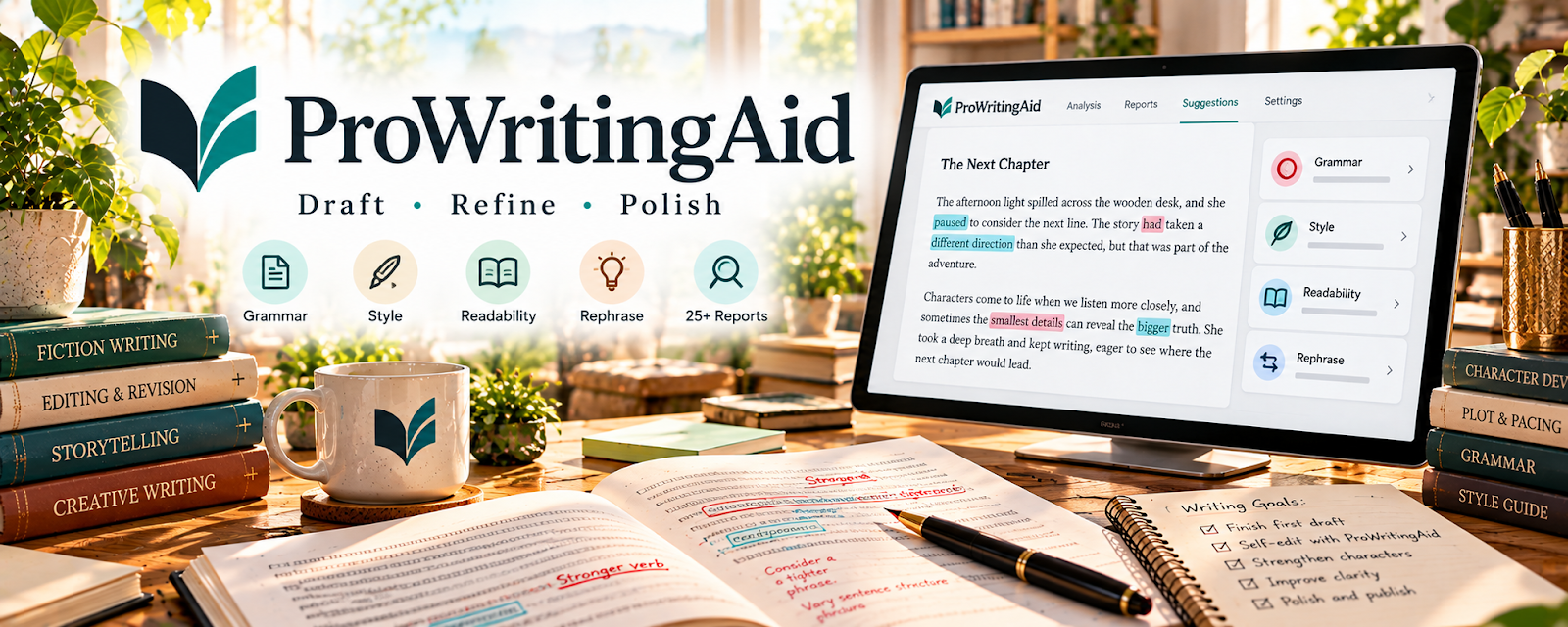
Use ProWritingAid to review grammar, style, readability, and structure in written drafts for Copyediting & Proofreading.
🟡 Intermediate
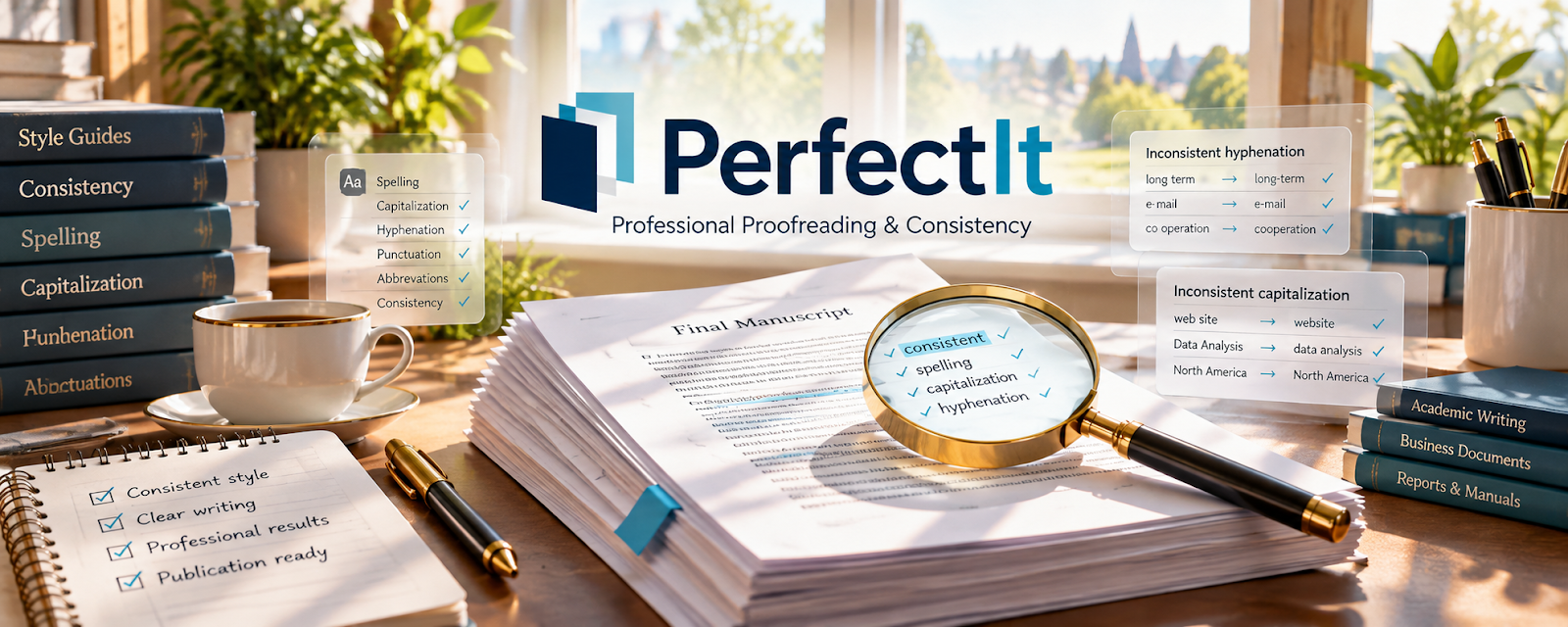
Use PerfectIt to check editorial consistency, terminology, and document style for Copyediting & Proofreading.
🔴 Advanced
💼 Business & Client Management
Track briefs, deadlines, versions, and invoices. Keep confidential manuscripts and client decisions organized in one place.
Use Google Drive to store, organize, and share project files with authorized recipients for Copyediting & Proofreading.
🟢 Beginner

Use Notion to organize project notes, documents, tasks, and reusable workflows in one workspace for Copyediting & Proofreading.
🟢 Beginner
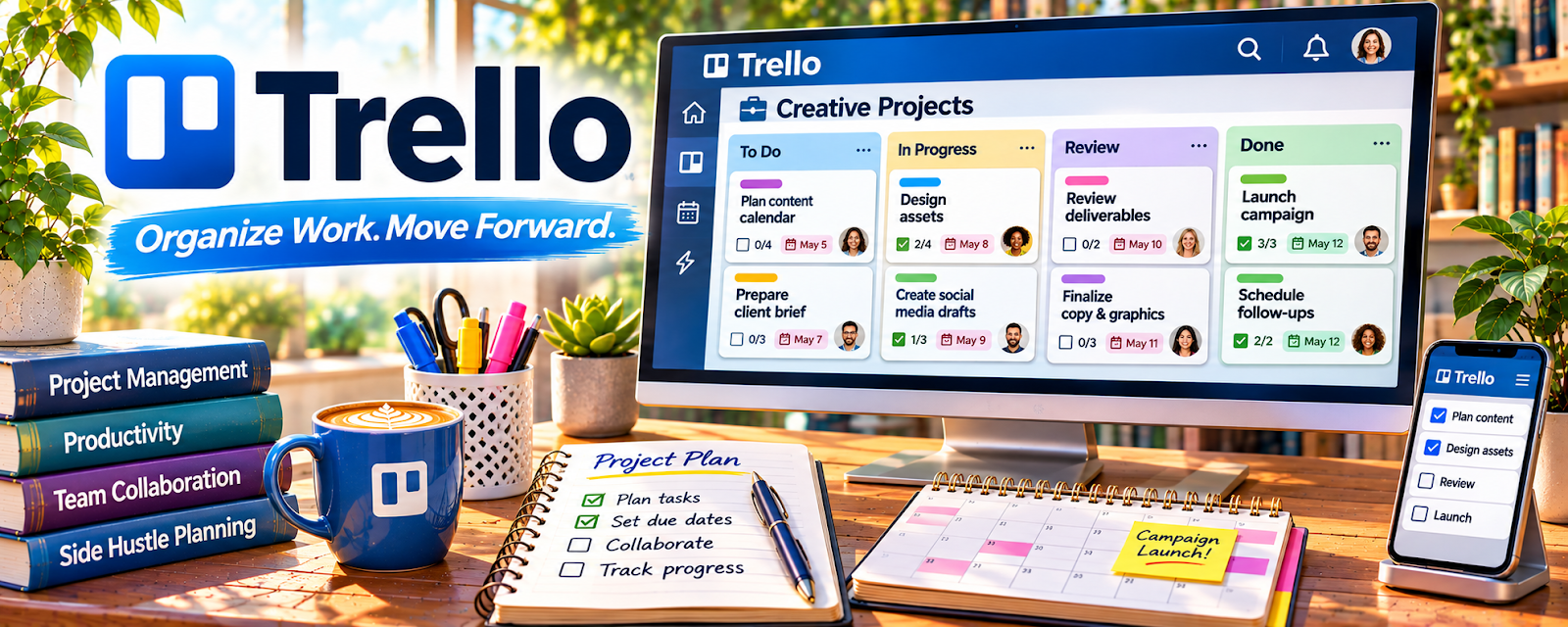
Use Trello to organize assignments, checklists, and project stages on task boards for Copyediting & Proofreading.
🟢 Beginner
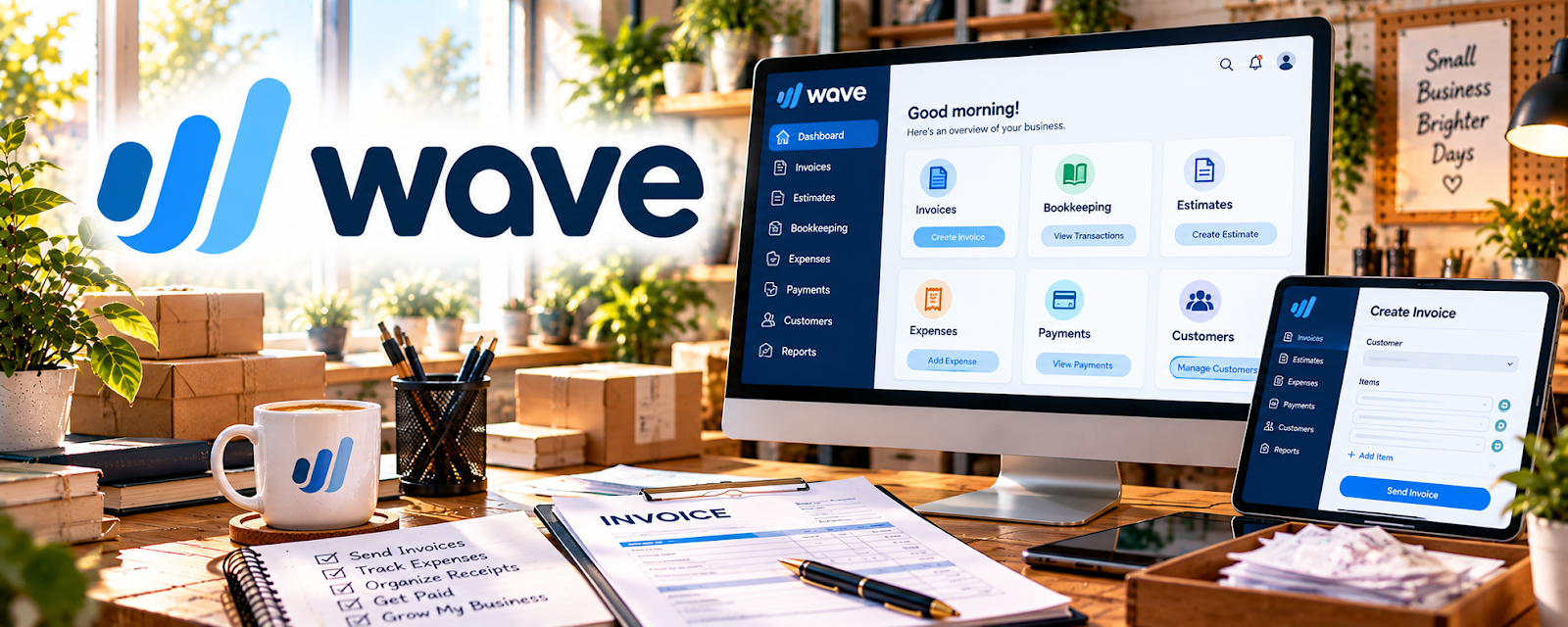
Use Wave to organize bookkeeping records and manage invoicing for a small business for Copyediting & Proofreading.
🟢 Beginner

Use Bonsai to organize client projects, proposals, contracts, and invoicing workflows for Copyediting & Proofreading.
🟡 Intermediate
🛠️ Advanced Editing Software
Explore specialist tools for consistency and document checks. Add them when your workload reveals a specific repetitive problem.
Use Skillshare — Proofreading Classes for structured training, courses, or credentials that build confidence in copyediting and proofreading.
🟢 Beginner
Use Udemy — Proofreading Courses for structured training, courses, or credentials that build confidence in copyediting and proofreading.
🟢 Beginner
Use Knowadays — Becoming a Proofreader for structured training, courses, or credentials that build confidence in copyediting and proofreading.
🟡 Intermediate
Use Poynter ACES Editing Certificates for structured training, courses, or credentials that build confidence in copyediting and proofreading.
🟡 Intermediate
Use CIEP Training Courses for structured training, courses, or credentials that build confidence in copyediting and proofreading.
🔴 Advanced
💳 Paid Editing Resources
Compare paid references and editing support. Buy only when a resource meets an identified client or skill need.
Use Skillshare — Proofreading Classes for structured training, courses, or credentials that build confidence in copyediting and proofreading.
🟢 Beginner
Use Udemy — Proofreading Courses for structured training, courses, or credentials that build confidence in copyediting and proofreading.
🟢 Beginner
Use Knowadays — Becoming a Proofreader for structured training, courses, or credentials that build confidence in copyediting and proofreading.
🟡 Intermediate
Use Poynter ACES Editing Certificates for structured training, courses, or credentials that build confidence in copyediting and proofreading.
🟡 Intermediate
Use CIEP Training Courses for structured training, courses, or credentials that build confidence in copyediting and proofreading.
🔴 Advanced
📚 Style Guides & References
Check authoritative style and usage guidance. Use the client’s preferred guide and record project-specific exceptions.

Use APA Style to check style, grammar, formatting, and reference rules for editing or writing deliverables.
🟡 Intermediate

Use MLA Style Center to check style, grammar, formatting, and reference rules for editing or writing deliverables.
🟡 Intermediate

Use AP Stylebook to check style, grammar, formatting, and reference rules for editing or writing deliverables.
🟡 Intermediate
Use Chicago Manual of Style Online to check style, grammar, formatting, and reference rules for editing or writing deliverables.
🟡 Intermediate

Use AMA Manual of Style to check style, grammar, formatting, and reference rules for editing or writing deliverables.
🔴 Advanced
📣 Marketing & Client Outreach
Present relevant samples and contact suitable prospects. Make the editing level and project types you offer clear.
Use Facebook Groups to promote your offer, capture leads, and build an audience around copyediting and proofreading.
🟢 Beginner

Use Carrd to promote your offer, capture leads, and build an audience around copyediting and proofreading.
🟢 Beginner

Use LinkedIn to promote your offer, capture leads, and build an audience around copyediting and proofreading.
🟢 Beginner

Use WordPress.com to promote your offer, capture leads, and build an audience around copyediting and proofreading.
🟢 Beginner

Use Squarespace to promote your offer, capture leads, and build an audience around copyediting and proofreading.
🟡 Intermediate
💻 Freelance Editing Platforms
Find advertised projects and build a service profile. Check scope, rates, payment protections, and confidentiality before accepting work.
Use Fiverr to find paid opportunities, pitch services, or connect with clients for copyediting and proofreading.
🟢 Beginner

Use Freelancer to find paid opportunities, pitch services, or connect with clients for copyediting and proofreading.
🟡 Intermediate
Use Upwork to find paid opportunities, pitch services, or connect with clients for copyediting and proofreading.
🟡 Intermediate

Use Reedsy to find paid opportunities, pitch services, or connect with clients for copyediting and proofreading.
🔴 Advanced
Use EFA Job List to find paid opportunities, pitch services, or connect with clients for copyediting and proofreading.
🔴 Advanced
🧪 Practice & Sample Resources
Practice on permission-cleared material and compare your decisions. Use samples to demonstrate care, not to imply client experience you do not have.
Use GrammarBook Quizzes to practice proofreading accuracy and prepare for editing tests or client sample work.
🟢 Beginner
Use ProofreadNOW Quiz to practice proofreading accuracy and prepare for editing tests or client sample work.
🟢 Beginner
Use Chartered Institute Editing Tests to practice proofreading accuracy and prepare for editing tests or client sample work.
🟡 Intermediate
Use EditingTests.com to practice proofreading accuracy and prepare for editing tests or client sample work.
🟡 Intermediate
Use Editors Canada Professional Certification to practice proofreading accuracy and prepare for editing tests or client sample work.
🔴 Advanced
10. Your First 6 Months in Copyediting & Proofreading
Your first 6 months in copyediting and proofreading should be focused on building accuracy, trust, samples, and a reliable client process.
The goal is to move from:
Skill → Samples → Offer → First Clients → Testimonials → Repeat Work
By the end of 6 months, you should know what type of writing you edit, how to price your services, where to find clients, and how to deliver polished work professionally.
🎯 6-Month Goal
By the end of your first 6 months, aim to have:
✅ One clear editing or proofreading niche
✅ A simple service offer
✅ 3–5 sample edits or before-and-after examples
✅ A basic rate sheet
✅ A client intake form
✅ A repeatable editing checklist
✅ 2–5 paid or practice clients completed
✅ Testimonials or references
✅ A plan to raise prices, specialize, or offer packages
🎯 KEY TAKEAWAY
Clients hire editors because they want their writing to look clear, professional, and mistake-free.
📅 Month 1: Learn the Difference & Choose Your Niche
🎯 Main Goal
Understand what type of editing you want to offer and who you want to help.
✅ What to Do
- Learn the difference between proofreading, copyediting, and developmental editing
- Choose one writing type to focus on
- Study common grammar, punctuation, and style issues
- Practice editing short pieces of writing
- Create a simple list of services
- Research what beginner editors charge
- Build a small folder of sample edits
- Decide what tools you will use
✏️ Editing Service Types
Service Type | What It Means |
Proofreading | Fix grammar, spelling, punctuation, and typos |
Copyediting | Improve clarity, flow, consistency, and correctness |
Line editing | Improve sentence style, wording, and readability |
Developmental editing | Help with structure, organization, and big-picture issues |
Formatting review | Check layout, spacing, headings, and consistency |
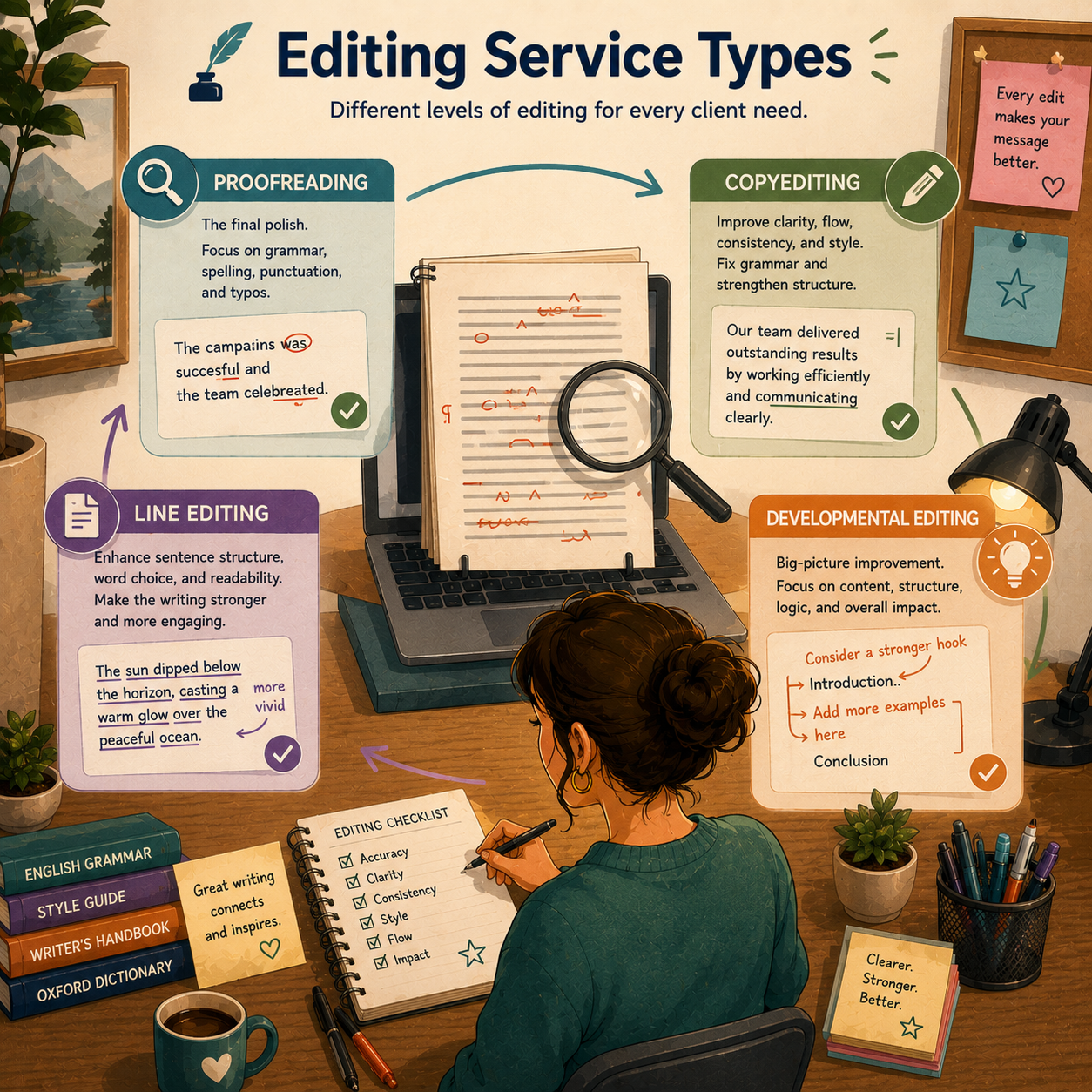
🏁 Month 1 Success Looks Like
- You understand the service you want to offer
- You know what type of writing you prefer editing
- You have practiced on sample documents
- You have chosen your basic tools
- You can explain your service clearly
🧭 Niches to Consider
Niche | Best For |
Blog posts | Bloggers, businesses, and content creators |
Website copy | Small businesses and service providers |
Academic papers | Students and researchers |
Resumes and cover letters | Job seekers |
Books and manuscripts | Authors and self-publishers |
Business documents | Reports, proposals, and presentations |
Emails and newsletters | Entrepreneurs and online brands |
⚠ COMMON MISTAKE
Saying yes to every type of editing before knowing what each service requires. Proofreading and deep editing are not the same job.
📅 Month 2: Build Your Offer & Sample Edits
🎯 Main Goal
Turn your editing skill into a clear service people can understand and buy.
✅ What to Do
- Create 3–5 before-and-after samples
- Build a simple rate sheet
- Decide whether to charge per word, per page, per hour, or per project
- Create a client intake form
- Write a short service description
- Create a proofreading checklist
- Build a basic profile on one platform
- Start sharing your service with your network
📦 Beginner Service Packages
Package | What It Includes |
Basic proofreading | Typos, grammar, punctuation, and spelling |
Blog post polish | Grammar, clarity, headings, and readability |
Resume review | Grammar, formatting, wording, and consistency |
Website copy review | Clarity, professionalism, and errors |
Manuscript sample edit | First chapter or first few pages |
Business document edit | Reports, proposals, and formal writing |
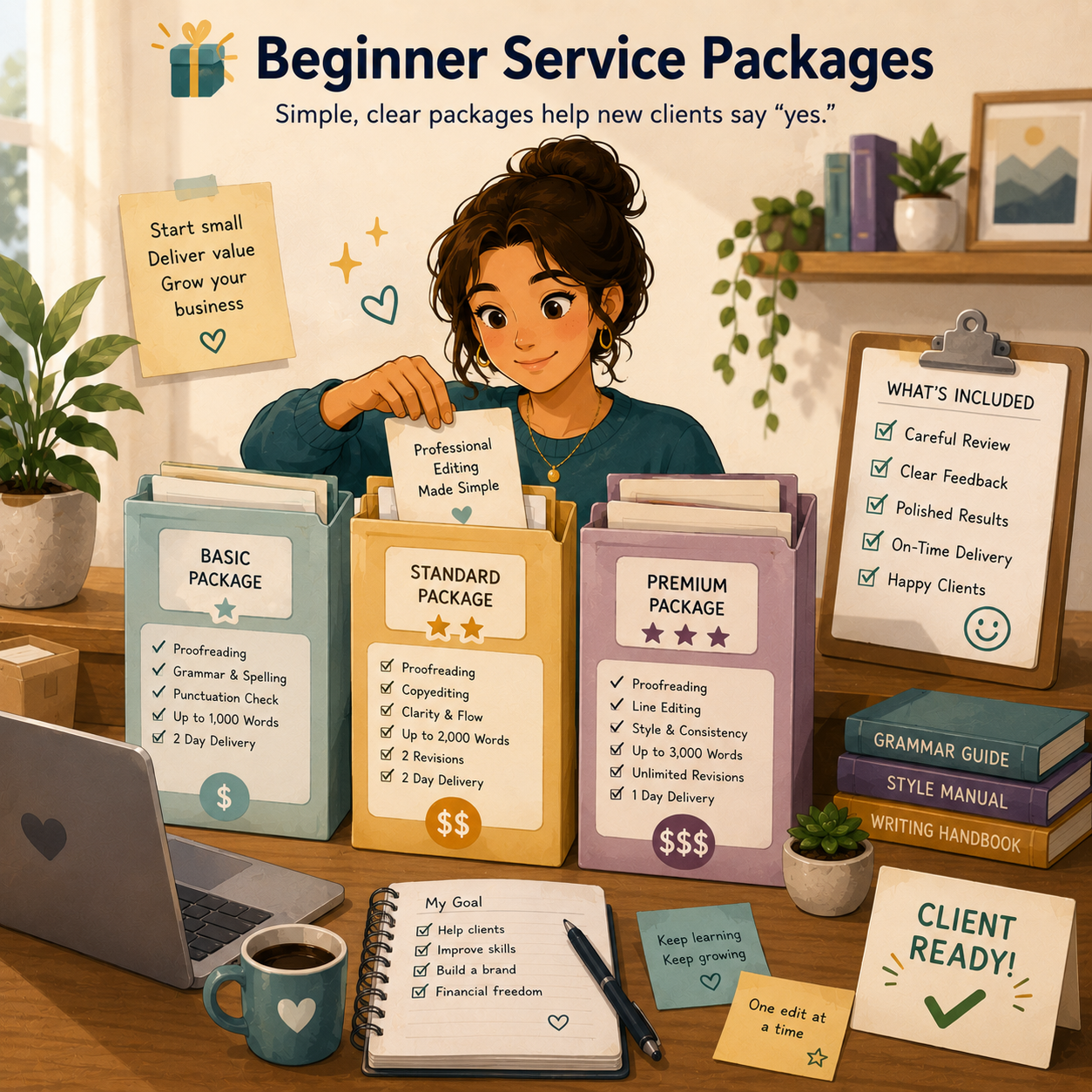
📦 What to Include in Your Offer
- Type of document accepted
- What you will check
- What is not included
- Turnaround time
- Revision policy
- Starting price
- File formats accepted
- How clients submit work
🏁 Month 2 Success Looks Like
- You have clear packages
- You have sample edits
- Your prices are written down
- You know how clients should submit documents
- You are ready to accept beginner projects
🎯 KEY TAKEAWAY
Editing services sell better when clients know exactly what they are getting and how the process works.
📅 Month 3: Find Your First Clients
🎯 Main Goal
Start getting beginner clients, practice clients, or small paid projects.
✅ What to Do
- Tell your network you offer proofreading or editing
- Offer a limited number of discounted starter edits
- Apply to beginner editing jobs
- Create profiles on freelance platforms
- Reach out to bloggers, students, authors, or small businesses
- Join writing or business communities
- Ask for permission to use anonymous before-and-after samples
- Request testimonials after completed work
📍 Places to Find Clients
Source | Best For |
Friends and family | First practice projects |
LinkedIn | Professional documents and business editing |
Upwork | Freelance editing projects |
Fiverr | Beginner proofreading packages |
Facebook groups | Writers, bloggers, and local businesses |
Reddit communities | Writing feedback and niche clients |
Author groups | Manuscripts and book editing |
Local businesses | Website copy, menus, flyers, and documents |
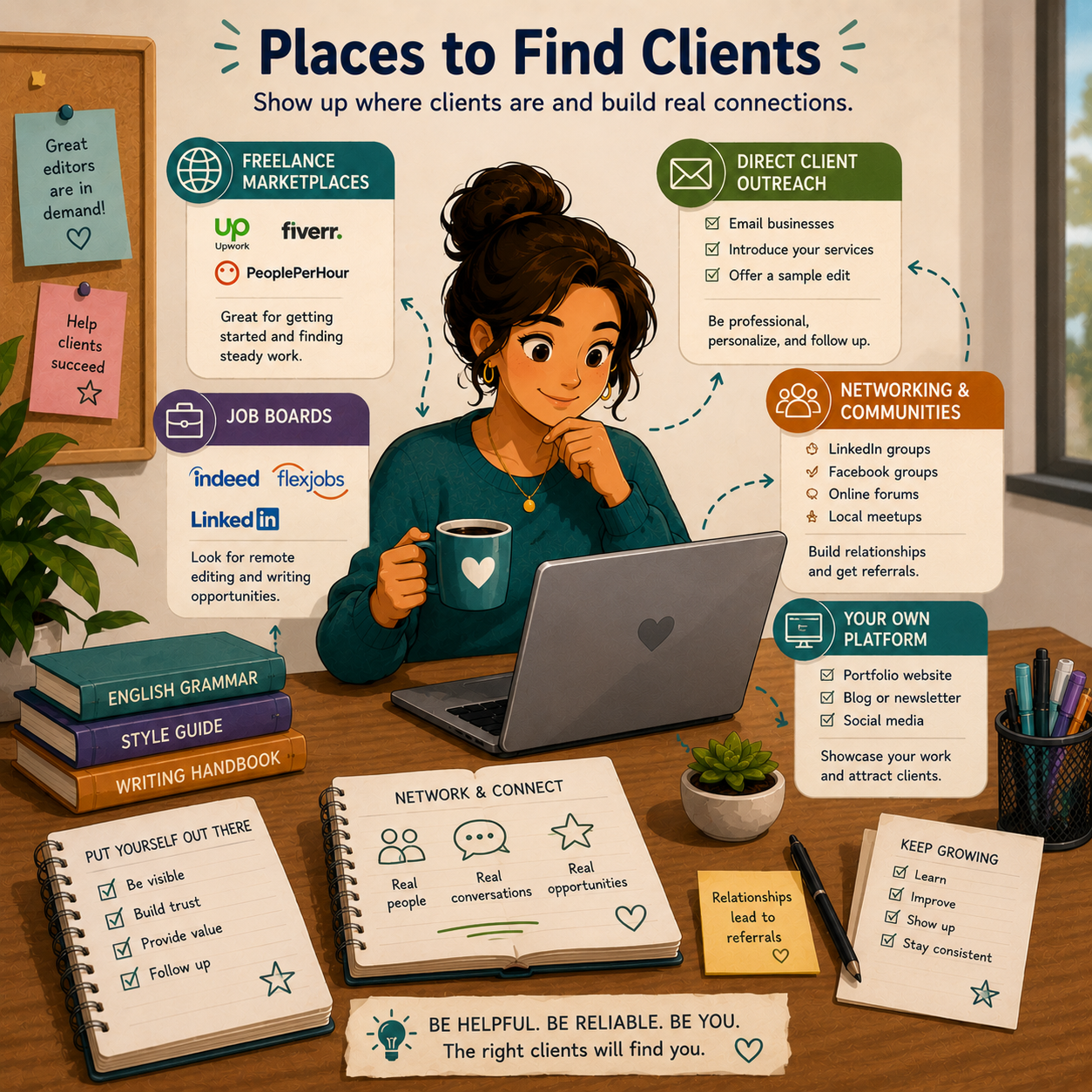
🏁 Month 3 Success Looks Like
- You completed your first editing projects
- You learned how long each job takes
- You improved your client communication
- You collected feedback or testimonials
- You understand which documents you prefer editing
👀 What to Watch Early
- Which document types you enjoy most
- How long each project actually takes
- Which clients communicate clearly
- Which platforms send the best leads
- Which edits clients value most
💡 PRO TIP
Track your editing time. This helps you price better and avoid undercharging for difficult documents.
📅 Month 4: Create a Repeatable Editing Workflow
🎯 Main Goal
Make your editing process organized, consistent, and professional.
✅ What to Do
- Create a step-by-step editing checklist
- Use tracked changes or comments when needed
- Save client instructions in one place
- Create message templates for inquiries
- Create a project tracker
- Set clear deadlines and delivery rules
- Improve your file naming system
- Build a final quality-control step before delivery
🗓️ Simple Weekly Workflow
Day | Task |
Monday | Reply to inquiries and quote projects |
Tuesday | Complete first-pass edits |
Wednesday | Complete second-pass edits |
Thursday | Final review and client notes |
Friday | Deliver projects and follow up |
Weekend | Update samples, testimonials, and tracking |
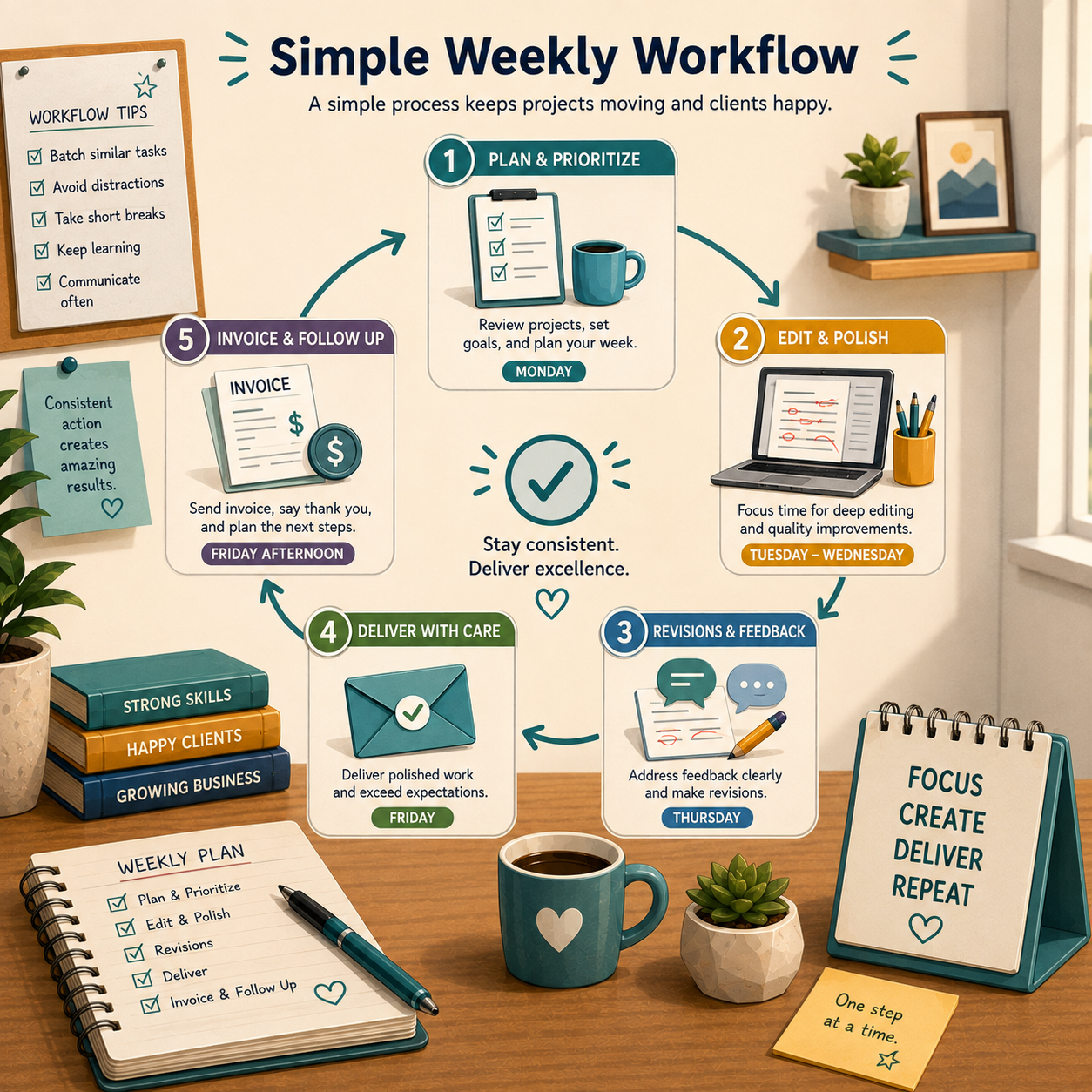
🔄 Simple Editing Workflow
Step | What Happens |
Inquiry | Client asks about editing |
Intake | Client sends document details |
Quote | You confirm price and timeline |
Payment | Client pays deposit or full amount |
First pass | You fix major grammar and clarity issues |
Second pass | You check consistency, punctuation, and flow |
Final review | You scan for missed errors |
Delivery | You send edited file and notes |
Follow-up | You ask for feedback or future work |
🏁 Month 4 Success Looks Like
- Your editing process is consistent
- You are making fewer delivery mistakes
- Clients understand what to expect
- Your project tracker keeps work organized
- You can handle multiple small projects more confidently
⚠ COMMON MISTAKE
Editing requires focus. Do not take more projects than you can review carefully.
📅 Month 5: Improve Quality, Pricing & Client Experience
🎯 Main Goal
Use early client experience to improve your service and raise your professionalism.
✅ What to Do
- Review completed projects
- Identify which jobs were underpriced
- Update your rates if needed
- Improve your service descriptions
- Add testimonials to your profile
- Create stronger packages
- Offer recurring editing for blogs, newsletters, or businesses
- Create a simple referral message
📈 Ways to Increase Value
Value Add | Why It Helps |
Style sheet | Helps maintain consistency |
Readability notes | Gives clients useful improvement tips |
Fast turnaround option | Adds premium pricing |
Recurring editing package | Creates steady income |
Monthly content editing | Useful for bloggers and newsletters |
Resume polish package | Clear result for job seekers |
Manuscript sample edit | Helps authors test your service |

🏁 Month 5 Success Looks Like
- You understand which projects are most profitable
- Your pricing is more realistic
- Your packages are clearer
- You have testimonials or feedback
- You are starting to attract better-fit clients
🎯 KEY TAKEAWAY
Editing is detail-heavy work. Higher prices are easier to justify when your process, communication, and final delivery feel professional.
📅 Month 6: Review, Specialize & Scale
🎯 Main Goal
Review your first 6 months and decide how to grow your editing side hustle.
✅ What to Do
- Review every completed project
- Identify your favorite type of editing
- Identify your most profitable service
- Review where clients came from
- Remove services that take too long or pay too little
- Update your portfolio and samples
- Create a 90-day plan for months 7–9
- Decide whether to specialize, raise prices, or offer recurring packages
❓ 6-Month Review Questions
- Which document types did you enjoy editing most?
- Which projects paid fairly for the time required?
- Which clients were easiest to work with?
- Which services caused scope creep?
- Which platforms brought the best leads?
- What mistakes did you catch most often?
- What should you stop offering?
- Are you ready to raise rates?
- Can you offer recurring editing packages?
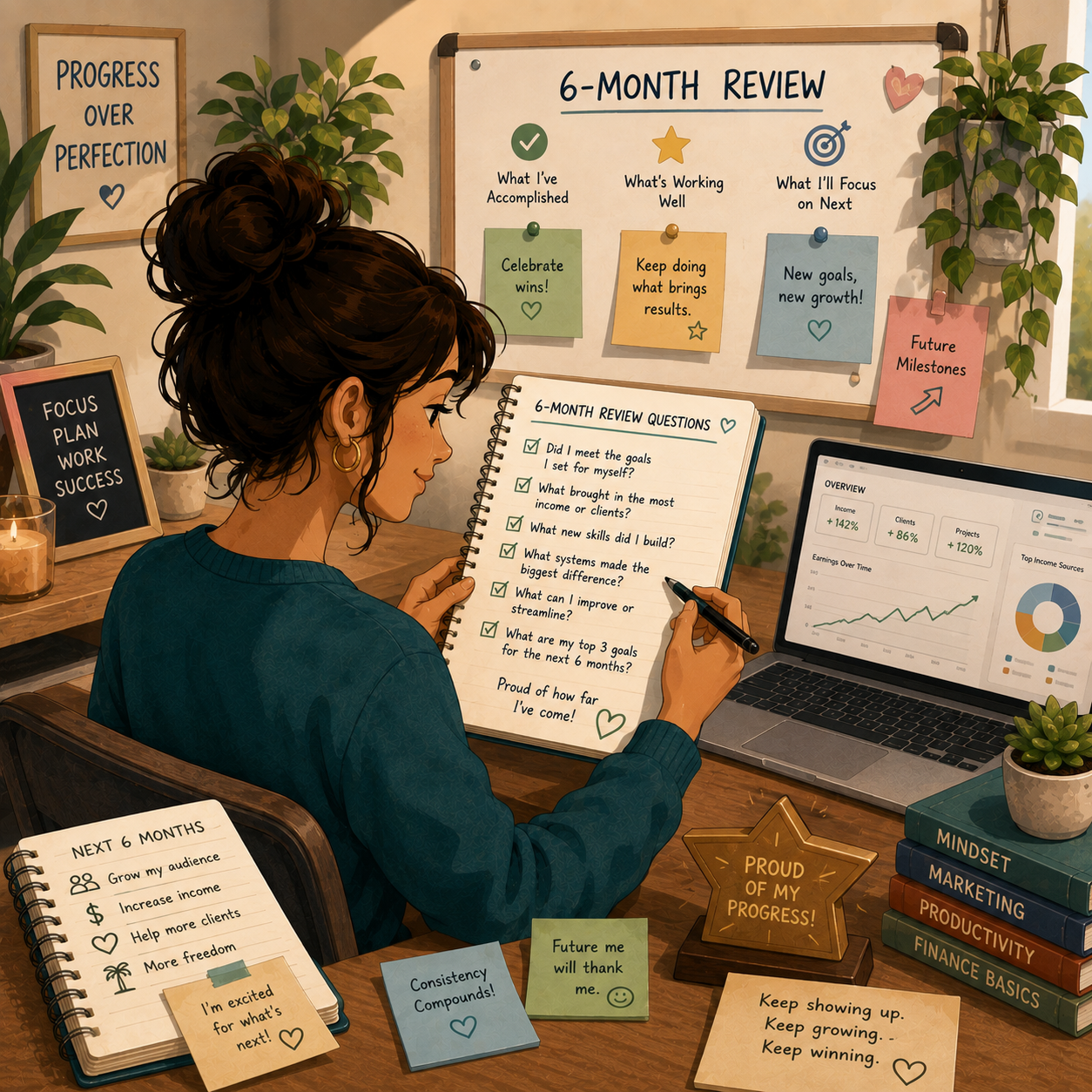
📊 Decision Table
If This Happens | Do This |
Blog editing works best | Offer monthly blog editing packages |
Resume edits sell well | Build resume and LinkedIn profile packages |
Authors contact you often | Create manuscript sample edit offers |
Projects take too long | Charge per project or increase rates |
Clients ask for deep rewrites | Separate copyediting from rewriting |
You get repeat clients | Offer monthly retainer packages |
You enjoy business writing | Focus on proposals, reports, and website copy |
🏁 Month 6 Success Looks Like
- You know your strongest editing niche
- You understand your pricing better
- You have testimonials or samples
- You have a repeatable workflow
- You have a plan to grow with better clients or recurring work
🎯 KEY TAKEAWAY
Copyediting and proofreading become easier to grow when your niche, scope, pricing, and process are clearly defined.
✅ 6-Month Success Checklist
By the end of 6 months, check whether you have:
✅ Chosen a proofreading or editing niche
✅ Created sample edits
✅ Built a simple rate sheet
✅ Created a client intake form
✅ Practiced tracked changes or comments
✅ Completed first client projects
✅ Collected feedback or testimonials
✅ Built an editing checklist
✅ Created a project tracker
✅ Improved your pricing
✅ Identified your best service type
✅ Created a plan for the next 90 days
⚠️ What Not to Do During the First 6 Months
Avoid these mistakes:
❌ Confusing proofreading with full rewriting
❌ Taking projects without clear scope
❌ Charging too little for difficult edits
❌ Promising perfect error-free work
❌ Skipping a final review pass
❌ Editing topics you are not comfortable with
❌ Accepting unrealistic deadlines
❌ Giving unlimited revisions
❌ Forgetting to track time spent
❌ Failing to explain what is included
📝 QUICK NOTE
Editing is professional detail work. Clear scope and careful review protect your time and help clients trust your service.
🧭 Simple 6-Month Milestone Tracker
Month | Main Focus | Target Output |
Month 1 | Skill & niche | Editing type chosen, practice samples |
Month 2 | Offer setup | Packages, rates, intake form |
Month 3 | First clients | 1–3 completed projects |
Month 4 | Editing workflow | Checklist, tracker, delivery process |
Month 5 | Quality & pricing | Testimonials and improved packages |
Month 6 | Review & specialize | 90-day growth plan created |
🚀 Final 6-Month Strategy
Your first 6 months should follow this simple path:
Month 1: Choose your editing niche and practice
Month 2: Build your offer and sample edits
Month 3: Find your first clients
Month 4: Create a repeatable editing workflow
Month 5: Improve quality, pricing, and client experience
Month 6: Review results and specialize
The editors who grow fastest are not just good at grammar. They are clear, reliable, organized, and able to make writing easier for clients to trust and publish.
11. Get the Copyediting & Proofreading Starter Kit
🎁 Build Your Editing Workflow
The current Copyediting & Proofreading Starter Kit brings together 12 browser-based workspaces to practice editorial skills, plan projects, communicate with clients, manage deadlines and organize payments.
Explore the 12 included workspaces:
✅ 1. Editing Readiness Checklist — Review common error checks and document your editing process before delivering work.
✅ 2. Rate & Quote Calculator — Estimate editing prices and prepare project quotes using your own rate and scope assumptions.
✅ 3. Client Message Builder — Draft clear client emails, inquiry responses and follow-up messages.
✅ 4. Editorial Style Guide — Work through editorial style choices and consistency checks for each project.
✅ 5. Before & After Editing Lab — Practice edits and document the reasons for changes.
✅ 6. Client Intake Planner — Collect project details, define scope and clarify client expectations.
✅ 7. Invoice & Payment Tracker — Prepare invoices and keep track of project payment information.
✅ 8. Editing Workflow Planner — Organize editing stages, quality checks and client handoffs.
✅ 9. Grammar & Usage Toolkit — Use examples to work through common grammar and usage questions.
✅ 10. Client Agreement Builder — Draft project terms and scope for independent legal review.
✅ 11. Turnaround & Capacity Planner — Plan realistic delivery times and workloads before committing to deadlines.
✅ 12. Client Referral Toolkit — Plan client follow-ups, repeat-work opportunities and referral requests.
Also in the editable master: A central dashboard, Start Here page, component index and setup notes are also present in the editable master.
These are educational, editable workflow tools. Sample terms are not legal advice, work is not sent to clients automatically, and no earnings or customer-ready release are guaranteed.

12. Frequently Asked Questions
🎓 Do I need a degree to become an editor?
No. While English degrees help, clients care more about accuracy and reliability. A strong portfolio beats a diploma.
⏳ How long until I get my first client?
Timing varies. Some people land a first paid project within a few weeks if they apply consistently and offer a clear intro package, but it can take longer.
🧠 What if I'm not a grammar expert?
Start with proofreading, which is easier, and use tools like Grammarly. You’ll improve with every project. Everyone starts somewhere.
⏰ Can I do this with a full-time job?
Absolutely. Most editors start part-time with 5–10 hours/week. Edit during evenings and weekends until you build enough income.
💸 What's the biggest mistake new editors make?
Undercharging for too long. After your first 5–10 projects, raise your rates by 25–50%. Good clients will pay for quality.
📈 Is the market saturated?
Competition exists, but there is ongoing demand for editors who deliver careful work on time.
13. Important Considerations
Before you start, understand what separates successful editors from beginners:
⏳ It Takes Consistent Effort
- 🐢 You won’t get clients instantly
- 📅 A first paid project can take weeks of consistent outreach
💸 Underpricing Can Trap You
- 📈 Raise rates after 5–10 projects
- ⚠️ Don’t stay cheap too long
📉 Not Every Application Gets a Response
- 📭 Many clients won’t reply
- 👻 Some will ghost
👉 This is normal — apply consistently
🧠 Attention to Detail Is Everything
- ❌ Small mistakes = lost trust
- ✅ Accuracy matters more than speed
⚙️ You’re Running a Service Business
You must:
- 💬 Communicate clearly
- ⏰ Meet deadlines
- 🏆 Deliver consistent quality
🔁 One-Off Jobs Don’t Scale
- 🤝 Real income comes from repeat clients
- 📆 Retainers = stable income
🐛 Common Beginner Mistakes
❌ Missing deadlines
❌ Not using Track Changes
❌ Slow communication
❌ Being unclear with clients
❌ Not asking questions
💡 Final Reality Check
This is not hands-off income
This IS a flexible skill you can build around real client work
14. Your Next Steps
🚀 ACTION STEP
📍 Today
- 📦 View the starter kit above
- 👤 Set up a basic profile on Fiverr or Upwork
- ✍️ Edit one sample piece for your portfolio
📅 This Week
- 🎓 Complete the Proofread Anywhere free workshop
- 📝 Create 2–3 portfolio samples
- 📄 Write your service description using the templates
🗓️ This Month
- 📩 Apply to 20+ editing gigs
- ⭐ Offer 3 free trial edits in exchange for testimonials
- 💼 Work toward your first paid client
🚀 Ready to Get Started?
View the starter kit above and take your first step toward a flexible editing side hustle.
15. The Bottom Line
🎯 KEY TAKEAWAY
Copyediting & proofreading is a low-cost way to start earning from a skill you can practice — no degree required, a modest setup, and ongoing demand from blogs, books, and businesses.
🙋 If you:
✔ Have sharp attention to detail
✔ Deliver accurate work on deadline
✔ Start with proofreading and grow into copyediting
✔ Raise your rates as your portfolio grows
🏗️ You can build:
💰 Earnings vary widely. Early months are often smaller one-off projects; later income depends on niche, pricing, and repeat work — not a set monthly ladder
🌐 Flexible, remote work on deadlines instead of fixed hours
📈 A path from one-off gigs to repeat clients and retainers
🚀 The real opportunity: turning a basic skill — grammar — into consistent freelance income.

16. Recommended Websites & Tools
🛠 TOOLS & RESOURCES
You do not need every resource listed below. This directory brings together the major platforms, tools, and resources from this guide, along with additional research and learning options, so you can find them in one place when you need them.
Start with the essentials. Add tools only when your editing business develops a specific need for them.
✍️ Editing, Writing & Proofreading Tools
- Grammarly — Grammar, spelling, punctuation, clarity, and tone checker for proofreading drafts before delivery.
- Hemingway App — Readability tool for tightening sentences, reducing wordiness, and making writing clearer.
- Google Docs — Client editing workspace for comments, suggested edits, version history, and shared document review.
- Microsoft Word — Professional document editor with Track Changes, comments, and formal markup tools.
- ProWritingAid — Advanced grammar, style, readability, and writing improvement tool for deeper editing support.
- ChatGPT — Writing assistant for rewording options, explanations, editing suggestions, and clarity checks.
💡 PRO TIP
Master one editing tool deeply before adding more. Clients pay for your accuracy and judgment, not the size of your tool stack.
📚 Style Guides & Reference Resources
- Chicago Manual of Style — Style guide for books, publishing, formal writing, citations, and manuscript editing.
- APA Style — Academic style resource for psychology, education, social sciences, citations, and student papers.
- MLA Style Center — Style resource for essays, humanities papers, academic formatting, and citation guidance.
- AP Stylebook — Journalism and media style guide for press releases, articles, web content, and public-facing writing.
- Merriam-Webster — Dictionary resource for spelling, definitions, word usage, and grammar support.
- Thesaurus.com — Word choice and synonym tool for improving variety, clarity, and tone.
📂 File Delivery, Client Workflow & Project Management
- Google Drive — File storage tool for organizing client folders, samples, drafts, contracts, and final edited documents.
- Dropbox — File storage and delivery platform for larger documents, client assets, and shared project folders.
- Loom — Screen recording tool for explaining edits, walking through feedback, and creating premium client updates.
- Notion — Workspace for client dashboards, editing checklists, project notes, templates, and portfolio organization.
- Calendly — Scheduling tool for booking discovery calls, client consultations, and project review meetings.
- Trello — Project board tool for tracking editing deadlines, client stages, revisions, and active assignments.
- Airtable — Database-style project tracker for managing clients, deadlines, rates, niches, and editing workflows.
📝 QUICK NOTE
Deliver files the way each client expects — Track Changes in Word or Suggesting mode in Google Docs — so your edits are easy to review.
💳 Payments, Invoicing & Bookkeeping
- PayPal — Payment platform for collecting beginner editing payments, invoices, and one-time client fees.
- Stripe — Payment processor for card payments, payment links, invoices, and professional client checkout.
- Wave — Invoicing and bookkeeping tool for tracking editing income, expenses, payments, and client billing.
💼 Freelance Platforms & Client Discovery
- Fiverr — Freelance marketplace for beginner proofreading packages, resume edits, blog editing, and basic copyediting gigs.
- Upwork — Freelance platform for blog editing, eBook editing, business documents, and recurring client projects.
- Reedsy — Professional marketplace for book editors, authors, publishing services, and advanced manuscript work.
- Scribendi — Editing and proofreading company mentioned for academic, ESL, business, and document editing opportunities.
- FlexJobs — Remote job board for editing contracts, proofreading roles, and flexible writing-related work.
- LinkedIn — Professional networking platform for outreach to authors, publishers, business owners, coaches, and resume clients.
- Facebook Groups — Group discovery page for finding indie author groups, blogger communities, local business groups, and writing communities.
- Freelancer — Freelance marketplace mentioned as another place to find editing and proofreading projects.
- Reddit — Community platform for writing groups, niche research, feedback communities, and potential editing clients.
📝 QUICK NOTE
Freelance platforms are for your first clients, not your forever clients. Move good clients to direct relationships as soon as you can.
🔎 Marketing & Outreach Platforms
- Google — Research tool for finding bloggers, businesses, websites, publishers, and potential editing clients.
- Google Maps — Local search tool for finding small businesses that may need website, menu, brochure, or document editing.
- Pinterest — Visual search platform mentioned for finding bloggers and content creators who may need editing help.
- Instagram — Social platform for finding small businesses, creators, coaches, and brands that may need polished written content.
🎓 Learning & Skill Building
- Proofread Anywhere — Proofreading training resource mentioned for learning beginner proofreading skills and building confidence.
🎯 KEY TAKEAWAY
You do not need every tool on this page. One editing tool, one style guide, and one place to find clients are enough to land your first gig.
🧭 How to Use This Directory
🧰 Start With a Simple Setup
Do not start by creating accounts with every service listed above. For most beginners, a simple setup is enough:
- One editing tool
- One style guide
- One place to find clients
- One way to get paid
- Basic file delivery
That is enough to start building. Add tools only when you can name the specific problem they will solve.
🎯 KEY TAKEAWAY
Tools support the business. They are not the business.
Your biggest advantages will come from:
Accuracy → Meeting deadlines → Clear communication → Repeat clients
17. Explore Similar Side Hustles
 Freelance Writing: Get Paid to Write Online — Move from polishing other people's words to writing your own paid articles and content.
- Transcription Jobs — Use the same sharp eye for detail to turn audio into clean, accurate text.
 Online Tutoring: Get Paid to Teach What You Know — Teach grammar, writing, and English skills to students one-on-one.
 Virtual Assistance — Add document polish and content cleanup to a broader admin-support service.
- Self-Publishing on Amazon KDP — Write and publish your own books — with the editing skills to polish them yourself.
- Resume Writing & LinkedIn Optimization — Turn your editing eye into a high-demand service polishing resumes and profiles.