
Affiliate disclosure: Some links in this guide may be paid referral links. If you purchase or sign up through one, One Stop Side Hustles may earn a commission. How our affiliate links work.
✨ USER TESTING & SURVEYS STARTER GUIDE
Discover the legitimate platforms that pay for tests and surveys, how to compare them, how to avoid scams, and how to treat this as supplemental income. Extra income is possible; $100/month or $1,000+ is an example, not a forecast.
1. What Is User Testing & Surveys?
2. Why User Testing & Surveys Are a Great Side Hustle
3. Types of User Testing & Surveys
4. How Much Can You Earn & Pricing Strategies
5. Tools & Platforms to Get Started
6. Where to Find User Testing & Research Work
 User Testing & Surveys - 7. From Screener to Submitted Study
8. Tips for Success & Standing Out
9. Learning, Templates & Resources
10. Your First 6 Months User Testing & Surveys Plan
11. View the User Testing & Surveys Starter Kit
12. Frequently Asked Questions
📌 Quick Snapshot
💰 Earn: Varies widely — some surveys pay about $0.50–$5 and some tests $10–$60; monthly totals depend on qualification, platforms, and time spent
⏰ Work: Test sites, apps, and surveys from your couch
🧰 Start: Low cost — just a device and internet
📝 Best for: Detail-oriented people sharing honest feedback
📈 Grow: Surveys → usability tests → focus groups/studies
1. What Is User Testing & Surveys?
User testing and surveys pay people to share feedback on websites, apps, products, or research questions so organizations can improve decisions and experiences.
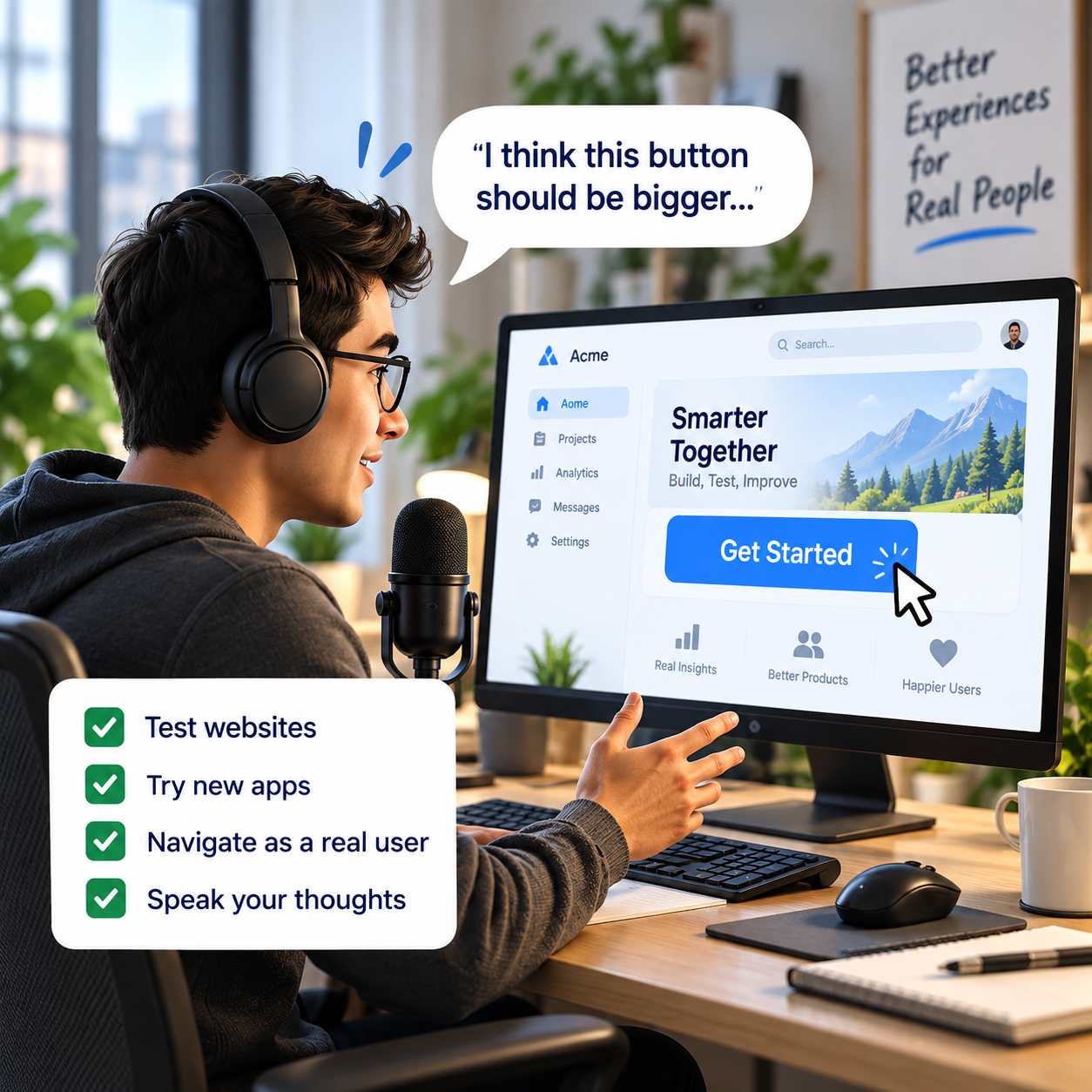
User Testing: Companies pay you to navigate websites, test apps, or try products while sharing your thoughts aloud. You record your screen and voice as you complete tasks.
Surveys: Online questionnaires asking your opinions on products, services, politics, lifestyle habits, and more. Used for market research.
⚙️ How It Works
User Testing:
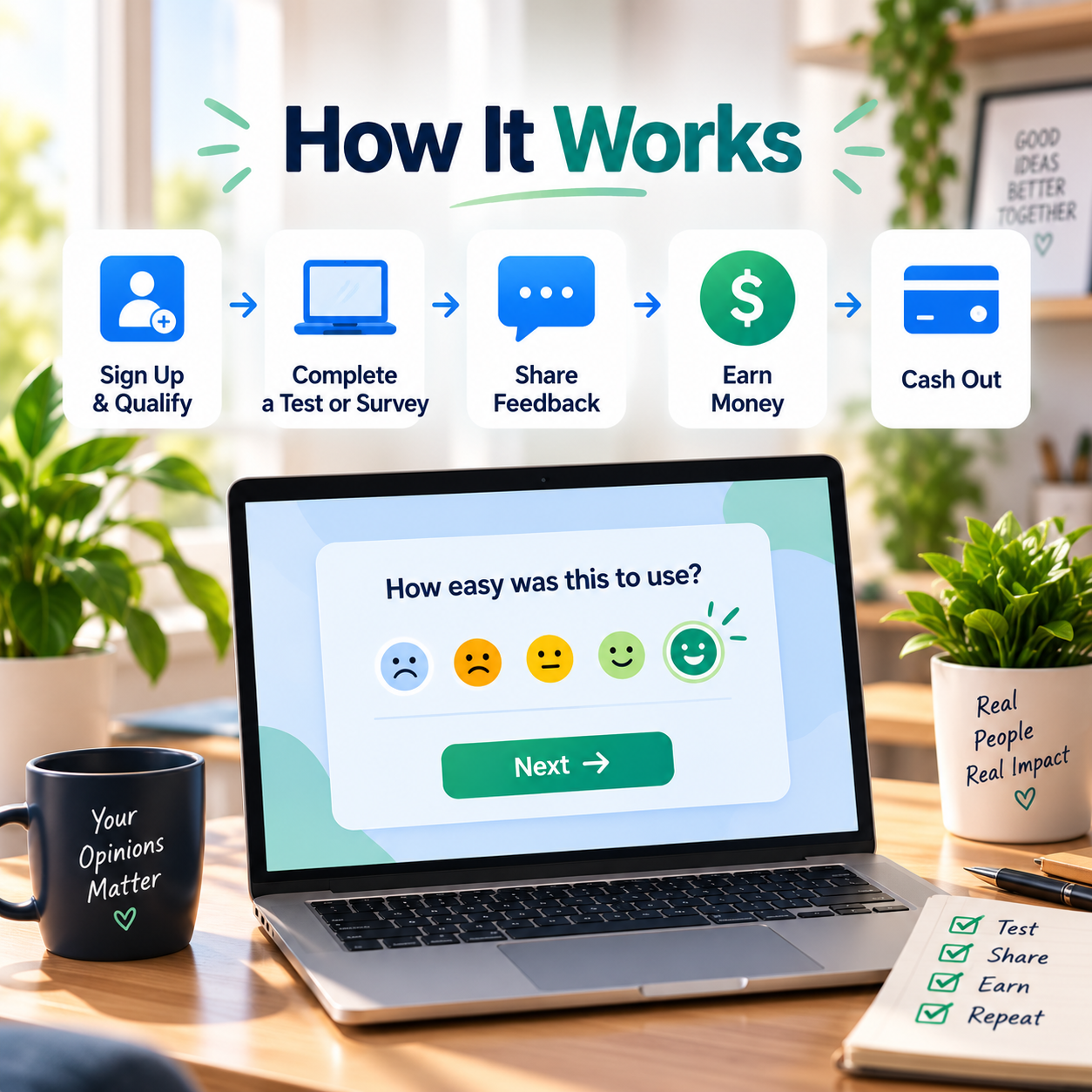
- Sign up on testing platform
- Complete profile (demographics, devices, interests)
- Get invited to tests matching your profile
- Record yourself completing tasks (10-60 minutes)
- Submit feedback and get paid ($10-60 per test)
Surveys:
- Join survey sites
- Qualify through screening questions
- Complete survey (5-30 minutes)
- Earn points or cash ($0.50-5 per survey)
- Cash out when minimum reached ($5-25 typical)
🎯 KEY TAKEAWAY
This isn't get-rich-quick. It's legitimate supplemental income requiring time and consistency. Think coffee money to grocery money, not rent money.

2. Why User Testing & Surveys Are a Great Side Hustle
User testing and surveys are a strong side hustle because they combine easy entry, flexible spare-time work, and a clear path from small tasks into higher-paying research studies.
💰 It is one of the easiest side hustles to test quickly
Most people can begin without buying tools, learning a complex service, or building a portfolio first.
That usually means:
- Simple sign-up process
- Existing devices
- Beginner-friendly platforms
- Short task formats
- Minimal setup
That low-friction start makes it useful for anyone who wants to earn a little money without a long learning curve.
🧠 The work is based more on honest feedback than credentials
Most platforms care more about whether you can explain your experience clearly than whether you have formal experience.
That makes it accessible if you can:
- Use apps and websites
- Follow instructions
- Speak clearly
- Answer honestly
- Notice friction points
You are mainly being paid for perspective and responsiveness, not advanced technical skill.
⚡ You can reach the first earnings relatively fast
Once your profiles are set up, you can start qualifying for tasks without much delay.
Common early steps include:
- Completing profiles
- Taking screeners
- Checking invites
- Finishing first tasks
- Learning which platforms fit you
That quick feedback loop makes it easier to see whether the side hustle is worth continuing.
💻 The work fits into everyday life
Many opportunities can be completed from home using time that would otherwise go unused.
Common benefits include:
- Laptop-friendly work
- Home-based setup
- Short task windows
- Location flexibility
- No commute
That makes it one of the more practical options for earning a little extra without reshaping your week.
⏰ You can participate when it fits your schedule
The work is usually on-demand, which helps it fit around jobs, errands, and other commitments.
That often means:
- Short sessions
- Pause-and-return flexibility
- No fixed shift
- Easy downtime use
- Better pacing control
That flexibility is one of the biggest reasons people use it as supplemental income rather than primary work.
📊 The income improves when you use better platforms strategically
Most of the upside comes from being selective, not just doing more low-pay surveys.
Better results usually come from:
- Stacking platforms
- Faster response time
- Better qualification fit
- More user tests
- Smarter study selection
That makes the side hustle more about efficiency and platform choice than raw volume.
🎯 It is a good match for spare time and mental downtime
Some tasks fit well into lighter work blocks that would be too small for deeper client work.
Common use cases include:
- Breaks
- Waiting time
- Light evening sessions
- Low-energy work windows
- Supplemental cash goals
That makes it especially useful for people who want flexible earning options instead of a heavy second job.
🧪 There is a path to better-paying studies
The highest-value opportunities usually come from moving beyond basic survey volume into stronger research formats.
Common upgrades include:
- User testing
- Focus groups
- Interviews
- Product feedback
- Specialized studies
That gives you a way to move from quick low-ticket tasks into better hourly opportunities without changing categories entirely.
3. Types of User Testing & Surveys
User testing and survey work ranges from quick paid surveys to higher-paying usability tests, interviews, focus groups, and research studies. Some opportunities are easy to start but pay little, while others pay more but require specific demographics, strong feedback skills, or scheduled participation.
Most beginners do better by choosing one or two legitimate platforms in one or two categories, completing a few tasks, and tracking the real pay per hour before spending more time.
📝 QUICK NOTE
The pay figures below are illustrative ranges, not verified payouts or expected earnings. Availability depends on your profile, location, and screeners, and many studies will not accept you. Treat this as supplemental income, never pay a fee to join a research platform, and be honest in screeners. Review each platform’s current payout terms and privacy practices before sharing personal information.
💻 Website, App & Software Testing
🖥️ Website, App & Usability Testing
A strong starting lane for people who can follow instructions and explain confusion clearly while thinking out loud.
- 📌 What you might do: Checkout tests, onboarding flows, first-impression tests, and general user-experience feedback
- 👥 Common sources: Usability-testing platforms, UX research teams, and product teams
- 💰 Illustrative pay: Roughly $5–$30 for a short test, depending on the platform and length
- ✅ Best for: Beginners who can speak continuously and describe what they see and expect
💡 PRO TIP
Think out loud, explain your expectations, and stay calm with unfamiliar products. Clear, specific feedback gets you better results than short answers.
🎮 Beta Testing, App Testing & Playtesting
A next step where projects may pay for bug reporting, repeat usage, and device-specific observations.
- 📌 What you might do: Testing pre-release apps, games, and software, reporting bugs, and describing what felt confusing or smooth
- 👥 Common sources: App developers, game studios, beta-testing programs, and QA platforms
- 💰 Illustrative pay: Varies widely; some programs offer cash, credits, or access rather than pay
- ✅ Best for: People who enjoy trying new digital products and writing clear observations
💡 PRO TIP
Include what happened, which device and software version you used, and the steps to reproduce the issue. Check what the reward is before investing time.

📋 Surveys & Research Panels
📝 Paid Online Surveys & Opinion Panels
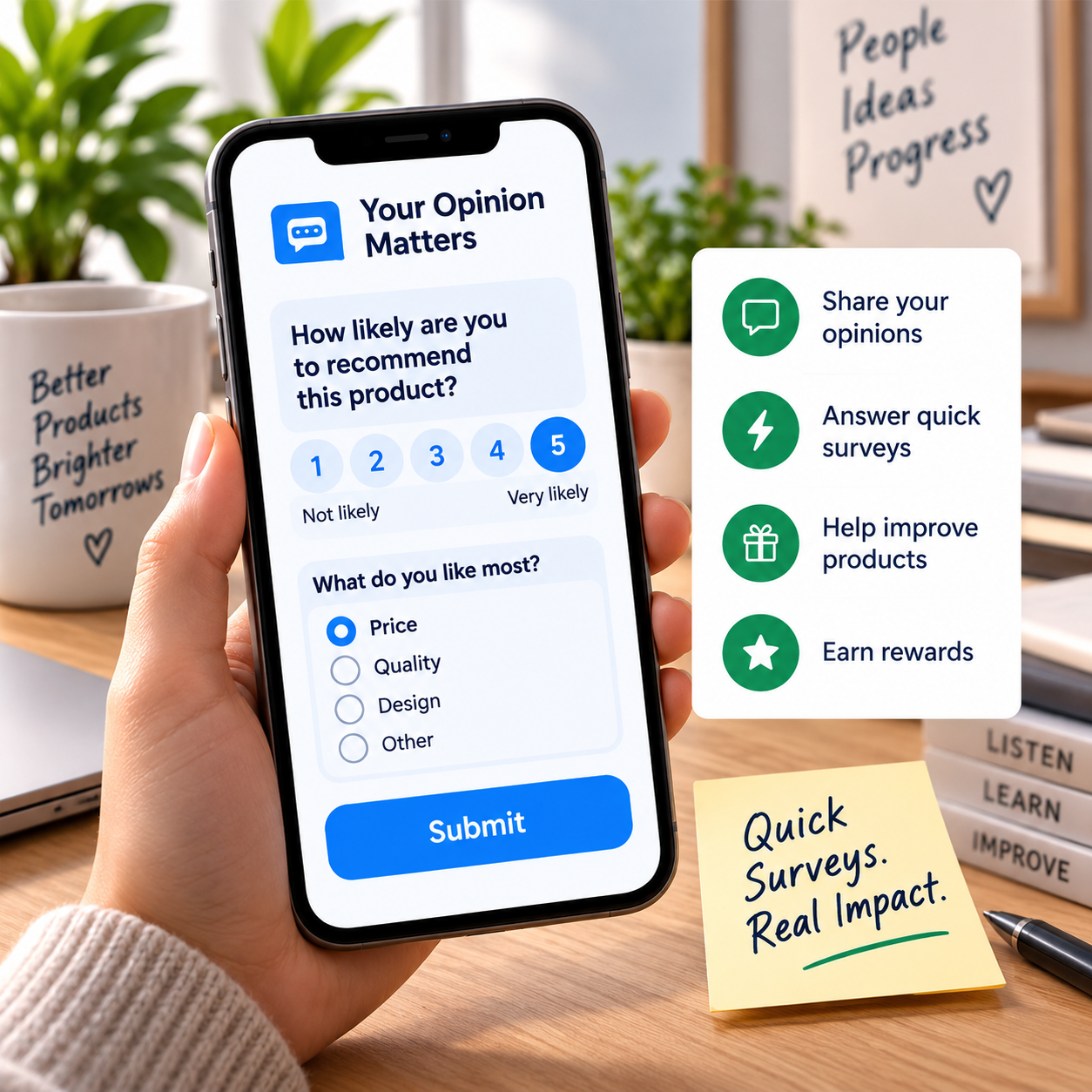
The easiest entry point because the setup is simple and the tasks mostly require honest answers.
- 📌 What you might do: Quick opinion surveys about shopping, entertainment, technology, and lifestyle
- 👥 Common sources: Survey panels and market-research platforms
- 💰 Illustrative pay: Often a few cents to a few dollars per survey, depending on length and screening
- ✅ Best for: People who want spare-time filler work, not a main income source
💡 PRO TIP
Complete your profile fully and avoid spending long on low-paying surveys. Always compare the reward to the time spent, including screen-outs.
🎓 Academic & Consumer Research Surveys
A better-quality lane where research studies may pay more fairly and rely on thoughtful, consistent responses.
- 📌 What you might do: Longer, more structured studies from universities, researchers, and research panels
- 👥 Common sources: Research platforms, academic studies, and consumer-research firms
- 💰 Illustrative pay: Roughly $8–$20 per hour on well-run research platforms; varies by study
- ✅ Best for: People who prefer fewer, higher-quality studies with careful questions
💡 PRO TIP
Prioritize legitimate research panels over endless low-ticket survey volume. Read the study description and consent information before starting.
👥 Focus Groups, Interviews & Product Feedback
👥 Focus Groups & One-on-One Interviews
A higher-paying path because companies pay more for live discussion, detailed stories, and real-world examples.
- 📌 What you might do: Live discussions, interviews, and scheduled research sessions about products, services, or experiences
- 👥 Common sources: Market-research firms, recruiters, and company research teams
- 💰 Illustrative pay: Often roughly $30–$150+ per hour; varies by study and participant criteria
- ✅ Best for: Parents, professionals, students, business owners, and niche users with clear opinions
💡 PRO TIP
Answer screeners honestly and apply often. Specific examples from your own experience make you a stronger participant than vague general feedback.
🧪 Product Testing, Reviews & Physical Feedback
A bonus category where brands may offer cash, gift cards, or free products for honest post-use feedback.
- 📌 What you might do: Trying a product at home and giving honest feedback through a survey or short report
- 👥 Common sources: Consumer brands, product-testing programs, and research agencies
- 💰 Illustrative pay: Varies; may be cash, gift cards, or the product itself
- ✅ Best for: People who want hands-on feedback work in categories they already use
💡 PRO TIP
Check the reward, time required, and any return or reporting rules in advance. Be honest and disclose when you were given a product if you share it publicly.
🔬 Specialized Research & Best Growth Path
🔬 Specialized, Medical, Behavioral & Professional Studies
A premium lane for people who match specific jobs, backgrounds, devices, locations, or life experiences.
- 📌 What you might do: Studies that need clinicians, IT workers, business owners, parents, or other defined groups
- 👥 Common sources: Market-research agencies, universities, and specialized recruiters
- 💰 Illustrative pay: Often higher than standard surveys, but opportunities are less frequent
- ✅ Best for: Participants who match clear criteria and can pass stricter screeners
💡 PRO TIP
Only join studies you truly qualify for. For medical or behavioral research, review the consent form carefully and ask about risks and privacy.
🚀 Best Path to Better Earnings
Most people do best by starting with surveys and simple usability tests, then shifting time into interviews, focus groups, and stronger panels.
- 🪜 A simple path: Quick surveys first, usability testing second, then live research and specialized studies
- 📈 Where income grows: Better platforms, better-qualified studies, and protecting your time from low-value tasks
- 💰 Illustrative pay: Varies by platform, screening success, and the time you spend
- ✅ Best for: Anyone planning a more deliberate research-participant routine
💡 PRO TIP
Track earnings per hour, including screening time. Drop platforms that consistently waste your time.

🎯 Choose Your First Research Platforms
🎯 KEY TAKEAWAY
Start with one legitimate research or usability-testing platform, then add paid surveys or product testing if the pay per hour makes sense. Move toward interviews, focus groups, and specialized studies as your profile and track record grow.
🚀 ACTION STEP
Write a focused first plan:
- Fit: Match opportunities to your devices, profile, location, and availability.
- Legitimacy: Check the organizer, eligibility, payout terms, and privacy requirements.
- Trial: Complete a small number of suitable tasks without misrepresenting your profile.
- Tracking: Record time, screening, and actual payouts to judge which opportunities are worthwhile.
4. How Much Can You Earn & Pricing Strategies
Use this chapter to connect legitimate platforms, profile fit, study quality, and time spent to your user testing and survey income plan.
🧠 Reality Check (What Actually Separates Higher Earners)
- Most beginners make small, inconsistent income at first
- Not because user testing and surveys do not work
- 👉 Many rely too heavily on low-paying survey sites
- 👉 Or they do not qualify often enough for better-paying tests
- The earners who make more typically:
- Prioritize user testing over basic surveys
- Sign up for multiple legitimate platforms
- Respond quickly when opportunities appear
- Build profiles that help them qualify for better studies
🎯 KEY TAKEAWAY
In this side hustle, higher income usually comes from getting into higher-paying usability tests and research studies, not from doing endless low-pay surveys.
🔑 Smart Income Strategy
📝 Honest Profiles & Consistent Invitations
- Sign up for multiple legitimate platforms early
- Complete your profiles carefully and honestly
- Check for invitations consistently
🎯 Study Selection & Time Priorities
- Prioritize:
- User testing
- Product feedback sessions
- Live interviews
- Focus groups
- Avoid wasting too much time on:
- Very long surveys with tiny payouts
- Suspicious or low-quality platforms
- Screeners that rarely convert for you
🎯 KEY TAKEAWAY
Compare payment with all screening, setup, waiting, participation, and follow-up time. Higher advertised study pay is not a guarantee of invitations, qualification, or payout.
🧪 Real Example
📋 REAL-WORLD EXAMPLE
📌 Same Side Hustle, Different Outcomes
These scenarios illustrate possible rewards, not verified typical outcomes or reliable monthly forecasts. They omit unpaid screeners, qualification uncertainty, payout delays, costs, and taxes. High-paying studies can be infrequent; honest profile fit is not a controllable earnings strategy.
🌱 Scenario A: Casual survey user
- Uses one or two apps
- Mostly completes low-paying surveys
- Income: $40–$100/month
🎯 Scenario B: Mixed-platform user tester
- Uses multiple sites
- Completes surveys plus usability tests
- Income: $300–$800/month
🚀 Scenario C: Research-focused participant
- Prioritizes moderated tests and higher-paying studies
- Checks platforms quickly and qualifies consistently
- Income: $1,000–$2,000+/month
🎯 KEY TAKEAWAY
Same hustle. Big difference in platform choice, qualification strategy, and study quality.
🎯 KEY TAKEAWAY
Use these scenarios to understand the model, not to predict your own income. Compare actual results and risks with your written plan.
🎯 What Actually Drives Income
🧮 Actual Payouts ÷ Total Participation & Screening Hours = Observed Hourly Return
This is a business framework, not a mathematical earnings forecast.
📊 Key Income Drivers
- Platform mix
- Survey-only platforms usually pay less than user testing and research platforms
- Qualification rate
- Some people get screened out often, which affects total earnings
- Demographics and profile fit
- Certain studies look for very specific users, jobs, devices, or shopping habits
- Response speed
- Many high-paying tests fill fast
- Test quality
- Clear speaking, detailed feedback, and professionalism can help you stay in good standing
- Study type
- Live interviews and in-depth product research usually pay far more than short surveys
🎯 KEY TAKEAWAY
The biggest income difference usually comes from moving from “survey filler” to “qualified participant in real user research.”
📈 Study Payouts & Unpaid Screening (Income Reality)
📖 Read the Numbers in Context
Many screeners are unpaid and many participants do not qualify. Invitations depend on demographics, location, devices, and research needs. Points, gift cards, pending rewards, and cash are different payout types. Payout thresholds, delays, rejected submissions, and opportunity availability affect real income.
🎯 KEY TAKEAWAY
Look beyond headline income: assess the complete economics, risks, and real cash available.

🚀 Build Your First Realistic User Research Plan
Start with a small mix of verified platforms, honest profiles, a firm time cap, and payout tracking. Use four weeks to assess real availability and total time rather than treating occasional studies as dependable wages.
🧭 Run a Time-Capped Participation Test
- Verify a small platform mix. Check official platform information, eligibility, payment methods, thresholds, terms, and privacy policies. Avoid participation fees, suspicious payment requests, or promises of guaranteed income. Do not deposit checks or buy equipment for unverified research offers.
- Complete truthful profiles. Describe your actual demographics, work, habits, and devices. Answer screeners consistently and honestly; do not use scripts, duplicate accounts, or invented identities to qualify. Respect each platform’s rules and research confidentiality.
- Set time and privacy boundaries. Choose a small weekly time budget including screeners and invitation checks. Read what a study records or collects before consenting. Close personal tabs, hide notifications, and avoid exposing passwords, bank details, or confidential work material in screen recordings.
- Try suitable opportunities for four weeks. Accept only studies you genuinely qualify for and can complete as instructed. Give clear, candid feedback rather than trying to please the researcher. Track unpaid screening and waiting time as well as completed tests; stop when a study becomes unsafe or requests unnecessary sensitive data.
- Review actual rewards and total time. Record screen-outs, completed studies, accepted submissions, pending rewards, actual receipts, and payout type. Compare all time spent, not just the test duration. Keep only platforms that fit your privacy boundaries and time budget; do not rely on a few unusual high-paying studies for recurring bills.
🎯 KEY TAKEAWAY
Research participation is usually variable supplemental income. Study eligibility is outside your control; never alter your identity or answers to qualify.
💡 Example: A Four-Week Research Participation Test
- Platforms: A small verified mix of usability testing and research opportunities
- Profile: Accurate information and genuine eligibility
- Budget: A fixed weekly time cap including screeners and checking invitations
- Privacy: Clear consent and a clean recording environment
- Test: Four weeks without fees or fabricated screener answers
- Records: Screen-outs, completed sessions, pending rewards, and actual receipts
- Signals: Observed total-time return, privacy comfort, payout reliability, and availability
This is a participation test, not a promise of qualification or income. A high-paying interview can be rare and is not a regular salary. Stop low-value or intrusive tasks instead of chasing a target at the expense of time or privacy.
✍️ Write Your One-Line Earnings Test Plan
Use this structure to make the plan easy to review:
“I will test [verified platforms] for [period] within [weekly time cap], using truthful profiles and [privacy boundaries]. I will review [all screening time, completed studies, payout types, and actual receipts].”
✅ Completed example
“I will test a small verified platform mix for four weeks within a fixed weekly time cap, answer profiles and screeners truthfully, and protect personal information during recordings. I will compare all screening and participation hours with actual cash or gift-card receipts before deciding what to keep.”
🚀 ACTION STEP
Before starting:
Keep the first plan focused. Build a workable process before adding more complexity.
📋 Pricing & Revenue Planning Reference
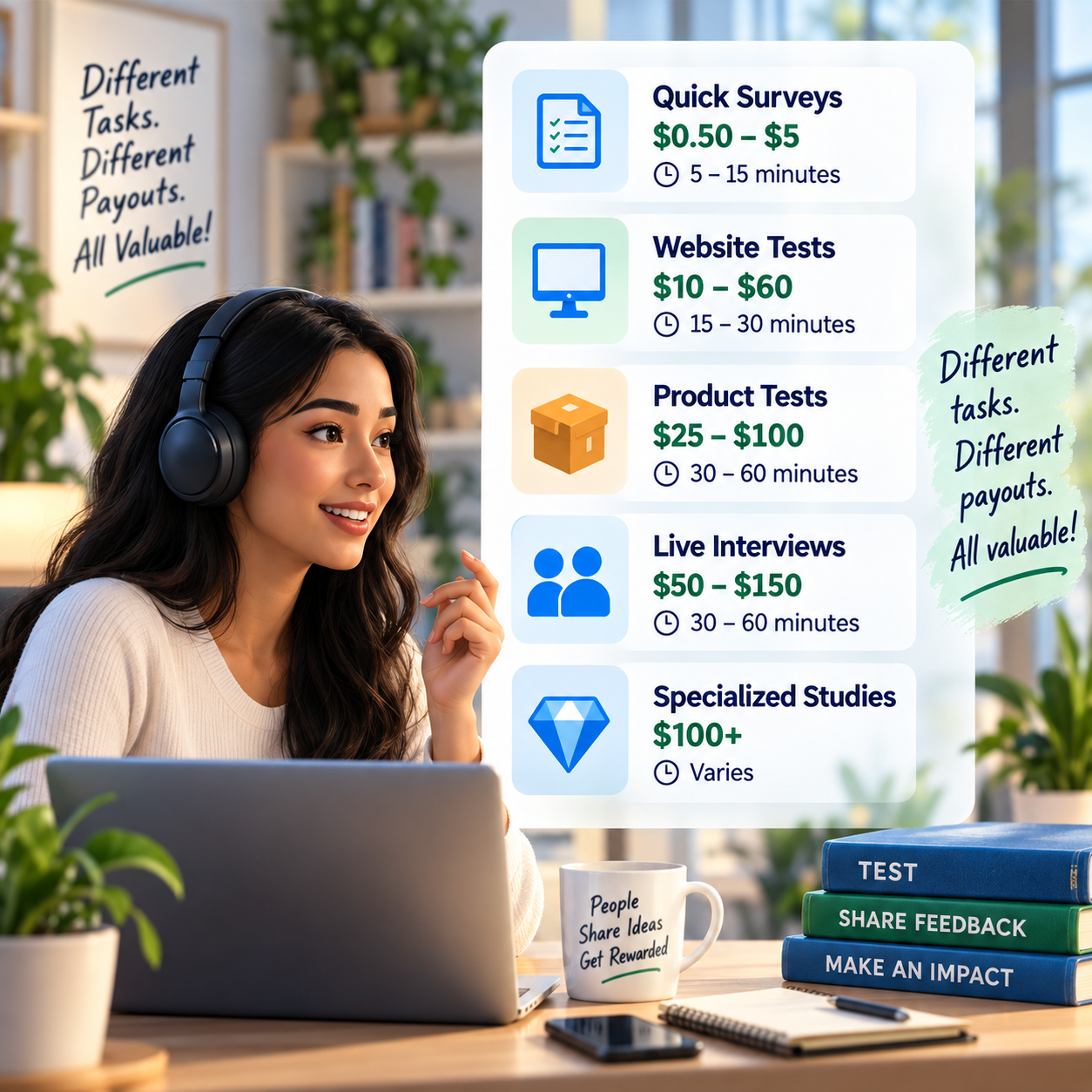
Treat stage and study-pay ranges as illustrations, not verified current offers or guaranteed monthly income. Profile fit, screen-outs, unpaid time, location, availability, thresholds, and payout type vary. High-paid interviews cannot be assumed to recur on demand.
💵 What Research Participation May Pay
📊 Income Progression by Stage
🚀 Stage | 🧪 Activity Level | 💰 Typical Monthly Income | ⏳ Timeline | 📌 What’s Happening |
Beginner | Surveys + occasional tests | $25–$150 | 0–1 month | Learning platforms, completing screeners, getting first payouts |
Developing | Regular surveys + more user tests | $150–$500 | 1–3 months | Better profiles, faster response time, more test invites |
Established | Consistent user testing across platforms | $500–$1,200 | 3–6 months | More platform coverage, better qualification rate |
Advanced | User testing + interviews + research panels | $1,200–$2,500+ | 6–12 months | Higher-paying studies, recurring research opportunities |
Power User | Multiple premium research sources | $2,500+/month | 12+ months | Strong systems, fast application habits, better study selection |
🎯 KEY TAKEAWAY
The stages describe possible progression, not guaranteed income or a required timeline. Use your own capital or business records to plan realistically.
📊 Key Metrics & Margin Snapshot
📈 Study Payouts & Unpaid Screening (Income Reality)
📊 What Your Participation Time Is Actually Worth
Metric | What to Record |
Total time | Include screeners, invitation checks, setup, sessions, and follow-up |
Eligibility results | Record screen-outs, qualifying studies, and availability |
Reward status | Separate pending, approved, rejected, and received rewards |
Payout type | Distinguish cash, points, gift cards, and thresholds |
Observed hourly return | Compare actual receipts with all participation-related hours |
🎯 KEY TAKEAWAY
Count unpaid screening and use actual receipts. Advertised session pay alone exaggerates dependable earnings.
💸 Survey, Test & Study Pay Reference
🧾 Survey, Test & Study Pay Reference
💡 Opportunity Type | 💰 Typical Pay |
Basic survey | $0.50–$5 |
Better survey / longer screener-based survey | $5–$20 |
Short unmoderated user test | $10–$30 |
Standard usability test | $30–$60 |
Moderated live interview / research session | $50–$150+ |
Specialized research study | $100–$300+ |
🎯 KEY TAKEAWAY
These are opportunity illustrations, not wage offers or a guaranteed supply of studies. Confirm payout type and requirements before participating.
🧮 Check Your Project & Revenue Economics
Observed cash return per hour = cash actually received ÷ all screening and participation-related hours.
Track gift cards and points separately rather than treating them as cash. Deduct any legitimate relevant costs when assessing net value, and consider applicable taxes. Pending rewards and invitations are not spendable income.
🚀 ACTION STEP
🗓️ Build a Monthly Research Payout Snapshot
Use actual records and a sustainable plan—not projections alone—to decide what to continue.
5. Tools & Platforms to Get Started
🛠 TOOLS & RESOURCES
🧪 User Testing Platforms (Higher Pay)
Platform | Pay Range | Test Length | Payout Method | Qualification |
$10-60/test | 15-30 min | PayPal (7 days) | Easy - screener test | |
$50-500/study | 30-180 min | PayPal (7 days) | Moderate - specific demographics | |
$10/test | 15-20 min | PayPal (Friday) | Easy - website test | |
$5-90/test | 10-90 min | PayPal (weekly) | Easy - screener test | |
$9/test | 15 min | PayPal (varies) | Easy - mobile gaming focus | |
$50-200/study | 30-120 min | PayPal/gift cards | Moderate - screener | |
$25-250/study | Varies | PayPal (varies) | Moderate - professional expertise |
✅ Recommendation: Sign up for UserTesting + Respondent + TryMyUI at minimum.
🔄 Hybrid Platforms (Testing + Surveys)
Platform | Activities | Pay Range | Best For |
Website/app testing | $5-50/test | Tech products | |
Software QA testing | $10-100+/test | Tech-savvy testers | |
Beta testing + surveys | $5-50 | Early adopters | |
IntelliZoom | Remote usability testing | $10/test | Quick tests |
📋 Survey Platforms (Volume, Lower Pay)
Platform | Avg Survey Pay | Cash Out Min | Payout Method | Legit Rating |
$6-12/hr | $5 | 🔥🔥🔥🔥🔥 Best | ||
$1-3 | $5 | PayPal, gift cards | 🔥🔥🔥🔥 Good | |
$0.50-5 | $3-25 | PayPal, gift cards | 🔥🔥🔥🔥 Good | |
$0.50-3 | $15 | Bank transfer, gift cards | 🔥🔥🔥 Decent | |
$0.50-5 | $15 | Check, gift cards | 🔥🔥🔥 Decent | |
$0.50-3 | $5 | PayPal, gift cards | 🔥🔥🔥 Decent | |
$0.50-5 | $10 | PayPal, gift cards | 🔥🔥🔥 Decent | |
$0.50-5 | $2 | PayPal, gift cards | 🔥🔥🔥 Decent |
✅ Recommendation: Prolific for best pay/hour + Survey Junkie + Swagbucks for variety.
📦 Product Testing (Free Stuff)
Platform | Products | Requirements | Best For |
Beauty, food, household | Social media presence | Reviews on social | |
Various consumer products | Write reviews | Product enthusiasts | |
Sample boxes | Monthly samples | Trying new products | |
Amazon products | Invite-only (top reviewers) | Serious reviewers | |
Beauty, food, tech | Social sharing | Product reviews |
🎧 Equipment Needed
Item | Purpose | Cost | Required? |
💻 Computer or Smartphone | Testing platform | $0 (you have) | 🔥 Yes |
🎙️ Microphone | Record feedback | $0-30 | 🔥 Yes (testing) |
🤫 Quiet Environment | Clear audio | $0 | 🔥 Yes (testing) |
📷 Webcam | Video recording | $0-50 | Sometimes |
Receive payments | $0 | 🔥 Yes (most) | |
🎧 Headphones | Better focus | $10-50 | Optional |
💰 Total startup cost: $0 if using your existing device and built-in mic.
6. Where to Find User Testing & Research Work
The best opportunities usually come from combining reputable research panels, usability-testing platforms, focus groups, and selective product studies. Compare each option by screening time, payout, privacy requirements, and your actual hourly return—not the advertised reward alone.
🔥 Priority Platforms — Start With Stronger Opportunities
Not all survey sites are worth your time. The best platforms usually offer better pay, fewer disqualifications, and higher-quality opportunities.
Platform | Avg Pay | Best For | Why It’s Good |
Prolific 🧠 | $6–$12/hour | Academic studies | Better pay, lower disqualification rate, research-based studies |
$50–$500/study | Professionals and niche audiences | High-ticket research interviews and business studies | |
$50–$200/study | Focus groups and interviews | Premium research opportunities from real companies | |
UserTesting 🖥️ | $10–$60/test | Website and app testing | Fast tasks, strong demand, beginner-friendly after approval |
Trymata 🔍 | Around $10/test | Beginner user testing | Simple entry point for testing websites and apps |
🧰 Best Starting Stack
💡 PRO TIP
Prioritize platforms that pay for real research studies, interviews, and usability testing instead of only low-pay surveys.
⚖️ Supplemental Survey Sites — Use Selectively
These platforms usually pay less, but they can be useful during downtime. They are better for small extra cash than serious income.
Platform | Avg Pay | Best Use |
$1–$3/survey | Simple surveys, easy entry | |
$0.50–$5/task | Surveys, offers, cashback, small rewards | |
$0.50–$3/survey | Consistent survey volume | |
$0.50–$5/task | Surveys, offers, games, small tasks |
📖 How to Use These Wisely
- ⏳ Use them during downtime
- 🚫 Do not rely on them as your main income source
- 💸 Cash out once you reach the minimum threshold
- 🛑 Avoid offers that require spending money unless you were already going to buy
- 📊 Track time spent so you know your real hourly rate
⚠ COMMON MISTAKE
Medium-pay survey sites can be useful, but they are not the highest ROI. Use them as filler work, not your main strategy.
💎 Focus Groups — Pursue Higher-Value Research
Focus groups are one of the best ways to earn more from surveys and research. Instead of answering quick questionnaires, you give detailed feedback in a live or recorded session.
💵 Typical Pay
Type | Typical Pay |
Online focus group | $50–$200 |
In-person focus group | $75–$300 |
Professional research study | $100–$500+ |
Multi-day study | $200–$1,000+ |
📍 Best Places to Find Them
- Respondent.io
- User Interviews
- Local market research firms
- University research studies
- Facebook Groups for paid research studies
- Company research panels
⭐ Who Gets Picked More Often
You may qualify more often if you have:
- A specific profession
- Business buying authority
- Experience with certain software
- Parenting or household decision-making role
- Health, fitness, finance, or education-related experience
- Niche hobbies or specialized interests
🎯 KEY TAKEAWAY
Focus groups are less frequent than regular surveys, but the payout per hour is usually much better.
🖥️ User Testing — Explain the Experience Clearly
User testing pays you to record your screen and voice while you complete tasks on a website, app, prototype, or digital product.
🗂️ Common Tasks
- Test a website checkout process
- Review a mobile app
- Give feedback on a landing page
- Explain what is confusing
- Compare two designs
- Test a sign-up flow
- Share first impressions
🧰 Best Platforms
Platform | Typical Pay | Best For |
$10–$60/test | Website and app testing | |
Around $10/test | Beginner usability testing | |
$50–$200/study | Longer interviews and product feedback | |
$50–$500/study | Professional and niche product research |
🔍 How to Get More Tests
- Complete your profile fully
- Be honest in screeners
- Speak clearly during test recordings
- Explain your thoughts out loud
- Use a reliable microphone
- Check opportunities throughout the day
- Respond quickly when invited
💡 PRO TIP
User testing is great if you are comfortable speaking your thoughts out loud while using websites and apps.
📦 Product & Beta Testing — Check the True Value
Product testing can pay in cash, free products, gift cards, or early access. This is less consistent than surveys, but it can be high-value when you qualify.
💡 Types of Testing
Type | What You Do | Possible Reward |
Physical Product Testing | Test products at home and give feedback | Free product + cash or gift card |
App Beta Testing | Try new apps before public release | Cash, gift card, or early access |
Game Beta Testing | Test games and report feedback | Early access + possible payment |
Software Testing | Review tools, dashboards, or workflows | Higher-paying research opportunities |
🔍 Best Product Testing Categories
- Beauty products
- Food and beverage
- Baby products
- Household goods
- Tech products
- Apps and software
- Games
- Fitness products
📈 How to Improve Your Chances
- Keep profiles updated
- Fill out demographic info completely
- Respond quickly to invitations
- Give detailed, useful feedback
- Follow testing instructions carefully
- Submit reviews or surveys on time
💡 PRO TIP
Product testing is a bonus channel. Use it alongside focus groups, user testing, and high-paying survey platforms.
🎯 Earning Strategy — Protect Your Time and Privacy
The people who earn the most from surveys and user testing do not rely on one site. They stack multiple platforms and prioritize the highest-paying opportunities first.
🥇 Best Priority Order
- Focus groups
- Professional research studies
- User testing
- Product testing
- Medium-paying surveys
- Low-paying reward tasks
🗓️ Daily Routine
- Check top platforms 2–3 times daily
- Enable email and app notifications
- Apply quickly to high-paying studies
- Keep profile answers updated
- Track which platforms actually pay well
- Avoid wasting time on repeated disqualifications
- Cash out regularly
🧰 Platform Stack
Join 10–15+ platforms over time, but start with your top 3–5 first.
🔄 Suggested Weekly Workflow
Day | Action |
Monday | Apply to new focus groups and research studies |
Tuesday | Complete user tests and check survey invites |
Wednesday | Update profiles and apply to niche studies |
Thursday | Check product testing and beta testing opportunities |
Friday | Cash out earnings and track best platforms |
Weekend | Use medium-pay surveys only during downtime |
💰 Income Reality
Effort Level | Realistic Outcome |
Casual | Small extra cash or gift cards |
Consistent | Better monthly side income |
Strategic | Occasional high-paying studies and focus groups |
🎯 KEY TAKEAWAY
More platforms create more invites, but better filtering creates better income. Focus on high-paying studies first, then use lower-paying surveys only as filler.
7. From Screener to Submitted Study
Qualifying for a study is only the beginning. The real job is to complete the research honestly, carefully, privately, and exactly as instructed.
Use this workflow:
Read → Verify → Consent → Prepare → Participate → Explain → Complete → Submit → Record → Learn
Your goal is not “Say what the researcher wants to hear.” It is “Give truthful feedback that helps the researcher understand your real experience.”
Use the seven phase tabs in order. Keep your privacy checklist, think-aloud framework, and study tracker open while you work. Chapters 5–6 cover tools and where to find studies.
✅ PHASE 1 — Read the Opportunity, Answer Honestly & Reconfirm
📋 Steps 1–4: Check what you are agreeing to, answer the screener from your real situation, and reread the full instructions after you qualify. Finish with a study you can honestly complete — not a payout you clicked too fast.
✅ Ready to move on: You have read the full instructions and can honestly complete the study as described.
📖 Step 1: Read the Opportunity Before Starting
Do not accept a study based only on the payout. Check what you are actually agreeing to.
📋 Check Format, Time & Technology
Format
- Survey
- Recorded usability test
- Live interview
- Focus group
- Product test
- Multi-day study
Time
- Estimated duration
- Scheduled start time
- Follow-up requirements
- Multi-session commitments
Technology
- Computer
- Mobile phone
- Webcam
- Microphone
- Specific browser
- Specific app
🎥 Check Recording, Eligibility & Reward
Recording
- Screen
- Voice
- Webcam
- Session recording
Eligibility
- Devices
- Profession
- Product usage
- Demographics
- Experience
- Location
Reward
- Cash
- Gift card
- Points
- Product
- Other compensation
❓ Step 2: Ask Whether You Genuinely Fit
Before you start, answer:
- Do I genuinely qualify?
- Can I complete every required step?
- Am I comfortable with what will be recorded?
- Can I meet the schedule?
If not, skip it.
🎯 KEY TAKEAWAY
A high advertised payout is not a good opportunity if you cannot honestly meet the study requirements.
🧩 Step 3: Treat the Screener as Eligibility — Not a Puzzle
A screener is trying to find a particular type of participant. It is not a quiz you are supposed to beat. Answer from your real situation. Do not study screener patterns to figure out which answer will qualify.
🧾 Answer From Your Real Situation
Be truthful about:
- Job
- Industry
- Income range
- Household
- Technology
- Purchases
- Software
- Medical or lifestyle information
- Product usage
- Decision-making authority
UserTesting’s current contributor rules specifically require honest screener responses and accurate profile information. [1]
🎯 Keep the Right Mindset
A screen-out does not necessarily mean: “I failed.”
It usually means: “They need a different participant.”
That distinction matters. Eligibility is outside your control. Honesty is not.
🔎 Step 4: Reconfirm the Study After You Qualify
Qualification may reveal more information. Read the full instructions before starting. Do not assume you must do anything requested simply because you qualified.
📌 Confirm the Actual Assignment
Confirm:
- Exact task
- Deadline
- Recording requirements
- Whether you must think aloud
- Whether webcam is required
- Whether there are special confidentiality rules
- Whether you need to install software
- Whether follow-up is required
🚨 Watch for Mismatches
If the screener suggested “Review a shopping website” but the actual task suddenly asks you to:
- Enter sensitive financial information
- Make an unexpected purchase
- Install suspicious software
- Reveal unrelated confidential work data
stop and review the platform’s instructions or support process.
🧪 Your First 5 Studies
🚀 ACTION STEP
Complete five legitimate research opportunities well and learn from each one. Do not force yourself to qualify for five immediately. Eligibility is outside your control. The challenge begins when you actually receive suitable opportunities.
📘 Study 1 — Follow Instructions
Focus on:
- Reading carefully
- Technology
- Completion
- Submission
Do not worry about speed.
💬 Study 2 — Improve Your Feedback
Focus on:
Notice → Expect → Act → Result → Impact
Make your reasoning easier to understand.
🔐 Study 3 — Improve Privacy
Before starting:
- Clean the screen
- Disable notifications
- Review consent
- Check recording permissions
Make this automatic.
🎯 Study 4 — Improve Specificity
Replace vague reactions with:
- Examples
- Expectations
- Reasons
- Real stories
📊 Study 5 — Review the Whole System
Afterward ask:
- Which format suited me best?
- Was I comfortable thinking aloud?
- Which studies took longer than expected?
- Which platform instructions were easiest?
- Did any privacy request make me uncomfortable?
- Did I rush survey responses?
- Did I speak enough during recorded tests?
- What kind of research would I gladly do again?
🔐 PHASE 2 — Understand Recording, Clean Your Screen & Protect Confidentiality
📋 Steps 5–9: Know what the study captures, clean your digital environment, protect other people’s information, keep prototypes confidential, and check AI rules. Finish with a session that records the study — not the rest of your life.
✅ Ready to move on: Your environment is clean, other people's information is protected, and confidentiality and AI rules are checked.
🎥 Step 5: Understand What Is Being Recorded
Before beginning, know whether the study will capture:
- Screen
- Voice
- Webcam
- Browser activity
- Mouse movements
- Survey responses
- Product-use behavior
Recorded usability platforms commonly require screen and audio access. UserTesting, for example, tells contributors that its recorded tests may capture their screen and microphone. [2]
Ask: What could accidentally appear during that recording?
🧹 Step 6: Clean Your Digital Environment
Before a screen-recorded study, close anything you would not want a researcher to see. A separate browser profile or clean session can reduce accidental exposure. Do not use a work device for research testing if that would violate your employer’s policies or expose company information.
🚪 Close Private Windows
- Close personal email
- Close banking tabs
- Close private messages
- Close confidential work systems
- Close password managers if visible
- Hide browser bookmarks if needed
- Disable pop-up notifications
- Clear sensitive desktop items
- Close unrelated applications
⚠️ Keep the Recording on the Study
⚠ COMMON MISTAKE
Screen recording should capture the study — not the rest of your life.
👥 Step 7: Protect Other People’s Information Too
Privacy is not only about you. Avoid accidentally exposing:
- Coworker names
- Client files
- Children’s information
- Family messages
- Employer data
- Customer records
- Private photographs
If something appears unexpectedly, follow the platform’s process.
🔒 Step 8: Respect Confidentiality
Some tests involve unreleased websites, prototypes, new products, future features, internal concepts, or confidential research material. Keep them inside the study.
🧪 What May Be Confidential
You may see:
- Unreleased websites
- Prototypes
- New products
- Future features
- Internal concepts
- Confidential research material
🚫 What Not to Do
Do not:
- Screenshot them for later
- Post them online
- Show friends
- Upload them to social media
- Add them to a public portfolio
- Share researcher information
UserTesting’s contributor code currently tells participants not to share customer information or materials accessed during testing. [1]
🤖 Step 9: Check the Rules Before Using AI
Do not automatically use an AI assistant to answer screeners, draft survey responses, generate usability feedback, write interview answers, or analyze confidential study material. Some research platforms prohibit this.
📜 Check the Platform Rule
UserTesting’s current Contributor Code explicitly says contributors may not use AI-generated responses or AI content-generation tools while participating in tests. [1]
If a study specifically involves testing an AI product, follow the study instructions. Otherwise, do not outsource your research participation.
🧠 Keep the Feedback Yours
Your feedback should come from you.
Researchers are paying for your real experience, not a generated summary of what a typical user might say.
💻 PHASE 3 — Read the Scenario, Think Aloud & Stay in the Task
📋 Steps 10–15: Stay in the assigned scenario, speak your first impressions, explain why you act, and keep the session on the task. Finish with useful research behavior — not a silent click-through or a redesign lecture.
✅ Ready to move on: You can stay in the assigned scenario and explain first impressions and reasons without drifting off task.
🗺️ Step 10: Read the Scenario and Give First Impressions
Usability tests often give you a scenario, such as: “Imagine you are looking for a hotel for an upcoming weekend trip.” That scenario matters. Do not immediately start clicking randomly.
First ask: What am I trying to accomplish? What would I naturally expect to do?
UserTesting similarly advises contributors to read the scenario and task carefully and stay in that mindset during testing. [3]
👀 Say What You Notice First
Before clicking, say what you notice. First impressions are valuable because they disappear once you learn how the interface works.
- “The first thing I notice is the search bar.”
- “I expected pricing to be visible here.”
- “I’m not immediately sure where to start.”
💡 Why This Matters
💡 PRO TIP
The researcher cannot recover a first impression after you already understand the page. Speak it before you act.
🗣️ Step 11: Use the Think-Aloud Method
For recorded usability tests, the researcher often needs to understand why you take an action — not merely watch the cursor. UserTesting’s guidance specifically tells participants to verbalize thoughts, expectations, questions, and reactions while working through tasks. [4]
Use this framework. It gives the researcher much more than “This button is bad.”
👀 NOTICE
What do you see?
“I see two buttons that look almost identical.”
🖱️ ACT
What are you doing?
“I’m clicking it because it looks like the primary action.”
🧠 EXPECT
What did you think would happen?
“I expected the blue button to continue checkout.”
🔄 RESULT
What happened?
“That took me back to the product page.”
💡 IMPACT
Why does that matter?
“Now I’m unsure whether my cart was saved, so I’d probably hesitate before continuing.”
💬 Step 12: Explain Decisions — Don’t Narrate Every Pixel
Thinking aloud does not mean: “I’m moving my mouse. Now I’m scrolling. Now I’m clicking.” Explain the reasoning. The value is in your expectation.
👎 Weak
“I’m clicking Menu.”
👍 Better
“I’m opening the menu because I expect account settings to be there.”
⭐ Better Still
“I expected account settings in the profile icon, so having to open the main menu is slightly surprising.”
🙋 Step 13: Stay a Participant and Give Authentic Reactions
You are usually being paid for your experience as a participant — not for a redesign presentation. Unless the researcher specifically wants expert design feedback, explain the user problem first. Your natural experience is often the thing they need.
✅ Useful vs Less Useful
Useful: “I couldn’t tell which shipping option was selected.”
Less useful: “They should completely redesign this with a card-based React component and move the CSS grid to...”
😊 Include What Works — Don’t Invent Problems
Do not assume researchers only want complaints. If something is easy, say so: “This makes sense to me. I found the option immediately.”
A flawless experience is still research data. You do not need to invent problems. Example of useful praise: “This is clear because the total price stays visible while I’m choosing options.”
🧱 Step 14: Handle Broken Prototypes Calmly
Some tests use incomplete prototypes. Buttons may not work. Pages may contain placeholder content. Do not spend five minutes repeatedly clicking a dead element unless the task requires it.
🗣️ What to Say
“I expected this button to open the next page, but nothing happens. I’m assuming this part of the prototype may not be active.”
Then follow the instructions.
📌 Stay on the Assigned Task
UserTesting specifically notes that prototypes may contain nonfunctional elements and tells participants to stay focused on the assigned task. [5]
🎯 Step 15: Stay Inside the Task
If the task says “Find where you would change your shipping address,” do not spend ten minutes reviewing blog posts, careers, every product page, or company history unless your natural path leads there and that confusion is relevant.
Research sessions have limited time. Give depth where the task needs it.
📋 PHASE 4 — Complete Surveys, Interviews, Focus Groups & Product Tests
📋 Steps 16–21: Read survey questions as written, prepare for live sessions like appointments, give real stories, and treat product tests as research. Finish with honest answers from your actual experience — not invented expertise.
✅ Ready to move on: Your answers are honest and drawn from real experience, and live sessions are prepared like appointments.
📝 Step 16: Treat Surveys Differently From Recorded Tests
Not every research format requires thinking aloud. For example, UserTesting’s own survey format generally uses written or selected responses rather than recorded think-aloud behavior, although external surveys within recorded tests may follow different instructions. [6]
📋 For Surveys
- Read each question
- Answer honestly
- Use the available scale correctly
- Give useful written details
- Do not rush
- Avoid contradictory responses
🎧 For Recorded Tests
Speak your thoughts, expectations, and reactions while you complete the tasks. Written survey answers are not a substitute for think-aloud behavior when the study is a recorded usability test.
🔍 Step 17: Read the Entire Question Before Answering
Survey mistakes often happen because people answer after reading only half the question. Slow enough to answer the question actually being asked. Research surveys sometimes ask similar questions intentionally. Do not assume “They already asked this.” Read each version.
⚠️ Watch These Words
- Most
- Least
- Never
- Always
- Past 30 days
- Past year
- Select all
- Select one
- Not applicable
There is a huge difference between “Which have you purchased?” and “Which have you purchased in the last 30 days?”
🔁 Don’t Speed Through Repeats
Similar questions may be measuring:
- Different wording
- Different product features
- Consistency
- Different timeframes
- Separate concepts
Answer what is actually asked.
✍️ Step 18: Use Written Responses to Add Context
If a survey asks “Why did you choose that rating?” avoid “Because it was good.” Try: “I rated it 4 instead of 5 because the checkout was easy, but I couldn’t find the return policy until the final page.”
That provides information the rating alone cannot. UserTesting also advises survey participants to provide honest, detailed written responses when requested. [6]
📅 Step 19: Prepare for Live Interviews Like an Appointment
For moderated research, treat the session as a scheduled appointment. Answer honestly, listen to the full question, and let the moderator guide the conversation.
🛠️ Before the Session
- Confirm date and time zone
- Test microphone
- Test webcam if required
- Check internet
- Charge device
- Join a few minutes early
- Have the relevant product or device ready
🎙️ During the Session
- Answer honestly
- Listen to the full question
- Ask for clarification when needed
- Give examples from your real experience
- Say when you do not know
- Let the moderator guide the conversation
📖 Step 20: Give Stories, Not Invented Expertise
Researchers often learn more from the example than the opinion. Specialized research can be valuable precisely because researchers need people with specific real-world experience. Pretending to have that experience damages the study.
💬 Weak vs Better
Weak: “I don’t like subscription apps.”
Better: “I canceled my last subscription because I only used the app twice in the first month and forgot I was still paying for it.”
🚫 Don’t Invent Expertise
If a researcher asks “Have you used Salesforce?” and you have only seen it once — say that.
Do not turn limited exposure into: “Yes, I’m an experienced Salesforce user.”
👥 Step 21: Handle Focus Groups and Product Tests as Research
In a group, you are not trying to win the discussion. The researcher wants several viewpoints. For physical product studies, follow the instructions and keep notes while experiences are fresh — do not wait until the final survey and then try to remember everything.
💬 In a Focus Group
- Let others finish
- Avoid interrupting constantly
- Speak when you have something relevant
- Disagree respectfully
- Give your own perspective
- Do not merely echo the strongest speaker
📦 For Product Tests
Follow instructions about:
- When to begin using the product
- How often to use it
- What to record
- What not to do
- Safety instructions
- Follow-up surveys
- Product return or disposal
Treat it as research, not free stuff.
💬 PHASE 5 — Make Feedback Specific and Useful
📋 Steps 22–25: Pair what happened with how you interpreted it, name the expectation gap, and describe friction precisely. Finish with usable observations — not insults, vague complaints, or a forced redesign.
✅ Ready to move on: You have usable observations that pair what happened with why—no insults or invented redesigns.
🔍 Step 22: Separate Observation From Opinion
Both observation and opinion can be useful. Together they are stronger. The researcher then knows what happened, how you interpreted it, and why it mattered.
👀 Observation vs Opinion
Observation: “I had to scroll below three promotional sections before I found shipping information.”
Opinion: “That feels frustrating.”
💪 Strong Feedback
“I had to scroll past three promotional sections before I found shipping information, which made me wonder whether shipping costs were being hidden.”
↔️ Step 23: Use the Expectation Gap
Some of the best usability feedback comes from the difference between what you expected and what actually happened.
🧮 Formula
I expected ___ because ___. Instead, ___. That made me ___.
🧪 Example
📋 REAL-WORLD EXAMPLE
“I expected the logo to take me back to the homepage because that’s what I usually see on shopping sites. Instead, nothing happened, so I had to use the back button.”
🎯 Step 24: Describe Friction Precisely
Avoid vague words when you can explain the problem. Specific feedback gives the researcher something they can understand.
😕 Instead of “Confusing”
Say: “I can’t tell whether these two plans include different features because the descriptions are nearly identical.”
📐 Instead of “Bad Layout”
Say: “The button I need is below the fold, and I didn’t notice it until I scrolled.”
🧭 Step 25: Explain Confidence Without Manufacturing a Redesign
Sometimes you complete the task but still feel uncertain. Say so. Task completion alone does not necessarily mean the experience felt trustworthy. If you know what you would change, say it. Do not feel obligated to redesign everything. Keep feedback about the experience — not the people.
🧾 Say When You Are Unsure
“I think the reservation went through because I see a confirmation number, but I expected an email or a clearer success message.”
Good: “I’d make the cancellation policy easier to find.”
Also good: “I know something feels unclear here, but I’m not sure what design would fix it.”
🚫 Keep It About the Experience
Avoid: “Whoever designed this is incompetent.”
Say: “I couldn’t tell which option was selected because both buttons look the same.”
Research needs usable observations, not insults.
📤 PHASE 6 — Check Tasks, Report Issues & Submit Completely
📋 Steps 26–29: Confirm every required task, keep the session natural, report technical problems factually, and wait for the upload. Finish with a complete, honest submission — not a polished performance or a closed window mid-upload.
✅ Ready to move on: Every required task is complete, technical problems are reported factually, and the upload has finished.
✅ Step 26: Check the Task List Before Finishing
Before clicking Submit, ask:
- Did I complete every task?
- Did I answer every required question?
- Did I accidentally skip a page?
- Did the recording continue correctly?
- Did I explain major points?
- Did I follow special instructions?
UserTesting lists skipped instructions and insufficient think-aloud feedback among reasons practice tests may not pass review. [3]
🎭 Step 27: Do Not Restart Just to Sound Perfect
Research participants are not actors. Natural hesitation can be useful. If you become confused, that may be exactly what the researcher needs to observe.
Do not try to create a polished performance instead of a real experience.
🛠️ Step 28: Report Technical Problems Factually
If a page fails, an app crashes, the recorder stops, a prototype freezes, or a link is broken, explain what happened. That is more useful than “The site is broken.”
🧪 Useful Report
“After I selected Continue, the screen stayed blank for about 20 seconds. I refreshed once, but it remained blank.”
📌 What to Include
- What you clicked or typed
- What you expected
- What appeared instead
- How long you waited
- What you tried next
📤 Step 29: Submit Only Completed Work and Wait for Upload
Do not claim you used a product when you did not, finished a task you skipped, participated for longer than you did, or encountered a problem you did not encounter. If the test cannot be completed because of a technical problem, use the platform’s appropriate support or reporting process.
⏳ Wait for the Upload
For recorded studies, do not immediately close everything if the platform is still uploading. Make sure the submission process completes.
UserTesting’s mobile guidance, for example, tells participants to wait for the upload to complete after submitting a recorded test. [7]
🧾 Submit Only What Happened
⚠ COMMON MISTAKE
A finished-looking recording is not the same as an honest, complete submission. If you could not finish, report it. Do not invent the missing pieces.
📊 PHASE 7 — Track Payouts, Review Fit & Improve
📋 Steps 30–32: Record the real study including unpaid time, separate invitations from cash received, and learn from ratings. Finish knowing which formats fit you — not just which payout looked largest.
✅ Done when: The study is logged with unpaid time, invitations are separated from cash received, and you know which formats fit you.
📒 Step 30: Record the Opportunity
Record the actual study, including unpaid screening and setup time. That tells you far more than the headline payout.
⏱️ Time & Type
Field | Record |
Platform | Where you found it |
Study Type | Survey / Test / Interview / Other |
Screener Time | Unpaid qualifying time |
Setup Time | Prep |
Participation Time | Actual study |
Follow-Up Time | Additional work |
💵 Reward & Fit
Field | Record |
Reward Type | Cash / Gift Card / Points / Product |
Advertised Reward | What was offered |
Status | Pending / Approved / Received / Rejected |
Actual Receipt | What you actually received |
Privacy Comfort | Comfortable / Concern |
Would I Do It Again? | Yes / Maybe / No |
💰 Step 31: Separate Invitation, Qualification, Completion & Payment
These are four different events. Keep pending, approved, rejected, and received rewards separate in your records. Only the last number belongs in your real income records.
📩 INVITED
You were offered a screener.
No earnings yet.
🧪 COMPLETED
You finished the task.
Payment may still be pending.
✅ QUALIFIED
You fit the research criteria.
Still not necessarily paid.
💵 RECEIVED
Reward actually arrived.
That last number belongs in your real income records.
🔁 Step 32: Review the Experience and Learn From Ratings
A study can pay well and still be a poor fit. If the platform provides feedback, do not simply react to the score. Ask: What behavior can I change?
🧭 Review the Fit
Ask:
- Was the screener reasonable?
- Were the instructions clear?
- Did the study take approximately the stated time?
- Was the privacy requirement comfortable?
- Was the technology reliable?
- Did the reward arrive correctly?
- Would I accept a similar study again?
📈 Turn Feedback Into a Change
Feedback: Too quiet during several tasks. Improvement: Explain what I expect before clicking.
Feedback: Missed part of the instruction. Improvement: Read each task fully before acting.
That creates progress.
After enough experience, classify opportunities. Good participation includes knowing which study not to take.
✅ TAKE
The study fits you, the requirements are reasonable, and the time/privacy tradeoff makes sense.
❓ REVIEW
Something needs more investigation. Examples:
- Unclear recording requirements
- Unfamiliar software
- Long follow-up commitment
- Unusual information request
Read more before proceeding.
⏳ FILLER ONLY
The task is legitimate but low-value. Use only when it fits spare time and your personal threshold.
❌ SKIP
Skip when:
- You do not genuinely qualify
- Privacy requirements exceed your comfort
- The organization seems suspicious
- The task conflicts with platform rules
- The time requirement is not worth it
- You cannot complete it properly
As you gain experience, create a small operating system. The point is not to turn a flexible side hustle into a paperwork hobby. It is to make participation consistent and safe.
📥 Before Participation
- Opportunity checklist
- Privacy checklist
- Device check
- Quiet-space checklist
💻 During Usability Tests
- Think-aloud framework
- Instruction reminder
- Technical-problem notes
📝 During Surveys
- Read-before-answering rule
- Written-response framework
🎙️ During Interviews
- Calendar
- Time-zone check
- Device check
- Experience examples
📦 After Participation
- Study tracker
- Reward tracker
- Platform notes
- Feedback log
🔄 Use Your Repeatable Research Workflow
Use this cycle:
Opportunity → Screener → Consent → Prepare → Participate → Explain → Complete → Submit → Record → Review
Different research formats change the middle. The core behavior stays the same:
Be honest. Follow instructions. Protect private information. Give specific feedback.
🎯 Be a Reliable Participant
Your goal is not “Qualify for everything.” It is “Be a reliable participant in the studies that genuinely fit me.”
Answer screeners truthfully. Read the consent information. Protect your private data. Think aloud when required. Give specific feedback. Do not invent problems. Do not invent experience. Complete every task carefully. Submit correctly. Track actual payouts. Then spend more time on the research formats that fit you best.
🎯 KEY TAKEAWAY
Good user research does not need the answer the company hoped for. It needs the experience you actually had.
8. Tips for Success & Standing Out
Use this section to build trust, present your participant profile professionally, communicate clearly, deliver consistently high-quality feedback, move toward better-paying studies, specialize strategically, and avoid the mistakes that cost new testers and survey takers invitations, income, and energy. Chapter 7 gets you through each study; this chapter helps you look credible, qualify more often, and protect your time and privacy.
⭐ ADVANCED STRATEGY
1️⃣ Build Your Profile & Proof Before You Apply 📁
Non-negotiable
Platforms match you to studies using your profile, screeners, and track record. Before you chase paid studies, make sure your profile is complete, honest, and backed by a working setup.
🛡️ Why a Complete Profile Builds Trust
A complete profile helps platforms match you with the right surveys, product tests, and paid research studies.
Why this matters:
- Better matching means more relevant invitations
- Fewer screen-outs waste less of your time
- Consistent answers protect your account
- Researchers trust participants with clear, accurate profiles
- Some platforms pay small bonuses for detailed profiles, often around $5–$20, depending on the platform and study type
☑️ Minimum Readiness Checklist
- Profile completed to 100% on each platform you use
- Demographic, household, and work details that are accurate
- Interests, shopping habits, and technology usage filled in
- Location and availability up to date
- A tested microphone, internet connection, and quiet space
- A payout method set up from the platform’s official instructions
- A separate email and a tracker for time and earnings
🛡️ How to Get Ready Before Your First Paid Study
✅ Option 1: Complete Your Profile 100%
Fill in every section honestly.
What to complete:
- Demographic questions
- Job title, industry, and work experience
- Household details
- Interests and hobbies
- Shopping habits
- Technology and app usage
- Vehicle, travel, and lifestyle information
- Location and availability
🔄 Option 2: Keep It Current
Outdated answers lead to wrong matches and screen-outs.
Update your profile when:
- You start a new job
- You move
- Your household changes
- You buy new technology
- Your interests or habits change
- Your income or education status changes
🎙️ Option 3: Test Your Setup
Check your gear before the first invitation arrives.
What to do:
- Test your microphone and headphones
- Check your internet connection
- Confirm screen-recording permissions
- Take a practice test if the platform offers one
- Close personal tabs and silence notifications
{cap("tip","Test your microphone before every session. Audio problems can cost you the payout.")}
🔐 Option 4: Set Up a Safe Account
Protect yourself before sharing personal details.
What to do:
- Use a separate email for survey and testing sites
- Create strong, unique passwords
- Read privacy and consent terms
- Join only platforms that are free to join
- Avoid giving banking passwords or credit card details
2️⃣ Showcase Your Profile & Track Record 🗂️
📸 What to Include in Your Participant Profile
Profile Piece | What It Shows |
Complete demographics | You can be matched accurately |
Job and industry details | You fit professional and niche studies |
Device and technology list | You can join device-specific tests |
Interests and shopping habits | You fit consumer and product research |
Ratings and completion history | You finish studies reliably |
Availability | You can respond and schedule quickly |
Keep it accurate:
- Answer from your real situation
- Keep answers consistent across platforms
- Update when your life changes
- Do not exaggerate experience
🛡️ Where Your Profile Gets Seen
Place | Best For |
Usability platform profile | Matching to recorded tests |
Research marketplace profile | Interviews and professional studies |
Survey panel profile | Consumer and demographic surveys |
Product-testing programs | Home-use and beta tests |
Notification settings | Catching fast-filling studies |
Your tracker | Seeing which platforms fit you |
Tips:
- Keep email and push alerts on
- Join waitlists when available
- Review each profile on a set schedule
📣 Make Your Profile Work for You
Channel | How to Use It |
Platform profile | Complete every field and keep it current |
Notifications | Turn on email and push alerts for new studies |
Waitlists | Join them when platforms offer them |
Screeners | Answer from real life so you match the right studies |
Ratings | Follow instructions and give detailed feedback |
Tracker | Log time, pay, and qualification rates by platform |
⚠️ Reality check: A strong profile helps, but it does not guarantee invitations. Eligibility depends on what researchers need, and many studies will not select you.
💡 PRO TIP
You do not need to qualify for every study. You only need to qualify for the right ones.
3️⃣ Be Recognizable and Honest ✨
Trust is built by accurate answers, careful work, and a reliable record.
🪜 Position Yourself Clearly
Do not chase every platform. Pick a few platforms and the study types that fit your real profile.
Beginner: “I take surveys”
Better: “I do usability tests and research studies that match my background”
Best: “I give detailed, honest feedback on websites, apps, and products in areas I know, and respond quickly to invitations.”
Why a tight focus wins:
- Better qualification rates
- Less time lost in screen-outs
- Stronger ratings
- Better fit for premium studies
🌟 Ratings & History Build Trust
Reliable participation helps you stay in good standing.
Do:
- Complete studies you accept
- Follow instructions
- Give specific, useful feedback
- Respond on time
Aim for: a record of careful, complete studies on each platform.
Never: create duplicate accounts or invent a profile to qualify.
✅ Be Honest About Demographics
Honesty improves your matching and protects your account.
Why honesty matters:
- Lying can lead to disqualifications
- Screeners often detect inconsistent answers
- False information can get your account flagged
- Accurate answers get you better study matches
Do not fake:
- Income level
- Job title
- Industry experience
- Product ownership
- Medical history
- Family status
- Technology usage
🤝 Be Honest About Your Work
Do:
- Say when you do not understand an instruction
- Report problems you find
- Keep research confidential when required
- Disclose product gifts if you share a review publicly
Avoid:
- Rushing survey responses
- Giving answers you think the researcher wants
- Sharing confidential prototypes
- Taking studies you cannot honestly complete
📝 QUICK NOTE
You do not need to qualify for every study. A screen-out usually means they need a different participant, not that you failed.
4️⃣ Communicate Like a Professional 💼
Researchers and platforms judge your reliability by how quickly and clearly you respond.
⏱️ Check Platforms Daily
Many high-paying studies fill quickly. Checking often gives you a better chance of grabbing opportunities before they close.
Best check-in times:
- Morning
- Lunch break
- Evening
- Whenever you receive a notification
Ways to stay ready:
- Enable email notifications
- Turn on push alerts
- Join waitlists when available
- Keep your camera, microphone, and internet ready
- Respond quickly to study invitations
💬 Clear, Prompt Communication
Do:
- Reply to scheduling requests quickly
- Confirm details before a live session
- Arrive on time and ready
- Explain technical problems promptly
- Contact platform support through official channels
Avoid:
- Going silent before a scheduled session
- Accepting studies you cannot attend
- Sharing private details in messages
📅 Availability Status
Status | What to Tell Researchers or Recruiters |
Open | “I’m available this week. Please send times.” |
Limited | “I have a few openings on these days.” |
Waitlist | “I’m booked right now. Please keep me in mind for the next round.” |
Reschedule | “Something came up. Could we move to the next available time?” |
⏱ Response time: Check often and answer promptly, because fast response can be the difference between getting accepted and missing the study.
📝 QUICK NOTE
Only say you are available when you are. Cancelling late or not showing up can damage your standing on a platform.
5️⃣ Message & Feedback Templates 📝
✅ Scheduling Confirmation
Hi [Researcher / Recruiter],

Thanks for selecting me for [study name].
I can attend on [date and time]. I have
[camera / microphone / device] ready and have
read the instructions.

Please let me know if anything else is needed.
[Your Name]
🔁 Reschedule Request
Hi [Researcher / Recruiter],

I am sorry, but I need to reschedule [study
name] because [short reason]. I can meet on
[option 1] or [option 2]. Thank you for
understanding.

[Your Name]
💳 Missing Payout Message
Hi [Platform Support],

I completed [study name] on [date] and the
reward is still [pending / missing]. My
account email is [email]. Could you check the
status and let me know the expected date?

Thank you,
[Your Name]
🛠️ Technical Problem Message
Hi [Platform Support],

During [study name], I ran into [problem].
I was using [device / browser / app version].
I stopped and wanted to ask how to proceed
before submitting.

[Your Name]
🗣️ Think-Aloud Phrases
Say things like:
- “I’m looking for…”
- “I expected this button to…”
- “This part is confusing because…”
- “I like this because…”
- “I would probably click here next…”
- “I’m not sure what this means…”
Do not:
- Stay silent
- Only describe what you are clicking
- Rush through tasks
- Give one-word reactions
💡 Stronger Feedback Example
Weak feedback:
- “It was good.”
- “I liked it.”
- “Nothing was confusing.”
- “Everything is fine.”
Stronger feedback:
“The page looks professional, but I had trouble finding the pricing information. I expected it to be in the top menu or near the call-to-action button.”
Good feedback answers what worked, what felt confusing, what you would change, and what you expected.
📋 Details to Confirm Before a Study
- Exact task and deadline
- Study length and schedule
- Recording requirements: screen, voice, webcam
- Whether you must think aloud
- Confidentiality rules
- Reward type and payout timing
- Whether follow-up is required
🔁 Follow-Up Habits
- Submit only after checking instructions again
- Log the study in your tracker
- Note payout status and date
- Record what went well and what to improve
- Check back for pending rewards
- Cash out regularly
🛠 TOOLS & RESOURCES
Save these messages as notes or text shortcuts so you can reply quickly and professionally.
6️⃣ Marketing Hook Mastery & Smart Upselling 🎣
Getting more invitations means helping platforms match you and moving toward better-paying study types.
🪝 Profile Hooks That Get You Matched
Hook Type | Example |
Profession | A specific job, industry, or role |
Decision role | Business buying authority or household decisions |
Software | Experience with certain tools |
Life stage | Parenting or household role |
Interest area | Health, fitness, finance, or education |
Niche hobby | Specialized interests and products |
Use hooks in: your profile fields, screener answers, and research marketplace bios, always with true information.
🎯 Tactics That Work
- Complete every profile field honestly
- Turn on notifications and respond quickly
- Check top platforms 2–3 times a day if you can
- Apply early to high-paying studies
- Give detailed feedback to protect your rating
- Stay consistent for at least a few months
Avoid:
- Gaming screeners or learning patterns to beat them
- Joining platforms that charge fees
- Chasing every low-paying survey
💰 Moving Up: Help Yourself Earn More Per Hour
Higher income usually comes from better study types, not more low-pay surveys.
🥇 Best Priority Order
- Focus groups
- Professional research studies
- User testing
- Product testing
- Medium-paying surveys
- Low-paying reward tasks
🗣️ How to Move Up
- Prioritize user testing and research over basic surveys
- Add platforms that run interviews and focus groups
- Keep profile details accurate so you can qualify for niche studies
- Treat surveys as filler, not your main plan
- Use your tracker to drop low performers
🚀 ACTION STEP
Review your top three platforms, complete any missing profile fields, turn on notifications, and apply to one higher-value study this week.
7️⃣ Study Quality Checklist ✅
Quality is what earns good ratings and future invitations. Make sure each study is done carefully before you focus on volume.
🔇 Use a Quiet Environment
Audio quality matters. Background noise can hurt your test quality or cause rejection.
Avoid:
- TV noise
- Barking pets
- Family interruptions
- Traffic noise
- Background music
- Phone notifications
Better setup:
- Quiet room and closed door
- Headphones with microphone
- Stable internet
- Screen recording permissions ready
- Phone on silent
🗣️ Think Aloud Naturally
Most user tests want to hear what you are thinking while you use the website, app, or product.
Tips:
- Pretend you are explaining your experience to a friend next to you
- Describe expectations, not just clicks
- Say what confuses or pleases you
- Do not overthink your answers
- Do not rush
📖 Follow Instructions Carefully
Many rejected tests happen because people skip steps or misunderstand the task.
Before starting:
- Read the full task description
- Note required steps
- Check whether you need to speak aloud
- Confirm if you must record screen, face, or voice
- Understand what the researcher wants tested
During the test:
- Complete all required steps
- Do not skip sections
- Stay on task
- Explain if something does not work
- Check the instructions again before submitting
💬 Give Honest, Detailed Feedback
Researchers pay for useful opinions, not perfect answers.
Good feedback answers:
- What worked well?
- What felt confusing?
- What would you change?
- What did you expect to happen?
- What made you trust or distrust the page?
- What would stop you from buying, signing up, or continuing?
Rule: More specific feedback usually leads to better ratings.
🚦 Pre-Study Checklist
Check | What to Confirm |
Instructions | Read in full; requirements understood |
Audio | Microphone tested; quiet space |
Internet | Stable connection |
Device | Charged and updated |
Privacy | Personal tabs closed; notifications off |
Recording | Know what is captured |
Time | Block set aside; no interruptions |
🔎 Every-Session Routine
- Read the task and consent information
- Prepare your space and device
- Test audio and recording
- Complete each step while thinking aloud
- Review the instructions
- Submit and log the study
Safety:
- Do not reveal passwords or bank details
- Protect other people’s information
- Keep prototypes confidential
- Stop if a study asks for unnecessary sensitive data
🛠 TOOLS & RESOURCES
Keep a reusable pre-study checklist in your notes app and run through it every time.
8️⃣ Specialization & Pricing Strategy 🎯
Income varies widely with platform mix, qualification rate, and how well you use your time, not only hours spent.
⏰ Time Management & Efficiency
Time is the main profit driver. The less time wasted, the more each hour is worth.
Build these habits:
- Use surveys as filler during small pockets of time: commercials, waiting rooms, short breaks, or before bed
- Schedule focused testing blocks of 2–3 hours per week
- Save your best energy for higher-paying tests and interviews
- Use headphones, a quiet space, and a charged device
- Read instructions before you start
{cap("tip","Save focused energy for user tests and interviews. Use survey filler only when your time is already free.")}
📊 Track Your Earnings
Tracking helps you identify which platforms are worth your time.
Track:
- Amount earned
- Time spent
- Effective hourly rate
- Qualification rate
- Disqualification rate
- Payment status
- Date completed
- Type of task or study
Formula: Pay ÷ Time Spent = Effective Hourly Rate
Example: A $10 task that takes 20 minutes works out to about $30/hour. Include screening time to see your real rate.
🔍 Generic vs. Specific
Generic | Specific |
Join every survey site | Pick a few platforms that fit your profile |
Answer anything | Answer honestly to match the right studies |
Check once a week | Check top platforms daily |
Short, vague feedback | Specific, detailed feedback |
💵 Opportunity Types to Compare
Opportunity | Illustrative Pay | Best Use |
Basic survey | $0.50–$5 | Small filler time |
Short unmoderated test | $10–$30 | Beginner testing |
Standard usability test | $30–$60 | Core testing work |
Moderated interview | $50–$150+ | Higher-value sessions |
Specialized study | $100–$300+ | Niche professionals |
These are illustrative planning references, not guaranteed earnings. Many screeners are unpaid and many participants will not qualify.
🏆 The Skill Stack That Wins
⚡ Speed and 🎯 Quality
Speed: Respond quickly, prepare in advance, and avoid wasted screeners.
Quality: Follow instructions, speak clearly, and give detailed feedback.
💰 Sales and 💼 Systems
Sales: Move toward interviews, focus groups, and research studies.
Systems: Track earnings, time, qualification rates, and payouts.
Winning formula: Complete Profile + Daily Checks + Detailed Feedback + Smart Time Tracking = Better Opportunities
The people who earn the most from surveys and user testing are consistent, honest, selective, and detailed. Focus on platforms that respect your time and reward high-quality responses.
⭐ ADVANCED STRATEGY
Re-evaluate your platform mix every month. Keep the ones with strong effective hourly rates and reliable payouts, and drop those that waste time with low pay or frequent disqualifications.
9️⃣ Common Mistakes: Profile, Time & Feedback ⚠️
❌ Incomplete or Outdated Profiles
The trap: Leaving sections blank or never updating them.
The reality: Platforms cannot match you to the right studies.
The fix: Complete your profile and update it when your life changes.
❌ Faking Demographics
The trap: Inventing a job, income, or product ownership to qualify.
The reality: Inconsistent answers can get you disqualified or flagged.
The fix: Answer honestly and apply to studies that truly fit.
❌ Too Many Low-Pay Surveys
The trap: Spending most of your time on tiny payouts.
The reality: Effective hourly rates stay low.
The fix: Use surveys as filler and prioritize testing and research studies.
❌ Checking Platforms Too Rarely
The trap: Logging in once in a while.
The reality: Many high-paying studies fill quickly.
The fix: Turn on notifications and check at set times.
❌ Vague Feedback
The trap: “It was good” or one-word reactions.
The reality: Researchers need specific, useful opinions, and ratings suffer.
The fix: Think aloud and explain what you expected and why.
❌ Skipping Instructions
The trap: Starting before you read the full task.
The reality: Many rejected tests come from skipped steps.
The fix: Read everything, follow each step, and recheck before submitting.
⚠ COMMON MISTAKE
Blank profiles, low-pay survey volume, and thin feedback all make it harder to earn a fair return on your time.
🔟 Common Mistakes: Scams, Privacy, Payouts & Business Systems ⚠️
❌ Paying to Join
The trap: Paying registration, training, or subscription fees to unlock surveys.
The reality: Legitimate survey and testing platforms are free to join. They pay you.
The fix: Never pay to join or to withdraw earnings.
❌ Falling for Data Harvesting
The trap: Sharing personal information with fake survey sites.
The reality: Some sites collect data without offering real paid opportunities.
The fix: Do not give your SSN unless it is for legitimate tax forms after earning enough, avoid banking passwords and credit card details, use a separate email, and be cautious with medical, financial, or identity questions.
❌ Staying in Disqualification Loops
The trap: Answering 10+ minutes of questions and earning nothing.
The reality: Some platforms constantly redirect you or rarely reach the paid survey.
The fix: Track disqualification rates. If you are disqualified 80%+ of the time, that platform may not be worth your time.
❌ Ignoring Scam Red Flags
The trap: Believing offers like “Earn $500/hour from surveys!”
The reality: Upfront fees, banking password requests, pressure to act immediately, unclear company information, fake testimonials, unclear payout rules, and guaranteed income are warning signs.
The fix: Avoid anything that looks too good to be true.
❌ No Tracking System
The trap: Running everything from memory.
The reality: You cannot tell which platforms are worth your time.
The fix: Track time, pay, qualification, payouts, and dates in one place.
❌ Pending Rewards Are Not Income
The trap: Counting pending points and invitations as money.
The reality: Thresholds, delays, rejected submissions, and gift-card payouts affect what you actually receive, and taxes may apply.
The fix: Track pending and received rewards separately and set money aside for taxes.
❌ Doing Too Much at Once
The trap: Joining dozens of platforms immediately.
The reality: It becomes hard to manage and easy to burn out.
The fix: Start with your top 3–5 platforms and add more over time.
❌ Burning Out
The trap: Trying to fill every spare minute with tasks.
The reality: Low pay and fatigue reduce quality and motivation.
The fix: Set a weekly time cap and stop low-value or intrusive tasks.
🧰 Basic Business Skills to Build
💼 Everyday Systems
- Tracking time and payouts
- Logging qualification and disqualification rates
- Recording platform notes
- Managing a separate email and folder
- Keeping profile answers consistent
- Following up on missing rewards
- Cashing out regularly
📊 Business Management Skills
- Calculating effective hourly rates
- Comparing platforms by real return
- Keeping a weekly workflow
- Protecting personal information
- Understanding platform terms and taxes
- Treating the work as supplemental income
🚀 ACTION STEP
This week, save your message templates, set up one tracker for time, pay, and payout status, and review any platform that charges fees or disqualifies you most of the time.
9. Learning, Templates & Resources
🛠 TOOLS & RESOURCES
User Testing & Surveys brings together honest participation, useful feedback, privacy, and realistic payout tracking. You do not need to master everything at once. Choose resources that help you complete the next practical step.
🎓 Learning (Free & Paid)
Start with one source that fits your current level. Practice what it teaches before collecting more courses or tools.
🎬 User Testing Tutorials & YouTube
Watch examples of think-aloud feedback to understand how useful observations differ from vague praise or criticism.
Watch SurveyMonkey — YouTube Channel for tutorials, examples, and practical ideas you can apply to user testing and paid research.
🟢 Beginner

Watch User Interviews — YouTube Channel for tutorials, examples, and practical ideas you can apply to user testing and paid research.
🟢 Beginner
Watch UserTesting — YouTube Channel for tutorials, examples, and practical ideas you can apply to user testing and paid research.
🟢 Beginner

Watch dscout — YouTube Channel for tutorials, examples, and practical ideas you can apply to user testing and paid research.
🟡 Intermediate
Watch Lyssna — YouTube Channel for tutorials, examples, and practical ideas you can apply to user testing and paid research.
🟡 Intermediate
🆓 Free User Testing Learning
Use free platform guidance to learn screeners, study rules, recording setup, and clear feedback.
Use User Interviews Participant Guide to learn beginner concepts, examples, and workflows before starting user testing and paid research.
🟢 Beginner
Use UserTesting FAQ for Contributors to learn beginner concepts, examples, and workflows before starting user testing and paid research.
🟢 Beginner
Use Maze Guides to learn beginner concepts, examples, and workflows before starting user testing and paid research.
🟡 Intermediate

Use Nielsen Norman Group UX Articles to learn beginner concepts, examples, and workflows before starting user testing and paid research.
🟡 Intermediate
💬 User Testing Communities & Forums
Compare platform experiences and payout questions without revealing confidential study tasks or encouraging false screening answers.

Use r/beermoney to ask questions, study real examples, and network with people doing user testing and paid research.
🟢 Beginner
Use r/paidstudy to ask questions, study real examples, and network with people doing user testing and paid research.
🟢 Beginner
Use r/usertesting to ask questions, study real examples, and network with people doing user testing and paid research.
🟢 Beginner
Use r/WorkOnline to ask questions, study real examples, and network with people doing user testing and paid research.
🟢 Beginner
Use Ministry of Testing to ask questions, study real examples, and network with people doing user testing and paid research.
🟡 Intermediate
💰 Paid User Testing Courses
Paid courses are rarely the first step; consider one only if free platform guidance leaves a specific, genuine skill gap.

Use Skillshare — UX Research Classes for structured training, courses, or credentials that build confidence in user testing and paid research.
🟢 Beginner
Use Udemy — User Testing Courses for structured training, courses, or credentials that build confidence in user testing and paid research.
🟢 Beginner

Use Coursera — UX Research Courses for structured training, courses, or credentials that build confidence in user testing and paid research.
🟡 Intermediate

Use LinkedIn Learning — UX Research for structured training, courses, or credentials that build confidence in user testing and paid research.
🟡 Intermediate
Use Nielsen Norman Group Training for structured training, courses, or credentials that build confidence in user testing and paid research.
🔴 Advanced
📝 QUICK NOTE
Never falsify screening answers, pay for access to a study, or disclose confidential test content. Store only permitted records and avoid collecting unnecessary participant or researcher data.
📝 What Should You Learn First?
Follow this order:
1️⃣ Platform legitimacy
Verify official sites, eligibility, privacy terms, and payment rules before joining.
2️⃣ Truthful screening
Answer qualification questions honestly; never invent a profile to obtain studies.
3️⃣ Think-aloud feedback
Practice explaining what you see, expect, and find confusing without guessing what a researcher wants.
4️⃣ Technical setup
Test microphone, screen recording, connection, and a distraction-free environment.
5️⃣ Privacy & study rules
Remove personal information from view and respect confidentiality and prohibited actions.
6️⃣ Time & payout review
Include screening time and track pending versus received payments.
🎯 KEY TAKEAWAY
Learn through a small, realistic practice task. Build confidence in the core workflow before adding more tools, paid courses, or commitments.
📄 Four Practical Starting Templates
Create these in a document, spreadsheet, or Notion page. They are working outlines—not ready-made legal agreements or professional advice. Use fictional data for practice and keep real records secure.
Platform Comparison
Record: Platform | Study type | Eligibility | Privacy concerns | Payout rules | Verified source
Use before sharing personal information.
Participation Log
Record: Study ID | Screening time | Session time | Status | Expected payment
Measure the full time commitment.
Practice Feedback Notes
Record: Task | Expectation | Observation | Confusion | Explanation
Practice on fictional tasks, not confidential live studies.
Payout Tracker
Record: Study ID | Amount | Due date | Received date | Fees | Follow-up
Reconcile actual receipts rather than assuming every session pays.
🚀 ACTION STEP
Choose one learning resource and draft your Platform Comparison. Use a small practice example to identify the next skill you need before taking on live work or spending more money.
🧰 Resources
Use these resources to put your user testing & surveys learning into practice. Start with a small, dependable setup and add a tool only when its purpose, cost, and limitations are clear.
🧪 User Testing Platforms
Explore usability tests and their technical requirements. Check eligibility, privacy terms, and official payment information before joining.
QuestionPro UX Tester offers registration for website and app usability-testing opportunities. For User Testing & Surveys, use it to practice task-based, spoken feedback, follow study qualification instructions, and track accepted-test payments. Unlike opinion surveys, tests involve using digital products; availability, screening, acceptance, and compensation terms vary.
🟢 Beginner
Use Userbrain to code, test, deploy, or support the technical backend for app development projects.
🟢 Beginner
Use Userfeel to code, test, deploy, or support the technical backend for app development projects.
🟢 Beginner
Use Userlytics to code, test, deploy, or support the technical backend for app development projects.
🟢 Beginner
Use UserTesting to code, test, deploy, or support the technical backend for app development projects.
🟢 Beginner
💬 Research Study Platforms
Find interviews and research studies suited to your real profile. Answer screeners honestly and follow confidentiality requirements.
Use Prolific to research keywords, niches, competitors, or content ideas that support user testing and paid research.
🟢 Beginner
Use User Interviews to research keywords, niches, competitors, or content ideas that support user testing and paid research.
🟢 Beginner
Use dscout to research keywords, niches, competitors, or content ideas that support user testing and paid research.
🟡 Intermediate

Use Rare Patient Voice to research keywords, niches, competitors, or content ideas that support user testing and paid research.
🟡 Intermediate

Use Respondent to research keywords, niches, competitors, or content ideas that support user testing and paid research.
🟡 Intermediate
📋 Survey Panels
Compare survey opportunities and payout thresholds. Include screening time and avoid paying for access.

Use InboxDollars as a practical resource for user testing and paid research in this category.
🟢 Beginner
Use Survey Junkie as a practical resource for user testing and paid research in this category.
🟢 Beginner
Use Survey Junkie as a beginner paid-surveys option within User Testing & Surveys. Build an accurate profile, select qualifying consumer-research surveys, and redeem earned points under current payout rules. Track screening time and rewards to decide whether short survey sessions are worthwhile; availability and earnings vary.
🟢 Beginner
Use Swagbucks as a practical resource for user testing and paid research in this category.
🟢 Beginner

Use YouGov as a practical resource for user testing and paid research in this category.
🟢 Beginner
💻 Freelance & Testing Gigs
Explore additional testing work that matches your skills. Distinguish usability participation from professional software QA assignments.
Use Fiverr to find paid opportunities, pitch services, or connect with clients for user testing and paid research.
🟢 Beginner
Use Test IO to find paid opportunities, pitch services, or connect with clients for user testing and paid research.
🟡 Intermediate
Use uTest to find paid opportunities, pitch services, or connect with clients for user testing and paid research.
🟡 Intermediate
Use Freelancer to find paid opportunities, pitch services, or connect with clients for user testing and paid research.
🟡 Intermediate
Use Upwork to find paid opportunities, pitch services, or connect with clients for user testing and paid research.
🟡 Intermediate
🎙️ Recording & Feedback Tools
Prepare clear audio and useful think-aloud feedback. Check recording permissions and remove private information from the screen.
Use Google Meet to record, edit, clean up, or package media assets for user testing and paid research.
🟢 Beginner
Use QuickTime Player to record, edit, clean up, or package media assets for user testing and paid research.
🟢 Beginner
Use Loom to record, edit, clean up, or package media assets for user testing and paid research.
🟢 Beginner

Use Zoom to record, edit, clean up, or package media assets for user testing and paid research.
🟢 Beginner
Use OBS Studio to record, edit, clean up, or package media assets for user testing and paid research.
🟡 Intermediate
💳 Payments & Tracking
Track expected payments, receipts, thresholds, and fees. Use received amounts and total time to evaluate the activity.
Use Google Sheets to handle payments, invoices, income tracking, or taxes for your user testing and paid research work.
🟢 Beginner

Use Notion to handle payments, invoices, income tracking, or taxes for your user testing and paid research work.
🟢 Beginner
Use PayPal to handle payments, invoices, income tracking, or taxes for your user testing and paid research work.
🟢 Beginner
Use Wave to handle payments, invoices, income tracking, or taxes for your user testing and paid research work.
🟢 Beginner

Use Wise to handle payments, invoices, income tracking, or taxes for your user testing and paid research work.
🟡 Intermediate
10. Your First 6 Months User Testing & Surveys Plan
Your first 6 months in user testing and surveys should be focused on building profile quality, consistent applications, honest feedback skills, platform reliability, and income tracking.
The goal is to move from:
Profiles → Screeners → First Tests → Better Feedback → More Platforms → Consistent Side Income
By the end of 6 months, you should know which testing and survey platforms fit you, how to qualify for more opportunities, how to give useful feedback, how to avoid scams, and how to track whether the time spent is worth the payout.
🎯 6-Month Goal
By the end of your first 6 months, aim to have:
✅ Profiles created on several legitimate user testing or survey platforms
✅ A clean testing setup with microphone, internet, and quiet space
✅ 5–20 screeners completed
✅ 3–10 user tests, surveys, or research tasks completed
✅ A simple earnings tracker
✅ A system for checking opportunities regularly
✅ Better practice giving clear spoken or written feedback
✅ A list of platforms that are worth your time
✅ A plan to focus on higher-paying tests, interviews, or research studies
🎯 KEY TAKEAWAY
User testing and surveys work best as flexible side income. The goal is not to qualify for everything. The goal is to find the platforms, tasks, and studies that pay fairly for your time.
📅 Month 1: Set Up Profiles & Understand the Work
🎯 Main Goal
Learn how user testing and survey platforms work, create your first profiles, and prepare your basic setup.
✅ What to Do
- Research legitimate testing and survey platforms
- Create accounts on 3–5 platforms
- Complete profile questions honestly
- Set up a quiet place for tests
- Test your microphone, camera, and internet
- Learn the difference between surveys, website tests, app tests, and interviews
- Read platform rules carefully
- Create a simple tracker for applications, tests, time, and earnings
🏁 Month 1 Success Looks Like
- Your profiles are created
- Your testing setup works
- You understand the main task types
- You know how screeners work
- You have a tracker ready before completing tasks
⚠ COMMON MISTAKE
Rushing through profile questions or giving fake answers. Platforms use profile details to match you with studies, and dishonest answers can get accounts removed.
💡 User Testing & Survey Types
Type | What It Usually Includes |
Short surveys | Answering opinion or demographic questions |
Product surveys | Giving feedback on products, brands, or services |
Website testing | Recording your thoughts while using a website |
App testing | Testing mobile apps, flows, or features |
Prototype testing | Giving feedback on early designs or mockups |
Paid interviews | Live video or phone research sessions |
Diary studies | Recording feedback over several days |
Focus groups | Group discussions about products or services |
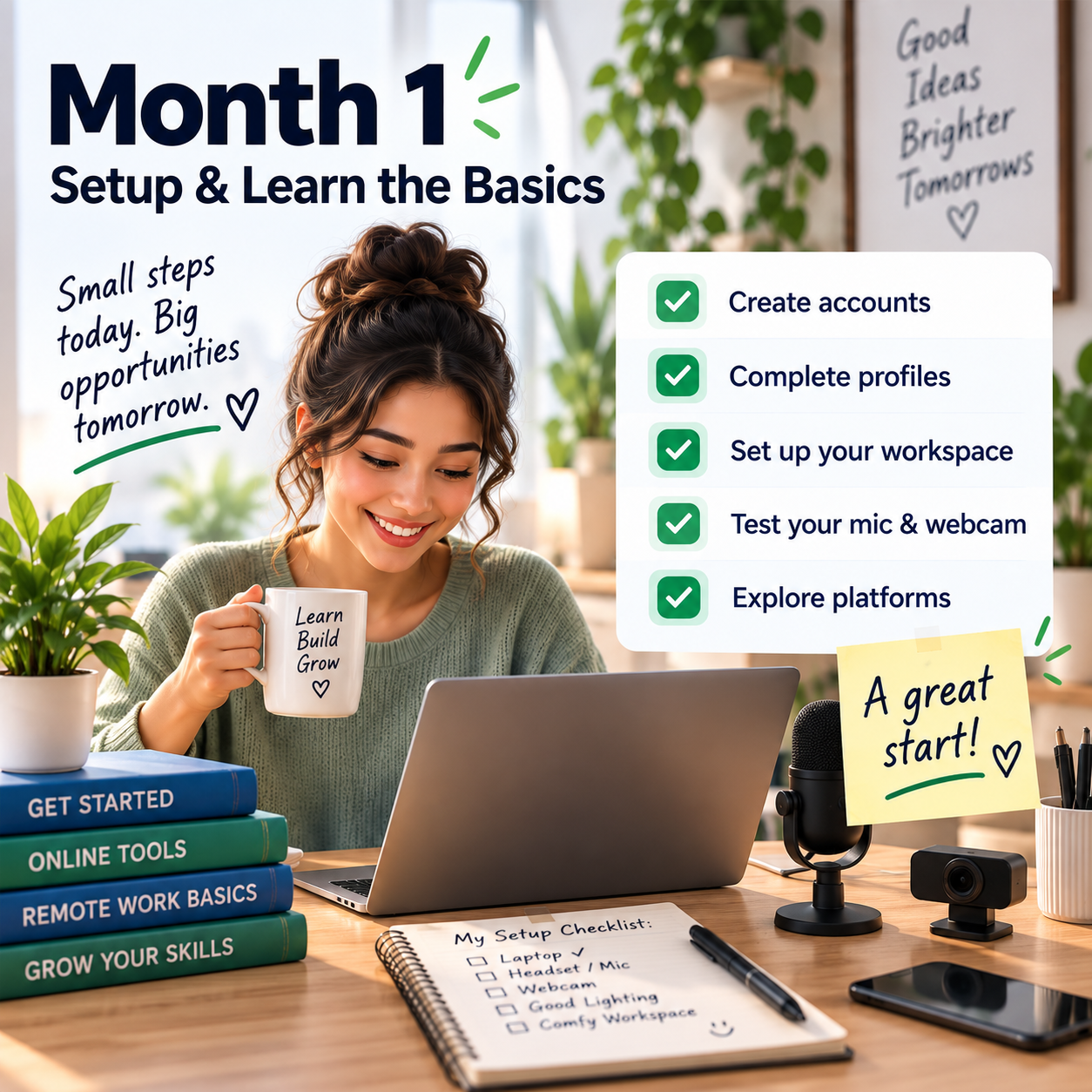
📅 Month 2: Complete Screeners & First Tasks
🎯 Main Goal
Start applying to opportunities and complete your first surveys or user tests.
✅ What to Do
- Check platforms several times per week
- Complete screeners honestly
- Apply quickly when opportunities appear
- Start with shorter surveys and beginner tests
- Practice speaking your thoughts out loud
- Follow test instructions carefully
- Track time spent and payment received
- Note which platforms give better opportunities
🏁 Month 2 Success Looks Like
- You completed your first screeners
- You finished first surveys or tests
- You understand how qualification works
- You know which tasks take too long
- You are tracking actual earnings and time
🎯 KEY TAKEAWAY
Getting screened out is normal. Do not treat every rejection as failure. The best use of your time is finding the platforms where your profile gets matched often.
🧰 Beginner Platforms to Consider
Platform Type | Best For |
User testing platforms | Website, app, and prototype feedback |
Survey platforms | Short opinion tasks and brand research |
Research panels | Paid interviews and higher-value studies |
App testing platforms | Mobile app feedback and bug reports |
Focus group platforms | Longer paid research sessions |
Product feedback communities | Product opinions and concept testing |
Freelance platforms | Occasional testing or QA-style projects |
Local research groups | In-person or online studies |
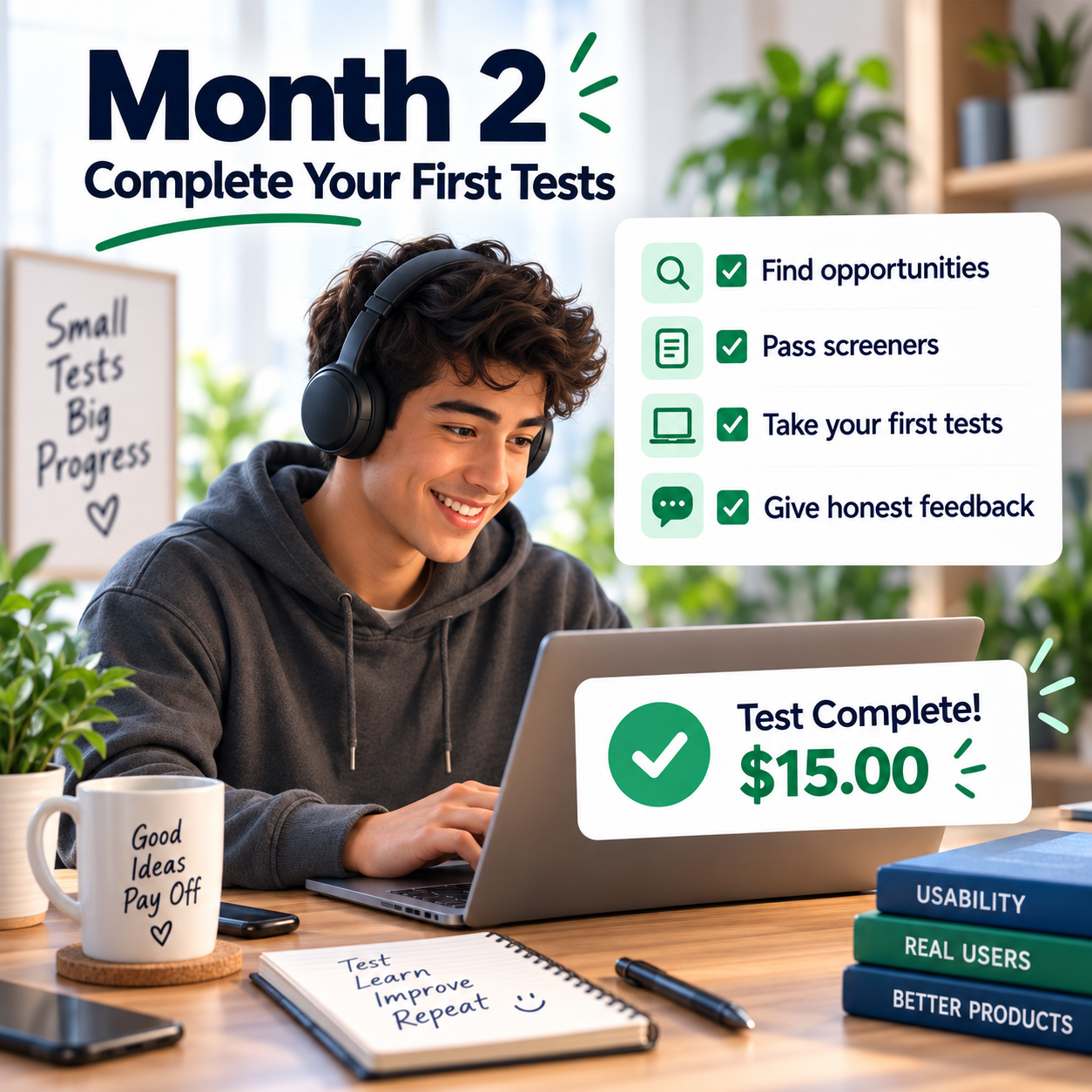
📅 Month 3: Improve Feedback Quality & Testing Habits
🎯 Main Goal
Get better at giving useful feedback so you can earn better ratings and qualify for more tests.
✅ What to Do
- Practice thinking out loud clearly
- Explain what you expected before clicking
- Explain what confused you
- Mention what was easy, difficult, or unclear
- Avoid one-word answers
- Use specific examples in written responses
- Review platform feedback if available
- Improve your audio quality and test environment
🏁 Month 3 Success Looks Like
- Your feedback is more specific
- Your spoken tests sound clearer
- You understand what researchers want
- You are completing tasks more confidently
- You can tell which platforms are worth continuing
💡 PRO TIP
Strong feedback explains your thought process. Researchers want to know what you noticed, why it mattered, and how it affected your experience.
💡 Good User Testing Feedback Examples
Weak Feedback | Stronger Feedback |
“This is confusing.” | “I expected the checkout button to be near the cart, but I had to scroll to find it.” |
“I like it.” | “The homepage feels easy to understand because the main offer is visible immediately.” |
“It does not work.” | “When I clicked the sign-up button, the page loaded but did not show the form.” |
“The design is bad.” | “The text is hard to read because the contrast is low and the font size feels small.” |
“I would buy it.” | “I would consider buying if the pricing and return policy were easier to find.” |
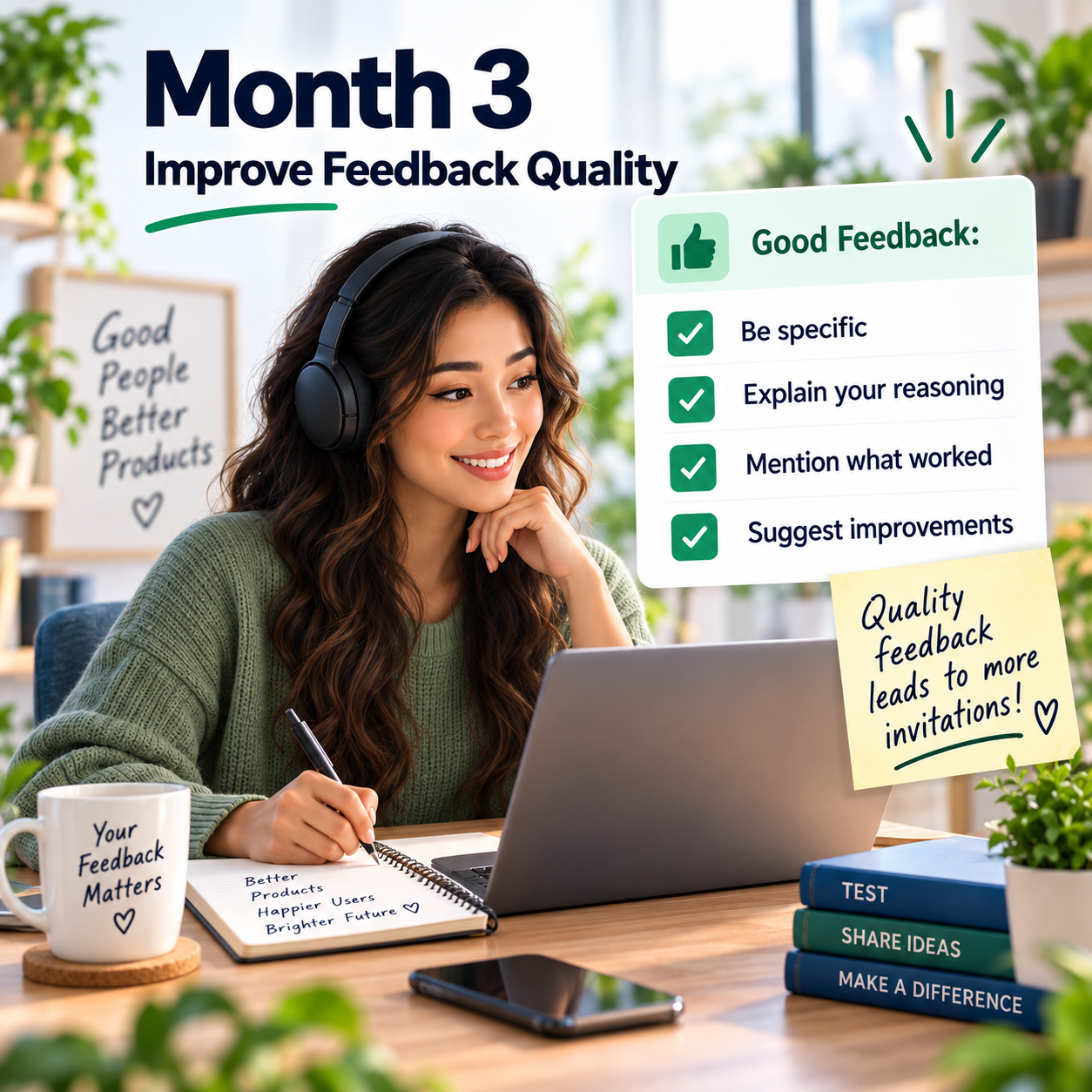
📅 Month 4: Build a Consistent Opportunity Routine
🎯 Main Goal
Create a simple routine for checking platforms, completing tasks, and avoiding wasted time.
✅ What to Do
- Set specific times to check for studies
- Prioritize higher-paying tests and interviews
- Track screeners, approvals, completed tasks, and payments
- Stop using platforms with poor payout for time
- Keep your profiles updated
- Organize login information securely
- Watch for scam signs
- Build a weekly earnings review habit
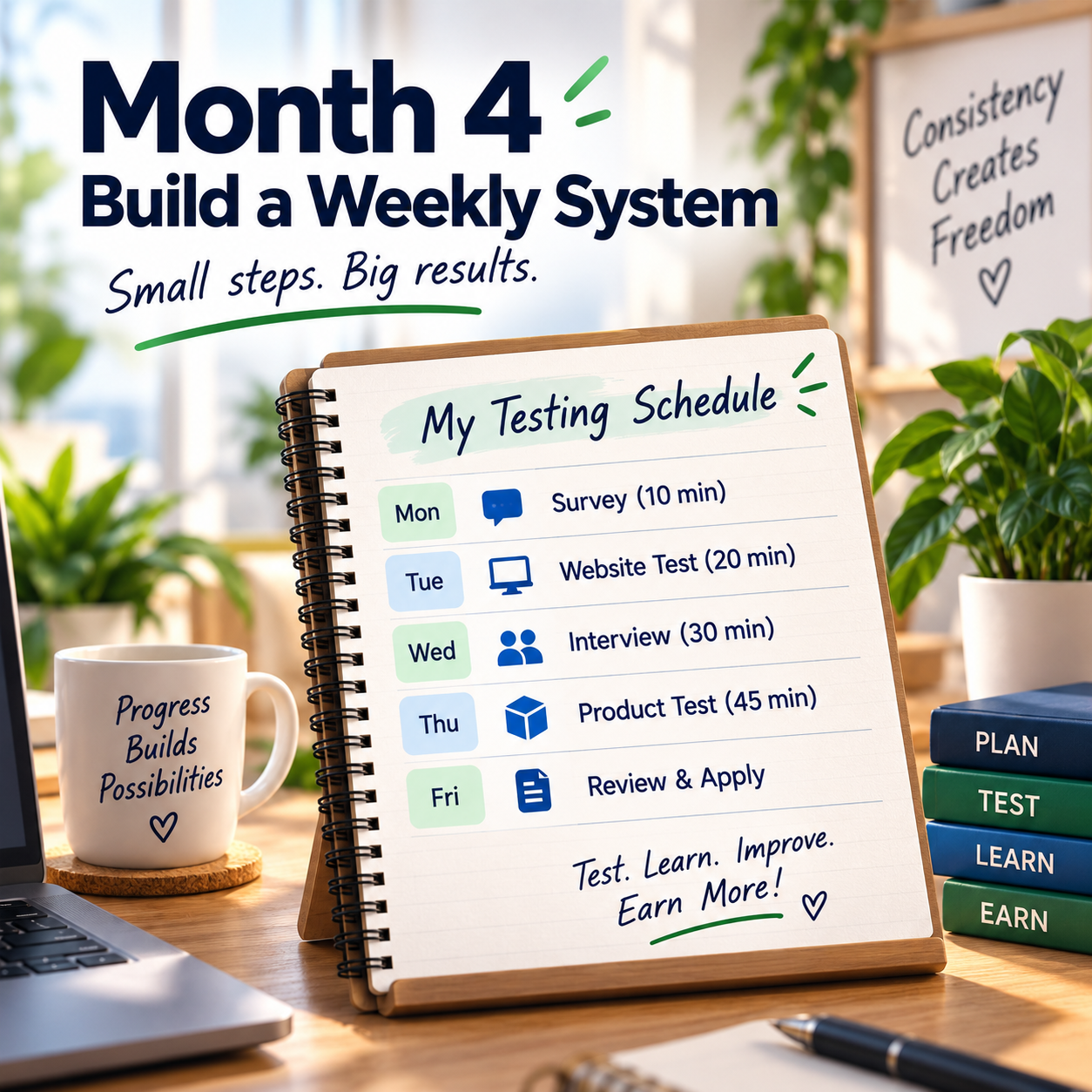
🏁 Month 4 Success Looks Like
- You have a weekly routine
- You know your best platforms
- You are avoiding low-value tasks
- Your tracking system is organized
- You are spending time more intentionally
⚠ COMMON MISTAKE
Do not spend hours chasing pennies. Track your real hourly value so you know which platforms deserve your attention.
🔄 Simple User Testing Workflow
Step | What Happens |
Profile setup | You complete your demographic and interest profile |
Opportunity check | You look for available surveys or tests |
Screener | You answer qualification questions honestly |
Acceptance | You are approved for the test or survey |
Task completion | You follow instructions and give feedback |
Submission | You submit the test, survey, or recording |
Payment tracking | You record payout amount and expected date |
Review | You decide whether the platform is worth continuing |
🗓️ Simple Weekly Workflow
Day | Task |
Monday | Check platforms and complete quick screeners |
Tuesday | Focus on user tests or app tests |
Wednesday | Apply for interviews or research studies |
Thursday | Complete surveys or follow-up tasks |
Friday | Track payments and update earnings log |
Weekend | Review which platforms were worth your time |
📅 Month 5: Focus on Higher-Paying Tests & Research Studies
🎯 Main Goal
Move beyond only small surveys and start targeting better-paying tests, interviews, and specialized research opportunities.
✅ What to Do
- Apply to more live interviews
- Look for studies related to your work, hobbies, tech use, or shopping habits
- Update profiles with accurate skills and interests
- Improve your test ratings when platforms provide them
- Prioritize tasks with better payout-to-time ratios
- Try app tests, website tests, and prototype tests
- Build a list of your best research platforms
- Remove low-paying platforms from your routine
🏁 Month 5 Success Looks Like
- You are focusing on better-paying opportunities
- You know which platforms match your profile
- You are spending less time on low-value tasks
- Your feedback quality is stronger
- Your earnings tracker shows what is actually worth doing
🎯 KEY TAKEAWAY
The best user testing income usually comes from higher-quality studies, not endless low-paying surveys.
📈 Higher-Value Opportunities
Opportunity | Why It Can Pay Better |
Live research interviews | Requires scheduled time and deeper feedback |
Website usability tests | More detailed feedback than short surveys |
App testing | Requires device use and task completion |
Prototype feedback | Helps companies before product launch |
B2B research studies | Often pays more for professional experience |
Product testing panels | May include physical or digital product feedback |
Focus groups | Longer sessions with structured discussion |
Diary studies | Multi-day feedback can have higher payouts |

📅 Month 6: Review, Refine & Build a Smarter System
🎯 Main Goal
Review your first 6 months and decide which platforms, task types, and routines are worth keeping.
✅ What to Do
- Review all platforms used
- Calculate total earnings and time spent
- Identify your best-paying task types
- Identify platforms with frequent screen-outs
- Remove low-value platforms
- Update your profiles
- Create a preferred platform list
- Build a 90-day plan for months 7–9
❓ 6-Month Review Questions
- Which platforms paid best for your time?
- Which platforms screened you out too often?
- Which task types did you enjoy most?
- Which tests were easiest to complete well?
- Which opportunities paid late or felt unreliable?
- How much time did you spend compared to earnings?
- Did live interviews pay better than surveys?
- What should you stop doing?
- What should you focus on next?
🏁 Month 6 Success Looks Like
- You know your best platforms
- You understand your real hourly value
- You have completed multiple tasks or studies
- You have improved your feedback style
- You have a 90-day plan to focus on better opportunities
🎯 KEY TAKEAWAY
User testing and surveys are best when managed like a small system. Track your time, focus on higher-value tasks, and stop using platforms that do not pay enough for the effort.
📊 Decision Table
If This Happens | Do This |
Surveys pay too little | Focus more on user tests and interviews |
One platform sends good matches | Check it more often |
You get screened out constantly | Update profile or reduce time on that platform |
Live interviews pay well | Apply to more research panels |
Tests require better audio | Improve microphone and quiet setup |
Payments are unreliable | Stop using that platform |
Feedback ratings are low | Practice clearer spoken explanations |
Time tracking shows poor value | Cut low-paying tasks from your routine |
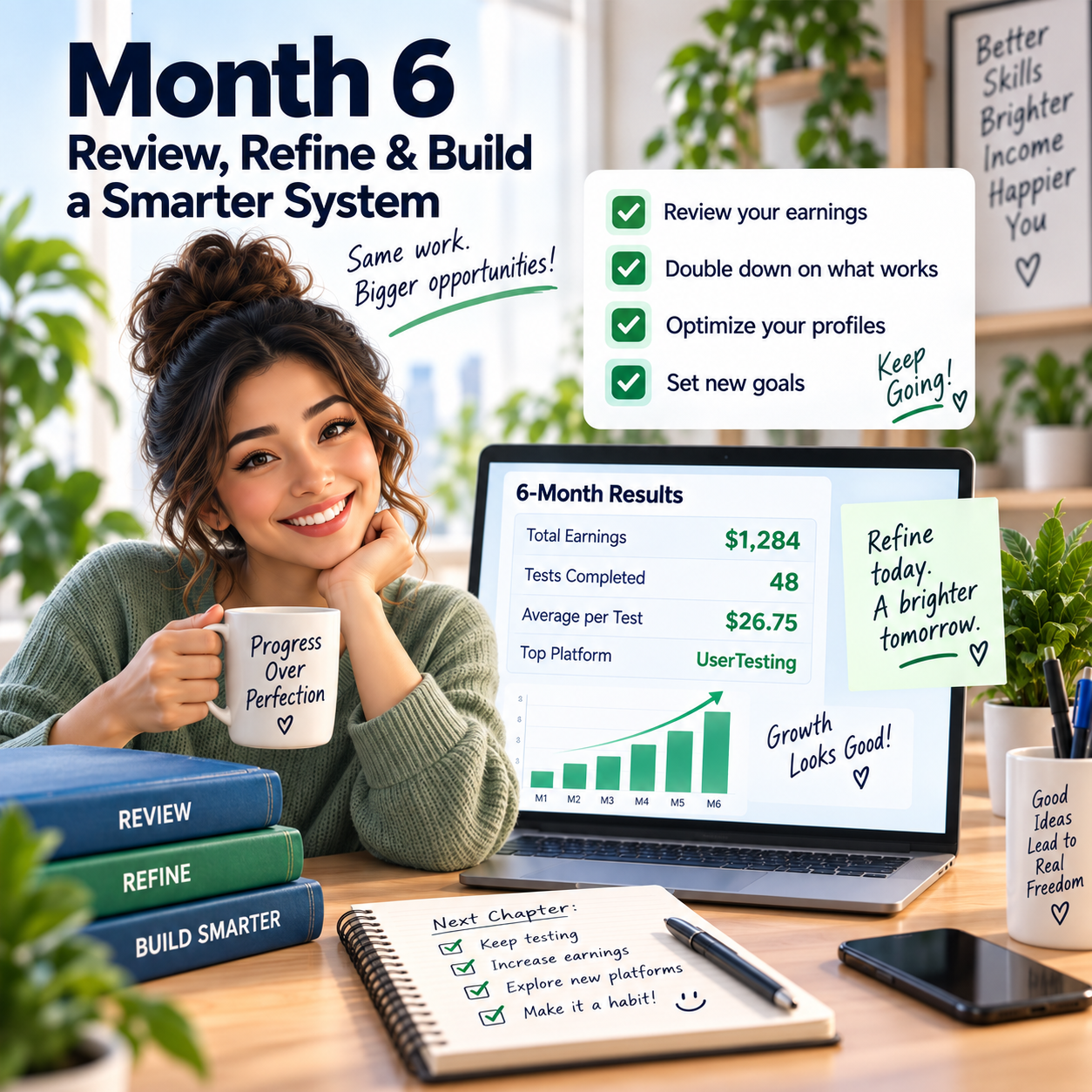
✅ 6-Month Success Checklist
By the end of 6 months, check whether you have:
✅ Created profiles on multiple legitimate platforms
✅ Completed profile questions honestly
✅ Set up microphone, internet, and quiet workspace
✅ Completed first screeners
✅ Finished first surveys or user tests
✅ Practiced clear spoken feedback
✅ Tracked time and earnings
✅ Identified your best platforms
✅ Stopped using low-value platforms
✅ Applied to higher-paying studies
✅ Reviewed your real hourly value
✅ Created a plan for the next 90 days
⚠️ What Not to Do During the First 6 Months
Avoid these mistakes:
❌ Giving fake screener answers
❌ Rushing through surveys carelessly
❌ Ignoring platform rules
❌ Recording tests with poor audio
❌ Giving vague feedback
❌ Spending too much time on low-paying tasks
❌ Paying upfront fees to join suspicious platforms
❌ Sharing sensitive personal information carelessly
❌ Forgetting to track payouts
❌ Expecting full-time income from random surveys
📝 QUICK NOTE
User testing and surveys should be honest, organized, and time-aware. Your goal is to give useful feedback while protecting your time and information.
🧭 Simple 6-Month Milestone Tracker
Month | Main Focus | Target Output |
Month 1 | Profiles & setup | 3–5 platform profiles created |
Month 2 | First tasks | First surveys, screeners, or tests completed |
Month 3 | Feedback quality | Clearer spoken and written feedback |
Month 4 | Routine | Weekly platform and earnings system |
Month 5 | Higher-paying studies | More interviews, tests, or research tasks |
Month 6 | Review & refine | 90-day smarter testing plan created |
🚀 Final 6-Month Strategy
Your first 6 months should follow this simple path:
Month 1: Set up profiles and understand the work
Month 2: Complete screeners and first tasks
Month 3: Improve feedback quality and testing habits
Month 4: Build a consistent opportunity routine
Month 5: Focus on higher-paying tests and research studies
Month 6: Review results and build a smarter system
The people who do best with user testing and surveys are honest, clear, consistent, and selective about where they spend their time.
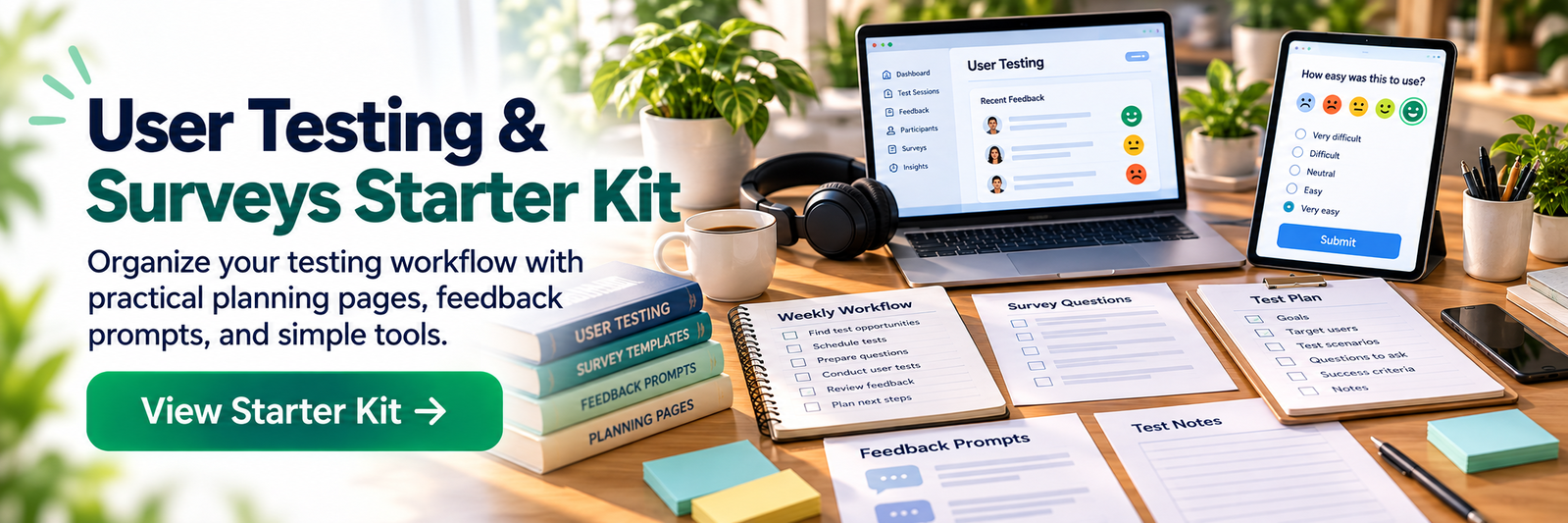
11. View the User Testing & Surveys Starter Kit
🎁 Your User Testing & Surveys Toolkit
The User Testing & Surveys Starter Kit includes 12 browser-based workspaces to research legitimate platforms, prepare applications, practice useful feedback, track payments and plan realistic participation.
The 12 components:
✅ 1. Testing Platform Finder — Research testing and survey platforms, build a shortlist and document eligibility steps.
✅ 2. Profile Setup Checklist — Prepare honest participant profiles and check application requirements.
✅ 3. User Testing Practice Guide — Practice useful testing feedback and review participant etiquette.
✅ 4. Earnings & Payout Tracker — Record completed tasks, amounts, payout dates and status.
✅ 5. Testing Platform Comparison — Compare testing and survey platform requirements, payment terms and personal fit.
✅ 6. Scam Warning & Verification Guide — Review warning signs and verify opportunities independently before participating.
✅ 7. Weekly Testing Planner — Schedule realistic testing and survey participation alongside follow-up tasks.
✅ 8. Quality Feedback Toolkit — Practice giving specific, actionable usability feedback.
✅ 9. Screener Readiness Checklist — Review eligibility and prepare to answer screeners honestly, without misrepresenting qualifications.
✅ 10. Tax Records Tracker — Organize testing and survey earnings records and note tax obligations to verify independently.
✅ 11. Device & Environment Checklist — Check your device, microphone, browser and testing conditions before a session.
✅ 12. Payout & Cashout Planner — Compare payout thresholds, payment methods and timing to plan cashouts.
Also included in the editable master: A central dashboard, Start Here instructions and supporting use notes are in the editable master.
These tools do not offer paid tests, guarantee qualification or pull live earnings and platform information. Eligibility, payout terms and tax requirements must be independently verified. Final release approval is separate.

12. Frequently Asked Questions
✅ Is this actually legit or a scam?
Yes, legitimate platforms are real and do pay.
Examples of legitimate platforms include:
- 🧪 UserTesting
- 🎯 Respondent
- 📊 Prolific
- 📝 Survey Junkie
Scams do exist, especially platforms that charge fees to join.
🚫 Red flag: If a site asks you to pay upfront to access surveys or tests, avoid it.
💡 Legitimate user testing and survey platforms are free to join.
💰 How much can I realistically make?
Income varies with consistency, qualification, and how many platforms you use.
Illustrative ranges, not a guarantee:
- 🌱 Casual effort: about $100–$500/month
- 📈 Higher effort: about $800–$1,500/month
- ⏳ Time investment: 10–50 hours/month depending on available studies
This is usually not a full-time income for most people.
💡 Treat it as supplemental income, not a primary career path.
🧾 Do I need to pay taxes on this income?
Yes.
If you earn $600+ from any single platform in a year, you may receive a 1099 form.
Best practices:
- 💰 Report all income
- 📊 Track platform payments
- 🧾 Track expenses
- 🌐 Track internet or device-related costs if eligible
- 👩💼 Consult a tax professional if earnings become consistent
💡 Even if you do not receive a 1099, income may still need to be reported.
❌ Why do I get disqualified from surveys?
Survey disqualifications are normal.
Common reasons:
- 👥 The platform already has enough people in your demographic
- 🎯 You do not match the target audience
- 📊 The survey quota filled quickly
- 🧩 Your profile does not fit the study
- ⏱️ You answered too slowly or inconsistently
A 30–50% disqualification rate is common.
👉 Complete your profiles fully and be honest in screeners.
⏳ How long until I get paid?
Payment timing depends on the platform.
Typical timelines:
- 🧪 User testing: 7–14 days
- 📝 Surveys: once you reach payout minimum
- 💵 Minimum payout: often $5–$25
- ⚡ Some platforms offer instant PayPal once established
💡 Always check payout rules before spending time on a platform.
📱 Can I do this from my phone?
Yes, for many opportunities.
Surveys are usually mobile-friendly.
User testing varies:
- 📱 Some tests allow mobile
- 💻 Some require a computer
- 🎤 Some require microphone access
- 📹 Some require screen recording
👉 Always check requirements before accepting a test.
🎧 Do I need special equipment?
No.
For most tests, a built-in microphone is fine.
What matters more:
- 🤫 Quiet environment
- 🌐 Reliable internet
- 🎤 Clear audio
- 💻 Working device
- 📱 Updated browser or app
💡 A quiet space matters more than expensive equipment.
⚠️ What if I fail a test?
If a test is rejected, you usually will not be paid.
Reduce the risk by:
- 📋 Reading instructions carefully
- 🎤 Testing your microphone before starting
- 🗣️ Speaking your thoughts clearly
- 🔍 Giving detailed feedback
- ⏰ Completing tasks within the expected time
- 🚫 Avoiding rushed or vague answers
Most platforms allow occasional failures.
💡 Treat rejected tests as feedback and improve your process.
🌐 How many platforms should I join?
Join 10–15+ platforms if you want steady opportunities.
More platforms means:
- 📈 More daily invites
- 💰 More earning chances
- 📊 Better ability to compare pay
- 🛡️ Less reliance on one site
Good mix:
- 🧪 User testing platforms
- 📊 Survey platforms
- 🎯 Focus group platforms
- 💬 Research interview platforms
💡 Do not rely on only 1–2 platforms.
🔞 Are there age requirements?
Most platforms require users to be 18+.
Some may allow ages 13–17 with parental consent.
Always check each platform’s terms before signing up.
13. Important Considerations
Before you begin, understand the realities of screening, payouts, and time spent so this stays a useful source of supplemental income:
🎯 Realistic Expectations
This is supplemental income, not a career for most people.
Some participants earn:
- 🌱 $50–$150/month casually
- 📈 $200–$500/month with more consistent participation
- 🚀 $500–$1,500/month is an example of high effort across multiple platforms, not a typical result
💡 Do not expect full-time income from surveys alone.
⏳ Patience Required
The first month is usually the slowest.
You are still:
- 👤 Building profiles
- 🧪 Learning platforms
- 📋 Taking screeners
- 💬 Figuring out which sites pay best
- ⏰ Building a routine
Earnings may improve after the first month if invitations and qualification line up — not a timeline guarantee.
👉 Stay consistent before judging results.
🔁 Consistency Pays
Check platforms daily.
Quick responses to invites usually mean more opportunities.
Best habits:
- 📱 Check 2–3 times per day
- 📩 Respond quickly to invites
- 📊 Track which platforms pay best
- 🧪 Prioritize higher-paying tests
- 🗑️ Drop low-paying platforms
💡 Consistency matters more than luck.
🚫 Never Pay to Join
Legitimate platforms are free.
Avoid platforms that ask for:
- ❌ Signup fees
- ❌ Training fees
- ❌ “Premium access” payments
- ❌ Paid lists of survey sites
- ❌ Money to unlock jobs
👉 If they charge you to join, it is likely a scam.
📊 Track Everything
Track your real hourly rate.
Record:
- ⏰ Time spent
- 💰 Amount earned
- 🌐 Platform used
- ❌ Disqualification rate
- ✅ Tests completed
- 💵 Payment received
If a platform pays under $8/hour, consider dropping it.
💡 Your goal is not just more activity — it is better ROI.
14. Your Next Steps
🚀 ACTION STEP
📍 Today
- 📦 View the starter kit above
- 🧪 Sign up for UserTesting.com and take the screener test
- 📊 Sign up for Prolific, one of the better-paying survey platforms
📅 This Week
- 🌐 Join 8–10 total platforms, using a mix of testing and surveys
- 👤 Complete all profile surveys
- 💵 Set up PayPal for payments
- ✅ Complete your first 2–3 tests or 10–15 surveys
- 🎯 First $20–$50 is an example, not a first-week forecast
🗓️ This Month
- 🔁 Check platforms 2–3x daily for invitations
- 🧪 Complete 8–12 user tests
- 📝 Do surveys during downtime daily
- 🎯 Apply to 5–10 focus groups
- 💰 $200–$500 is an example, not a first-month forecast
🚀 Months 2–3
- 🗑️ Drop platforms with the lowest ROI
- 💰 Focus on high-paying tests and focus groups
- 📅 Establish a consistent routine
- 📊 Calculate effective hourly rate, aiming for $12–$20+
- 🎯 $400–$800/month is an example, not a forecast
15. The Bottom Line
🎯 KEY TAKEAWAY
User Testing & Surveys can be an accessible, low-cost way to earn extra money online, but results vary and it is important to approach it with the right expectations.
🙋 If you:
To maximize results:
- 🌐 Join 10–15 platforms, not just 1–2
- 🧪 Prioritize high-paying tests over surveys
- 🔁 Check opportunities multiple times daily
- 📊 Track your hourly rate and ROI
- 💰 Focus on the platforms that actually pay well
👉 Treat it like a system, not random activity.
🏗️ You can build:
- 🌱 Casual effort: extra income is possible; $50–$150/month is an example
- 📈 Consistent effort: $200–$500/month is an example, not a promise
- 🚀 High-effort, multi-platform: $500–$1,500/month is possible for some, not typical
Your income depends on:
- 🌐 Number of platforms you join
- ⚡ How fast you respond to opportunities
- 🔁 How consistently you show up
- 🎯 How well your demographics match available studies
💡 What This Side Hustle Really Is
This is:
- 🧩 A flexible, low-effort income stream
- 💬 A way to monetize your free time and opinions
- 🚪 A no-skill-required entry point into online income
It is not:
- ❌ A full-time income for most people
- ❌ A “get rich quick” opportunity
- ❌ A scalable business model
👉 This is best treated as supplemental income, not primary income.
⚙️ Why It Works
This side hustle exists because:
- 🏢 Companies spend heavily on user feedback
- 🧠 Businesses need real opinions, not assumptions
- 📱 Testing improves conversion rates and UX
- 📊 Surveys help companies understand customers
You are being paid for:
- 👀 Your perspective
- 🧪 Your behavior
- 💬 Your ability to communicate feedback
- 📝 Your honest responses
🚧 The Trade-Off
Pros:
- ✅ No experience needed
- ✅ Start immediately
- ✅ Flexible schedule
- ✅ Zero startup cost
- ✅ Beginner-friendly
Cons:
- ❌ Inconsistent opportunities
- ❌ Screening disqualifications
- ❌ Limited scalability
- ❌ Time-for-money model
- ❌ Not full-time income for most
🔥 Strategic Positioning Insight
Use this as:
- 🌱 A starter side hustle
- 🌉 A bridge to higher-income opportunities
- 💰 A way to fund another side hustle
It can help fund:
- 🎥 UGC creation
- ✍️ Freelancing
- 📦 Digital products
- 🔗 Affiliate marketing
- 💻 Online tools or courses
⚠️ The Key Reality
Most people fail because:
- ❌ They only use 1–2 platforms
- ❌ They check inconsistently
- ❌ They quit too early
- ❌ They ignore ROI
- ❌ They waste time on low-paying sites
👉 Top earners treat this like a process, not a one-off task.
🚀 Final Takeaway
User Testing & Surveys is:
- ⚡ A relatively fast way to try earning a first dollar online if you qualify
- 🧩 One of the simplest side hustles to start today
- 💸 A flexible way to monetize downtime
Long-term success comes from:
- 🔁 Consistency
- 🌐 Volume
- 📊 Optimization
👉 If you want flexible extra cash, this can be a practical place to start.
👉 If you want scalable income → use this as a stepping stone.
🧠 Bottom Insight
You’re not building a business here.
You’re monetizing attention and feedback.
If you leverage it correctly, it becomes:
➡️ Your entry point into bigger, higher-paying online opportunities.
16. Recommended Websites & Tools
🛠 TOOLS & RESOURCES
You do not need every resource listed below. This directory brings together the major platforms, tools, and resources from this guide, along with additional research and learning options, so you can find them in one place when you need them.
Start with the essentials. Add platforms only when they offer suitable opportunities and a worthwhile return on your time.
🧪 User Testing & Usability Testing Platforms
- UserTesting — Website and app testing platform for recording your screen, speaking your thoughts aloud, and getting paid for user feedback.
- Trymata — Usability testing platform formerly connected to TryMyUI, useful for beginner website and app tests.
- Userlytics — User testing platform for website, app, prototype, and moderated usability tests.
- PlaytestCloud — Game and app testing platform for sharing feedback on mobile games, kid apps, and digital experiences.
- Enroll — User research and testing platform mentioned for quick tests and study opportunities.
💡 PRO TIP
Prioritize detailed usability feedback over rushing through tests. A quiet space and clear narration help you submit better work.
📋 Survey Platforms & Opinion Sites
- Prolific — Research-focused survey platform mentioned as one of the better-paying options for academic and behavioral studies.
- Survey Junkie — Survey platform for earning from consumer opinions, product preferences, and basic market research surveys.
- Swagbucks — Rewards platform for surveys, small tasks, offers, cashback, and gift-card style payouts.
- YouGov — Survey panel for opinions on politics, brands, current events, products, and consumer behavior.
- InboxDollars — Rewards platform for surveys, offers, games, and small online tasks.
- Branded Surveys — Survey platform for consumer research, brand questions, and recurring survey opportunities.
- Opinion Outpost — Survey site mentioned for basic paid opinion surveys and reward redemption.
- PrizeRebel — Rewards site for surveys, offers, and small online tasks.
📝 QUICK NOTE
Track time spent on screeners as well as completed surveys. Compare your actual hourly return, not just the advertised payout.
👥 Focus Groups, Interviews & Research Studies
- Respondent.io — Higher-paying research platform for interviews, professional studies, business research, and niche participant opportunities.
- User Interviews — Research recruiting platform for paid interviews, focus groups, product studies, and moderated research sessions.
- Fieldwork — Market research company mentioned for focus groups, in-person studies, and moderated consumer research.
- Prolific — Academic and research survey platform useful for structured studies with better quality than many low-pay survey sites.
📝 QUICK NOTE
Check eligibility, scheduling, and payment terms before accepting a study. Answer screeners honestly rather than trying to fit every profile.
🧩 Beta Testing, QA Testing & Hybrid Platforms
- BetaTesting — Beta testing platform for testing pre-release apps, products, software, and digital experiences.
- BetaFamily — Mobile app testing platform for trying apps and giving structured feedback to developers.
- Testbirds — Crowdsourced testing platform for website, app, software, and digital product testing.
- uTest — Software testing community for QA testing, bug reporting, usability testing, and tech-focused projects.
📦 Product Testing & Review Programs
- Influenster — Product testing platform for receiving consumer products and sharing honest reviews or social feedback.
- BzzAgent — Product testing and word-of-mouth platform for trying products and submitting reviews.
- PINCHme — Sample box and product testing platform for trying free samples and sharing feedback.
- Amazon Vine — Invite-only Amazon review program for receiving products in exchange for honest reviews.
- Smiley360 — Product testing and review platform for consumer campaigns and social sharing tasks.
📝 QUICK NOTE
Free products and review opportunities are not the same as cash earnings. Follow each program’s terms and disclose incentives where required.
💳 Payment & Basic Equipment Tools
- PayPal — Common payout method for user testing, surveys, research studies, and product testing platforms.
- Amazon — Retail marketplace mentioned for product testing examples and Amazon Vine review opportunities.
- PayPal — Common payout method for user testing, surveys, research studies, and product testing platforms.
- Amazon — Retail marketplace mentioned for product testing examples and Amazon Vine review opportunities.
🎯 KEY TAKEAWAY
Start with a working device, a quiet space, a payout account, and a simple earnings tracker. Add platforms gradually as you learn which ones fit you.
🧭 How to Use This Directory
🧰 Start With a Simple Setup
Do not start by creating accounts with every service listed above. For most beginners, a simple setup is enough:
- A working phone or computer
- A quiet space and clear microphone
- A verified payout account
- A simple time-and-earnings tracker
That is enough to start participating. Add tools only when you can name the specific problem they will solve.
🎯 KEY TAKEAWAY
Platforms create opportunities. They do not guarantee income.
Your biggest advantages will come from:
Honest profiles → Useful feedback → Consistency → Better hourly return
17. Explore Similar Side Hustles
 Gig Economy Apps: Earn Money on Your Schedule Using Your Phone — Pair testing and surveys with other flexible gigs when study invitations are quiet.
 Remote Customer Service Jobs — Move from occasional feedback tasks into more structured remote support work.
 Transcription Jobs — Try another detail-oriented remote option if you enjoy listening and working independently.
 Virtual Assistance — Turn organization and online task skills into ongoing client-support services.
 UGC Creation — Use your comfort with product feedback to explore creating content for brands.
- Freelance Writing: Get Paid to Write Online — Turn clear written feedback into a marketable writing service.