
Affiliate disclosure: Some links in this guide may be paid referral links. If you purchase or sign up through one, One Stop Side Hustles may earn a commission. How our affiliate links work.
ART & ILLUSTRATION COMMISSIONS
Learn how to turn your passion for drawing into consistent income. Get commissions, price your work confidently, build a portfolio that attracts clients, and stand out in a competitive creative marketplace.
1. What Are Art & Illustration Commissions?
2. Why Choose Art & Illustration Commissions?
3. Choose Your Niche & Art Style
4. Earnings, Pricing & Offer Selection
5. Essential Tools & Your Starting Setup
6. Find Clients & Reach Your Audience
7. How to Start: Your Beginner Roadmap
8. Build Trust & Improve Results
9. Learning Resources & Templates
10. Your First 6 Months in Art & Illustration Commissions
11. Get the Art & Illustration Commissions Starter Kit
12. Frequently Asked Questions
Quick Snapshot
Earn: $20–$100/piece starting, $150–$1,000+/piece skilled
Work: Create art on your own schedule, from anywhere
Start: Low cost — paper, a tablet, or free software
Best for: Artists who want to monetize their style
Grow: Repeat clients → prints, merch, and courses
1. What Are Art & Illustration Commissions?
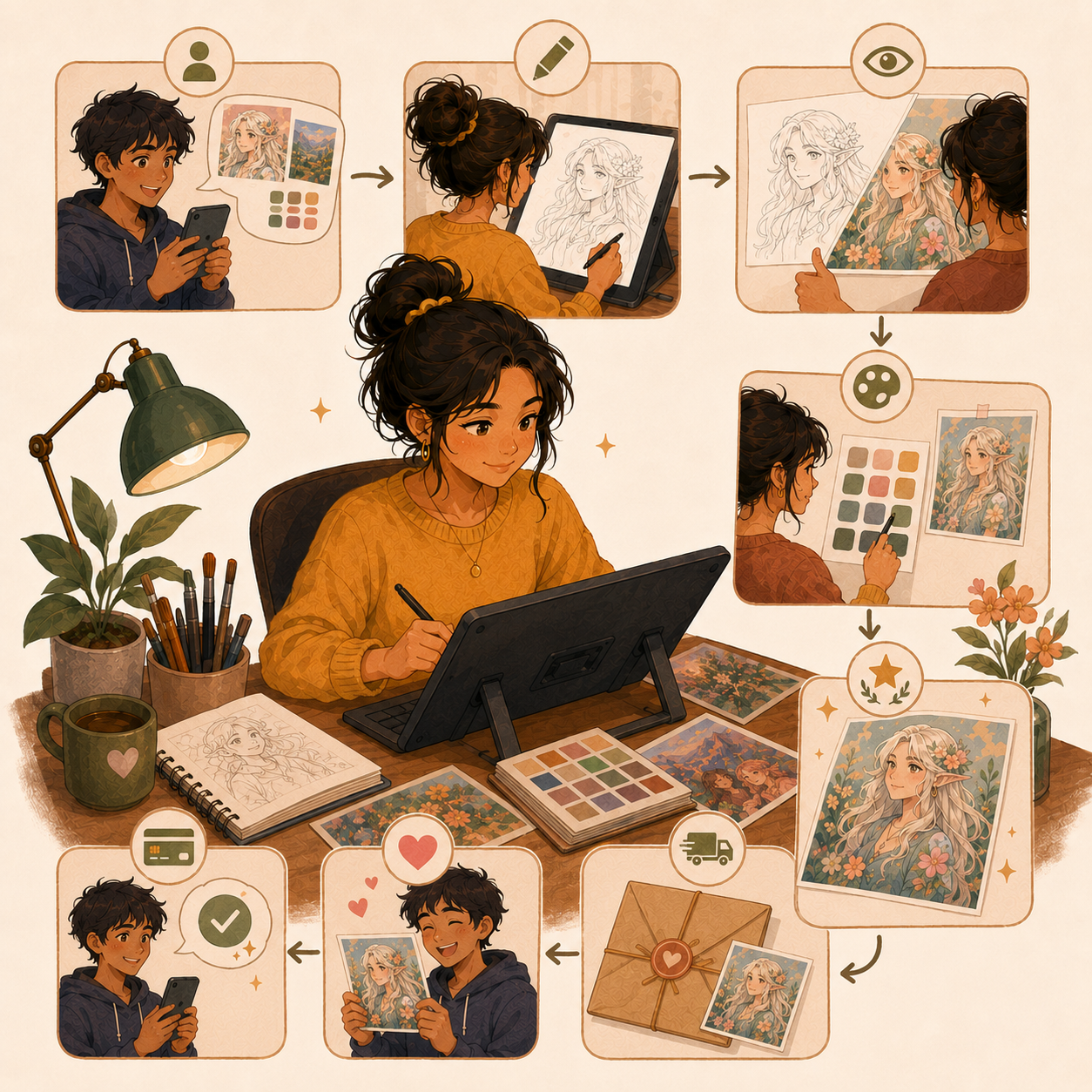
Art commissions are custom pieces requested and paid for by clients. You create digital or traditional artwork based on the client's specific needs—whether that's a portrait, pet drawing, D&D character, logo, tattoo design, book cover, or streaming assets.
⚙️ How It Works
- Client requests custom artwork (with details, references, budget)
- You provide quote and estimated turnaround time
- Client pays (usually 50% upfront)
- You create with approval checkpoints (sketch → line art → color)
- Deliver final files and receive remaining payment
💡 PRO TIP
Unlike selling prints or stock art, commissions are one-of-a-kind pieces created specifically for each client's vision.
2. Why Choose Art & Illustration Commissions?
Art commissions are a strong side hustle because they combine creative freedom, low startup cost, and clear pricing leverage as your skills and reputation improve.
💰 Strong income upside
Beginners often start around $20–$100/piece, while skilled artists can charge $150–$1,000+ depending on style, complexity, turnaround, and commercial usage.
Why this matters:
- Better work can justify better rates
- Demand lets you raise prices over time
- Upsells can grow order value without needing more clients
💻 Low cost to start
You do not need a studio or expensive setup to begin.
Most people can start with:
- Paper + pencil
- A basic drawing tablet
- Free or low-cost software
- A simple portfolio page
That makes it one of the most accessible creative side hustles.
🕒 Flexible workload and schedule
Commissions fit well around school, work, or family life because you can control:
- How many slots to open
- What types of projects to accept
- Your turnaround times
- When you open or close your queue
This makes it easier to scale up gradually without burnout.
⚡ Fast path to first revenue
You can often get your first client faster than with many other side hustles because you only need:
- Clear examples of your work
- Simple pricing
- A way for people to contact you
- Visibility in the right communities
You do not need a huge following to start — you need clarity and consistency.

🎯 Specialization increases pricing power
Niches help you stand out and often let you charge more, such as:
- Pet portraits
- D&D or fantasy character art
- Streamer emotes
- Tattoo concepts
- Book covers or branding illustrations
Being known for one thing usually converts better than offering everything.
🤝 Repeat clients build stability
Strong client experiences create momentum over time.
Happy buyers often:
- Come back for more work
- Refer friends
- Order seasonal or gift pieces
- Upgrade to larger custom projects
That means your best marketing can become your past client base.
🌍 You are not limited by location
Art commissions can be sold to people anywhere through:
- Social media
- Commission marketplaces
- Online communities
- Creator networks
This gives you access to a much larger customer pool than local-only work.
🧪 Commissions can grow into a full creative business
Commission work can lead to additional income streams like:
- Prints and merch
- Digital products
- Tutorials or courses
- Memberships
- Licensing and commercial work
It can start as a side hustle and expand into a broader brand.
3. Choose Your Niche & Art Style
Art commissions can range from quick personal pieces to higher-value commercial projects and publishing work. The smartest beginner move is to start with commission types you can finish confidently, then add more complex offers once your portfolio, process, and pricing are stronger.
You do not need to offer everything right away. Focus first on commission types you can price clearly, deliver consistently, and showcase well.
🖼️ Personal & Gift Commission Types
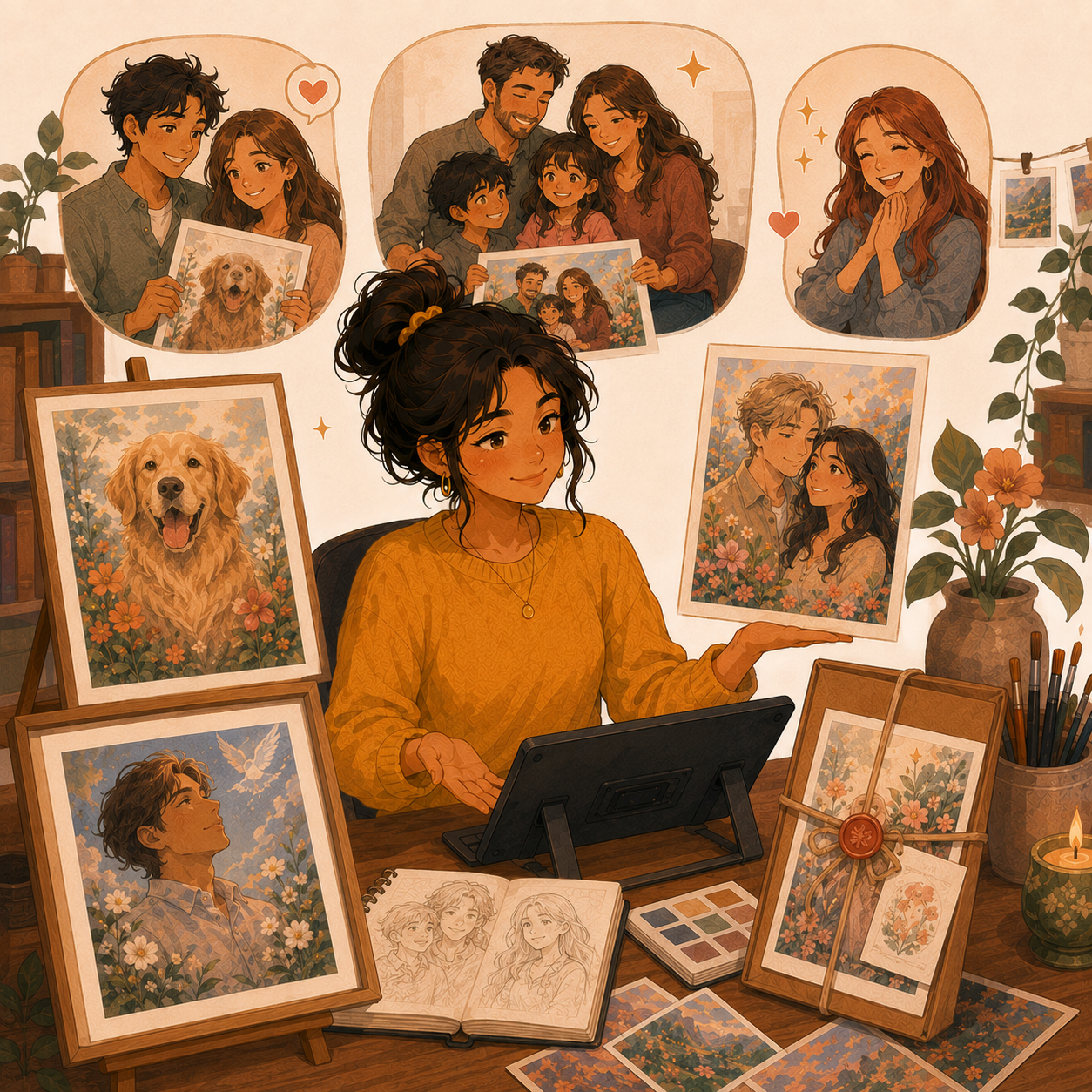
🐶 Portrait & Pet Portrait Commissions
- 🎨 What it includes: Human portraits, pet portraits, couple art, family illustrations, memorial pieces, and stylized avatars
- 💰 Typical Rate: $50–$300+ per piece
- ✅ Best for: Beginners who want steady demand and emotionally meaningful projects
- 🔥 Why it works: Portraits are easy for buyers to understand and often sell well for gifts, milestones, and keepsakes
💡 PRO TIP
Pet portraits are one of the most reliable beginner niches because demand stays strong year-round.
🖼️ Custom Wall Art & Gift Pieces
- 🖼️ What it includes: Personalized prints, home décor art, quote art, wedding keepsakes, and custom display pieces
- 💰 Typical Rate: $100–$600+ depending on complexity and print options
- ✅ Best for: Artists who want gift-friendly work with repeat seasonal demand
- 🔥 Why it works: Gift buyers often care more about personalization and emotional value than perfect technical complexity
💡 PRO TIP
Offering print-ready files or physical print upgrades can raise order value quickly.
🧙 Fandom, Character & Niche Audience Work
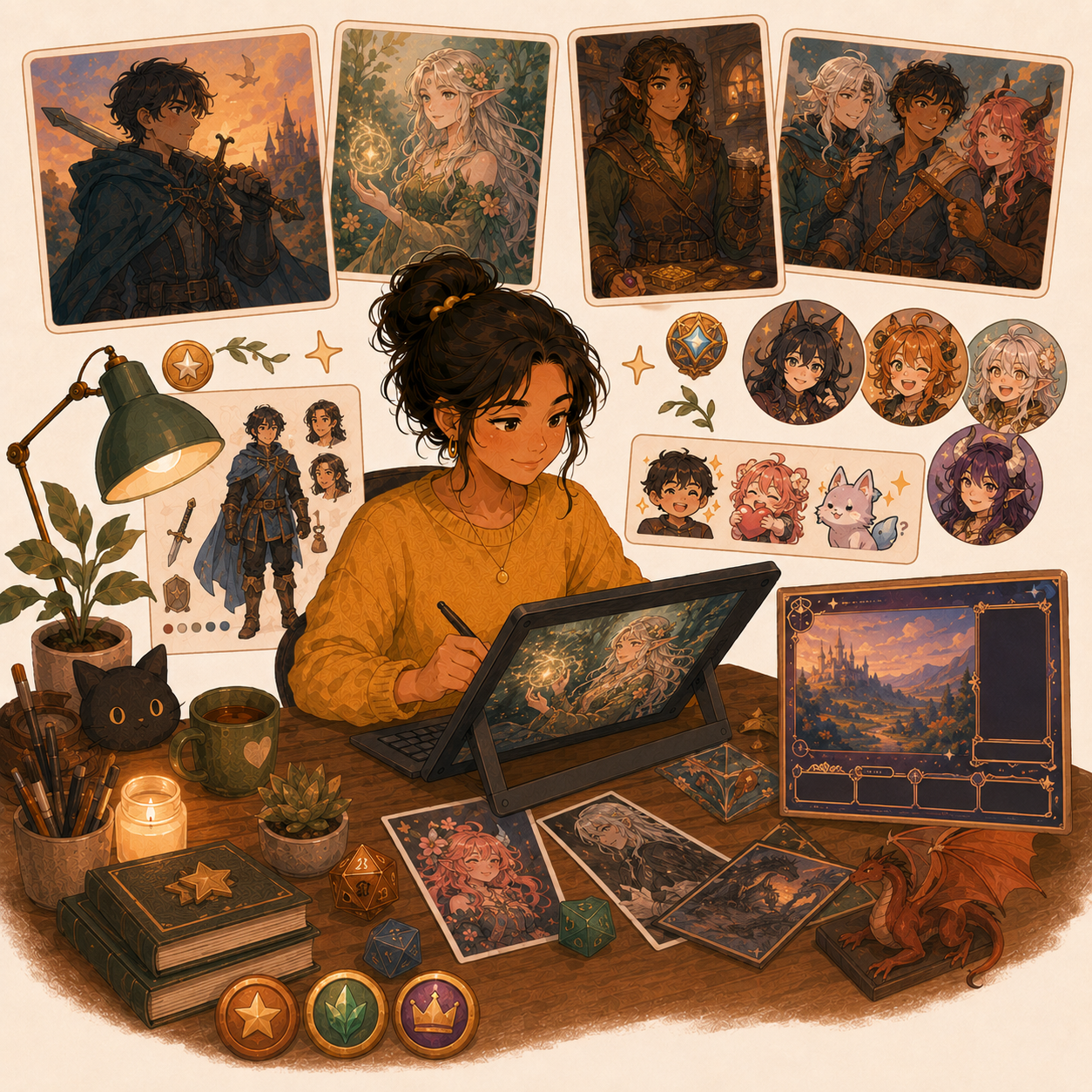
🐉 Fantasy, Fan Art & Character Commissions
- 🧝 What it includes: D&D characters, original characters, anime-style portraits, party art, and fantasy scenes
- 💰 Typical Rate: $75–$500+ depending on detail, pose count, and rendering style
- ✅ Best for: Artists who enjoy storytelling, character design, costumes, props, and expressive compositions
- 🔥 Why it works: Fandom and gaming communities commission regularly and often return for updated characters, party art, or new campaigns
💡 PRO TIP
Clear examples in one niche style usually convert better than showing too many unrelated styles.
🖋️ Tattoo Concept Designs
- 🖋️ What it includes: Black line art, symbolic pieces, floral concepts, ornamental work, and custom layout ideas
- 💰 Typical Rate: $50–$300+ depending on detail and exclusivity
- ✅ Best for: Artists with strong linework, clean silhouettes, and bold composition
- 🔥 Why it works: Buyers often want something deeply personal and are willing to pay for a thoughtful custom concept
💡 PRO TIP
Always define whether the client is buying a concept, revisions, or exclusive usage rights.
💼 Creator & Commercial Commission Types
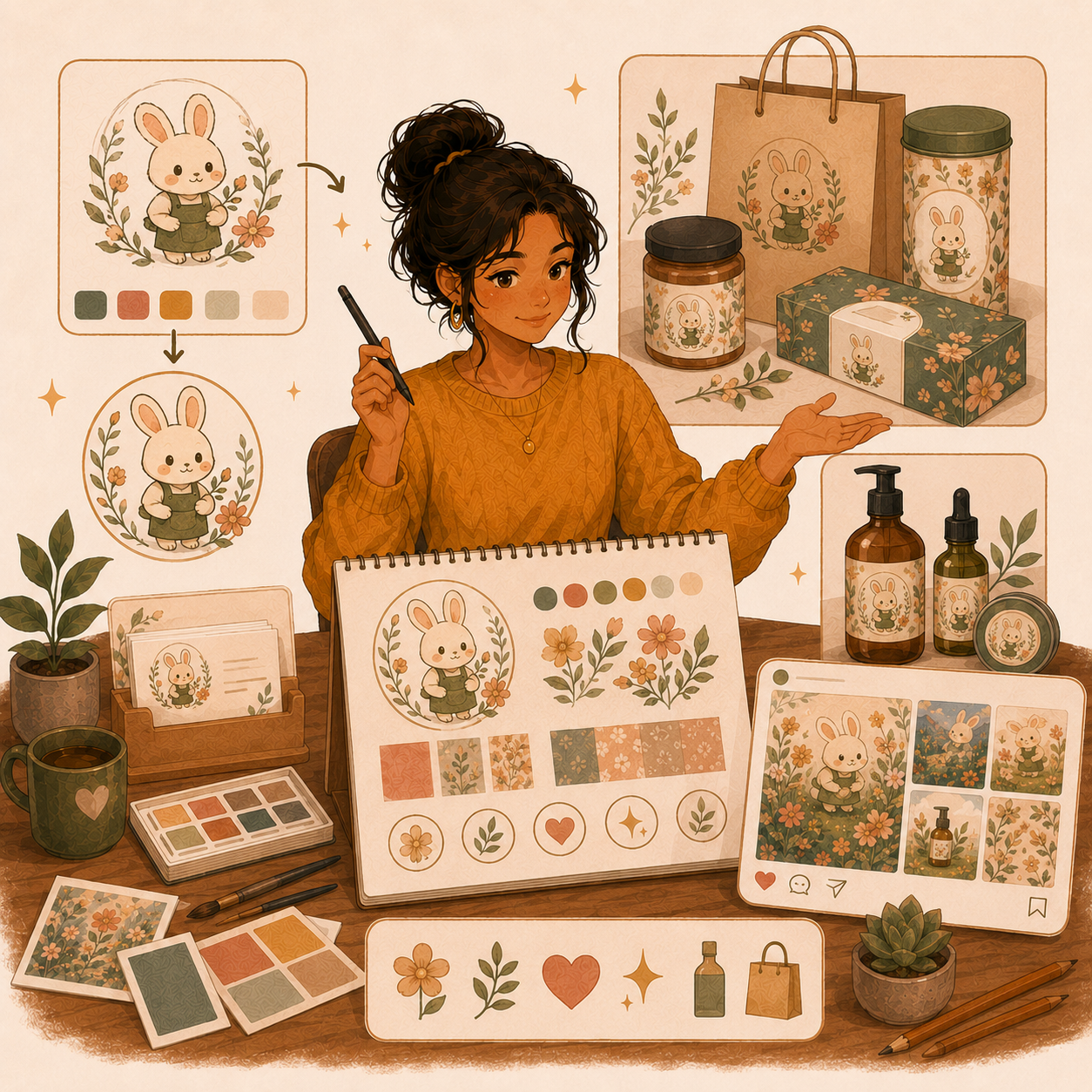
🏷️ Logos, Branding & Business Illustration
- 🏷️ What it includes: Hand-drawn logos, mascots, brand illustrations, banners, icons, and commercial visual assets
- 💰 Typical Rate: $150–$800+ with higher rates for commercial use
- ✅ Best for: Artists who want better-paying projects tied to business outcomes
- 🔥 Why it works: Business clients usually care about clarity, polish, and usability, which supports stronger pricing
💡 PRO TIP
Commercial rights should be priced separately from personal-use work.
😀 Emotes, Stream Assets & Creator Packs
- 🎮 What it includes: Twitch emotes, badges, YouTube graphics, profile art, overlays, and sticker-style assets
- 💰 Typical Rate: $75–$500+ per package
- ✅ Best for: Beginners who want fast, repeatable digital projects and bundle-friendly offers
- 🔥 Why it works: Creator clients often order in sets, return for updates, and understand package pricing well
💡 PRO TIP
Bundles usually sell better than single assets because the buyer gets a complete upgrade at once.
📚 Publishing & Premium Illustration Work
📖 Children’s Books, Covers & Editorial Illustration
- 📖 What it includes: Book covers, spot illustrations, character sheets, interior pages, and editorial-style art
- 💰 Typical Rate: $500–$5,000+ per project depending on scope and rights
- ✅ Best for: Artists who can maintain style consistency across multiple pieces and revisions
- 🔥 Why it works: Publishing work often carries higher budgets because clients need polished art tied to a finished product
💡 PRO TIP
Contracts, revision limits, and usage terms matter much more at this level.
🎨 Premium Scene Art & Character Packages
- 🌟 What it includes: Full scenes, multi-character pieces, detailed backgrounds, polished renders, and presentation-ready art
- 💰 Typical Rate: $200–$1,500+ depending on detail and project size
- ✅ Best for: Artists who want fewer projects at higher prices
- 🔥 Why it works: Premium packages increase average order value without requiring a larger audience
💡 PRO TIP
It is often better to upsell a stronger package than to take more low-priced commission slots.
🎯 Build Your Starter Commission Offer
🎯 KEY TAKEAWAY
Start with portraits, pet portraits, emotes, or simple character commissions. These are easier to explain, easier to portfolio, and easier to deliver consistently while you build pricing confidence.
🚀 ACTION STEP
Write a focused first plan:
- Style & audience: Choose one commission type and the buyers it suits.
- Portfolio: Create two or three representative samples in that style.
- Scope & terms: Define size, revisions, delivery format, usage rights, price, and payment terms.
- First listing: Publish a clear commission description with examples and a realistic turnaround time.
4. Earnings, Pricing & Offer Selection
Commission income depends on niche, demand, pricing, and repeat clients—not just artistic skill. Use the strategies below to build a realistic path from first orders to higher-value work.
🧠 Reality Check (What Actually Separates Earners)
- Most beginners start with low prices or inconsistent demand
- Not because commission art cannot pay
- 👉 Many artists are unclear about what they offer
- 👉 Or they price too low because they are afraid clients will say no
- The artists who earn more typically:
- Build a clear niche and recognizable offer
- Show stronger portfolio examples
- Set better boundaries around revisions and usage
- Raise prices as demand improves
🎯 KEY TAKEAWAY
Commission income grows fastest when you move from general art posting → clear offers → premium positioning.
🔑 Smart Pricing Strategy
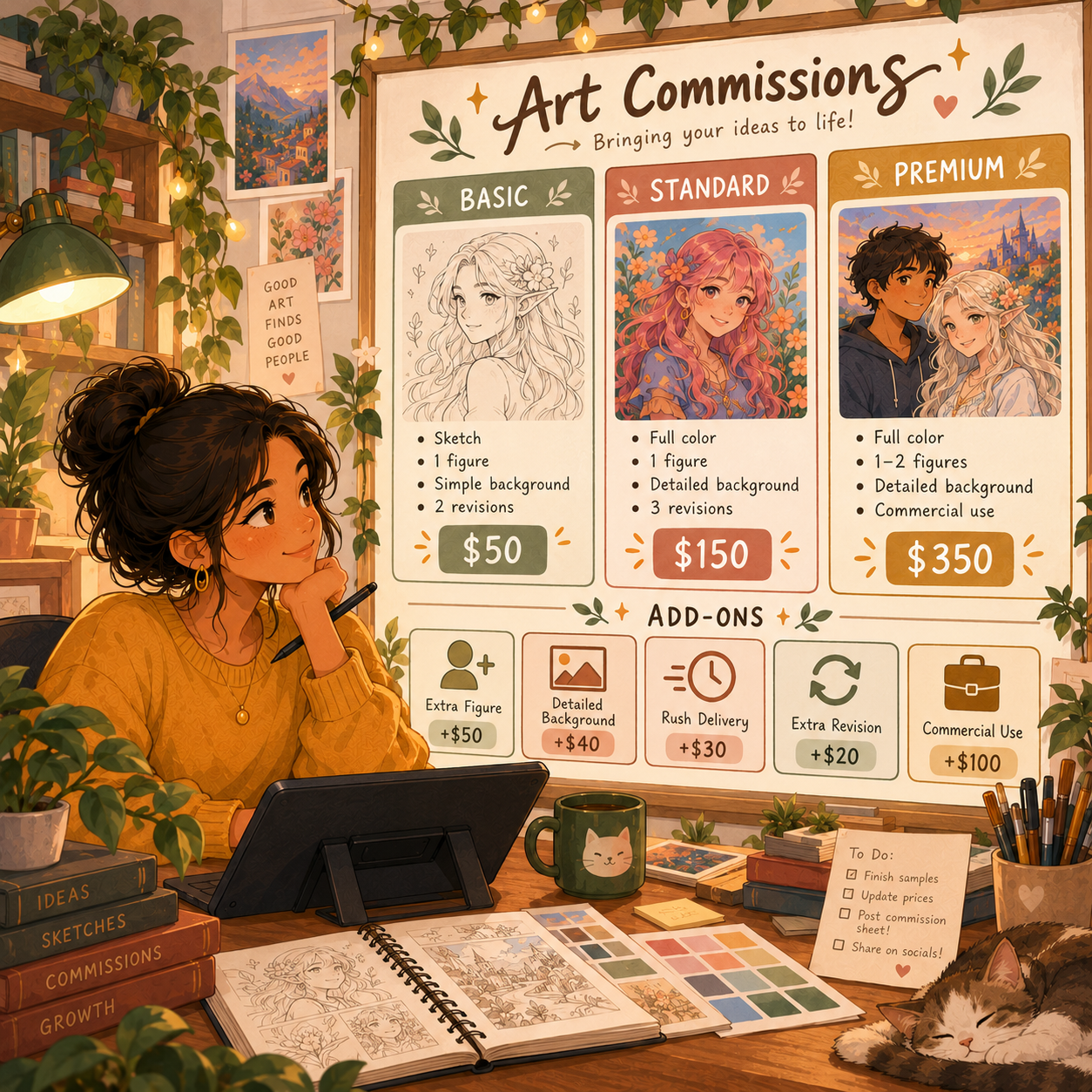
📦 Tiered Commission Menus
- Move quickly to:
- Tiered commission menus
- Premium add-ons
- Higher commercial-use pricing
➕ Add-Ons & Commercial Rights
- Offer upsells:
- Extra characters
- Detailed backgrounds
- Rush delivery
- Print-ready files
- Commercial rights
🧪 Real Example
📋 REAL-WORLD EXAMPLE
🌱 Scenario A: Underpriced artist
- Charges $25 per piece
- Takes several hours per commission
- Completes 20 pieces/month
- Income: $500/month
🎯 Scenario B: Clear niche artist
- Charges $150 per piece
- Similar time per commission
- Completes 20 pieces/month
- Income: $3,000/month
🚀 Scenario C: Premium artist with stronger demand
- Charges $500+ per piece
- Takes fewer but better-fit projects
- Strong portfolio and positioning
- Income: $5,000+/month
🎯 KEY TAKEAWAY
Same core skill. Big difference in positioning, packaging, and pricing.
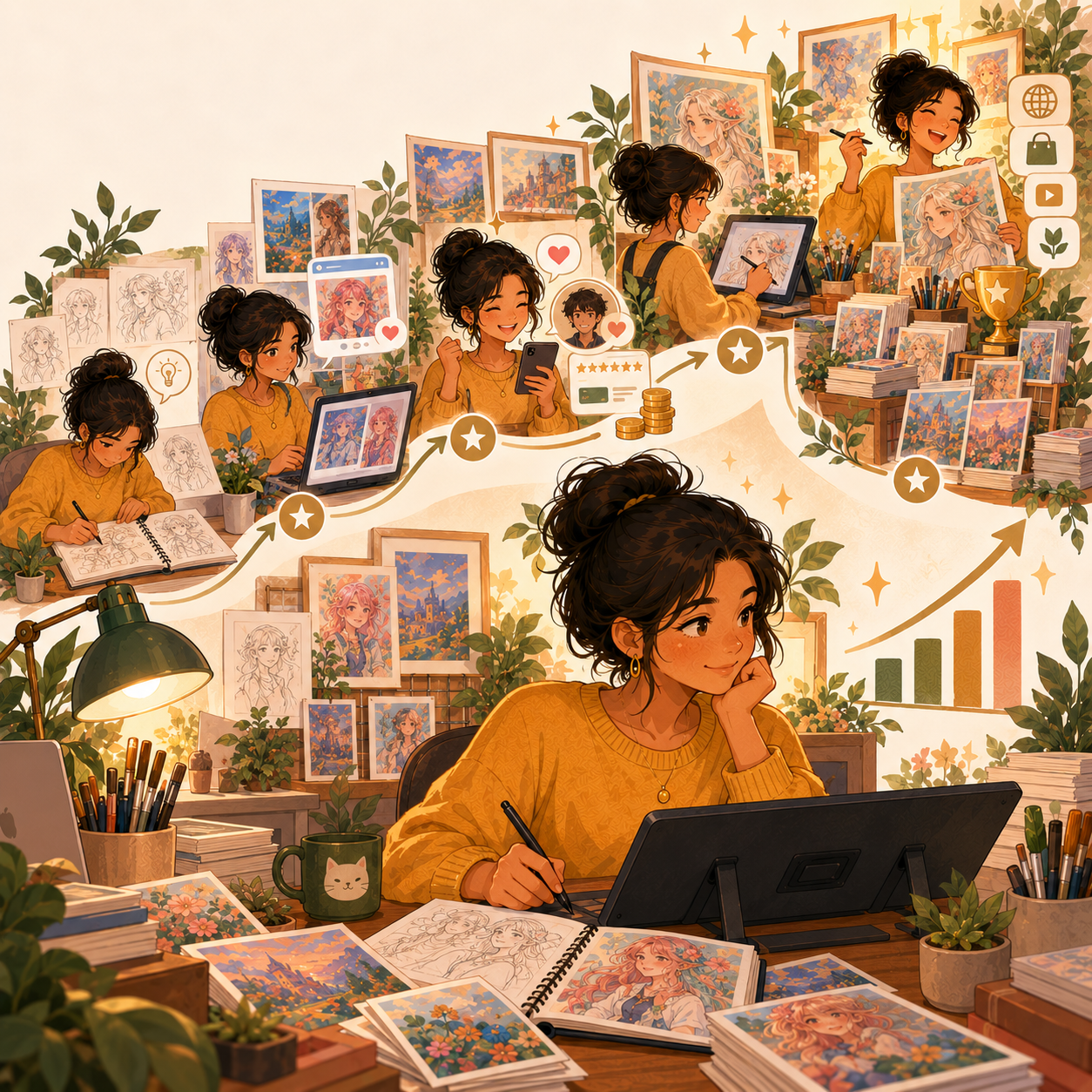
🎯 Pricing Strategy (This Is What Matters)
Most artists think:
👉 “I need more clients.”
But the real formula is:
🧮 Offer Clarity × Demand × Pricing Power = Income
- Low prices = more work for less profit
- Better niches = stronger conversion
- Add-ons and licensing = higher revenue per order
📈 What Affects Your Earnings
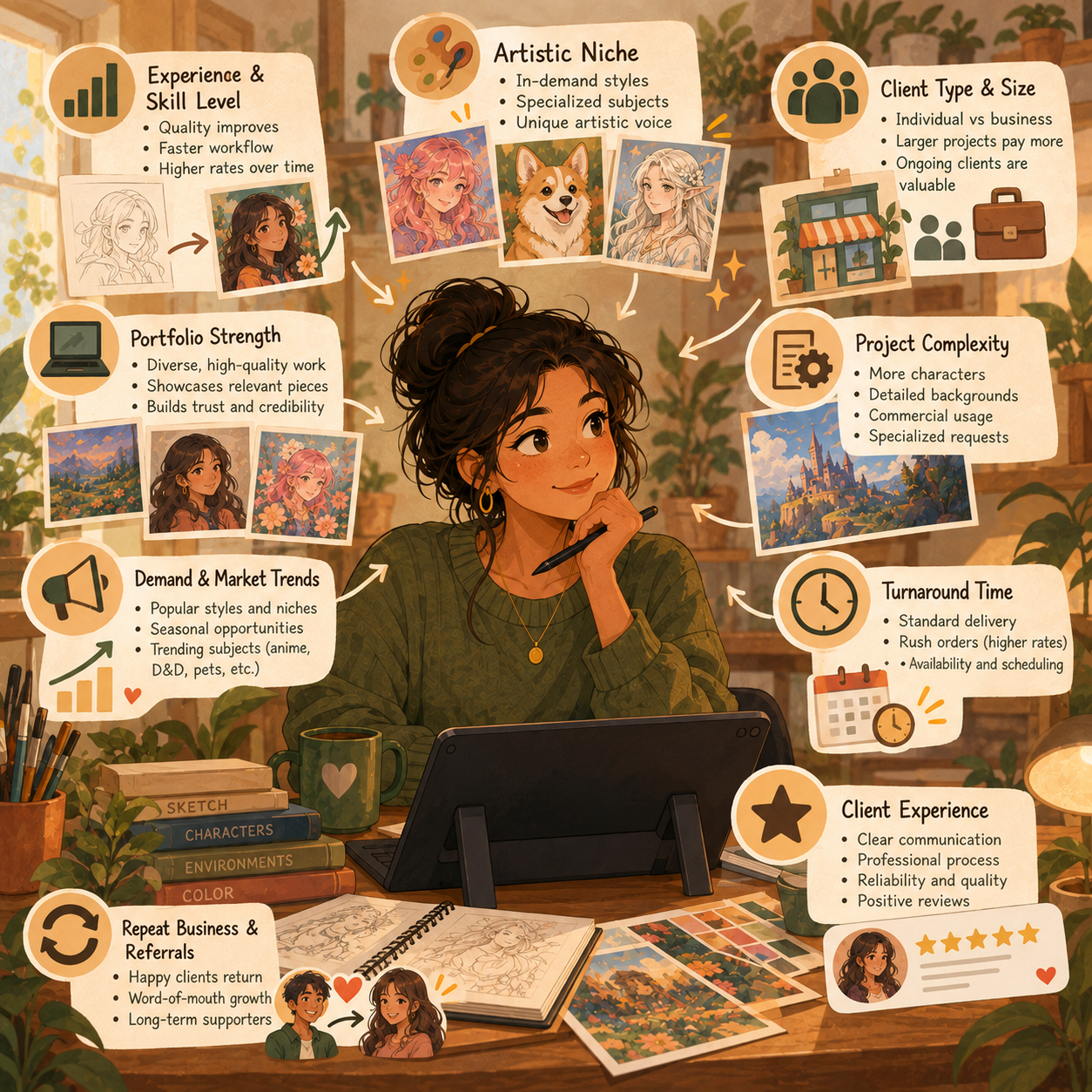
📊 Key Income Drivers
- Niche demand
- Some categories convert much faster than others
- Portfolio quality
- Strong examples make buyers trust your pricing
- Package structure
- Clear tiers and add-ons increase order value
- Commercial rights
- Business use should raise pricing significantly
- Turnaround and communication
- Reliability creates repeat clients and referrals
🎯 KEY TAKEAWAY
In art commissions, the goal is not just more orders. It is better-fit clients paying clearly for work they understand and value.
🚀 Build Your First Paid Commission Offer
🎯 KEY TAKEAWAY
You do not need to fill every slot with low-priced work—you need clear offers, strong examples, and better pricing structure. Your income in commissions is driven by niche clarity + demand + order value—not just hours spent drawing.
🚀 ACTION STEP
- Start with simple, easy-to-understand packages
- Focus on offers where the buyer immediately understands what they get and why it costs more
📋 Pricing & Revenue Planning Reference
📖 How to Use These Tables
Review the commission stages and pricing models below alongside your niche, portfolio, packages, and usage terms.
📊 Income Progression by Stage
🚀 Stage | 🎨 Business Level | 💰 Typical Monthly Income | ⏳ Timeline | 📌 What’s Happening |
Beginner | First commissions and portfolio building | $0–$300 | 0–3 months | Low pricing, testing offers, building examples |
Developing | Consistent small orders | $300–$1,500 | 3–6 months | Better niche clarity and more visible portfolio work |
Established | Repeat clients and stronger pricing | $1,500–$4,000 | 6–12 months | Improved workflow, referrals, and better packages |
Advanced | Premium niche or commercial work | $4,000–$10,000+ | 12–24 months | Higher-value clients, better positioning, stronger boundaries |
Professional | Established brand with multiple income streams | $10,000+/month | 2+ years | High-ticket commissions, licensing, products, and recurring demand |
🎯 KEY TAKEAWAY
The biggest gains usually come from raising prices, improving your niche, and increasing average order value—not just accepting more commissions.
🧾 Common Pricing Models
💡 Pricing Model | 💰 Typical Rates | 📈 Best Use Case |
✏️ Simple sketch | $10–$50+ | Fast entry offers and smaller commissions |
🎨 Full-color personal piece | $50–$300+ | Portraits, pets, gifts, and avatar work |
🧙 Character or premium illustration | $75–$1,500+ | Detailed character work, scenes, and polished packages |
🏷️ Commercial or branding project | $150–$10,000+ | Logos, covers, creator assets, and business usage |
➕ Add-ons and licensing | $20–$500+ extra | Extra characters, rush delivery, backgrounds, and rights |
🎯 KEY TAKEAWAY
Charge based on scope, usage, and outcome, not just on how long the drawing takes.
5. Essential Tools & Your Starting Setup
The right tools help you create, organize, price, deliver, and grow commission work efficiently. Start with a lean setup, then add tools as your workload increases.
Build a commission setup that helps you create consistently, capture a clear brief, collect payment, and deliver usable artwork. Start with your existing materials and one dependable workflow before upgrading equipment.
🧰 Your Minimum Viable Setup
🧰 Start With What You Already Have
- Making tools: Use paper and traditional supplies or one compatible device and drawing app.
- Work area: Arrange comfortable seating, usable lighting, and safe storage for materials.
- Portfolio: Keep a small set of representative samples in one easy-to-share place.
- Client records: Track briefs, references, deadlines, approvals, and payment status.
- Delivery: Prepare a backed-up client folder and agreed export formats.
💡 PRO TIP
Test your complete sketch-to-export process on a sample commission. A familiar tool that reliably produces the required files is more useful than expensive equipment you are still learning.
🧭 Choose One Working Path
Traditional-first: Offer originals or scanned artwork. Plan photography or scanning, packaging, shipping, and whether the client receives a physical piece.
Digital-first: Choose one drawing app that works with your device. Confirm canvas size, resolution, color requirements, and export formats.
Commercial work: Add a written usage agreement and appropriate deliverables. A flattened image, editable source file, and transferable copyright are different things.
🎯 KEY TAKEAWAY
One consistent art workflow, clear samples, and a written commission process are enough to test a focused offer.
⚙️ Set Up Your Workflow in 5 Steps
🎯 1. Define the Commission
Choose one commission type and specify size, subject count, detail level, delivery format, and turnaround. Make a sample that shows exactly what the buyer can expect.
📝 2. Prepare the Brief and Terms
Create an intake form for references, intended use, budget, and deadline. Agree on payment milestones, revision limits, cancellations, usage rights, and portfolio-sharing permission before starting. Confirm that supplied references and assets can be used for the project.
🗂️ 3. Organize Production
Create a folder for the brief, references, working files, approvals, and exports. Save versioned backups. Schedule sketch approval before detailed rendering and record requested changes in one place.
🔍 4. Check the Finished Artwork
Review proportions, spelling in graphic assets, cropping, dimensions, file formats, and print or screen requirements. Open the exported file separately; do not assume a good working file guarantees a correct export.
📤 5. Prepare Delivery
Send the agreed files and concise usage notes after the agreed payment milestone. Record delivery and invite feedback without promising unlimited changes.
Before you begin:
💸 Keep Your Tool Budget Lean
⚠ COMMON MISTAKE
Buying a new tablet, premium software, and several portfolio subscriptions before testing one complete commission process.
Upgrade only to solve a specific problem: unreliable exports, insufficient device performance, color-critical work, or an established production bottleneck. Check software and device compatibility before buying.
🚀 ACTION STEP
Choose one commission type, create a representative sample, draft an intake form and terms, and test your final-file delivery. Open only as many slots as you can complete reliably.
📋 Tool, Equipment & Setup Reference
🛠 TOOLS & RESOURCES
Use these existing comparisons as a reference library, not a requirement to buy or use every option.
📝 QUICK NOTE
Original comparison entries are retained. Listed prices, fees, eligibility, availability, timelines, and performance claims have not been reverified here. Check current provider terms and applicable requirements before relying on them; a free software tier does not eliminate equipment, training, transaction, or other business costs.
💻 Hardware
Item | Purpose | Budget Option | Professional Option |
Digital painting | Wacom Intuos ($80) | Wacom Cintiq ($650+) | |
Portable illustration | iPad 9th gen + Apple Pencil ($400) | iPad Pro + Pencil 2 ($1,000+) | |
Computer | Running software | Any laptop | MacBook / Gaming PC |
Monitor | Color accuracy | Standard display | Calibrated IPS panel ($300+) |
🎯 KEY TAKEAWAY
You don't need expensive gear to start. Many successful artists began with $100 tablets or basic iPads.
🎨 Digital Art Software
Tool | Best For | Cost | Learning Curve |
iPad illustration | $13 one-time | ⭐⭐ Easy | |
Manga, comics, illustration | $50/year or $220 one-time | ⭐⭐⭐ Moderate | |
Professional editing, painting | $21/mo | ⭐⭐⭐⭐ Hard | |
Free digital painting | Free | ⭐⭐⭐ Moderate | |
Vector art, logos | $70 one-time | ⭐⭐⭐ Moderate | |
Simple graphics, mockups | $13/mo | ⭐ Very easy |
🌐 Portfolio & Showcase
Platform | Purpose | Cost |
Professional portfolio | Free | |
Community + commission features | Free | |
Portfolio showcase | Free | |
Centralize all commission links | Free-$5/mo | |
Simple commission info page | Free-$19/year |
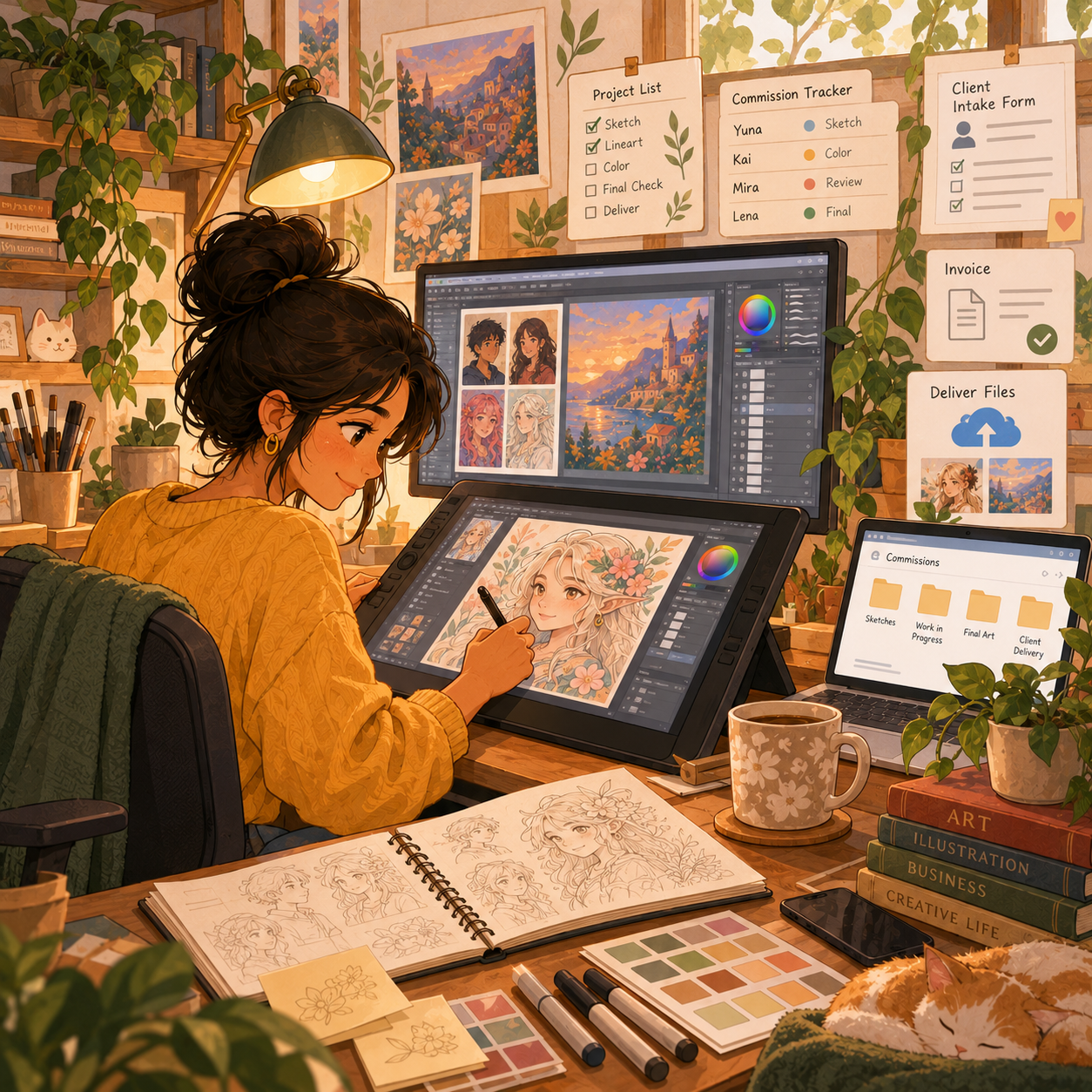
💼 Business Tools
Tool | Purpose | Cost | Priority |
Collect payments securely | 2.9% + $0.30 per transaction | 🔥 Essential | |
Tips + commission booking | Free (5% fee) | ⭐ High | |
Client intake questionnaire | Free | ⭐ High | |
Track commission queue | Free | ⭐ Medium | |
Final file delivery | Free-$12/mo | 🔥 Essential | |
Client consultations (optional) | Free-$15/mo | Low |
6. Find Clients & Reach Your Audience
Finding commission clients is a distribution problem as much as an art problem. Start with channels that match your niche, then build trust through consistent visibility and outreach.
📱 Build Visibility Through Social Media
Social platforms help artists display their style, show their process, and reach buyers before those buyers actively search a marketplace. Consistent niche-focused content usually matters more than posting everywhere.
⚖️ Social Media Platform Comparison
Platform | Strategy | Best Content Type | Time to First Client |
Post finished art + process videos | Reels, carousel posts, Stories | 1-3 months | |
Speed draws, before/afters, "commissions open" | Short-form video | 1-2 months | |
Share WIPs, use #commissionsopen | Art posts with hashtags | 1-3 months | |
Growing art community | Same as Twitter | 2-4 months | |
Speed paints, tutorials, art vlogs | Long-form video | 3-6 months | |
Portfolio pieces link to commission page | High-quality images | 2-4 months |
📌 Content That Gets Commissions
- ✅ Time-lapse/speed paint videos
- ✅ Before/after transformations
- ✅ "Commission process" explainers
- ✅ Finished pieces with "COMMISSIONS OPEN" text
- ✅ Client testimonials and reviews
- ✅ Your story and artistic journey
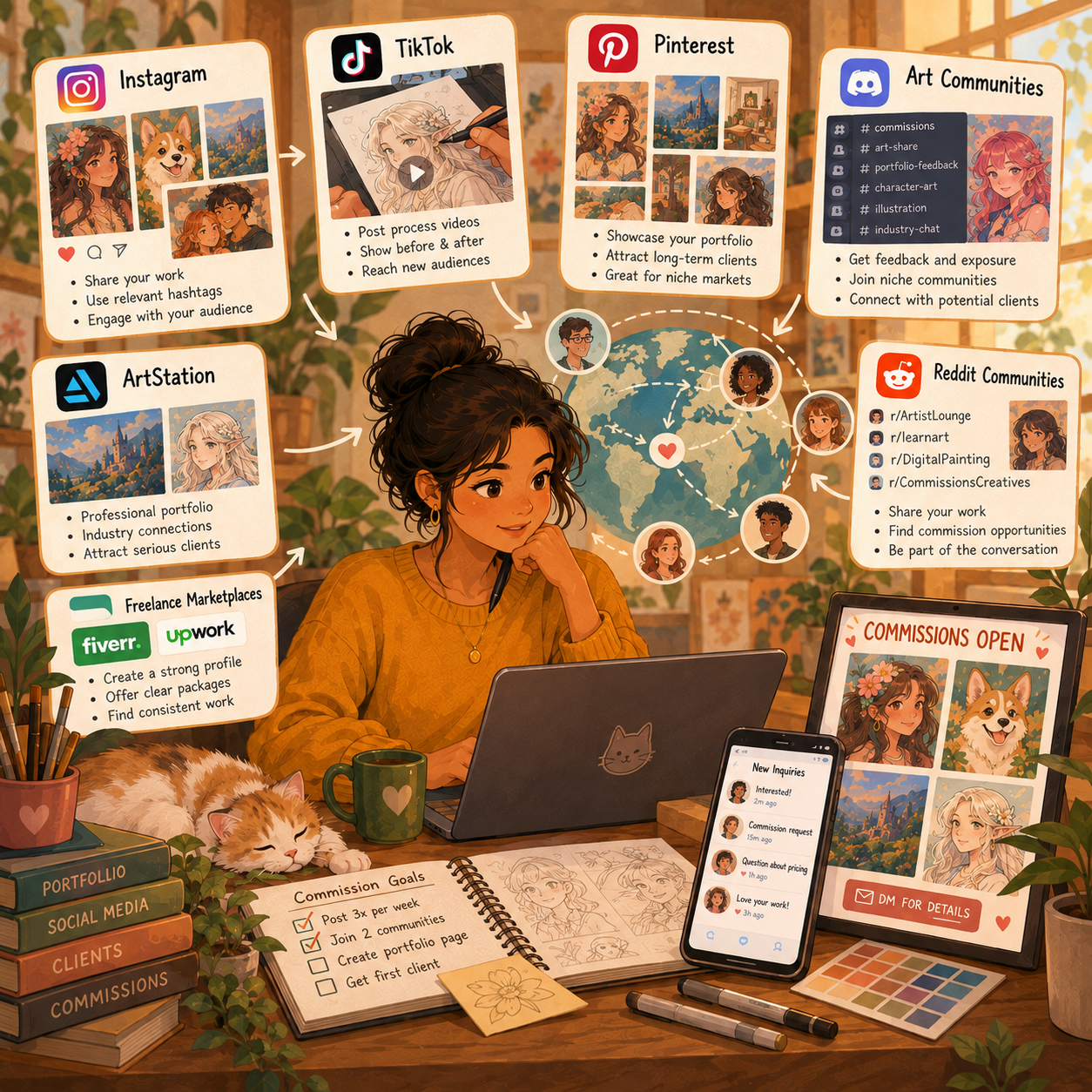
💼 Find Buyers on Freelance Marketplaces
Freelance marketplaces provide built-in buyer traffic, payment systems, and review signals. They can help you validate demand, but fees and competition make clear packages and strong samples essential.
⚖️ Freelance Marketplace Comparison
Platform | Commission Type | Fee | Competition | Best For |
All types | 20% | High | Beginners, volume work | |
Commercial art, logos | 10-20% | High | Professional projects | |
Pet portraits, custom art | $0.20/listing + 6.5% | Medium | Established styles | |
Fan art, character art | 5% | Low | Artists with social following | |
VTuber models, emotes | 10% | Medium | Anime/streaming art |
💡 PRO TIP
- Start on Fiverr to build reviews (even if prices are lower)
- Use platforms to validate demand, then drive clients to direct commissions
- Offer gig packages: "I will draw your pet portrait in watercolor style"
🎨 Build Trust Inside Art Communities
Art communities work best when you participate consistently instead of appearing only when commissions open. Use them to build credibility, show relevant work, and connect with buyers who already value custom art.
⚖️ Art Community Comparison
Platform | How to Use | Audience Type |
Portfolio + "Available for Commissions" badge | Professional, game/film industry | |
Commission widget, group galleries | Hobbyists, fan art community | |
Join art/niche servers, share in promo channels | Engaged niche audiences | |
r/commissions, r/HungryArtists, r/artcommissions | Bargain hunters + serious buyers | |
"D&D Art Commissions," pet portrait groups | Older demographic, gift buyers |
👥 Reach Out to Best-Fit Buyers Directly
Direct outreach helps you target creators and businesses that already need visual assets. The strongest pitches are specific, relevant, and supported by portfolio examples that match the recipient’s needs.
🎯 Direct Outreach Targets & Pitch Process
🎯 Best Outreach Targets
- 🎮 Twitch streamers (need emotes, overlays, channel art)
- 📚 Authors (need book covers, character art)
- 🏪 Small business owners (need logos, branding)
- 🕹️ Game developers (need character/environment art)
- 🎥 Content creators (need thumbnails, assets)
📨 How to Pitch
- Follow and engage genuinely first
- Send personalized DM: "I love your [content]. I specialize in [art style]. Here's my portfolio. Would you be interested in custom [artwork type]?"
- Offer special launch rate for first-time clients
- Follow up once if no response, then move on
🎯 KEY TAKEAWAY
Social media (Instagram/TikTok) for consumer commissions, direct outreach for business/commercial work.
7. How to Start: Your Beginner Roadmap
📩 PHASE 1 — Capture the Brief & Check the Fit
📋 Steps 1–2: Turn “Can you draw this?” into enough information to decide whether the project fits your style, availability, and offer.
✅ Ready to move on: You have one written brief with the client’s requested artwork, intended use, budget, and deadline. Do not quote from assumptions.
🧰 Before You Take Your First Order
A professional commission process turns a vague request into a clear brief, an agreed price, approved artwork, and a documented delivery. Work through the seven phase tabs in order and confirm each checkpoint before moving ahead.
Prepare representative samples, one focused offer, written terms, and a working payment and delivery route. Start with a workload you can finish reliably—not as many slots as you can sell.
🎯 YOUR FIRST GOAL Complete one well-scoped commission, deliver what you promised, and learn how much time and effort the full process takes. Paid orders and repeat clients are not guaranteed.
🚀 Your First 5 Actions: Run a Practice Project
🚀 ACTION STEP
Test the workflow with one representative sample project:
- Complete a mock brief and quote.
- Draft payment, revision, and usage terms.
- Save a sketch and final-review checkpoint.
- Test exports, file access, and a delivery message.
- Use the time required to set a realistic first offer and workload.
📝 Step 1: Collect the Essential Commission Details
- Subject and style: Who or what is being drawn? Which portfolio example matches the request?
- Scope (the agreed boundaries of the job): Subject count, pose, background, detail level, and dimensions.
- References: Clear images, written descriptions, and any required text.
- Intended use: Personal display, gifts, streaming, publishing, advertising, or another commercial use.
- Delivery: Digital files, a physical original, prints, or a combination.
- Budget and deadline: Include the actual gift, launch, or publication date.
Keep the brief and references together. Confirm that supplied material can be used for the project, and treat private photos and contact details carefully.
💡 PRO TIP
Use one intake form or written brief even when the conversation starts in DMs. Missing details become expensive once rendering begins.
💬 Step 2: Reply to the Client & Qualify the Inquiry
“Thanks for your interest! Please send the subject, reference images, intended use, deadline, and budget range. Which example from my portfolio is closest to the style you want? I’ll confirm availability and prepare a quote.”
Check the fit before saying yes:
Can you deliver this style and scope within the available time? Does the request fall within your content boundaries and the platform’s rules?
If not, decline politely or offer a smaller, clearly defined alternative. Do not accept an unfamiliar project solely to fill a slot.
Ready for Step 3 when: You can describe the deliverable, intended use, deadline, and client expectations without guessing.
💳 PHASE 2 — Agree on Scope, Terms & Payment
📋 Steps 3–6: Price the whole assignment—not only the drawing time—and make the boundaries easy for the client to understand.
✅ Ready to move on: You have written acceptance, a verified starting payment or funded milestone, and a realistic start estimate. Confirm these before production.
💰 Step 3: Build a Quote Around the Full Assignment
Consider briefing, research, sketching, rendering, revisions, communication, exports, materials, shipping, and relevant fees. Account for usage rights, exclusivity, or rush work where applicable.
State:
- What artwork and deliverables are included
- Price, currency, and any separately charged extras
- A realistic schedule with room for feedback
- Included revision rounds and approval checkpoints
- Payment milestones and when work begins
- Whether editable source files or physical delivery are included
Offer a simpler option if it genuinely meets the client’s needs; do not promise unlimited detail at a reduced price.
⚠ COMMON MISTAKE
“Portrait, $100, done next week” leaves the style, subject count, revisions, files, and rights undefined. A short but specific quote is safer than a casual promise.
📜 Step 4: Agree on Usage Rights, Revisions & Written Terms
Write down permitted use, commercial-use terms, and any restrictions. Make portfolio-sharing permission explicit, including confidentiality or publication timing.
Distinguish the final image, editable source files, a usage license (permission to use the artwork in agreed ways), and any separately agreed copyright transfer. Do not leave these under a vague “all rights included” promise.
Also explain:
- What counts as a minor revision versus a new direction
- How extra changes are quoted and approved
- What happens if client feedback is late
- Cancellation, refund, and delivery arrangements consistent with applicable requirements and platform rules
Get written acceptance before starting the next stage.
Ready for Step 5 when: The client has accepted the scope, price, schedule, revision limits, usage terms, and payment plan in writing.
🧾 Step 5: Invoice & Verify the Starting Payment
Use the payment arrangement you agreed on and follow the provider or marketplace’s rules. Do not treat a payment screenshot as proof that money has arrived.
For example, you might agree to 50% before production and 50% before final-file release. That is an illustrative schedule, not a universal standard; smaller jobs, larger projects, and funded marketplace milestones may use different arrangements. A milestone is an agreed payment or delivery checkpoint; escrow means the platform holds funds under its release rules.
- Send an invoice or supported commission checkout.
- Describe the agreed artwork and milestone clearly.
- Confirm receipt or funded escrow in the official account dashboard.
- Record payment status alongside the brief and deadline.
- Keep receipts and relevant transaction records.
Begin production only once the agreed starting-payment or funded-milestone requirement is satisfied.
🛡️ Step 6: Check the Transaction & Record the Booking
- Follow marketplace payment rules; do not move an order off-platform to bypass them.
- Do not pay an “account upgrade” fee requested by a supposed client to receive payment.
- Pause if someone overpays and asks you to send money to a different account.
- Use official support channels for suspicious transactions.
- Never ask clients to send passwords, payment-card details, or login codes in your intake form.
Use a business-appropriate payment method such as the supported options from PayPal, Stripe, Ko-fi, or your chosen marketplace. Check current fees and protections before relying on them.
📝 QUICK NOTE
A deposit is part of the agreed payment plan, not permission to ignore cancellation or refund obligations. Make the terms clear before collecting it.
Ready for Step 7 when: The starting payment or funded milestone is confirmed, the terms are accepted, and the client has a realistic start estimate.
✏️ PHASE 3 — Create the Sketch & Secure Approval
📋 Steps 7–8: Resolve the composition and direction before investing time in detailed linework, color, or rendering. Rendering means developing the sketch into finished color, shading, texture, and detail.
✅ Ready to move on: You have a saved, approved sketch and a clear record of the direction you will finish.
🎨 Step 7: Sketch the Composition & Key Details
Prepare a rough concept that shows:
- Subject placement, pose, and proportions
- Crop and overall composition
- Important props, clothing, and background elements
- Any required wording or layout
- Color direction if it is part of this checkpoint
Compare the sketch with the agreed brief before sending it. Offer multiple concepts only if your package includes them.
✅ Step 8: Request Specific Written Sketch Approval
“Please review the pose, composition, subject details, and layout. Send your feedback as one consolidated list. Once this sketch is approved, I’ll move into the agreed finishing stage; a new composition after approval may need a separate quote.”
Record the approved version and any agreed changes. If feedback is late, communicate the effect on the schedule rather than rushing silently.
Do not interpret silence as approval unless that process was explicitly agreed and is appropriate for the project.
💡 PRO TIP
Ask the client to check major decisions now—not just say whether they “like it.” A clear sketch checkpoint reduces avoidable rework later.
Ready for Step 9 when: The sketch is approved in writing and you have a saved record of the direction you will finish.
🖌️ PHASE 4 — Finish the Artwork & Resolve Revisions
📋 Steps 9–12: Build from the approved direction. Keep the client informed without turning every brushstroke into a new approval round.
✅ Ready to move on: The artwork matches the approved direction, has passed your quality check, and has final client approval.
🖌️ Step 9: Refine & Render the Approved Artwork
Adapt the stages to your medium:
- Refine the approved shapes and composition.
- Complete clean linework or the equivalent underpainting.
- Add agreed color, shading, texture, and detail.
- Check the artwork against the brief.
- Save working versions and a backup.
Reserve time for review and export. For traditional work, account for drying, scanning or photography, and safe handling where relevant.
📣 Step 10: Share Progress & Check the Artwork
Share progress when it helps confirm an agreed stage or explain a genuine issue. If the client requests a new direction, pause and agree on the revised scope, fee, and timing before doing extra work.
Check:
- Subject details, proportions, and requested elements
- Spelling in names, captions, or graphic assets
- Final size, crop, and intended viewing conditions
- Consistency across a set of illustrations or assets
Process videos can support marketing, but get permission before sharing client work, references, or confidential details.
Ready for Step 11 when: The artwork matches the approved direction and is ready for a focused final review.
🖼️ Step 11: Send a Preview & Collect Consolidated Feedback
Give the client a clear review point while keeping revisions within the agreement.
Send an appropriately sized preview, watermarked if suitable for the project. State what needs review and how much feedback time remains in the schedule.
Ask the client to check:
- Accuracy against the agreed brief
- Names, text, colors, and important details
- Any remaining minor adjustments
Track revision rounds and save updated versions. Distinguish corrections needed to meet the agreed brief from client-requested additions or a changed direction.
💡 PRO TIP
Define revisions when quoting, not during a dispute. “One round of consolidated minor changes” is clearer than “a few edits.”
🔧 Step 12: Resolve Changes & Record Final Acceptance
“I can make the agreed minor adjustments within this review round. Adding another character or replacing the approved composition changes the scope. I can quote that separately and confirm a revised delivery date before proceeding.”
When extra work is requested:
- Explain how it differs from the accepted scope.
- Confirm the additional price and schedule.
- Get approval and any required payment before starting.
- Record final acceptance of the completed artwork.
⚠ COMMON MISTAKE
Accepting “just one more change” repeatedly without recording it can turn a fixed-price piece into an open-ended assignment.
Ready for Step 13 when: The final preview is approved, agreed revisions are resolved, and you can prepare the exact deliverables promised.
📦 PHASE 5 — Confirm Final Payment & Deliver Usable Artwork
📋 Steps 13–15: Prepare the handover only after the approved artwork and agreed changes are settled. Check payment, final files, access, and physical delivery arrangements as applicable.
✅ Ready to move on: The client receives the purchased deliverables, can use them as agreed, and has a documented handover.
💳 Step 13: Complete the Agreed Final-Payment Milestone
Complete the agreed final-payment milestone and check the exports before releasing the finished work. Use the marketplace’s submission and escrow process where required.
For an escrow order, follow the platform’s required submission sequence; do not demand an off-platform payment or a release that its process does not allow.
📁 Step 14: Export & Check the Delivery Package
- Export only the agreed formats, such as PNG, JPG, print-ready files, or included source files.
- Confirm dimensions, resolution, transparency, and color requirements for the intended use.
- Open the exported files separately to catch errors.
- Use clear filenames and an organized delivery folder.
- Include concise usage and printing notes where relevant.
- Summarize the agreed usage rights and included deliverables.
For physical artwork, confirm packaging, shipping arrangements, and the delivery address privately. Record tracking or proof of dispatch where appropriate.
📝 QUICK NOTE
A preview, an editable source file, and permission to reproduce or commercially use artwork are different parts of the agreement. Deliver exactly what was purchased.
💌 Step 15: Send the Handover & Confirm File Access
“Your commission is ready. The delivery includes [files/items] for [agreed use]. You can access it here: [delivery method]. Please confirm that everything opens correctly. Contact me if there is a file problem or an issue with the agreed deliverables.”
Test folder access before sending. Do not accidentally include another client’s files or private working notes.
Record the delivery, payment status, and acceptance. Keep a backup and explain any agreed link-expiry or storage limits.
Ready for Step 16 when: Payment and delivery are documented, the client can access the work, and any file-access problem has been addressed.
🔄 PHASE 6 — Close the Project & Improve the Next Commission
📋 Steps 16–18: Close the project professionally, then learn from the full experience. A repeat order is an opportunity—not something every happy client will need.
✅ Ready to move on: You have a closed project, recorded sharing permissions, a useful job review, and a realistic next batch of work.
🤝 Step 16: Follow Up & Confirm Sharing Permission
- Confirm that the artwork arrived and the files worked.
- Invite honest feedback or an optional testimonial.
- Get permission before publishing the artwork, review, or client details.
- Respect confidentiality and agreed reveal dates.
- Let interested clients know how to book again.
- Offer a relevant next project only when it fits their needs.
Do not make positive reviews a condition of support. Repeat clients do not automatically need a discount; reliable work and clear communication can be valuable on their own.
📊 Step 17: Record the Full Job’s Time, Costs & Lessons
Record:
- Where the inquiry came from
- Total time, including messages, revisions, and delivery
- Direct costs and fees
- What caused delays or extra work
- Which parts of the brief or terms were unclear
- Whether the project suited your skills and workload
Include the invisible work: messages, approvals, revisions, exports, and follow-up all consume capacity. Keep the review with the project record so the next quote reflects the whole assignment.
🧭 Step 18: Improve Your Offer & Set the Next Workload
Use what you learn to refine pricing, turnaround estimates, samples, and revision boundaries. Open new slots based on actual capacity, with room for breaks and unexpected issues.
Choose one improvement before reopening slots: Tighten an unclear brief question, adjust a turnaround estimate, clarify a revision boundary, replace a weak sample, or revise a package that takes too long for its price.
Reopen only when: Current commitments fit your calendar, and the next order can use the updated process.
This phase is complete when: The project is closed, sharing permissions are recorded, and you have chosen one concrete improvement for the next order.
📋 PHASE 7 — Review Your First Commission & Build Your System
📋 Steps 19–20: Run a short postmortem on your first completed commission, then turn what you learned into reusable templates and a better offer.
✅ Ready to move on: You have written answers to the review questions, one change to your pricing, process, or samples, and updated templates for the next order.
🔍 Step 19: Review What Worked & What Slowed You Down
- Which part of the process went smoothly: brief, quote, approvals, payment, or delivery?
- Where did the project stall or need extra messages?
- What was unclear to the client, and what did you wish you had asked in the brief?
- Which revisions were within scope, and which were really new requests?
- What cost more time, money, or fees than you quoted?
- Where did the client find you, and which portfolio sample convinced them?
🧩 Step 20: Decide What to Repeat, Template & Change
- Repeat: Which steps, messages, or checkpoints worked exactly as planned?
- Template: Which brief questions, quote layout, approval message, or delivery note should become reusable?
- Change: Should price, turnaround, revision limits, or usage terms be adjusted?
- Keep personal: Which messages need a human touch and should not be templated?
- Stop: Which request types, add-ons, or platforms took too much time for the price?
🚀 ACTION STEP
Write down your answers, update one template, and make one change before opening your next slots.
🎯 Complete Your First Commission with Confidence
🎯 KEY TAKEAWAY
A good commission process protects your creative time and makes the client’s next step clear. Confirm the brief, terms, payment, approvals, and deliverables instead of relying on assumptions.
Brief → Quote → Payment → Sketch → Create → Review → Deliver → Follow Up
🗂️ Advanced: Build Your Commission Operating System
🗃️ Maintain One Project Record
Keep a single project record rather than scattering approvals across messages. Link the accepted brief, quote, terms, references, versions, payments, permissions, and delivery evidence. Store private client details with appropriate access.
Checkpoint | Record to keep |
Booked | Accepted scope, terms, starting payment, start estimate |
Sketch approved | Approved version, date, consolidated changes |
Final approved | Final preview, resolved revisions, acceptance |
Delivered | Payment or milestone status, files, access or dispatch record |
Closed | Sharing permission, feedback, time, costs, next improvement |
Use the same record to confirm what is still waiting on you, the client, or the payment platform. Update it at each approval or handover—not from memory weeks later.
🧩 Build Reusable Client Messages
⭐ ADVANCED STRATEGY
Build reusable templates for inquiries, quotes, approvals, changes, and delivery—but personalize them to each project. A repeatable system should make communication clearer, not robotic.
Keep five reusable messages: Inquiry, quote, sketch approval, scope change, and delivery. Each should state the client’s next action, the current agreed scope, and any relevant deadline. Replace every placeholder before sending; do not send private details from a previous project.
8. Build Trust & Improve Results
Use this section to build trust, present your art professionally, communicate clearly, deliver polished files, market with purpose, specialize strategically, and avoid the mistakes that cost new commission artists clients, income, and energy. Chapter 7 gets you started; this chapter helps you look credible, charge confidently, and keep clients coming back.
⭐ ADVANCED STRATEGY
1️⃣ Build Proof Before You Pitch 📁
Non-negotiable
Clients are trusting you with their money, their ideas, and often a gift or a brand. Before asking anyone to commission you, show that you can deliver consistent, polished work.
🛡️ Why Proof Builds Trust
Buyers want evidence that you can make what they are picturing, not just one lucky piece.
Why this matters:
- They need proof your style fits their idea
- They are paying before they see the final result
- A mixed or messy gallery feels risky
- Seeing process work shows the art is really yours
- Clear examples help them pick a tier faster
☑️ Minimum Portfolio Checklist
- 6–10 of your best finished pieces to start, growing toward 15–20
- One consistent style or clearly separated styles
- At least 2–3 examples of each commission type you offer
- Examples that show what each price tier looks like
- Process shots, sketches, or time-lapses
- A short bio and your commission status
- Clear contact or order instructions
- At least one testimonial once you have it
- Clean, well-lit images of every piece
🛡️ How to Create Proof Before Your First Paid Client
🏠 Option 1: Use What You Already Have
Start with finished pieces that already show your skill.
What to do:
- Pick your strongest recent work
- Group it by commission type, such as portraits, characters, or logos
- Retouch, crop, and present it cleanly
- Add a short caption explaining what each piece is
- Remove anything that does not match what you want to be hired for
✏️ Option 2: Draw Sample Commissions
Create pieces as if a real client had ordered them.
What to do:
- Invent 3–5 realistic briefs, such as a pet portrait, an original character, or a stream emote set
- Follow your full process, from sketch to final file
- Label each as a sample piece
- Show the tier it represents, such as sketch, line art + color, or full render
- Use them to fill any gaps in your commission types
🎁 Option 3: Offer a Few Discounted First Commissions
Use a small number of reduced-price slots to earn real examples and reviews.
What to do:
- Offer 2–3 slots, clearly labeled as an introductory batch
- Keep the same terms, deposit, and revision limits you will use later
- Ask for permission to share the finished piece
- Request a short testimonial on delivery
- Move to standard pricing as soon as the batch is done
💡 PRO TIP
A discount should shorten the trust gap, not set your long-term rate. Say clearly that it is a limited introductory offer.
🤝 Option 4: Draw for Friends, Family, or Fellow Creators
People who already know you can become your first reviewers.
What to do:
- Offer a free or low-cost piece in exchange for an honest testimonial
- Treat the project like a real client commission
- Use your actual kickoff and delivery messages
- Ask whether you can show the piece and the process
- Keep the finished example in your portfolio
Avoid:
- Posting work you did not make or have no rights to show
- Using someone else’s art as a sample
- Showing client work without permission
2️⃣ Showcase Your Portfolio 🗂️
🖼️ What to Include in Your Portfolio
Portfolio Piece | What It Shows |
Finished commission examples | You can deliver what clients actually order |
Price-tier examples | What each level looks like, with captions like “Full body character – $150” |
Process shots or time-lapses | The work is yours and your process is reliable |
Before / after or sketch-to-final | The value added at each stage |
Testimonials | Other clients were happy working with you |
Style range within your niche | You can adapt without losing your look |
Keep it tight:
- Show only your best 15–20 pieces
- Group by commission type: portraits, characters, logos, and so on
- Include variety within your style, not random styles
- Retire older pieces when stronger ones replace them
🛡️ Where to Show Your Portfolio
Place | Best For |
Instagram / TikTok | Reach, process clips, and commission-open posts |
ArtStation / Behance | Professional presentation and a deeper gallery |
DeviantArt / Pinterest | Discovery and long-lived search traffic |
Personal site or Carrd | One home page that links everything |
Link-in-bio page | Sending social followers to order info |
Cloud folder or PDF | Sharing a tailored selection with a specific client |
Display testimonials:
- Screenshot positive reviews, with permission
- Use a short line like “Working with [Your Name] was amazing! Fast and professional.”
- Save them to Instagram highlights or your website
- Place one near your order button
💡 PRO TIP
Label every piece with the commission type and, where possible, the tier. Buyers should be able to picture their order in your portfolio within seconds.
3️⃣ Be Recognizable and Honest ✨
Trust is built by what clients can see, repeat, and verify.
🎨 Make Your Art Instantly Recognizable
- Use a consistent color palette
- Develop a signature style: line weight, rendering, composition
- Add a subtle watermark in a bottom corner
- Use clean borders, mockups, and tidy presentation
- Keep your profile image, banner, and bio visually aligned
Why it works:
- Clients recognize your work in a crowded feed
- A clear style makes pricing easier to justify
- Consistent examples reduce hesitation
📱 Optimize for Social Media
- Use vertical formats such as 4:5 or 9:16
- Choose eye-catching thumbnails
- Add overlays like “COMMISSIONS OPEN” or “Process video”
- Put the strongest piece first in each post
- Keep a clear call to action in the caption
Avoid:
- Posting uncropped, low-resolution files
- Covering the artwork with huge watermarks
- Mixing unrelated styles in the same grid
📹 Show Your Process
Process content proves the work is yours and helps clients understand the value.
What to share:
- Sketch, line art, flat color, and final stages
- Time-lapse videos
- Work-in-progress screenshots
- Short notes about decisions you made
🤝 Be Honest About Your Work
Do:
- Say what you do and do not draw
- State your tools and delivery formats
- Credit references and collaborators where relevant
- Show real, unedited examples of your output
Avoid:
- Presenting work that is not yours
- Promising styles you cannot yet deliver
- Hiding limitations until after payment
4️⃣ Communicate Like a Professional 💼
Clients judge your reliability from your first reply.
💬 Clear, Prompt Communication
Do:
- Reply to inquiries within a stated time, such as 24–48 hours
- Confirm what the client wants before you start
- Send updates at the sketch, line art, and color stages
- Ask specific questions instead of vague ones
- Confirm deadlines and what happens if they change
Avoid:
- Going silent while you work
- Over-promising a deadline you cannot meet
- Starting with unclear or incomplete details
🔁 Handling Feedback and Revisions
Do:
- Explain how many revisions are included, usually 2–3
- Collect feedback in one message when possible
- Fix what was requested and note what you changed
- Be polite and firm if a request goes beyond the original scope
- Quote extra changes as add-ons
Avoid this by:
- Sharing sketches before detailed rendering
- Getting approval at each stage
- Keeping all agreements in writing
🟢 Show Your Availability Status
Status | Example Wording |
Open | “COMMISSIONS: OPEN” in your bio |
Limited | “Queue: 3 slots left” to create honest urgency |
Closed | “CLOSED – Reopening [date]” to set expectations |
⏱ List Turnaround Time Clearly
- Be realistic: “7–14 days depending on queue”
- Update your commission status regularly
- Under-promise, over-deliver
- Mention rush options separately
📝 QUICK NOTE
Only say slots are limited when they really are. Honest scarcity builds trust; fake scarcity damages it.
5️⃣ Kickoff & Delivery Templates 📝
📝 Commission Kickoff Template
Send this after the client agrees to the price and before you start drawing:
Do not begin sketching until payment and terms are confirmed.
📝 Delivery Message Template
Use this when you send the final files:
Send final files after full payment, according to your agreed terms.
📜 Terms of Service Template
Keep your terms short, readable, and consistent every time:
Terms of Service
• Revisions: [2–3] included. Extra changes: [fee].
• Payment: [50%] upfront, balance before final files.
• Refunds / cancellation: [policy by stage].
• Usage rights: [personal / commercial terms].
• Turnaround: [timeframe]; delays communicated early.
• I will not draw: [your boundaries].
• Credit: [how and where you may share the work].
☑️ What Your Terms Should Cover
- Number of revisions included, usually 2–3
- Cancellation and refund policy
- Commercial vs. personal use rights
- Payment schedule, such as 50% upfront
- What you will and will not draw
- Turnaround time and how delays are handled
- How the finished work may be shared
💡 PRO TIP
Written terms every time, even for small commissions, prevent most scope creep and rights disputes.
6️⃣ Marketing Hook Mastery 🎣
Great art still needs a reason for people to stop scrolling and order.
🪝 Hooks That Get Attention
Hook Type | Example |
Process reveal | “Watch this pet portrait go from sketch to final” |
Before / after | “Rough sketch → finished full render” |
Open slots | “Commissions open — 3 slots this month” |
Seasonal offer | “Holiday special: 15% off pet portraits” |
Behind the piece | “The story behind this custom family illustration” |
Client result | “The client’s reaction to this character commission” |
🧠 Marketing Tactics That Work
📹 Share process videos regularly
- Time-lapses show skill and build trust
- Tag with #commissionsopen where relevant
- Post sketches and works in progress too
🎁 Run limited-time promotions
- “5 slots available this weekend only”
- “Holiday special: 15% off pet portraits”
- Use real limits and real deadlines
⚡ Offer Rush Delivery for a Premium
- Normal: 7–14 days
- Rush: 2–3 days (+50% fee)
- Only offer it when your queue can handle it
- Some clients gladly pay for speed
🤝 Collaborate With Other Artists
- Art trades build audience crossover
- Shoutout exchanges
- Joint giveaways
📧 Build an Email List
- “Get notified when commissions open”
- Send portfolio updates and promotions
- More reliable than social algorithms
🚀 ACTION STEP
Pick one hook from the table, create one post this week, and include your commission status and a clear way to order.
7️⃣ Delivery Quality Checklist ✅
Technical polish is part of the product. It protects your reputation and reduces revision requests.
☑️ Final-File Checklist
Check | What to Verify |
Matches the approved sketch | Pose, composition, and details follow what the client signed off |
Reference accuracy | Colors, names, pets, outfits, and details are correct |
Text and spelling | Any names, quotes, or lettering are spelled correctly |
Resolution | Large enough for the agreed use, including print if included |
Color mode | RGB for screens; confirm requirements for print |
File format | PNG, JPG, or layered files exactly as agreed |
Background | Transparent or solid, as ordered |
Watermark | Removed from final paid files unless agreed otherwise |
File name | Clear and organized, such as client-name_piece_final.png |
🔍 Pre-Delivery Review
Before sending, check:
- Zoom in and inspect edges, hands, eyes, and small details
- View on a phone and desktop
- Compare against the brief point by point
- Export the files in every promised format
- Open the exported file to confirm it saved correctly
Common reasons clients request fixes:
- A detail from the brief was missed
- The color looks different from the preview
- Text or names are wrong
- The file is too small or the wrong format
- The piece changed after the sketch was approved
🛠 TOOLS & RESOURCES
Keep a reusable checklist in your notes app and run through it before every delivery.
8️⃣ Specialization & Pricing Strategy 🎯
Clients usually hire the artist who feels made for their project, not the artist who says yes to everything.
🎯 Choose a Direction
Niche | Typical Rate (from this guide) | Why It Works |
Portraits & pet portraits | $50–$300+ | Easy to understand and popular for gifts |
Custom wall art & gifts | $100–$600+ | Personalization and seasonal demand |
Fantasy, fan art & characters | $75–$500+ | Fandom and gaming communities commission often |
Tattoo concepts | $50–$300+ | Buyers want something personal |
Logos & business illustration | $150–$800+ | Commercial rights justify stronger pricing |
Emotes & creator packs | $75–$500+ | Bundles and repeat orders |
Book covers & editorial | $500–$5,000+ | Higher budgets and tighter contracts |
💰 Create Tiered Pricing Options
Menu example (adjust to your own pricing):

Sketch ........................... $50
Line Art + Color ................. $100
Full Render + Background ......... $180

Add-ons:
Extra character .................. +[amount]
Rush delivery (2–3 days) ......... +50%
Commercial usage rights .......... +[amount]
Print-ready files ................ +[amount]- Makes the decision easier for clients
- Builds an upsell opportunity into every order
- Keeps pricing separate for commercial use
🎯 How to Specialize in 5 Steps
1️⃣ Choose a Subject Focus
Pick the kind of piece you can draw well and enjoy repeating, such as pets, original characters, or logos.
2️⃣ Define Your Style
Decide your line weight, color approach, and rendering level so clients know what to expect.
3️⃣ Build a Tier Menu
Offer 2–3 clear levels with examples, turnaround times, and add-ons.
4️⃣ Set Your Boundaries
Write what you will and will not draw, and what usage rights each price includes.
5️⃣ Create Signature Examples
Make 3–5 portfolio pieces that perfectly represent the commission you want more of.
Generic Positioning | Specific Positioning |
“I draw anything” | “Stylized pet portraits for gift buyers” |
“Digital artist” | “Fantasy character art for tabletop RPG players” |
“Logo and design” | “Hand-drawn mascots for small businesses” |
⭐ ADVANCED STRATEGY
Raise prices when your calendar fills, your best work is in demand, or you are turning down projects you would happily have taken at a higher rate.
9️⃣ Common Mistakes: Pricing, Portfolio & Positioning ⚠️
The most expensive mistakes are often the ones that feel humble or polite.
❌ Underpricing to Get Clients
The trap: “I’ll charge $10 so people hire me.”
The reality: It attracts demanding clients, devalues your work, and is unsustainable.
The fix: Price fairly. If no one hires you, improve your marketing or portfolio, not your price.
❌ Not Showing Your Process
The trap: Only posting finished pieces.
The reality: Process content builds trust and proves the work is yours.
The fix: Record everything and share time-lapses and works in progress.
❌ Taking Every Commission
The trap: Saying yes to work outside your style or comfort zone.
The reality: It leads to burnout, poor results, and unhappy clients.
The fix: Define what you will and will not draw. Specialize.
❌ Comparing Yourself to Top Artists
The trap: “I’m not as good as [famous artist].”
The reality: They have often been practicing for many years. You are on your own path.
The fix: Compare yourself to your past self and celebrate progress.
⚠ COMMON MISTAKE
A cluttered portfolio, unclear pricing, and a vague niche all make the client work harder to say yes.
🔟 Common Mistakes: Contracts, Payment & Burnout ⚠️
Protecting your time and energy is part of running a professional commission business.
❌ No Contract or Terms
The trap: Casual agreements feel friendly.
The reality: They can lead to scope creep, unlimited revisions, a client disappearing after the sketch, and rights disputes.
The fix: Use written terms every time, even for small commissions.
❌ Starting Work Before Payment
The trap: “I trust them, they seem nice.”
The reality: Artists do get ghosted, and unpaid work cannot be recovered.
The fix: Require 50–100% upfront. No exceptions.
❌ No Breaks Between Batches
The trap: Opening slots again immediately after finishing the queue.
The reality: Creative burnout hurts both quality and enjoyment.
The fix: Close commissions for 1–2 weeks between batches.
❌ Unclear Usage Rights
The trap: Assuming everyone knows what they are buying.
The reality: Clients may use personal pieces commercially or ask for rights after delivery.
The fix: State personal vs. commercial use up front and price commercial rights separately.
🚀 ACTION STEP
Save your terms, kickoff message, and delivery message as reusable templates this week, then use them on every commission.
9. Learning Resources & Templates
🛠 TOOLS & RESOURCES
Commission work combines drawing skills with pricing, client communication, and reliable delivery. Use these resources to strengthen the skill you need for your next project—not to collect courses before you begin.
🎓 Learning (Free & Paid)
Start with one learning source that fits your current skill level and chosen commission type. Put each lesson into practice through a sample piece or a small, clearly scoped project.
🎬 Art Tutorials & YouTube
Watch demonstrations of drawing, painting, and illustration techniques. Use a focused tutorial when you need to solve a specific problem in a piece, then practice the technique yourself.
Watch LavenderTowne (YouTube Channel) for tutorials, examples, and practical ideas you can apply to art commission work.
🟢 Beginner
Watch Marc Brunet (YouTube Channel) for tutorials, examples, and practical ideas you can apply to art commission work.
🟢 Beginner
Watch SamDoesArts (YouTube Channel) for tutorials, examples, and practical ideas you can apply to art commission work.
🟢 Beginner
Watch Ethan Becker (YouTube Channel) for tutorials, examples, and practical ideas you can apply to art commission work.
🟡 Intermediate
Watch Proko for tutorials, examples, and practical ideas you can apply to art commission work.
🟡 Intermediate
🆓 Free Art Learning
Build fundamentals such as proportion, perspective, value, and composition without committing to a paid course. Start here if your samples need stronger foundations.

Use Ctrl+Paint to learn beginner concepts, examples, and workflows before starting art commission work.
🟢 Beginner
Use Drawabox to learn beginner concepts, examples, and workflows before starting art commission work.
🟢 Beginner
Use Line of Action to learn beginner concepts, examples, and workflows before starting art commission work.
🟢 Beginner
Use Quickposes to learn beginner concepts, examples, and workflows before starting art commission work.
🟢 Beginner
Use Unsplash to learn beginner concepts, examples, and workflows before starting art commission work.
🟢 Beginner
💬 Art Communities & Forums
Find critique, workflow ideas, and other artists’ experiences. Ask specific questions and use feedback to improve a sample; check community rules before promoting commissions.
Use r/artcommissions to ask questions, study real examples, and network with people doing art commission work.
🟢 Beginner
Use r/ArtistLounge to ask questions, study real examples, and network with people doing art commission work.
🟢 Beginner
Use r/Illustration to ask questions, study real examples, and network with people doing art commission work.
🟢 Beginner
Use r/DigitalPainting to ask questions, study real examples, and network with people doing art commission work.
🟡 Intermediate
Use r/HungryArtists to ask questions, study real examples, and network with people doing art commission work.
🟡 Intermediate
💰 Paid Art Learning
Explore structured courses and deeper instruction when you know which skill is holding you back. Review the syllabus, level, and instructor’s work before paying.
Use Skillshare — Illustration Classes for structured training, courses, or credentials that build confidence in art commission work.
🟢 Beginner

Use Udemy — Digital Art Courses for structured training, courses, or credentials that build confidence in art commission work.
🟢 Beginner
Use Domestika for structured training, courses, or credentials that build confidence in art commission work.
🟢 Beginner
Use CGMA for structured training, courses, or credentials that build confidence in art commission work.
🔴 Advanced
Use Schoolism for structured training, courses, or credentials that build confidence in art commission work.
🔴 Advanced
📝 QUICK NOTE
Community advice can help with technique and workflow, but it is not a substitute for checking platform policies, licensing terms, or qualified legal and tax guidance. Confirm that reference images, fonts, and other assets are permitted for the intended use.
📝 What Should You Learn First?
Follow this order:
1️⃣ Your core art fundamentals
Practice the proportions, values, perspective, and composition your chosen commission type requires. Work on one weak point at a time.
2️⃣ One repeatable offer
Choose a clear subject, style, and finish. Create two or three samples that show what a buyer will receive.
3️⃣ Scope, pricing & usage
Estimate production time and expenses. Define deliverables, revision limits, and personal or commercial use before quoting.
4️⃣ Client communication
Practice collecting references, confirming the brief, and explaining approval checkpoints. Agree on changes in writing.
5️⃣ Production & delivery
Build a backed-up workflow from sketch approval to final export. Check dimensions, formats, and any print or shipping requirements.
6️⃣ Finding clients & improving
Publish your focused offer in one suitable place. Track inquiries, time spent, and feedback to improve your next commission.
🎯 KEY TAKEAWAY
Learn while you make. Finish one representative sample and test a small, well-defined offer before investing in multiple courses or new equipment.
📄 Four Simple Commission Templates
Create these in a document, spreadsheet, or Notion page. They are working records—not ready-made legal contracts.
📝 Client Brief & Approval Record
Capture: Client | Subject | References & permissions | Intended use | Deliverables | Deadline | Approval checkpoints
Use it before quoting to clarify the request and record the client’s approval before detailed rendering.
💰 Quote & Scope Checklist
Record: Package | Estimated hours | Expenses | Usage/license | Included revisions | Add-ons | Total price | Payment milestones
Use it to explain what the price covers. Confirm cancellation terms and how extra work will be quoted before accepting payment.
🗂️ Commission Queue
Track: Project | Stage | Next action | Due date | Approval status | Payment status | Delivery link
Use it to manage open slots and follow up on missing references, approvals, or payments without losing track of deadlines.
📤 Delivery & Project Review
Check: File names | Dimensions | Formats | Export check | Agreed payment received | Delivery date | Portfolio permission | Actual hours | Expenses
Use it before handoff, then compare actual time and costs with your quote to improve future pricing.
🚀 ACTION STEP
Choose one learning resource and create one client brief for a sample commission. Complete the piece using the same approval and delivery checkpoints you plan to offer buyers.
🧰 Resources
Use these resources to turn your skills into a manageable commission workflow: create the art, show your work, reach buyers, collect payment, and deliver what you agreed. Begin with the tools you already have; add another only when it solves a specific problem.
🎨 Drawing & Illustration Tools
Choose software and materials that suit your style, device, and delivery requirements. Test the full sketch-to-export workflow before upgrading your setup.
📣 Marketing & Social Platforms
Share finished pieces, process examples, and clear commission openings where your buyers spend time. Focus on one channel you can maintain consistently.
🖼️ Portfolio & Gallery Platforms
Present a focused selection of work that matches the commissions you want to sell. Use a portfolio when buyers need to assess your style, consistency, and contact details in one place.
🖨️ Print & Product Options
Explore ways to turn artwork into physical prints or products. Check samples, costs, fulfillment, and usage rights before offering a physical upgrade to clients.
🛒 Commission Marketplaces
Explore places where buyers look for custom artwork. Compare fees, payment protection, content rules, and client expectations before listing a focused offer.
💳 Payments & Client Management
Organize invoices, project details, approvals, and payment milestones. Choose tools that help you document the agreement and keep each commission moving toward delivery.
10. Your First 6 Months in Art & Illustration Commissions
Your first 6 months in art and illustration commissions should be focused on building a clear offer, a stronger portfolio, and a repeatable client system, not just posting art and hoping people buy.
The goal is to move from:
Style → Samples → Offers → Clients → Repeat Orders → Better Pricing
By the end of 6 months, you should know what kind of commission work people want from you, what clients will pay for, where your best inquiries come from, and how to deliver work professionally without burning out.
🎯 6-Month Goal
By the end of your first 6 months, aim to have:
✅ One clear commission niche or art style
✅ 8–15 strong portfolio examples
✅ A simple price sheet or commission menu
✅ A clear order form or inquiry process
✅ 3–10 paid or practice commissions completed
✅ A basic portfolio page or active art account
✅ A repeatable sketch → approval → delivery workflow
✅ Better communication templates for clients
✅ A plan to raise prices, add upsells, or create digital products
🎯 KEY TAKEAWAY
People buy commissions when the work is easy to understand, the offer is easy to order, and the process feels trustworthy.
📅 Month 1: Choose Your Niche & Build Your Foundation
🎯 Main Goal
Choose what type of commission work you want to be known for and build the first examples people can use to judge your style.
✅ What to Do
- Choose one main commission direction
- Study artists who already sell similar work
- Create 8–10 sample pieces
- Decide what formats or file types you will offer
- Set up a simple portfolio folder or page
- Choose where you will post your work
- Write a short artist description
- Start posting consistently
🏁 Month 1 Success Looks Like
- You picked a clear commission direction
- You created sample work people can evaluate quickly
- Your art is easy to view in one place
- You know what type of buyer you want to attract
- You have started posting publicly and consistently
⚠ COMMON MISTAKE
Offering too many unrelated styles at once. Clear positioning helps buyers understand why they should hire you.
🧭 Good Commission Niches
Niche | Why It Works |
Character art | Strong demand in gaming and fandom communities |
Pet portraits | Emotion-driven buying and gift demand |
Couple portraits | Popular for milestones and social sharing |
Fantasy art | Fits DnD, original characters, and story-based audiences |
Profile art | Useful for creators, streamers, and online brands |
Logo-style illustration | Can lead to stronger commercial pricing |
Stickers or emotes | Easy to bundle and repeat |
Custom prints | Strong gift and home-decor potential |
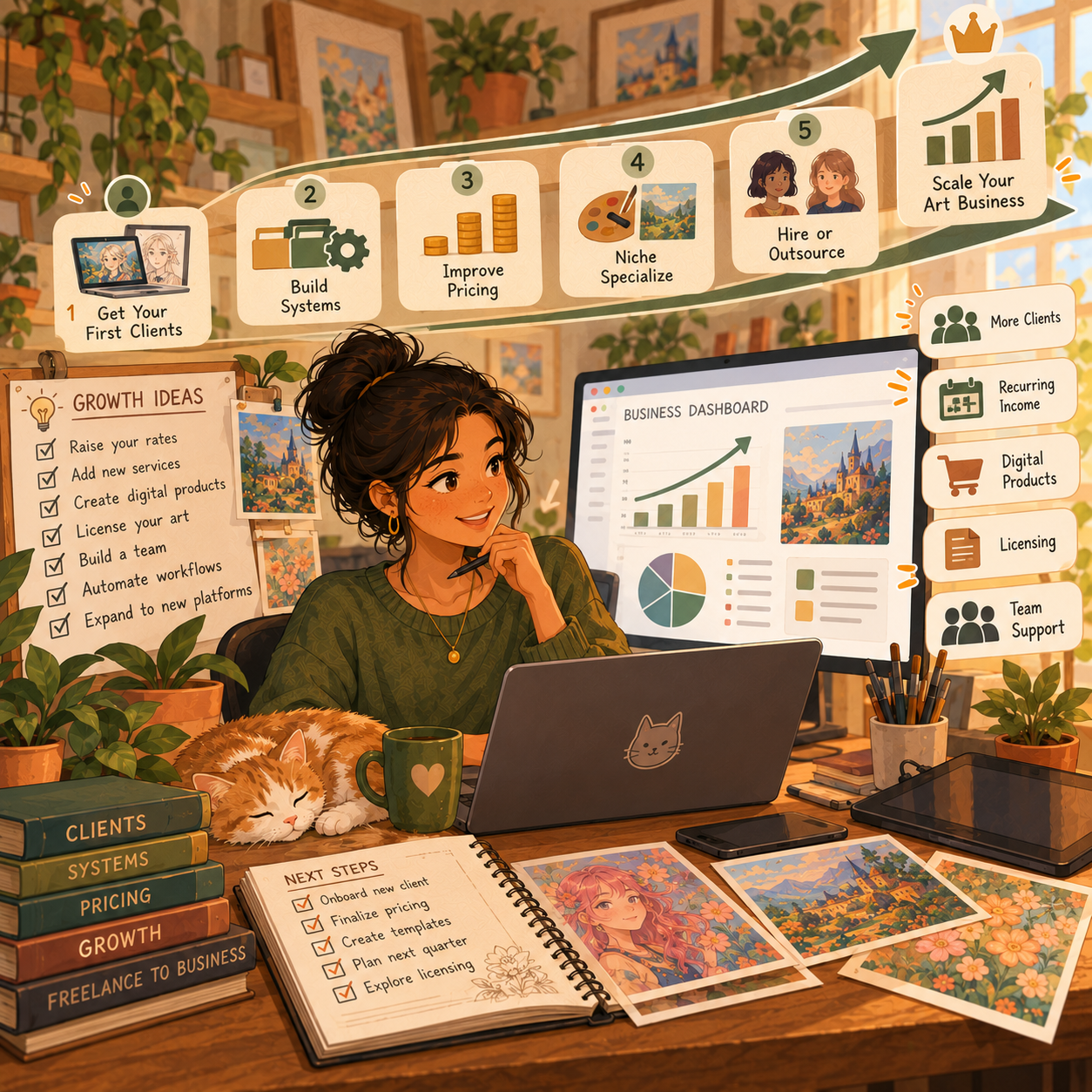
📅 Month 2: Build a Clear Offer People Can Actually Buy
🎯 Main Goal
Turn your art into a simple commission offer that feels easy to understand and easy to order.
✅ What to Do
- Create a price sheet
- Decide what each package includes
- Set revision limits
- Create a commission request form
- Write payment and turnaround terms
- Build example mockups for each offer
- Explain how ordering works
- Start announcing that commissions are open
🧾 What to Include on Your Price Sheet
- Starting price
- Style examples
- What is included
- Extra character or background cost
- Revision limit
- Estimated delivery time
- Payment method
- How to order
🏁 Month 2 Success Looks Like
- Your prices are visible and understandable
- Your offer is easy to compare and choose from
- People know how to contact or order from you
- Your process feels more professional
- You are ready to accept early clients
🎯 KEY TAKEAWAY
A confused buyer usually does not order. Simple offers convert better than vague commission posts.
📦 Package Ideas
Package | Example Offer |
Sketch | Simple black-and-white drawing |
Flat color | Clean art with basic color work |
Full-color portrait | More detail, shading, and polish |
Character sheet | Multiple expressions or poses |
Pet portrait | Custom art from a photo reference |
Profile art | Avatar, icon, or banner-style art |
Streamer emotes | Small bundled expression graphics |
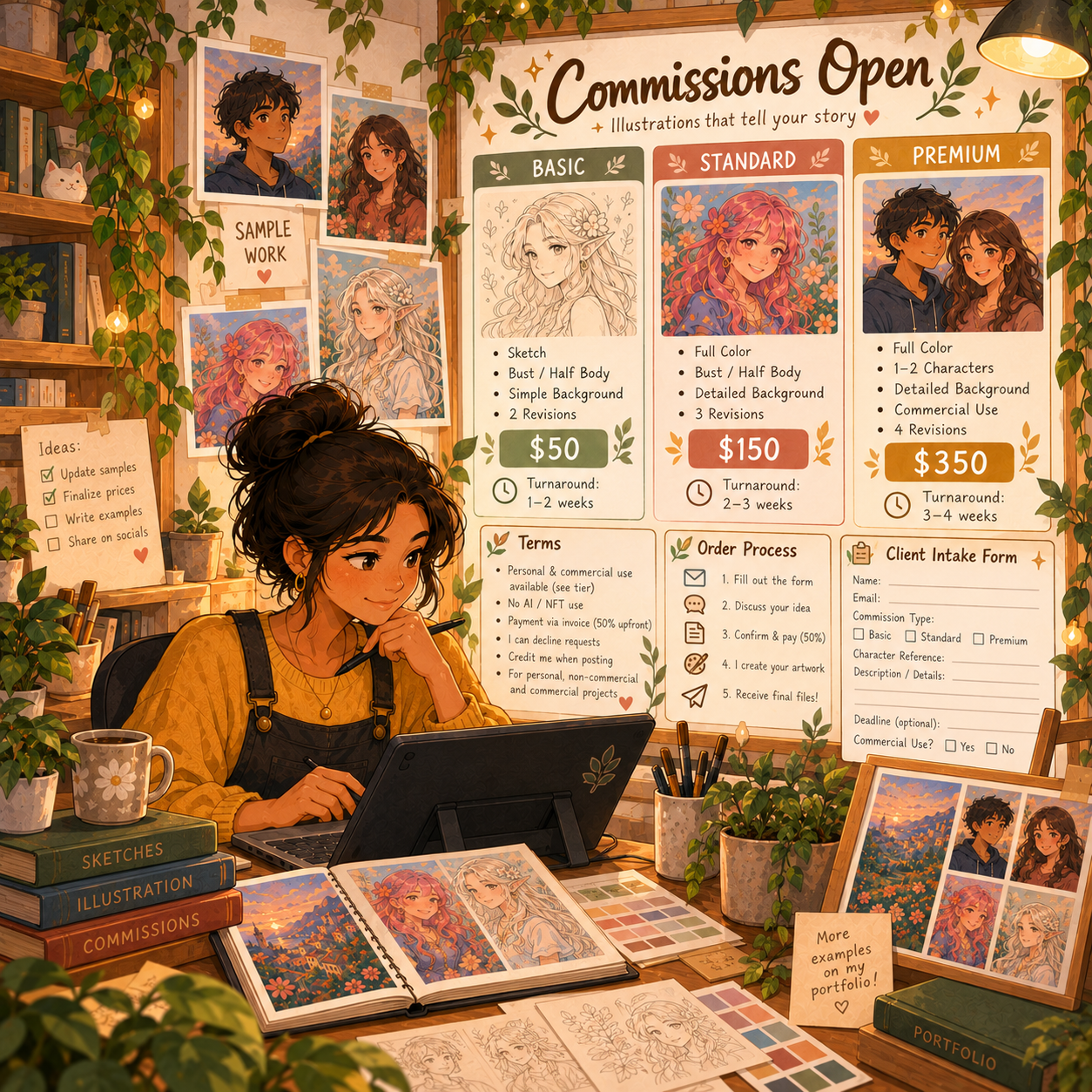
📅 Month 3: Get Your First Clients & Learn From Real Orders
🎯 Main Goal
Start getting practice clients, discounted first clients, or paid commissions so you can learn what real buyers want.
✅ What to Do
- Post that commissions are open
- Share examples in relevant communities
- Offer limited beginner slots
- Ask followers or friends if they need custom art
- Join art, gaming, writing, pet, or creator communities
- Respond quickly to inquiries
- Deliver commissions on time
- Ask for testimonials and permission to share finished work
🏁 Month 3 Success Looks Like
- You completed your first commissions
- You learned how long different orders take
- You improved how you talk with clients
- You collected testimonials or usable portfolio pieces
- You know which offers get the most interest
💡 PRO TIP
Early commissions teach you pricing, timing, communication, and buyer preferences faster than guessing does.
📍 Places to Find Clients
Platform | Best For |
Instagram | Visual discovery and portfolio posting |
TikTok | Process videos and fast attention |
X / Twitter | Art circles and fandom communities |
Reddit | Niche communities and commission threads |
Discord | Dnd, creator, streamer, and gaming groups |
Fiverr | Beginner-friendly service listings |
Etsy | Custom portraits and gift-friendly art |
Ko-fi | Tips, commissions, and small art sales |
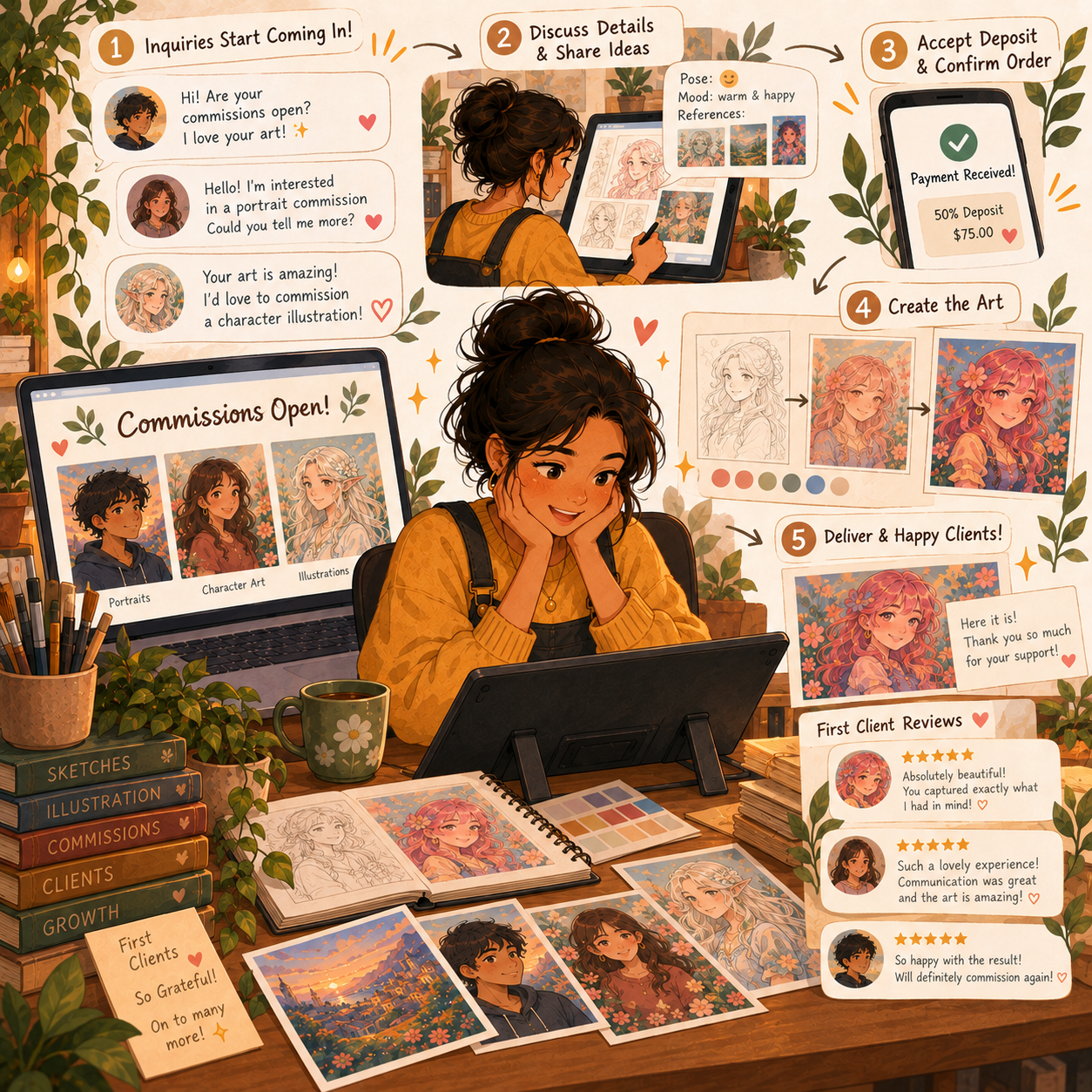
📅 Month 4: Build a Repeatable Commission System
🎯 Main Goal
Turn scattered commission work into an organized system you can repeat without wasting time or energy.
✅ What to Do
- Create message templates
- Add a sketch approval step
- Organize reference files and client folders
- Track each order in Notion or a spreadsheet
- Improve your delivery format
- Update your portfolio with your strongest work
- Remove weaker examples
- Raise prices slightly if demand is growing
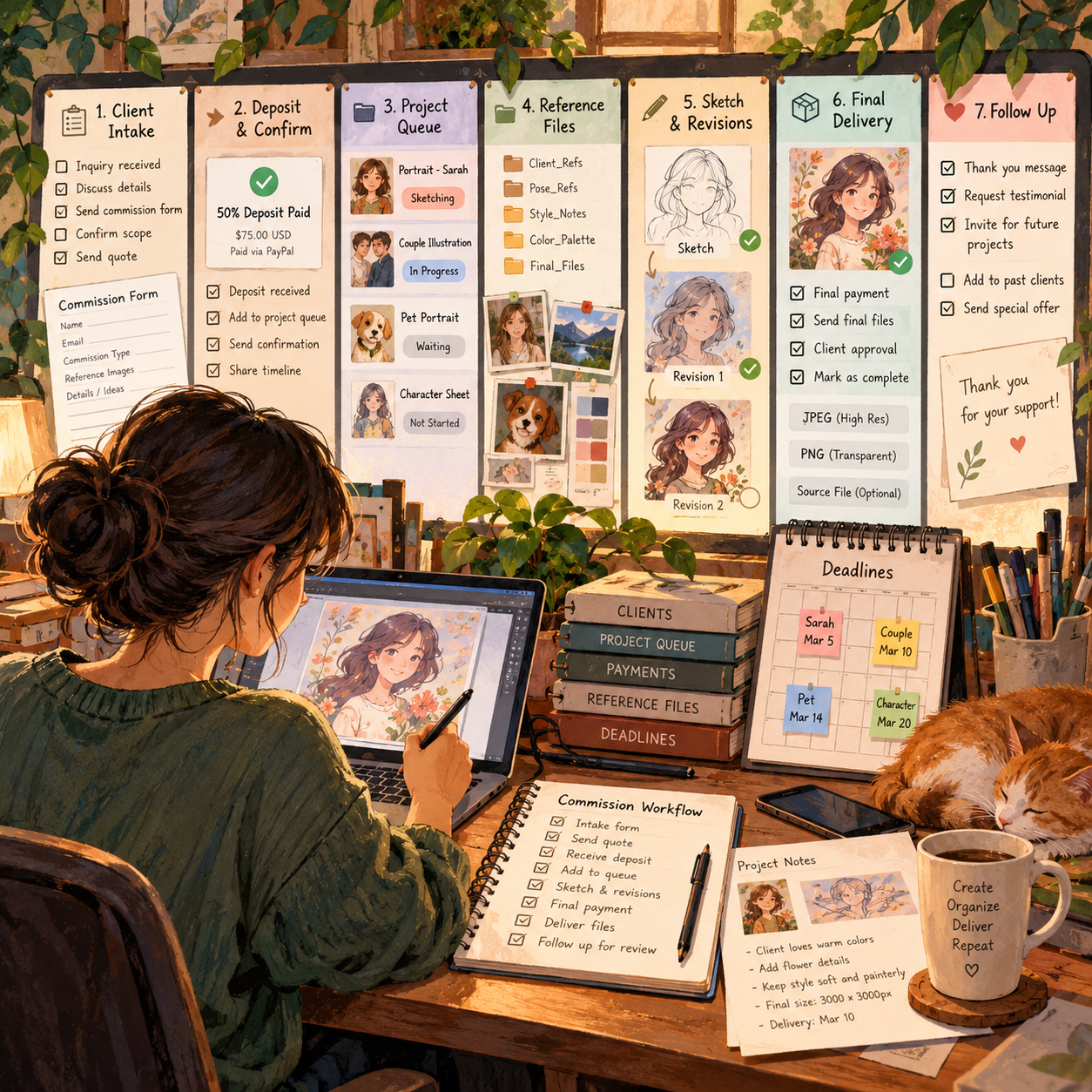
🏁 Month 4 Success Looks Like
- Your process feels more organized
- Clients know what to expect
- You are delivering more efficiently
- Your portfolio looks stronger
- Your boundaries around revisions and payment are clearer
⚠ COMMON MISTAKE
Do not accept more commissions than you can finish well. Slow, reliable growth is better than queue overload.
🗓️ Simple Weekly Workflow
Day | Task |
Monday | Reply to inquiries and plan active orders |
Tuesday | Sketch commission work |
Wednesday | Send approvals and handle revisions |
Thursday | Finish linework, color, or rendering |
Friday | Deliver final files and collect feedback |
Weekend | Update portfolio and promote openings |
🔄 Simple Commission Workflow
Step | What Happens |
Inquiry | Client asks about a commission |
Details | Client sends references and request |
Quote | You confirm price and timeline |
Payment | Client pays deposit or full amount |
Sketch | You send a rough concept for approval |
Final art | You complete the illustration |
Delivery | You send final files and usage notes |
Follow-up | You ask for a testimonial or share permission |
📅 Month 5: Increase Order Value & Create Better Packages
🎯 Main Goal
Improve the way you package and upsell your work so you can earn more from each commission instead of relying only on more clients.
✅ What to Do
- Follow up with past clients
- Ask for reviews and testimonials
- Offer add-ons like backgrounds or extra characters
- Create seasonal commission offers
- Build audience-specific packages
- Test higher prices on new slots
- Improve your commission page
- Start turning your style into possible digital products
🏁 Month 5 Success Looks Like
- Your packages feel stronger and easier to sell
- You know which add-ons buyers actually want
- You have repeat buyers or referrals
- Your pricing feels more confident
- Your commission page looks more professional
🎯 KEY TAKEAWAY
Better packages, clearer upsells, and stronger pricing can increase income even before you grow your audience.
📈 Offer Ideas to Add
Offer | Why It Helps |
Rush delivery | Adds a premium fee for speed |
Extra character | Raises order value quickly |
Detailed background | Creates a premium upsell |
Commercial license | Supports better pricing for business use |
Sticker pack | Turns one concept into multiple assets |
Emote bundle | Works well for creators and streamers |
Print-ready file | Adds value for gifts and home use |
Source file add-on | Useful for advanced or commercial clients |

📅 Month 6: Review Results, Specialize & Plan Your Next Phase
🎯 Main Goal
Review your first 6 months and decide what type of commission business you want to build next.
✅ What to Do
- Review all completed commissions
- Identify your most requested style or niche
- Identify your most profitable offer
- Review which platforms brought the best clients
- Update your portfolio with your best work
- Remove offers that take too much time for the price
- Decide whether to raise prices
- Create a 90-day plan for months 7–9
❓ 6-Month Review Questions
- Which commission type sold best?
- Which art style got the most attention?
- Which platform brought the best clients?
- Which orders took too much time?
- Which prices felt too low?
- Which clients were easiest to work with?
- What should you stop offering?
- What should you create more of?
🏁 Month 6 Success Looks Like
- You know your strongest commission offer
- You know where your best clients come from
- You understand your pricing much better
- Your portfolio is stronger than when you started
- You have a plan to specialize, grow, or expand into products
🎯 KEY TAKEAWAY
Commission work becomes easier to grow when your niche is clearer, your prices are cleaner, and your process protects your creative time.
📊 Decision Table
If This Happens | Do This |
Pet portraits sell best | Create more pet examples and gift-focused posts |
Character art gets attention | Focus on gaming, fantasy, or OC audiences |
Emotes sell well | Build creator bundles and recurring packages |
Orders take too long | Simplify offers or raise prices |
Clients want commercial use | Add licensing and usage pricing |
Posts get attention but no buyers | Improve your CTA and ordering instructions |
You are fully booked | Raise prices or limit your slots |
✅ 6-Month Success Checklist
By the end of 6 months, check whether you have:
✅ Picked a clear commission niche
✅ Built strong portfolio examples
✅ Created a simple price sheet
✅ Built an order or request process
✅ Posted your work consistently
✅ Completed practice or paid commissions
✅ Collected testimonials or proof of work
✅ Tracked client orders and workflow
✅ Set revision limits and payment boundaries
✅ Improved your strongest portfolio pieces
✅ Tested add-ons or higher-value packages
✅ Created a plan for the next 90 days
⚠️ What Not to Do During the First 6 Months
Avoid these mistakes:
❌ Offering too many styles at once
❌ Taking commissions without clear prices
❌ Starting work before payment terms are clear
❌ Offering unlimited revisions
❌ Undercharging detailed work
❌ Missing deadlines without communicating
❌ Posting art without ever saying commissions are open
❌ Copying another artist’s style too closely
❌ Taking commercial work without licensing terms
❌ Saying yes to every request even when it is a bad fit
📝 QUICK NOTE
Commission work is creative, but it is also a business. Clear expectations protect your time and improve the client experience.
🧭 Simple 6-Month Milestone Tracker
Month | Main Focus | Target Output |
Month 1 | Niche & samples | 8–10 portfolio examples created |
Month 2 | Commission offer | Price sheet and request form live |
Month 3 | First clients | 1–3 commissions completed |
Month 4 | Commission system | Organized client workflow in place |
Month 5 | Package upgrades | Add-ons, bundles, or seasonal offers tested |
Month 6 | Review & specialization | 90-day growth plan created |
🚀 Final 6-Month Strategy
Your first 6 months should follow this simple path:
Month 1: Choose your niche and create sample work
Month 2: Build a clear commission offer
Month 3: Get your first clients
Month 4: Organize your workflow
Month 5: Improve pricing and packages
Month 6: Review results and choose your next direction
The artists who grow fastest are not always the most talented. They are the ones who make their work easy to understand, easy to order, and easy to recommend.
11. Get the Art & Illustration Commissions Starter Kit
🎁 Your Art Commission Toolkit
The Art & Illustration Commissions Starter Kit brings together 12 interactive tools for pricing, client communication, project tracking and business growth.
The 12 components:
✅ 1. Art Commission Pricing Guide — Estimate prices based on time, costs and project scope.
✅ 2. Client Intake Form Template — Collect the information needed before accepting a commission.
✅ 3. Terms of Service Template — Outline project terms, usage, payment and expectations for review.
✅ 4. Portfolio Checklist — Prepare a portfolio that explains your work and process.
✅ 5. Commission Info Sheet — Present services, pricing details and commission policies.
✅ 6. Payment Tracking Tool — Keep track of invoices, payments and commission status.
✅ 7. 30-Day Marketing Calendar — Plan outreach, posts and promotional activities.
✅ 8. Email Templates — Draft client inquiries, quotes, updates and delivery messages.
✅ 9. Commission Queue Tracker — Organize active requests, deadlines and progress.
✅ 10. Before & After Showcase Template — Present project examples and creative improvements.
✅ 11. Revision Policy & Workflow Guide — Define feedback rounds, approvals and scope changes.
✅ 12. Client Retention & Upsell Playbook — Plan follow-ups, repeat-client outreach and additional service offers.
Also included: A central Art & Illustration dashboard and Start Here instructions.
The tools help you run your own commission workflow. Templates are not a substitute for personalized legal advice, and they do not automatically process payments, contact clients or synchronize devices. Availability depends on the final customer release.
12. Frequently Asked Questions
🧐 Do I need to be "good enough" to take commissions?
If people are willing to pay you, you're good enough. Start at beginner prices and grow. Everyone starts somewhere, and there are clients at every skill level.
😰 What if I'm not confident in my art?
Imposter syndrome is real. Focus on what you CAN draw well, price accordingly, and improve with each piece. Confidence comes from reps, not perfection.
🔁 Should I charge for revisions?
Include 2-3 minor revisions in your base price. Anything beyond that (or major changes) should cost extra. Define "minor" vs "major" in your terms.
😠 How do I handle difficult clients?
Have clear terms. Communicate boundaries professionally. If someone is unreasonable, refund the deposit and part ways—your mental health matters.
🤖 Can I take commissions if I use AI tools?
Disclose it clearly if you use AI in your process. Many clients specifically seek human-only art. Be transparent to avoid issues.
🕵️ What if someone steals or reuses my art?
Watermark your work. Include usage terms in contracts. Most platforms help with DMCA takedowns. Unfortunately, some theft is unavoidable online.
🧮 How many commission slots should I open?
Start with 3-5 while learning. Once comfortable with workflow, open 5-10 at a time. Quality > quantity.
🏛️ Do I need a business license?
Depends on your location and income. In the US, report as self-employment income once earning $600+/year. Consult local laws.
📸 Should I work for free for "exposure"?
No. Exposure doesn't pay bills. Offer discounted rates for portfolio-building early on, but never free for vague promises.
🧱 How do I deal with art block during commissions?
Build buffer time into deadlines. Take breaks between batches. If severe, communicate with the client and offer a partial refund if needed.
13. Important Considerations
Before you start, understand the realities that separate hobbyists from professionals:
⏳ It Takes Time to Build Momentum
- First clients may take weeks
- Consistent income takes months
👉 Most artists fail due to inconsistent marketing, not lack of skill
💸 Pricing Mistakes Will Hurt You
- Underpricing attracts difficult clients
- Overworking leads to burnout
✅ Price fairly and raise prices gradually as demand grows
🧠 You're Running a Business
Not just making art:
- You need contracts / terms
- You need client communication
- You need marketing systems
🐛 Revisions Can Kill Your Time
- Always define revision limits
- Charge for extra changes
👉 Scope creep is one of the biggest profit killers
📉 Not Every Inquiry Becomes a Client
- Some people will ghost
- Some won't accept your pricing
✅ This is normal — focus on volume + quality leads
⚙️ Platforms Are Not Reliable Alone
- Social media algorithms change
- Marketplace fees cut into profits
✅ Build:
- Email list
- Portfolio site
- Direct clients
🔥 Burnout Is Real
- Taking too many commissions reduces quality
- No breaks = creative fatigue
✅ Limit slots, batch your work, and take breaks between openings
💡 Final Reality Check
This is NOT "easy money"
This IS a skill-based, scalable creative business
14. Your Next Steps
🚀 ACTION STEP
📅 Today
- 📦 Download the starter kit above
- 🎨 Choose your niche: portraits, characters, logos, etc.
- 💵 Create a simple price list for 3 commission types
🗓️ This Week
- 💳 Set up a payment method, such as PayPal, Ko-fi, or Stripe
- 📝 Create an intake form using the Google Forms template
- 🖼️ Make 5–10 portfolio pieces showing commission examples
- 📄 Write your Terms of Service using the template
📆 This Month
- 📣 Post commission info on 2–3 platforms, such as Instagram, Twitter, or Fiverr
- 🎥 Share 2–3 process videos/speed paints per week
- 🏷️ Offer "launch special" pricing to your first 3 clients
- ✅ Complete your first paid commissions
- ⭐ Gather testimonials and improve based on feedback
🚀 Months 2–3
- 📊 Analyze what sold vs. what didn't
- 📈 Adjust prices based on demand: booked = raise prices
- 🔁 Build a consistent posting schedule of 3–5x per week
- 👥 Join 3–5 niche communities related to your art style
- 🎯 Aim for 10+ completed commissions
15. The Bottom Line
🎯 KEY TAKEAWAY
Art commissions are one of the most accessible ways to monetize creativity — but success comes from positioning and consistency, not just talent.
🙋 If you:
✔ Focus on a clear niche (portraits, emotes, logos, etc.)
✔ Build a strong portfolio
✔ Market consistently (not just create)
🏗️ You can build:
💰 Part-time income potential of $500–$2,000/month
📈 Full-time income potential of $2,500–$8,000+/month
🚀 This isn't just a side hustle — it can become a full creative business.
16. Recommended Websites & Tools
🛠 TOOLS & RESOURCES
You do not need every resource listed below. This directory brings together the major platforms, tools, and resources from this guide, along with additional options, so you can find them in one place when you need them.
Start with the essentials. Add tools only when your commission business develops a specific need for them.
🎨 Digital Art & Illustration Software
- Procreate — iPad illustration app for digital drawing, painting, sketching, and commission artwork.
- Clip Studio Paint — Illustration, manga, comic, and character art software for more advanced commission work.
- Adobe Photoshop — Professional image editing and digital painting software for polished client-ready artwork.
- Krita — Free digital painting and illustration software for beginners who want to start without paid tools.
- Affinity Designer — Vector design tool for logos, branding illustrations, icons, and clean digital artwork.
- Canva Pro — Simple design tool for commission mockups, price sheets, portfolio graphics, and social media posts.
💡 PRO TIP
Free tools like Krita are enough to start taking commissions. Upgrade your software only when a project actually requires it.
🌐 Portfolio, Gallery & Link Pages
- ArtStation — Professional portfolio platform for illustrators, concept artists, game artists, and commercial creatives.
- DeviantArt — Art community and portfolio platform with commission-friendly audience features.
- Behance — Portfolio showcase platform for creative professionals, illustrators, designers, and visual artists.
- Linktree — Link-in-bio tool for organizing commission forms, portfolio links, social profiles, and payment links.
- Carrd — Simple one-page website builder for commission info pages, portfolios, pricing, and contact forms.
📝 QUICK NOTE
Your portfolio is often the first thing a potential client checks. Keep it current and show only your strongest, most consistent work.
💳 Payments & Client Intake
- PayPal — Payment platform for collecting deposits, final payments, and client invoices.
- Stripe — Payment processor for professional checkout links, invoices, deposits, and online payments.
- Ko-fi — Creator platform for tips, commission bookings, small art sales, and supporter payments.
- Google Forms — Free form tool for commission request forms, client intake, and project details.
- Jotform — Form builder for more advanced commission intake forms, quote requests, and client questionnaires.
💡 PRO TIP
Collect a deposit before starting any work. A simple payment link plus a clear intake form prevents most client problems before they start.
🗂️ Workflow, Files & Delivery
- Trello — Project board tool for tracking commission stages, client queues, deadlines, and revisions.
- Notion — Workspace for commission trackers, pricing sheets, client notes, templates, and portfolio planning.
- Google Drive — Cloud storage for organizing final files, client references, contracts, and delivery folders.
- Dropbox — File storage and delivery platform for sending large artwork files to clients.
- Loom — Screen recording tool for client walkthroughs, process updates, and visual explanations.
- Zoom — Video call platform for optional client consultations, commercial projects, and detailed art briefs.
📱 Social Media & Content Platforms
- Instagram — Visual platform for posting finished art, reels, process videos, stories, and commission openings.
- TikTok — Short-form video platform for speed draws, before-and-after art videos, and commission promotion.
- Twitter/X — Social platform for sharing works in progress, art posts, hashtags, and commission availability.
- Bluesky — Social platform with a growing art community for sharing artwork and building audience visibility.
- YouTube — Video platform for speed paints, tutorials, art vlogs, process videos, and portfolio-building content.
- Pinterest — Visual discovery platform for driving traffic to portfolio pieces, commission pages, and printable art offers.
💡 PRO TIP
Process videos and speed paints consistently outperform static posts. Record your work once and reuse it everywhere.
🛒 Freelance Marketplaces & Commission Platforms
- Fiverr — Freelance marketplace for beginner-friendly commission gigs, art packages, portraits, emotes, and custom illustrations.
- Upwork — Freelance marketplace for commercial illustration, logos, book covers, branding, and higher-budget client projects.
- Etsy — Marketplace for custom portraits, printable artwork, personalized gifts, and made-to-order art listings.
- VGen — Commission platform focused on VTuber art, emotes, anime-style work, streaming assets, and creator commissions.
📝 QUICK NOTE
Marketplace fees and rules change over time. Check current fees and commission policies before setting your prices.
💻 Hardware & Drawing Gear
- Wacom — Drawing tablet brand for beginner tablets, pen displays, and professional digital art setups.
- Apple iPad — Portable drawing device option for artists using Procreate or other iPad art apps.
- Apple Pencil — Stylus for iPad-based digital illustration, sketching, and portable commission work.
🎨 Art Communities & Client Discovery
- Discord — Community platform for joining art servers, D&D groups, creator spaces, and commission-friendly niche communities.
- Reddit — Community platform for sharing art, joining commission subreddits, and finding niche client audiences.
- Facebook Groups — Group discovery page for finding local art groups, D&D art groups, pet portrait buyers, and niche commission communities.
🎯 KEY TAKEAWAY
You do not need to be on every platform. One portfolio page, one payment method, and one or two channels you post on consistently are enough to start.
🧭 How to Use This Directory
🧰 Start With a Simple Setup
Do not start by creating accounts with every service listed above. For most beginners, a simple setup is enough:
- One drawing app or traditional setup
- One portfolio page
- One payment method
- One commission intake form
- One or two places to post your work
That is enough to start taking commissions. Add tools only when you can name the specific problem they will solve.
🎯 KEY TAKEAWAY
Tools support the business. They are not the business.
Your biggest advantages will come from:
A clear offer → Strong samples → Consistent visibility → Happy clients → Repeat orders
17. Explore Similar Side Hustles
 Print-on-Demand — Put your designs on shirts, mugs, and posters without holding inventory or shipping anything yourself.
 Selling Crafts & Handmade Goods — Sell original pieces and physical artwork directly to buyers who value handmade work.
- Selling Digital Products — Turn your art into prints, brush packs, templates, and downloads that can sell repeatedly.
 Self-Publishing on Amazon KDP — Use your illustration skills to create coloring books, journals, and art books for a global audience.
- Online Course Creation: Turn Your Knowledge Into Income — Teach your drawing style and commission workflow to students who want to learn.
 Faceless Video Content Creation: Go Viral Without Showing Your Face — Share speed paints and process videos that grow an audience without appearing on camera.