
Official Website
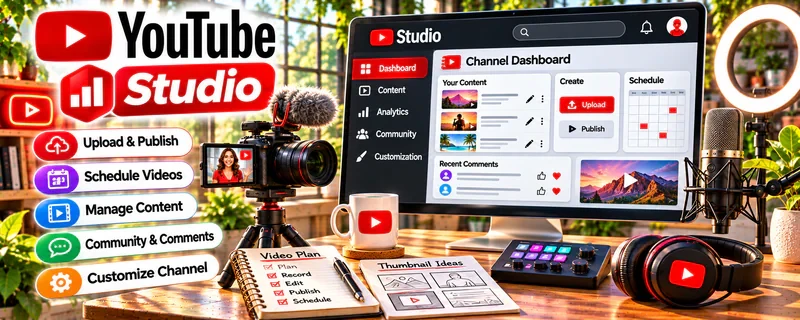
YouTube Studio is YouTube’s creator dashboard for uploading videos, tracking performance, managing comments, and optimizing titles/thumbnails.
🔗 Visit Official Website — YouTube Studio
Domain: studio.youtube.com
What This Website Is
YouTube Studio is YouTube’s creator dashboard for uploading videos, tracking performance, managing comments, and optimizing titles/thumbnails. For the 🎓 Online Course Creation side hustle, it can be used to grow your audience with educational content and funnel viewers into your course.
How to Apply It to 🎓 Online Course Creation
Use YouTube Studio as your “content growth control center”: publish → analyze → iterate → drive course sales.
Step-by-Step Implementation:
- Phase 1: Upload consistent educational videos that match your course topic.
- Phase 2: Track key metrics (CTR, retention, traffic sources) and improve titles/thumbnails.
- Phase 3: Add strong CTAs to your course landing page and track conversions.
Common Use Cases for this Side Hustle:
- Scenario A: If views are low, improve titles/thumbnails and topics.
- Scenario B: If retention is low, tighten intros and pacing.
- Scenario C: If sales are low, improve CTAs and offer clarity.
When to Use This
- You publish educational YouTube content.
- You want analytics to guide improvements.
- You want to funnel viewers into a course.
- You manage comments/community.
Best Tasks to Use It For
- Uploading and optimizing videos
- Analytics and retention review
- Thumbnail/title iteration
- Comment moderation
- Funnel tracking via links
Getting Started Steps
- Set up your channel branding.
- Upload one “core topic” video.
- Add a CTA to a landing page.
- Review analytics after 48–72 hours.
- Update title/thumbnail if needed.
- Repeat weekly with consistent topics.
- Build a playlist that aligns to your course.
Good Beginner Search Terms
- YouTube Studio analytics basics
- improve click through rate YouTube
- audience retention tips
- course funnel from YouTube
- playlist strategy for creators
- optimize YouTube titles thumbnails
Monetization Angle
YouTube can drive free traffic to your course. Improving CTR and retention increases reach, which increases leads and sales.
Pros
- Free, built-in analytics
- Direct control over optimization
- Strong content growth feedback loop
Cons
- Growth can be slow early
- Requires consistent publishing
- Metrics can be noisy for small channels
Who Should Use This
Course creators using YouTube content as their main discovery channel.
Who Should Skip This
Skip this if you don’t plan to publish video content or prefer other traffic sources.
Practical Applications
- Upload an original educational sample and review its title and description.
- Organize free lessons into an accessible discovery sequence.
- Use permitted analytics and comments to identify questions for your course plan.
Important Considerations
- YouTube Studio is not a full course-hosting, payment, or learner-progress system; unlisted videos are not secure paid access.
- Secure lesson and media rights, protect student information, and check current publication, accessibility, and audience policies.
Related Resources
Adobe Premiere Pro — Edits course videos before they are uploaded and measured in YouTube Studio.
Adobe Audition — Cleans lesson audio and improves production quality.
Loom — Records quick lessons, walkthroughs, and student-facing videos.
Google Drive — Stores recordings, thumbnails, scripts, exports, and course assets.
Related Side Hustles
 Online Course Creation: Turn Your Knowledge Into Income — This is the direct course business YouTube Studio helps grow.
Blogging: Build an Online Brand and Earn from Your Words — Written content can support YouTube lessons and course funnel traffic.
 Affiliate Marketing: Get Paid to Promote What You Love — Educational videos can recommend tools and generate affiliate revenue.