Official Website
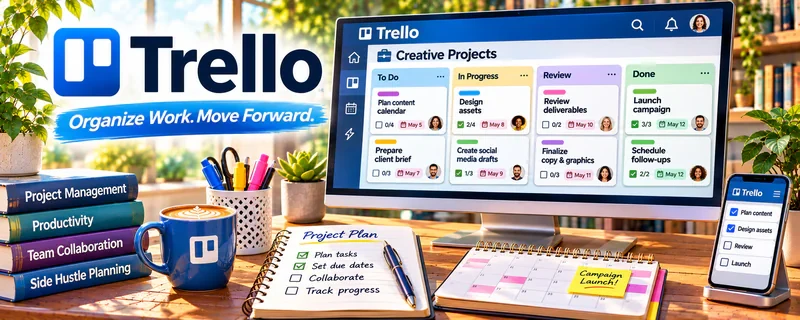
Trello is a freemium kanban board tool for managing tasks and simple workflows.
🔗 Visit Official Website — Trello
Domain: trello.com
What This Website Is
Trello is a freemium kanban board tool for managing tasks and simple workflows. For the 🎬 Faceless Video Content Creation side hustle, it can be used to track your pipeline from ideas → script → edit → publish.
How to Apply It to 🎬 Faceless Video Content Creation
Use Trello as your “video pipeline board” so production stays consistent.
Step-by-Step Implementation:
- Phase 1: Create lists: Ideas, Scripting, Voiceover, Editing, Uploading, Published.
- Phase 2: Add a card template checklist for each stage.
- Phase 3: Batch work weekly and move cards across the board.
Common Use Cases for this Side Hustle:
- Scenario A: If production feels chaotic, track every video as a card.
- Scenario B: If you outsource, assign cards and checklists to collaborators.
- Scenario C: If you want consistency, set weekly quotas and track throughput.
When to Use This
- You want a simple kanban workflow.
- You need visibility into what’s next.
- You outsource parts of production.
- You want to publish consistently.
Best Tasks to Use It For
- Video pipeline tracking
- Checklists per stage
- Collaboration and assignments
- Batch planning weekly content
- Publishing consistency metrics
Getting Started Steps
- Create a Trello board for your channel.
- Add pipeline lists (Idea → Published).
- Create a reusable card checklist template.
- Add 20 video ideas to the backlog.
- Pick 3–5 videos for this week and move to Scripting.
- Track outsourcing and deadlines on each card.
- Review weekly and refine the workflow.
Good Beginner Search Terms
- Trello content calendar template
- kanban workflow for creators
- outsource video editing checklist
- content batching workflow
- Trello automation Butler
- YouTube production pipeline
Monetization Angle
Better workflow increases output consistency. Publishing consistently improves view growth and monetization over time.
Pros
- Simple and fast to use
- Great for pipeline visibility
- Easy to collaborate with freelancers
Cons
- Can get messy without rules
- Limited reporting without upgrades
- Not ideal for complex projects
Who Should Use This
Faceless creators who want a simple, repeatable content production pipeline.
Who Should Skip This
Skip this if you already use a full project management suite and don’t want another tool.
Practical Applications
- Create a simple video-production board from idea through script, review, edit, and publication.
- Assign clear owners and due dates to each deliverable.
- Use a pre-publication checklist for rights, factual review, captions, and final files.
Important Considerations
- Check the plan’s collaboration and automation limits before depending on them.
- Do not store sensitive credentials or unapproved client assets in shared cards. A project board coordinates work but does not verify accuracy, originality, or monetization compliance.
Related Resources
Photopea — Useful for creating thumbnails, simple graphics, and visual assets for faceless videos.
CapCut — Helps edit short-form clips and repurpose faceless content for social platforms.
Loom — Useful for recording process notes, feedback, or tutorial-style assets for editors.
Google Drive — Stores scripts, voiceovers, footage, and exported videos in one organized workflow.
Related Side Hustles
 Blogging: Build an Online Brand and Earn from Your Words — Shares the same content planning and audience-building skills.
 Affiliate Marketing: Get Paid to Promote What You Love — Faceless videos can drive product clicks and affiliate commissions.
 Freelance Writing: Get Paid to Write Online — Scriptwriting and research skills transfer directly into video production.