Official Website
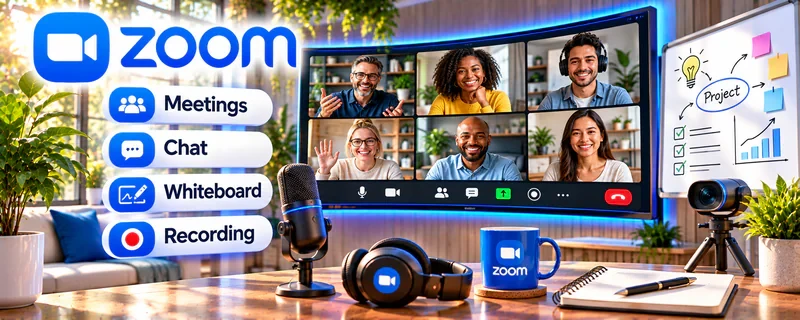
Zoom is a video meeting and recording tool that can be used to host and record lessons and workshops.
🔗 Visit Official Website — Zoom
Domain: zoom.us
What This Website Is
Zoom is a video meeting and recording tool that can be used to host and record lessons and workshops.
How to Apply It
Use Zoom as your “live teaching + recording” workflow: schedule → teach → record → export → repurpose.
Step-by-Step Implementation:
- Create a recurring class meeting link.
- Record sessions with clean audio settings.
- Export recordings and edit into modules.
When to Use This
- You teach live cohorts or workshops
- You want recordings for course modules
- You use screen share for instruction
Best Tasks to Use It For
- Live classes
- Recording lessons
- Student Q&A sessions
Getting Started Steps
- Test your mic and recording settings.
- Run a 30-minute practice session.
- Record your first module.
Good Beginner Search Terms
- Zoom recording settings for course creators
- how to host live cohort class on Zoom
- screen share teaching best practices
Monetization Angle
Recorded sessions can be repackaged into course content, increasing revenue per teaching hour.
Pros
- Widely used
- Easy recording and screen share
Cons
- Free tier limits
- Recording quality depends on setup
Who Should Use This
Course creators running live sessions and recording lessons.
Who Should Skip This
Creators who only produce pre-recorded content and never teach live.
Practical Applications
- Test a live lesson or workshop using sample participant information.
- Prepare accessible materials and a backup communication plan.
- Review a short authorized recording before using it in a course.
Important Considerations
- Verify current meeting, recording, storage, attendance, and plan limits.
- Obtain required consent and content rights, protect participant access and privacy, and define retention and reuse; a recording does not itself establish instructional quality.
Related Resources
ScreenFlow — Records and edits course lessons after live Zoom sessions.
DaVinci Resolve — Provides more advanced editing for course recordings and modules.
OBS Studio — Captures screen tutorials and demos for course content.
Related Side Hustles
 Online Course Creation: Turn Your Knowledge Into Income — Zoom supports live classes, workshops, recordings, and student Q&A sessions.
 Freelance Writing: Get Paid to Write Online — Course scripts, worksheets, and lesson summaries overlap with writing work.