Official Website
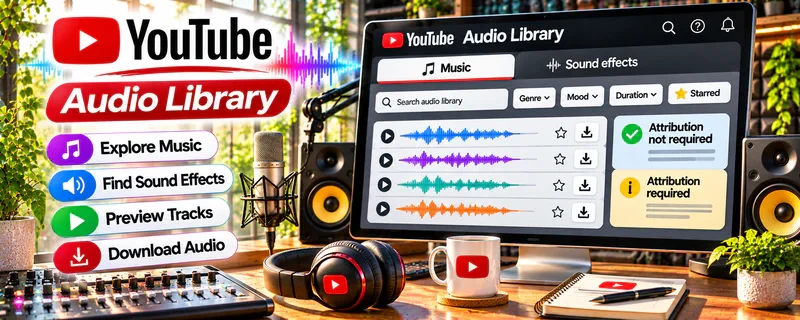
YouTube Audio Library is a free music and sound-effects library available through YouTube Studio.
🔗 Visit Official Website — YouTube Audio Library
Domain: www.youtube.com
What This Resource Is
YouTube Audio Library is a free music and sound-effects library available through YouTube Studio. For ▶️ YouTube Automation, it works as a beginner-friendly stock audio resource because automated or systemized channels still need legal, consistent, platform-safe audio choices for intros, background music, transitions, sound effects, and editing polish.
What You Can Learn From This Resource
- How free music and sound effects can support YouTube videos.
- How attribution, licensing, genre, mood, duration, and download choices affect production.
- How to build an organized audio folder for repeatable channel workflows.
- How audio selection affects pacing, retention, tone, and viewer experience.
- Why platform-safe assets matter for channels that publish frequently.
How to Apply It to ▶️ YouTube Automation
Use YouTube Audio Library to create a small approved audio kit for your channel workflow. The library is most useful when you choose a limited set of tracks and sound effects that match your niche, then document where each one is used.
Step-by-Step Implementation:
- Phase 1: Search for tracks by mood, genre, duration, and attribution requirements.
- Phase 2: Download a small set of approved background tracks, stingers, and sound effects.
- Phase 3: Add them to your editing template with notes about attribution and use cases.
Common Use Cases for This Side Hustle:
- Scenario A: A faceless or automation-style channel builds consistent background music.
- Scenario B: An editor adds sound effects for transitions and emphasis.
- Scenario C: A channel avoids copyright risk by using approved audio sources.
When to Use This
- When creating repeatable video templates.
- When sourcing free music or sound effects.
- When avoiding risky copyrighted audio.
- When building a production folder for editors or contractors.
- When matching audio mood to niche, pacing, and audience expectations.
Recommended Learning Path
- License Check: Review attribution and usage notes.
- Mood Fit: Choose audio that fits the channel’s topic.
- Workflow: Create folders by use case: intro, background, transition, effect.
- Template: Add audio to editing presets.
- Documentation: Record track names and attribution requirements.
- Review: Replace tracks that distract from retention or narration.
Getting Started Steps
- Open YouTube Studio and go to the Audio Library.
- Filter by genre, mood, duration, and attribution.
- Download 5–10 tracks that match one channel style.
- Save files in an organized folder with attribution notes.
- Test each track under voiceover and captions.
- Keep a shortlist of approved tracks for repeat use.
Recommended Searches on This Resource
- cinematic
- ambient
- corporate
- upbeat
- background
- transition
- notification
- whoosh
- calm
- no attribution
Best Practices
- Check attribution requirements before publishing.
- Keep track names, download dates, and license notes in your production system.
- Test music under narration so it does not fight the voiceover.
- Avoid overusing loud effects or distracting loops.
- Keep backup tracks in case a style stops fitting your channel.
- Do not assume audio from other videos is safe to reuse.
Monetization Angle
YouTube Audio Library can support YouTube automation income by reducing audio costs, improving production consistency, and lowering copyright risk. It does not create revenue by itself; it supports channels that earn through ads, affiliates, sponsorships, lead generation, or content operations.
Pros
- Free resource inside YouTube Studio.
- Useful for repeatable production workflows.
- Helps reduce copyright and licensing uncertainty.
- Includes both music and sound effects.
Cons
- Tracks may be widely used by other creators.
- Search and organization can take time.
- Some tracks require attribution.
- It does not replace strong scripting, editing, or retention strategy.
Who Should Use This
YouTube Audio Library is best for beginner YouTube automation creators who need free, platform-safe music and sound effects.
Who Should Skip This
Skip this if you need exclusive music, custom scoring, premium sound design, or brand-owned audio assets.
Practical Applications
- Choose a track that supports an original video’s narration and pacing.
- Keep a record of the exact asset and its attribution conditions.
- Check the final audio balance before upload.
Important Considerations
- Review each track’s current license and any attribution requirements rather than assuming all items have the same terms.
- Do not confuse Audio Library tracks with unrelated music catalogs; permitted use and monetization conditions need checking for your distribution context.
Related Resources
 YouTube Audio Library — earlier Resource Table page with the same tool for YouTube automation.
Udemy — YouTube Automation Courses — adds structured channel-building and production lessons.
YouTube Creators — supports platform best practices, monetization, and content guidance.
YouTube Help Center — clarifies copyright, monetization, and platform rules.
YouTube Studio — helps track performance after videos are published.
Related Side Hustles
 YouTube Automation: Make Money Without Showing Your Face — directly uses audio sourcing, editing systems, publishing workflows, and retention improvement.
Faceless Video Content Creation: Go Viral Without Showing Your Face — overlaps through stock media, voiceover, editing, and repeatable production.
 Social Media Management — overlaps through short-form video, captions, and audio choices.
UGC Creation — overlaps through video production and brand-safe audio.
 Online Course Creation: Turn Your Knowledge Into Income — overlaps through lesson videos, intros, and background audio.