Official Website
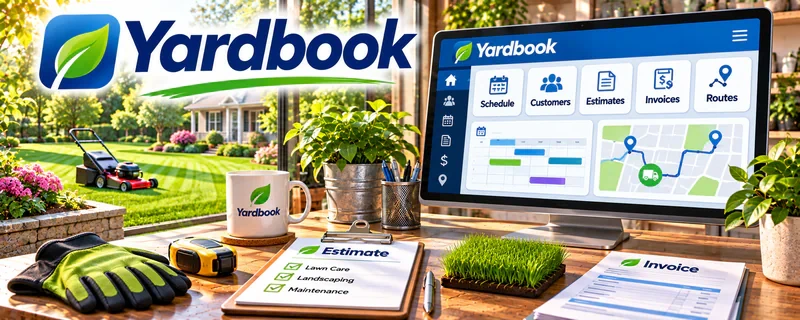
Yardbook is a lawn care business management platform for scheduling, invoicing, and customer records.
🔗 Visit Official Website — Yardbook
Domain: www.yardbook.com
What This Website Is
Yardbook is a lawn care business management platform for scheduling, invoicing, and customer records. For 🌱 Lawn Care & Yard Work, it helps you keep jobs organized and get paid without losing track of clients.
How to Apply It to Lawn Care & Yard Work
Use it as your “job + customer hub”: store client details, schedule work, and invoice immediately after completion.
Step-by-Step Implementation:
- Define your lawn services, service area, and agreed pricing or estimating process.
- Review current account features and set up a customer and job record with necessary information only.
- Schedule authorized work and record scope, access instructions, and safe completion checks.
- Invoice according to the agreed terms and reconcile completed jobs with payment records.
- Review outstanding work and costs while protecting household details and restricting account access.
When to Use This
- You have multiple recurring clients
- Scheduling + routes matter
- You want invoicing tied to jobs
Best Tasks to Use It For
- Scheduling jobs
- Customer CRM basics
- Invoicing and follow-up
Getting Started Steps
- Create an account and set up services/pricing.
- Add customers + addresses.
- Schedule upcoming jobs (one-off + recurring).
- Track completed work daily.
- Invoice immediately after completion.
- Follow up on unpaid invoices weekly.
- Review monthly revenue per client.
Good Beginner Search Terms
- lawn care scheduling workflow
- how to price lawn mowing jobs
- follow up script for unpaid invoice
Monetization Angle
Consistent scheduling + fast invoicing improves cash flow and retention, increasing revenue per client.
Pros
- Built for lawn care workflows
- Combines scheduling + invoicing
- Helps reduce missed follow-ups
Cons
- Niche-focused (not general)
- Requires ongoing updates to stay accurate
Who Should Use This
Lawn care operators handling multiple clients/jobs who want a simple system.
Who Should Skip This
Anyone with only occasional yard jobs and no need for scheduling software.
Practical Applications
- Prepare a safely scoped yard-service schedule with realistic travel.
- Track agreed estimates, approved changes, completion, and invoices.
- Test a small customer-update workflow using sample data.
Important Considerations
- Verify current features, costs, integrations, payments, permissions, and recovery options.
- Software does not establish safe scope, client approval, licensing, insurance, or correct billing; protect property details and separately agree access, cancellations, waste handling, and liability.
Related Resources
Google Calendar — Coordinates recurring routes, job times, and crew availability alongside Yardbook.
Google Business Profile — Brings in local lawn-care leads that Yardbook can convert into scheduled jobs.
Square Invoices — Provides a simpler invoicing backup for one-off jobs or clients outside Yardbook.
Related Side Hustles
 Lawn Care & Yard Work: Earn Money Maintaining Outdoor Spaces — Yardbook manages lawn clients, recurring routes, estimates, scheduling, invoicing, and follow-ups.
 Handyman & Fix-It Services: Turn Your Skills into Cash — Other local service businesses use similar scheduling, client records, and invoicing workflows.
 House Cleaning & Organization: Make Money Creating Clean, Tidy Spaces — Cleaning services also rely on recurring client schedules and payment follow-up.