Official Website
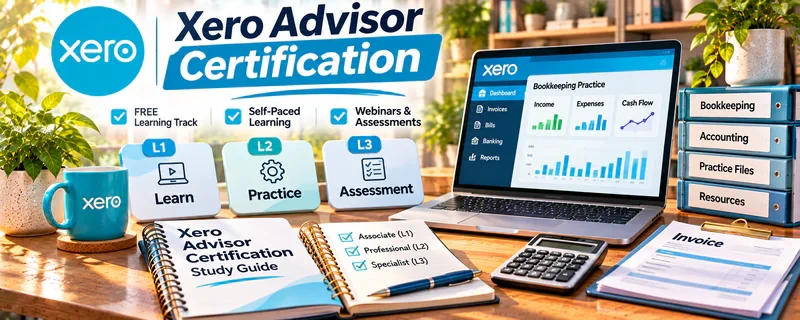
Xero Advisor Certification is Xero’s training and credential program for learning how to use Xero with small-business clients.
🔗 Visit Official Website — Xero Advisor Certification
Domain: www.xero.com
What This Learning Resource Is
Xero Advisor Certification is Xero’s training and credential program for learning how to use Xero with small-business clients. For 📊 Online Bookkeeping, it is most useful when someone wants to understand Xero workflows well enough to support clients with setup, bank feeds, reconciliation, invoicing, reporting, and clean monthly close habits.
This is a certification resource, so the value is partly practical skill and partly trust. The credential can help a beginner bookkeeper signal tool familiarity, but it works best when paired with real practice files, repeatable checklists, and clear service boundaries.
How to Use It for 📊 Online Bookkeeping
Use Xero Advisor Certification as a tool-specific training path for building a Xero-based bookkeeping workflow. The goal is not just to pass the certification; it is to understand how to set up, clean up, reconcile, review, and explain Xero records for small-business clients.
Step-by-Step Implementation:
- Identify the Xero outcome you need, such as setup, reconciliation, reporting, document collection, or monthly close.
- Choose the most relevant Xero certification lesson, module, or support article tied to that workflow.
- Take notes around bank rules, invoices, bills, chart of accounts, reports, client handoff, and common mistakes.
- Complete exercises or practice in a demo company file before touching client books.
- Turn what you learn into a Xero onboarding checklist, monthly close workflow, client question list, or service package.
- Review your weak spots and use Xero Central or practice transactions to reinforce the next skill.
Best Time to Use This
- When you want to serve clients who already use Xero or are open to moving to it.
- When you understand bookkeeping basics and need platform-specific workflow confidence.
- When you want a credential that can support client trust, proposals, and online profiles.
- When you are building a repeatable monthly bookkeeping process around reconciliation, reporting, and document collection.
Best Skills to Learn Here
- Xero setup and navigation for small-business clients.
- Bank feeds, categorization, rules, and reconciliation.
- Invoicing, bills, contacts, and basic reporting.
- Month-end close habits and review workflows.
- Client communication around missing documents and reporting.
- Using certification as credibility while staying inside bookkeeping scope.
Getting Started Steps
- Start with Xero’s beginner certification or advisor training material.
- Pick one workflow at a time: setup, reconciliation, invoices, bills, reports, or close.
- Complete one module before moving into advanced topics.
- Apply each lesson inside a demo company, sample client scenario, or practice transaction set.
- Save useful checklists, report examples, bank-rule notes, and client-request scripts.
- Turn the finished workflow into a client-ready onboarding or monthly bookkeeping SOP.
Good Beginner Search Terms
- Xero advisor certification
- Xero bookkeeping workflow
- Xero bank reconciliation tutorial
- Xero monthly close checklist
- Xero chart of accounts setup
- Xero client onboarding checklist
- Xero reports for bookkeepers
- Xero certification for bookkeepers
- Xero cleanup bookkeeping
Monetization Angle
Xero Advisor Certification can help turn bookkeeping knowledge into paid work by giving you a recognizable software credential and a clearer delivery system. It can support online profiles, proposals, client confidence, and niche positioning such as “Xero bookkeeping for freelancers,” “monthly Xero reconciliation,” or “Xero cleanup and catch-up support.”
The credential does not replace bookkeeping judgment, legal/tax boundaries, or hands-on practice. Use it to build concrete client assets: a Xero setup checklist, monthly reconciliation SOP, document-request template, report delivery process, and service package that explains exactly what you do.
Pros
- Tool-specific certification that can improve credibility with Xero-using clients.
- Practical training around workflows bookkeepers actually use.
- Strong fit for recurring monthly bookkeeping services.
- Helps clarify terminology, reports, and platform navigation.
- Can support a more professional profile on LinkedIn, a website, or freelance marketplace listing.
Cons
- Focuses on Xero, so it does not cover every bookkeeping platform or business scenario.
- Certification alone does not prove real client experience.
- Learners still need bookkeeping fundamentals, accuracy, and professional boundaries.
- Some client problems may require accountant or tax professional support.
- Requires ongoing refresh as Xero features and workflows change.
Who Should Use This
Use this if you want to offer Xero-based bookkeeping services, support small-business clients, or add a recognizable software credential to your bookkeeping profile. It is best for learners who already understand basic bookkeeping concepts and want platform-specific confidence.
Who Should Skip This
Skip this if you have not learned bookkeeping fundamentals yet, if your target clients mostly use QuickBooks or another system, or if you need full accounting/tax education rather than Xero workflow training.
Practical Applications
- Use the training to practice appropriate workflows with sample bookkeeping data.
- Build a checklist of tasks you can complete accurately and areas requiring more practice.
- Keep a record of your current credential status and the scope of your platform knowledge.
Important Considerations
- Confirm the current certification path, assessment terms, and renewal requirements with Xero.
- A platform credential is not a professional license or proof of client experience. Protect client records and refer tax, accounting, or advisory questions beyond your competence.
Related Resources
Xero Central — Supports follow-up troubleshooting, help articles, and workflow clarification after certification lessons.
Hubdoc — Helps collect and organize receipts and source documents that feed cleaner Xero bookkeeping workflows.
Karbon — Helps turn Xero training into recurring client tasks, month-end close checklists, and workflow management.
Notion — Stores SOPs, client onboarding notes, reconciliation checklists, and bookkeeping service templates.
Freelancer — Provides a marketplace where Xero skills and certification can support bookkeeping service listings or project bids.
Google Sheets — Helps build supporting trackers, cleanup logs, checklists, and simple reporting templates around bookkeeping work.
Related Side Hustles
 Online Bookkeeping: Earn Steady Income by Helping Businesses Stay Organized — This is the direct path: Xero certification supports client trust, workflow confidence, and recurring bookkeeping services.
 Virtual Assistance — VAs often help with receipt collection, invoicing admin, client follow-up, and bookkeeping-adjacent organization.
Consulting: Get Paid for What You Know — Bookkeeping experience can grow into scoped financial workflow consulting, reporting setup, or operations improvement.