Official Website
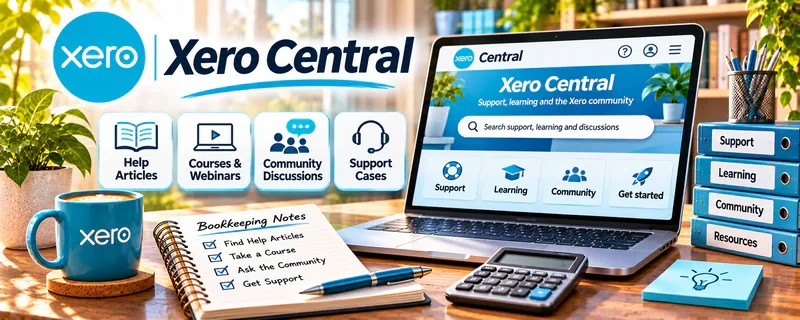
Xero Central is Xero’s help, learning, and community knowledge base for bookkeeping, accounting workflows, invoicing, bank reconciliation, reports, payroll topics, and software troubleshooting.
🔗 Visit Official Website — Xero Central
Domain: central.xero.com
What This Website Is
Xero Central is Xero’s help, learning, and community knowledge base for bookkeeping, accounting workflows, invoicing, bank reconciliation, reports, payroll topics, and software troubleshooting. For 📊 Online Bookkeeping, it helps you understand how cloud bookkeeping systems are used in real businesses.
How to Use It for Online Bookkeeping
Use Xero Central as a software and workflow reference. Focus on bookkeeping tasks like invoices, bills, bank feeds, reconciliation, chart of accounts, reports, and client questions that come up inside Xero.
Step-by-Step Implementation:
- Browse beginner Xero topics and help articles.
- Learn the vocabulary of invoices, bills, reconciliation, and reports.
- Practice in a demo or training environment when available.
- Build a checklist for common monthly bookkeeping tasks.
- Save help articles for client questions.
- Avoid tax or accounting advice outside your qualifications.
Best Time to Use This
- Before supporting clients who use Xero.
- When learning cloud bookkeeping workflows.
- When troubleshooting Xero features.
- When building a monthly bookkeeping checklist.
Best Skills to Learn Here
- Xero navigation
- Bank reconciliation
- Invoicing workflows
- Report basics
- Client support
- Bookkeeping process documentation
Getting Started Steps
- Open Xero Central.
- Start with invoices, bills, and reconciliation topics.
- Create a monthly bookkeeping checklist.
- Practice one workflow in a safe environment.
- Save help links for future client questions.
Good Beginner Search Terms
- Xero Central beginner
- Xero bank reconciliation
- Xero invoices bills
- online bookkeeping Xero
- Xero reports basics
- monthly bookkeeping checklist
Monetization Angle
Xero knowledge can support bookkeeping setup, monthly reconciliation, invoicing support, cleanup assistance, and client admin services. The more repeatable your process, the easier it is to package bookkeeping support.
Pros
- Official Xero knowledge base.
- Useful for client-support workflows.
- Helps with software-specific troubleshooting.
- Supports repeatable bookkeeping processes.
Cons
- Software-specific guidance.
- Not a full bookkeeping certification.
- Accounting and tax advice require qualifications.
- Some topics may be advanced for beginners.
Who Should Use This
Use this if you want to support clients who use Xero for bookkeeping or invoicing.
Who Should Skip This
Skip this if your bookkeeping clients use different software and you do not plan to learn Xero.
Practical Applications
- Find help matching your client’s actual Xero region and workflow.
- Practice a relevant process using approved sample data.
- Use current troubleshooting guidance to investigate an identified issue.
Important Considerations
- Features and tax or payroll guidance can differ by jurisdiction, subscription, and version.
- Help content does not establish accounting correctness or professional authority; protect client records, verify access, and obtain qualified advice for uncertain classifications.
Related Resources
Indeed Career Guide — Customer Service — Helps with client communication and service positioning.
GitHub — Useful for documenting repeatable process notes if you manage technical templates.
HubSpot Email Marketing Guide — Helps if you market bookkeeping services by email.
Related Side Hustles
 Online Bookkeeping: Earn Steady Income by Helping Businesses Stay Organized — Xero Central supports cloud bookkeeping workflows.
 Virtual Assistance — Admin support can overlap with invoicing and records.
 Resume Writing & LinkedIn Optimization — Bookkeeping knowledge can become a service-positioning niche.