Official Website
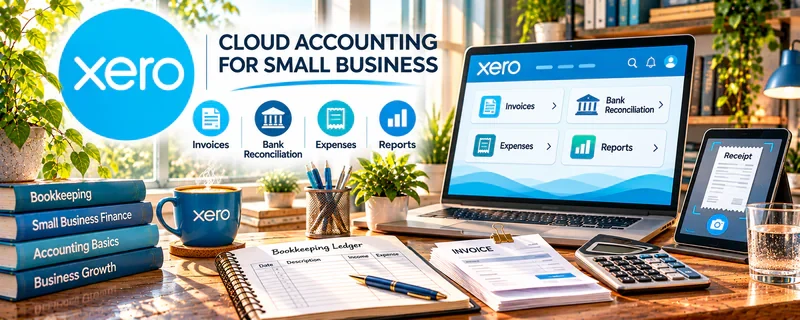
Xero is paid accounting software for small businesses.
🔗 Visit Official Website — Xero
Domain: www.xero.com
What This Website Is
Xero is paid accounting software for small businesses. For 📊 Online Bookkeeping, it’s a core tool for reconciling transactions, generating reports, and managing cleaner books for clients.
How to Apply It to Online Bookkeeping
Use Xero as your “monthly close” engine: reconcile, categorize, then deliver client-ready financials on a consistent cadence.
Step-by-Step Implementation:
- Confirm the client’s authorization, scope, chart of accounts, and reporting responsibilities.
- Review current region and plan features and set appropriate user permissions.
- Reconcile transactions against source records and investigate exceptions before applying repeated rules.
- Prepare reviewed period reports and clearly identify unresolved items or assumptions.
- Retain an appropriate audit trail and refer accounting, tax, or compliance decisions outside your competence to qualified professionals.
When to Use This
- You’re offering bookkeeping services
- You need reliable reconciliation + reporting
- You work with multiple clients monthly
Best Tasks to Use It For
- Bank reconciliations
- Categorization workflows
- Monthly reporting packages
- Cash flow monitoring
Getting Started Steps
- Set up an organization and chart of accounts.
- Connect bank feeds (or import statements).
- Reconcile weekly to stay current.
- Create rules for repeated transactions.
- Run monthly P&L and balance sheet.
- Package reports with brief notes.
- Repeat on a fixed monthly schedule.
Good Beginner Search Terms
- xero reconciliation workflow
- bookkeeping monthly close checklist
- chart of accounts for small business
Monetization Angle
Standardized monthly workflows reduce time per client and let you manage more accounts profitably.
Pros
- Strong reconciliation and reporting
- Scales well for client work
- Good audit trail
Cons
- Paid software
- Learning curve for new bookkeepers
Who Should Use This
Bookkeepers serving multiple clients and needing reliable monthly reporting.
Who Should Skip This
People who only need a simple personal budget tool.
Practical Applications
- Reconcile authorized client transactions with source records.
- Investigate exceptions before preparing period reports.
- Document reviewed assumptions and outstanding questions for the client.
Important Considerations
- Verify current region, plan, tax and payroll features, integrations, fees, and access controls.
- Software does not establish accounting correctness, tax compliance, or professional authority; validate inputs, protect financial records, retain backups, and work within your competence and authorization.
Related Resources
QuickBooks Online — Provides the main competing bookkeeping platform clients may already use.
Hubdoc — Collects receipts and documents that can feed into bookkeeping workflows.
Fathom — Turns Xero data into reporting and advisory dashboards for clients.
Related Side Hustles
 Online Bookkeeping: Earn Steady Income by Helping Businesses Stay Organized — Xero supports reconciliations, categorization, reports, and monthly close workflows for client books.
 Consulting: Get Paid for What You Know — Bookkeeping data can support advisory services, cash-flow reviews, and financial consulting.
 Selling Digital Products — Bookkeeping templates and SOPs can become downloadable products for small businesses.