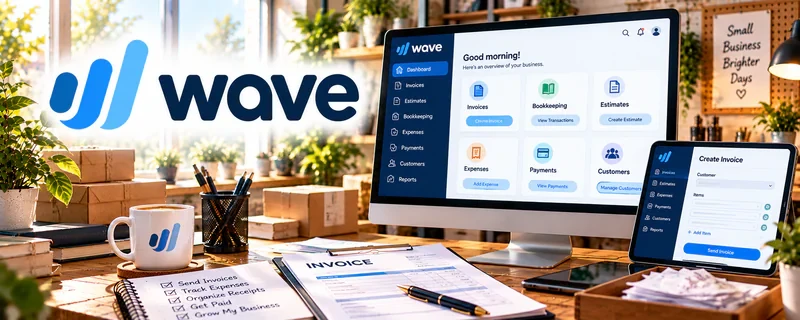
Official Website
Wave is a freemium invoicing/accounting tool for small businesses.
🔗 Visit Official Website — Wave
Domain: www.waveapps.com
What This Website Is
Wave is a freemium invoicing/accounting tool for small businesses. For ✒️ Freelance Writing, it helps you invoice clients, track payments, and keep basic finances organized.
How to Apply It to Freelance Writing
Use this as your “get paid” workflow: send invoices immediately after delivery, automate reminders, and track outstanding balances.
Step-by-Step Implementation:
- Confirm the writing assignment’s scope, payment schedule, and invoice requirements with the client.
- Review current Wave availability, features, fees, and account requirements for your location.
- Create an accurate invoice using the agreed service details, due date, and applicable payment terms.
- Send it through an approved process, verify receipt, and use available reminders appropriately.
- Reconcile payments, fees, refunds, and outstanding balances and retain records for qualified accounting or tax review.
When to Use This
- You need simple invoices + payment tracking
- You want a lightweight system early on
- You’re juggling multiple clients and due dates
Best Tasks to Use It For
- Invoicing and receipts
- Tracking overdue invoices
- Basic income/expense logging
Getting Started Steps
- Create an account and set your business details.
- Customize your invoice template + payment terms.
- Save common services/rates as line items.
- Send invoices right after each delivery.
- Turn on reminders for unpaid invoices.
- Review outstanding balances weekly.
- Export reports monthly for taxes.
Good Beginner Search Terms
- freelance invoice terms net 7 net 14
- how to follow up on late invoices
- bookkeeping basics for freelancers
- expense categories for writers
Monetization Angle
Faster invoicing + consistent follow-up reduces late payments and improves cash flow.
Pros
- Simple invoicing workflow
- Works well for early-stage freelancers
- Clear payment status visibility
Cons
- Limited for complex accounting needs
- Some payment features vary by region
Who Should Use This
Freelancers who want a straightforward invoicing + tracking tool.
Who Should Skip This
Anyone needing advanced multi-entity accounting or deep automation.
Practical Applications
- Invoice a clearly defined writing milestone.
- Track actual receipts, approved expenses, and refunds by client.
- Reconcile supporting records before reviewing project margins.
Important Considerations
- Verify current regional availability, features, plan costs, and payment conditions.
- Software does not establish tax treatment or define copyright, revisions, confidentiality, cancellation, or publication rights; agree those separately and protect financial and client information.
Related Resources
Square Invoices — Offers another simple invoicing option for client projects and retainers.

Google Drive — Stores drafts, client files, contracts, and invoice records for writing work.
Related Side Hustles
 Freelance Writing: Get Paid to Write Online — Wave sends invoices, tracks payments, and organizes income for writing clients.
 Voiceover Work — Voiceover projects use similar client invoicing and payment follow-up workflows.
 Consulting: Get Paid for What You Know — Consulting retainers and one-off projects also need clean invoicing and income tracking.