Official Website
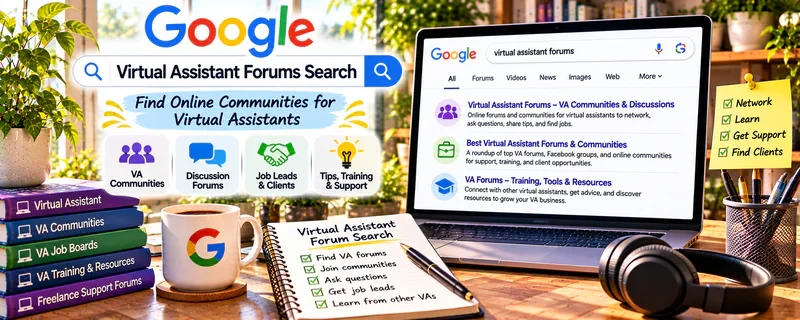
Virtual Assistant Forums Search is a Google search starting point to find active VA forums, communities, and Q&A threads across platforms.
🔗 Visit Official Website — Virtual Assistant Forums Search
Domain: www.google.com
What This Website Is
Virtual Assistant Forums Search is a Google search starting point to find active VA forums, communities, and Q&A threads across platforms. For 🗂️ Virtual Assistance, it matters because many VA questions are niche-specific (tools, rates, client types), and searching helps you quickly locate the right community for your target services.
How to Apply It to 🗂️ Virtual Assistance
Use targeted searches to find “high-signal” communities, then use those communities to build your skills, workflows, and pricing.
Step-by-Step Implementation:
- Phase 1: Define your VA niche — admin, inbox, calendar, research, CRM, social scheduling.
- Phase 2: Search for niche communities — include the niche + “forum”, “community”, “Slack”, “Discord”, “Reddit”.
- Phase 3: Extract playbooks — SOPs, tools, templates, and pricing norms.
Common Use Cases for this Side Hustle:
- Scenario A: You’re new and want to learn what tools VAs use.
- Scenario B: You want to price services competitively.
- Scenario C: You want to find communities where clients hang out.
When to Use This
- You’re not sure which VA community is best for your niche.
- You want fast answers across multiple platforms.
- You want to find templates and SOPs.
- You’re researching rates and service boundaries.
Best Tasks to Use It For
- Finding active VA communities
- Researching tools and workflows
- Learning common client requests
- Comparing rate ranges and packages
- Finding niche-specific SOPs
Getting Started Steps
- Write a one-line niche statement (“I help X with Y”).
- Search: “[niche] virtual assistant forum”.
- Join 2–3 communities and read pinned posts/resources.
- Build a basic tool stack (Sheets, Zoom, email, calendar).
- Create 3 SOPs for your core tasks.
- Use community discussions to refine pricing and boundaries.
Good Beginner Search Terms
- virtual assistant rates 2026
- inbox management SOP virtual assistant
- calendar management best practices
- CRM data entry checklist
- executive assistant vs virtual assistant
- client onboarding template VA
Monetization Angle
The value is indirect: finding better communities speeds up your learning curve, helps you price correctly, and reduces mistakes that create churn with clients.
Pros
- Fast way to find niche-specific communities
- Helps you learn tools, SOPs, and pricing norms
- Useful for ongoing troubleshooting
Cons
- Search results vary over time
- You still need to evaluate community quality
- Can lead to “information overload” without execution
Who Should Use This
New virtual assistants who need to quickly find the best communities and resources for their niche and services.
Who Should Skip This
Skip this if you already have a strong VA network. Use direct communities instead of search once you know where to go.
Practical Applications
- Use specific search terms to locate discussions relevant to your VA niche.
- Compare several current communities before choosing where to participate.
- Turn a repeated workflow question into a practical learning checklist.
Important Considerations
- This URL opens a Google search, not a vetted or dedicated VA forum.
- Search results can include ads, outdated sites, and scams; verify each destination, fees, privacy, and participation rules before joining or paying.
Related Resources
Google Sheets — Tracks clients, tasks, rates, SOPs, and recurring admin workflows.
Google Workspace Learning Center — Builds practical skills in Gmail, Calendar, Drive, Docs, and Sheets.
Zoom — Supports discovery calls, client check-ins, and remote coordination.
Monday.com — Helps manage client projects, task boards, and team workflows.
Related Side Hustles
 Social Media Management — VA skills overlap with scheduling posts, organizing assets, and client coordination.
 Blogging: Build an Online Brand and Earn from Your Words — VA experience can become service guides, templates, and niche content.