Official Website
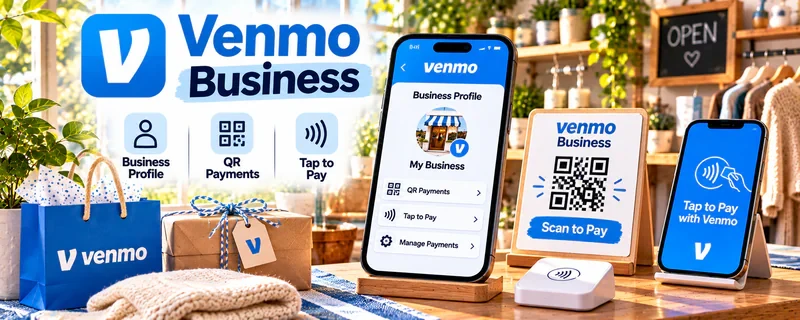
Venmo Business is a feature that lets eligible individuals, sole proprietors, and registered businesses create a separate business profile linked to a personal Venmo account to accept authorized payments for goods and services.
🔗 Visit Official Website — Venmo Business
Domain: venmo.com
What This Website Is
Venmo Business is a feature that lets eligible individuals, sole proprietors, and registered businesses create a separate business profile linked to a personal Venmo account to accept authorized payments for goods and services. For the ♻️ Product Flipping side hustle, it can help resellers collect eligible payments at local sales, share a business-profile QR code that buyers can scan to pay, request payments, review transaction history, and issue refunds where applicable. Venmo Business is a payment-collection tool, not a full accounting, invoicing, or tax-filing platform. A Venmo payment request is not the same as a formal invoice generated by accounting or invoicing software.
How to Apply It to ♻️ Product Flipping
Use Venmo Business to accept eligible resale payments through an authorized business profile. Set up a QR code for in-person sales, send payment requests for direct deals, and verify each payment directly in the Venmo app before handing over merchandise.
Step-by-Step Implementation:
- Review Venmo's current business-profile eligibility and terms.
- Create or access an authorized business profile linked to your personal Venmo account.
- Complete any required verification.
- Review current seller transaction fees.
- Set up and test the business-profile QR code.
- Confirm the correct sale amount with the buyer.
- Request or receive the payment through the business profile.
- Verify the payment status directly within the Venmo app before handing over merchandise.
- Record acquisition costs, shipping or delivery expenses, fees, and other business costs separately.
- Retain appropriate sales records and review refund or dispute procedures.
Note: Venmo does not permit arbitrary commercial transactions through an ordinary personal payment without appropriate authorization. A business profile is an authorized way to accept payments for goods and services. Some qualifying transactions to personal profiles may be marked as purchases, subject to Venmo's rules, but this is not the same as using ordinary friends-and-family payments for business sales. Do not disguise commercial payments as personal transfers. Business-profile payments are generally subject to seller fees, and payment protection depends on eligibility and applicable terms — buyers and sellers should not assume every payment is automatically protected. Do not rely on screenshots or emails alone as proof that a payment was received; verify the payment through the actual Venmo account before releasing merchandise. Marketplace transactions must comply with the payment and checkout rules of the marketplace being used; do not move protected marketplace transactions off-platform contrary to marketplace rules.
Venmo business profiles can apply seller-configured sales-tax rates to payment requests initiated by the business. This feature does not apply to payments buyers send directly to your business profile. Venmo does not determine the correct sales-tax rate or remit sales tax on your behalf; sellers remain responsible for their applicable tax obligations.
When to Use This
- You sell items in person and buyers prefer paying through Venmo.
- You want to share a QR code for quick in-person payment collection.
- You sell directly to buyers outside a marketplace checkout.
- You need transaction history to help reconcile resale income.
- You want to request payments for direct deals.
Best Tasks to Use It For
- Accepting eligible payments through a business profile
- Sharing a business-profile QR code for in-person sales
- Sending payment requests to buyers
- Reviewing transaction history
- Issuing refunds where applicable
- Transferring available funds under applicable limits and policies
Getting Started Steps
- Open the Venmo app and review business-profile eligibility.
- Create a business profile linked to your personal account.
- Complete any required identity verification.
- Review current seller transaction fees and terms.
- Set up your business-profile QR code.
- Scan the QR code to confirm it opens the payment screen for your correct business profile. You do not need to send a test payment.
- Share or display the QR code at sales.
- Verify the actual amount received directly in the Venmo app before handing over items.
- Record costs, fees, and expenses separately.
- Review transaction history and refund procedures.
Note: Preset QR-code amounts may be editable by customers. Always confirm the actual amount received in Venmo before releasing merchandise.
Good Beginner Search Terms
- Venmo business profile setup
- Venmo QR code for business
- Venmo business profile fees
- Venmo business profile for resellers
- Venmo purchase protection
- Venmo 1099-K for sellers
Monetization Angle
Venmo Business does not itself create resale income — it is a payment-collection tool. Income depends on successfully selling products at prices exceeding relevant business costs. Distinguish gross sales revenue from payment-processing fees, product acquisition costs, shipping and packaging expenses, refunds and disputes, other relevant selling expenses, and applicable tax obligations. Accepting Venmo does not guarantee additional sales or better profit margins. Payment processing alone does not establish resale profitability. Venmo's transaction records can help with income reconciliation, but they are not a substitute for complete bookkeeping or tax preparation.
Eligible sellers may receive tax documents such as Form 1099-K when applicable reporting requirements are met. Reported gross payment amounts are not the same as business profit. Sellers should maintain their own records of product costs, transaction fees, refunds, and expenses, and may have tax obligations even without receiving a particular tax form.
Pros
- Familiar payment option for many buyers
- Business-profile QR code for quick in-person payments
- Payment requests for direct deals
- Transaction history available in the app
- Tap to Pay for contactless card and digital-wallet payments where available
Cons
- Business-profile payments are subject to seller transaction fees
- Not a full invoicing, inventory-management, or point-of-sale ecosystem
- Venmo does not permit commercial payments through ordinary personal transfers
- Payment protection depends on eligibility and applicable terms
- Available features and fees may vary and are subject to Venmo's current terms
- Marketplace sales may require using the marketplace's own checkout
Who Should Use This
Use this if you sell items in person to buyers who prefer Venmo, want a QR-code payment option for local sales, and need a lightweight way to collect eligible resale payments.
Who Should Skip This
Skip this if you need a full point-of-sale system with hardware, inventory management, or formal invoicing, or if every sale happens through marketplaces that already manage payments and buyer protection.
Practical Applications
- Use an eligible business-profile payment flow for a local resale transaction.
- Record the item, sale amount, fees, and payment confirmation together.
- Test how buyers see your business identity and payment instructions before advertising the option.
Important Considerations
- Confirm current business eligibility, fees, permitted transactions, and purchase-protection terms; do not assume all sales are covered.
- Verify receipt inside the official app rather than trusting screenshots, and use a safe handoff process that protects personal information.
Related Resources
Square — Alternative payment-processing and POS tools.
PayPal Business — Business payment and checkout options.
Quickbooks — Accounting, expenses, and business bookkeeping.
Wave — Invoicing and financial recordkeeping.
Related Side Hustles
 Product Flipping — The direct side hustle this payment tool supports.
 Selling Digital Products — Business-profile payments can also support eligible digital product sales.
 Consulting: Get Paid for What You Know — Payment requests can support consulting client billing.