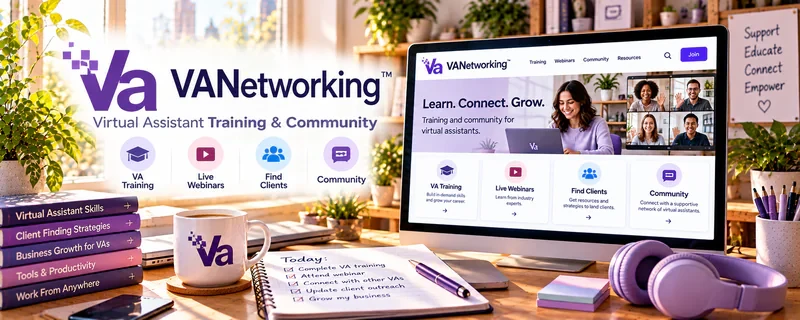
Official Website
VANetworking is a paid community for virtual assistants that focuses on networking, learning, and sharing real client-work experiences.
🔗 Visit Official Website — VANetworking
Domain: www.vanetworking.com
What This Website Is
VANetworking is a paid community for virtual assistants that focuses on networking, learning, and sharing real client-work experiences. For 🗂️ Virtual Assistance, it matters because it can shorten your learning curve on pricing, boundaries, services, and how VAs actually get and keep clients.
How to Apply It to 🗂️ Virtual Assistance
Use VANetworking as a “business-building support system”: learn what services sell, refine your offer, then improve your client workflow.
Step-by-Step Implementation:
- Phase 1: Clarify your VA offer — choose 1–2 service lanes (admin, inbox, social, bookkeeping support) and define deliverables.
- Phase 2: Build your systems — onboarding checklist, weekly reporting, time tracking, and boundaries.
- Phase 3: Get feedback + referrals — ask for critiques on your packages, pitches, and workflow; look for collaboration opportunities.
Common Use Cases for this Side Hustle:
- Scenario A: You’re unsure what to offer and need examples of profitable VA packages.
- Scenario B: You want scripts and boundaries for scope creep and client communication.
- Scenario C: You want to improve pricing and move toward retainers.
When to Use This
- You want a VA-specific community (not generic freelancing).
- You’re building your first offer and need examples.
- You’re ready to improve pricing and client systems.
- You want networking, accountability, and referrals.
Best Tasks to Use It For
- Learning what VA services sell and how they’re packaged
- Getting feedback on pricing and boundaries
- Improving onboarding and weekly client workflows
- Finding tool recommendations that save time
- Networking and collaboration opportunities
Getting Started Steps
- Read “start here” content and identify common VA service lanes.
- Pick one niche or client type you want (coaches, ecommerce, creators).
- Build a simple offer sheet (3 packages) and a discovery call intake form.
- Ask the community for feedback on your packages and pricing.
- Create your onboarding checklist and weekly reporting template.
- Track your time for 2 weeks and adjust pricing based on reality.
Good Beginner Search Terms
- VA retainer packages examples
- scope creep boundaries virtual assistant
- discovery call questions VA
- onboarding checklist virtual assistant
- pricing virtual assistant services
- VA niche ideas
Monetization Angle
The monetization is indirect: clearer packages, higher pricing confidence, and better systems can increase close rates and help you move into retainers and higher-quality clients.
Pros
- VA-specific networking and support
- Helps you avoid common pricing and boundary mistakes
- Strong for accountability and business-building consistency
Cons
- Paid
- Value depends on participation (you must apply what you learn)
- Not a guaranteed client source
Who Should Use This
Virtual assistants who want to build a real business with better pricing, boundaries, and systems—and who benefit from community accountability.
Who Should Skip This
Skip this if you only want free resources or you’re not ready to implement consistently. Paid communities work best when you engage.
Practical Applications
- Check current community options against your virtual-assistance learning needs.
- Prepare focused questions about service boundaries or onboarding.
- Use relevant peer feedback to improve a sample client workflow.
Important Considerations
- Verify membership availability, pricing, inclusions, and participation rules before paying.
- Peer stories do not guarantee referrals or income; keep client information confidential and assess advice against your own service scope.
Related Resources
Slack — Supports client communication, team coordination, and day-to-day VA workflows.
Google Sheets — Tracks tasks, client deliverables, time, reports, and simple operations dashboards.
Zoom — Hosts discovery calls, onboarding meetings, and recurring client check-ins.
Monday.com — Helps manage client projects, recurring workflows, and team handoffs.
Related Side Hustles
 Affiliate Marketing: Get Paid to Promote What You Love — VAs can support affiliate content, tracking, and creator operations.
 Blogging: Build an Online Brand and Earn from Your Words — Blog owners often need VA help with publishing, admin, and content operations.