Official Website
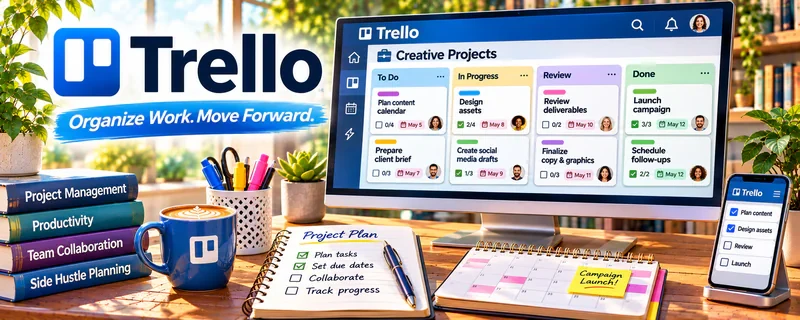
Trello is a visual project management tool using boards, lists, and cards.
🔗 Visit Official Website — Trello
Domain: trello.com
What This Website Is
Trello is a visual project management tool using boards, lists, and cards. For the 🗂️ Virtual Assistance side hustle, it can be used to track client tasks, deadlines, and recurring workflows in a simple system.
How to Apply It to 🗂️ Virtual Assistance
Use Trello as your “client task hub”: intake → in progress → review → done.
Step-by-Step Implementation:
- Phase 1: Create a board per client (or one board with lists per client).
- Phase 2: Add recurring checklists (weekly admin, inbox, calendar, content).
- Phase 3: Review daily, move cards, and communicate status.
Common Use Cases for this Side Hustle:
- Scenario A: If tasks slip, set due dates and reminders.
- Scenario B: If scope is unclear, use checklists and card templates.
- Scenario C: If you manage multiple clients, standardize board structure.
When to Use This
- You manage many tasks.
- You need visibility for clients.
- You want repeatable workflows.
- You want simple status tracking.
Best Tasks to Use It For
- Task tracking boards
- Recurring checklists
- Client request intake
- Status updates
- Simple SOP templates
Getting Started Steps
- Create a Trello workspace.
- Build a default client board template.
- Create lists (Inbox, Doing, Waiting, Done).
- Add recurring cards.
- Share with clients (if needed).
- Review daily.
- Duplicate the template for each new client.
Good Beginner Search Terms
- Trello board template virtual assistant
- task management workflow for clients
- Trello recurring cards setup
- client intake checklist VA
- Trello vs Asana for VAs
- Trello checklist templates
Monetization Angle
Better organization lets you manage more clients at once and reduces missed tasks, improving retention.
Pros
- Simple and visual
- Easy to template
- Good for client visibility
Cons
- Can get messy without standards
- Limited reporting
- Requires daily upkeep
Who Should Use This
Virtual assistants who want a simple task board system for managing multiple client workflows.
Who Should Skip This
Skip this if your clients require you to use their project management tool.
Practical Applications
- Organize client tasks into agreed stages with owners and due dates.
- Create recurring checklists for routine administrative work.
- Use a review column to flag work awaiting client approval.
Important Considerations
- Get permission before adding collaborators or connecting client systems.
- Keep credentials and sensitive personal data out of cards, and confirm current plan, automation, and access-control limits.
Related Resources
Notion — Builds deeper client dashboards, SOP libraries, and knowledge bases.
Acuity Scheduling — Handles client booking flows alongside Trello task tracking.
Calendly — Simplifies discovery calls, check-ins, and availability management.
Google Calendar — Keeps deadlines, client meetings, and reminders visible.
Related Side Hustles
 Virtual Assistance — This is the direct client workflow Trello helps organize.
Consulting: Get Paid for What You Know — Consulting projects also need task tracking and client deliverable management.
 Freelance Writing: Get Paid to Write Online — Writers use similar boards to manage assignments, drafts, and deadlines.