Official Website
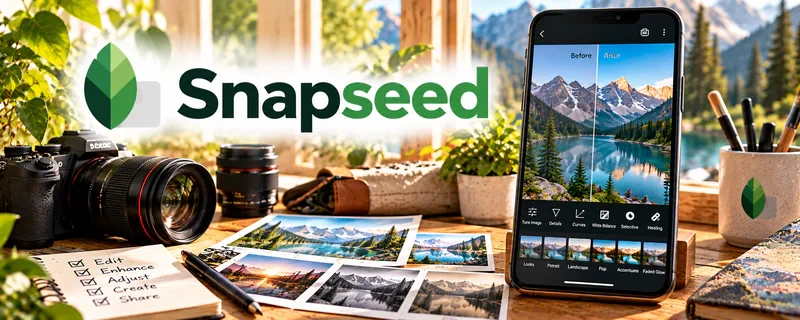
Snapseed is a free photo editing app (mobile) with powerful adjustments and filters.
🔗 Visit Official Website — Snapseed
Domain: snapseed.online
What This Website Is
Snapseed is a free photo editing app (mobile) with powerful adjustments and filters. For 📸 Photography & Stock Photos, it helps you quickly clean up images for uploads and client previews.
How to Apply It to 📸 Photography & Stock Photos
Use Snapseed as a “fast polish” workflow: select → adjust → export → upload.
Step-by-Step Implementation:
- Apply basic exposure/white balance.
- Use selective edits to clean distractions.
- Export consistently (size/quality) for stock sites.
When to Use This
- You edit on mobile
- You need quick cleanups
- You want a free tool
Best Tasks to Use It For
- Exposure + color correction
- Quick retouching
- Consistent exports
Getting Started Steps
- Edit 10 photos with the same preset approach.
- Save a checklist (exposure, WB, sharpen).
- Standardize export settings.
Good Beginner Search Terms
- Snapseed workflow for stock photos
- mobile photo editing for photographers
- Snapseed selective edit tutorial
Monetization Angle
Faster edits = more uploads and more shots on goal for licensing revenue.
Pros
- Free
- Powerful for mobile
Cons
- Not ideal for heavy desktop workflows
- File management can be annoying
Who Should Use This
Photographers who want fast mobile edits for stock and social.
Who Should Skip This
Anyone needing advanced RAW desktop editing.
Practical Applications
- Use the legitimate mobile app, once verified, to test a modest edit on an original image.
- Compare the edited export with agency or client specifications.
- Keep the original photo and review adjustments at full resolution.
Important Considerations
- The existing website domain should not be assumed to be an official app source; verify the developer and official distribution route before downloading or uploading files.
- Check permissions, privacy, and rights; filters cannot replace releases, image-quality review, or stock-agency compliance.
Related Resources
Google Business Profile — Promotes local photography services and builds trust with portfolio photos and reviews.
Adobe Express — Creates promo graphics, portfolio visuals, and social assets from edited photos.
Buffer — Schedules photo posts and portfolio updates across social channels.
Related Side Hustles
 Blogging: Build an Online Brand and Earn from Your Words — Photo editing workflows can support visual blog posts, tutorials, and traffic-building content.
 Selling Digital Products — Edited photos can become presets, prints, stock bundles, and downloadable assets.