Official Website
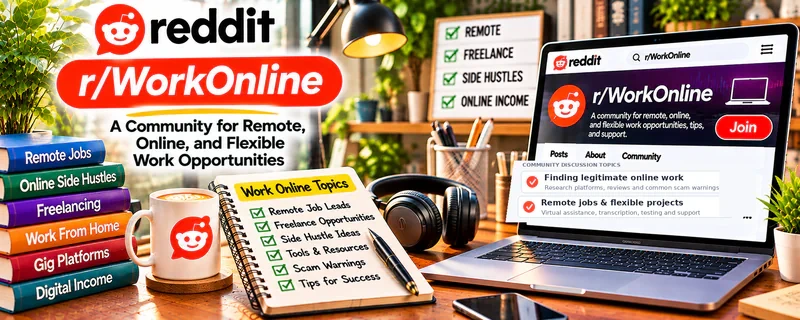
r/WorkOnline is a large community about finding legitimate remote work.
🔗 Visit Official Website — r/WorkOnline
Domain: www.reddit.com
What This Website Is
r/WorkOnline is a large community about finding legitimate remote work. For 🗂️ Virtual Assistance, it’s useful for spotting real-world “who’s hiring VAs,” learning scam red flags, and understanding what remote clients ask for.
How to Apply It to 🗂️ Virtual Assistance
Use r/WorkOnline as a “legit-check + opportunity discovery” community, then translate what you learn into a tighter VA offer and outreach workflow.
Step-by-Step Implementation:
- Phase 1: Learn scams vs legit signals — avoid pay-to-start, vague offers, and “training fees.”
- Phase 2: Build your offer — pick 2–3 services you can deliver consistently (inbox, calendar, research).
- Phase 3: Apply and follow up — track applications, messages, and responses.
Common Use Cases for this Side Hustle:
- Scenario A: You want ideas for where VAs get hired.
- Scenario B: You want to avoid scams and time-wasters.
- Scenario C: You want to understand common remote-work expectations.
When to Use This
- You’re searching for remote VA work and want legitimacy checks.
- You want to see what clients ask for in the wild.
- You want to build an application routine.
- You can filter and verify opportunities.
Best Tasks to Use It For
- Finding remote-work leads and communities
- Learning scam red flags and warnings
- Understanding common VA role expectations
- Improving your application messaging
- Building a shortlist of reputable platforms
Getting Started Steps
- Read the subreddit rules and common scam warnings.
- Create a tracking sheet for applications and outreach.
- Write a one-paragraph “VA pitch” and a short DM version.
- Pick 2–3 services and create SOPs for each.
- Apply to a small number daily (consistency beats spikes).
- Improve your pitch based on what gets replies.
Good Beginner Search Terms
- virtual assistant jobs legit
- remote work scam red flags
- VA pitch template
- inbox management virtual assistant
- calendar management assistant workflow
- how to price virtual assistant services
Monetization Angle
Direct + indirect: you can find leads, but the biggest value is avoiding scams and improving your offer and outreach so you land better clients.
Pros
- Good legitimacy checks and community warnings
- Helpful perspective on remote-work realities
- Can surface opportunities and platforms to investigate
Cons
- Not VA-specific all the time
- Advice can be outdated; verify recent threads
- Easy to browse instead of applying consistently
Who Should Use This
New virtual assistants who want to avoid scams and build a consistent remote-work application routine.
Who Should Skip This
Skip this if you already have a strong client pipeline. Use it occasionally for scam checks only.
Practical Applications
- Research general remote-work scam patterns.
- Identify a potential VA opportunity to verify on the employer’s official channel.
- Compare reported requirements with your genuine skills.
Important Considerations
- Anonymous hiring posts and payment screenshots are not proof of legitimacy.
- Never pay suspicious upfront fees, falsify qualifications, or share sensitive identity data through unverified routes; check current community rules.
Related Resources
Google Workspace Learning Center — Builds core tools skills for Gmail, Drive, Docs, Calendar, and Workspace support tasks.
Google Sheets — Tracks applications, outreach, clients, tasks, and VA workflows.
Zoom — Supports remote client calls, onboarding, and recurring check-ins.
Monday.com — Manages tasks, projects, and client workflows once VA work is active.
Related Side Hustles
 Virtual Assistance — r/WorkOnline helps VAs find legitimate leads, avoid scams, understand remote expectations, and improve applications.
 Social Media Management — Many VA roles include scheduling, community support, and social content coordination.
 Remote Customer Service Jobs — Remote support work overlaps with scam-spotting, application routines, and client communication.