Official Website
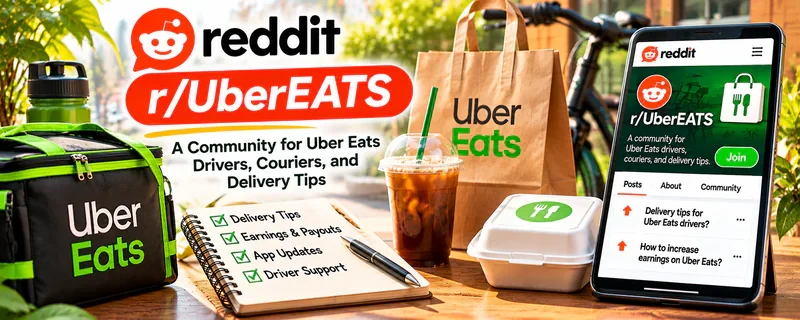
r/UberEATS is a community where drivers discuss delivery strategy, earnings, app changes, customer issues, tips, and common gig-work problems.
🔗 Visit Official Website — r/UberEATS
Domain: www.reddit.com
What This Website Is
r/UberEATS is a community where drivers discuss delivery strategy, earnings, app changes, customer issues, tips, and common gig-work problems. For 🚗 Gig Economy Apps, it helps you learn real-world delivery workflows and profit considerations.
How to Apply It to Gig Economy Apps
Use r/UberEATS as a delivery-operations reference: study what affects earnings, build acceptance rules, track mileage and time, and improve customer communication.
Step-by-Step Implementation:
- Track your real hourly rate after mileage, gas, and downtime.
- Study posts about delivery zones, peak times, and order selection.
- Build minimum pay, distance, and time rules.
- Save scripts for delays, substitutions, and customer issues.
- Review app updates and local market changes.
- Adjust your schedule and acceptance rules based on results.
When to Use This
- You drive for Uber Eats or similar delivery apps.
- You want to improve order selection and reduce downtime.
- You need peer context on app changes, tips, and customer scenarios.
Best Tasks to Use It For
- Delivery strategy
- Earnings and mileage tracking
- Customer communication
- App update awareness
- Market and zone research
Getting Started Steps
- Track one full week of delivery time, mileage, gross pay, and tips.
- Identify your best areas and time windows.
- Write a simple acceptance rule for minimum pay per mile.
- Save customer message templates for delays and drop-off issues.
- Review weekly profit after expenses.
- Stop using strategies that produce low effective hourly pay.
Good Beginner Search Terms
- Uber Eats pay per mile
- Uber Eats best delivery times
- delivery app mileage tracking
- Uber Eats customer message
- gig app tax mileage
Monetization Angle
Direct: better order selection, route awareness, and expense tracking can raise effective hourly earnings and reduce wasted mileage.
Pros
- Delivery-specific peer tips
- Useful for app changes and local-market awareness
- Helps identify common mistakes and low-profit habits
Cons
- Advice varies by city and market
- Can be vent-heavy
- App rules and pay structures change often
Who Should Use This
Gig workers who want practical delivery-app strategy, earnings awareness, and scenario advice.
Who Should Skip This
Skip this if negative gig-work discussions make it harder to make disciplined choices.
Practical Applications
- Use discussions to identify questions about local delivery conditions.
- Compare shift ideas against your own mileage and net earnings.
- Verify policy-related claims through the actual delivery platform.
Important Considerations
- Posts may omit costs or reflect different cities, dates, and account conditions.
- Do not follow advice involving unsafe driving, customer-data exposure, fraud, or platform-rule evasion.
Related Resources
DoorDash — Provides another delivery-app income stream to compare with Uber Eats.
r/InstacartShoppers — Adds shopper-specific gig strategy and customer communication examples.
Google Sheets — Tracks mileage, shifts, pay, tips, expenses, and effective hourly rate.
Related Side Hustles
 Gig Economy Apps: Earn Money on Your Schedule Using Your Phone — r/UberEATS helps with delivery strategy, app updates, order selection, and real earnings awareness.
 Pet Sitting & Dog Walking: Earn Money Caring for Pets — Local pet-care work can diversify income while using route and scheduling discipline.
 Lawn Care & Yard Work: Earn Money Maintaining Outdoor Spaces — Local route-based service work shares scheduling, mileage, and neighborhood efficiency concerns.