Official Website
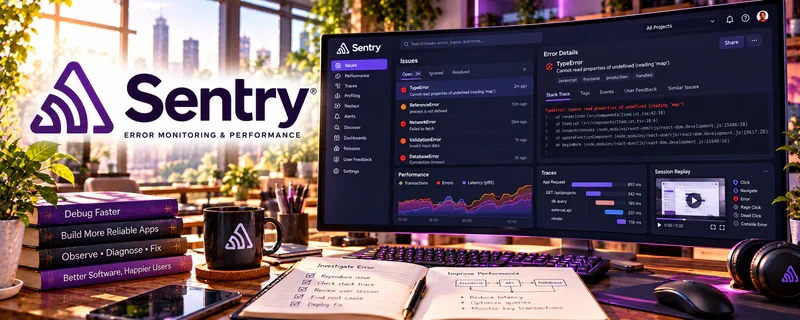
Sentry is an error tracking and performance monitoring platform for apps.
🔗 Visit Official Website — Sentry
Domain: sentry.io
What This Website Is
Sentry is an error tracking and performance monitoring platform for apps. For the 📱 App Developer side hustle, it helps you catch crashes, debug issues faster, and ship more reliable MVPs.
How to Apply It to 📱 App Developer
Use Sentry as a practical “stability layer”: instrument → ship → monitor → fix → improve.
Step-by-Step Implementation:
- Phase 1: Add Sentry to your app (web or mobile) and verify error capture in development.
- Phase 2: Ship an MVP and monitor crashes/errors in production.
- Phase 3: Prioritize fixes by frequency and user impact, then iterate releases.
Common Use Cases for this Side Hustle:
- Scenario A: Finding hidden crashes after launch.
- Scenario B: Debugging hard-to-reproduce user issues.
- Scenario C: Professionalizing client app delivery with monitoring.
When to Use This
- You’re shipping an MVP to real users.
- You need faster debugging.
- You want fewer “mystery crashes”.
- You’re building client apps and need reliability.
Best Tasks to Use It For
- Crash and error tracking
- Monitoring releases
- Debugging production issues
- Performance monitoring basics
- Prioritizing bug fixes
Getting Started Steps
- Create a Sentry project.
- Install the SDK for your app framework.
- Trigger a test error to confirm setup.
- Add release versioning.
- Ship the app.
- Review issues weekly.
- Fix the top 3 recurring errors first.
Good Beginner Search Terms
- Sentry setup React Native
- Sentry release tracking
- how to debug production errors
- crash monitoring for mobile apps
- error tracking best practices
- Sentry performance monitoring basics
Monetization Angle
Better stability improves reviews and retention. Faster debugging also reduces maintenance time, improving profitability for client or product work.
Pros
- Strong error visibility
- Helps debug real-world issues
- Makes shipping feel more professional
Cons
- Requires setup and maintenance
- Monitoring can be noisy without filtering
- Some advanced features cost money
Who Should Use This
App developers shipping MVPs who want visibility into crashes and production errors.
Who Should Skip This
Skip this if you’re still only prototyping and not shipping to real users yet.
Practical Applications
- Instrument a sample app to capture useful error context.
- Test that a known error appears in the intended development environment.
- Create a triage process linking a reproducible issue to a verified fix.
Important Considerations
- Scrub sensitive information and review consent, data retention, sampling, and access settings.
- Monitoring does not prevent every failure or replace testing and secure design; confirm SDK compatibility and current usage costs.
Related Resources
Related Side Hustles
 Selling Digital Products — App templates, starter kits, and tools can become digital products.
 Blogging: Build an Online Brand and Earn from Your Words — App developers can use build logs and tutorials to attract users or clients.