Official Website
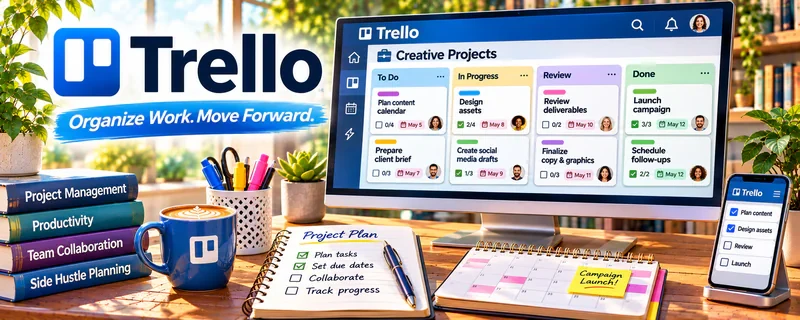
Trello is a freemium kanban board tool for organizing tasks, checklists, and production workflows.
🔗 Visit Official Website — Trello
Domain: trello.com
What This Website Is
Trello is a freemium kanban board tool for organizing tasks, checklists, and production workflows. For 👕 Print-on-Demand, it helps track design ideas, product listings, mockups, publishing status, and promotion tasks.
How to Apply It to 👕 Print-on-Demand
Use Trello as your POD production board: idea → design → mockup → listing → publish → promote.
Step-by-Step Implementation:
- Phase 1: Create lists for each stage of the product workflow.
- Phase 2: Add a card template with design notes, keywords, mockup links, and listing checklist.
- Phase 3: Review the board weekly to publish consistently and retire weak ideas.
Common Use Cases for this Side Hustle:
- Scenario A: You have many design ideas and need a pipeline.
- Scenario B: You outsource design and need feedback checklists.
- Scenario C: You want to track which products have been listed and promoted.
When to Use This
- You manage many designs or niches.
- You need a simple production tracker.
- You work with designers or assistants.
- You want consistent publishing cadence.
Best Tasks to Use It For
- Design idea backlog
- Listing checklists
- Mockup tracking
- Outsourced design reviews
- Weekly publishing workflow
Getting Started Steps
- Create a Trello board for POD products.
- Add lists: Ideas, Designing, Mockups, Listed, Promoting, Retired.
- Build a card template with keywords, file links, and checklist items.
- Add 20 design ideas to the backlog.
- Move 5 ideas into production each week.
- Attach finished files and listing URLs.
- Review performance and update the board weekly.
Good Beginner Search Terms
- Trello print on demand workflow
- POD design tracker template
- product listing checklist
- Etsy listing workflow Trello
- print on demand content calendar
- design production kanban
Monetization Angle
Better workflow increases listing output and reduces missed steps. More consistent publishing gives you more chances to find winning designs.
Pros
- Simple visual workflow
- Great for batching ideas and listings
- Easy to collaborate with designers
Cons
- Needs consistent maintenance
- Limited analytics
- Can get cluttered with too many niches
Who Should Use This
POD sellers who need a lightweight system for managing design production and publishing.
Who Should Skip This
Skip this if you already manage products inside a dedicated ecommerce or project management system.
Practical Applications
- Move POD design cards from idea through artwork, mockup, listing, and review.
- Attach a rights-check and export checklist to every design card.
- Use due dates to coordinate a small seasonal launch.
Important Considerations
- Trello tracks your process; it does not confirm marketplace uploads, inventory, or fulfillment automatically.
- Keep licensed artwork and supplier access details appropriately protected, and verify current plan and automation limits.
Related Resources
No access — Helps fulfill and sell print-on-demand products after designs are ready.
Lightroom — Can polish product photos or promotional visuals for listings.
Google Drive — Stores design files, mockups, and listing assets by niche.
Related Side Hustles
 Selling Digital Products — Uses similar design, listing, and product packaging skills.
 Affiliate Marketing: Get Paid to Promote What You Love — POD audiences can be monetized with related product recommendations.
 Blogging: Build an Online Brand and Earn from Your Words — Niche content can drive traffic to POD products.