Official Website
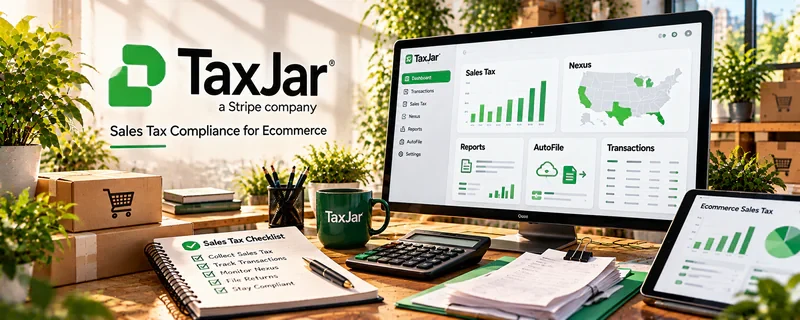
TaxJar is a sales tax automation tool that helps track, calculate, and file sales tax (especially for eCommerce).
🔗 Visit Official Website — TaxJar
Domain: www.taxjar.com
What This Website Is
TaxJar is a sales tax automation tool that helps track, calculate, and file sales tax (especially for eCommerce). For the 📊 Online Bookkeeping side hustle, it can be used to support clients who sell online and need cleaner sales tax reporting.
How to Apply It to 📊 Online Bookkeeping
Use TaxJar as a practical “sales tax layer”: connect platforms → track nexus → calculate → file → reconcile.
Step-by-Step Implementation:
- Phase 1: Connect the client’s sales channels (Shopify, marketplaces) and confirm settings.
- Phase 2: Review nexus/state obligations and ensure correct tax collection rules.
- Phase 3: Reconcile TaxJar reports to accounting records monthly and support filing as needed.
Common Use Cases for this Side Hustle:
- Scenario A: Bookkeeping for Shopify/eCommerce clients.
- Scenario B: Multi-state sales where manual tax tracking is messy.
- Scenario C: Cleanup jobs where sales tax liabilities are unclear.
When to Use This
- A client sells online across states.
- Sales tax tracking is becoming complex.
- You want cleaner monthly reporting.
- You need a repeatable system for filings.
Best Tasks to Use It For
- Sales tax tracking and reporting
- Nexus monitoring support
- Monthly reconciliation inputs
- Filing workflow support
- Audit-ready reporting exports
Getting Started Steps
- Confirm which states the client sells into.
- Create/connect TaxJar to sales channels.
- Verify tax categories/settings.
- Review monthly reports.
- Reconcile to the bookkeeping system.
- Support filing (as appropriate to the client).
- Document the workflow for repeat months.
Good Beginner Search Terms
- TaxJar bookkeeping workflow
- sales tax nexus basics for bookkeepers
- Shopify sales tax automation TaxJar
- reconcile TaxJar to QuickBooks
- eCommerce bookkeeping sales tax reports
- sales tax filing process checklist
Monetization Angle
Sales tax complexity is a premium add-on. A strong system can justify higher retainers and improve client retention.
Pros
- Automates messy sales tax tracking
- Helpful reporting exports
- Reduces manual errors
Cons
- Paid tool
- Setup requires careful configuration
- Not needed for simple/local businesses
Who Should Use This
Bookkeepers supporting eCommerce clients who need reliable sales tax tracking and reporting.
Who Should Skip This
Skip this if the client has very simple local sales and no multi-state sales tax obligations.
Practical Applications
- Assess whether a client’s sales channels fit the current product coverage.
- Reconcile captured sales-tax data with authorized source records.
- Document exceptions and questions for the client’s tax professional.
Important Considerations
- Confirm jurisdiction, integrations, fees, registration needs, and supported filing services; software does not establish tax liability by itself.
- Only provide services within your competence and authorization, and verify rates, nexus, product classifications, and filings with qualified guidance where needed.
Related Resources
Quickbooks — Reconciles sales tax reports into the client’s accounting records.
Hubdoc — Collects receipts and documents that support tax and bookkeeping workflows.
Wave — Provides a lighter bookkeeping option for smaller clients that may not need TaxJar complexity.
Related Side Hustles
 Selling Digital Products — Digital product sellers may create sales tax and bookkeeping needs as revenue grows.
 Affiliate Marketing: Get Paid to Promote What You Love — Affiliate and commerce income can create tracking and tax-reporting work.