Official Website
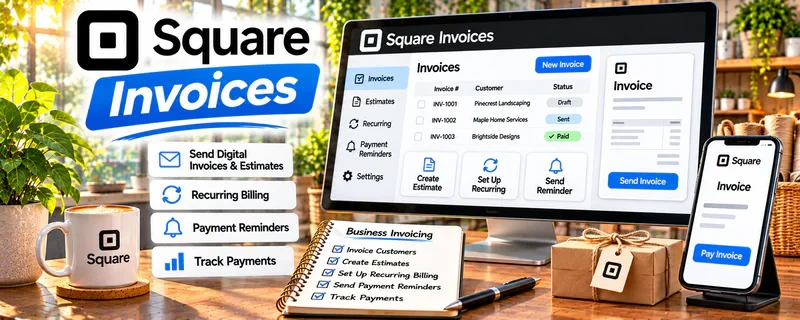
Square Invoices is a freemium invoicing tool that helps you send invoices, accept payments, and track paid/unpaid status.
🔗 Visit Official Website — Square Invoices
Domain: squareup.com
What This Website Is
Square Invoices is a freemium invoicing tool that helps you send invoices, accept payments, and track paid/unpaid status. For the 💼 Consulting side hustle, it can be used to standardize billing and improve cash flow.
How to Apply It to 💼 Consulting
Use Square Invoices to make billing consistent: proposal → invoice → payment → follow-up.
Step-by-Step Implementation:
- Phase 1: Create invoice templates for your common services (project, retainer, hourly).
- Phase 2: Set payment terms and deposit requirements.
- Phase 3: Automate reminders and track outstanding invoices weekly.
Common Use Cases for this Side Hustle:
- Scenario A: If clients pay late, use reminders and clear terms.
- Scenario B: If you want deposits, invoice 50% up front.
- Scenario C: If you want professional packaging, standardize invoices and receipts.
When to Use This
- You need a simple invoicing workflow.
- You want to accept card payments easily.
- You want to track unpaid invoices.
- You want professional receipts for clients.
Best Tasks to Use It For
- Sending invoices
- Collecting deposits
- Payment links and reminders
- Tracking paid/unpaid status
- Generating receipts
Getting Started Steps
- Create a Square account.
- Set up your business details and payment methods.
- Build invoice templates for your services.
- Send your first invoice with clear terms.
- Enable reminders for unpaid invoices.
- Track receivables weekly.
- Export records for taxes/bookkeeping.
Good Beginner Search Terms
- Square invoices tutorial
- consulting invoice template
- how to require deposits
- payment terms net 7 net 14
- invoice follow up email
- improve cash flow freelancing
Monetization Angle
Better invoicing improves cash flow and reduces time chasing payments—so you can focus on higher-value work.
Pros
- Easy invoicing and payment collection
- Professional receipts
- Freemium entry point
Cons
- Payment processing fees
- Limited customization vs full accounting tools
- Not full bookkeeping by itself
Who Should Use This
Consultants who want a simple, professional invoicing and payment workflow.
Who Should Skip This
Skip this if you need advanced accounting, inventory, or complex billing workflows.
Practical Applications
- Prepare an invoice with an accurate consulting deliverable and an agreed due date.
- Track payment status and follow up using the terms agreed with the client.
- Match payment records with project milestones and your bookkeeping records.
Important Considerations
- Check current processing fees, eligibility, payout timing, and the features available in your region.
- An invoice does not replace an agreed consulting scope, suitable contract terms, or tax records. Handle billing information securely and plan for refunds, disputes, and late payments.
Related Resources
PayPal Business — gives consulting clients a familiar way to pay invoices or deposits
Wave — simpler invoicing/accounting option for tracking payments and income
Bonsai — adds proposals, contracts, and client workflow tools around consulting engagements
Quickbooks — supports more robust bookkeeping as consulting income and expenses grow
Related Side Hustles
 Virtual Assistance — both often use retainers; invoices + payment links keep billing clean
 Freelance Writing: Get Paid to Write Online — simple invoicing improves cash flow and reduces admin overhead for writing clients
Copyediting & Proofreading: Get Paid to Polish Words — package edits as projects/retainers and invoice consistently