Official Website
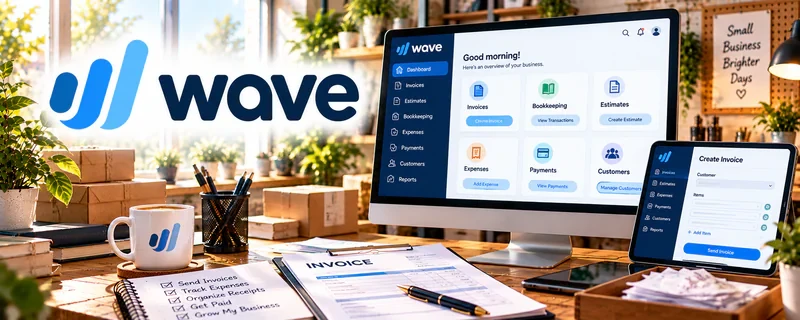
Wave is a freemium accounting and invoicing tool designed for small businesses.
🔗 Visit Official Website — Wave
Domain: www.waveapps.com
What This Website Is
Wave is a freemium accounting and invoicing tool designed for small businesses. For the 🧹 House Cleaning & Organization side hustle, it can be used to send invoices, track payments, and keep basic income/expense records organized.
How to Apply It to 🧹 House Cleaning & Organization
Use Wave to make getting paid simple and consistent. The goal is to standardize invoicing and keep clean records for taxes and profitability.
Step-by-Step Implementation:
- Phase 1: Set up your business profile, invoice template, and payment options.
- Phase 2: Create a repeatable invoice workflow (after each job or weekly).
- Phase 3: Track expenses and review monthly profit (so you price correctly).
Common Use Cases for this Side Hustle:
- Scenario A: If clients forget to pay, use invoices + reminders.
- Scenario B: If you want to know your true profit, track expenses consistently.
- Scenario C: If you want to scale, standardize billing and record-keeping.
When to Use This
- You need invoicing for cleaning clients.
- You want simple bookkeeping without complexity.
- You want better visibility into income and expenses.
- You want basic records for tax time.
Best Tasks to Use It For
- Sending invoices
- Tracking payments
- Recording expenses
- Basic profit tracking
- Generating simple reports
Getting Started Steps
- Create a Wave account.
- Set up your invoice template with your branding.
- Add your services and pricing line items.
- Send your first invoice and enable online payments (optional).
- Record basic expenses weekly.
- Review monthly income vs expenses.
- Export reports for tax time and planning.
Good Beginner Search Terms
- Wave invoicing tutorial
- how to invoice cleaning clients
- basic bookkeeping for small business
- track expenses spreadsheet vs Wave
- pricing cleaning services profit
- small business tax record keeping
Monetization Angle
Wave helps you monetize by improving cash flow and pricing: consistent invoicing reduces missed payments, and tracking expenses helps you raise rates with confidence.
Pros
- Easy invoicing for small service businesses
- Useful basic bookkeeping features
- Freemium entry point
Cons
- Not full accounting for complex businesses
- Some payment features have fees
- May not scale for advanced needs
Who Should Use This
Service providers who need simple invoicing and basic bookkeeping without complexity.
Who Should Skip This
Skip this if you need advanced inventory, payroll, or complex accounting workflows.
Practical Applications
- Prepare consistent invoice descriptions for cleaning visits and organizing sessions.
- Record receipts and categorize service-business expenses for later review.
- Match recorded payments with completed jobs and follow up on discrepancies.
Important Considerations
- Confirm current eligibility, plan features, fees, and any geographic restrictions.
- Software records do not establish tax compliance or correct accounting treatment. Protect client information and seek qualified help for situations beyond your bookkeeping knowledge.
Related Resources
Bonsai — adds contracts, proposals, and client admin for a more formal service business
PayPal Business — gives clients a familiar way to pay invoices or deposits
Quickbooks — supports more robust bookkeeping if the service business grows beyond simple invoicing
Notion — tracks client checklists, job notes, pricing, and repeatable cleaning workflows
Related Side Hustles
 Virtual Assistance — similar client-service ops: scheduling, invoicing, and repeatable checklists
 Freelance Writing: Get Paid to Write Online — use invoices + payment tracking for ongoing clients and retainers
Copyediting & Proofreading: Get Paid to Polish Words — same need for clear scopes, invoices, and payment follow-up