Official Website
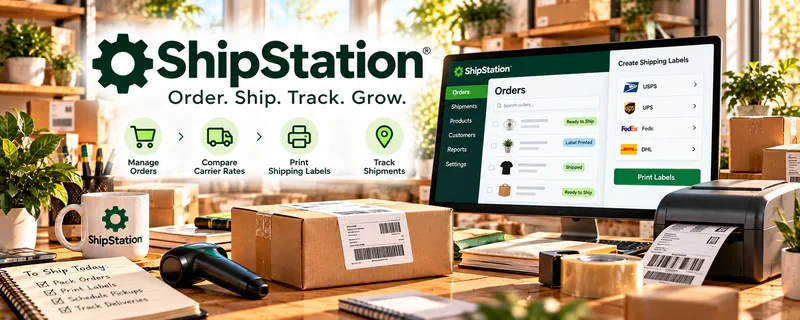
ShipStation is a shipping management tool for creating labels, managing orders, and tracking shipments across carriers.
🔗 Visit Official Website — ShipStation
Domain: www.shipstation.com
What This Website Is
ShipStation is a shipping management tool for creating labels, managing orders, and tracking shipments across carriers. For ♻️ Product Flipping, it helps you ship faster and keep fulfillment organized.
How to Apply It to Product Flipping
Use ShipStation as your “fulfillment system”: batch print labels, track shipments, and standardize packaging workflows for repeat sales.
Step-by-Step Implementation:
- Review current selling-channel, carrier, account, and fee requirements for your fulfillment needs.
- Connect only authorized accounts and configure package and shipping details accurately.
- Check each order’s address, item, packaging, restrictions, and service level before creating a label.
- Use a repeatable dispatch checklist and reconcile tracking with the actual order.
- Review delivery exceptions, returns, shipping costs, and access to customer information regularly.
When to Use This
- You ship frequently
- You sell across multiple channels
- You want faster label creation and tracking
Best Tasks to Use It For
- Label printing
- Order/shipment tracking
- Batch fulfillment
- Shipping cost comparison
Getting Started Steps
- Create an account and connect selling channels (if applicable).
- Set up carriers and package presets.
- Create default label settings.
- Batch process orders daily.
- Print labels and packing slips.
- Track delivery issues and handle returns.
- Review shipping costs monthly.
Good Beginner Search Terms
- shipstation batch labels workflow
- cheapest shipping for small packages
- packaging checklist for resellers
Monetization Angle
Faster fulfillment and fewer shipping mistakes improves ratings and repeat sales while reducing time per order.
Pros
- Saves time on shipping
- Batch workflows
- Carrier options
Cons
- Paid tool
- Setup takes time
Who Should Use This
Resellers shipping many orders who want a standardized fulfillment process.
Who Should Skip This
Anyone shipping only occasionally (carrier websites may be enough).
Practical Applications
- Compare shipping options for the actual packed weight and dimensions of a flipped item.
- Use order records to generate and reconcile shipping labels.
- Track dispatch, delivery, and shipment exceptions across supported sales channels.
Important Considerations
- Check current integration support, subscription costs, carrier adjustments, and coverage terms.
- Confirm restrictions, insurance, packaging, and returns; a printed label is not proof of carrier acceptance or delivery.
Related Resources
Pirate Ship — Provides a simpler shipping-label option for lower-volume flipping orders.
Google Sheets — Tracks inventory, purchase cost, sale price, shipping cost, and profit per item.
Gridwise — Helps track mileage and trips when sourcing or delivering flipped products locally.
Related Side Hustles
 Product Flipping — ShipStation manages labels, tracking, carrier options, returns, and batch fulfillment for resale orders.
 Dropshipping: Start an Online Store Without Holding Inventory — Ecommerce shipping and fulfillment workflows overlap when stores manage physical goods.
Print-on-Demand — POD sellers also need shipment tracking, customer updates, and delivery issue workflows.